


[.blog-callout]
TL;DR
- Airtable is a spreadsheet-database hybrid built for structured, relational data. Notion is a text-first workspace built for documents, wikis, and notes.
- Notion is easier for first-time users; Airtable rewards teams that need to manage and automate large amounts of data.
- Both have free plans. Paid plans start at $10 per member per month for Notion and $20 per seat per month for Airtable.
- Airtable leads on automation and data integrations; Notion leads on flexible, document-centric collaboration.
- You don't have to expose either tool to clients or teammates: with Softr, you can build a secure portal or internal tool on top of Airtable, Notion, or Softr's own native database. [.blog-callout]
While Airtable and Notion are often considered project management software, they are vastly different platforms with unique features, capabilities, pros, and cons.
In this article, we break down both solutions to help you decide which is a better fit for your specific use case in 2026, comparing them across ease of use, pricing, versatility, security, templates, integrations, automation, and AI.
Airtable vs. Notion: Comparison table
| Airtable | Notion | |
|---|---|---|
| Core interface | Database-spreadsheet hybrid (grids, records, relational links) | Text-first, block-building workspace (pages, docs, wikis) |
| Online reviews | 4.6/5 on G2, 4.7/5 on Capterra | 4.7/5 on G2, 4.7/5 on Capterra |
| Ease of use | Learning curve for database beginners | Very beginner-friendly block editor |
| Pricing | Free plan, then from $20/seat/month | Free plan, then from $10/member/month |
| Best for | Structured, data-heavy projects: trackers, CRMs, inventories | Document-heavy collaboration: wikis, notes, roadmaps |
| Automation | Native automations with triggers, conditions, and actions | Database automations plus template-based workflows |
| Integrations | Dozens of native integrations, plus use as a data source for app builders like Softr | Large integration library and a public API; also works as a Softr data source |
| Security | ISO 27001 and SOC 2 compliance, SSO, 2FA | ISO 27001 and SOC 2 compliance, SSO, 2FA |
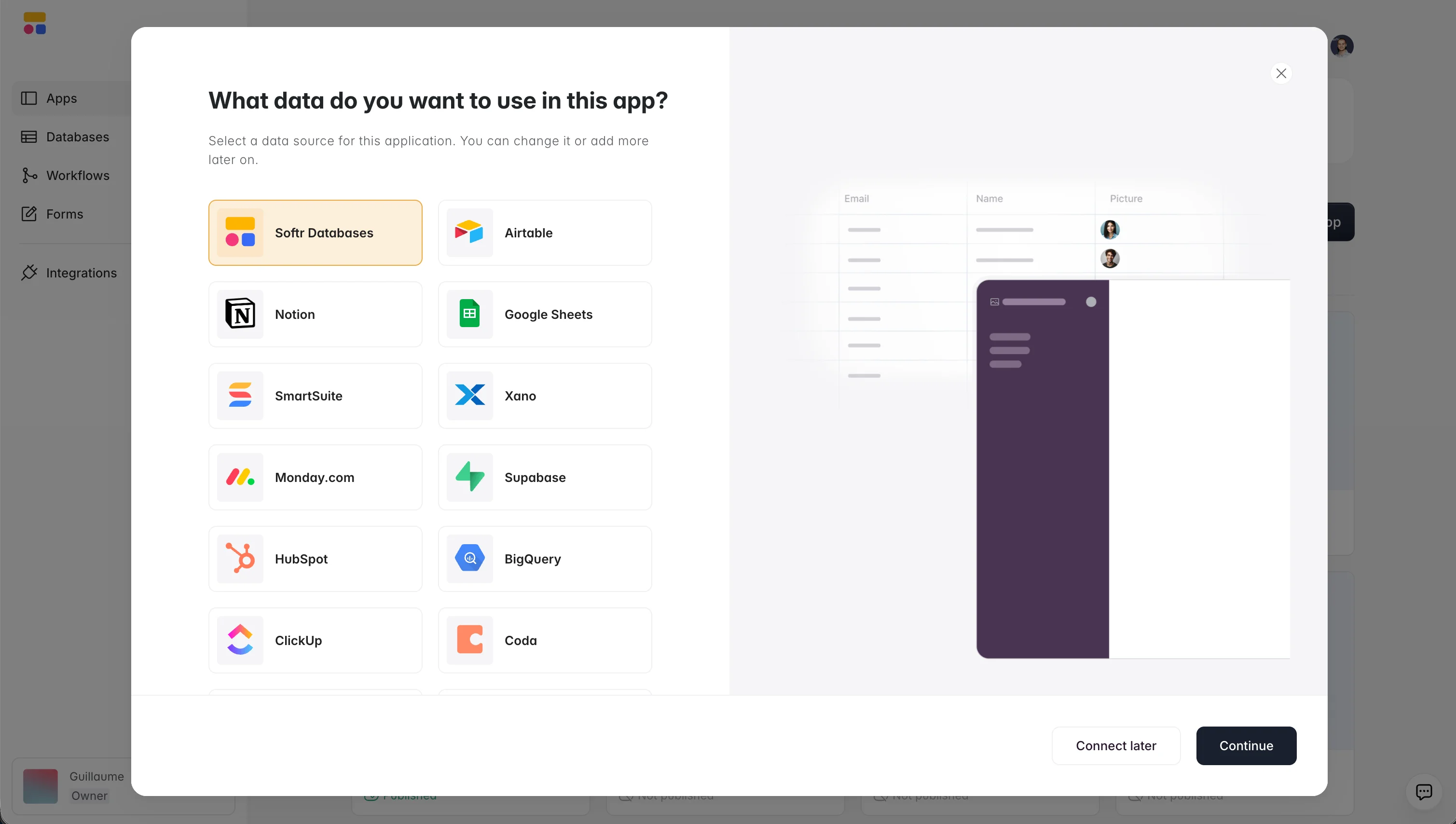
Both tools can also serve as the backend of a business app. Softr connects natively to Softr Databases, Airtable, Notion, and 20+ other data sources (including a REST API connector), so whichever tool you pick, you can later turn that data into a client portal or internal tool without migrating anything.
Interface
The interface is the main difference that immediately jumps up to anyone comparing Airtable and Notion.
While Airtable is a database-spreadsheet hybrid with a very distinctive grid interface made of cells arranged in rows and columns, Notion offers a block-building platform that is very text-heavy and instantly reminds users of a note-taking tool.
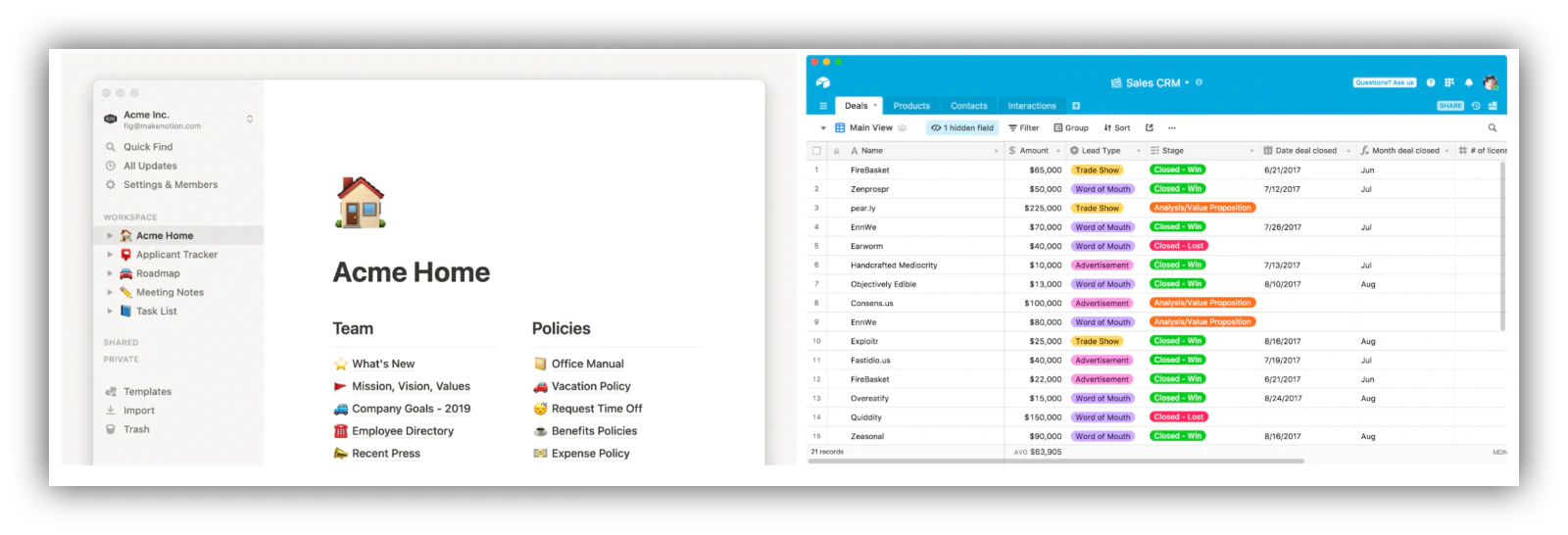
Based on this fundamental interface difference, users can immediately see that certain use cases are better suited for one tool than others.
Airtable is a hybrid solution that specifically caters to spreadsheet and database enthusiasts, offering a variety of field types, a lot of ready-to-use templates, and a massive ecosystem of apps and integrations with third-party platforms like Softr. As a relational database, it allows users to link and bond records across different tables, which is extremely useful for keeping data structured as it grows.
Notion is an online space to "think, write, and plan." At its core, it's a text-first block-building interface that allows users to create pages in which blocks of various categories (text, images, videos, links, lists, tables, etc.) can be added to create whatever they're thinking of, from a product roadmap to a team wiki, a company org chart, a database, and more. Pages can be nested into one another to create a comprehensive directory, much like a website would.
On paper, Airtable and Notion look like entirely different solutions. Still, in practice, they can be used in very similar ways, depending on what you're trying to achieve and what your requirements and preferences are.
Ease-of-use
Both solutions have very comprehensive, thorough user experience (UX) and user interface (UI) elements that turn complex challenges into fun, user-friendly projects, from building a complex relational database to creating a company wiki, for example.
However, Notion is much easier to adopt for first-time users by being text-first and using a block-building system. Airtable, on the other hand, while much more interesting to look at than other spreadsheet solutions like Google Sheets or Microsoft Excel, will require a steeper learning curve for new users.
While this is not true for every user (database enthusiasts might find Airtable extremely easy to use), Notion is the more beginner-friendly of the two.
Pricing
Both Airtable and Notion offer free plans which allow for extensive use of the platforms at no extra cost. Users can pay a monthly subscription to access additional features and extra capabilities. If you're an entrepreneur or a small team looking to get started, the Notion and Airtable free plans will be plenty enough.
With Notion, upgrading to the Plus plan ($10 per member per month, billed annually) becomes necessary as you add more pages and collaborators and require a longer page history. The next step is the Business plan, which introduces advanced security features, private spaces, and more guests. This should be enough for most companies, and the Enterprise plan can take over with custom pricing when it's not.
For Airtable, upgrading becomes necessary for most users when the record limit of the free plan is reached or when more sync integrations are needed. The Team plan ($20 per seat per month, billed annually) unlocks more records, extensions, and automation runs, while the Business plan adds advanced permissions, admin controls, and higher limits for power users.
One thing to keep in mind with both tools: pricing is per seat. That's fine for a small internal team, but costs climb fast if you want to give access to dozens of clients, vendors, or external partners. That's a common reason teams put a Softr portal in front of their Airtable or Notion data instead of inviting everyone into the workspace itself.
Visit the respective websites for a detailed description of Notion pricing and Airtable pricing.
{{cta-1}}
Versatility
When it comes to versatility, both Airtable and Notion are stellar options to add to your tech stack. Some of the things you can build with these platforms include:
- Product roadmaps
- Team wiki
- Kanban boards
- Notes and task trackers
- Databases
- Templates
The list goes on. Your imagination is pretty much the limit, and both platforms have large communities of users to interact with, regularly coming out with new ideas, guides, and templates.
However, Airtable takes the lead in tangible, real-life customer-facing use cases, thanks to integrations with third parties such as Softr, which allow users to turn their Airtable bases into full-on backend databases, fueling business apps and portals. More on that in the next section.

Integrations
Both solutions offer many third-party native integrations that can easily be plugged in without code.
Notion can be connected to a wide range of tools, from automation platforms like Zapier and Make to project management tools like Jira and Trello, file-sharing apps like Dropbox and Google Drive, CRMs, design tools, data, and video platforms. The Notion API is also publicly available to be explored and create custom integrations.
Airtable also offers dozens of native integrations with tools such as Salesforce, Zendesk, Asana, Evernote, GitHub, and Miro. However, one of the most useful possibilities available is the power to use Airtable as a data source for software such as Softr, turning your Airtable base into a backend database that can fuel fully functioning business apps without code.
This allows you to create anything from a client portal to an internal tool or a community hub by putting together a business app in a few minutes using Softr's interface builder, with granular user permissions, native Softr Workflows for automation, and an AI Co-Builder that can set up pages and blocks from a plain-language description. Notion works the same way as a Softr data source, so document-first teams aren't left out. Still, because of Airtable's stronger relational structure, Airtable has to be the top choice when it comes to integrations.
Here's how one operations director describes running that setup day to day:
"I find Softr very intuitive and easy to navigate, which is great for someone who is not a programmer by nature. It integrates very nicely with Airtable and other databases we are already using, making it nice that it just sits on top of the systems we have." - Natalie S., Director of Operations, G2 review
Security
Despite their relatively crafty nature, Airtable and Notion are both well-equipped in the security department and allow organizations to create projects with rock-solid security foundations.
Both solutions boast advanced security and privacy features, including ISO 27001 and SOC 2 compliance, which are some of the most sought-after security certifications in the industry. Additionally, and from a product standpoint, enterprise users can implement Single Sign-On (SSO) and two-factor authentication (2FA), allowing end-users to log in using partners like Google and add a second authentication factor for additional security.
One nuance worth noting: in both tools, sharing tends to happen at the workspace, base, or page level. If you need true record-level control (a client seeing only their own projects, for example), you'll want a dedicated interface with user groups and row-level permissions on top of your data.
Learn more about security at Airtable and Notion.
Templates
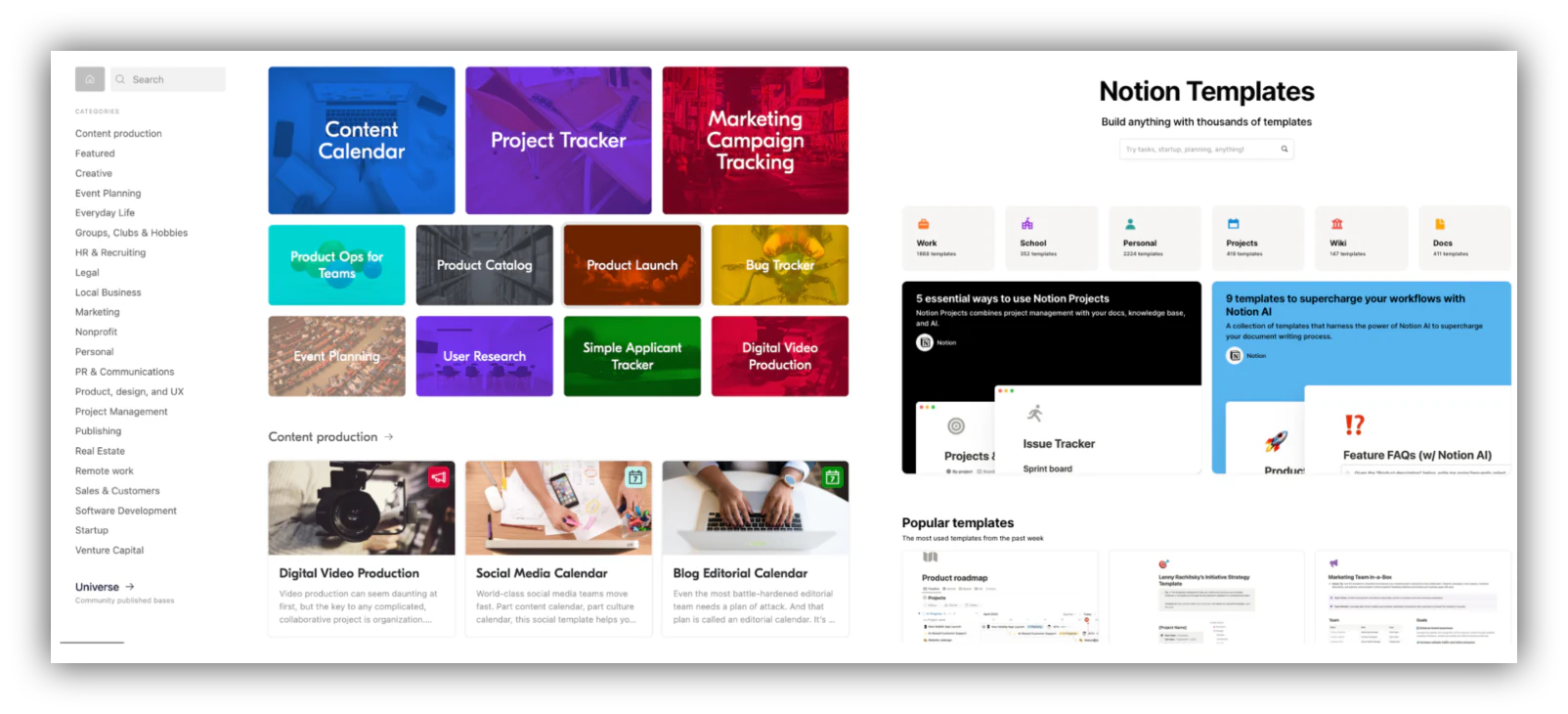
Both Notion and Airtable offer many pre-built templates users can use to jumpstart their projects. Because of their very active communities, the two solutions also benefit from user-generated templates available online.
Whether you're looking to build a content calendar, a user research directory, a project management homepage, kanban boards, bug trackers, inventory catalogs, or pretty much anything else you can think of, chances are both Notion and Airtable have templates available for it.
Browse Airtable templates and Notion templates.
Automation
Repetitive tasks are a pet peeve for many project managers, and automation has been saving teams worldwide hours of menial work that previously cost them time, energy, and money. Airtable and Notion can be supercharged with dedicated automation using platforms like Zapier or Make. But they also have native features to automate some of your workloads.
In Notion, database automations can update properties, send notifications, and trigger actions when records change, and the template system lets crafty power users build their own lightweight processes. It covers common needs, but complex multi-step logic still requires external tools.
On the other hand, Airtable features an entire section of the tool dedicated to creating automations, natively in Airtable. If you're familiar with Zapier or Make, you'll have no problem onboarding the platform: you can set up triggers, conditions, logic, and actions that will put a lot of your manual work on autopilot.
This is especially powerful when used alongside integrations with other tools, and takes a whole new level when paired with Softr. Softr's native Softr Workflows can be triggered directly by actions in your app's interface (like a button click or form submission), so actions taken in your live portal can update your backend and kick off automations that run on their own. Learn more in our article about Airtable automations.
If Airtable is the clear winner in this category, Notion's AI features offer other ways to increase productivity and streamline processes, even if they don't fully automate them.
Artificial Intelligence
Artificial intelligence (AI) is everywhere, and neither Airtable nor Notion plans to be left behind. Both platforms have shipped substantial AI features, and they keep evolving fast.
Notion AI operates as an assistant inside your workspace. Users can ask it to write a first draft for a blog post, summarize a long page of content, answer questions across the workspace, or create a table based on notes. The power of the feature resides in the fact that it lives within Notion and works with the data you already have in there. For Notion power users, it's a major productivity boost.
Airtable AI brings AI directly into your bases: you can add AI fields that generate, categorize, or summarize data per record (creating creative briefs, drafting job descriptions, categorizing budget spend), and use AI to help build automations and interfaces. Because it operates at the field level, it fits naturally into structured, data-heavy workflows.
Both are useful in different ways: Notion AI excels at working with documents and unstructured notes, while Airtable AI shines at enriching and processing structured records. And if you build on top of either with Softr, you also get AI at the app layer: an AI Co-Builder that creates pages, blocks, and database structures from a description, plus Ask AI so end users can query data in plain English, with answers respecting each user's permissions.
Conclusion: Notion vs Airtable
As we've seen, and despite being described as project management software, Notion and Airtable are drastically different products.
If you're a project management fanatic looking to collaborate with a team and want to create the central, go-to place for everything related to your projects, Notion might be for you. You'll be able to compile ideas in many different formats, from notes to wikis to Kanban boards, images, databases, and so much more. If versatility and creativity are the most important to you, Notion is the way to go.
On the other hand, if you're a more tech-savvy, crafty self-starter looking to build a solid foundation for an actual business, Airtable might be worth looking into. The compelling database features of the platform will allow you to manage complex operations, collaborate with a large team, and create complex calculations. But most importantly, once coupled with a solution like Softr, Airtable will transform into a backend for customer-facing projects, from a client portal to a fully functioning internal tool.
And remember that the choice isn't always binary. Whichever tool holds your data, we built Softr so you can turn it into a real business app: pick Softr Databases as your native backend, or connect Airtable, Notion, or any of 20+ data sources, then design the interface, set user permissions, and automate the logic in one place.
"I love how you can create your own software without knowing how to code. I also love that I am not charged per-user fees like a lot of other software packages. I can use my data from Airtable or the native Softr Database to create the frontend, allowing my users to access specific fields and update records." - Laurie K., Business Owner, G2 review
Ultimately, because both platforms are so different, the choice will be based on each individual's requirements, personal preferences, and objectives. Since Notion and Airtable offer free plans, we can only recommend signing up and experimenting to find which one to adopt for your projects.
Frequently asked questions
What is the main difference between Airtable and Notion?
Which is better for project management: Airtable or Notion?
How much do Airtable and Notion cost in 2026?
Can you build a business app on top of Airtable or Notion?
Can you use Notion as a database?


