Transcript
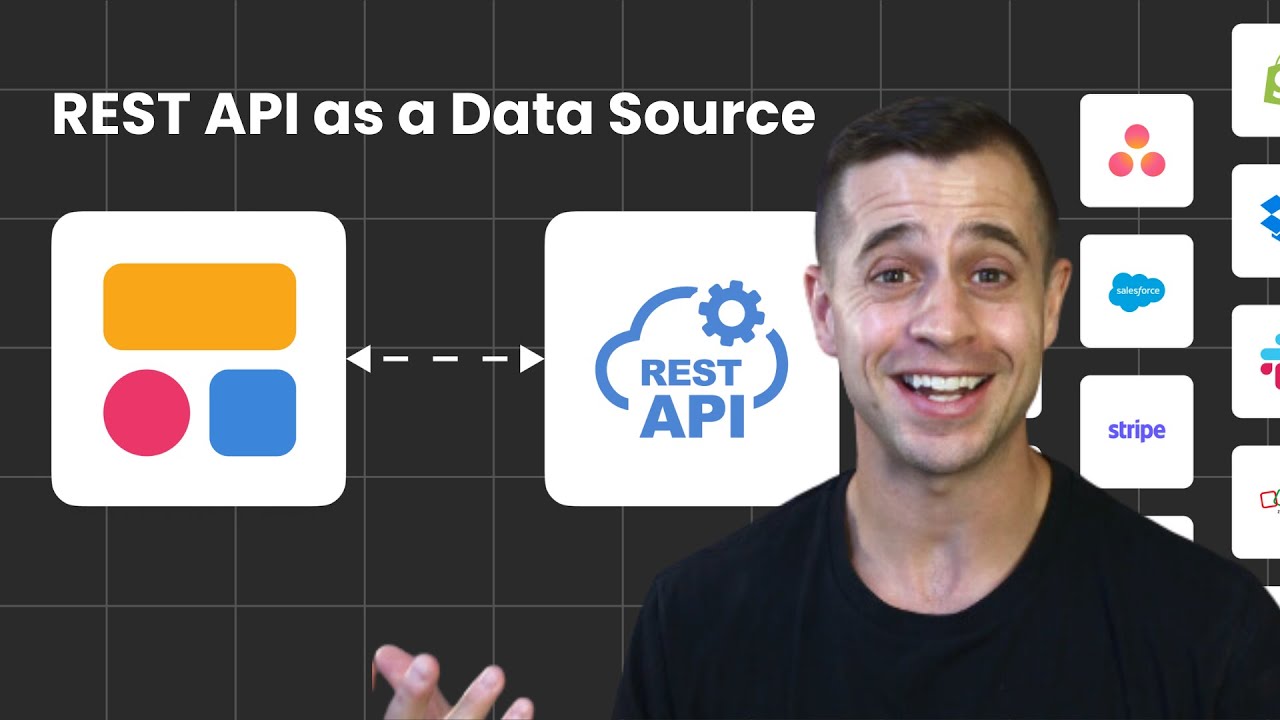
I am so excited to be bringing you the update of the year, which is the REST API for Softr. This is a way for you to unlock your Softr app with ultimate flexibility and customization, allowing you to connect to any data source that has an API available.
Yes, that's true, any data source. Salesforce, Zillow, Intercom, whatever you can think of, you can now do it with Softr and use it as your data source.
In this video, I am going to show you how to use the new REST API in Softr step-by-step so you can get started with any data source you want, bring it into Softr, and use it to power your Softr apps.
[.blog-callout]
While connecting via API is powerful, Softr Databases is the native way to manage data directly within Softr for maximum performance and ease of use.
[.blog-callout]
Here we are in our data source section of Softr, and if I go into connect a data source, I will now see that I have the REST API as my data source. We have templates available to streamline this for you, so the most popular APIs are pre-configured.
You could just go in, add your API key, and connect. But until then, you can also add any API that you want manually. That is what we will do.
I am going to go to add manual, and then we are going to set up our standard call with our headers. For this, I am going to connect to Zillow to pull in properties for a real estate portal application for my clients.
I am naming my call here, and then I need to enter my headers. These are going to be shared headers for all of my endpoints. If I have some kind of API key or bearer token that I am using to authenticate, I put it here so I do not need to put it into all of my other endpoints.
Now we have resources, which are essentially endpoints. We are going to get started with the property listing endpoint and call it get listings.
For this endpoint, we are going to use it as a get, and we are going to use this URL right here for it. Down here, you will see that we have headers, parameters, placeholders, bodies, pagination, and transformers.
I want to first start with parameters. On this URL call, I want to add additional parameters so I search a specific region. One of the parameters is called location, another is the status type, and another is the home type.
I am going to search for a location in Los Angeles. I am looking for properties that are for sale and I am looking for homes. Along with this URL, I have added these parameters to extend that.
If I want to add any kind of placeholders or pagination, I could do that as well and make sure that I get this JSON returned with a nice pagination to make this easier to handle.
[.blog-callout]
If you want to skip the manual setup and configuration of data sources, you can use the AI co-builder. It builds complete App templates and database schemas instantly based on your prompt.
[.blog-callout]
The big thing that I really want to look for is my transformer. When I hit execute, I am going to get a big response back with a lot of JSON. Sometimes I do not need all of those fields back.
I can go in and do a little bit of housekeeping by adding a transformer. The transformer will essentially say, hey API, only return the fields that I have listed in this transformer back to me.
Furthermore, we have a Zestimate that is not formatted as a currency right now, it is just text. In our transformer, we could say also return this Zestimate field and format it as a currency.
I don't know how to write JavaScript, but ChatGPT helped me write this JavaScript that I am going to copy and paste in here now. We are using a transformer to make it better for us to digest in Softr.
Whenever you show a listing, you also want to show the detail page. That is what we now need to set up. For the detail page, it is a different endpoint, and we need to specify the record ID.
In my transformer, I can see that the key ID is marked as primary field. That is very important that you do identify an ID in this JSON and mark it so Softr can use it to fetch this record.
Now let's add another resource called property details. For this, we are going to use a specific URL and we need to use record ID right there for Softr to read it.
I executed this and realized I never actually added a value for what that record ID is in my placeholders. I am going to re-execute this, and I can see that I have a lot of information coming back to me.
Now with this set up, we have these two calls. I am going to save them. Now I can go into Softr and start building stuff.
Here we have a listing page with our listing block. Over in our source, I have the Zillow API I set up and I want to use the get listing resource.
For my content, I am using my image URL, my address for the header, and bathrooms, bedrooms, and price. For the action button, I say item on click, we are just going to go to the detail page like normal.
Since we configured this API with that ID record, Softr is intelligently finding that ID and mapping it to the property IDs on the page automatically.
[.blog-callout]
Building a client portal is a great use case for this API integration. For a faster start, you can also explore our AI CRM template to manage your client data efficiently.
[.blog-callout]
Now we have a simple listing block here. Over in this listing, I have the image source, the title for my street address, and description. In the section below, I have bedrooms, bathrooms, and price.
If I go over to my refreshed page, let's check it out. Now I am on my listing page and I can see all of these properties coming in. Let's click on one.
We see that we have this property at 10936 Charlon Road with nine bedrooms and 13 baths for 11.5 million dollars. This one is not formatted as currency because we did not use a transformer for this endpoint, but we can go back and do that.
We are 10 minutes into this video and we set up a Zillow API with two different endpoints for our listing page and detail page. You can do this with any other API.
I hope you are as excited about this new feature as I am. It is something I have been pushing the team to do because I know the opportunities it opens up. If you have questions, drop them below.