Transcript
Softr has released the best AI app builder for businesses. Softr has always been a platform that allows you to build apps, internal tools, and customer portals with no-code blocks that you can compose together. You can build a database inside Softr or within tools like Airtable, Google Sheets, Notion, or HubSpot.
Recently, they also added Softr Workflows, and now you get AI to help you create these apps. We are not talking about an AI that fully codes every single file of your project, which carries risks and often breaks. This time, it composes an app using the no-code components available in Softr.
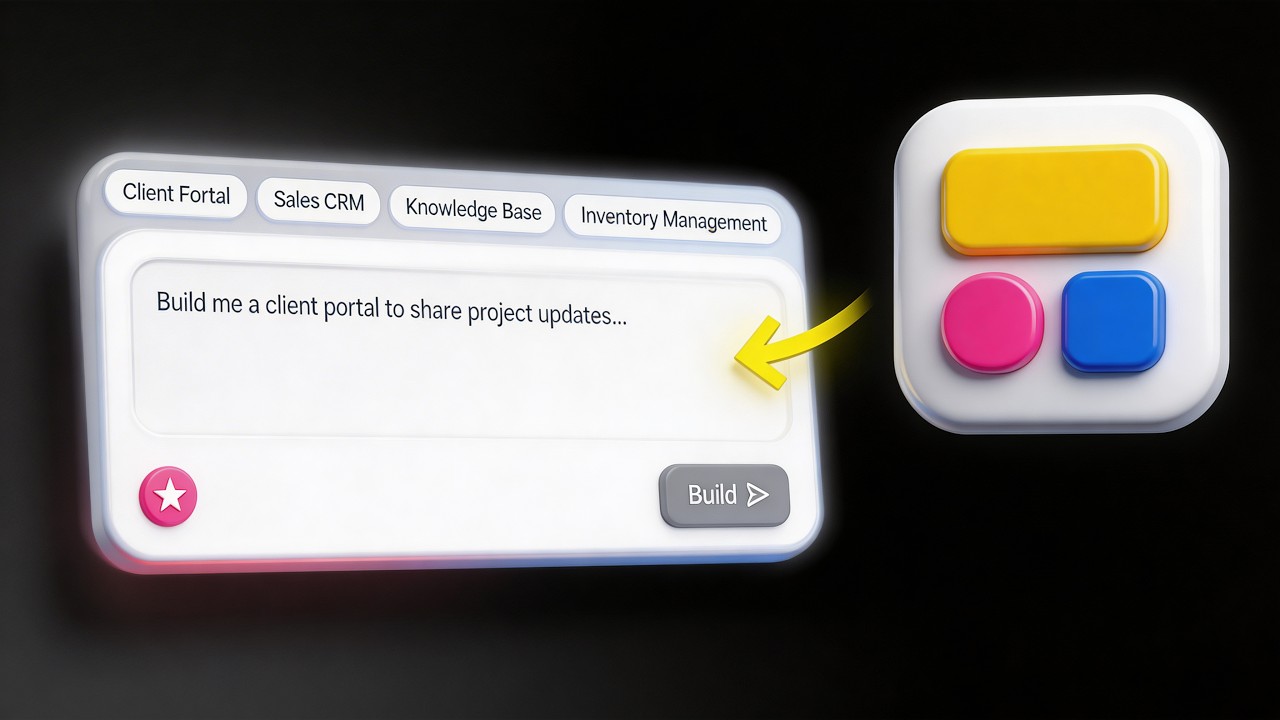
Whenever you want to go further in customization, you can also use AI to create a custom block. Let's get started by going to the studio. In here, I will describe what I need, for example, a CRM for my small business.
[.blog-callout]
Note from Softr: Another great option to get started quickly is to open the AI co-builder and prompt for exactly what you want. It builds complete app structures, pages, and database schemas instantly, while still letting you tweak everything manually later.
[.blog-callout]
You enter the AI Co-Builder experience for this new app. It starts by asking a few questions to guide the process. Here, I have deals, contacts, and companies, and I will add activities for the different contacts.
You can really fine-tune your project as it goes. I will specify that I have admins and sales reps in my team. We can also define the workflow for leads, such as moving from a deal to closed-won.
Now you can decide how your users log in, such as Google login or email. You can decide if they can sign up on their own. Since this is an internal tool, I will be the one inviting my team.
I do not want a public signup page. Some other tools almost always create a public signup page for a CRM, which is a terrible experience if you want to keep your CRM secure. Now Softr is building the app live.
By building an app, we mean starting with a database. It thinks about the best data model for your app. Here we have a first table for users, which is always required for building apps in Softr.
[.blog-callout]
Note from Softr: While Softr integrates with 17+ external data sources, Softr Databases is the powerful, native way to manage your data directly within the platform for maximum performance.
[.blog-callout]
You can connect this table to different objects. For example, to say that one user is the owner of a certain deal, you create a related record field. We can see everything that is happening as it creates fields.
It adds dummy data to make sure your app looks ready so you can visualize the potential final results. We have companies and deals, which is nice because you will want to see how the studio looks when fine-tuning elements. Now that we are done with the data, it starts building the interface.
It creates pages and blocks, such as the navigation and the contact details page. When you click on a contact, you see the full details and related interactions. Everything is being done as we speak.
You can see CRUD actions like editing a company or adding a contact. It is usually quite fast to build in Softr. I have always built these apps manually, but this is an excellent opportunity to get a solid app in about three minutes.
It provides a solid foundation from which we can make edits either manually or with the AI Co-Builder. Once it is ready, we can preview it. I hit try it live and enter the preview mode to see the app as an admin.
I can see features like adding a company or dragging and drop deals in a pipeline. I have all my contacts with their related deal information. I also love the KPIs on the entity pages, as they make a lot of sense for a dashboard.
If I open this as a sales rep, the add company button disappears because user permissions have been added. Going back to the studio, I can close the co-builder. We see that six pages were created automatically.
These are utility pages like the login page, account settings, and the 404 page. Most platforms do not provide these out of the box with the underlying logic, such as the forgot password flow. You can click on any block to manually edit it.
For the data source, we can see if there are filters. We can look at the data structure to get familiar with it. We have a users table with roles defined by a select field, which connects to user groups.
Only the sales reps are assigned to deals. In the deals table, we can see who the owner is. We could also use AI to automatically categorize the industry of a company by having it search the website and tag it.
I can toggle on web search and pick a model to run whenever a website is updated. This allows AI to run a web search to automatically enrich your database. This is great for populating addresses as well.
In the app itself, you do not need many inputs. For the add company action, we can see that only admins can see the button. If we want sales reps to use it, we just toggle it on.
We can remove the industry field from the form but still have it enriched automatically in the database. We can also convert a list into a table to show companies. We can show the industry as a tag and respect the colors from the source.
Permissions can be set at the button level or the block level. If I have a dashboard page, I can ask the co-builder to add charts showing deal breakdowns. The AI Co-Builder can edit your app even after the first version is ready.
It suggests a few interactive options for the charts. Meanwhile, I can go to the page settings and make the page accessible only to admins. Very easily, you have these user permissions ready.
[.blog-callout]
Note from Softr: If a native block doesn't quite fit your needs, you can use the Vibe-Coding block to simply prompt for the exact custom component you want, and it will generate it and connect to your database seamlessly.
[.blog-callout]
In a client portal, you might have accounts for your own team who see all projects. For your clients, you can set a global data restriction. This means sales reps only see deals where they are the owner.
This applies app-wide and is very useful for a client portal. As a client, you log in and only see projects related to your company. This is actually quite difficult to build if you are fully coding an app.
For business apps, you need things that work. All the blocks we used are native, like the simple metric chart, kanban, and tables. These blocks look good out of the box, and there is no need to risk coding them from scratch.
Business apps should be intuitive, reliable, and secure. The platform abstracts things you do not want to worry about, like the navigation bar. You should spend your time building logic rather than fixing a broken navbar.
[.blog-callout]
Note from Softr: Softr has native Softr Workflows that allow you to keep your logic as close to your design as possible, helping to consolidate tools and reduce reliance on third-party automation platforms.
[.blog-callout]
Logic refers to the workflows. For example, whenever a deal meets a certain condition, like being won, Softr Databases can find related records. We can then find all contacts for that company and send a Slack message.
You can even add an AI step to your workflow to summarize data before sending it. This creates a full-stack app with data, interface, and logic in just a few minutes. I recommend spending time playing with the fields to ensure it looks right.
Whenever you need help, you can use the AI Co-Builder or do things manually. There is also a feature called Ask AI. It is an AI built into the interface that answers questions about the data in your app.
You can ask for insights, like which deals are over 10K. There is AI for the builder, AI in the database to help write conditions, and AI for the end user. This is focused on being useful and making building faster.
These apps are production-ready once you nail the user permissions. You can build CRMs, vendor portals, or project management tools. We even built a portal to manage our creators and their invoices.
I picked a theme at the beginning, but you can change it whenever you want. If you pick a new color, it applies everywhere in the app. The primary color is related to a variable that updates all blocks and pages.
You can also edit surfaces, text, and backgrounds. You can switch to a dark mode or a very light mode. I recommend sticking to black or white for text to avoid crazy designs.
[.blog-callout]
Note from Softr: You can start from App templates, such as our ERP template, to save even more time during the initial setup phase.
[.blog-callout]
You can choose styles for your buttons, making them rounded or square. You can use a subdomain provided by Softr or connect your own custom domain. You can even turn the app into a PWA for mobile or desktop use.
The Vibe-Coding block allows you to build very specific custom features. AI builds the specific feature, but it reuses your theme and connects to your data natively. It offers better performance than generic AI-coded apps.
I can add a block and prompt it to create a CSV import tool linked to the contacts table. This allows me to map columns and review contacts before importing them into the database. Softr covers 80% of what you need with native blocks.
Whenever you need something custom, you can just prompt it for the Vibe-Coding block. It is CRUD enabled, meaning it can create, edit, or delete records. The results match your theme and colors perfectly.
You can even add editable settings to these custom blocks. This means you can change the title or subtitle of the custom block using no-code fields. It makes the custom component feel like a native part of the builder.
You do not have to reach out to an IT department and wait months for an app. You know your needs better than anyone else. With the help of AI, you can build what you need whether you start from scratch or use a template.
We have very advanced templates like the AI CRM template. Many paths exist to get started and build apps you will actually use. It is an exciting time to build.