Transcript
Welcome everyone. I hope this is going to be fun and you will learn a lot through this session. Let's just jump into it.
First, we are going to go through an introduction, then the roadmap, and what's expected specifically for the Softr Databases roadmap. Then there will be a live demo by Arthur, followed by a Q&A session.
Our goal since we launched Softr in August 2020 has remained simple: empowering anyone to build software without code. We are especially focused on knowledge workers and it is amazing to see how far we have come in the last four years.
We have enabled thousands of businesses across all industries to build custom apps like CRMs and dashboards. They are using Softr as the backbone of their entire operating system.
Over the past four years, we have had many conversations with customers during support calls and deep dives into use cases. We have seen that data in most organizations is spread across emails, spreadsheets, and manual workflows.
Data is the foundation of every workflow, whether you are managing users, projects, orders, or HR systems. Software development usually consists of three main pieces: the database, the interface, and the workflows.
The database stores and manages application data, defining the structure and permissions. The interface is the UI for people to interact with that data, and workflows are the logic layer between the front end and the back end.
[.blog-callout]
If you want to experience how easy it is to set up your logic, check out Softr Workflows. It allows you to build native automation right where your data and design meet.
[.blog-callout]
Currently, Softr does the interface piece really well. However, we have seen limitations regarding the learning curve when users do not have structured data in place yet.
This impacts adoption because users often have to learn a third-party database tool first. There are also performance challenges related to third-party API limits, slow sync issues, and troubleshooting difficulties.
In the last few years, we have seen companies trying to avoid SaaS bloat from too many disconnected tools. This translates into a loss of time and money.
[.blog-callout]
Note from Softr: A great way to skip the manual setup is to use the AI co-builder. It can generate your database schema and interface instantly from a simple prompt.
[.blog-callout]
Softr has been integrating with existing data sources like Airtable, Notion, and HubSpot. However, with the launch of Softr Databases, you can now skip the third-party database entirely.
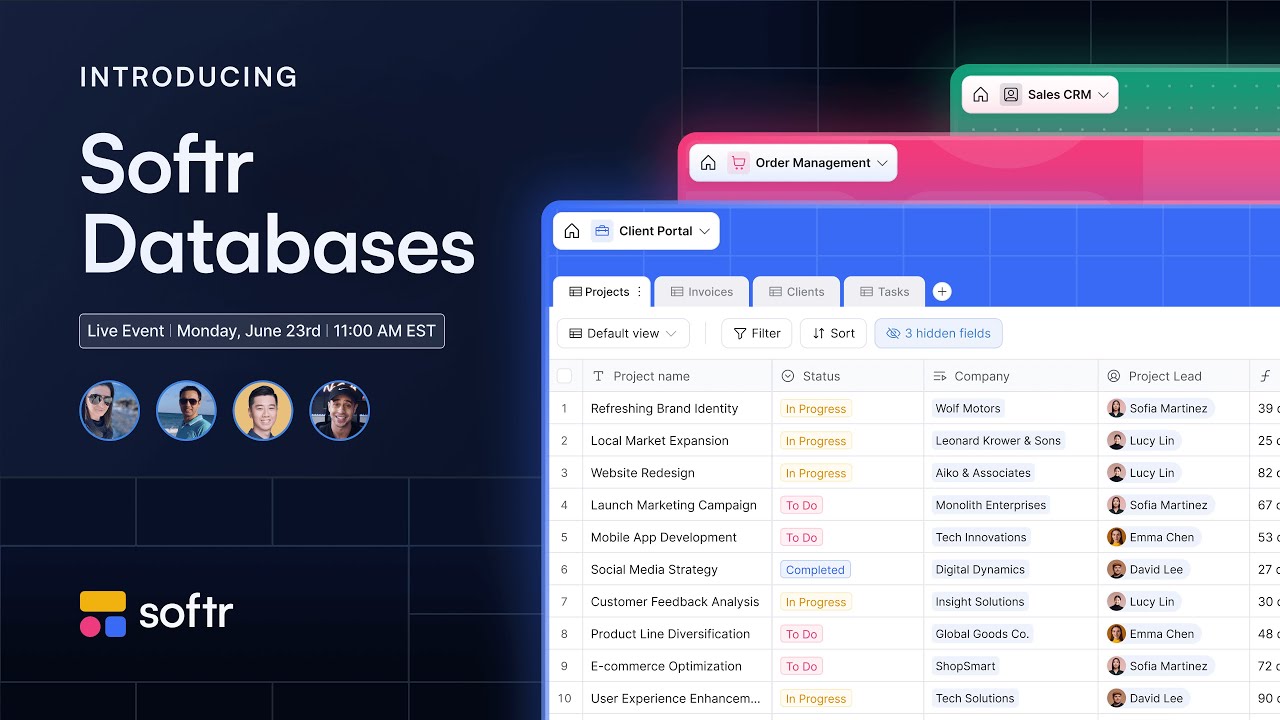
Softr Databases allow you to structure, organize, and connect all of your data in one place. It becomes a single source of truth for all of your organization's data.
Apps become extremely fast and more performant because the integration is native. There is no need to learn a new tool because it is built directly into the Softr ecosystem.
Soon, you will be able to leverage AI to perform smart insight analysis, enrich records, and much more. This enables you to create full-stack business apps inside one platform.
[.blog-callout]
Building a internal tool? You can start quickly with an ERP template or a team intranet powered natively by Softr Databases.
[.blog-callout]
Softr Databases can handle large datasets and keep data secure, being SOC 2 and GDPR compliant from the start. We can scale to millions of records without a problem.
Regarding questions about older blocks, the team is working hard on transitioning all blocks into the new system. Most dynamic blocks are already updated, and the updated kanban block is coming very soon.
We will also have an Airtable import live in the next week or two. This will be a one-click import that brings in your relationships and linked fields.
Regarding the roadmap, the public API and automations are coming up next. We expect the public API to be available in roughly four to six weeks.
In this summer, we are planning on launching the beta version of Softr Workflows. This will have native integration with Softr apps and Softr Databases.
[.blog-callout]
Whether you are building your relevant text or a CRM, native workflows keep your logic close to your interface.
[.blog-callout]
We are also improving field settings, such as file URL expiration and date-time formatting. Related records will also see improvements in filtering and sorting.
We are working on AI features to help you create a database structure from a single prompt. We also plan to have AI summarize, translate, and categorize data within your tables.
A differentiator for Softr Databases is definitely speed. Because it is built specifically for Softr, it is significantly faster than using third-party APIs which can sometimes be slow.
We are also making it easier to manage data as a standalone solution. Even if you don't build an app, you can use it to store organizational operational data.
[.blog-callout]
Softr now offers unlimited published apps on all plans, including the Free plan. You can build as many solutions as you need without worrying about plan limits.
[.blog-callout]
During the live demo, we showcased how simple it is to start from a template. We have over 20 templates for Softr Databases ready for you to copy and explore.
We support basic types, related records, lookups, rollups, and utility fields like record ID and auto number. We are fine-tuning the nitty-gritty details for currency and date formatting.
You can create views, set default sorting and filtering, and decide which fields are visible. When you connect these to an app, you can use powerful blocks like kanban and calendar.
If you need to move data out, we will support exporting as JSON or CSV in the future. Currently, importing CSV files is already functional and can handle large amounts of data.
We will eventually offer granular permissions for collaborators within the database. This will allow you to control who can see specific tables or records.
Thank you for being part of our community. We are building this product with you and appreciate your feedback as we continue to deliver new features.