Transcript
Most CRMs are way too expensive and they are packed with features that if you are being honest with yourself, you are never going to use. Now, if they are not too pricey, they end up being so rigid that you have to bend your entire workflow around them just to use someone else's tool.
Why not build a CRM that works exactly as your business needs, that tracks the metrics you care about? Well, today I am going to show you exactly how to do that as I use Softr to build a fully custom CRM from scratch with no code and no developers.
Now, if you are not familiar, Softr is an AI powered no code platform that lets you build real business software. You will get a drag and drop builder, native databases, built in user permissions, hosting, and security. All of that is handled for you.
[.blog-callout]
Note from Softr: If you want to move even faster, try using the AI co-builder. You can simply prompt for the type of app you need, and it will build the pages and database structure for you instantly.
[.blog-callout]
Once you get your Softr account set up, you will have a screen where you can build out the apps for your business. By the way, you get unlimited apps, so you can go ahead and build out an app for every part of your business that you need.
Today, I am going to get you oriented and we are going to build out that CRM. Now you can start from scratch here, or you can do what I am going to do and start with a template.
Templates give you a good start and understanding of how the tool actually works. I am looking in the CRM section and there are several different options, but the one that has my eye is the AI CRM template.
[.blog-callout]
Note from Softr: You can explore this and many other specialized options in our App templates library, including the AI CRM template shown in this video.
[.blog-callout]
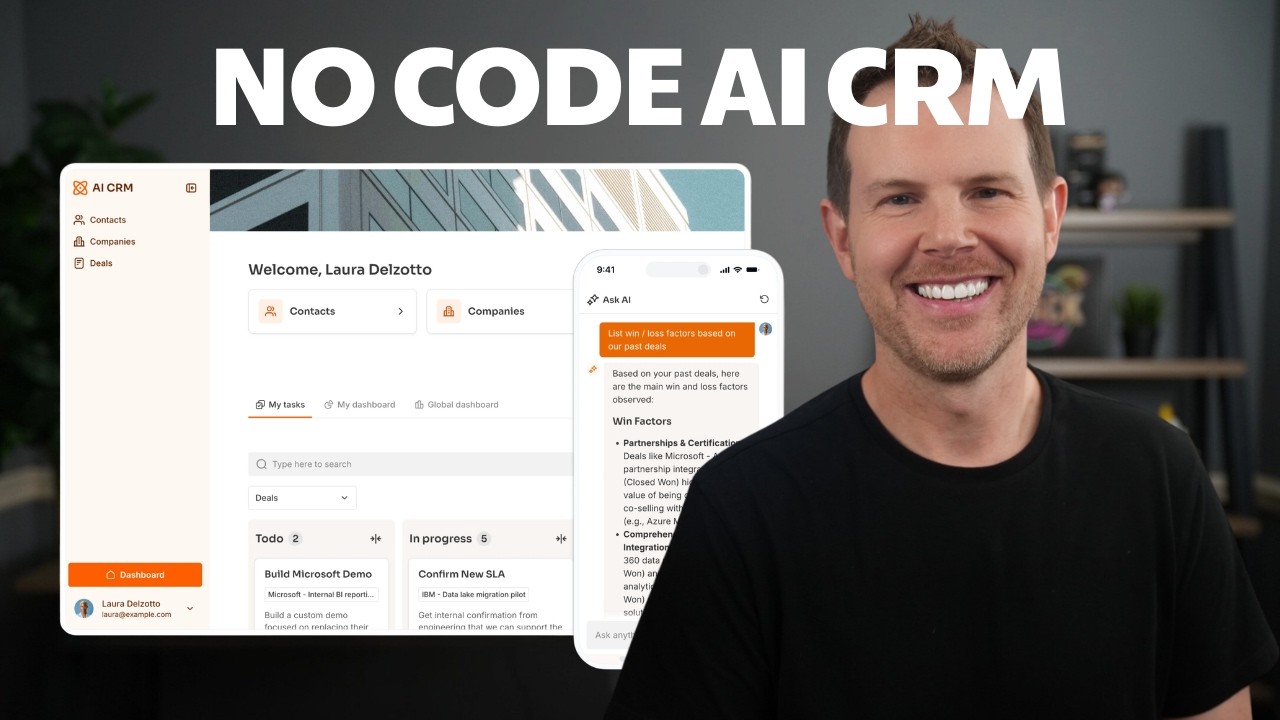
I switched over to a salesperson view here and now I have got a typical CRM type of interface with contacts, companies, and deals. I can click into the deals section and here is my sales pipeline with opportunities, things in negotiation, won, and lost.
They also have a little Ask AI button here which is pretty cool. You can get AI access to your entire platform that is just built in, and I will show you how to add it to your apps later.
Now we are in the editor for our application. This is where we can make it truly our own. Interface is the front end that your users see, and then we have the database which is critical because any information entered lives there.
[.blog-callout]
Note from Softr: While you can connect to external sources, using Softr Databases is the most powerful, native way to manage your data directly within the platform for seamless performance.
[.blog-callout]
The database allows you to have different tables for users, contacts, companies, and deals. Next, we have the users section where you add your sales team and administrators. The last tab is for workflows, which is your automation platform.
[.blog-callout]
Note from Softr: With Softr Workflows, you can build logic and automations directly into your app, reducing the need for expensive third-party tools like Zapier for project management.
[.blog-callout]
I want to make this feel more on brand by adding my own logo and colors. In Softr, I can go to the settings and under general, I can add in my image logo and rename my application. You can even set up your own custom domain for the free plan.
To get the app looking better, I will customize the theme and edit my colors and typography. I am going to make things a little bit more rounded for the buttons because that is what we use on our main site.
Every element you see on the page outlined in blue is called a block. When you click on it, you will have the settings for that block on the right, such as changing the layout of the header from the top to a sidebar.
You can also control visibility for blocks. For example, if you have elements that administrators should see but salespeople should not, it is easy to configure that based on user groups.
[.blog-callout]
Note from Softr: If you find that a native block does not perfectly match your requirements, you can use the Vibe-Coding block to prompt AI to generate a custom component that connects to your data.
[.blog-callout]
You can add entire new screens by heading over to pages and adding whatever content you need. It is always easy to link to other pages through your navigation sidebar.
You can also add an Ask AI button to any block. There is no setup or API keys required. It just pulls out information from your database based on user prompts, which is priceless for accessing historical data.
Softr offers unlimited published apps on all plans, including the free plan. Once you start building apps for your business, you will want to build them all because it is so easy and addicting.