Transcript
Everybody is racing to build their apps right now on Base44, but if you actually want to be able to run your business on what you build, there is a way better option that almost nobody is talking about. And no, it is not another vibe coder like Lovable or Bolt, because here is the thing that nobody will actually tell you. Base44 can spin up an app for you in minutes, and it looks amazing in a demo, but the second that you need it to handle real users, real data, and real money, that is exactly where Base44 is going to hit a wall.
Today I am going to show you the tool that I actually trust in order to build either internal or external business apps, and why it beats Base44 the moment that you go past a prototype and try to build something real. In order to actually test Base44 against the other app, I am going to use a very simple prompt: create an app to track my invoices, what has been paid, and finances for my AI agency. Essentially what we are trying to build here is not only something that we are going to be able to use for our agency, but something that other people are also going to be able to use.
We can see that Base44 very quickly went through and actually created a prototype for this. We can see all of the core capabilities right here, what the visual direction is, and what the main flow is. If we actually come over here, we can view this and see what it looks like.
We have our dashboard right here, which goes through total revenue, outstanding, total invoices, and what is actually overdue. We can see that this has not actually populated right here, which kind of is what I was alluding to before. It makes a good demo, but is it actually useful? Not really.
If we come over here, we can see all the different invoices, what has been paid, what has been sent, and what is overdue. In addition to that, there are a bunch of other tabs. For example, we can look at the analytics right here, and we also have invoices and clients.
We can look at this on a desktop view, a tablet view, and a mobile view. In addition to that, if we wanted to edit things, we could come over here and edit things pretty simply. What is kind of a pain with this is that it runs on credits.
We can see that this ate up a certain amount of credits actually getting this built. What you are going to notice is that once you start to get more users, it is going to eat more credits. If you add in more things, for example, if you want to add in monthly payment reminders, it is also going to eat more credits.
Every new user you get is going to eat credits, every new action they take is going to eat credits, and every new change that you try to make to this is going to eat credits. We are going to have to make changes, because obviously the revenue overview does not work right here. We are going to have to go back and forth trying to fix this, and this is going to be a pain for us to actually do.
For example, we are also going to have to go back and forth with it trying to fix things, asking if it can fix the revenue overview chart because it is not working. This is what the process is going to look like. We are going to be going back and forth trying to get this to actually work while our users are getting mad at us, or if we are using this internally, we are not going to have that set up as quickly as we want it to.
We can see right here that the issue is that something did not parse correctly. Yes, this made something quickly, but again, it is not accurate and it is not working. This is going to be a pain to try to fix.
Now we can see that this went through, added in an update right here, and refreshed. Once again, this chart is not working, so whatever it thought the issue was, was not actually the issue. This is going to be a reality with Base44.
On top of that, as we can see here, there is to some degree a lack of design. This is all kind of incredibly basic. In addition to that, there is no enterprise-grade compliance if your business actually needs it, like if you work in healthcare or finance, and your data lives in their system, which makes migrating it later on a huge pain.
We can actually come over here into this dashboard and see that we can access all of this, but again, this lives inside of their dashboard. If we created a different app, we would see the same exact thing here. There is really no customization here; they are just trying to fit everything into the template and format that they already have set up.
The tool that I actually prefer to build things on is going to be Softr. To prove to you just how much I like this, we are actually going to come over here and give this the exact same prompt, and I am going to show you the difference. We can see right here that we can create an app, we can create a database, and we can create a workflow.
All we have to do is simply click on this right here, and this is going to go off. One thing that I like way better that Softr does instead of Base44 is that Base44 just went over there and started coding immediately, whereas Softr actually wants to understand who is going to be using the app. Clients are also going to be using this, so I am going to put this in right here.
In addition to that, it asks how you want to actually track payments, and I want to do both of these right here. It asks if it is going to be recurring, and I am going to put yes. Then this also goes through a bunch of other things that we need to actually do, and we are going to go through and answer all these different questions right here.
And this is really how things should be built, because this lets us create things exactly how we want to instead of getting some random result. In addition to that, we can actually choose what it looks like right here. I am going to select this and click on create app.
Now this will go through, craft the plan, and begin building out the application right here. What I really like about this is that it builds out applications, custom databases, custom forms, and AI workflows, which is incredible. If we click over on integrations, you can see that there are tons of other tools you can integrate with your app or automations.
There are several different ways you can build things with Softr. We can co-build with AI, which is what I just showed you, or iterate visually and with AI so that you can ship on the same day. This can build applications for internal or external use with virtually no limit on what you create.
[.blog-callout]
Note from Softr: You can use the AI Co-Builder to generate full apps, pages, and database schemas directly from a prompt. Everything remains fully customizable by hand afterward.
[.blog-callout]
It can build client portals, CRMs, inventory management systems, company intranets, dashboards, reporting tools, ERPs, and knowledge management systems. Like I was saying before, this will build out your app for you, including a custom database that replaces tools like Airtable, Supabase, or Google Sheets. You can also build out AI workflows right inside that replace external tools like Make or n8n.
In addition to that, you can bring your own data and tools. It connects to all of these different integrations, including AI models, APIs, webhooks, automation workflows, CRMs, document signing, forms, and messaging. On top of that, it provides enterprise-grade security and scale, complete with SOC 2 compliance, GDPR readiness, 99.9% uptime, and SSO.
Now that the generation is complete, here is what the finished app looks like. We can see that the revenue trend chart and revenue by client modules work right away. Under the data section, all the data is fully custom rather than just standard out-of-the-box templates, including expenses, payments, invoices, and user management.
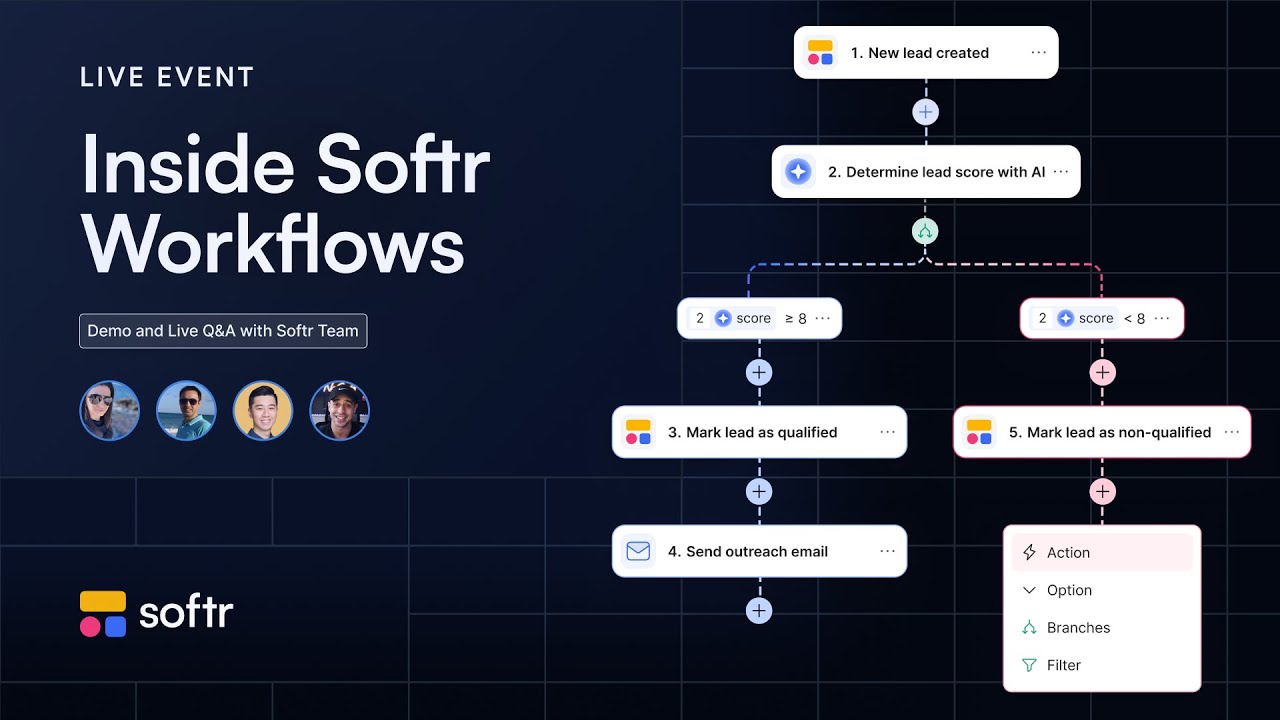
Over in workflows, we can build custom automations using the database and connect them to services like Gmail, Calendly, HubSpot, or Slack. For instance, we can receive a Slack notification when someone pays, or trigger an automated follow-up email in Gmail if a payment fails. These can run via webhooks, one-time schedules, or recurring schedules.
This makes the platform powerful because you can build your interface, manage your database, handle users, and run workflows all in one place. When you want to edit anything, opening preview mode allows you to view the app as different user roles, such as logged-in users, visitors, or administrators.
You can adjust the layout using AI or simply drag and drop blocks, customize content, configure actions, and change styles. It is dynamic, secure, and makes building or modifying your application simple.
For example, to build an automation workflow, we can click create and select database triggers, such as when a record meets a condition. In this finance dashboard, we can set it so that when a payment status is marked as failed, it automatically triggers an action like sending an email through Gmail.
For example, you can set this up to follow up with that user via Gmail saying that their payment on file failed. You are able to build all of this out directly inside of the tool without putting a bunch of makeshift pieces together. If you tried to do this in Base44, you would have to get an external automation tool, but you do not need to do that here.
[.blog-callout]
Note from Softr: Softr Workflows keeps the logic and automation next to the app instead of relying on a third-party tool.
[.blog-callout]
With Softr, you are able to manage all of this from one single place. If you have been looking at Base44 but want to build something to run your business on without burning credits or hitting limits when scaling, Softr is a strong alternative. You can start building a custom app that fits your workflow and business needs directly.