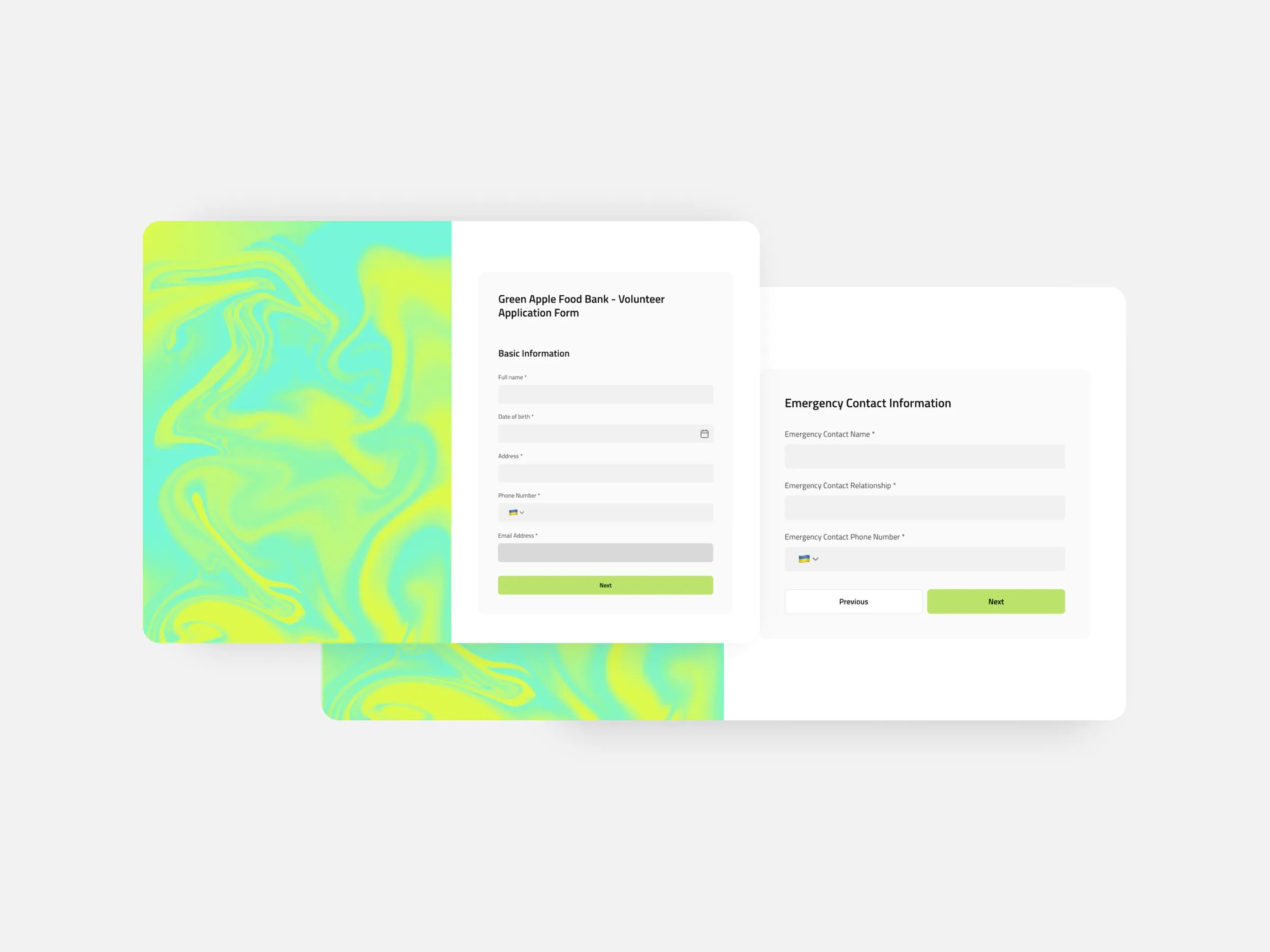
Collect essential details from potential volunteers, from personal information and emergency contacts to experience and availability.

Overview
This free Volunteer Form template is a helpful tool for nonprofits, schools, and event organizers to gather key details from potential volunteers, without juggling paper forms, spreadsheets, or email threads.
It helps you capture availability, emergency contacts, experience, and consent, all in one place. The template includes a sample database where all form submissions are stored, making it easy to manage and review volunteer data in real time.
Why use this volunteer form template?
- Centralized records: The template comes with a built-in Softr Database, and connects natively to Airtable, Google Sheets, Notion, and more if you already keep volunteer data elsewhere.
- Consent and agreements: Collect emergency contact details and a signed agreement checkbox for participation and safety terms.
- Availability tracking: Let volunteers select preferred days, times, and frequency to simplify scheduling.
Template features:
- Customizable fields
Tailor the form to your needs with custom fields for name, contact info, experience, health notes, and more.
- Step-by-step form experience
Break long forms into manageable sections to keep volunteers engaged and reduce drop-off.
- Conditional logic
Show or hide questions based on previous answers, for example only asking for certification details when someone confirms food safety training, or asking them to describe their allergies only if they have any.
- 2-way data sync
Connect the form to Airtable, Google Sheets, Notion, monday.com or another Softr-supported data source to store and access responses in real time.
- Responsive design
Make it easy for volunteers to apply from any device. The form automatically adjusts to fit desktops, tablets, and phones.
- Thank you page
Add a personalized thank you screen to confirm submissions and provide next steps or resources.
Who is this volunteer form template for?
This template is great for any organization that relies on volunteers and needs a streamlined way to manage signups:
- Nonprofits: Collect volunteer interest forms for events, community outreach, or long-term opportunities.
- Schools & PTAs: Coordinate parent volunteers for field trips, lunch programs, or school events.
- Event planners: Recruit and organize volunteers for festivals, conferences, or sporting events.
- Community centers: Capture skills, schedules, and contact details to match volunteers with local programs.
“What we love most about Softr is the instantaneous, customizable power a no-code platform allows.”

“What we love most about Softr is the instantaneous, customizable power a no-code platform allows.”
- 1
- 2
- 3
- 4
Frequently asked questions
- What is a volunteer form?
It’s a digital form used to collect key information from potential volunteers, including availability, emergency contacts, consent, and relevant experience, to streamline recruitment and coordination.
- Can I connect this to my database?
Yes! You can sync this form with Airtable, Google Sheets, Notion, monday.com, HubSpot, or any other Softr-supported data source to automatically collect and organize responses.
- Is the form customizable?
Duplicate this template into your Softr workspace, then prompt the AI Co-Builder to make the changes for you, for example "add a Days available to volunteer field with checkboxes for each weekday" or "only show the food safety certification question when someone has training." It updates the form and the connected data source to match.
Prefer hands-on control? Use the visual editor to add or remove fields, reorder sections, set up conditional logic, and match your brand, right down to the thank you page.
- Why use a digital volunteer form instead of a paper one?
Digital forms reduce admin time, prevent data loss, and make it easy to search, sort, and track volunteer data, especially when working with a large or rotating group of volunteers.
- How do I edit or customize this template?
Duplicate this template into your Softr workspace, then prompt the AI Co-Builder to adapt it: add or remove fields, change the conditional logic, or connect a different data source. For hands-on control, switch to the visual editor and adjust the form layout, questions, and thank you page directly.
- Can I automate what happens after someone submits the form?

Yes. Use Softr Workflows to notify your volunteer coordinator by email as soon as a new application comes in, or to send the volunteer a confirmation once they’re reviewed and approved. You can also connect Zapier or Make if you need to loop in other tools.