An external directory site that helps SaaS companies promote service partners, making them easier for customers to find.
Data sources supported





.svg)


Resources


No items found.
Overview
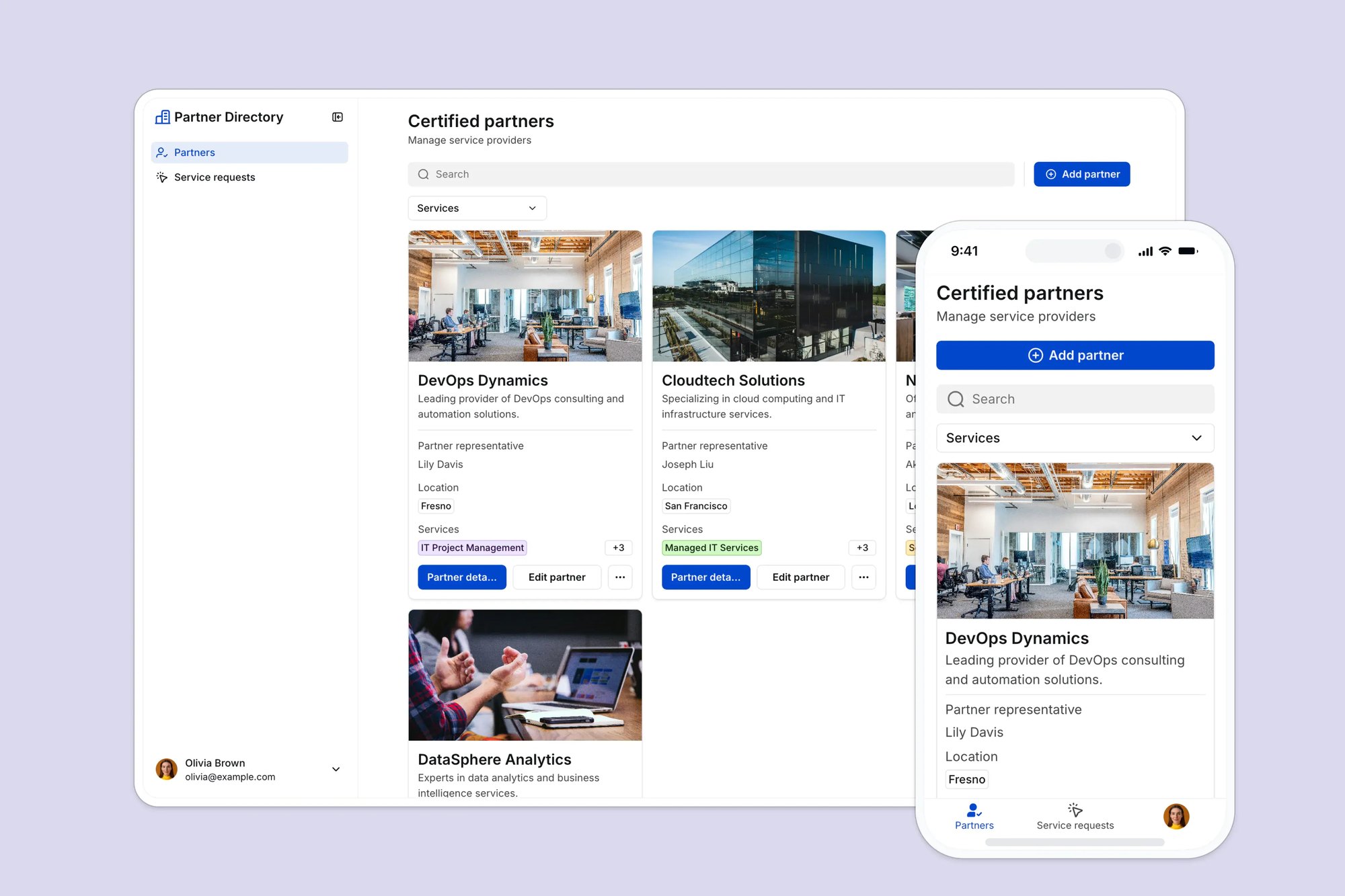
This free template helps you build a searchable partner directory on top of your existing data. No custom code or expensive software required.
It includes a sample database to show how to structure your directory data, but you can easily connect other Softr-supported sources like Airtable, Google Sheets, Notion, HubSpot, or monday.com.
Whether you embed the directory into your website or host it as a standalone microsite, it gives you full control over listings, requests, and user submissions.
Why use this partner directory template
- Make it easier for customers to find the right partner: Provide a searchable, filterable partner list (public or gated) to reduce friction for customers trying to find help.
- Keep your directory up to date: Add, edit, or remove partner profiles from a connected database anytime. No dev team required.
- Let partners self-submit to join: Use forms to collect partner applications, content, or profile updates, streamlining your ops.
Template features:
- Public listing of service partners
- Partner listing management
- Customer contact requests
- Partner submissions
- Search and filter
- Works on any device
Who is this partner directory template for?
This template is perfect for:
- SaaS companies: Promote implementation or integration partners and make them easy to find.
- Accelerators & VCs: Highlight your portfolio companies or mentors in one centralized place.
- Industry associations: Showcase certified vendors or service providers to help members find support.
- Marketplaces: Feature verified sellers, service providers, or freelancers in a searchable format.
- Agencies & consultants: Share strategic partners or collaborators with clients and prospects.

“What we love most about Softr is the instantaneous, customizable power a no-code platform allows.”

- 1
- 2
- 3
- 4
Frequently asked questions
How do I customize this partner directory template?
Can I embed the partner directory on my own site?
Can users filter or search partners by category or location?
Can I allow partners to submit or edit their own listing?
Can I automate what happens when a partner applies to join?