


This free template from Softr helps you build a custom leave management system, fast, with no coding required.
Data sources supported





.svg)


Resources



Overview
This free template helps you build a leave management system using your existing data, so employees can request time off, managers can review approvals, and admins can track leave balances in one central place.
It includes a sample database to show how to structure users, departments, leave requests, countries, policies, and public holidays. You can also connect to any Softr-supported source like Airtable, Google Sheets, Notion, monday.com, HubSpot, and more.
Why use this leave management system template
- Centralize leave requests and approvals: Replace scattered spreadsheets, email threads, and manual tracking with one shared system for employees, managers, and admins.
- Give every user the right view: Employees can submit and track their own requests, managers can review pending approvals, and admins can manage all users and requests securely.
- Make time-off planning easier: Use calendars, team availability views, policy pages, and public holiday data to help everyone understand who is out and when.
Template features:
- Leave request dashboard
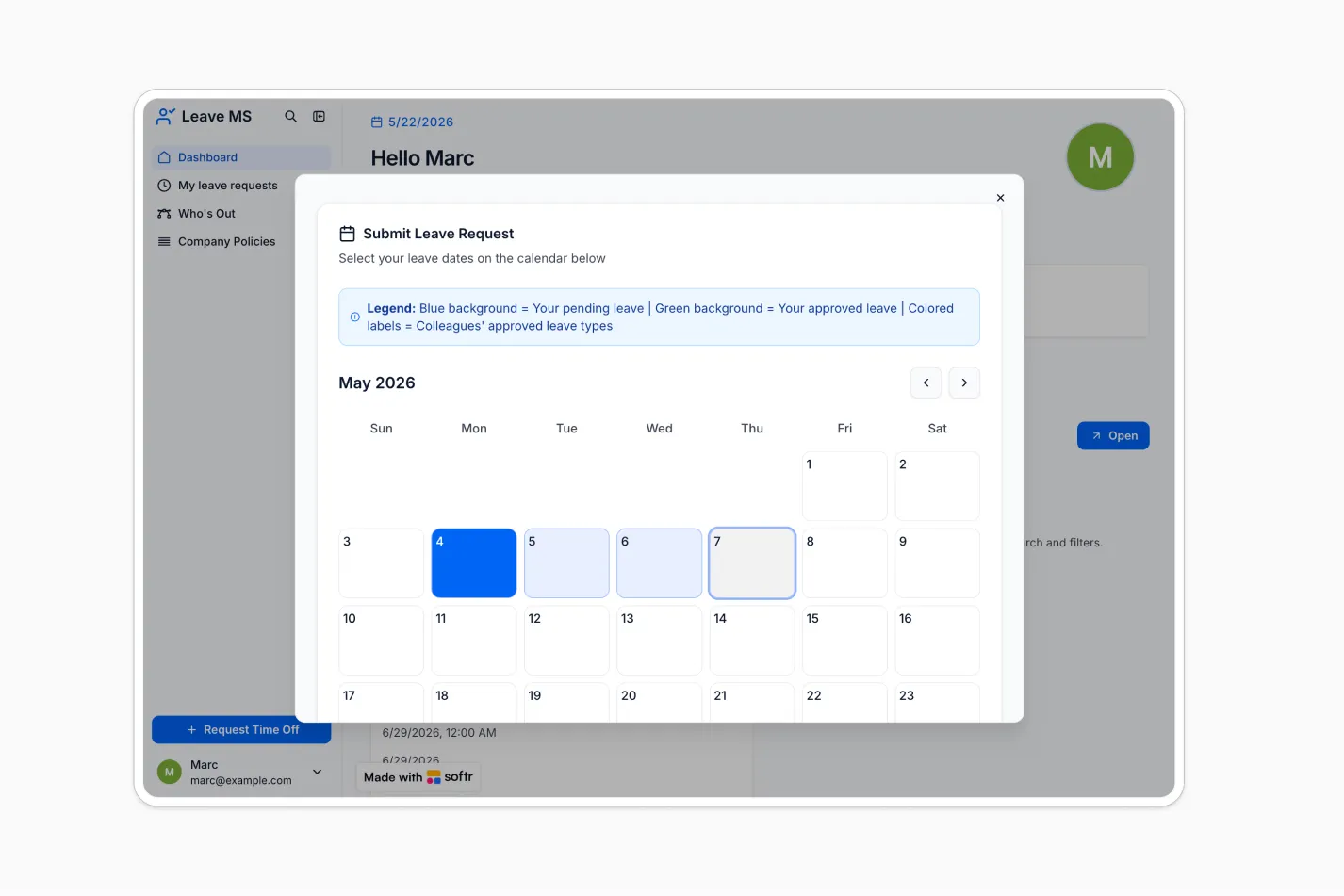
- Calendar-based time-off requests
- Manager approvals
- Employee leave balances
- Who is out calendar
- Country-specific policies
- Admin management
- Role-based access
Who is this leave management system template for?
This template is built for organizations that want a clearer, more reliable way to manage employee time off across teams, departments, and countries. It's a great fit for:
- HR and people teams: Track employee allowances, country-specific policies, public holidays, and leave request history in one place.
- Department managers: Review pending requests, add feedback, and see who is out this week before approving new time off.
- Growing companies: Standardize leave workflows as your headcount increases, without needing custom development or complex HR software.
- Distributed and international teams: Manage leave policies by country and make public holidays visible to employees in different locations.


“What we love most about Softr is the instantaneous, customizable power a no-code platform allows.”

- 1
- 2
- 3
- 4
Frequently asked questions
What is a leave management system?
Who should use a leave management system template?
Can employees request time off through this template?
How do I edit or customize this template?
What data sources does this leave management system integrate with?
Is Softr secure enough for employee leave data?


