Securely organize and share critical documents, while managing user access.
Data sources supported





.svg)


Resources




Overview
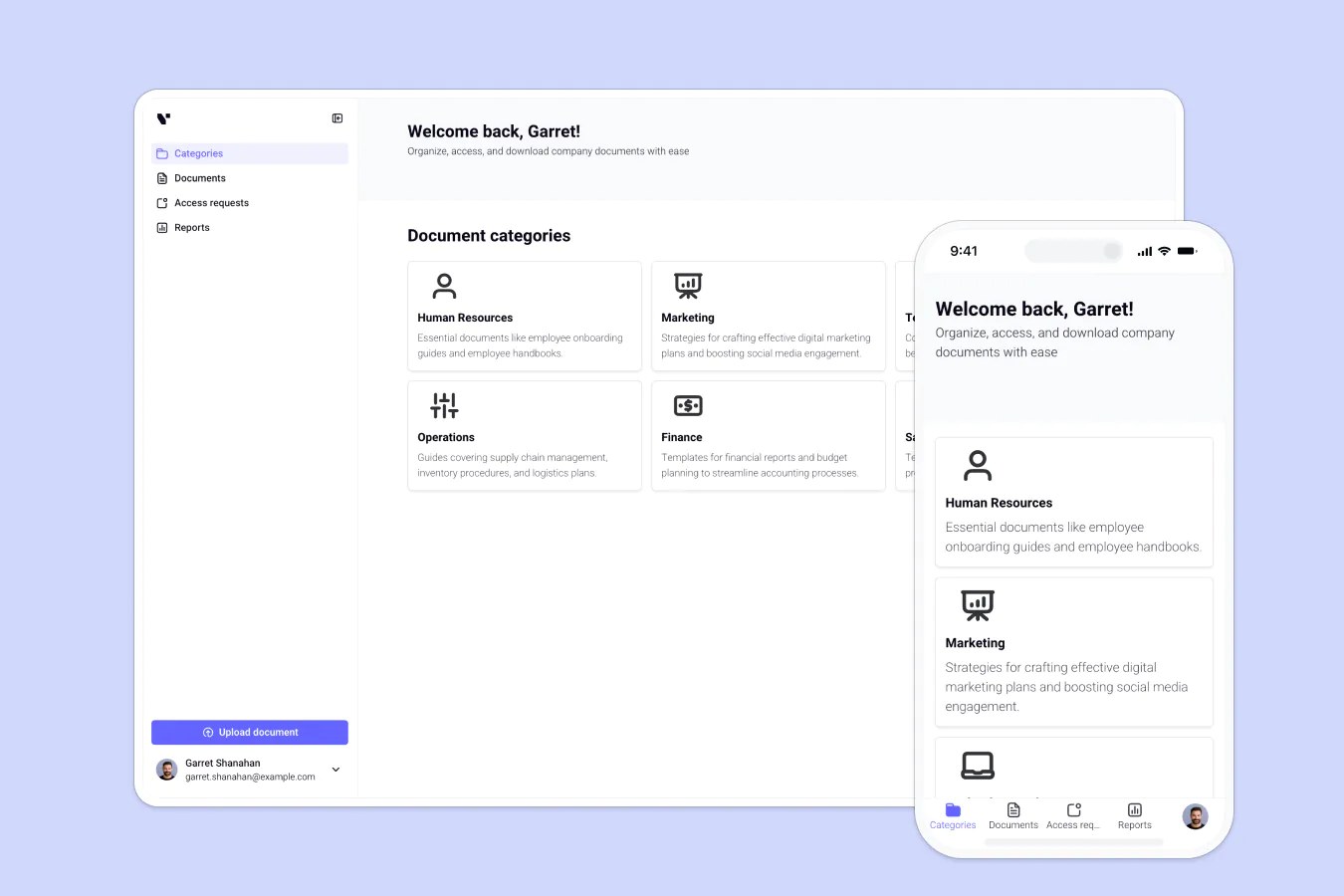
This free template helps you build a custom document management system on top of your existing data, so you can replace scattered folders, inbox requests, and version control chaos with a centralized, secure solution.
It comes with a sample database so you can see exactly how to structure your data for this use case, but it's flexible enough to use with any Softr-supported data source (including Airtable, Google Sheets, Notion, monday.com, HubSpot, and more).
Why use this document management template
- Simplify internal workflows: Make it easy for employees, partners, or clients to find the right document without chasing down emails.
- Keep sensitive data secure: Role-based logins ensure users only see what they're supposed to, with no accidental oversharing.
- Streamline approvals and updates: Request, approve, and manage document access without relying on multiple tools or messy threads.
Template features:
- Secure logins & access control
- Document uploads
- Document management
- Search & filter functionality
- Analytics & reports
- Works on any device
Who is this document management template for?
This template is ideal for internal teams and service providers who need a secure, centralized way to manage and share documentation. Common use cases:
- Legal teams & law firms: Manage contracts, case files, and access logs securely.
- HR & recruiting: Share onboarding docs, policies, and candidate files with hiring managers.
- Real estate & property managers: Store leases, inspection reports, and tenant documents in one place.
- Construction & field service: Track job site files, permits, and project plans from desktop or mobile.
- Consulting firms: Securely store and share client deliverables, strategy docs, and reports.
“Softr allows you to build and deploy solutions in just a couple of days. It’s user-friendly and simple to set up, even for a person with no technical background.”


“What we love most about Softr is the instantaneous, customizable power a no-code platform allows.”

- 1
- 2
- 3
- 4
Frequently asked questions
What is a document management system?
Can users upload and request documents through the portal?
What data sources can I use with this template?
Can I add analytics or usage reports?
Can I customize branding and use my own domain?
Can I adapt this template for my organization's document types and access rules?