


Physio Talent — Two-Sided Clinician Recruiting Platform (MVP Completion)
Finish and harden a two-sided recruiting MVP (therapists + clinics) on Softr + Airtable: dual signup & onboarding, directory and job posting/browsing flows, idempotent match logic, visibility/routing fixes, automations, UI polish, QA and full handoff docs for beta launch.

From the partner
Purpose: Turn the 30% complete MVP into a production-ready beta by completing user flows, fixing permission/visibility routing, implementing robust match logic, cleaning the Airtable schema, wiring automations, and polishing the Softr UI so both Clinics and Therapists can reliably sign up, onboard, create/list jobs, submit interest and manage matches without duplicates or dead ends.
Scope & Deliverables:
• Dual signup + multi-step onboarding (Therapist + Clinic) with automatic user→profile linking and redirect rules.
• Page routing and session-aware visibility: prevent redirect loops, permission denied errors, and pages showing wrong content.
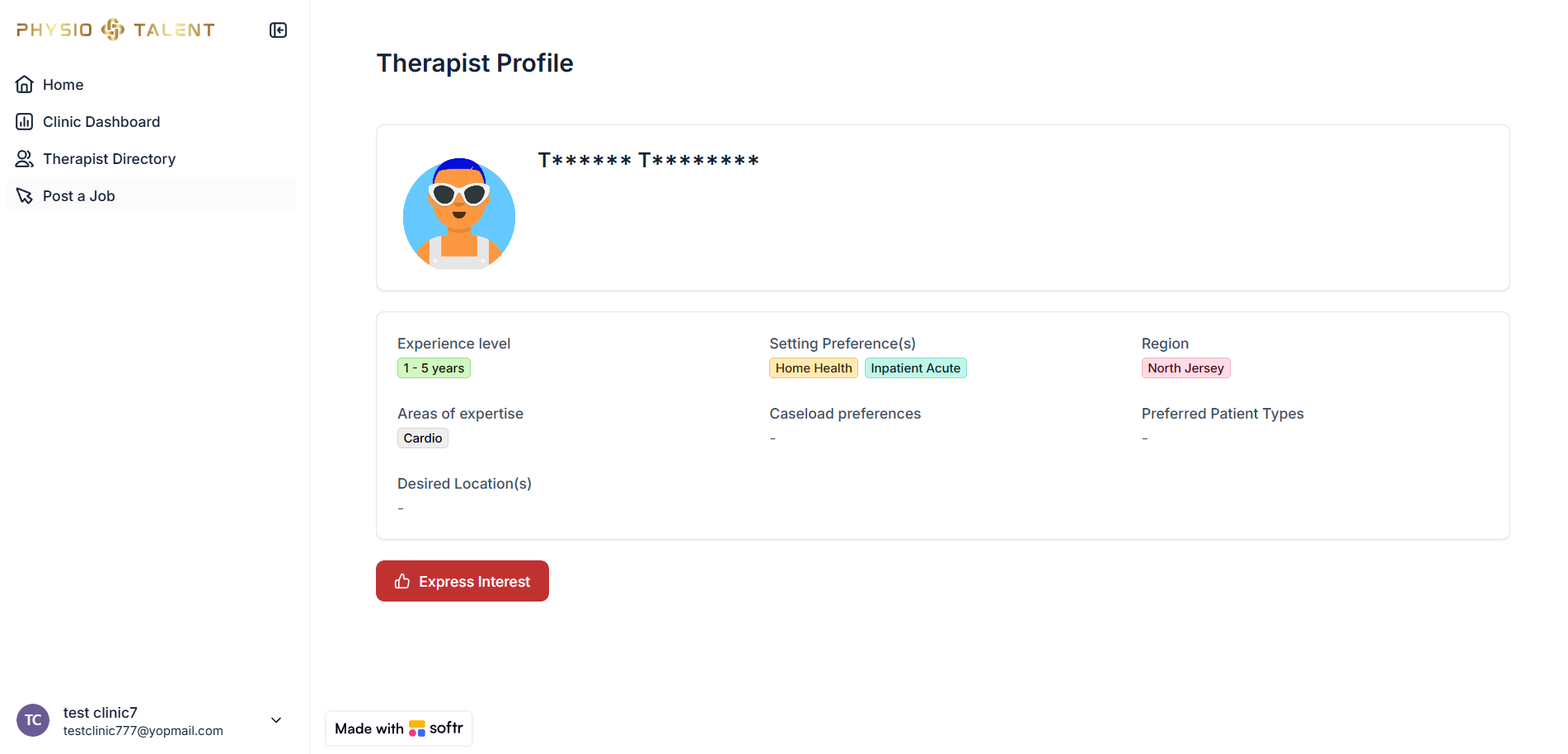
• Directories: Therapist directory with filters; Job directory for Therapists; embedded Clinic profiles.
• Job posting flow for Clinics (Active / Paused toggle) and Therapist interest flow that creates Match records with idempotency checks.
• Airtable schema review and cleanup (Users, Therapists, Clinics, Jobs, Matches, Locations), linking fields, lookups, formulas, and automations to keep data integrity (no orphaned records).
• Automations: create/profile linking on signup, notifications, and error-proof matching; recommended Make/Zapier patterns where appropriate.
• UI/UX polish: consistent branding, CTAs, header/footer, mobile optimisation and preventing “wrong-page” UX.
• QA: 4 test accounts, full flow testing, bug fixes.
• Documentation: Schema map, Softr page map, URL parameter map (jobId/therapistId/clinicId), match logic diagram, maintenance guide, and QA report.
Success Criteria: Both user types can sign up, onboard, operate and match reliably; no duplicate records; correct routing/visibility; jobs and therapists display correctly; admin can monitor
Demo


Gallery images




Data sources

Partner details
Vaibhav Garg


I’m Vaibhav Garg, a No-Code Automation Expert, Founder at Portalcrafter and Softr Partner specializing in Softr + Airtable + Make.com. I build smart client portals, conditional dashboards, and custom tools enhanced with Stripe payments and custom code blocks. With 6+ years of experience, I combine design, logic, and automation to deliver fast, scalable, and beautifully functional systems for growing teams.
Find the right partner for your project
Tell us a bit about your project and the Softr Partners team will match you with up to 3 of the best-fit partners in our network.