


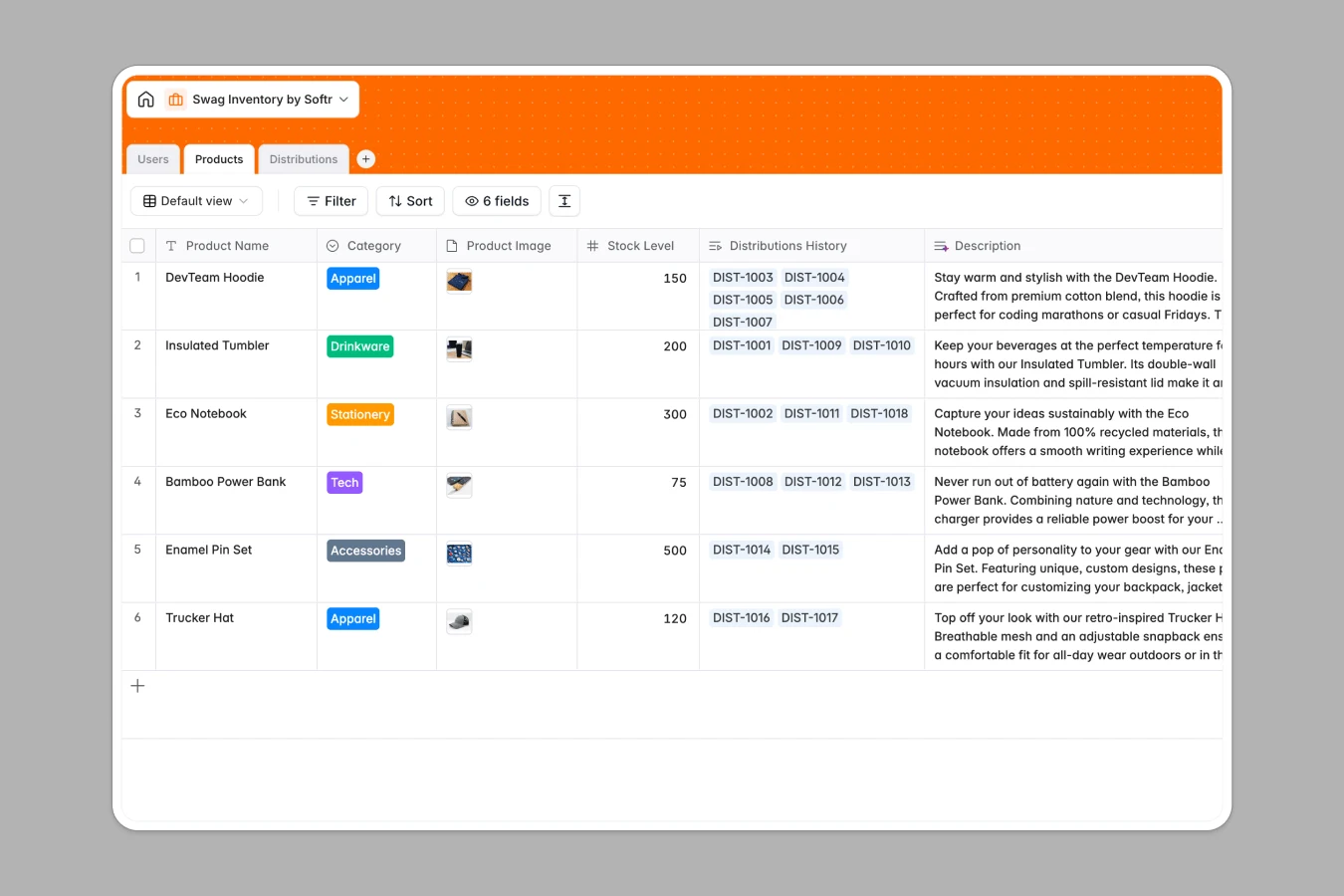
Your Swag Inventory database at a glance
This template helps you organize branded merchandise, monitor remaining quantities, and log every giveaway without inventory discrepancies.
It connects your items, recipient records, and distribution history into structured tables so every order links directly to the person who received it.
When swag tabs multiply and stock counts stop matching
Tracking company merchandise across ad-hoc sheets usually leads to separate tabs for every event, untracked giveaways, and outdated counts that result in unexpected shortages.
What a structured database changes
Instead of copy-pasting product names across monthly delivery tabs, a structured system keeps each item in a dedicated table linked to real distribution logs.
Dates remain proper timestamps, quantities stay numbers, and recipient details sync automatically without broken cell lookups.
This is exactly what Softr Databases are designed for, giving you a reliable source of truth that stays clean as your team grows.
What you can do with this template
Track exact stock levels across apparel, drinkware, and tech items while keeping full visibility over past distributions.
Update shipment statuses from processing to delivered and maintain a complete audit trail of who received which item and when.
-
Users
Store profiles, roles, contact details, and received merchandise logs
-
Products
Manage swag inventory items with categories, images, and stock counts
-
Distributions
Track swag distribution orders, fulfillment status, and recipient history
Who is this Swag Inventory database for
This database is built for teams that distribute branded merchandise to staff, partners, and clients.
- Office Managers: Keep accurate track of physical closet stock and avoid running out before major company gatherings.
- People Operations: Streamline new hire welcome kits by logging who received welcome boxes and when.
- Event Coordinators: Manage bulk merchandise allocations across conferences without losing track of leftover items.
- Marketing Leads: Monitor promotional inventory usage and plan timely reorders based on reliable distribution logs.
How to take it further
Customize your categories, add item variants like apparel sizes, or create custom distribution statuses to fit your internal fulfillment workflow in seconds.
Import your current stock counts and recipient lists using simple CSV uploads to get up and running immediately.
When you are ready, you can build an app on top of this database so team members can request merchandise through an internal portal. Using granular permissions, admins can manage back-office stock while recipients only view their assigned packages.
-
1
-
2
-
3
-
4
Frequently asked questions
-
What is a swag inventory database?
-
Why use a no-code database to build a swag inventory system?
-
How can AI help managing data for swag inventory?
-
Can I build an app with swag inventory database?
-
Is this Swag Inventory database free?
-
How is a swag inventory database different from a swag inventory spreadsheet?
Start building today. It's free!
Build and launch your first app in under 30 minutes.