


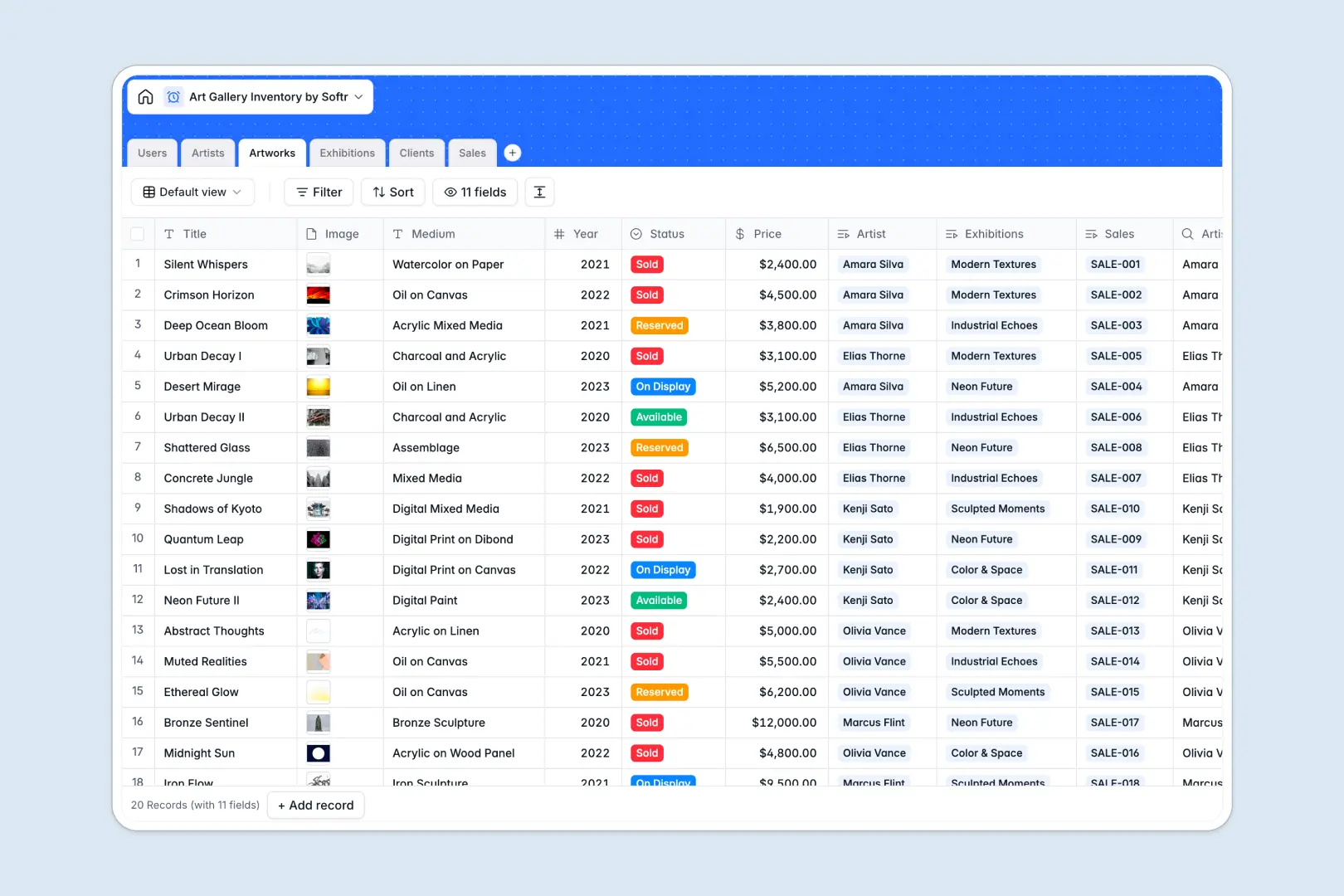
Your Art Gallery Inventory database at a glance
This template organizes your entire collection by connecting artworks, artists, exhibitions, and collector sales in a single structure. Gallery teams can track piece availability, attach high-resolution files, and log client transactions without confusion.
Relational tables link every piece in your Artworks inventory directly to creator profiles in Artists and buyer history in Clients. Curators can assemble specific pieces into Exhibitions, while sales reps associate finished transactions with invoices instantly.
Built-in AI fields help you draft exhibition pitches, write professional piece descriptions, and automatically research artist backgrounds directly inside the table.
When artwork status and collector details get trapped in separate file versions
Managing a gallery on static workbooks usually leads to duplicated files passed between curators, sales reps, and directors. As soon as someone saves a local copy to update an artwork status to "Reserved," other staff members continue referencing outdated prices and availability.
What a structured database changes
A structured database replaces disconnected files with a central source of truth where records link natively. When a sale closes, the piece automatically updates across the collector portfolio and exhibition schedule without manual cross-referencing.
Every column maintains strict data formatting, ensuring high-resolution image attachments, currency values, and transaction dates remain intact. This reliable foundation is exactly what Softr Databases provide for growing gallery teams.
(Note: Softr can also connect to an existing online Excel workbook as an external data source if your team needs to retain cloud files.)
What you can do with this template
Your team can log new acquisitions with typed values for medium, year, and status while keeping track of total invested amounts per collector via automated rollups.
Native Database AI agents streamline marketing by drafting artwork blurbs and searching the live web to generate detailed artist biographies directly in your records.
-
Users
Manage gallery staff roles, linked artists, exhibitions, and sales records
-
Artists
Track creators and generate AI web-researched professional biographies
-
Artworks
Catalog inventory with pricing, status, and AI-generated artistic blurbs
-
Exhibitions
Plan gallery shows and curate artworks with AI-generated marketing pitches
-
Clients
Maintain collector contact details, purchase history, and total investment
-
Sales
Process artwork purchase transactions with invoices and rep assignments
Who is this Art Gallery Inventory database for
This database is designed for commercial galleries, private art dealers, and exhibition spaces managing valuable collections.
- Gallery Directors: Maintain complete oversight of current inventory value, active exhibitions, and cumulative sales performance across all representatives.
- Curators: Coordinate show rosters by linking specific artworks to upcoming exhibitions and generating show marketing copy.
- Sales Representatives: Access real-time artwork availability, associate sales with collector profiles, and attach invoices quickly.
- Artist Managers: Maintain up-to-date artist profiles, portfolio catalogs, and biography details in a central registry.
How to take it further
Customize this database by adding fields for consignment terms, framing details, or secondary storage locations. You can also adjust the status dropdown options to match your gallery's specific acquisition and consignment workflow.
Import your existing artist lists and catalog records in seconds using simple CSV uploads, or use the API to sync transaction data directly from your accounting tools.
When you are ready, build an app on top of this database using Softr's AI Co-Builder to generate a complete gallery management portal in one prompt. You can configure granular users and permissions so clients only see available pieces in a public catalog while sales reps securely manage private collector transactions.
-
1
-
2
-
3
-
4
Frequently asked questions
-
What is an art gallery inventory database?
-
Why use a no-code database to build an art gallery management tool?
-
How can AI help managing data for an art gallery?
-
Can I build an app with this Art Gallery Inventory database?
-
Is this Art Gallery Inventory template free?
-
How is this gallery database different from an Excel inventory spreadsheet?
Start building today. It's free!
Build and launch your first app in under 30 minutes.