


Xano vs Supabase: Which no-code backend is best for 2026?

If you’re comparing Xano and Supabase, you’ve likely already moved past simple tools. Your data is structured, workflows are clear, and you’re trying to build something more reliable than spreadsheets or scattered systems. But what comes next?
Both Xano and Supabase give you the foundation to build a backend, but turning that into something your team can actually use day to day isn’t always straightforward. You still need to connect logic, permissions, and a usable interface on top.
In this guide, we’ll break down how Xano and Supabase compare, where each one works best, and what to expect when you move from managing data to running real operational systems.
Xano vs Supabase at a glance
| Xano | Supabase | |
|---|---|---|
| Best for | Teams building API-driven apps that need control over backend logic without managing infrastructure | Developers and technical teams that want full control over a PostgreSQL-based backend |
| Ease of use | Visual builder makes it more approachable, but still requires understanding APIs and backend logic | More straightforward for those familiar with SQL; requires hands-on work with database and queries |
| Key strengths | API-first architecture, visual backend logic (function stack), managed infrastructure, customizable endpoints | Full PostgreSQL database, auto-generated APIs, row-level security, real-time features, open-source flexibility |
| Automation & logic | Visual workflows for backend logic, data processing, and integrations without code | Edge Functions and SQL-based logic for custom workflows, but requires more technical setup |
| Integrations | Strong API layer makes it easy to connect frontends and external services | Integrates through APIs and functions, but complex setups often require additional configuration |
| AI capabilities | Focused on backend automation rather than AI-native features | Supports AI use cases through PostgreSQL extensions like vector embeddings |
| Scalability & infrastructure | Fully managed infrastructure with scaling handled in higher-tier plans | Managed infrastructure, but scaling requires handling performance, connections, and usage limits |
| Pricing model | Tiered pricing with included infrastructure; more predictable as you scale | Lower starting cost with usage-based pricing that increases with database, storage, and compute usage |
What is Xano?
.webp)
Xano is a backend-as-a-service platform that lets teams build and run the server side of an application without managing infrastructure.
Xano focuses only on the backend. It provides a managed backend environment where everything is built around APIs. You start by creating your database using PostgreSQL, defining tables and relationships to structure your data in a way that reflects your application.
From there, Xano generates API endpoints that handle how data is read and written. These endpoints can be customized to control inputs, outputs, and how data is processed. Then, you can use a visual logic builder (function stack) to define workflows, such as handling conditions, data transformations, external API calls, and background tasks.
Authentication and permissions are configured at the API level, so access rules are enforced server-side rather than in the UI. Once the backend is set up, you connect Xano to a frontend tool like WeWeb or FlutterFlow, which handles how users interact with the system.
Xano best features
- API-first architecture: Xano automatically generates REST APIs from your database and lets you fully customize endpoints, giving you control over how data is accessed and processed across apps and integrations.
- Managed PostgreSQL database: Each project runs on a dedicated PostgreSQL database, supporting relational data, complex queries, and scalable data structures.
- Backend logic (function stack): You can build server-side workflows using a visual builder that handles conditions, loops, data transformations, and background tasks—without writing traditional backend code.
- Server-side authentication and permissions: Xano includes built-in user authentication and role-based access control, enforced at the API level to ensure data security beyond frontend rules.
- Scalable, fully managed infrastructure: Hosting, scaling, and performance are handled by Xano, so you don’t need to manage servers while still supporting production-level workloads.
- Advanced customization for power users: You can go beyond basic no-code setups by structuring complex data models, creating custom endpoints, and combining visual logic with advanced backend patterns when needed.
Xano cons
- Steep learning curve for non-technical users: Despite being labeled no-code, Xano requires understanding of databases, APIs, and backend logic, which can slow down teams without technical experience.
- Requires backend thinking, not just building: You still need to design data models, structure endpoints, and plan how logic flows, so complexity isn’t removed—just moved into a visual layer.
- API-first workflow can feel unintuitive: Everything is handled through endpoints and requests, which makes simple actions more abstract compared to tools where you directly edit data or UI.
- No built-in frontend: Xano only handles the backend, so you need to set up and maintain a separate frontend tool, which adds complexity to your overall stack.
- Debugging can be time-consuming: Tracing issues across databases, API endpoints, and logic layers isn’t always straightforward, especially in more complex setups.
- Costs can increase with scale: While accessible for smaller projects, pricing can grow as usage, data volume, and performance needs increase.
Who is Xano best for?
- Teams building API-driven applications: Xano works well when your product or internal tool relies on structured data, custom logic, and flexible APIs that connect to multiple frontends or services.
- Technical operators and product teams: It’s a match for users who understand how databases and APIs work and want more control without setting up servers or managing infrastructure.
- Developers or hybrid teams: Xano can replace large parts of backend development while still allowing custom logic and deeper control when needed.
- Teams comfortable with backend concepts: While no-code, Xano still requires understanding endpoints and access control to build reliable systems.
Xano pricing
Xano offers tiered pricing based on usage, infrastructure, and team needs. Pricing is billed annually.
- Free for developing and testing. Includes the visual logic builder, API creation, agent/MCP tools, edge functions, and a PostgreSQL database (up to 100,000 records) with rate limits.
- Essential: $85/month, for production-ready apps and agents. Adds dedicated infrastructure, multiple workspaces and team seats, no API rate limits, more compute/storage, branching, and compliance features (GDPR, ISO, and SOC 2).
- Pro: $224/month, for teams ready to scale. Includes more workspaces and seats, increased compute and storage, managed load balancing, role and permissions management, backups, and a 99.9% SLA.
- Custom pricing: For enterprise-grade needs. Offers unlimited scalability, self-hosting options (AWS, Azure, GCP, on-prem), multi-tenant architecture, advanced security (SSO, regional isolation), dedicated support, and high availability.
[.blog-callout]
Turn your Xano backend into a working app
💡 Connect your Xano data to Softr and instantly turn it into portals, dashboards, or internal tools. Control exactly who can view or edit data, and launch faster without writing any code.
[.blog-callout]
What is Supabase?
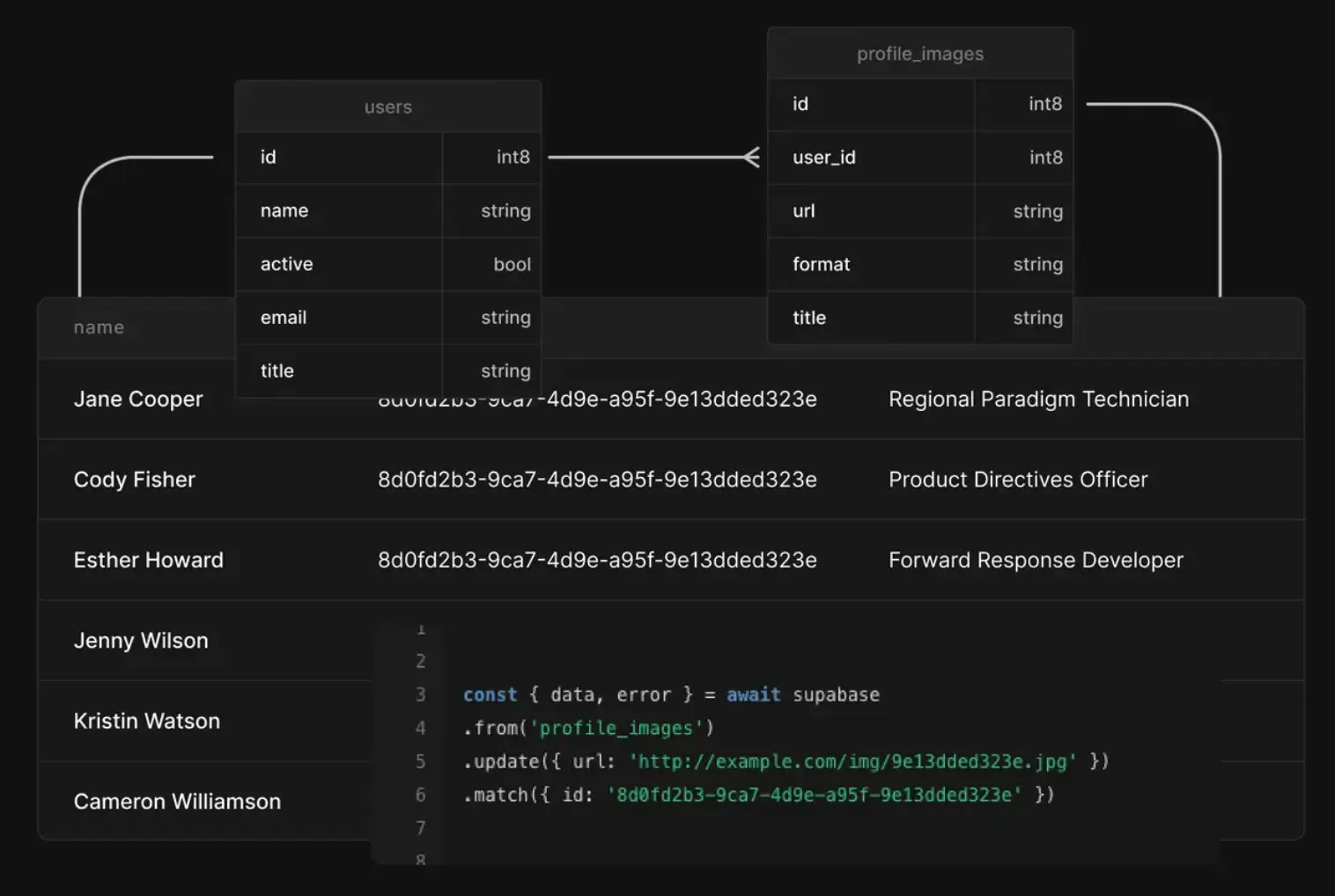
Supabase is an open-source backend platform built on PostgreSQL that gives you a database, APIs, authentication, storage, and real-time features in one system. It keeps the database at the center and generates everything else around it. This makes it flexible and powerful but also means you’re still working with real backend concepts like schemas, queries, and permissions.
Supabase starts with a PostgreSQL database as the core of your application. When you create tables, it automatically generates REST and GraphQL APIs that reflect your schema, so you can read and write data without building endpoints manually.
Authentication is built in and tied directly to the database using row-level security (RLS), which controls exactly who can access which data. For real-time features, Supabase listens to database changes and pushes updates to connected clients.
In practice, you’re working with a connected stack: database → API → auth → frontend. Supabase handles the infrastructure, but you’re still responsible for how the system is designed, secured, and scaled.
[.blog-callout]
Turn your Supabase data into real apps
💡 Connect your Supabase database to Softr and instantly build portals, dashboards, and internal tools on top of your live data—no frontend or API setup needed.
[.blog-callout]
Supabase best features
- PostgreSQL foundation: Supabase runs on a full PostgreSQL database, so you get support for complex queries, joins, constraints, and extensions like pgvector or PostGIS without relying on a proprietary data model.
- Auto-generated APIs: REST (via PostgREST) and GraphQL APIs are created directly from your database schema and stay in sync as it evolves, removing the need to build and maintain backend endpoints manually.
- Row-Level Security (RLS): Access control is enforced at the database level using Postgres policies, allowing precise, row-level permissions that apply consistently across APIs and clients.
- Built-in authentication: Supports email/password, OAuth providers, magic links, and multi-factor authentication, all integrated with database-level permissions for consistent access control.
- Edge Functions (server-side logic): Serverless functions running on Deno let you handle custom logic, integrations, and webhooks without managing a traditional backend server.
- Integrated file storage: S3-compatible object storage is built into the platform, with access policies tied to your database and auth rules for consistent security.
- Open-source and self-hostable: The full stack is open source and can be self-hosted, giving teams more control over infrastructure and compliance and helping them avoid vendor lock-in.
- AI-ready with vector support: Native support for vector embeddings through Postgres extensions enables use cases like semantic search and retrieval-augmented generation directly within the database.
Supabase cons
- Requires real backend and SQL knowledge: Supabase removes setup, not complexity. You still need to design schemas, write queries, manage migrations, and think through performance as your data grows.
- Row-Level Security is powerful but hard to get right: RLS policies control access at the database level, but they’re not always intuitive. Misconfigurations can either block valid access or expose data if set up incorrectly.
- Limited flexibility in auto-generated APIs: The built-in REST and GraphQL APIs work well for standard CRUD, but more complex workflows often require SQL functions or edge functions, adding extra layers to manage.
- Scaling introduces connection and performance constraints: As usage grows, teams can run into connection limits, pooling issues, and performance tuning challenges that require deeper infrastructure knowledge.
- Edge Functions add backend overhead: While useful, they reintroduce concerns like deployment, debugging, and handling things like CORS, which can slow down teams expecting a fully managed experience.
- Debugging spans multiple layers: Issues can come from the database, RLS policies, APIs, or functions, making troubleshooting less straightforward compared to more abstracted platforms.
- Ecosystem and integrations are still evolving: Compared to more mature platforms, native integrations and tooling are more limited, so teams often rely on custom setups or third-party tools.
- Not truly “no-backend” for non-technical teams: Supabase is developer-first. Teams without technical experience may struggle to build and maintain production-ready systems without engineering support.
[.blog-callout]
Considering alternatives?
👉 Check our detailed guide on the 10 best Supabase alternatves.
[.blog-callout]
Who is Supabase best for?
- Developers building custom applications: Teams that want full control over their database, queries, and backend logic without setting up infrastructure from scratch
- Startups and technical teams: Products that need to move fast but still rely on relational data, permissions, and real-time features
- Teams replacing Firebase with SQL-based systems: Especially when data modeling, joins, and long-term scalability matter
- Projects with moderate backend complexity: Apps where CRUD, authentication, and real-time updates are core, but custom logic can be handled with functions or SQL
Supabase pricing
Supabase uses a usage-based model on top of base plans—costs can increase with database size, bandwidth, and compute usage as your app scales.
- Free: Best for learning and early prototypes. Includes a small Postgres database (~500 MB), limited storage, and up to ~50K monthly users, but projects can pause after inactivity and there are no backups.
- Pro (from $25/month): Designed for production apps. Adds higher limits (e.g., ~8 GB database, 100K users, 100 GB storage), daily backups, and email support. Includes some compute credits, with additional usage billed separately.
- Team (from $599/month): Built for growing teams and B2B products. Adds SSO, SOC2 support, priority support, and more advanced access controls, along with higher usage limits and reliability features.
- Enterprise (custom pricing): For large-scale or regulated environments. Includes dedicated infrastructure, SLAs, custom limits, and enterprise-level support and compliance options.
Xano vs Supabase: Features compared
Both Xano and Supabase help you build the backend of an app. The difference is how much they abstract. Xano gives you a visual, API-first layer. Supabase keeps you close to the database and expects you to work with it directly.
1. Which is easier to use and set up?
Xano replaces a lot of backend code with a visual builder. You define logic step by step, which makes things more approachable. But you still need to understand how APIs and data flows work.
Supabase is more straightforward if you know SQL. You’re working directly with a PostgreSQL database, setting up tables, queries, and access rules yourself. That gives you clarity, but less guidance.
Verdict: Xano feels easier at first, especially for non-developers. Supabase is simpler if you already think in SQL.
2. Which offers more features and flexibility?
Xano is built around APIs. You control how data is processed, transformed, and exposed through custom endpoints and backend workflows.
Supabase is built around the database. You get full access to PostgreSQL, which means more control over how your data is structured, queried, and extended over time.
Verdict: Supabase gives you more flexibility at the data level. Xano gives you more control over how your backend behaves.
3. Which is best for integrations?
Xano works well as a central API layer. You can connect multiple frontends and external tools through custom endpoints and logic, which makes integrations feel natural.
Supabase also connects to other tools, but you’ll often need to rely on functions or additional setup to handle more complex workflows.
Verdict: Xano is the better fit if your setup depends on APIs and external connections. Supabase works, but takes more effort as things get complex.
4. Which is more affordable?
Xano starts free but pricing increases as you move to dedicated infrastructure and higher usage. It’s predictable, but can get expensive as your app scales.
Supabase is cheaper to get started. The base plans are lower, but costs grow with usage—especially as your database, storage, or traffic increases.
Verdict: Supabase is more accessible early on. Xano may make more sense if you want managed scaling without thinking about infrastructure.
5. Which has better AI and automation capabilities?
Xano focuses on backend automation. You can build workflows that handle logic, data processing, and integrations without writing code.
Supabase supports AI use cases through its database, especially with vector support for things like semantic search. But you need to set that up yourself.
Verdict: Supabase is stronger for AI-heavy use cases. Xano is better for structured automation and backend workflows.
6. Which is better for non-technical vs technical teams?
Xano is easier to get started with, but you still need to understand how your data and workflows should work behind the scenes. It’s best for teams that want more control over how things run, without writing code.
Supabase is built for developers. It gives you full control, but assumes you’re comfortable managing a database and everything around it.
Verdict: Xano fits hybrid teams and technical operators. Supabase is a better match for developers who want full control.
Xano vs Supabase: Pricing compared
Both tools offer a free starting point and scale with your needs, but they price things differently. Supabase keeps entry costs low and adds usage-based charges as you grow. Xano bundles infrastructure into higher-priced tiers with more predictable costs.
Key differences
- Starting cost: Supabase is more affordable upfront (from $25/month), while Xano starts higher ($85/month).
- Pricing model: Supabase adds usage-based costs (database, bandwidth, compute). Xano uses fixed tiers with included resources.
- Scaling: Supabase costs can grow unpredictably with usage. Xano scales through plan upgrades, making costs easier to estimate.
- Infrastructure: Xano includes dedicated infrastructure earlier. Supabase shares resources unless you move to higher plans.
- Enterprise readiness: Both offer enterprise options, but Supabase’s advanced features start at a higher price point.
Verdict: Supabase is easier to start with and more flexible early on. Xano is more predictable as you scale, especially if you want infrastructure handled for you.
Xano vs Supabase on Reddit
People testing Xano with a separate frontend often point to the setup overhead. Even simple apps can take longer than expected, especially when you’re managing API calls and frontend updates manually. Compared to all-in-one tools, this extra coordination can slow things down early on.
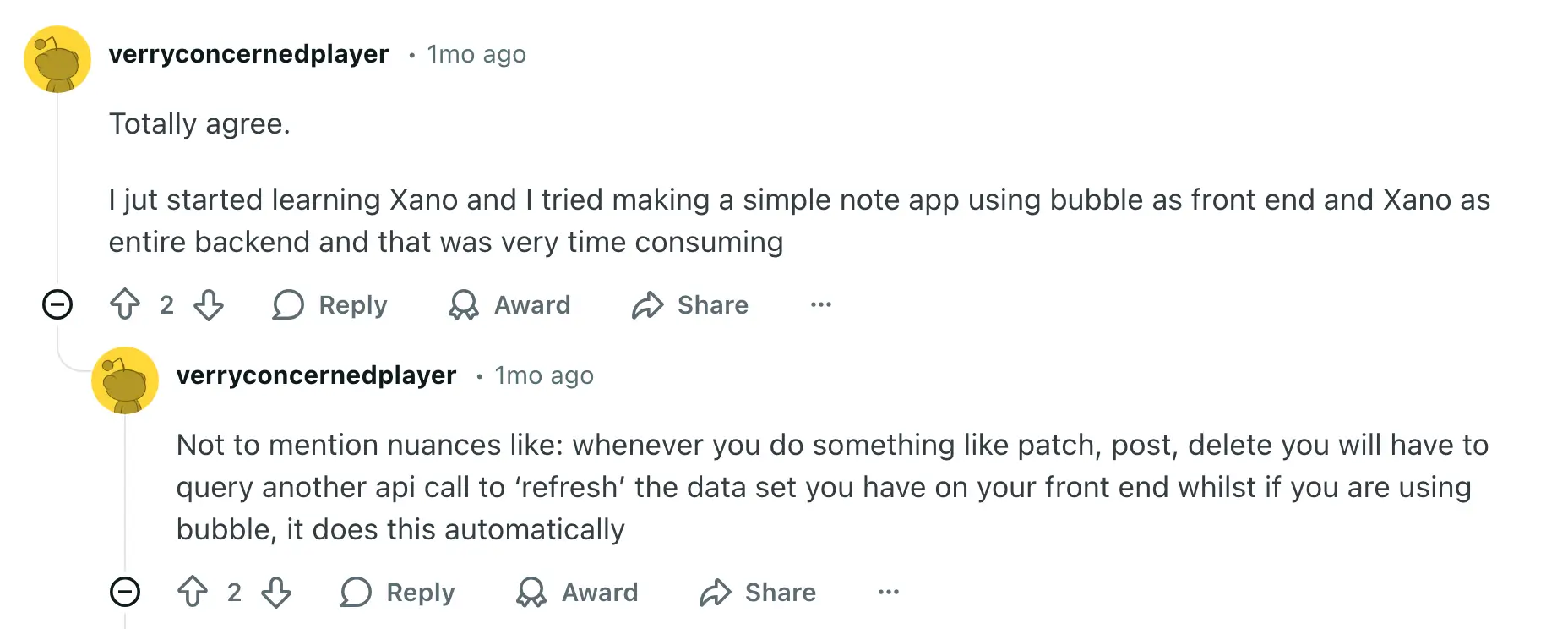
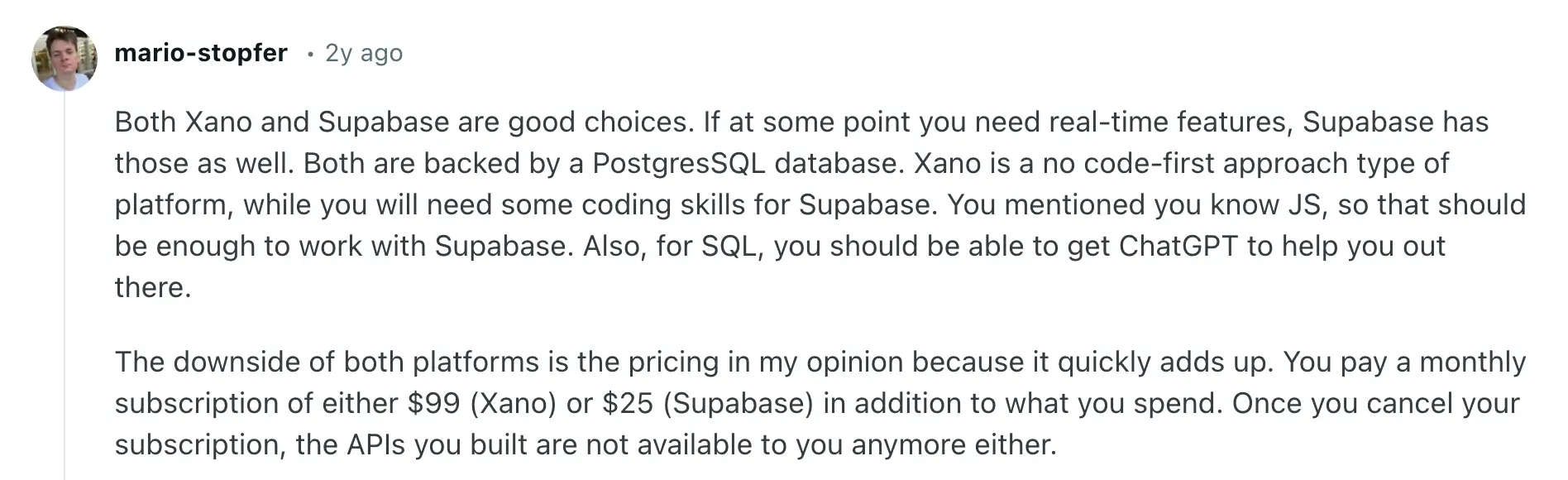
A common theme in discussions is the trade-off between control and ease of use. Xano is seen as more no-code-friendly for backend logic, while Supabase gives you more flexibility if you’re comfortable with code. The choice often comes down to how much technical work you’re willing to handle.
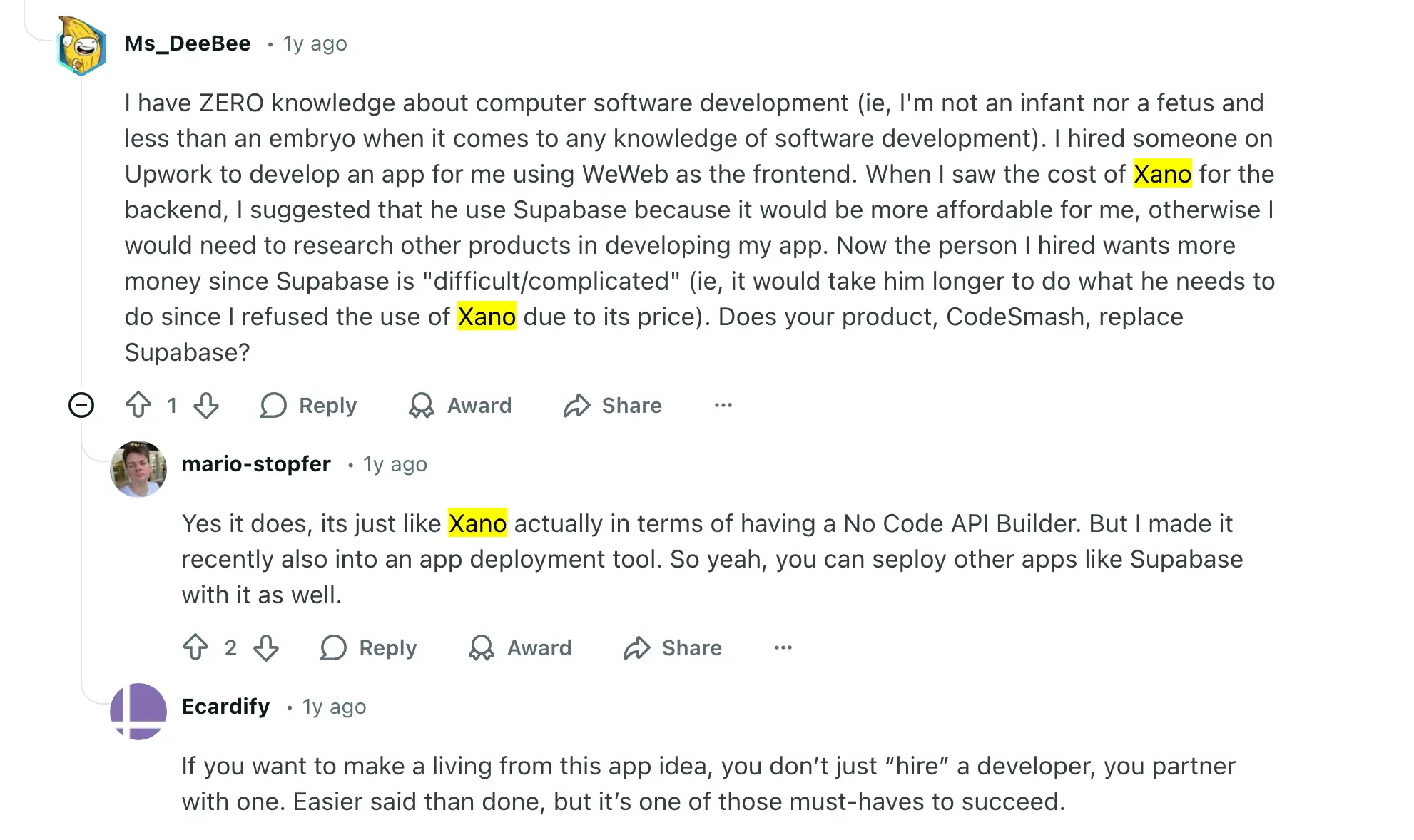
When real projects and budgets enter the picture, opinions shift. Some users highlight Xano’s pricing as a blocker, while others note that Supabase can increase development time (and cost) if you rely on hired help. In practice, teams end up balancing cost, speed, and technical complexity rather than picking a clear winner.
Xano vs Supabase: A Summary
Both Xano and Supabase are strong backend tools—but they’re built for teams that are ready to think in terms of databases, APIs, and system design.
Xano makes that process more visual. You get a structured way to define logic and manage data without writing code, but you’re still responsible for how everything is set up and connected.
Supabase gives you even more control. You’re working directly with a database, queries, and permissions, which is powerful—but also requires technical experience to get right.
In both cases, the work doesn’t disappear. You’re still designing a backend, managing how data flows, and connecting it to a frontend before your team can actually use it day to day.
That’s where many business teams get stuck. The tools are flexible, but turning them into something usable and working takes time, coordination, and often ongoing technical support.
Bottom line:
Both tools are a good fit if you want to build and manage your own backend. But if your goal is to run your operations, like automating workflows and giving your team or clients a functional system, they add an extra layer of setup before you get there.
Softr Databases — best alternative with relational database & production-ready app-building in one place
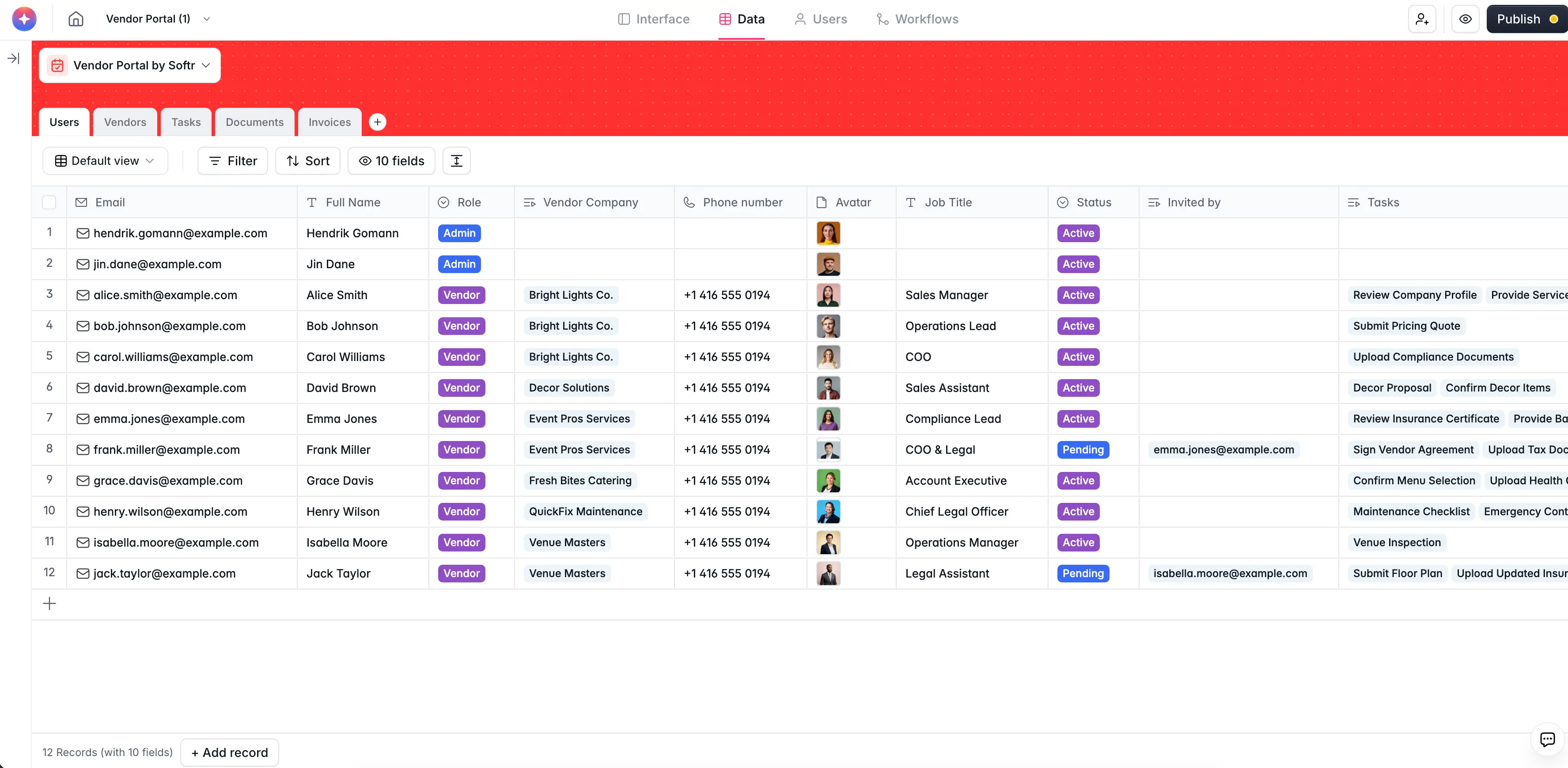
Both Xano and Supabase give you control over your backend—but they still expect you to think like a backend builder. With both platforms, you have to technically connect your database, business logic, interface, permissions, and automations. You’re working with APIs, schemas, permissions, and logic flows, even if the tools simplify parts of that process.
With Softr Databases, everything works differently. You start by organizing your data in a simple, spreadsheet-style interface that has the power and scalability of an SQL database. It’s built to handle structured, scalable data without forcing you to work like a developer. You get up to 1M database records for a Business plan without performance lags.
From there, you get to use that same data to build business applications, like portals, dashboards, CRMs, or workflow systems within the same platform. Describe your app idea to the AI builder and then customize your interface with a visual, drag-and-drop builder. You have your database, app logic, security, infrastructure, and hosting all built in from the first moment.
The difference is practical. With Xano or Supabase, you build the backend first, then connect everything else. With Softr, your databases, apps, and workflows are already connected—so you spend less time setting up systems and more time using them.
Best for: All-in-one structured data management, app building, and AI-powered workflow automation — without code.
- AI App Builder: Generate full-stack apps in minutes from a prompt. It'll structure a secure relational database for you, build an interface on top of it, and configure business logic for utility pages, permissions, and workflows.
- Enterprise-grade performance and security: Handle large datasets with infrastructure designed for scale while supporting compliance standards like GDPR and SOC 2.
- Turn databases into working business apps: Use the same dataset to build custom, fully production-ready client portals, internal tools, and CRMs without exporting data or building a separate frontend.
- Import data in seconds: Upload spreadsheets or import existing datasets from tools like Google Sheets, Airtable, or CSV files without manual formatting. Softr automatically maps fields and lets you start working with your data immediately.
- Database AI agents: Automate repetitive data work directly inside your database. Agents can clean, enrich, categorize, and summarize records, extract details from files, or pull information from the web to keep datasets accurate without manual updates.
- AI-assisted database setup: Generate database structures and fields writing natural-language prompts to the AI Co-builder to speed up setup and reduce manual configuration.
- Unlimited database collaborators: Share databases across teams or external users without per-seat editor pricing.
- Pre-built templates with sample data: With Softr, there’s no need to build from scratch or have technical coding knowledge. You can start buidling apps on top of your data with the help of a library of 90+ app templates.
- Vibe Coding Block: Generate app layouts, dashboards, pipelines, and custom tools using AI prompts. Vibe coding helps teams go from idea to working system faster, so they can start benefiting from automation and AI sooner.
Why teams choose Softr over Xano vs Supabase
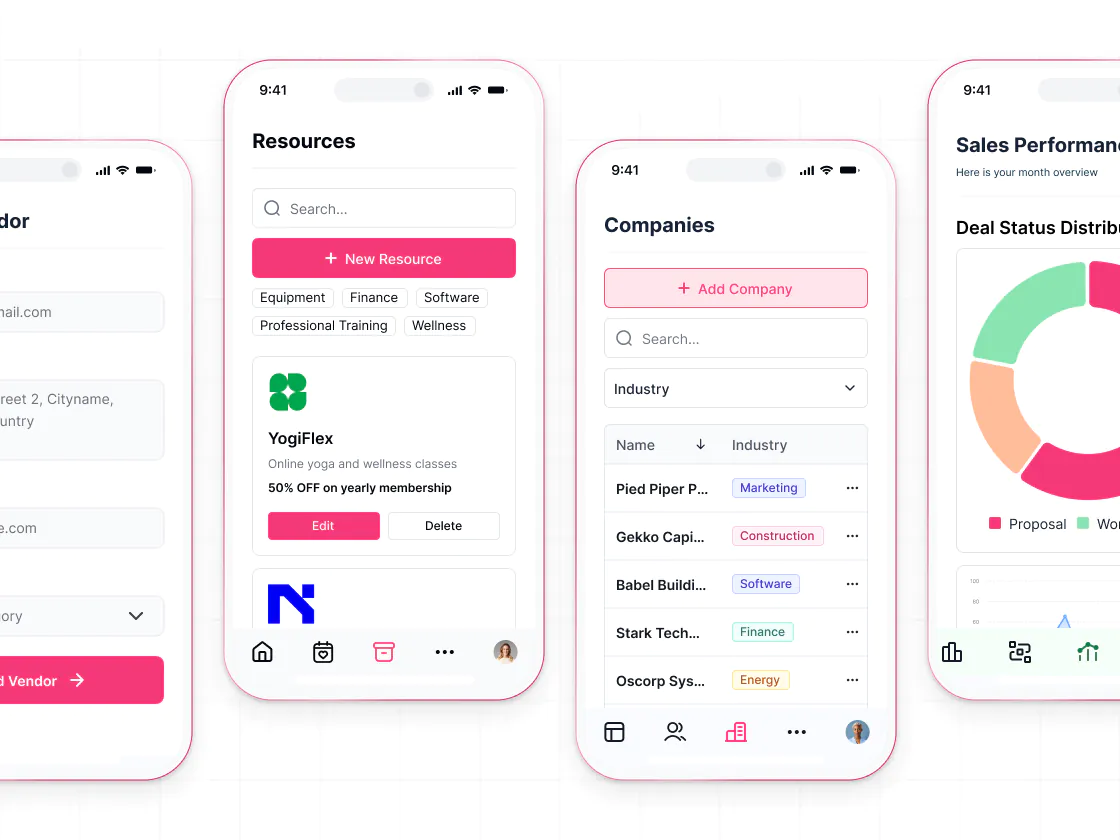
Teams comparing Xano and Supabase are usually trying to build a backend to support an app or internal system. Both tools give you the flexibility to model data, define logic, and expose APIs—but they still require you to design and connect everything before your team can actually use it.
That’s where things slow down.
Before anything is usable, you need a frontend, permissions, workflows, and a way for people to interact with the data day to day. What starts as “setting up a backend” often turns into managing multiple tools, handoffs, and ongoing technical work. Softr removes that extra layer.
Here are some examples of what you can build with Softr's AI app builder:
- Customer and partner portals: Create secure, branded spaces where users can submit requests, track progress, and access their own data. Permissions and authentication are built in, instead of custom-coded.
- Internal tools and operational apps: Build CRMs, project trackers, and inventory systems that teams actually run their business on. Softr provides relational databases, workflow automation, and user roles out of the box.
- Knowledge bases and directories: Organize company knowledge or resources into searchable, easy-to-use apps your team or customers can actually navigate—without worrying about backend logic or governance.
Xano, Supabase, or Softr Databases
Xano and Supabase are strong options if your priority is control. They give you the building blocks to design a backend exactly the way you want—data models, APIs, logic, and infrastructure. But that control comes with responsibility. Before anything is usable, you still need to connect a frontend, define permissions, handle workflows, and make sure the system holds up in real use.
But if you’re trying to ship an internal tool, client portal, or operational system, the question isn’t just how your backend works—it’s how quickly your team can start using it without constant setup, handoffs, or rework.
With Softr, your database, interface, permissions, and workflows are already connected, so you can move from structured data to a working system in one place.
If you’re deciding between these tools, it comes down to this: do you want to build and manage a backend, or launch something your team can run on? If it’s the latter, try building your first app with Softr and see how far you get without adding more tools to your stack.
Frequently asked questions
Which is better Firebase or Supabase or Xano?
Is Xano worth it?
Why is everyone using Supabase?
What is the difference between Supabase and Xano?