Supabase gives developers an easy way to set up a database, authentication, storage, and real-time updates without coding everything from scratch. But if you’re running a small or mid-sized business, it can feel like more work than it’s worth. It assumes you know SQL, setup often takes extra debugging, and costs can rise quickly as your usage grows. Here are the best Supabase alternatives for 2026.
Best alternatives to Supabase at a glance
| Tool | Best for | Standout Features | Pricing |
|---|---|---|---|
| Softr Databases | SMBs needing structured data management & full-stack apps without backend setup | Built-in database + app builder, Airtable import, Ask AI, 90+ templates; secure hosting | Free (5 users, 5,000 records) Paid from $19/mo |
| Firebase | Teams wanting Google-hosted convenience with real-time sync | Firestore & Realtime DB, Firebase Data Connect, auth, hosting, serverless functions | Free Spark plan Paid (Blaze pay-as-you-go) |
| Xano | No-code backends with API-first design | Visual API builder, managed Postgres, workflow automation, versioning | Free Build plan Paid from $29/mo |
| Airtable | Spreadsheet-style collaboration & simple interfaces | Spreadsheet + relational links, multiple views, automations, Interface Designer | Free (1k records/base) Paid from $20/user/mo |
| Baserow | Open-source spreadsheet database with self-hosting | Open-source & self-hostable, unlimited rows, REST API, plugins | Free self-hosted Paid cloud from €5/user/mo |
| Pocketbase | Lightweight backend for fast MVPs & prototypes | SQLite DB; built-in auth, file storage, real-time subscriptions | Free & open-source Hosting costs vary |
| Appwrite | Open-source BaaS with self-hosting control | Modular backend (DB, auth, storage, functions), Docker/Kubernetes | Free self-hosted Paid cloud (usage-based) |
| NocoDB | Spreadsheet UI on top of SQL databases | Grid UI, SQL support, auto REST APIs, collaboration | Free & open-source Paid cloud option |
| Convex | Real-time and collaborative apps | Reactive database, serverless functions, built-in sync, TypeScript SDK | Free tier Paid usage-based |
| Turso | Edge database for global apps | libSQL/SQLite foundation, global replication, serverless-friendly | Free tier Paid from $4.99/mo |
Limitations of Supabase
Supabase is a powerful backend for developers, but it’s not always the right fit. You might want to look at alternatives if:
| Limitation | Why it matters |
|---|---|
| 1. It’s not beginner-friendly (and takes time to set up) | Supabase assumes SQL and backend knowledge. Even technical users need to grasp concepts like RLS, Edge Functions, JWT Keys, and Log Drains, while keeping an eye on compute and disk usage. Configuring features such as rollups and lookups adds more overhead, so for operators who just need a CRM, portal, or dashboard, the setup feels overly complex and resource-heavy. |
| 2. You’re spending too much time debugging | Developers report losing hours fixing migrations, schemas, or APIs. For SMBs with limited resources, this slows delivery and drains focus from operations. |
| 3. Your costs are climbing faster than expected | Supabase starts affordable but scales unpredictably as usage grows. SMBs and indie projects can get caught off guard by higher storage, bandwidth, or user costs. Typical triggers for cost increases include exceeding disk-storage usage, upgrading compute instance sizes (CPU/RAM), increasing bandwidth/egress usage, or enabling add-on features (e.g. high-IOPS disks, extended backups or log retention) |
| 5. Performance is under heavy load | Realtime and write-heavy workloads can degrade unless you fine-tune indexes or architecture. This makes scaling harder without technical expertise. |
| 6. Self-hosting has differences | Running Supabase locally isn’t always smooth: the hosted version is more polished. SMBs trying to save money with self-hosting may hit roadblocks. |
| 2. You need stronger authentication out of the box | Supabase’s built-in auth is limited, so teams often patch it with external tools like Better-Auth or Auth.js. This adds friction if you need secure, granular access controls. |
What to look for in a Supabase alternative
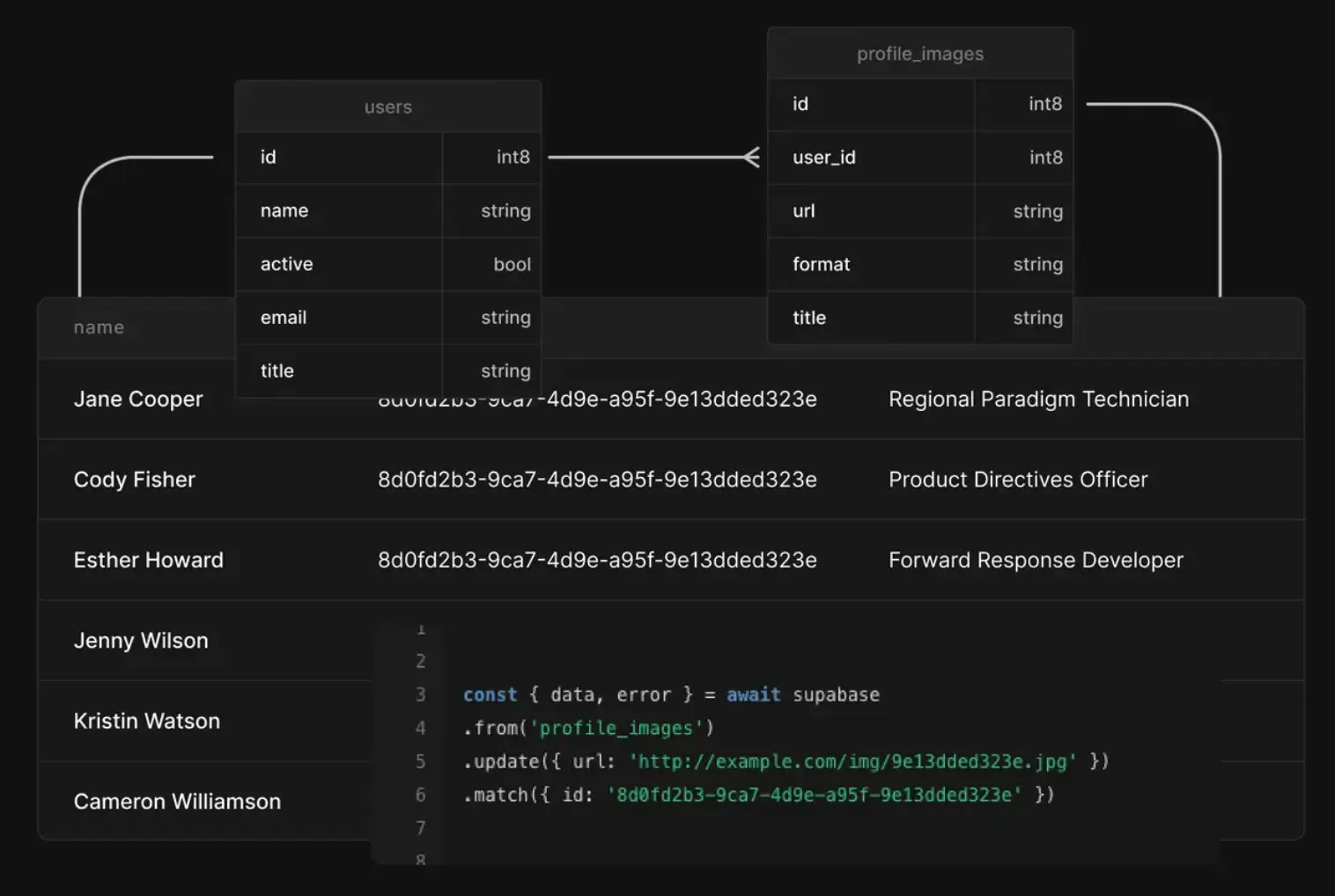
Not every Supabase alternative is built the same. Before you choose, make sure it fits the way your team works today and how you’ll scale tomorrow. Here are the key things to consider:
- Strong authentication and permissions: Many real Supabase users end up patching it with external tools to achieve performance goals. Look for built-in login, user roles, and secure access controls that don’t require extra setup.
- Reliable performance under load: Supabase can slow down with large datasets or real-time workloads. A strong alternative should stay fast as your usage grows.
- Predictable pricing: Supabase’s usage-based costs can spike unexpectedly. Choose a tool with clear, transparent pricing as you add records, storage, or users.
- Ease of onboarding: For non-technical business operators, without backend expertise, complex migrations or schema setup are a blocker. Prioritize business ops-friendly tools that get you live quickly without a heavy technical lift.
- Good support and documentation: Developers often cite gaps in Supabase’s docs. A responsive support team, active community, and clear guides reduce downtime and frustration.
- Real-time and collaboration features: Real-time subscriptions are a Supabase highlight, but not always reliable. Make sure alternatives deliver stable updates if live data is important.
- Flexible hosting options: Supabase’s self-hosting can be tricky. If compliance or cost-saving is a priority, choose a tool with smooth self-host or hybrid deployment options.
- Scalability over time: A good alternative should handle record growth, user volume, and automations gracefully — without constant tuning or performance drops.
{{cta-1}}
1. Softr Databases — best Supabase alternative for structured data management & full-stack no-code app building

Softr Databases is built for small and mid-sized businesses that have outgrown spreadsheets or need a simpler alternative to Supabase’s technical setup.
While Supabase gives technical teams control over a Postgres backend, it requires SQL knowledge, ongoing debugging, and a separate UI layer for end users. Softr removes that friction by combining structured data storage, authentication, permissions, and app-building (+ powerful AI capabilities, like the upcoming Database AI Agents, and Softr Workflows) in one place.
Teams can manage structured data and instantly turn it into CRMs, portals, dashboards, or inventory trackers without writing a single line of code. Operators can get started in minutes by building from scratch, choosing from 90+ ready-made templates, or importing an existing Airtable base for a seamless transition.
Pros and cons of using Softr Databases
Pros:
- Built-in database + integrations: Native Softr Databases plus deep integrations with Airtable, Notion, HubSpot, SQL, and REST APIs, all with real-time sync.
- Database & visual builder: Manage data and build apps with conditional logic in one place — no sync delays, API limits, or fragile integrations.
- Templates & support ecosystem: 150+ templates, live chat and email support, and an expert partner/creator community to help teams move faster.
- Scalable apps: Real-time performance that scales reliably with large datasets.
- Trustworthy security: Enterprise-grade compliance (SOC 2, GDPR) and secure hosting included.
- Predictable pricing: Predictable, seat-free pricing that scales with records and users.
Cons:
- Not built for deep backend scripting or server-side logic (developer-first teams may prefer Supabase).
- Automation features (native workflows) are still being expanded.
Softr Databases key features
- All the field types you need: Go beyond plain text with formulas, rollups, attachments, and linked records.
- Granular permissions & secure logins: role-based access and granular permissions, and user authentication built in.
- Airtable import: Migrate bases seamlessly and scale without record or performance ceilings.
- Ask AI: Query your data in plain English (all the user permissions applied) instead of filters or SQL.
- Native Zapier and Make integrations: Set custom triggers and actions with Softr Databases + Zapier or Make, and keep all your tools in sync.
- Public API: Push data from any tool with a REST API into Softr Databases. Migrate from legacy systems, sync live CRM data, and centralize scattered information.
- Template library: 90+ pre-built templates to start with for CRMs, project trackers, and portals.
- Reliable hosting & compliance: Scalable infrastructure that meets GDPR and SOC 2 standards, with optional SSO for added security.
Softr Databases pricing
Softr offers flexible pricing, including a generous free plan. Softr Databases are available on all Softr plans with some record limits.
- Free: Unlimited apps, with access to Softr Workflows and Softr Databases, 5 app users, 5,000 records
- Basic ($19/month): Unlimited apps with 42+ integrations, Team: 5 + Client: 5 app users, 50,000 records per workspace
- Pro ($99/month): Unlimited apps with 45+ integrations and custom code, Team: 10 + Client: 50 app users, 500,000 records per workspace
- Business ($329/month): Unlimited apps with 52+ integrations, Team: 30 + Client: 100 app users, 1,000,000 records per workspace
- Enterprise (custom pricing, contact sales)
Why it’s better than Supabase pricing
Supabase’s usage-based model can become unpredictable with storage, queries, and bandwidth. Softr instead uses clear, record-based pricing with no per-seat add-ons, so SMBs know exactly what they’ll pay as data and users scale.
Verdict: Softr Databases vs Supabase
If you’re running a small or mid-sized business, Softr Databases is a stronger Supabase alternative: it removes the technical overhead of SQL and backend setup while delivering the scalability, security, and real-time performance Supabase is known for. You get a production-ready platform that lets non-technical teams launch apps fast and at predictable costs.
2. Firebase — best for teams wanting Google-hosted convenience

Firebase is Google’s backend-as-a-service platform that bundles databases, hosting, authentication, storage, and analytics in one environment. It’s a popular choice for mobile and web apps that need real-time sync, push notifications, and rapid deployment without manually setting up infrastructure. Unlike Supabase, which is built around PostgreSQL for relational use cases, Firebase has traditionally been document-based (Firestore and Realtime Database). However, with the recent addition of Firebase Data Connect (built on Postgres and GraphQL), it now also offers relational capabilities for teams who need joins and structured queries.
Pros and cons of using Firebase
Pros:
- All-in-one suite: authentication, databases, hosting, storage, serverless functions, and analytics.
- Two established NoSQL databases (Firestore, Realtime Database) plus the new Firebase Data Connect for relational Postgres.
- Real-time sync and offline support across web and mobile.
- Deep integration with Google Cloud services (e.g., BigQuery, Identity Platform).
- Global CDN and SSL hosting included.
- Free Spark plan for prototyping with generous quotas.
Cons:
- Usage-based pricing can become unpredictable at scale (reads, writes, bandwidth, function calls, storage).
- Vendor lock-in: migrating away from Firebase can be complex.
- Advanced authentication (e.g., SAML, multi-factor) requires Identity Platform and may add costs.
- Real-time databases have connection and throughput limits that require sharding or architecture work for very large apps.
Firebase key features
- Cloud Firestore: NoSQL document database with strong querying and scalability.
- Realtime Database: Lightweight, real-time syncing database for simple apps.
- Firebase Data Connect: New service providing Postgres with GraphQL APIs, enabling relational queries and joins.
- Authentication: Email/password, social logins, phone, enterprise identity providers.
Firebase pricing
- Spark plan (Free): Generous quotas for Firestore, Authentication, Hosting, and other services.
- Blaze plan (Pay-as-you-go): Usage-based charges for reads/writes, storage, bandwidth, and function invocations.
- Authentication: many methods free; enterprise auth and SMS verification may incur costs.
- Pricing is transparent but requires monitoring to avoid unexpected spikes.
Who Firebase is best for
Teams and startups that want fast deployment, real-time data, and managed Google infrastructure without setting up databases and servers themselves. It’s especially strong for mobile apps, chat systems, and MVPs where speed and scalability matter more than relational depth.
Verdict: Firebase vs Supabase
Firebase is a strong Supabase alternative if you need real-time sync, built-in hosting, and Google’s managed infrastructure. Supabase, with its Postgres foundation, is stronger for relational data and SQL flexibility, but Firebase excels at mobile-first, event-driven, and real-time apps. The trade-off is cost predictability and backend control: Firebase is easy to adopt, but can become expensive or limiting at scale.
3. Xano — best for no-code backends with API-first design
.webp)
Xano is a no-code backend platform designed for teams who want to create and scale APIs without managing servers or writing backend code. It provides a managed PostgreSQL database, visual logic builders, and workflow automation tools so operators can design data models, set up business logic, and expose endpoints for web or mobile apps.
Unlike Supabase, which assumes SQL knowledge, Xano’s interface is API-first and visual, making it approachable for those who want backend power without diving deep into queries or infrastructure. Xano is powerful but not always the most beginner-friendly or cost-efficient option.
Pros and cons of using Xano
Pros:
- Visual logic builder for designing API endpoints, workflows, and background tasks without coding.
- Powered by PostgreSQL, offering relational depth with a managed environment.
- Scalable features, including branching, versioning, and team collaboration.
- Built-in media storage, backups, and role/permission management.
- Transparent tiered pricing and a free plan for getting started.
Cons:
- Learning curve: understanding API structures, relationships, and backend workflows is still required.
- No built-in frontend: you’ll need another tool for interfaces, portals, or dashboards.
- Costs scale significantly with higher compute, storage, or enterprise needs.
- API limits and quotas on lower plans can constrain heavier use cases.
Xano key features
- No-code API builder: Generate REST APIs with custom endpoints and business logic.
- Managed PostgreSQL database: Relational structure, indexing, and support for large record volumes.
- Workflow automation: Background tasks, scheduled jobs, and branching logic.
- Workspaces & collaboration: Multiple environments, version control, and team seat management.
Xano pricing
- Build (Free): Core backend features, up to 100,000 records, limited API calls, and basic storage.
- Starter ($29/month): Expanded quotas, background tasks, and rolling backups.
- Pro ($224/month): Multiple workspaces, more team seats, role/permissions, and higher compute.
- Enterprise (Custom): Dedicated infrastructure, compliance, and advanced scaling.
Who Xano is best for
Teams needing a scalable backend without hiring backend engineers. It’s particularly useful when paired with frontend builders or mobile frameworks, letting operators handle data models and APIs while designers or developers handle UI.
Verdict: Xano vs Supabase
Xano is a strong Supabase alternative if you want a visual backend building and managed scaling without worrying about SQL. Supabase offers more direct control and flexibility for developers, while Xano focuses on making API design and backend workflows accessible. The trade-off: Xano may become costlier at higher tiers, but it saves significant developer time and infrastructure setup for non-technical or lean teams.
4. Airtable — best for spreadsheet-style collaboration and simple interfaces
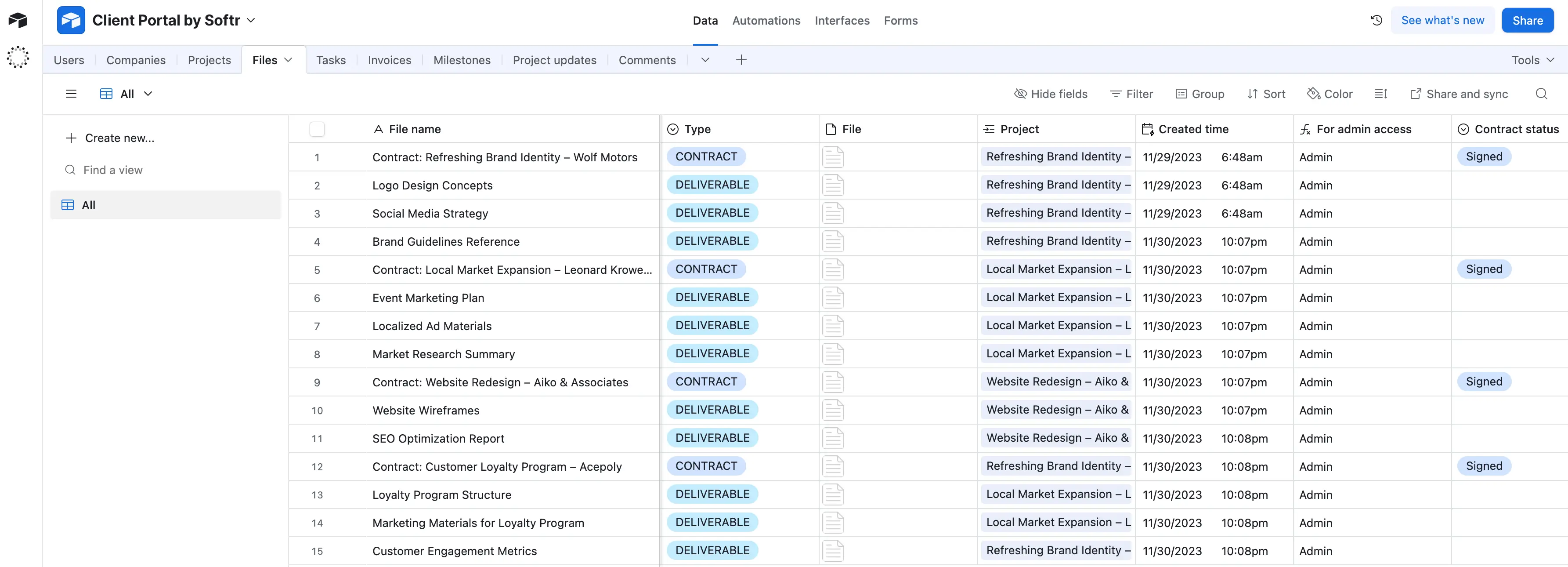
Airtable is a hybrid between a spreadsheet and a lightweight database. Its familiar interface makes it easy for non-technical teams to start organizing projects, clients, or workflows without coding. You get tables, forms, and dashboards on top of your data, plus automations and extensions for common use cases.
For small businesses, Airtable feels approachable and lowers the barrier to collaboration by centralizing scattered spreadsheets. But as teams scale, it often hits ceilings around record limits, API restrictions, and performance, and its per-seat pricing can add up quickly.
Pros and cons of using Airtable
Pros:
- Simple, spreadsheet-style interface anyone can pick up quickly.
- Flexible collaboration views (grid, Kanban, gallery, calendar, Gantt).
- Automations and integrations with Slack, Gmail, and other apps.
- Marketplace of apps and extensions to extend functionality.
Cons:
- Per-seat pricing becomes expensive as teams grow.
- Data thresholds (50k–125k records) force costly plan upgrades.
- Performance slows with large bases and many linked records.
- API and sync limits constrain scaling, and no row-level security for multi-tenant apps.
Airtable key features
- Spreadsheet + database hybrid: Get a familiar grid view with relational links and formula fields.
- Automations & integrations: Native workflows, including 1,000+ integrations via Zapier and Make.
- Interface Designer: Create custom apps and dashboards on top of data.
- Sync & APIs: Two-way sync with other Airtable bases and external data sources.
Airtable pricing
- Free: 1,000 records per base, 1GB storage, up to 5 editors.
- Team ($20/user/month): 50k records per base, 20GB storage, expanded automations.
- Business ($45/user/month): 125k records per base, 100GB storage, advanced sync, and SSO.
- Enterprise (Custom): Up to 500k records per base, 1TB storage, enterprise controls.
Who Airtable is best for
Non-technical teams that need a user-friendly collaboration tool for project tracking, content calendars, or lightweight CRMs. It works best when ease of use and visibility are more important than scale or relational depth.
Verdict: Airtable vs Supabase
Airtable is a strong Supabase alternative for teams who want simplicity and collaboration without coding. Supabase is stronger for technical teams building structured, scalable apps, while Airtable excels for operators who need quick, visual workflows. The trade-off: Airtable’s ease of use comes at the cost of scalability and rising per-seat expenses. See also: the best Airtable alternatives.
5. Baserow — best open-source option for spreadsheet-style databases with self-host
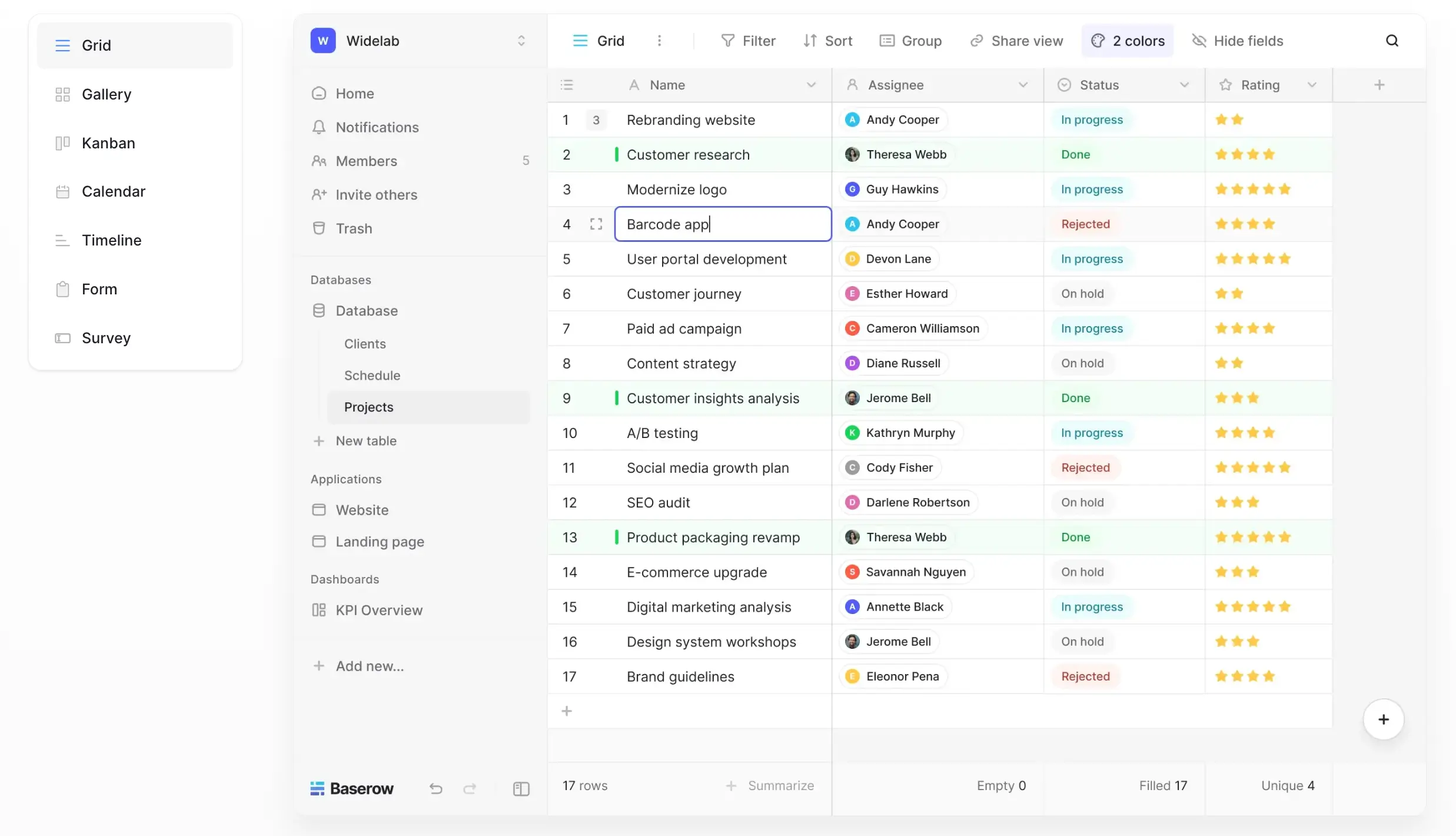
Baserow is one of the best open source alternatives to Supabase. It’s a no-code database platform that replicates Airtable’s spreadsheet-style experience but removes the record and pricing ceilings. Its approachable grid interface makes it easy for non-technical teams to manage data, link records, and create simple workflows without writing code.
Because it’s open-source, teams can self-host Baserow for full data control or use its managed cloud service for convenience. Unlike Supabase, which assumes SQL expertise, Baserow keeps the learning curve low while offering freedom to host, customize, and scale without per-seat costs. This balance of usability and control makes it a compelling choice for operators who want long-term flexibility.
Pros and cons of using Baserow
Pros:
- Open-source: self-host for full data ownership and compliance.
- Unlimited rows and tables, even on the free self-hosted version.
- Spreadsheet-style UI with relational linking for non-technical users.
- API-first design with a REST API and plugins for extending functionality.
- Predictable, flat pricing on the cloud version (no per-seat charges).
Cons:
- Fewer advanced features compared to Airtable’s Interface Designer and marketplace.
- The self-hosting path requires technical setup and ongoing maintenance.
- Smaller ecosystem and integrations than Airtable.
- UI and UX are improving but less polished compared to commercial incumbents.
Baserow key features
- Spreadsheet-style UI: Familiar grid interface with linked records and formulas.
- Unlimited scalability: No row or table limits on self-hosted setups.
- Open-source extensibility: REST API and plugin framework for customization.
- Deployment flexibility: Self-host for control or use the managed Baserow Cloud.
Baserow pricing
- Free (self-hosted): All core features, unlimited rows and tables.
- Baserow Cloud (from €5/user/month): Managed hosting with backups, automations, and premium features.
- Enterprise (custom): Advanced governance, private cloud, and SLA-backed support.
Who Baserow is best for
Teams that like Airtable’s spreadsheet simplicity but want open-source control and freedom from per-seat costs. It’s particularly attractive for organizations with compliance requirements, budget sensitivity, or technical resources to self-host.
Verdict: Baserow vs Supabase
Baserow is a strong Supabase alternative for teams who need a user-friendly, open-source database that balances accessibility with long-term flexibility. Supabase is stronger for developers needing Postgres depth, while Baserow appeals to operators who want Airtable-style usability plus full data ownership. If you’re looking for a way to scale beyond spreadsheets without getting locked into proprietary pricing, Baserow is worth considering.
6. Pocketbase — best lightweight backend for fast MVPs
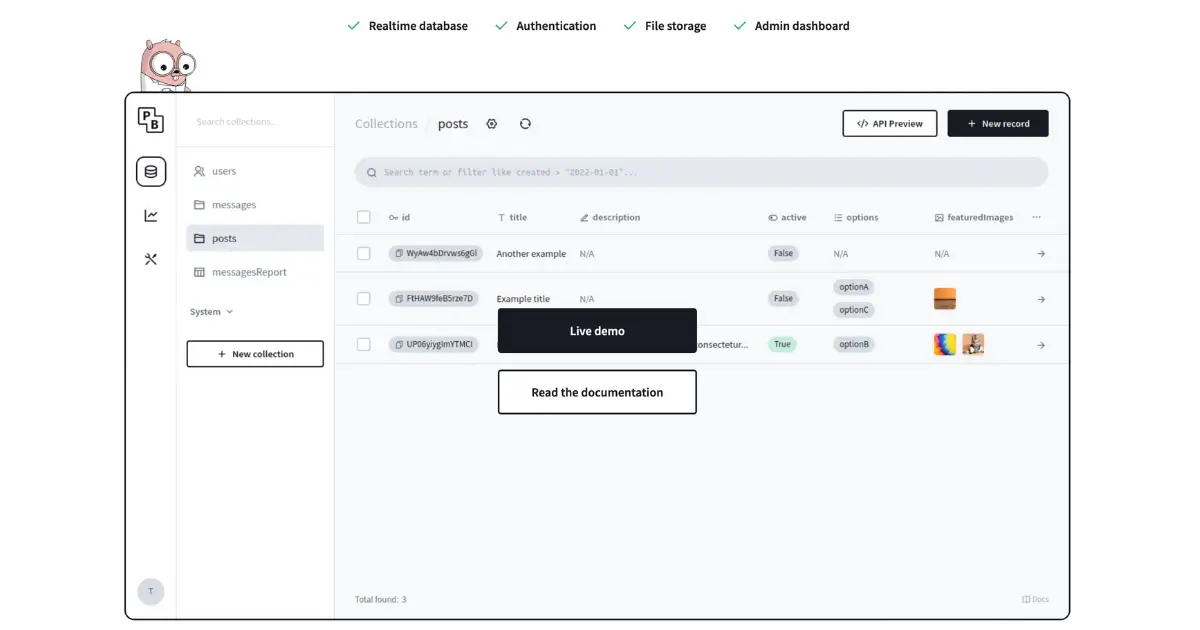
Pocketbase is an open-source backend written in Go that’s designed to be lightweight, fast, and easy to run. It combines a database, authentication, file storage, and real-time subscriptions in a single package that you can self-host almost anywhere. Unlike Supabase, which provides a fully managed Postgres backend with enterprise-level scalability, Pocketbase is built for speed and simplicity, making it a great fit for prototypes, hobby projects, and lean MVPs that need to ship quickly without heavy infrastructure.
Because it’s a single binary, Pocketbase is simple to deploy on local machines, small servers, or even edge environments. Developers and small teams use it to validate ideas, build side projects, or power apps that don’t yet need the overhead of a larger BaaS platform.
Pros and cons of using Pocketbase
Pros:
- Extremely lightweight: runs as a single executable, with minimal setup.
- Includes built-in auth, file storage, and real-time API subscriptions.
- Self-hosted: complete control over your data and environment.
- Free and open-source with an active developer community.
Cons:
- Not designed for large-scale enterprise workloads or high-concurrency apps.
- No managed hosting: you’ll need to deploy and maintain it yourself.
- Smaller ecosystem and fewer integrations compared to Supabase or Firebase.
- Limited advanced features (workflows, complex relational logic, analytics).
Pocketbase key features
- SQLite database: Lightweight and reliable, perfect for smaller apps and prototypes.
- Built-in authentication: Email/password, OAuth, and session handling included by default.
- File storage: Manage and serve uploaded assets like images or documents.
- Real-time subscriptions: WebSocket updates so apps react instantly to data changes.
Pocketbase pricing
- Free & open-source: Pocketbase is entirely free to download and run.
- Costs are tied to where and how you host it (e.g., your own VPS, cloud server, or local environment).
Who Pocketbase is best for
Developers, indie makers, and small teams who want a lightweight backend with minimal setup for MVPs, prototypes, and side projects. It’s especially useful if you prefer full control and don’t need the overhead of managed hosting.
Verdict: Pocketbase vs Supabase
Pocketbase is a great Supabase alternative when you want a self-hosted backend that’s fast, simple, and free. Supabase is stronger for production-scale apps with advanced relational logic and managed infrastructure, but Pocketbase shines when you need to get an MVP running quickly without complex setup or unpredictable costs.
7. Appwrite — best open-source BaaS you can self-host

Appwrite is an open-source BaaS (backend-as-a-service) that packages core backend services like databases, authentication, storage, and cloud functions into a single platform. It’s designed to give teams Firebase-like convenience but with the flexibility to self-host on Docker, Kubernetes, or Appwrite’s managed cloud.
Compared to Supabase, Appwrite doesn’t center on SQL or Postgres: it uses a document-style database, but its modular APIs and self-hosting options appeal to teams who want control over compliance and infrastructure. For operators who value ownership and configurability, Appwrite offers a way to scale apps while keeping the backend under their terms.
Pros and cons of using Appwrite
Pros:
- Open-source and self-hosted for full data ownership.
- Modular services: database, auth, storage, functions, messaging.
- Cross-platform SDKs for web, mobile, and server apps.
- Growing ecosystem with a supportive developer community.
Cons:
- Requires DevOps effort to set up and manage.
- Less relational depth than Supabase’s Postgres foundation.
- The feature set is still maturing compared to Firebase.
- Scaling large workloads may need Kubernetes or custom hosting expertise.
Appwrite key features
- Self-hosted backend: Deploy via Docker or Kubernetes for full control.
- Database service: NoSQL-style collections for flexible schemas.
- Authentication & security: Multiple providers, JWT tokens, role-based access.
- Cloud functions: Run serverless code in multiple languages.
Appwrite pricing
- Free & open-source: Core platform is free to self-host.
- Appwrite Cloud: Managed hosting with free tier and usage-based paid plans.
- Enterprise: Premium support and advanced deployment options for large teams.
Who Appwrite is best for
Developers and SMBs that want a Firebase-style BaaS but with self-hosting control for compliance, customization, or cost reasons.
Verdict: Appwrite vs Supabase
Appwrite is a good Supabase alternative if you want modular backend services you can self-host. Supabase has more relational depth, while Appwrite prioritizes flexibility and control over where and how you run your backend.
8. NocoDB — best for teams who want a spreadsheet UI on top of SQL databases
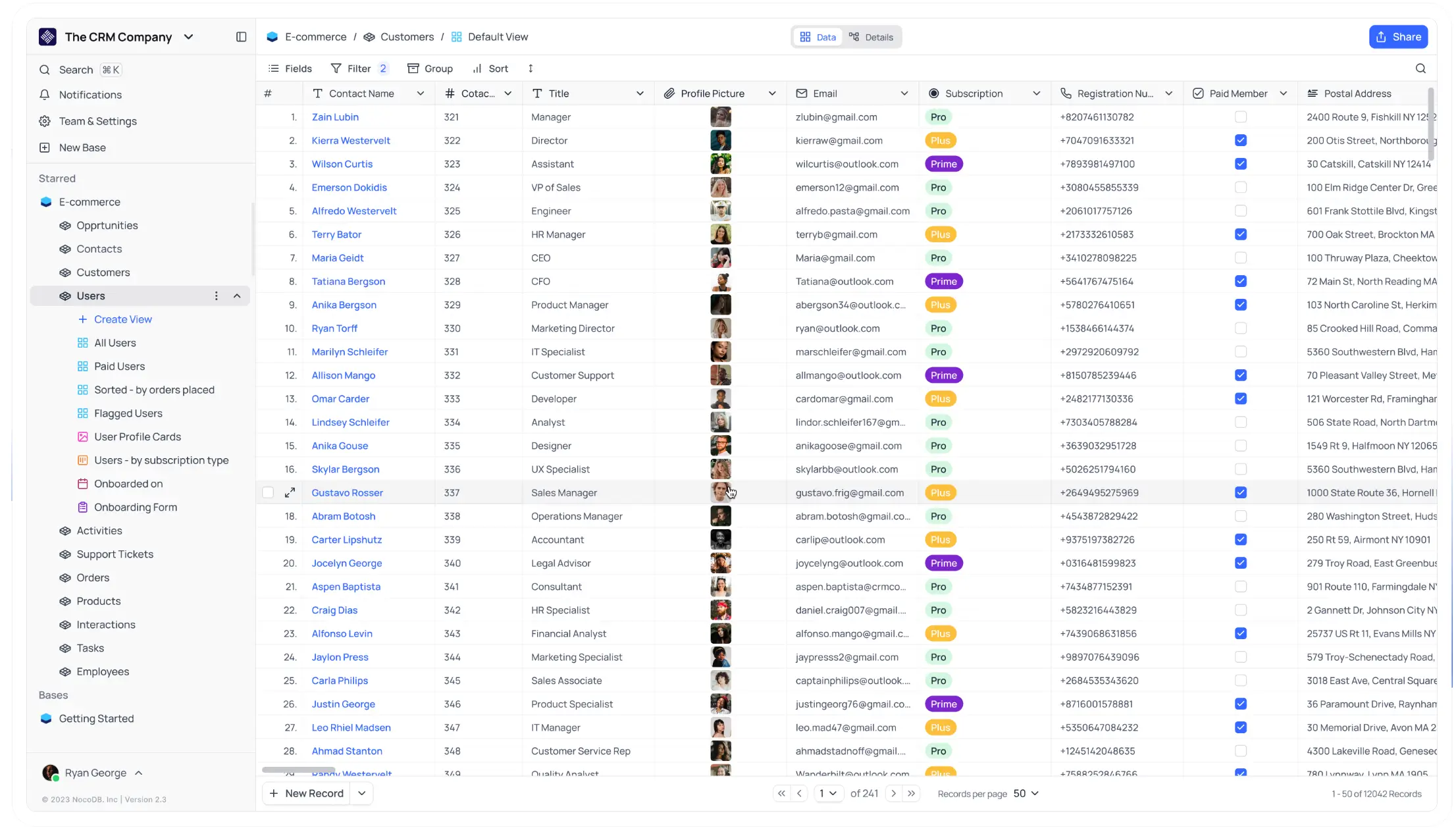
NocoDB is an open-source tool that puts a spreadsheet-style interface on top of any SQL database, including Postgres, MySQL, and SQL Server. This makes it easy for non-technical users to interact with relational data while keeping SQL in the background for those who need it.
Unlike Supabase, which exposes raw Postgres with APIs, NocoDB prioritizes usability for operators through a grid UI, permissions, and auto-generated REST APIs. It’s a strong fit for teams who already rely on SQL databases but want to extend access to broader business users without giving them direct SQL access.
Pros and cons of using NocoDB
Pros:
- Open-source and free to self-host.
- Works with existing SQL databases (MySQL, Postgres, SQL Server, etc.).
- Spreadsheet-like interface for non-technical users.
- API and automation support for connecting workflows.
Cons:
- Self-hosting requires setup and updates.
- UI is less polished than Airtable or proprietary tools.
- Smaller ecosystem compared to Supabase or Firebase.
- Scaling and high availability depend on your SQL database setup.
NocoDB key features
- Spreadsheet-style UI: Familiar grid to view and manage relational data.
- SQL database support: Connects to MySQL, Postgres, SQL Server, and more.
- APIs & automations: Auto-generates REST APIs, supports workflows.
- Collaboration features: Roles, permissions, and basic sharing.
NocoDB pricing
- Free & open-source: Fully featured for self-hosted deployments.
- Cloud plans: Paid hosting options available with additional support.
Who NocoDB is best for
Teams that want Airtable-style simplicity but need to stay on standard SQL databases for compliance, scalability, or existing infrastructure reasons.
Verdict: NocoDB vs Supabase
NocoDB is a solid Supabase alternative if you want a friendly UI on top of SQL without building custom dashboards. Supabase is more developer-focused, while NocoDB makes relational data accessible to operators and non-technical users.
9. Convex — best for real-time and collaborative apps
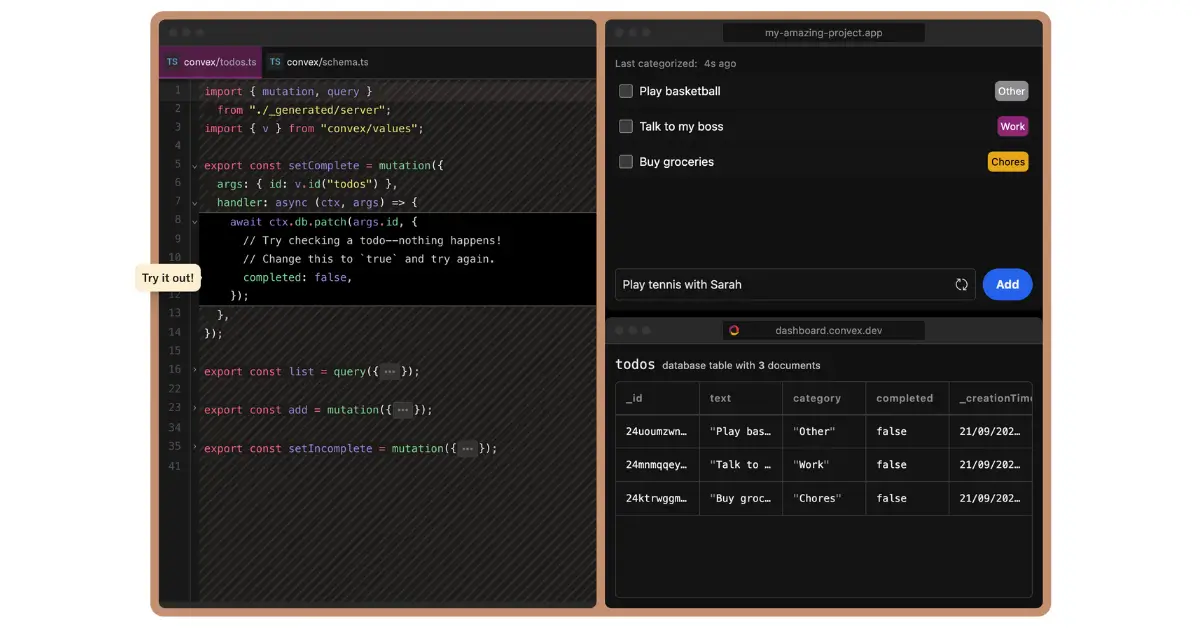
Convex is a backend platform purpose-built for real-time, collaborative apps like chat systems, multiplayer tools, or live dashboards. It combines a serverless database with sync and reactive queries, so data updates are instantly synced across all connected clients.
While Supabase supports real-time subscriptions through Postgres, Convex bakes reactivity and collaboration into its foundation, with no manual socket management or polling required. For operators building modern, user-facing apps where instant updates drive the experience, Convex offers speed and simplicity out of the box.
Pros and cons of using Convex
Pros:
- Real-time sync and reactive queries built in.
- Simplifies building collaborative apps (no manual sockets).
- Scales automatically with serverless infrastructure.
- TypeScript SDK and modern developer tooling.
Cons:
- Less suited for large-scale analytical or batch workloads.
- Pricing is usage-based and can grow with traffic.
- Smaller ecosystem compared to Firebase or Supabase.
Convex key features
- Reactive database: Data updates propagate instantly to clients.
- Serverless functions: Write backend logic in TypeScript.
- Auth integrations: Works with common identity providers.
- Real-time APIs: Built-in sync for collaborative apps.
Convex pricing
- Free tier: Generous free usage for small projects.
- Paid tiers: Usage-based pricing based on database operations and bandwidth.
- Enterprise: Custom pricing and SLAs for larger teams.
Who Convex is best for
Teams building real-time, collaborative apps, like chat platforms, multiplayer tools, or live dashboards, that want sync handled automatically.
Verdict: Convex vs Supabase
Convex is a Supabase alternative if you care about instant reactivity and collaboration more than SQL flexibility. Supabase handles structured, relational workloads, while Convex shines for low-latency, real-time experiences.
10. Turso — best edge database for global apps

Turso is a distributed database built on libSQL (a fork of SQLite) and optimized for the edge. Its primary advantage is replicating databases across multiple regions so data is always close to users, reducing query latency worldwide.
Supabase’s Postgres backend is centralized, which can introduce lag for global teams, while Turso is designed for edge performance at scale. For apps that need low-latency access in multiple regions, like SaaS platforms, multiplayer games, or consumer apps, Turso provides global speed without custom replication overhead.
Pros and cons of using Turso
Pros:
- Edge-first design: ultra-low latency worldwide.
- Based on SQLite/libSQL: lightweight, fast, and reliable.
- Scales horizontally with replication to multiple edge nodes.
- Works well with serverless apps and modern frameworks.
Cons:
- Newer ecosystem with fewer integrations than Postgres-based platforms.
- Some SQL features are limited compared to Postgres.
- Pricing is usage-based, which may rise with global scale.
- Best for distributed apps and may be overkill for local or single-region apps.
Turso key features
- Edge database: Replicated globally for low-latency queries.
- SQLite/libSQL foundation: Lightweight, embedded-friendly SQL engine.
- Automatic replication: Data syncs across regions transparently.
- Serverless-friendly: Optimized for frameworks like Next.js, Remix, and Vercel Edge Functions.
Turso pricing
- Free tier: Includes multiple databases and queries with usage caps.
- Paid plans: Usage-based pricing for storage, queries, and replication.
- Enterprise: Custom SLAs and private deployments.
Who Turso is best for
Developers building global apps, like SaaS platforms, multiplayer games, or consumer apps, that need fast performance across regions without building custom replication.
Verdict: Turso vs Supabase
Turso is a strong Supabase alternative for teams needing edge performance and global distribution. Supabase’s Postgres backend is better for complex relational logic, but Turso delivers unmatched latency and scale at the edge for worldwide apps.
Choose the right Supabase alternative for your team
The right Supabase alternative depends on how much complexity you’re willing to manage and how fast you need to move. For lean teams, chasing SQL fixes and unpredictable costs isn’t sustainable, which is why Softr Databases stands out. It gives SMBs structured data, secure access, and production-ready app-building without developer overhead.
If you’re ready to see what that looks like in practice, start from a free Softr template for an inventory management tracker, a CRM, or a client portal, and launch your first app today.
Frequently asked questions
Is there anything better than Supabase?
Why is everyone using Supabase?
Is Supabase the best database?
What are the disadvantages of Supabase?