Not every sales team works the same way. Some need to track long deal cycles. Others just want to stay on top of follow-ups. That’s why picking the right CRM depends on how your team sells—not just which features look good on paper.
A good CRM should keep your pipeline organized, cut down on busywork, and help you move faster. The best ones do that without being hard to set up or use.
In this post, we’ve rounded up 10 CRM tools that work for a range of sales scenarios—so you can find one that fits your team, your workflow, and your goals.
Best CRM software at a glance
| Best For | Standout Features | Pricing | |
|---|---|---|---|
| Softr | SMBs needing a fast, flexible CRM built on existing data | • Drag-and-drop UI with list/grid/kanban views • 21+ native data integrations • Role-based permissions | $19/month (Basic plan, Team: 5 + Client: 5 app users) Free plan available (5 users) |
| Salesforce | Enterprise sales teams with complex pipelines | • Deep process customization • Advanced reporting and forecasting • Native product integrations | From $25/user/month No free plan |
| Zoho CRM | Growing teams wanting flexibility at a low cost | • Modular feature setup • Sales automation + multichannel outreach • Strong customization options | From $14/user/month Free plan |
| monday.com | Teams needing a visual, customizable workflow | • Board-based sales pipelines • Flexible automations • Strong collaboration tools | From $12/user/month No free plan |
| Insightly | Project-driven sales teams | • CRM + project/task management • Email tracking • Workflow automation | From $29/user/month No free plan |
| HubSpot CRM | Teams seeking a free CRM with scalable sales tools | • Contact & deal tracking • Email templates & scheduling • Seamless upgrade path to marketing tools | From $20/user/month Free plan |
| Zendesk Suite | Support-focused teams wanting CRM + help desk in one | • Integrated ticketing & multichannel support • Knowledge base + self-service • Customer analytics | From $55/user/month No free plan |
| Pipedrive | Sales teams needing a visual, straightforward CRM | • Kanban-style pipeline • Built-in email integration • Activity tracking | From $24/user/month No free plan |
| Salesmate | SMBs needing built-in calling, automation, and multichannel outreach | • Native calling & voicemail • Email/SMS automation • Workflow automation | From $23/user/month No free plan |
| Apptivo | Small businesses wanting CRM + invoicing + basic operations tools | • Modular app suite (CRM, PM, invoicing) • High customization • Email/calendar sync | From $10/user/month Free plan |
What is CRM software?
CRM (customer relationship management) software helps you stay on top of your team’s relationships — whether that’s with clients, leads, or partners. It gives you one place to store contact details, log communication, and track the next steps.
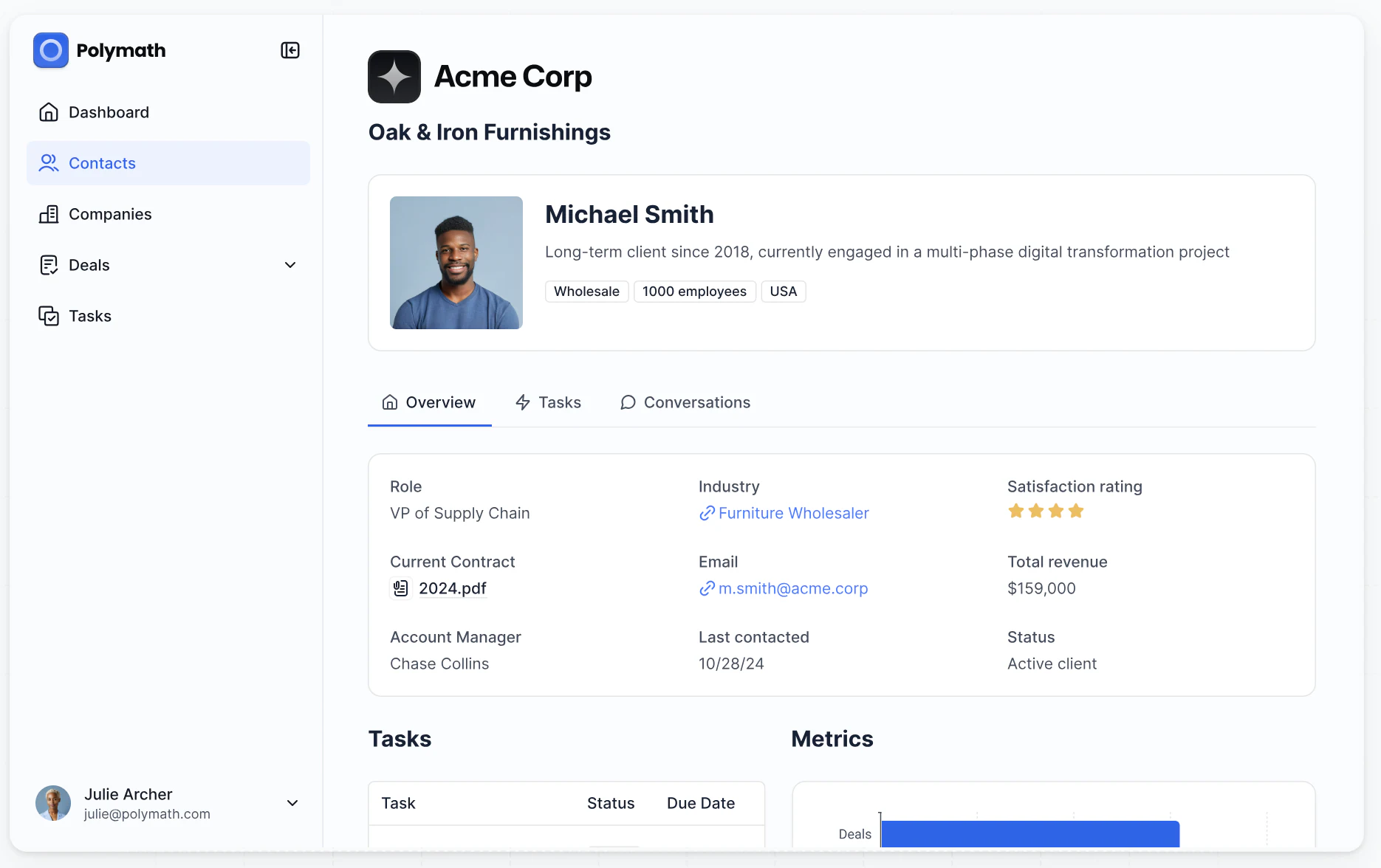
Some CRMs are built for basic record-keeping, while others support more advanced workflows like deal tracking or task management.
Operational CRMs
Help teams manage contacts, tasks, and pipelines in one place. These tools focus on execution — making sure nothing falls through the cracks.
Best for: Client-facing teams that need structure and follow-through.
Analytical CRMs
Prioritize reporting and data insights over daily workflows. They track trends, conversion rates, and performance, but often require more setup.
Best for: Sales or marketing leads focused on growth and forecasting.
Collaborative CRMs
Centered on visibility across departments. Notes, conversations, and updates are shared in real time to avoid silos.
Best for: Teams where multiple people touch the same client or deal.
Industry-specific CRMs
Pre-built with workflows for sectors like real estate, legal, or construction. Easier to adopt but less flexible outside their niche.
Best for: Teams that need out-of-the-box fit for their field.
Custom-built CRMs
Built on platforms like Softr, these give business operators full control over structure, data, and workflows — without needing to code. You can start with Softr Databases natively, or connect to Airtable, Google Sheets, or Notion. Setup takes time, but you get a system that matches your exact process.
Best for: Ops managers and department heads who want a CRM that fits their workflow — not the other way around.
Choosing the right type depends on what your team actually needs to do — not just what features look good on paper.
What to look for in the best CRM software
A good CRM holds your contact list. A great one helps your team follow up, stay organized, and never miss a next step — without adding extra admin work.
Here are the four features that matter most for small teams managing client or partner relationships:
- Linked tasks and follow-ups: It’s not enough to store contact info — you need to know what’s happening next. The best CRMs let you assign tasks, set reminders, and track progress right from the contact record, so nothing gets lost in emails or notebooks.
- Email and calendar sync: If your CRM doesn’t log emails or meetings automatically, it’s going to fall behind. Syncing with Gmail or Outlook ensures every conversation and event is captured without manual updates.
- Custom pipelines or stages: Whether you're tracking leads, onboarding clients, or managing renewals, a visual pipeline helps you see where things stand. Drag-and-drop stages let you adapt the CRM to your workflow, not the other way around.
- Fast, flexible search: You should be able to find any contact, note, or deal in seconds. A strong search function makes it easy to answer client questions on the spot — no digging through tabs or spreadsheets.
These core features are what make a CRM genuinely helpful for day-to-day work — not just another tool to maintain.
Best CRM software for 2026
1. Softr
Best for: a fast and customizable setup that integrates with existing tools and data
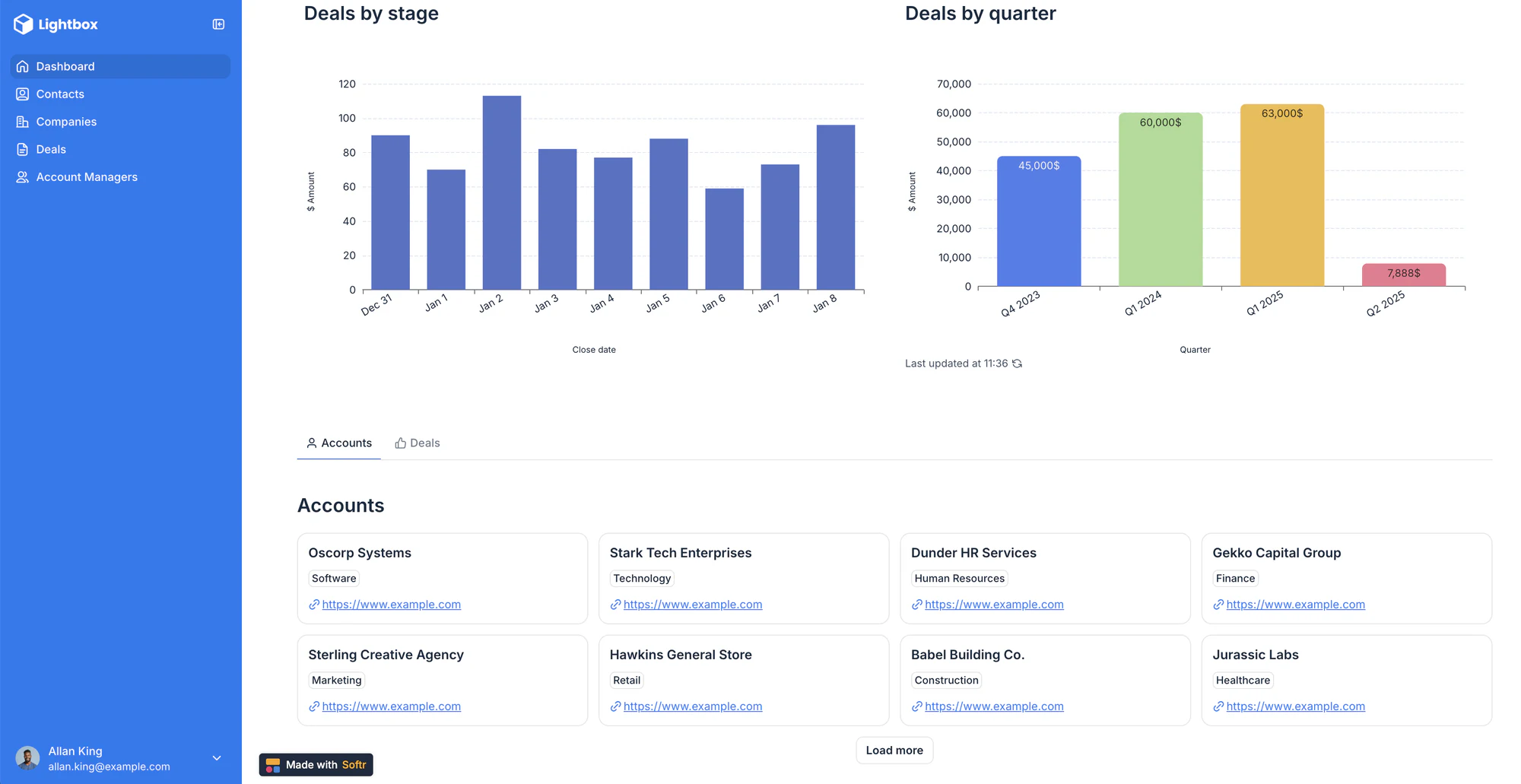
Softr isn't a traditional CRM tool — it's a powerful business app creation platform that lets you build a custom CRM on top of your data, whether that's stored in Softr's native database or connected from tools like Airtable, Google Sheets, Notion, ClickUp, and more.
Use drag-and-drop blocks (Lists, Grids, Kanbans, Forms, and more) to create a sleek and modern interface for your customer data, then customize logic and layout so it fits your workflows. If you need to expand your CRM to include a client portal, quote generator, or inventory management system, Softr makes it easy to build what you need, without having to pay for extra tools.
Ideal for SMBs that don't want to invest in expensive out-of-the-box software or custom development to get a CRM tailored to their business operations.
Key features:
- Drag-and-drop builder: Modern building blocks make it easy to create a user-friendly CRM tailored to your agency (or start with a free CRM template).
- Native database + 21+ data source integrations: Start with Softr's own native database for maximum speed and reliability, or connect to Airtable, Google Sheets, HubSpot, Notion, monday.com, BigQuery, SQL databases, and more. You can also connect to almost any external data source via REST API.
- Forms: Create advanced lead capture forms with conditional logic and embed them in your website. Or use forms to create a ticketing system for your CRM to ensure customer issues are logged, tracked, and managed quickly.
- Lead tracking: Integrate with your existing data sources and marketing tools to bring in captured lead data.
- Account & contact management: Maintain records of customer contact details, interaction details, transaction records, and deal status, and add comments to records to keep your team aligned.
- Contract and invoice management: Securely store important documents, with the ability to enable e-signatures and payments through Stripe, PayPal, and more.
- Reporting & dashboards: Create dashboards based on real-time data to monitor sales performance and customer engagement.
Softr pros:
- Fast to set up: Launch your CRM in minutes using a pre-built template and a drag-and-drop builder, no dev work or complicated setup needed.
- Works with your existing data: Use Softr Databases natively for the fastest experience, or connect to Airtable, Google Sheets, Notion, HubSpot, ClickUp, and 21+ other data sources — no need to migrate anything. You can also connect to any custom data source using the REST API.
- Control who sees and edits what: Set granular, role-based permissions so sales managers can only update their own deals.
- All-in-one platform: Build CRMs, client portals, inventory trackers, and more in one place—so you can cut down on tool sprawl and costs.
Softr cons:
- No out-of-the-box marketing automation: Softr doesn't come with email marketing or campaign management, though it can integrate with marketing tools that have these features.
- Requires structured data: To get value from Softr, you need to organize your customer data in a database — Softr Databases, Airtable, Notion, or Google Sheets all work well.
Pricing:
Softr offers flexible pricing plans, so you can build a CRM at any tier:
- Free for up to 5 users
- Paid plans start at $19/month (Basic: Team 5 + Client 5 app users) (when billed annually)
- Pro: Starts at $99/month (Team 10 + Client 50 app users) (when billed annually)
- Business: Starting at $329/month (Team 30 + Client 100 app users) (when billed annually)
- Enterprise (custom pricing, contact sales)
2. Salesforce Sales Cloud
Best for structured, enterprise-grade sales processes
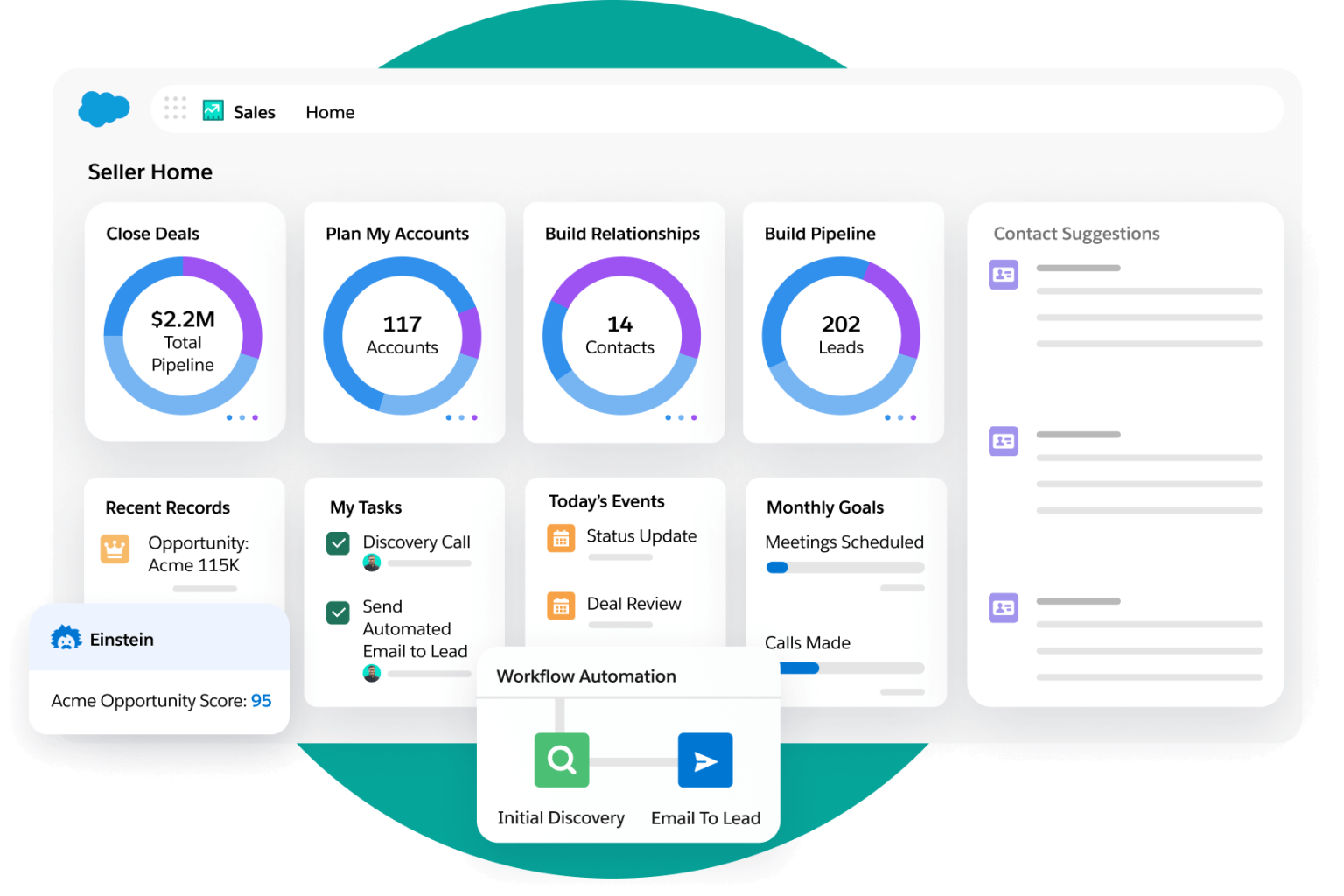
Salesforce Sales Cloudis a cloud-based CRM designed to manage leads, opportunities, and sales activity across complex teams. It offers customizable pipelines, automation, and in-depth reporting, making it a staple for companies that need structure at scale.
It’s a strong fit for mid-sized to enterprise sales teams with multi-stage pipelines, layered permissions, or strict reporting needs. Salesforce is especially useful when sales processes need to align tightly with marketing, support, or operations.
Key features:
- Customizable lead and opportunity pipelines
- Automated workflows and task assignment
- Real-time dashboards and revenue forecasting
- Native integration with other Salesforce products and external apps
- Mobile app for tracking activity on the go
Salesforce pros:
- Supports highly tailored sales processes with deep customization
- Offers strong visibility across teams with reporting and permissions
- Scales easily as teams grow or business needs expand
Salesforce cons:
- Can be too complex for small or early-stage teams
- Requires dedicated admin time to set up and maintain
- Pricing rises quickly with advanced features and add-ons
Pricing:
Starts at $25/user/month for basic CRM functionality (Essentials)
Advanced tiers range from $75 to $330/user/month with AI, automation, and customization tools
Free trial available; no permanent free plan
3. Zoho CRM
Best for growing teams seeking customization at a low cost
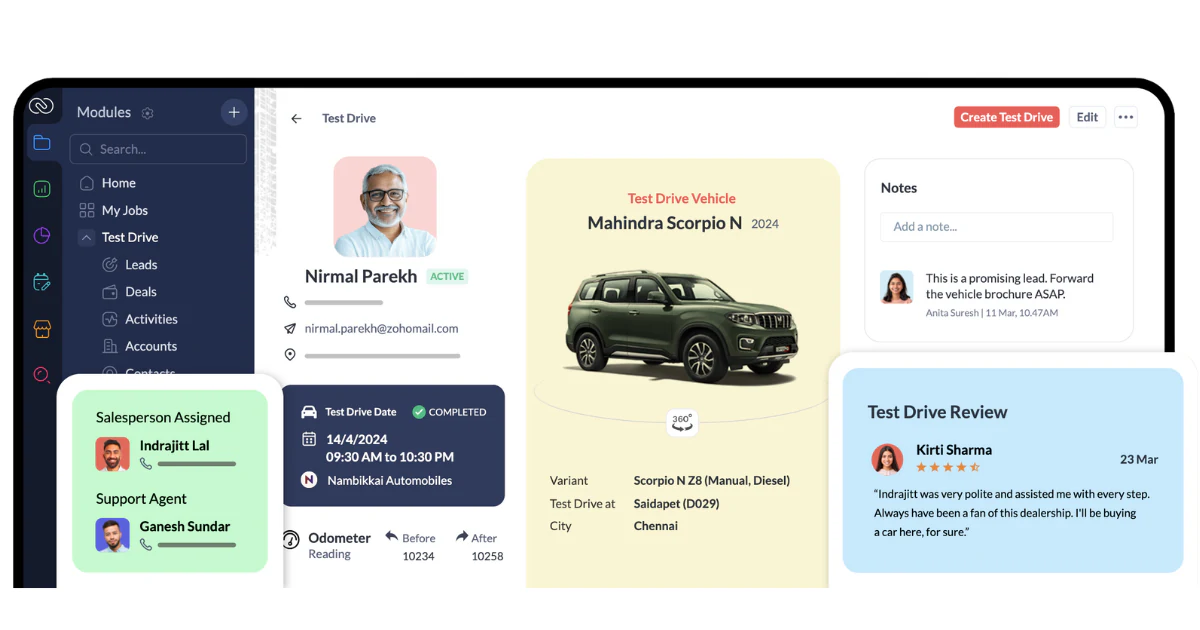
Zoho CRM is a cloud-based platform offering a wide range of features, including sales automation, analytics, and multichannel communication. Its modular design allows businesses to tailor the system to their specific needs.
Ideal for small to mid-sized businesses looking for an affordable yet flexible CRM solution that can scale with their growth.
Key features:
- Sales automation and workflow management
- Multichannel communication (email, social media, live chat)
- Advanced analytics and reporting
- Customization options for modules and layouts
Zoho CRM pros:
- Affordable pricing with a free tier for up to 3 users
- Highly customizable to fit various business processes
- Integrates with a wide array of third-party applications
Zoho CRM cons:
- The extensive customization options may have a learning curve for new users
- Some advanced features are only available in higher-tier plans
Pricing:
- Free plan available for up to 3 users
- Paid plans start at $14/user/month (billed annually)
- Higher-tier plans offer additional features and customization options
4. monday.com (Monday CRM)
Best for teams needing a visual, customizable workflow
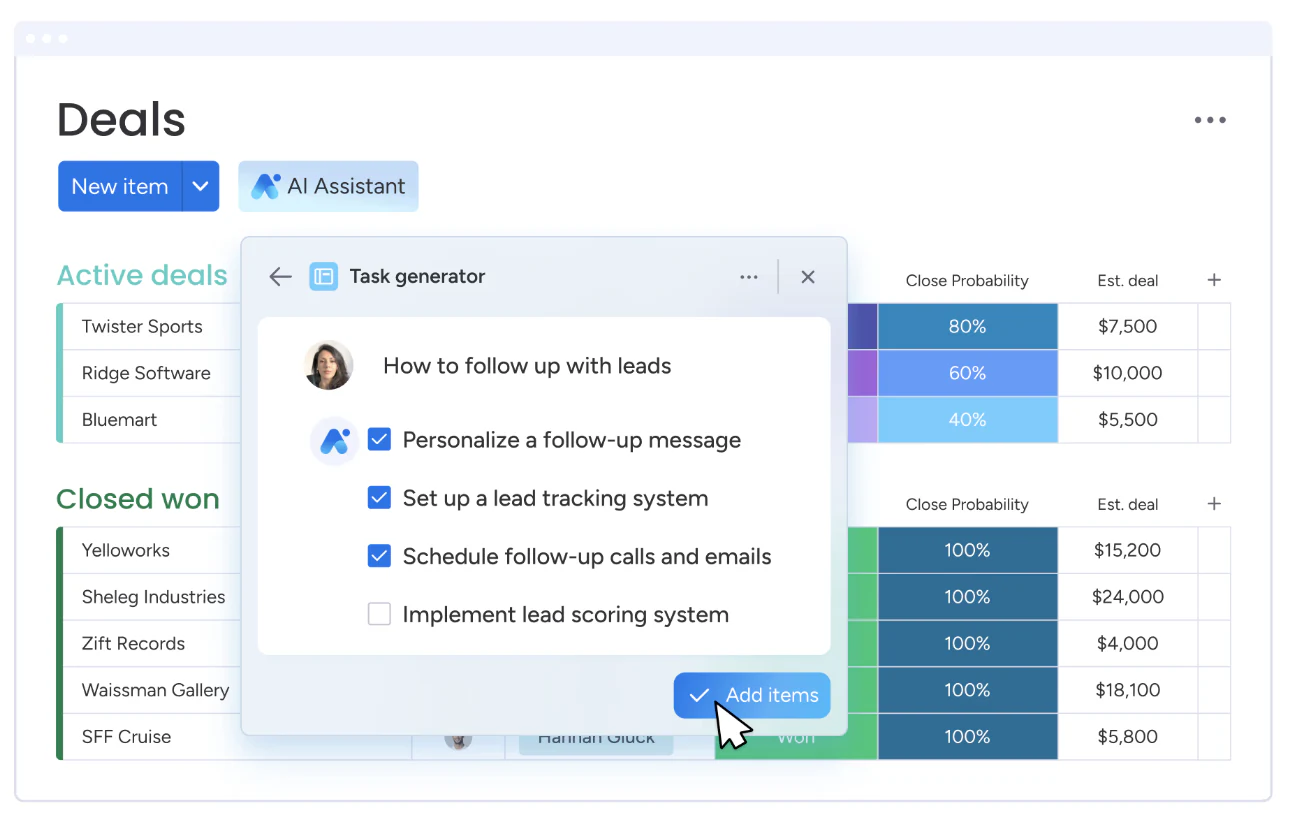
Monday CRM is a work operating system that allows teams to build custom CRM solutions with visual project tracking. It offers flexibility in designing workflows that match your sales process.
Ideal for teams that prefer a visual approach to managing sales pipelines and customer relationships.
Key features:
- Customizable boards and workflows
- Automations for repetitive tasks
- Integration with popular tools like Slack, Google Workspace, and Microsoft Teams
- Dashboards for tracking KPIs
- Mobile app for remote access
monday.com pros:
- Highly visual and intuitive interface
- Flexible customization to fit various workflows
- Strong collaboration features
monday.com cons:
- May require time to set up and customize effectively
- Some CRM-specific features are less robust compared to dedicated CRM platforms
Pricing:
- Plans start at $12/user/month (billed annually)
- 14-day free trial available
- Higher-tier plans offer advanced features and integrations
5. Insightly
Best for project-driven sales teams needing integrated CRM and project management
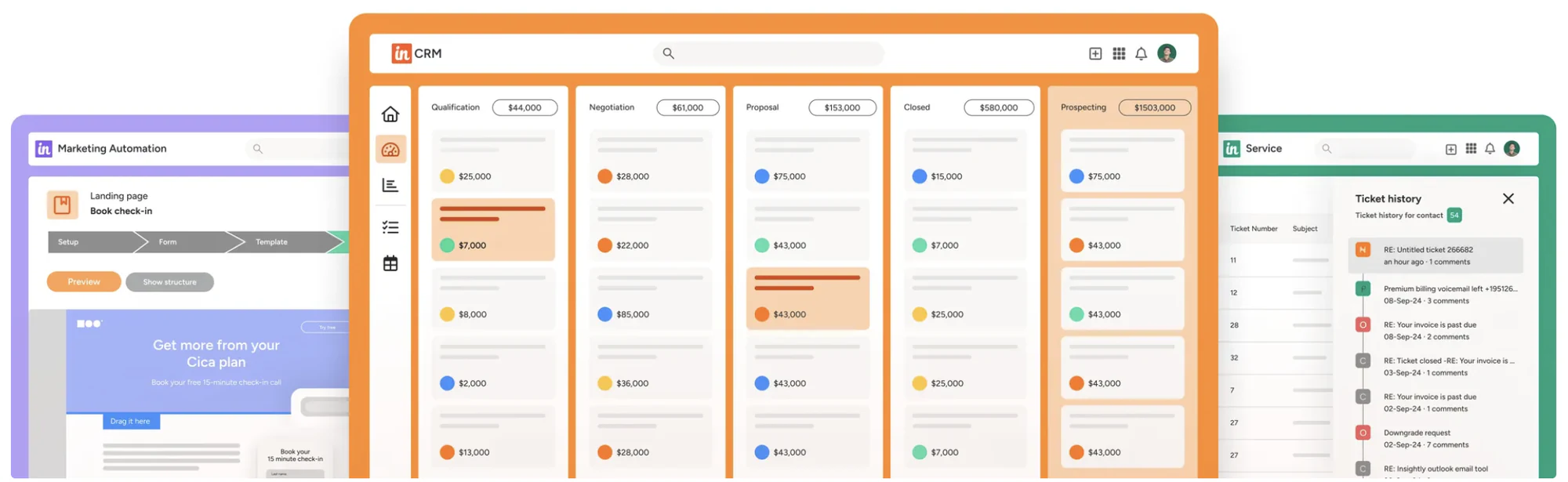
Insightly is a CRM platform that combines sales and project management features, allowing teams to manage customer relationships and project delivery in one place.
Ideal for businesses that require both CRM and project management capabilities in a single platform.
Key features:
- Contact and lead management
- Project and task management
- Workflow automation
- Email tracking and templates
- Custom dashboards and reporting
Insightly pros:
- Combines CRM and project management functionalities
- User-friendly interface
- Robust integration options
Insightly cons:
- Limited customization in lower-tier plans
- Advanced features may require a learning curve
Pricing:
- Plans start at $29/user/month (billed annually)
- 14-day free trial available
- Higher-tier plans offer additional features and customization
6. HubSpot Sales Hub
Best for teams seeking a free CRM with scalable sales tools
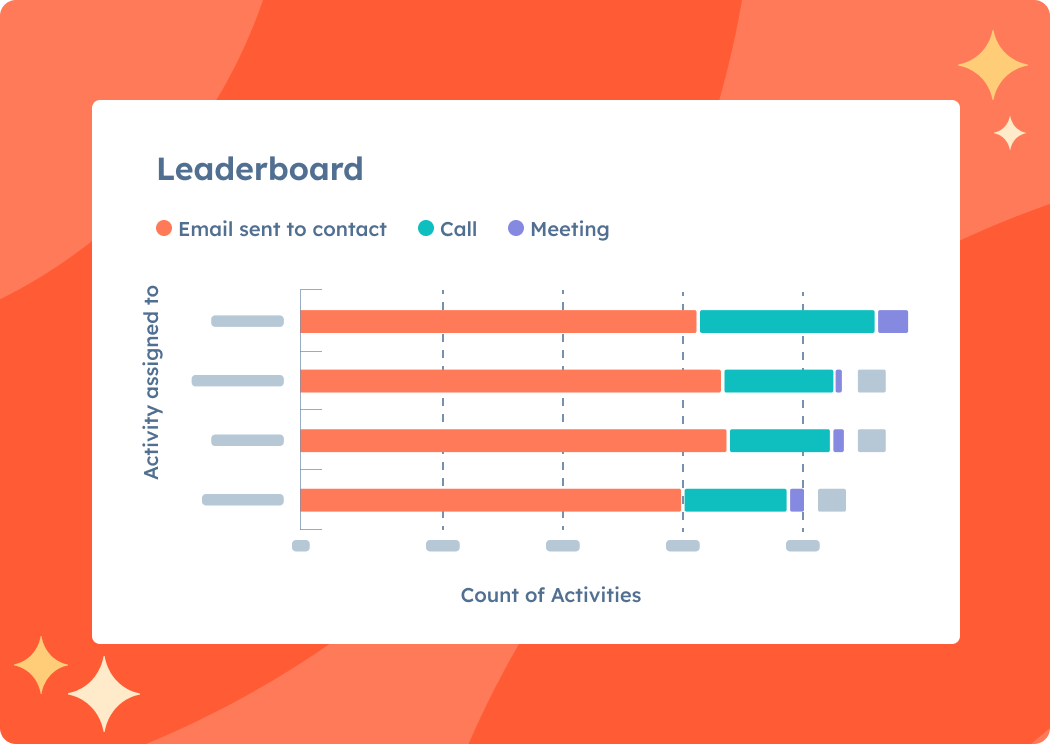
HubSpot Sales Hub is a CRM platform that offers a free base plan with essential sales tools and the option to upgrade for more advanced features.
Ideal for small to medium-sized businesses looking for a CRM that can grow with them.
Key features:
- Contact and deal management
- Email tracking and templates
- Meeting scheduling
- Pipeline management
- Sales automation (in higher-tier plans)
HubSpot Sales Hub pros:
- Generous free plan with essential features
- User-friendly interface
- Seamless integration with other HubSpot tools
HubSpot Sales Hub cons:
- Advanced features can become costly
- Customization options are limited in the free plan
Pricing:
- Free plan available
- Paid plans start at $20/user/month
- Higher-tier plans offer advanced features and automation
7. Zendesk Suite
Best for customer support teams needing integrated ticketing and CRM
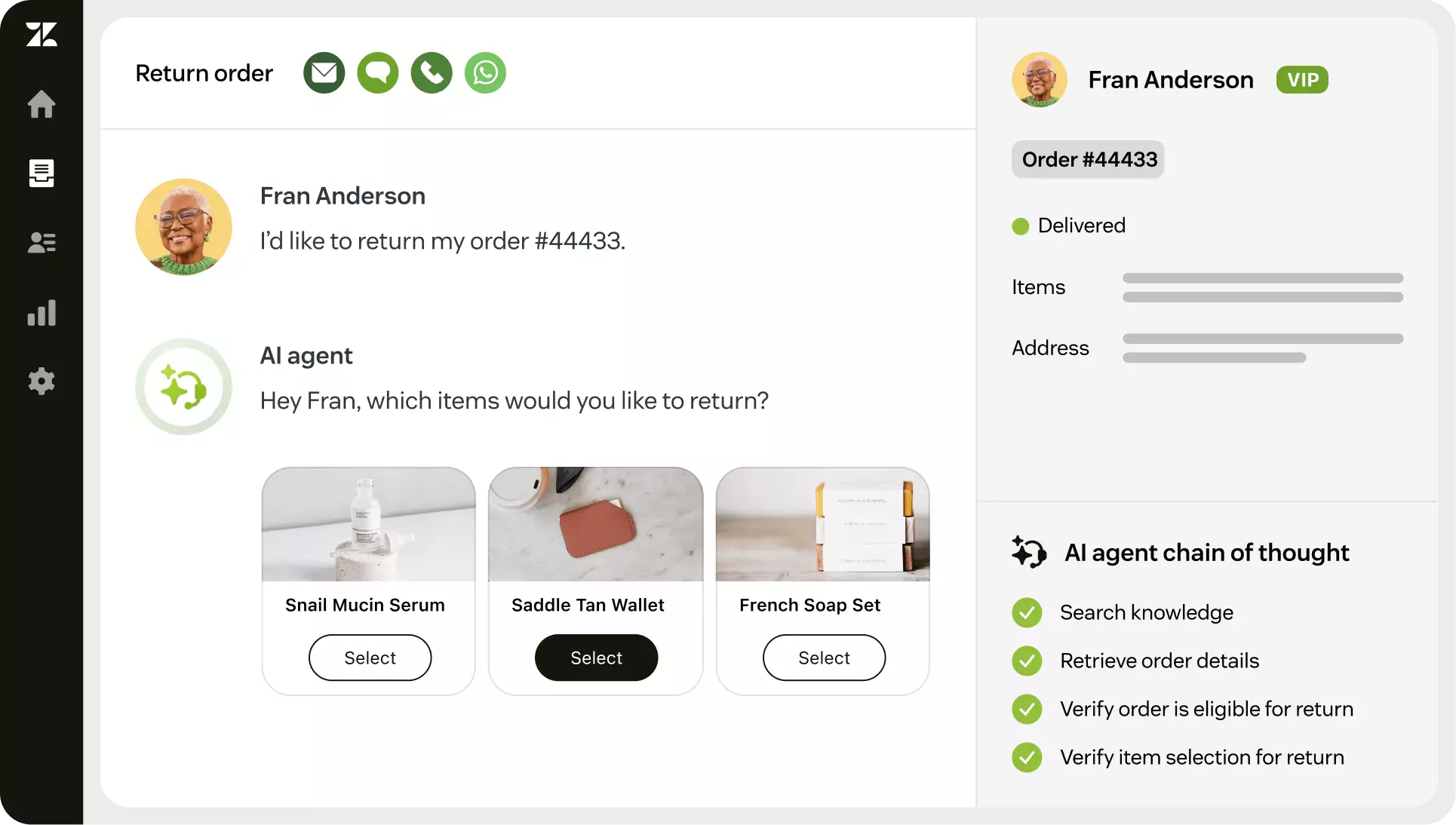
Zendesk Suite is a customer service platform that combines ticketing, help desk, and CRM functionalities to provide a unified customer experience.
Ideal for businesses focused on customer support and service management.
Key features:
- Ticketing system
- Multichannel support (email, chat, phone, social media)
- Knowledge base and self-service portal
- Customer analytics and reporting
- Automation and workflow management
Zendesk Suite pros:
- Comprehensive customer support features
- Scalable for businesses of various sizes
- Strong integration capabilities
Zendesk Suite cons:
- Can be complex to set up and configure
- Pricing may be higher compared to other CRM solutions
Pricing:
- Plans start at $55/user/month (billed annually)
- Free trial available
- Higher-tier plans offer advanced features and customization
8. Pipedrive
Best for sales teams needing a visual pipeline and straightforward CRM
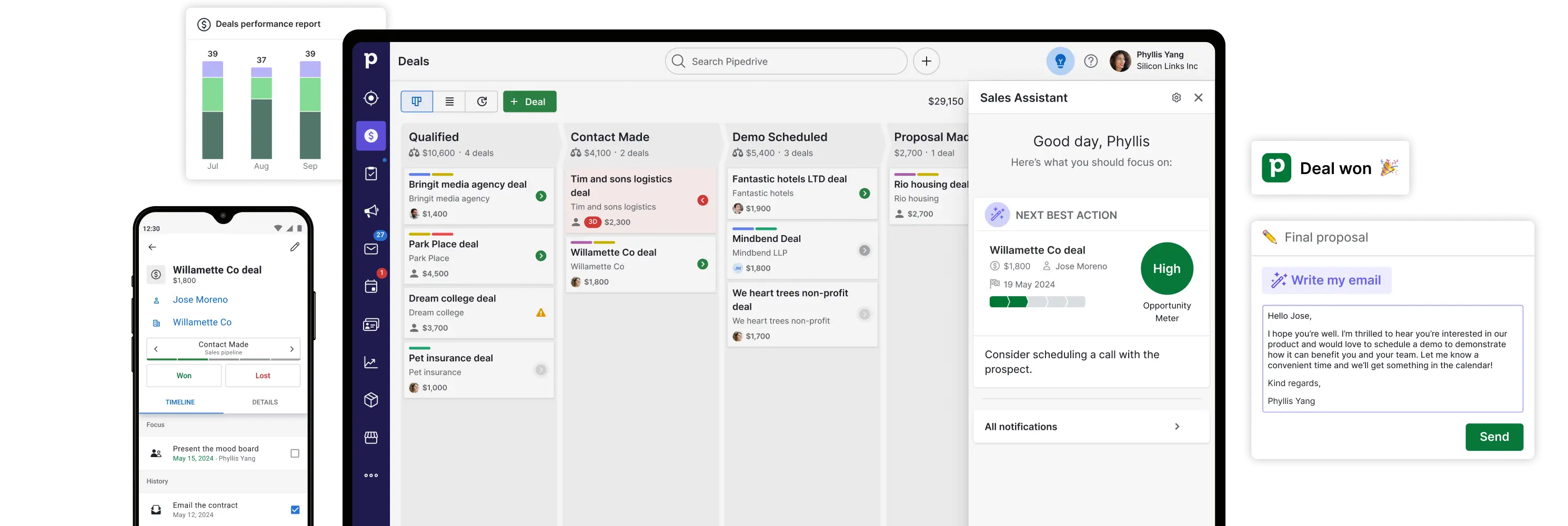
Pipedrive is a sales-focused CRM that emphasizes visual pipeline management and ease of use, helping teams track deals and activities efficiently.
Ideal for small to medium-sized sales teams looking for a user-friendly CRM solution.
Key features:
- Visual sales pipeline
- Email integration and tracking
- Activity and goal tracking
- Reporting and analytics
- Mobile app for sales on the go
Pipedrive pros:
- Intuitive and easy to set up
- Focuses on sales activities
- Affordable pricing
Pipedrive cons:
- Limited marketing automation features
- Customization options are less extensive
Pricing:
- Plans start at $24/user/month (billed annually)
- 14-day free trial available
- Higher-tier plans offer additional features and integrations
9. Salesmate
Best for SMBs needing built-in calling, automation, and multichannel outreach
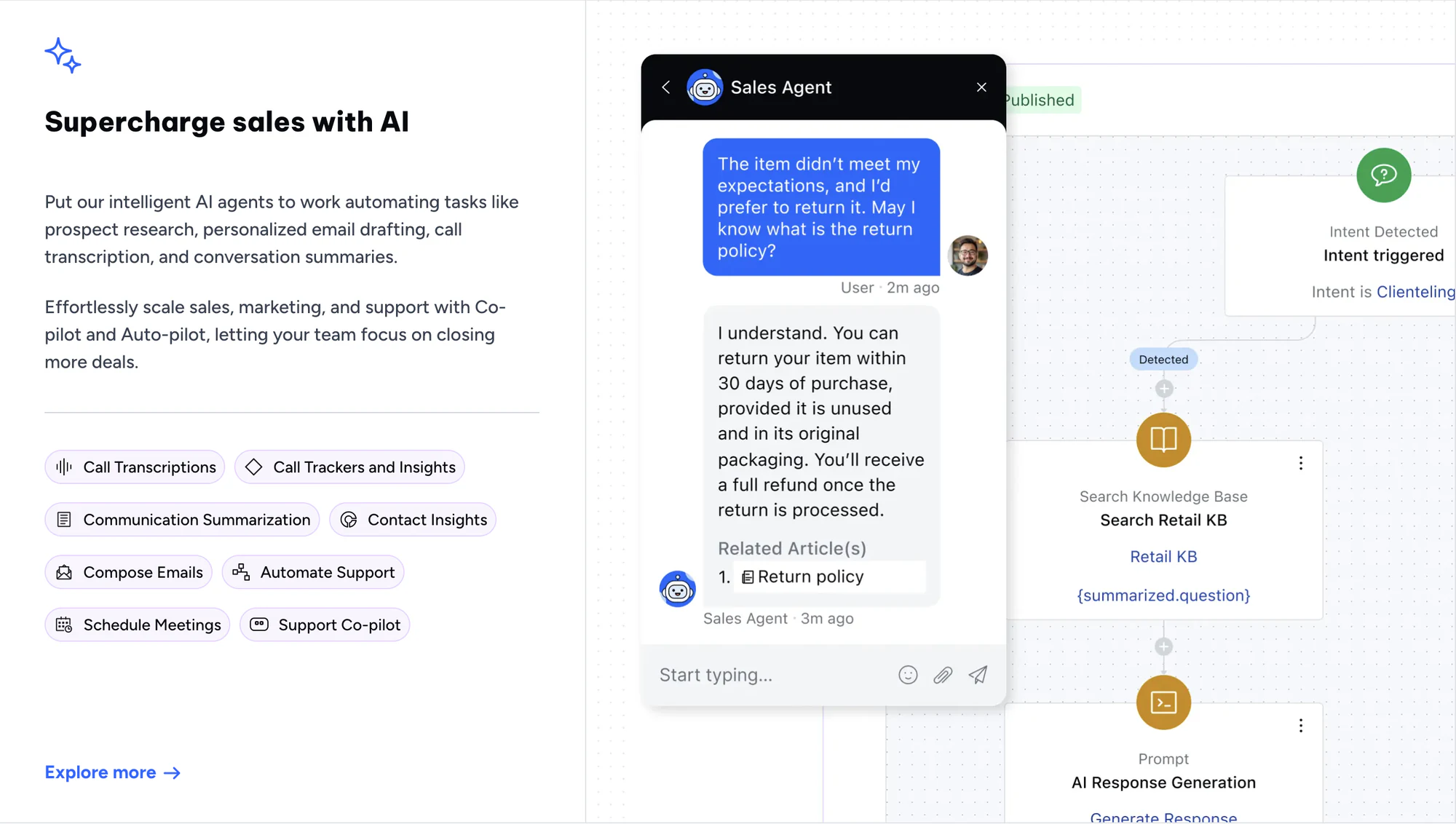
Salesmate is a CRM platform designed to streamline sales processes with features like built-in calling, email automation, and multichannel outreach.
Ideal for small to medium-sized businesses seeking an all-in-one sales solution.
Key features:
- Built-in calling and voicemail drop
- Email automation and tracking
- Sales pipeline management
- Workflow automation
- Integration with popular tools like Google Workspace and Zapier
Salesmate pros:
- Comprehensive sales communication features
- User-friendly interface
- Affordable pricing
Salesmate cons:
- May require time to set up workflows effectively
- Some advanced features are only available in higher-tier plans
Pricing:
- Plans start at $23/user/month (billed annually)
- 15-day free trial available
- Higher-tier plans offer advanced features and customization
10. Apptivo
Best for small businesses needing an all-in-one CRM and business management suite

Apptivo is a cloud-based platform that combines CRM with tools for project management, invoicing, procurement, and more. It offers a modular setup, so businesses can pick and choose the apps they need, all within one interface.
It’s best suited for small businesses that want to manage customer relationships alongside day-to-day operations, without switching between multiple tools.
Key features:
- Contact and lead management
- Integrated project tracking and invoicing
- Customizable fields and layouts
- Email and calendar sync
- Mobile app for Android and iOS
Apptivo pros:
- Offers a wide range of business apps beyond CRM
- Very affordable with strong value at lower tiers
- Allows high customization for small teams
Apptivo cons:
- Interface can feel dated compared to newer tools
- Some features (like automation) require time to configure
- Limited integrations outside core apps
Pricing:
- Free plan available (basic CRM features for 1 user)
- Paid plans start at $10/user/month (Lite)
- Advanced plans include automation, integrations, and expanded app access
Start with the CRM that matches your workflow
Whether you're managing leads, client projects, or partner relationships, the best CRM is one that supports the way your team already works — not one that makes you change everything to fit it.
Some tools offer structure out of the box. Others give you the freedom to shape things around your workflow. If your team wants to manage key data natively or already uses tools like Airtable, Google Sheets, or Notion, Softr makes it easy to build a CRM on top — with its own native database or connected to your existing sources, no code or complex setup required.
Explore Softr’s free templates and see how you can create a system that fits your work — whether it’s sales, service, or something in between.