Top 6 free knowledge base templates for 2025 + bonus template

Ever opened a knowledge base and couldn’t find what you needed—even though you knew it was in there somewhere?
While most knowledge bases start out with the best intentions, they can grow messy, outdated, or hard to use over time. Articles get duplicated, formatting is all over the place, and clients or teammates end up asking the same questions anyway.
A knowledge base template can fix that by giving you a clean, structured starting point that’s easy to build on, update, and share—without duct-taping together docs and folders. Tools like Softr (a no-code app builder) take it even further with real-time data sync, user permissions, and flexible layouts you can set up in minutes.
In this post, you’ll find 6 powerful knowledge base templates (+ 1 bonus template) that help you organize information clearly, cut down on repeat questions, and give your users the answers they need—fast.
What to look for in a knowledge base template
The best knowledge bases don’t just store information—they’re interactive applications that make it easy to manage, update, and share with the right people.
1. Secure logins & user roles
Not every user needs access to everything. Internal teams, clients, and partners often require different views of the same system. Softr lets you create custom user groups with granular permissions, so you can decide exactly who can view, edit, or manage each part of your knowledge base—no workarounds or complicated setups.
2. Easy content management
A knowledge base that’s hard to update usually doesn’t get updated. And when you’re limited to plain text, it’s harder to explain processes or answer questions clearly. Look for a system that supports a range of content—documents, videos, images, FAQs—and makes it easy to organize and display.
3. Easy maintenance/updates
Keeping a knowledge base up to date is slow when you’re copying content between tools. Softr connects directly to 14+ native data sources—including Airtable, Google Sheets, Notion, and HubSpot—so your knowledge base updates automatically as your data changes. No exporting, no reformatting, just one system that stays current.
And if you’d rather keep everything in one place, Softr Databases (currently in beta) let you manage structured content directly in Softr—no external tools needed.
4. User-friendly layout with a search
Even well-written content is useless if it’s hard to find. A knowledge base needs clear structure and solid filtering—especially as content grows. Softr includes built-in search and filtering options that work off tags, topics, or any field from your data, so users can quickly narrow down results.
5. Responsive access
People access content on different devices depending on the day or task. Softr knowledge base pages are fully responsive and can also function as a PWA (progressive web app), making them accessible from phones, tablets, or desktops.
6. Commenting and feedback
Static content can’t improve. Feedback loops help you catch errors, fill gaps, and keep information relevant. Adding comments directly to pages makes it easier to flag issues and collect suggestions. Softr templates includes comment blocks that let users give feedback in context.
7. Content request management
Teams often know what’s missing—but there’s no easy way to request it. Without a process, content gaps stay unfilled. With Softr, you can add custom forms to collect content requests and manage them in one place—so important updates don’t get lost in chats.
6 free knowledge base templates for different use cases
With these requirements in mind, let’s review 6 template options that are simple, fast, and flexible to fit your needs.
1. Knowledge base template

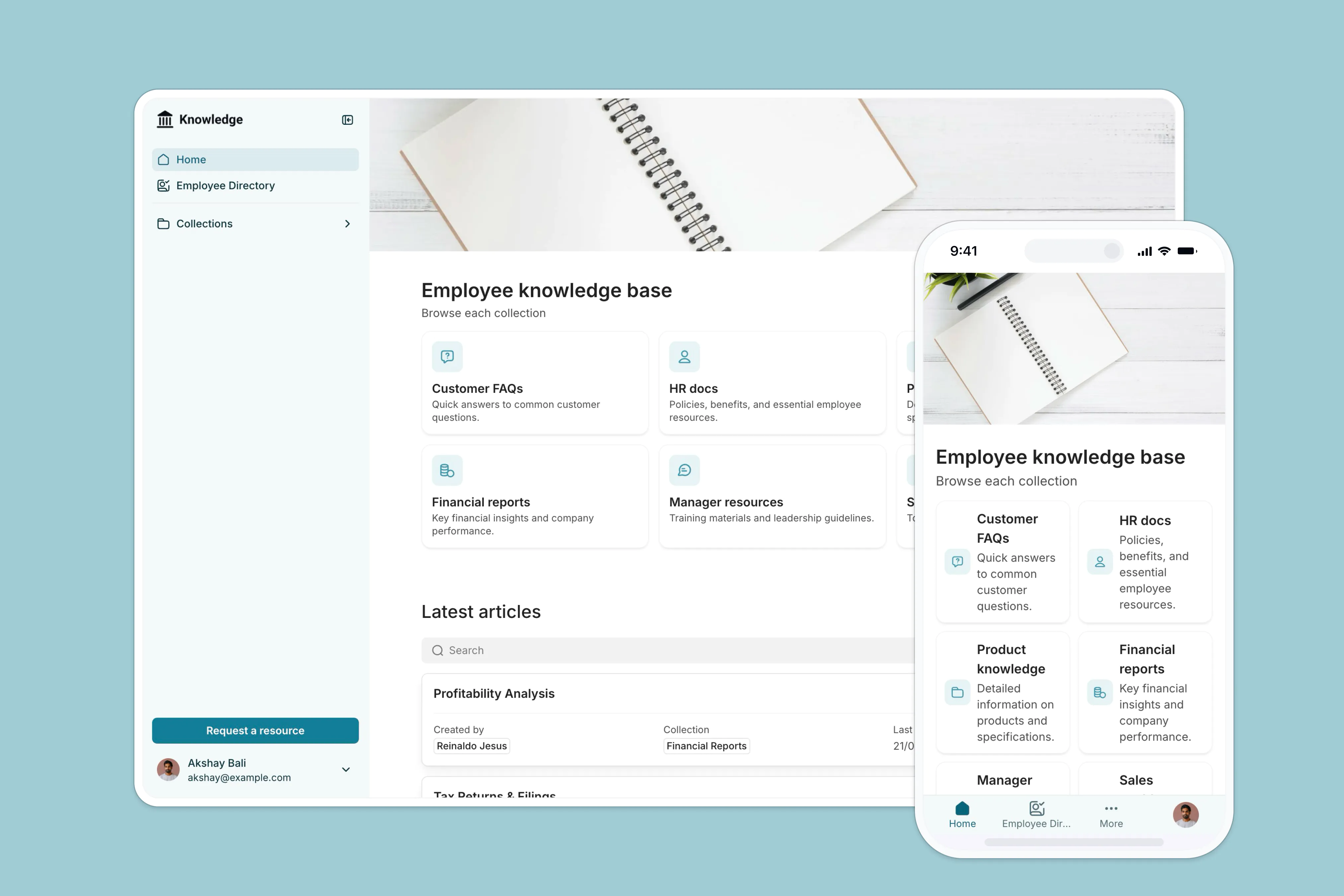
This free template helps you launch a fully customizable knowledge base in minutes. Whether you're building it for employees, clients, or partners, you can organize key resources—like SOPs, HR policies, product documentation, or training materials—and control exactly who sees and manages each part.
- Secure logins & role-based views: Set up custom access for admins, managers, employees, or external users with public-facing views. Each group sees only the content that's relevant to them—no clutter, no confusion.
- Real-time content management: Keep articles, documents, and training resources in sync by connecting to your live data from Airtable, Google Sheets, Notion, HubSpot, or even Softr’s own databases (beta). No need to manually update across platforms.
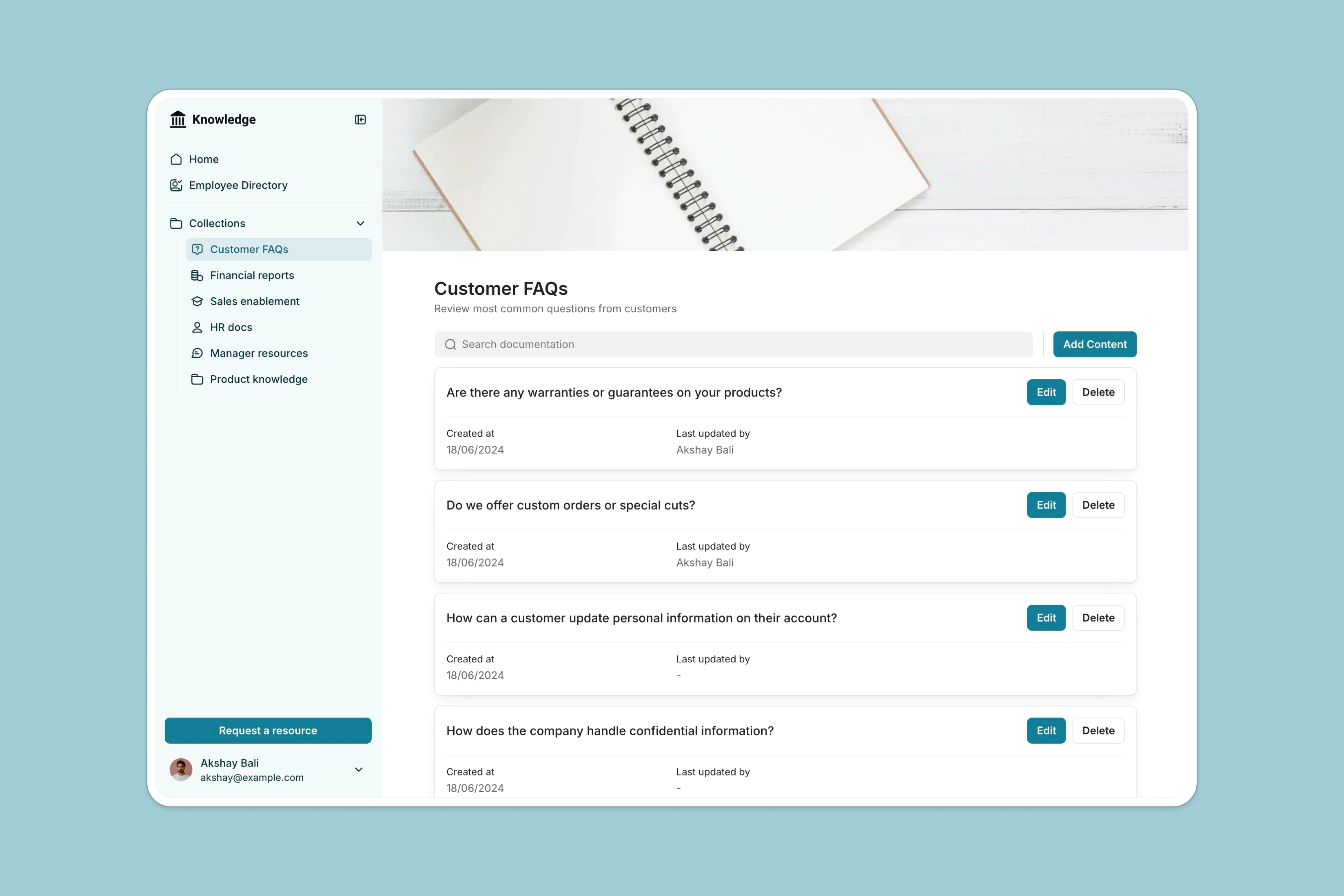
- Department- or topic-based collections: Create separate content areas (e.g. HR, Sales, Product) with clear ownership. Collection owners can update materials directly, without needing help from IT.
- Fast search and smart filtering: Let users quickly search and filter content by tags, topics, categories, or any custom property—so they spend less time digging and more time doing.
- Built-in feedback and content requests: Use Softr’s commenting blocks for quick input from users, and include request forms so teams can flag missing content or suggest improvements—all in one place.
- Mobile-ready, always accessible: Fully responsive and installable as a Progressive Web App (PWA), so your knowledge base works seamlessly across devices—no extra setup required.
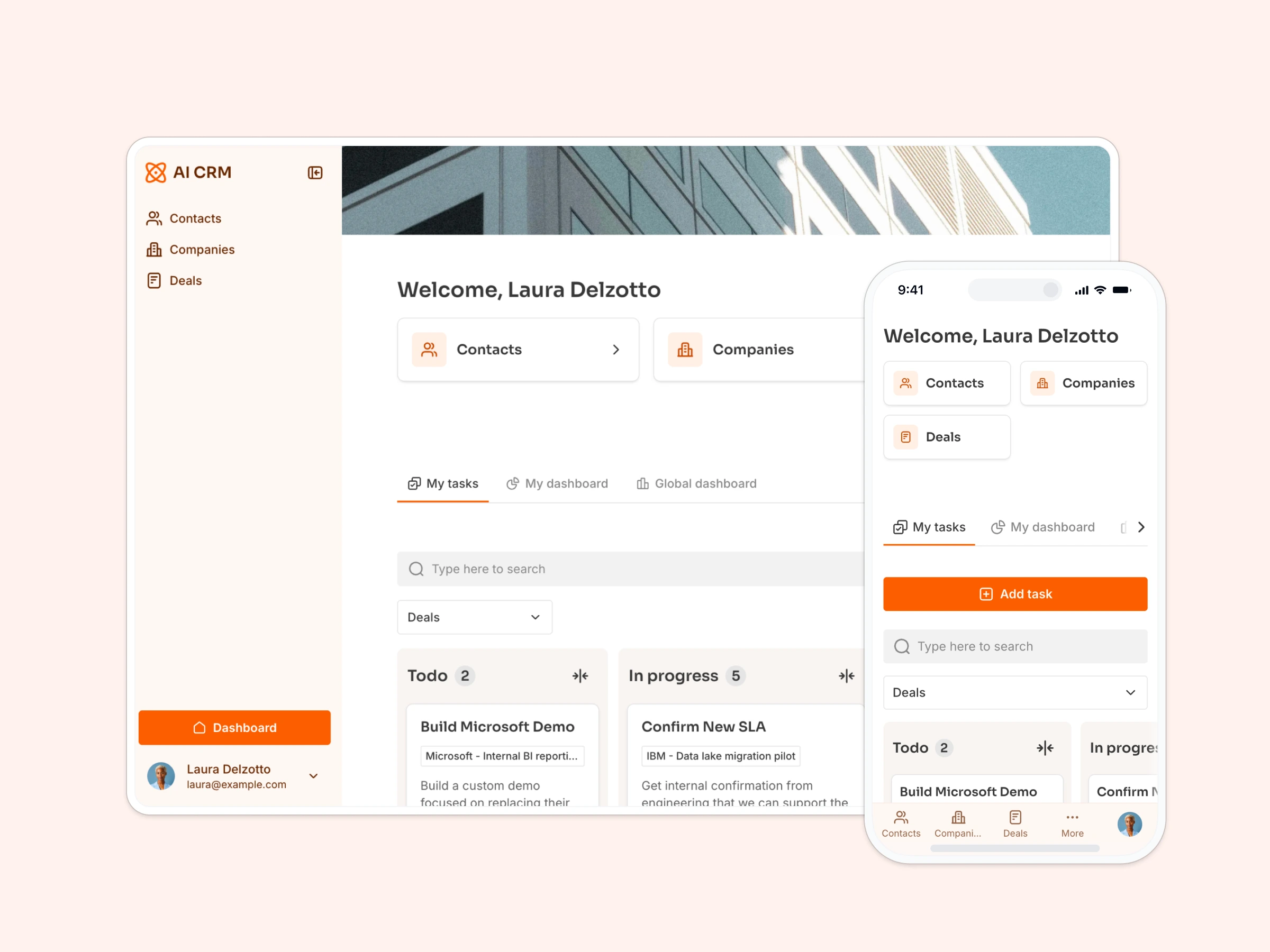
- Scales with your needs: Start with a knowledge base, then expand into client portals, internal tools, or a lightweight CRM—all within the same Softr app. No more tool sprawl or extra licenses.
See how easily you can build a knowledge base with this template:
The template is ideal for agencies, consultants, HR teams, and ops leads who want a fast, flexible, and secure way to organize company knowledge and reduce repeat questions—without getting IT involved.

Tip: Softr’s templates are easy to start with and include sample databases so you can see exactly how to structure your data for the use case (this knowledge base template comes with the below sample Airtable base). But you can also start with your own database in Google Sheets, Notion, monday.com, HubSpot, and more.

2. Company intranet

This flexible intranet template helps you build a central spot for company updates, documents, and other resources—no coding or IT help required.
Dedicated for internal use with a secure login and without having any public-facing views, it’s designed for teams that want more structure around internal communication and day-to-day operations without adding another complex system.
- Keep internal information organized: Share company news, HR documents, team directories, and internal updates in a layout that’s easy to navigate and simple to manage.
- Support a stronger team: Give team members a place to view events, start discussions, and give feedback and recognition.
- Access from anywhere: The intranet works across desktop and mobile, and can be saved as a Progressive Web App (PWA) so it’s always a tap away.
Start for free with this template or scale with Softr’s flexible pricing plans for more advanced features.
3. Team wiki

While a knowledge base is great for structured, role-managed content, a team wiki is more open and collaborative.
This template is built for internal use—giving everyone on your team a place to add notes, document processes, and keep evolving information in one accessible space.
- Document management: Easily upload and organize policies, playbooks, and SOPs—all searchable and simple to update. Managers can quickly add new team members, update documents, and share company announcements.
- Feedback forms for teammates: Collect feedback, suggestions, or internal requests by adding simple forms your team can fill out anytime.
- Searchable and scannable: With built-in search and filtering, anyone can find the information they need—whether it’s project context, meeting notes, or internal tools.
- Secure logins: This template is for internal use only. Access is gated by user login, so all documentation stays within your company.
- Employee onboarding: Great for helping new hires navigate their first weeks with a structured, repeatable workflow.
4. Employee training management

This employee training management template is built for internal teams—giving HR and managers a clear way to organize training programs, while letting employees access and complete sessions from one shared system.
- Role-based access for HR, managers, and employees: HR can create and manage sessions, managers can assign them, and employees log in to view their assigned trainings—each with the right level of access.
- A central hub for training materials: Store documents, videos, and resources in one place. Employees see only what’s relevant to them, with no confusion over versioning or folders.
- Track progress without chasing updates: Managers get a real-time view of who’s completed which sessions, so they can follow up only when needed.
- Calendar view for better planning: Visualize all upcoming and past sessions in a calendar format—ideal for scheduling, onboarding, and planning ahead.
- Search and filtering built-in: Makes it easy to find sessions by topic, date, or assigned team—no digging through long lists.
- Fully responsive and mobile-friendly: Employees can access their training from any device, whether they’re in the office or on the go.
5. Client onboarding portal

This client onboarding template is built for client use, giving each client a personalized view of their onboarding process. It replaces scattered tools with a structured, self-serve experience—so clients know what to do next, and your team has full visibility into their progress.
- Personalized dashboards for each client: Clients log in to see their own tasks, deadlines, and onboarding milestones—no more generic checklists or confusion about the next steps.
- Task management with real-time updates: Clients can check off tasks, upload documents, and track their progress directly in the portal. Everything updates in real-time, two-way sync with your databases, so you stay aligned without chasing updates.
- Central resource library: Share helpful guides, FAQs, and tutorials in one place. Clients can access what they need, when they need it—without emailing for links or files.
- Admin dashboard for your team: Customer success managers and admins get a clear view of each client's onboarding journey, including completed and pending tasks, helping them step in when needed.
- Collect feedback at the end: Once onboarding is complete, clients can leave feedback directly in the app—giving you insight into what’s working (and what’s not).
This template is ideal for agencies, and service-based SMBs that want to streamline onboarding, reduce back-and-forth, and give clients a clearer path to success—starting from day one.
6. Partner portal

This partner portal template helps you create a central space for working with partners—whether they're resellers, affiliates, or regional distributors. Each partner can log in, see what’s relevant to them, and take action without relying on back-and-forth emails or scattered tools.
- Role-based access and gated content: Give each partner type—distributors, affiliates, resellers—their own login and view. Control what content they see, from price lists and training materials to custom deals or documents.
- Lead distribution and deal tracking: Collect partner-submitted leads, assign opportunities, and manage pipeline activity in one place. Everything’s synced in real time with your connected data source.
- Quotes and invoices made simple: Send quotes or invoices directly through the portal, helping speed up deal cycles and reduce back-and-forth.
- Centralized resource hub: Upload and organize documents, marketing assets, or sales collateral so partners can download or request what they need, when they need it.
- Custom views for each partner: Use conditional visibility to tailor the experience by role or company—whether it's a regional distributor, affiliate partner, or field sales rep.
- Fully branded and mobile-ready: Unlike traditional PRM software, you control the look, layout, and content. The portal is fully responsive and works across devices.
This template is built for companies that work with external sales networks—like brokerages, SaaS vendors, manufacturers, and service providers. It offers the structure of a PRM system without the cost or complexity, and can be launched in a fraction of the time.
See how you can build one below:
7. Bonus: Resource directory

This simple one-page resource directory template is built for sharing resources with the public, ideal for curating tools, guides, or educational content. It’s designed to be easy to publish and maintain, and can also collect new resource submissions directly from your visitors.
- Searchable public resource listing: Display your content in a structured, filterable layout—so users can easily find what they’re looking for without digging.
- User-submitted content: Allow visitors to suggest new resources through a built-in form. Submissions are synced to your Airtable base (or other connected source) for review in seconds.
- Flexible access control: Keep the directory fully open to the public, or gate certain content with optional login and permissions.
- Contact and feedback forms included: Add forms for user questions, comments, or suggestions—without needing third-party tools.
- Email capture for audience growth: Collect email addresses from users who want updates or new content alerts.
This template is ideal for curating public-facing resources, and can easily be adapted into a lightweight external knowledge base for clients, partners, or your wider community—without requiring them to sign in.
Build a knowledge base from a template, fast
Whether you're building for your team, your clients, or your partners, having the right type of knowledge base setup makes a big difference. The knowledge base templates above cover everything from internal wikis and training hubs to public directories and client-facing portals—so you can pick what fits, customize it fast, and keep your content easy to find and manage.
All of Softr’s templates are free to start with, work across devices, and are fully editable—so you’re never locked into one format or workflow. Just connect your data, set your permissions, and go live in minutes.
Explore more Softr app templates or start building with your favorite from this list.
Frequently asked questions
How do you structure a knowledge base?
Start by grouping your content into logical categories (like onboarding, HR, product guides, etc.). Within each category, use clear titles and consistent formatting for articles. Include search and filtering options so users can quickly find what they need. Add role-based access controls if different users need to see different content. Tools like Softr make this easy with a knowledge management template—sample database included!
How do I create a custom knowledge base?
You can build a custom knowledge base using tools like Softr without any coding. Start with a template, connect your data source (like Airtable, Notion, or Google Sheets), and customize layouts, search, permissions, and content types. You can also add features like feedback blocks, request forms, and mobile access to make it more interactive and scalable as your content grows.