Intranet analytics explained: metrics, apps, & best practices

Good communication is at the heart of any successful business. That’s why, more and more companies are turning to intranet platforms. They help connect employees, simplify information sharing, and improve teamwork.
But simply having an intranet isn’t enough, you need to know how well it’s performing. Will it have the impact you hoped for?
Just like businesses track website performance and customer behavior, you should measure your intranet’s effectiveness to understand how engaged employees are. Thanks to the above evaluation, you’ll also get insights into how well communication flows, and how productive your organization is.
In this article, we’ll explore the key metrics to track, best practices for measuring your intranet, and the top 5 intranet analytics tools that can help you gain insights. But we get to that, let’s take a closer look at intranet analytics and its KPIs.
What are intranet analytics?
Intranet analytics is a mechanism that helps organizations see how employees use their internal digital tools and platforms. Think of it as a tracker that monitors and analyzes employee activity on the company’s private network.
Unlike traditional website analytics, which focuses on things like page views, bounce rates, and how visitors engage, intranet analytics looks at how employees use internal resources. It tracks how they browse, read content, and interact with different parts of the digital workplace.
These insights help leaders see if their digital platforms meet business goals. The insights also help them spot communication issues and better allocate resources.
By looking at user data, companies can improve the employee experience, make information easier to access, and make sure the intranet is helping with collaboration and productivity.
The key data points gathered through intranet analytics tools include:
- Usage patterns showing how and when employees use the intranet,
- Content metrics showing which articles and resources are most popular,
- User engagement levels in different parts of the platform,
- Search behavior showing what employees are looking for,
- Interaction rates with various tools and communication channels.
Key metrics you should track for measuring intranet effectiveness
Setting up a successful intranet takes a lot of work, but its real value comes from tracking and measuring how it’s performing. Without solid data, how can you be sure that it’s achieving the results you want?
When you have the right data, it helps you make smarter decisions, quickly implement changes, and uncover valuable insights.
Measuring your intranet's effectiveness also makes it easier to track success in your workplace. It improves internal communication, helps you calculate your return on investment (ROI), and impresses your leadership team with the results.
User engagement
These key intranet metrics show how employees use the intranet. By tracking interaction data, organizations can see how well the platform is being used and whether it’s helping workplace communication or being overlooked. Some of the most important user engagement metrics include:
- Total logins tracking how often employees access the platform,
- How active the users are on a daily and monthly basis,
- The average amount of time employees spend on the platform,
- Number of pages viewed in a single session,
- Peak usage times so that you can plan content and manage performance,
- How easy to use the device and browser,
Content interaction
These metrics are critical to understanding the information flow and consumption within the organization. They help leaders see the most useful resources, how knowledge is shared, and where communication could improve. Detailed analysis of content interactions allows companies to create more effective and focused internal communications.
You can use content interaction metrics to track:
- Total content views which help you determine the most used resources,
- Content share rates that show how often information is shared and collaborated on,
- Employee comments and discussions,
- Documents that have been accessed multiple times,
- Search query patterns of employees and where to pinpoint missing content,
- How popular the content is by department,
Employee productivity
The main purpose of an intranet is to help employees work quickly and easily by giving them fast access to information. The employee productivity numbers reveal how well the platform supports teamwork, simplifies tasks, automates processes, improves communication, and unites everyone in one place.
You can measure its success and impact on productivity by:
- Checking the volume of document transfers among departments,
- Keeping an eye on how active employees are in the chats, forums, conferences, and other collaborative spaces,
- Monitoring the completion rates of project milestones and assigned tasks,
- Tracking time saved on tasks like finding documents, filling out forms, creating reports, or setting up workflows,
- Paying attention to how easily employees find answers on their own using the search function,
Intranet ROI (Return on Investment)
The return on investment for intranets isn’t just about money. It also includes time saved, better communication, and improved efficiency. When you measure these, you find out just how valuable the platform is and what you should do to make it better.
Measure the intranet’s impact on your ROI by focusing on:
- The amount of time saved during information retrieval,
- The lesser volume of emails,
- Shorter and quicker meetings,
- Better collaboration across teams,
- Faster onboarding for new employees,
- Money saved by organizing information in one place,
User satisfaction
Although it is subjective, user satisfaction is a great way to monitor the success of your company’s intranet. By combining numbers with feedback, companies can keep improving the digital workplace, turning the intranet into a flexible, user-driven tool.
You can measure this metric through:
- Regular surveys to check user satisfaction,
- Feedback forms built into the intranet,
- Net Promoter Score (NPS) for internal platforms,
- Collecting feedback through different methods,
- Tracking improvements in user experience,
- Ongoing design changes based on employee feedback,
What does a modern company intranet look like?
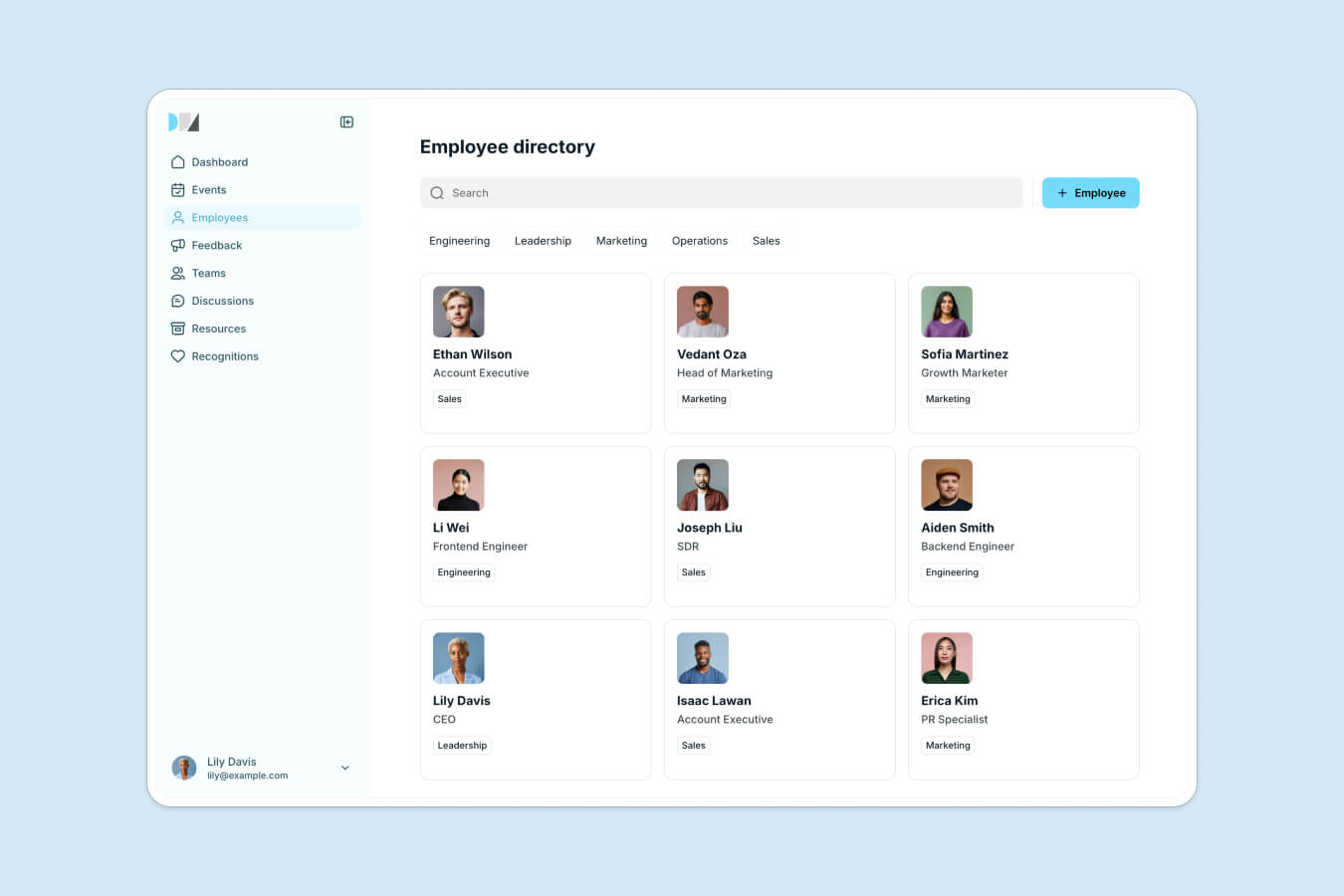
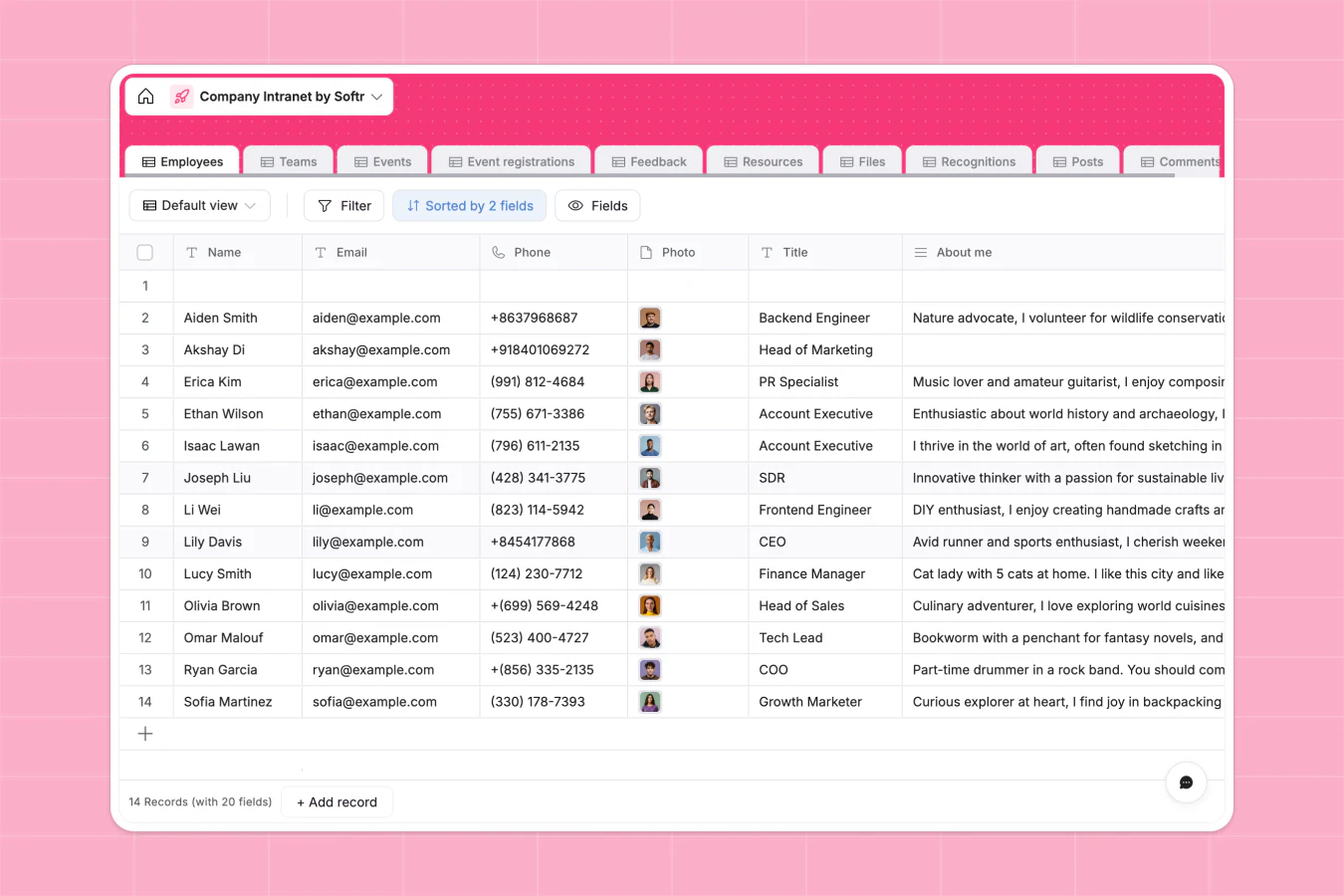
Before analyzing your intranet's performance, it is helpful to see what a modern company intranet looks like under the hood. A successful employee portal typically consists of two main parts: a front-end portal for employees to browse directories, access files, and read company announcements, and a secure back-end database that keeps employee directories, files, and resources organized.
Top 5 intranet analytics platforms to consider
To help you get started, we’ve rounded up the top 5 intranet analytics platforms that will help you understand your intranet’s performance in great detail.
1. Softr
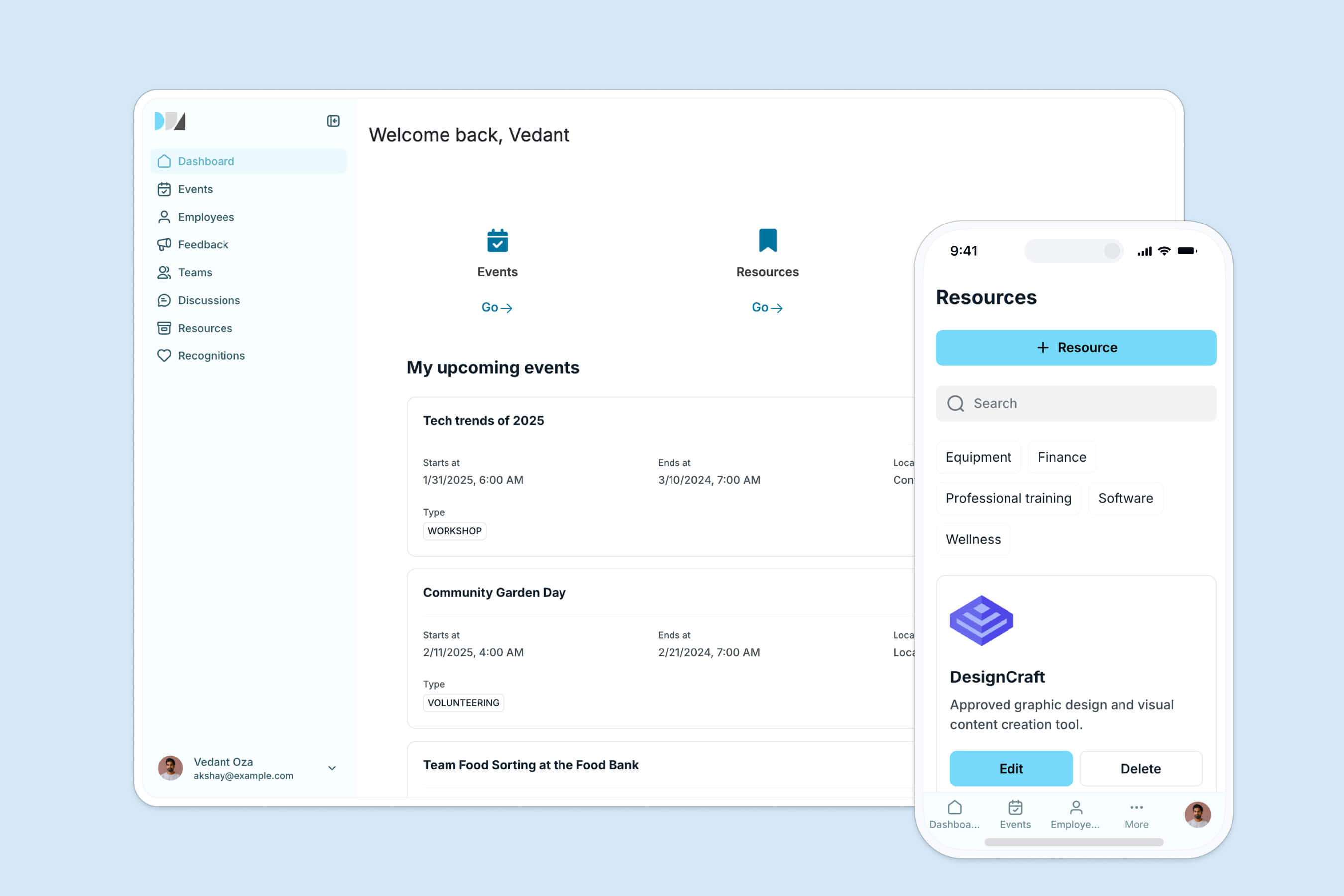
Softr is an AI-powered no-code platform that lets you build secure, custom web applications like employee intranets and client portals.
With Softr's AI Co-Builder, you can generate a complete intranet, including pages, layouts, user permissions, and database schemas, in minutes. Once generated, you can switch to Softr's drag-and-drop editor to visually customize fonts, colors, and layout blocks to match your company's branding.
For your data, Softr recommends using its high-performance native Softr Databases, designed to be fast, secure, and AI-ready. Softr also integrates with 21+ external data sources like Airtable, Google Sheets, monday.com, and Notion, giving you full control over where your data resides.
Softr also functions as an intranet analytics platform, helping you track how employees use your internal tools. The platform provides real-time data on user log-ins, popular resource downloads, and active user metrics.
Key features
- AI Co-Builder to generate the app, database, and logic from a text prompt,
- Natively integrated, high-performance Softr Databases,
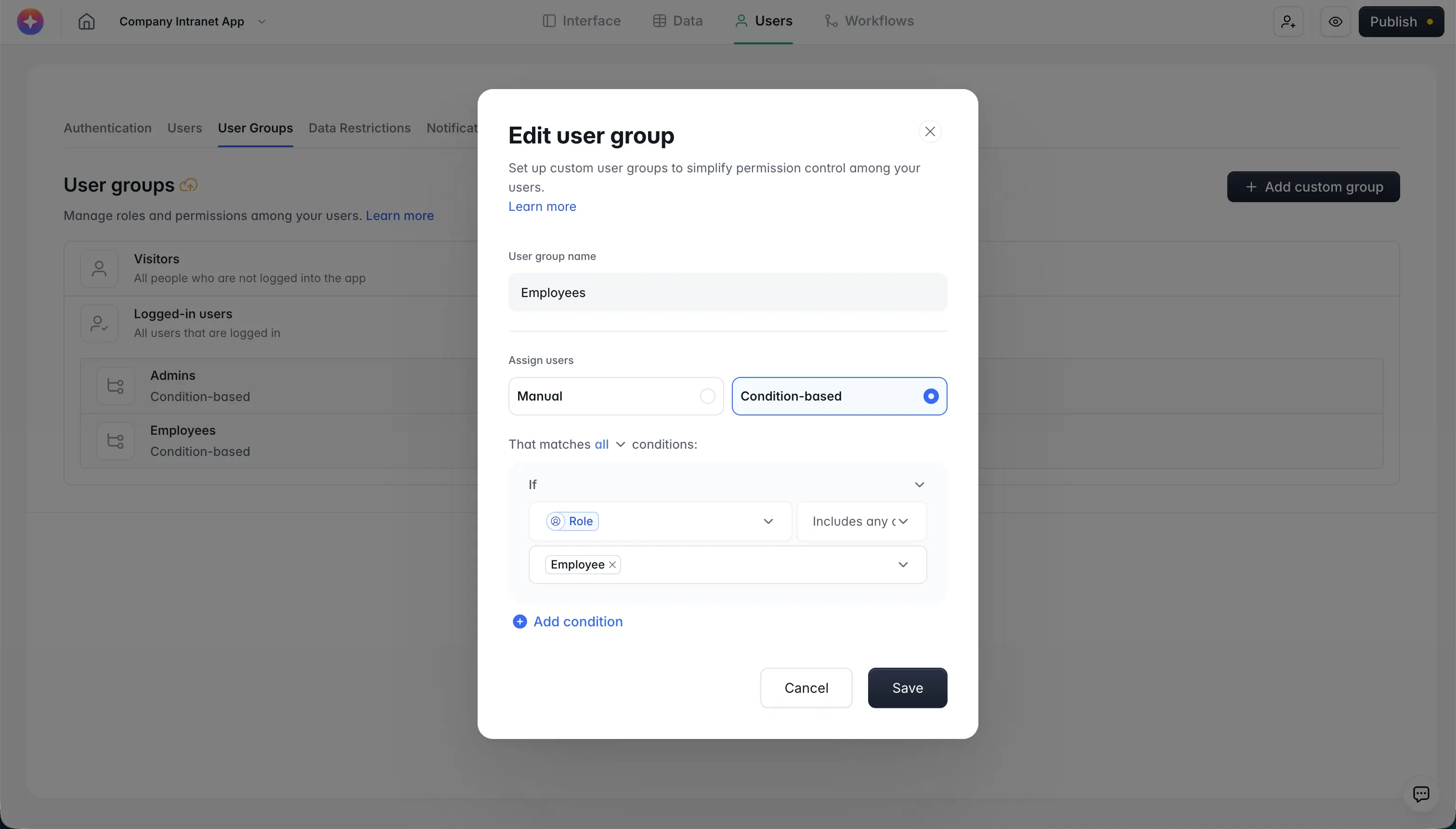
- Granular user groups and permissions for role-based portal access,
- Centralized company announcements, employee directories, and document libraries,
- Standard integrations with tracking tools like Google Analytics and Hotjar,
- Custom domains and responsive, mobile-friendly design out of the box,
Pros
- Fast, secure native Softr Databases and integrated workflows (no need for complex third-party tools),
- Granular user groups and permissions for secure dynamic access controls,
- AI Co-Builder for rapid prototyping and ongoing page or database creation,
- Also connects natively to Airtable, Google Sheets, monday.com, and Notion,
Cons
- Natively optimized layout blocks restrict pixel-perfect design customizability, though Vibe Coding custom components can overcome this,
Pricing
- Free ($0/month): Unlimited apps, with access to Softr Workflows and Softr Databases, 5 app users, 5,000 database records, 500 workflow actions, and 5 AI credits,
- Basic ($19/month): Unlimited apps with 42+ integrations, supports Team: 5 + Client: 5 app users, 50,000 database records, and 2,500 workflow actions,
- Pro ($99/month): Unlimited apps with 45+ integrations and custom code, includes Team: 10 + Client: 50 app users, 500,000 database records, and 10,000 workflow actions,
- Business ($329/month): Unlimited apps with 52+ integrations, designed for scale, includes Team: 30 + Client: 100 app users, 1 million database records, and 25,000 workflow actions,
User reviews
G2: 4.8/5 (430+ reviews)
Dirk E. on G2 says:
“Softr is very easy to use and to learn. The connection with different data sources like Airtable makes it easy to operate and to get quick results. There is no need to register a domain etc. as they offer custom domains or you build apps that can be embedded. Customer support and available tutorials are great!”
2. Workvivo
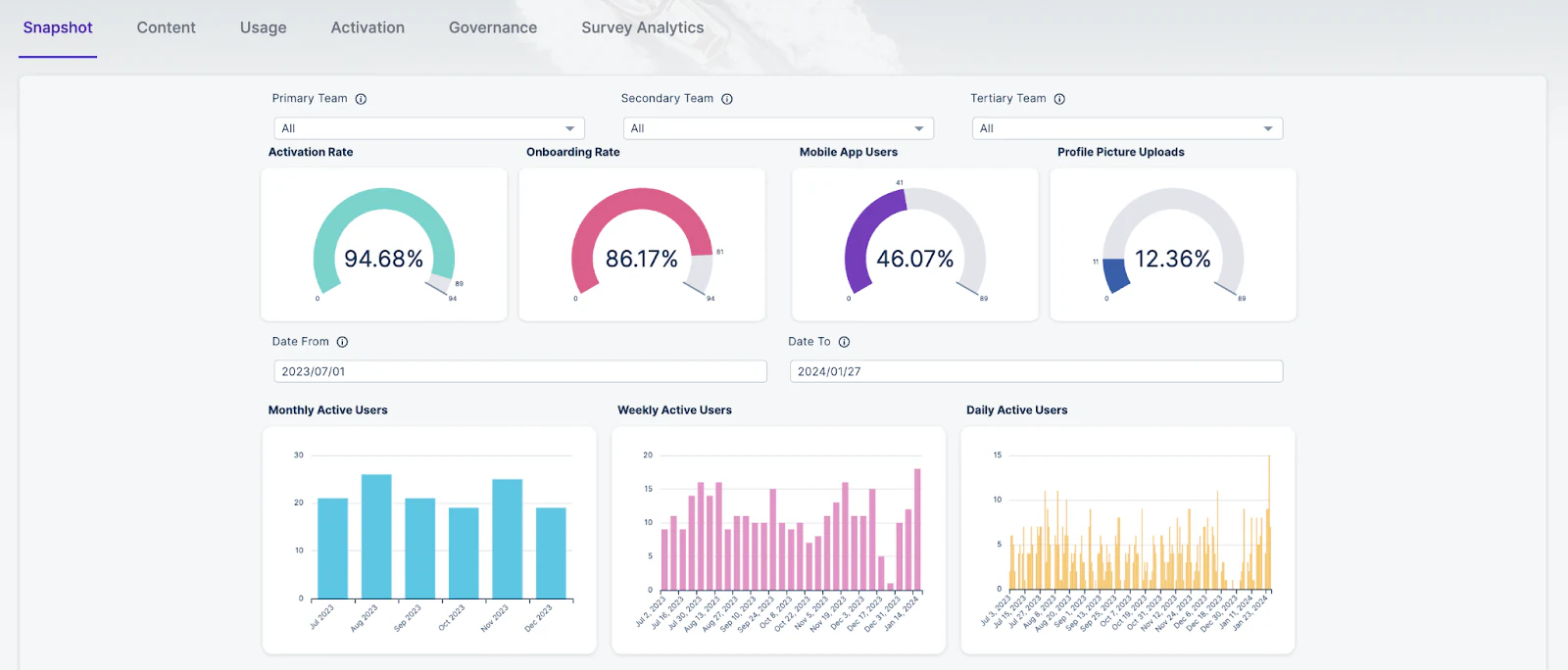
Workvivo is an all-in-one employee experience platform with powerful intranet analytics features. Its social media-like design makes it easy for teams to interact with posts, share updates, and celebrate milestones on a platform customized for your company.
Meanwhile, its analytical abilities help you improve this internal digital workplace by providing real-time insights into content performance, user activity, employee sentiment, platform usage, and the impact of company values.
Key features
- Activity feeds like social media for updates and announcements,
- Analytics to track user engagement (logins, active users) and content performance,
- Features to recognize and celebrate employee achievements,
- Customizable, easy-to-read dashboards and reports,
- Integrates with Microsoft Teams, Slack, Google Workspace, and more,
- Mobile app for easy access anytime, anywhere,
Pros
- Easy content creation from micro-messages to full-page articles,
- Instant messaging with Slack and MS Teams,
- Search function and profile photos help you find people quickly,
Cons
- Some users have reported slow application performance,
- Design is not as intuitive,
Pricing
Contact sales for a customized quote.
User reviews
G2: 4.8/5 (1950+ reviews)
Moses Oladayo A. says,
“Workvivo has really helped our team stay connected. It’s easy to use and perfect for sharing updates and celebrating achievements. The group features make working together simple, and the analytics help us see how engaged everyone is.”
3. Interact
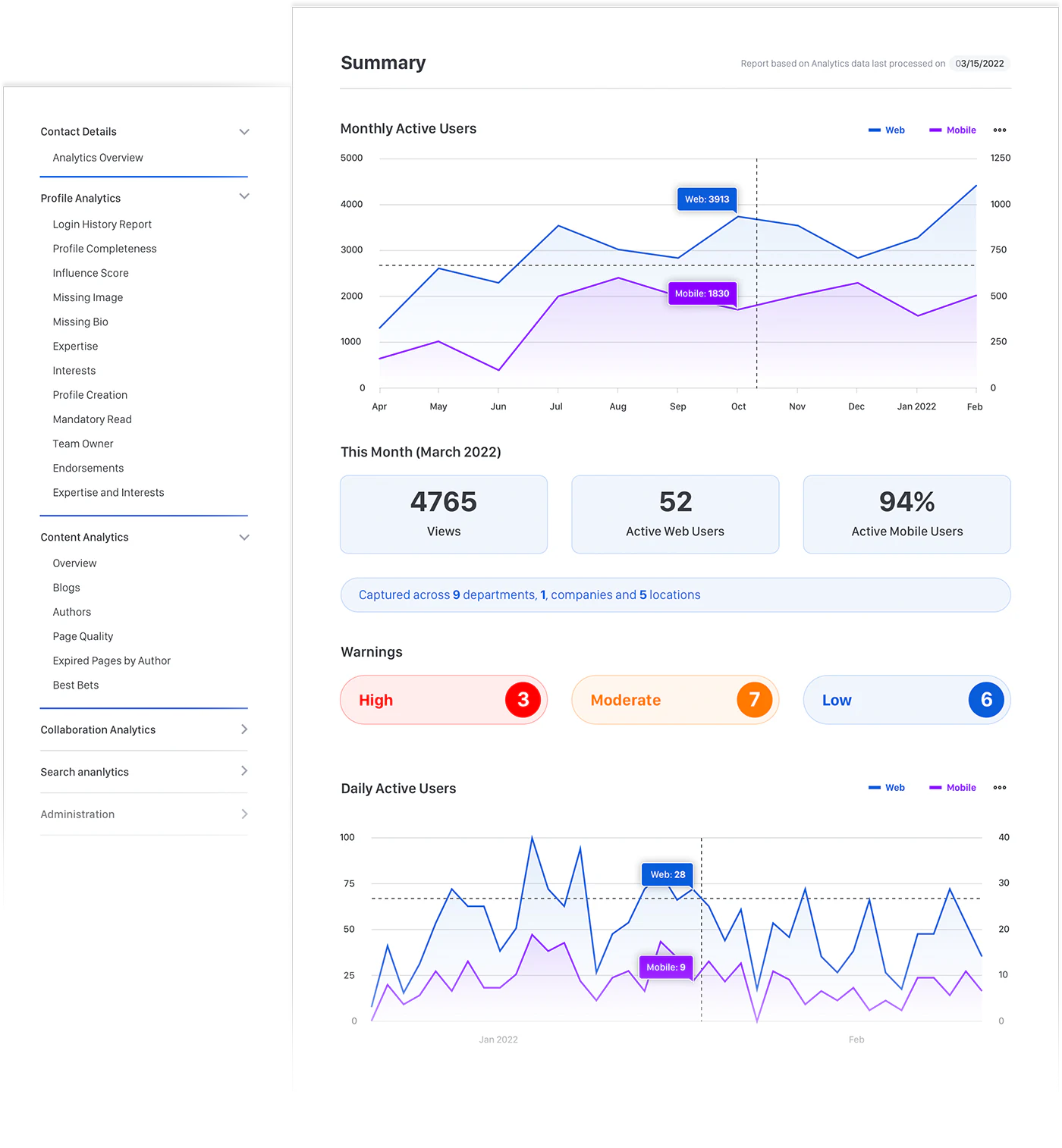
Unlike the usual intranet platforms, Interact uses machine learning to offer content suggestions and search insights going beyond basic usage data.
With its AI-powered content engine, Interact automatically sends employees relevant information based on their role, location, or department, making sure there is less clutter and more updates. Meanwhile, the easy-to-use search function helps employees quickly find what they need.
The platform uses insights like document views, user engagement, and feedback patterns to
predict which content will be most useful to different employee groups, suggest personalized content, and help you see how knowledge is shared within your company.
Key features
- AI assistant and search functionality,
- Real-time collaboration using customizable team spaces,
- Built-in analytics to track engagement, content performance, and department/team-level usage,
- Real-time dashboards with key KPIs,
- Opportunity to send targeted messages to specific employee groups,
- Integration with Microsoft 365, Google Workspace, Slack, and more
- Mobile app for accessibility
Pros
- Simple drag-and-drop interface
- Custom homepage designs for different teams or departments,
- Promotions and contests to improve employee engagement analytics,
Cons
- Some users have found the back-end setup challenging,
- A few users have reported bugs or functionality issues,
Pricing
Contact sales for a customized quote.
User reviews
G2: 4.6/5 (30+ reviews)
Glen H. says,
“We have enjoyed working with Interact for the past two years. Our staff intranet has proved extremely popular and has been well utilised by staff since it was introduced. As an administrator of the site, I find it simple to use and the comprehensive customisation options to be very useful, as it allows me to populate the site with a wide range of content and keep it dynamic and well organised.”
4. Happeo

If your company relies heavily on Google Workspace, Happeo is the ideal choice thanks to its strong integration with Google platforms.
As one of the best intranet analytics software, it can track active users, channel engagement, and mobile app usage, helping you understand how employees interact across departments. It also identifies informal collaboration networks and key connectors within the company, enhancing team dynamics.
The software offers detailed data on search usage, showing what employees are searching for and how they engage with the results. Additionally, it provides insights into channel activity, including views and interactions, helping you optimize content and improve the overall intranet experience for your organization.
Happeo also comes with page builders with templates that can integrate with tools like Gmail and Google Drive, helping companies keep employees informed, aligned, and productive.
Key features
- Easy setup, especially for organizations using Google tools,
- Digital communities for shared interests with access to anyone in the company to create,
- Central hubs to organize information with channels and page and content sharing,
- Strong integrations with various tools and the ability to search across your entire tech stack for people, files, and discussions,
- Secure login with SSO and SAML authentication,
- Pre-made templates with organized layouts and sections for key pages,
- Works great with Microsoft tools like SharePoint, OneDrive, and Teams,
Pros
- Simple interface that’s easy to learn and use,
- Secure data protection with Google Cloud infrastructure,
Cons
- Limited customization if you're not using Google tools,
- Great for communication and collaboration, but doesn’t support building independent apps outside its system,
Pricing
Contact sales for a customized quote.
User reviews
G2: 4.5/5 (140+ reviews)
Chris C. says,
“Before using Happeo, our company consisted of loosely defined teams that did not fully embrace all of the responsibilities that others viewed their team as being responsible for. Happeo helped our organization better define these teams and their members, giving them the platform and agency to become the source of truth for their realm. It created a culture of ownership around the company. It also created a greater desire and ease for collaboration. It was the perfect tool for us to transition from one phase to the next.”
5. Jostle
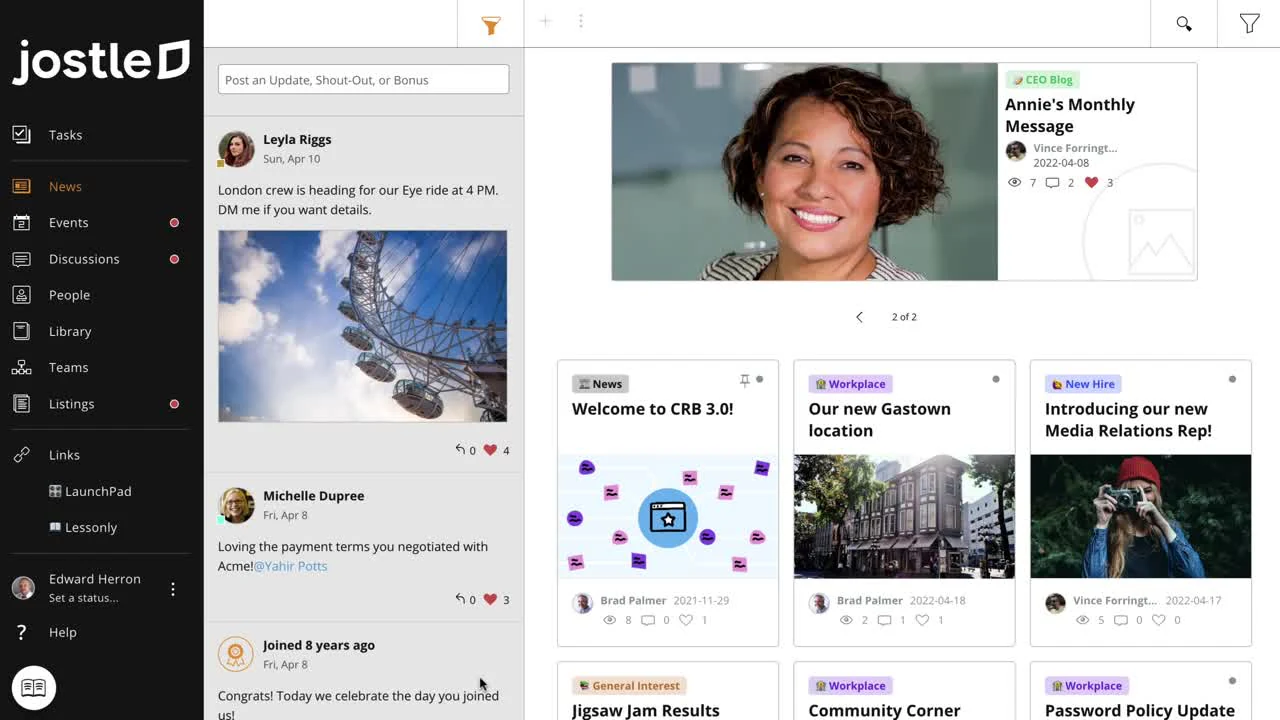
Best for small remote organizations or those who are planning to grow quickly, Jostle is a user-friendly, cloud-based intranet platform that allows you to set up a basic intranet without worrying about too much customization.
Unlike typical analytics platforms that just track clicks and views, Jostle stands out with its ability to look at psychological engagement and real connections between employees. This helps spot communication issues and predict where employees might lose interest, giving useful insights into the overall well-being of the organization.
It also includes an Employee Directory to easily find colleagues and their details, an Activity Feed to keep you updated on company news and team milestones, and a Library where important documents are organized and easy to search.
Key features
- Clear visualization of employee roles and responsibilities,
- Filter employee information by department, location, and more,
- Access to JostleTV, a feature that lets you display content on office TV screens,
- Send public and targeted announcements,
- Easy document management systems tools,
- Message tracking,
- Integration with 40+ popular tools like Google, Microsoft, and Salesforce,
- Mobile version for remote teams,
Pros
- Easy to navigate platform with no learning curve,
- A central hub for document storage and access,
- Control who sees specific content,
Cons
- Some users find the search function to be inefficient,
- News stories are not available on the mobile app,
Pricing
Jostle’s plan prices depend on the number of employees your organization has.
For 100 users, these are the costs:
- Bronze: $4.56/month
- Silver: $8.21/month
- Gold: $10.95/month
- Platinum: Custom pricing
User reviews
G2: 4.5/5 (200+ reviews)
Kim P. says,
“Jostle was so easy to set up, we had it up and running in two weeks! Jostle has all the functions we need as a business. We now have the perfect platform to share all the latest company news. A place where we have all our important information stored in one central location, and most important to us, Jostle has provided a platform to bring us all back together whilst we navigate the new world of hybrid working.”
Intranet analytics best practices
Turning on intranet analytics is just the start, not a magic fix. If you dive in without a plan, things might not go as smoothly as you’d hoped.
Instead, focus on key practices that can guide you. This way, you’ll uncover insights that boost teamwork, enhance communication, and drive real progress for your business.
1. Set clear goals
Organizations need to link their metrics directly to business goals, turning data collection into a tool for improvement. This involves defining specific, measurable outcomes, like boosting collaboration between departments, reducing communication problems, or making knowledge sharing more efficient.
Clear goals give meaning to the data, making sure every metric tracked is useful. By tying intranet metrics to bigger business strategies, companies can show the platform’s value, justify investments, and make targeted changes that improve business results.
2. Track regularly, don’t just react
Checking the data only now and then can give unclear or misleading results. By tracking it consistently, companies can spot trends, understand how users behave, and make improvements ahead of time. This turns analytics into a tool for planning, not just reporting.
Tracking regularly allows companies to spot patterns early, fix problems quickly, and keep improving the digital workplace. It also helps smooth out data differences, giving more accurate and trustworthy insights into how well the platform is working and how engaged employees are.
3. Monitor user behavior over time
Looking at long-term trends helps you understand the real impact of your intranet platform beyond short-term changes.
By keeping track on intranet user behavior metrics over time, companies can see deeper patterns in engagement, how technology is adopted, and how communication evolves. This approach helps spot seasonal changes, understand how platform updates affect users, and predict future trends.
The long-term analysis also shows how employee behavior changes with company shifts, tech updates, and cultural changes. Companies can create better strategies to improve their digital workplace by focusing on the big picture.
4. Data visualization
Raw data without analysis is like a map without a destination, it’s there but doesn’t guide you anywhere. This is why you need well-designed dashboards to turn raw data into clear, meaningful stories, helping teams and leaders quickly grasp how the platform is performing.
Simple, interactive graphics help people without technical backgrounds see important information and make better decisions. Good visualizations highlight trends, uncover hidden patterns, and make the data more interesting and memorable.
By using charts, graphs, and easy-to-use interfaces, companies can make data more accessible, encourage discussions based on data, and help everyone understand it better.
5. Privacy and compliance
Intranet analytics offer helpful insights, but companies must make sure they protect employee privacy and follow data protection laws like GDPR.
This means being clear about how data is monitored, getting the right permissions, anonymizing data when possible, and setting clear rules for how data is collected and used.
Companies should focus on collecting overall data that shows trends without revealing personal details. If they use ethical practices, companies can build trust, stay compliant with the law, and respect employee rights while still gaining useful performance insights.
Taking action: How to build a custom company intranet
While measuring analytics is key, the real value comes from having an intranet tailored to your company's specific workflows. Building a custom employee portal doesn't require a months-long development cycle. Here is a concise, step-by-step blueprint to build your own custom intranet using Softr:
1. Define your data structure
Start by setting up your tables. Softr recommends using native Softr Databases for maximum performance. You will need:
- A Users table containing all employee emails, roles (such as Admin, Employee, or Management), and department details.
- An Announcements table for team updates and news.
- A Resources table for links, documents, and assets.
2. Configure user groups and permissions
Map your synced database user table to Softr's user management system. Establish dynamic user groups based on database conditions (like Role is Manager). Enforce global data restrictions so that sensitive documents are only visible to the appropriate teams.
3. Build your pages visually
Use the AI Co-Builder to generate your initial dashboard, directory list, and resource pages from a prompt, or build them manually using native blocks (like tables and list grids). Use sliding modals for detailed profile views to keep the navigation clean.
4. Connect analytics and publish
Integrate tracking tools like Google Analytics or Hotjar to monitor engagement metrics. Publish your application instantly to a custom subdomain or connect it to your own custom company domain.
By building your own intranet, you gain total control over the features, data structure, and analytics, ensuring your digital workplace grows alongside your business.
Ready to build a secure, custom intranet for your team? Sign up for Softr for free today and launch your employee portal in minutes.