NocoDB puts a spreadsheet interface on an existing SQL database, which suits technical teams who want to skip building an admin panel. Relying on it daily is where you hit limits due to stability issues, thin workflows, and a tech stack you have to stitch together yourself. These five NocoDB alternatives each fix a different part of that.
Best alternatives to NocoDB at a glance
| Tool | Best for | Key features | Pricing |
|---|---|---|---|
| Softr | Businesses outgrowing spreadsheets that need full operational systems (apps, portals, workflows) without developers | • Built-in relational database with spreadsheet-style UI • AI app builder to generate full systems from prompts • Built-in workflows, permissions, and user management • Turns data into portals, dashboards, and internal tools • No per-seat pricing for external users | Free plan available; paid plans start at $19/month |
| Baserow | Open-source database setup with more control and extensibility | • Spreadsheet-style UI with relational data • Auto-generated REST APIs for backend use • Self-hosted or cloud deployment options | Free plan available; paid plans from ~$10/user/month |
| Airtable | Flexible, spreadsheet-style data organization | • Custom fields and linked records • Multiple views (grid, kanban, calendar, timeline) • Built-in automations and interface builder | Free plan available; paid plans from $20/user/month |
| SmartSuite | Managing structured workflows across teams in one system | • Combines database, tasks, and workflows • Multi-step workflow automation • Built-in collaboration and permissions | Free trial available; paid plans from $15/user/month |
| Supabase | Developers building full backends with Postgres and APIs | • Managed PostgreSQL database • Auto-generated REST and GraphQL APIs • Built-in auth, storage, and serverless functions | Free plan available; paid plans from $25/month |
Why look for a NocoDB alternative
NocoDB works well as a lightweight interface for existing databases. But teams often run into limitations when they try to use it for real workflows.
You might want to explore alternatives if:
| Limitation | What it means in practice |
|---|---|
| You need reliability in daily use | Users report bugs in core actions like filtering, updating records, & handling connections. It makes it hard to trust for production workflows. |
| You want to manage workflows, not just data | NocoDB handles tables well but lacks built-in automation, approvals, or multi-step process logic. |
| You’re trying to avoid tool sprawl | You’ll likely need extra tools for frontend, automation, and permissions, which adds complexity. |
| Your team isn’t technical | Setup, schema management, and self-hosting require database knowledge and ongoing maintenance. |
| You need clear feature access and roadmap | Differences between self-hosted and cloud versions can create confusion around what’s included. |
| You’re working with complex data models | Relationships and advanced structures can feel limited or harder to manage compared to more mature tools. |
What to look for in a NocoDB alternative
Here are the key things to consider:
- Ease of setup and use: Look for a tool that doesn’t require database knowledge or manual configuration. Your team should be able to get started quickly without relying on developers.
- Reliability in daily workflows: Basic actions like editing, filtering, and updating records should work consistently. Small issues here quickly add up in day-to-day use.
- Built-in workflows and automation: Choose a tool that can handle real processes—approvals, status changes, notifications—not just store and display data.
- All-in-one vs. modular setup: Tools that combine data, interface, permissions, and automation reduce the need to stitch together multiple systems.
- Data modeling flexibility: Make sure the tool can handle relationships, linked records, and more complex structures without becoming hard to manage.
- User interface and experience: A clean, intuitive UI matters, especially if non-technical teammates or external users need to interact with the system.
- Permissions and access control: Look for granular controls (role, record, or field-level) so you can securely share data with teams, clients, or partners.
- Scalability and performance: The tool should stay fast and stable as your data grows and more users rely on it.
- Integrations and API access: Check if it connects easily with your existing tools (CRM, email, internal systems) or offers a solid API for custom workflows.
- Pricing and long-term fit: Consider how costs scale with users, data, or features, and whether the tool’s roadmap aligns with your future needs.
1. Softr Databases — best for businesses outgrowing spreadsheets that need full operational systems
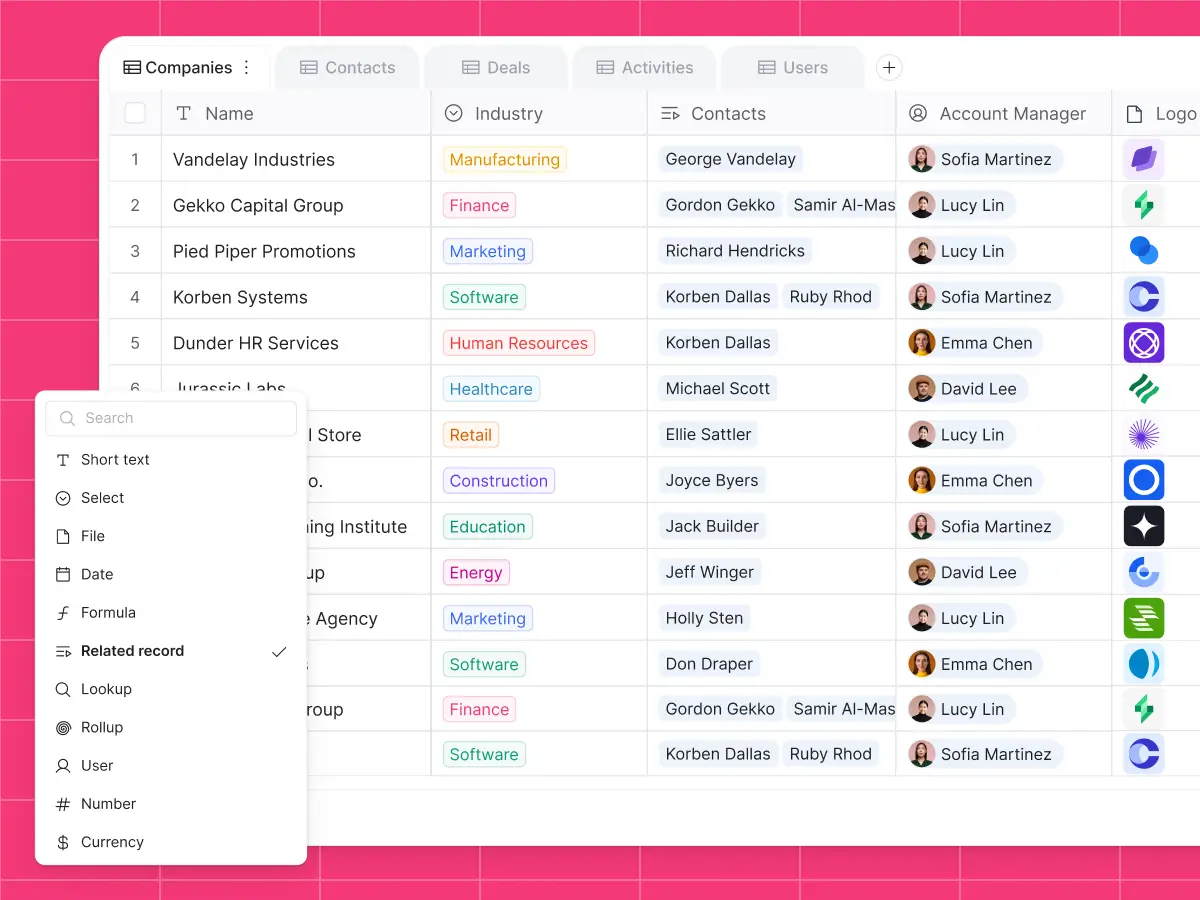
Softr Databases is a relational, built-in database inside Softr’s app building platform. It allows teams to manage their business data within spreadsheet-style tables that have the power and scalability of a real SQL database. It stands out among other databases because it’s super easy to set up using Softr’s AI Co-Builder. You describe the type of database you need and it generates it in seconds — with the user interface, business logic, and security guardrails built in. Within Softr Databases, you can also set up AI agents to summarize notes, enrich data, validate invoices for you, and more.
When needed, you can turn your data into powerful, production-ready business apps like client and vendor portals, inventory management systems, dashboards, ERPs, and CRMs. You can manage your data, pages, and app logic in a single interface inside the Studio: no migration, no data export, no developer required.
Softr pros and cons
Pros
- AI-powered database building: Generate database structures and fields from natural-language prompts to streamline setup and reduce manual configuration.
- Flexible data views: You can create "views" to present tables with certain fields hidden or visible for specific teams, all without changing the underlying structure of the database.
- Highly scalable: Handle high record volumes with enterprise-grade security (GDPR, SOC 2 compliant) and reliable database performance.
- Affordably priced: There’s no per-seat pricing when sharing your database with clients, partners, or external collaborators.
- Built-in interfaces: The Co-Builder generates pages, layouts, and user flows on top of your database, meaning you can share with real users from day one.
- Enterprise-grade performance and security: Handle large datasets with infrastructure designed for scale while supporting compliance standards like GDPR and SOC 2.
Cons
- If you want total control over your codebase or plan to build a SaaS product or marketplace, Softr isn't the right fit.
Softr’s key features
- AI App Builder: Generate full-stack apps in minutes from a plain language prompt. It'll structure a secure relational database for you, build an interface on top of it, and configure business logic for utility pages, permissions, and workflows.
- Database AI agents: Automate repetitive data work directly inside your database. Agents can clean, enrich, categorize, and summarize records, extract details from files, or pull information from the web to keep datasets accurate without manual updates.
- Ask AI: Query Softr’s built-in AI to get instant answers about customer data, like “Which customers haven't purchased in 90 days?” or “Which accounts are up for renewal this month?”
- Powerful field types: From short text and currency to linked records, rollups, formulas, and lookups, this tool is designed for managing structured data at scale.
- Airtable import: Easily migrate data from Airtable into Softr Databases in a few clicks (relational fields included).
- Multi-user collaboration: Multiple people can work in the same database without overwriting each other's changes or corrupting linked data. Plus, you won’t run into version control issues.
- Public API: Push data from any tool with a REST API into Softr Databases. Migrate from legacy systems, sync live CRM data, and centralize messy information.
- Deep workflow automation: Configure automations triggered by new form submissions, records, or changes to existing data.
Softr pricing
Softr’s pricing is flat and predictable. Every plan includes a monthly AI credit allowance, so you can try the AI Co-Builder and Vibe Coding block at no cost.
- Free: Unlimited apps, with access to Softr Workflows and Softr Databases, 5 app users, 5 AI credits, and 5,000 database records
- Basic: $19/month for unlimited apps with 42+ integrations, Team: 5 + Client: 5 app users, 10 AI credits, and 50K records
- Pro: $99/month for unlimited apps with 45+ integrations and custom code, Team: 10 + Client: 50 app users, 50 AI credits, and 500K records
- Business: $329/month for unlimited apps with 52+ integrations, Team: 30 + Client: 100 app users, 100 AI credits, and 1M records
- Enterprise (custom pricing, contact sales)
Why it’s better than NocoDB pricing
Softr’s pricing is predictable and complete. Rather than just paying for a database interface, you’re getting the database, frontend, workflows, permissions, and hosting in one plan. There’s no need to budget for extra tools or infrastructure, and you don’t pay per external user when sharing apps with clients or partners.
In contrast, NocoDB may seem cheaper upfront (especially when self-hosting), but real costs add up when you factor in hosting, maintenance, and additional tools for frontend and automation.
Who Softr is best for
Softr is a great match for businesses that have outgrown spreadsheets and need a more reliable way to manage data and workflows. It’s a strong fit for teams coordinating work across departments or with clients and partners, particularly when they need secure, role-based access control. It also works well for companies that want enterprise-grade structure and compliance without relying on developers to build or maintain their systems.
Verdict: Softr vs NocoDB
Softr is a better fit if you’re looking for a complete, production-ready system where data, workflows, and user experience all work together. NocoDB makes more sense if you already have a database and just need a lightweight interface on top of it. However, it requires significantly more setup and additional tools to reach the same level of functionality.
2. Baserow – best for teams that want an open-source database they can control and extend
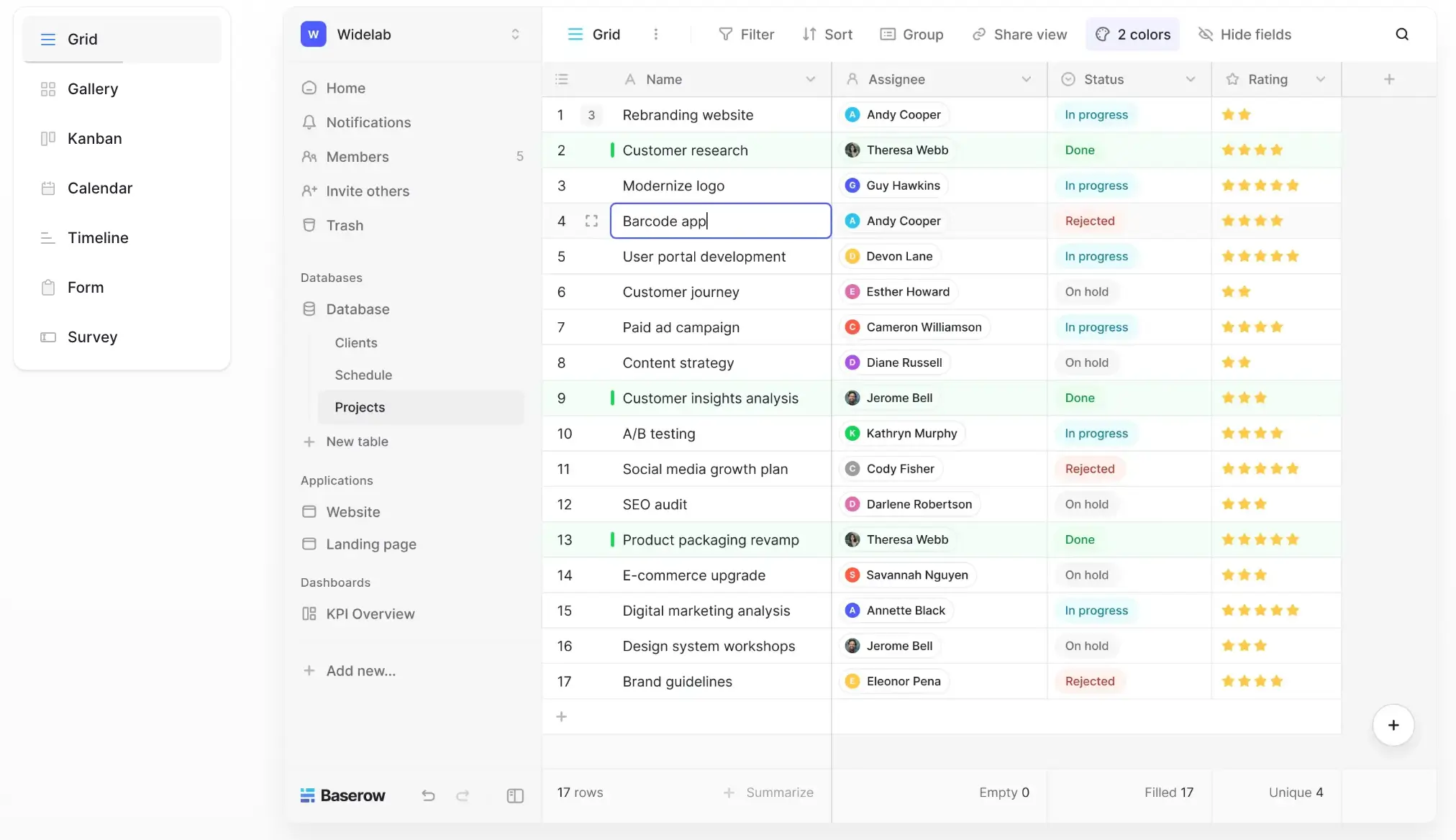
Baserow is an open-source no-code platform for structuring and managing data without writing backend code. It works like a spreadsheet on the surface, but underneath it behaves like a relational database. Teams can organize datasets, link records, and expose everything through APIs. It also includes a growing application layer with dashboards and AI-assisted setup. In practice, Baserow is often used as a flexible data layer or backend for internal tools, and it’s a solid fit for teams that want full control over hosting, security, and customization.
Baserow pros and cons
Pros:
- Control over hosting and data: Teams can self-host Baserow or use the cloud version, depending on their security and infrastructure needs.
- Scales with technical teams: Developers can extend it through APIs and custom logic as requirements grow.
- Clear data structure for complex use cases: It handles multi-table setups and relationships well, which is useful for operational datasets.
- Works well as a backend layer: Many teams use it to power other tools or frontends without being locked into a full-stack solution.
- No vendor lock-in concerns: Open-source access reduces dependency on a single provider long term.
Cons:
- The built-in application layer is still basic, so polished apps or client-facing tools may require another platform.
- Native integrations are limited, which means teams rely more on APIs or external automation tools.
- Self-hosting, scaling, and complex workflows require engineering knowledge.
Baserow's key features
- Spreadsheet-style interface: Data can be managed in a familiar grid layout, which lowers the barrier for non-technical users.
- Linked relational tables: Users can connect records across tables to model real relationships between data.
- Multiple data views: The same dataset can be viewed as kanban boards, galleries, calendars, or forms.
- REST API generation: Baserow automatically creates APIs for each database, enabling integrations and custom workflows.
- Automations and webhooks: Workflows can be triggered when records are created, updated, or deleted.
- AI assistant and fields: AI helps generate table structures and automate tasks like summarizing or categorizing data.
Baserow pricing
Pricing is billed annually (for paid cloud plans):
- Free: up to ~3,000 rows, limited storage
- Premium: ~ $10/user/month
- Advanced: ~ $20/user/month
- Enterprise: Custom pricing
- Self-hosted version available (open-source, with optional paid features)
Who Baserow is best for
Baserow is great for teams that want to create and manage structured data from scratch without relying on an existing database. It can be a good choice for those looking for a clean, spreadsheet-like interface with the option to self-host and extend over time.
Verdict: Baserow vs NocoDB
Baserow is a better fit if you want something easier to set up and use out of the box, with a more polished interface to boot. NocoDB offers a greater level of flexibility and works better with existing databases, but with the tradeoff of a steeper learning curve and less refined UX.
3. Airtable – best for flexible data organization with a spreadsheet-style interface
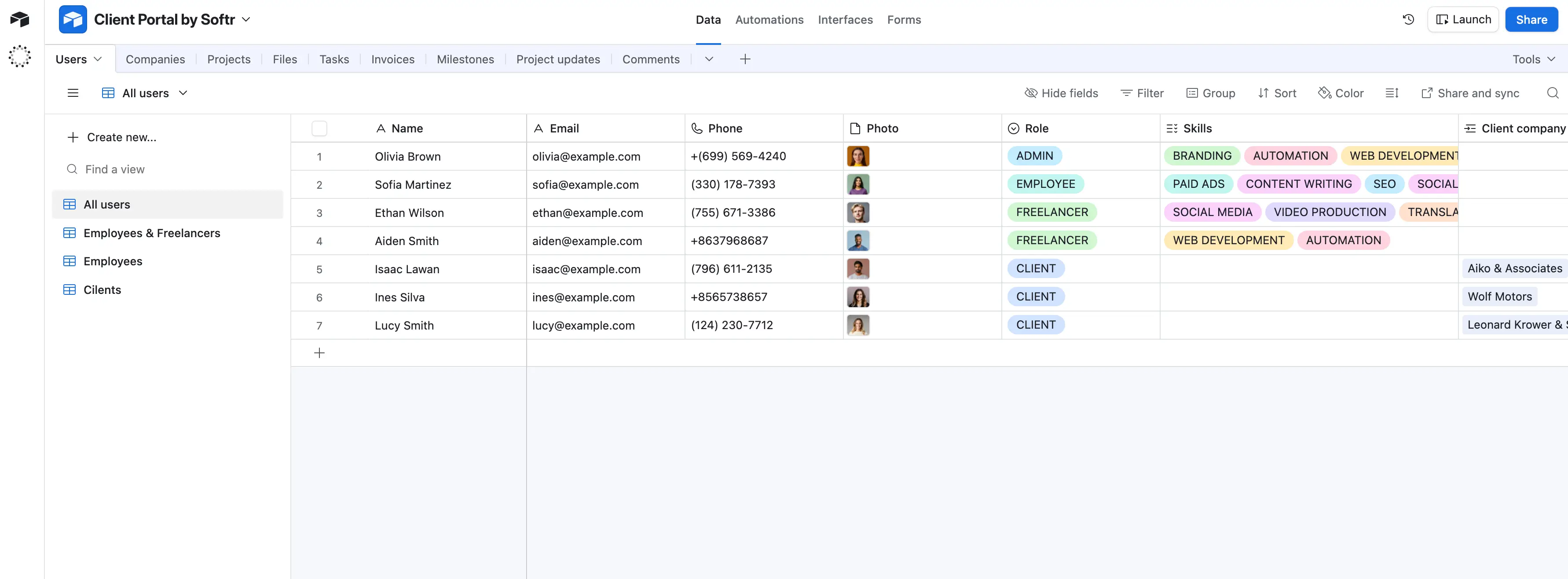
Airtable is a cloud-based relational database that looks like a spreadsheet but is used to structure and manage data. Teams use it to track projects, manage pipelines, organize content, and connect related data across tables. It’s most useful when spreadsheets start breaking down but you don’t want to build a custom backend. You can layer views, basic interfaces, and automations on top, but most teams still use it as a central system of record rather than a fully functional app.
Airtable pros and cons
Pros:
- Configurable data structure: You can model different workflows using custom fields and linked records without needing database knowledge.
- Multiple views on the same data: Teams can switch between grid, Kanban, calendar, and timeline views without duplicating data.
- Fast to set up: You can build a usable data system quickly, even if you’re not technical.
- Collaboration-friendly: Multiple users can work in the same base with shared visibility and updates in real time.
- Custom interfaces for internal use: You can create simple dashboards and tools so users don’t have to work directly in tables.
Cons:
- Performance, record limits, and complexity become issues as your data grows.
- Native automations are not designed for complex, multi-step operational processes.
- Per-user pricing and usage caps become costly as teams and data scale.
Airtable's key features
- Custom field types: Fields like formulas, rollups, attachments, and lookups help you manage and compute data directly.
- Views and layouts: You can visualize the same data across grid, Kanban, calendar, and timeline formats.
- Interface Designer: You can build lightweight internal tools and dashboards tailored to different team roles.
- Automations: You can trigger actions like notifications or updates based on changes in your data.
- API and integrations: You can connect Airtable to external tools or extend workflows with custom logic.
Airtable pricing
Prices shown reflect annual billing.
- Free plan available
- Team: $20/user/month
- Business: $45/user/month
- Enterprise Scale: Custom pricing
Who Airtable is best for
Teams that want to organize structured data quickly without dealing with infrastructure. It’s best for those who need something more structured than spreadsheets but don’t want to set up or maintain a SQL database.
Verdict: Airtable vs NocoDB
Airtable is a better fit if you need something ready to use and easy for your team to adopt. NocoDB makes more sense if you care about long-term control and scalability, but you’ll trade off ease of setup and day-to-day simplicity.
4. SmartSuite — best for managing structured workflows across teams
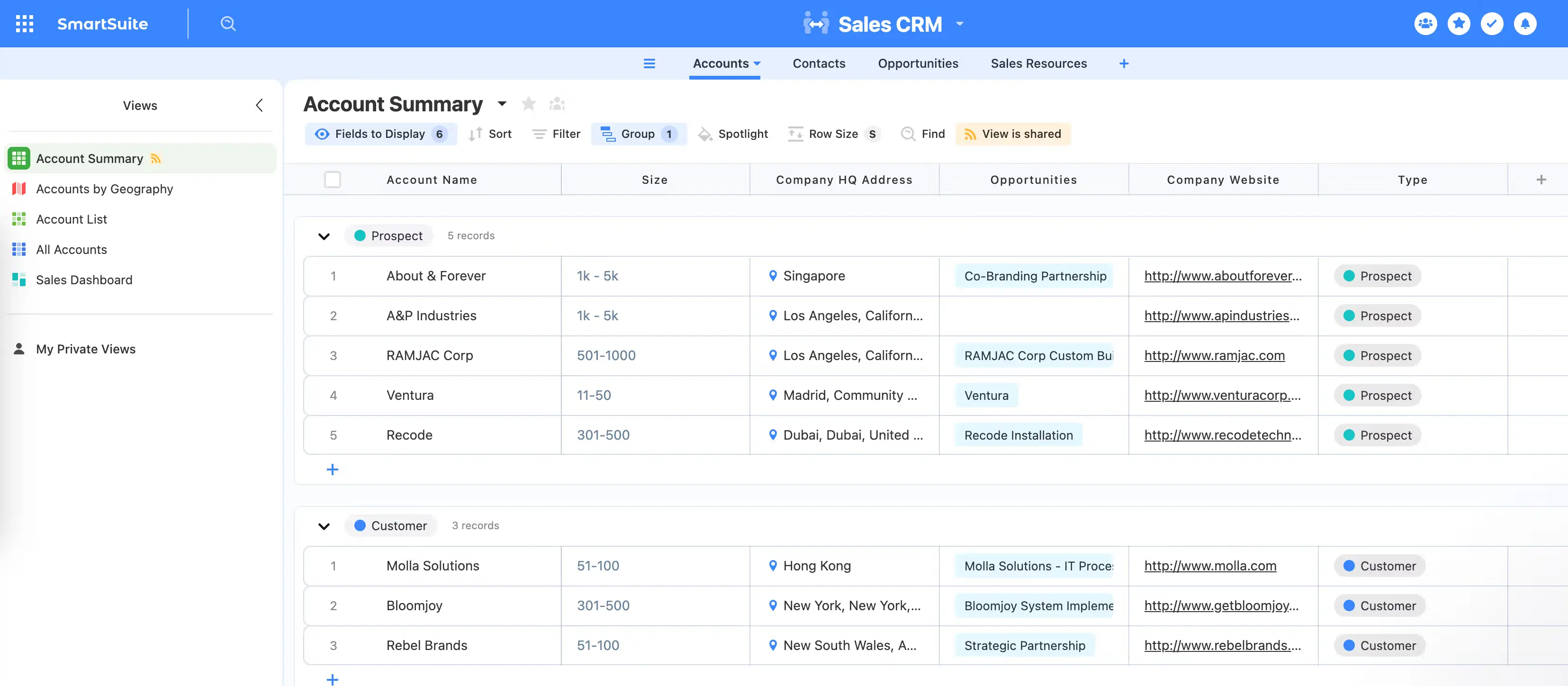
SmartSuite is a no-code work management platform that combines database-style structure with project management and automation in one system. Teams use it to organize and run workflows like project tracking, CRM pipelines, internal operations, and compliance processes. Instead of working across spreadsheets, task tools, and docs, everything lives in one place with connected records and workflows. It’s flexible enough to model different processes, but that flexibility means teams need to plan how they structure their system early on to avoid complexity later.
SmartSuite pros and cons
Pros:
- Flexible workflow setup: You can model different types of processes, from projects to CRM pipelines, within the same system.
- All-in-one consolidation: It replaces multiple tools by combining data, tasks, docs, and automation in the same interface.
- User-friendly interface: The UI is easier to pick up than many database-style tools for non-technical teams.
- Strong collaboration layer: Teams can comment, track updates, and work together directly inside records.
- Wide use case coverage: It works across departments like operations, marketing, HR, and IT.
Cons:
- Users need to understand how to organize tables and relationships to avoid messy setups.
- Dashboards and analytics don’t fully support complex cross-workflow insights.
- Costs increase quickly as more team members need access.
SmartSuite’s key features
- Relational data structure: You can connect tables, records, and fields to reflect how real workflows relate to each other.
- Workflow automation: You can trigger multi-step automations based on changes, updates, or form submissions.
- Custom views: You can switch between grid, kanban, calendar, timeline, and dashboard views depending on how you want to track work.
- Solution templates: You can start with pre-built setups for use cases like CRM, project tracking, or compliance workflows.
- Permissions and access control: You can control who sees and edits data at a granular level across teams.
- Integrated document and field types: You can store files, notes, checklists, and structured data within the same record.
SmartSuite pricing
Pricing below is based on annual billing.
- Free trial available (14 days)
- Team: $15/user/month
- Professional: $32/user/month
- Enterprise: $50/user/month
Who SmartSuite is best for
Operations teams and business users who need to run structured workflows in one system and are willing to spend time setting up how their data and workflows are organized.
Verdict: SmartSuite vs NocoDB
SmartSuite is the better fit if you want to run workflows and operations in one system without building infrastructure. NocoDB gives you full control over your data and backend, but you’ll need technical setup and additional tools to turn it into a complete system.
5. Supabase – best for developers who want a Postgres-based backend without managing infrastructure
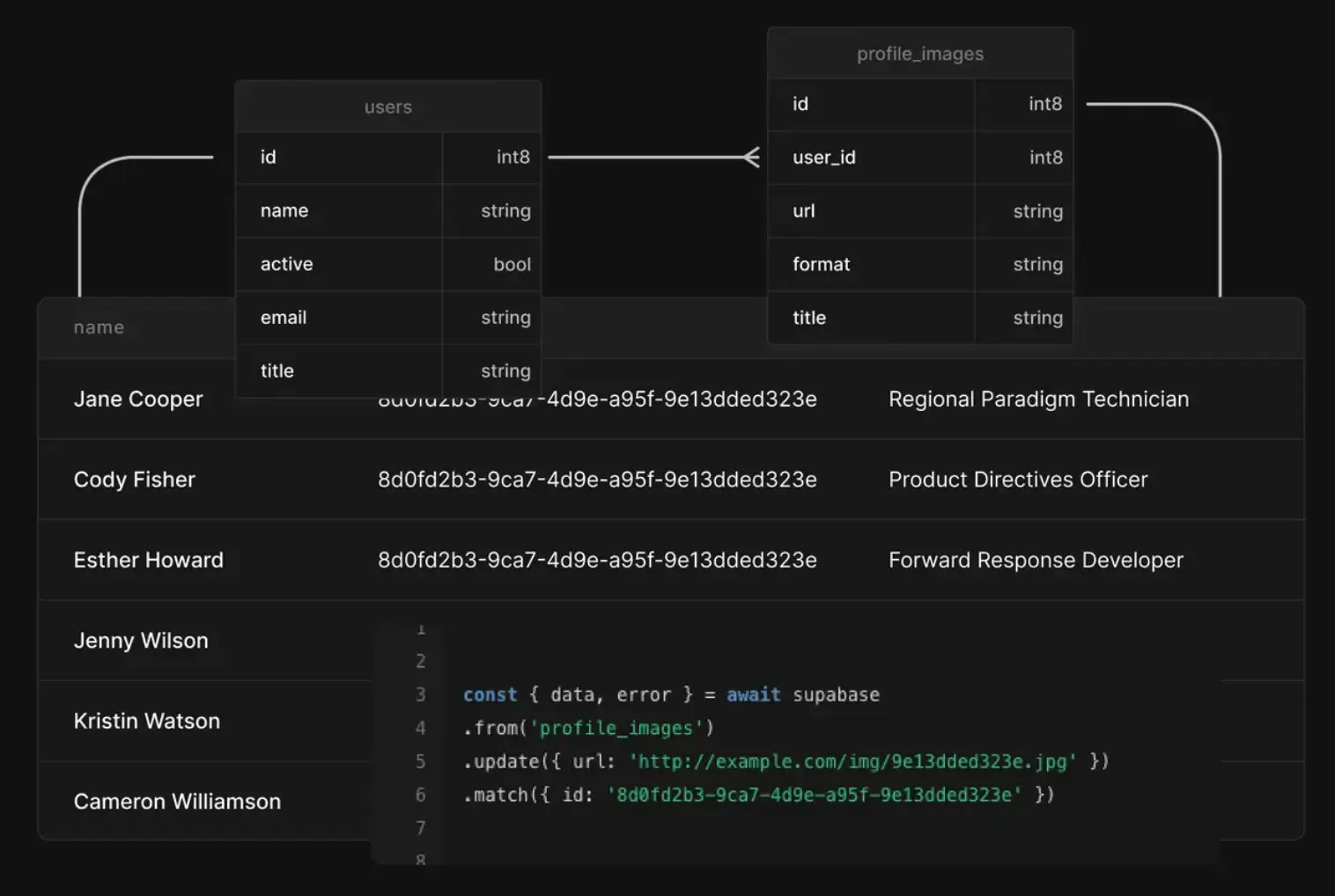
Supabase is a backend platform that gives you a managed PostgreSQL database with built-in APIs, authentication, storage, and serverless functions. Instead of setting up and maintaining your own backend stack, you get these pieces ready to use from day one. It’s often used for SaaS apps, internal tools, and AI products where teams want full control over their data model but don’t want to manage infrastructure manually. That said, it still behaves like a real backend—so you’ll need to understand databases, queries, and permissions to use it effectively.
Supabase pros and cons
Pros:
- Postgres-first architecture: You work directly with a real relational database, which gives you full control over schema design, queries, and data integrity.
- All core backend pieces included: Database, auth, APIs, storage, and functions are available in one setup, reducing the need to stitch together multiple services.
- Open-source foundation: The stack is built on open tools and can be self-hosted, which lowers long-term lock-in risk.
- Fast to get started: You can launch a working backend quickly without provisioning infrastructure manually.
- Strong fit for modern stacks: Works well for SaaS apps and AI use cases that rely on structured data and SQL.
Cons:
- You still need to write SQL, manage schemas, and configure permissions manually.
- Issues around auth or row-level security can fail silently and take time to trace.
- Usage-based pricing (egress, compute, storage) can increase quickly as your app scales.
Supabase’s key features
- Managed PostgreSQL database: Provides a full relational database with support for joins, constraints, and extensions like pgvector for AI use cases.
- Auto-generated APIs: Instantly creates REST and GraphQL APIs from your database schema, so you can query data without building endpoints manually.
- Authentication system: Handles user sign-up, login, and OAuth flows, with support for email, social providers, and JWT-based sessions.
- Realtime subscriptions: Lets apps listen to database changes in real time, useful for dashboards, messaging, and live updates.
- Edge functions: Run server-side logic close to users using serverless functions tied to your backend.
- Object storage: Store and serve files (like images or documents) with access control tied to your auth system.
Supabase pricing
- Free: limited database size, storage, and usage; projects pause after inactivity
- Pro: from $25/month (includes one project, usage-based scaling for storage, egress, and users)
- Team: from $599/month (adds SSO, backups, and enterprise-oriented controls)
- Enterprise: custom pricing (SLA, dedicated support, and custom infrastructure options)
Pricing is usage-based and scales with compute, storage, and bandwidth.
Who Supabase is best for:
Developers and technical teams building real applications, like SaaS products, AI tools, or custom internal systems, who need a full backend (database, APIs, auth, storage) and want control over how their data and logic work.
Verdict: Supabase vs NocoDB
Supabase is a better fit if you’re looking to build a complete backend or product, not just manage data. It gives you database, APIs, and infrastructure in one system. The trade-off is complexity: you’ll need backend knowledge, while NocoDB is easier to start with but limited to being a data layer on top of an existing database rather than a full backend platform.
Choose the right NocoDB alternative for your team
Teams are likely to switch to another database because NocoDB stops short of what they actually need. The right alternative depends on where that gap shows up.
If you just want a cleaner, more usable database layer, tools like Baserow or Airtable will get you there. If you’re running structured workflows across departments, SmartSuite gives you more built-in process support. And if you’re building a full backend or product, Supabase gives you NocoDB-like control at a higher level of complexity.
But if your goal is to run real business operations on top of your data (not just manage it), go for Softr Databases.
Softr is made for post-spreadsheet teams that need a platform to handle data, workflows, permissions, and user experience in one place. Instead of stitching tools together, you can build data management systems, client portals, internal tools, and CRMs that actually reflect how your work moves day to day.
👉 Try Softr free and start building your data system with AI today.
Frequently asked questions
What's the biggest limitation of NocoDB?
Can I self-host a NocoDB alternative?