If you run a service business, client details scatter fast: project updates in email threads, invoices in spreadsheets, key notes stuck in someone’s notebook. A CRM built for service work gives your team one view of who you’re working with, what’s been done, and what comes next. Here are the options that fit best in 2026.
Best CRM for service-based businesses at a glance
| Tool | Best for | Standout Features | Pricing |
|---|---|---|---|
| Softr | Service businesses needing a custom CRM without coding | • Drag-and-drop builder & templates • Connects to Airtable/Sheets/Notion etc. • Client portals & dashboards • Advanced permissions, mobile-ready | Free up to 5 users; Paid plans from $19/mo |
| HubSpot CRM | Teams wanting sales + service in one platform | • Contact & deal management • Pipelines & dashboards • Marketing & email tools • Service Hub add-ons | Free core CRM; Paid from $45/user/mo |
| ServiceTitan | Growing field service contractors | • Scheduling & dispatch • Technician mobile app • Invoicing & payments • Customer portal & reporting | From ~$125/tech/mo (quote-based) |
| Zoho CRM | Growing teams that want broad features + free plan | • Sales, service & marketing suite • Blueprint workflows (paid plans) • Zia AI assistant • 600+ integrations | Free up to 3 users; Paid from $14/user/mo |
| Insightly | Service teams needing CRM + project delivery | • Pipeline + project tracking • Workflow automation • AppConnect integrations | From $29/user/mo; no free plan |
| Salesflare | Small B2B service teams wanting automation | • Auto data capture & enrichment • Email & web tracking • AI lead scoring • Sequence automation | From $29/user/mo |
| Apptivo | Service teams needing modular CRM + invoicing | • Modular apps (CRM, projects, billing) • Quoting & invoicing • Workflow approvals • Mobile apps & API | From $20/user/mo |
| monday CRM | Teams needing visual, flexible CRM + projects | • Visual boards & pipelines • Automations & reminders • Integrations & email sync • Dashboards & templates | Free plan (2 users); Paid from ~$12/user/mo |
| Odoo CRM | Service businesses wanting all-in-one suite | • CRM + 40+ business apps • Quoting & invoicing • Client portal • Open-source flexibility | Free (1 app); Paid from $7.25/user/mo |
| Capsule | Small teams wanting simple, lightweight CRM | • Clean interface • Contact & pipeline tracking • Accounting integrations • Affordable pricing | Free (2 users, 250 contacts); Paid from £14/user/mo |
| Accelo | Professional services needing CRM + projects + billing | • CRM, project delivery & billing • Retainers & ticketing • Automation workflows • Profitability dashboards | From $30/user/mo |
| Copper | Teams running on Google Workspace | • Native Gmail/Calendar/Drive integration • Auto data capture • Visual pipelines • Workflow automation & reporting | From $9/user/mo |
What is a CRM for a service business?
.webp)
A CRM for service businesses is a centralized system that helps teams manage client relationships throughout the entire lifecycle.
For service businesses, a CRM means smoother client onboarding, timely follow-ups, and better visibility into service history and upcoming work. By keeping all interactions organized and accessible, it reduces the frustrations customers often face with delays, repeated questions, or unclear communication.
Types of CRM for service businesses
Not every CRM works the same way. Some are built to keep daily client work organized, others highlight insights and trends, and a few are tailored to specific industries. Knowing the difference helps you avoid paying for features you’ll never use—or struggling with a tool that doesn’t fit your process.
Below, we break down the main types of CRMs that service businesses rely on.
1. Operational CRMs
These CRMs handle contact and lead management, pipelines, tasks, scheduling, ticketing, and quotes, so nothing falls through the cracks during delivery.
Who is it for? Client-facing teams that need structure and reliable follow-through across sales and service.
Examples from this list: HubSpot CRM, Zoho CRM, monday CRM, Insightly, Apptivo, Capsule, Copper, Odoo.
2. Analytical CRMs
These CRMs focus on reporting and performance views like dashboards, lifecycle analytics, and forecasting to optimize retention and growth.
Who is it for? Operations, sales, and service leads who need clear KPIs, such as churn risk or pipeline health, to improve processes.
Examples from this list: HubSpot CRM, Zoho CRM, Insightly, Odoo, and monday CRM.
3. Collaborative CRMs
These CRMs improve visibility across departments so sales, service, and operations share one record of emails, notes, tickets, and project updates.
Who is it for? Teams where multiple people are in touch with the same client or job and need clean handoffs.
Examples from this list: Zoho CRM, HubSpot CRM, monday CRM, Copper, and Accelo.
4. Industry-specific CRMs
These CRMs come with workflows and terminology tailored to a niche. They are faster to adopt if you match the industry, but less flexible outside it.
Who is it for? Field service trades and professional services that want a close fit without extra customization.
Examples from this list: ServiceTitan, Accelo.
5. No-code CRMs
These CRMs let you assemble a custom system on top of your existing data using drag-and-drop blocks, permissions, and workflows without needing developers.
Who is it for? Operations-focused teams that want flexibility and control over fields, views, and client portals.
Example from this list: Softr.
What to look for in the best CRM for service businesses
Here’s what to evaluate when choosing the right CRM software for your team.
- Ease of use: Choose a CRM that’s simple to set up and quick for teams to adopt without extra training.
- Client management visibility: Centralized records of service history, projects, and communications prevent delays and repeated questions.
- Integrations: Look for strong connections with the tools you already use, like Google Workspace, accounting apps, or scheduling software.
- Customizable workflows: Flexible pipelines and dashboards should adapt to how your business handles onboarding, jobs, and client requests.
- Automation: Reminders, follow-ups, and task assignments can be automated to reduce manual work and speed up service delivery.
- Permissions and access control: Granular roles help you protect sensitive data while sharing the right information with clients.
- Client-facing portals: Branded spaces where clients can check updates, invoices, or resources, improve transparency, and reduce back-and-forth communication.
1. Softr – best for service businesses that need a custom CRM without coding

Softr is a no-code platform that lets service businesses build a CRM customized to their processes. You can connect it directly to the tools you already use, like Airtable, Google Sheets, Notion, HubSpot, monday.com, ClickUp, and more, or manage everything in Softr Databases.
Unlike out-of-the-box CRMs, you’re not locked into features you don’t use or per-seat pricing. Instead, Softr lets you build a secure, branded CRM that you can extend with a client portal, inventory tracker, ticketing system, and more. With drag-and-drop blocks like Lists, Kanbans, Charts, and Forms, you can quickly design a CRM that matches the way your team works—no coding skills required.
Softr also includes user onboarding flows to help your team get started fast, and Ask AI so you can pull answers from your CRM data in plain English, without technical setup. For service businesses, this flexibility means you can start with client tracking and follow-ups, then expand into portals, project management, or sales KPIs dashboards as you grow.
Softr pros and cons
Pros
- Fast to set up with free business app templates and a drag-and-drop builder, no dev work or complicated setup needed
- Works with your existing data sources (Airtable, Google Sheets, Notion, ClickUp, Coda, etc.)
- Role-based permissions make it easy to give your team members different access levels (and even invite clients, if needed)
- Extends to a client portal, ticketing system, inventory tracker or other custom tool in the same platform to reduce tool sprawl and costs
- Mobile-ready with a one-click PWA app
Cons:
- Requires integration with tools like Mailchimp, Zapier, or Make for marketing automation. Native automations are available with Softr Workflows.
- Unlike dedicated CRM tools, Softr requires you to build the CRM views and features you need. Templates speed this up, but it’s not out-of-the-box.
Softr best features
- Data flexibility: Connect to 21+ data sources (Airtable, Notion, monday.com, SQL, and more) with real-time, two-way sync, or use Softr’s relational database with formulas, rollups, and linked records.
- Advanced permissions and security: With CRMs, you’re usually handling sensitive client data. Softr allows you to define roles and control what clients, teammates, or managers can see or update.
- Forms: Create lead capture forms with conditional logic and embed them in your website, then feed them directly back into your CRM and database.
- Workflow automation: Automate reminders, approvals, and updates through native Softr Workflows, or integrations with Zapier and Make
- Reporting and dashboards: Visualize sales performance with charts, and embed reports to track client satisfaction, service history, or pipeline health.
- Contract and invoice management: Securely store important documents, with the ability to enable e-signatures and payments through Stripe, PayPal, and more.
- Mobile access: Publish your CRM as a branded mobile app instantly with Softr’s PWA feature.
Softr Pricing
Softr offers flexible pricing plans, so you can build a CRM platform at any tier:
- Free for up to 5 users total
- Paid plans start at $19/month for Team: 5 + Client: 5 app users (when billed annually)
- Pro: Starts at $99/month for Team: 10 + Client: 50 app users (when billed annually)
- Business: Starting at $329/month for Team: 30 + Client: 100 app users (when billed annually)
- Enterprise (custom pricing, contact sales)
[.blog-callout]
Selfless Fiji outgrew spreadsheets fast—60+ daily sign-up emails made it impossible to track volunteers or measure impact. With a custom CRM built in Softr, they now manage 2,400+ volunteers and save hours a day. See the full story →
[.blog-callout]
2. HubSpot CRM — best for service teams that want sales and support in one place
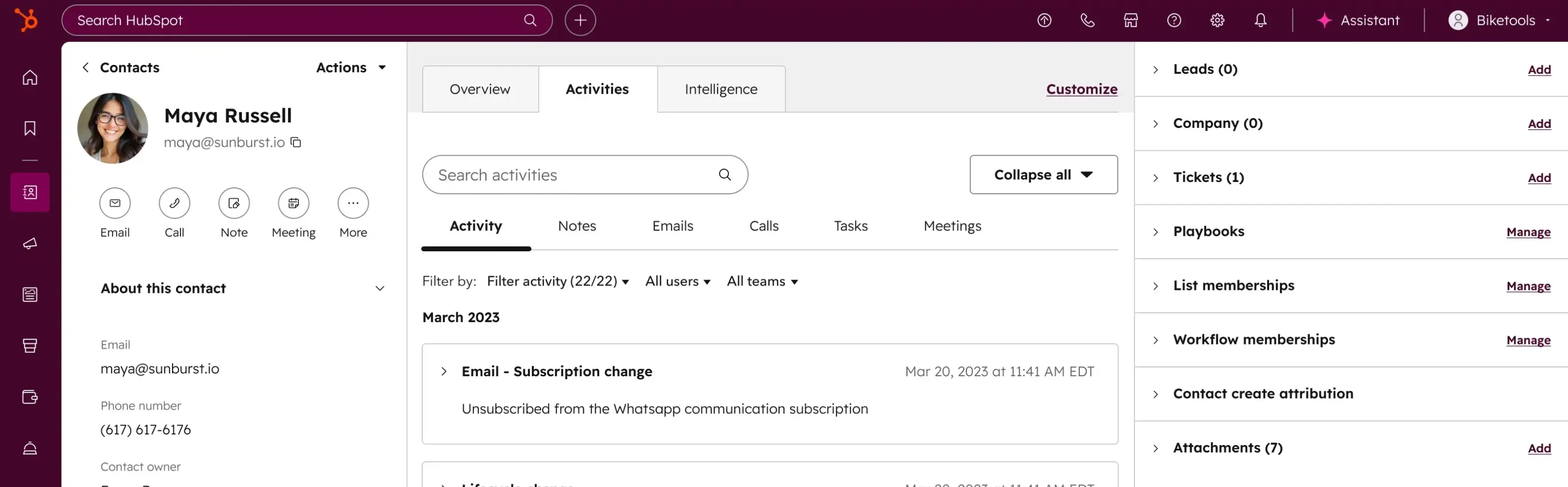
HubSpot CRM is a customer relationship management platform that connects sales, marketing, and service in one system. It offers a suite of tools that provide a comprehensive view of customer interactions. It’s especially useful for service businesses that need to track leads, manage deals, and deliver consistent client support through onboarding, projects, and renewals.
HubSpot CRM pros and cons
Pros:
- Free plan with core CRM features
- Strong alignment between sales, marketing, and service
- Service Hub adds ticketing, shared inbox, and client support tools (costs extra)
- Scales easily with add-on hubs and integrations
Cons:
- Advanced automation, Service Hub features, and reporting require higher-tier plans
- Per-seat pricing mean costs can escalate quickly as teams and features grow
HubSpot CRM best features
- Contact Management: Centralized database to store and manage customer information.
- Email Marketing: Tools to create, send, and analyze email campaigns.
- Sales Pipeline Management: Visual dashboards to track deals and sales progress.
- Marketing Automation: Send emails, manage ads, and build basic landing pages.
- Reporting & Analytics: Generate reports to gain insights into performance metrics.
HubSpot CRM pricing
- Free plan: Core CRM features for unlimited users
- Professional: from $45/month per seat (includes teams, custom reporting, calculated properties, and duplicate management)
- Enterprise: from $75/month per seat (adds sandbox account, custom objects, field-level permissions, and advanced data controls)
{{cta-1}}
3. ServiceTitan – best for growing field service contractors
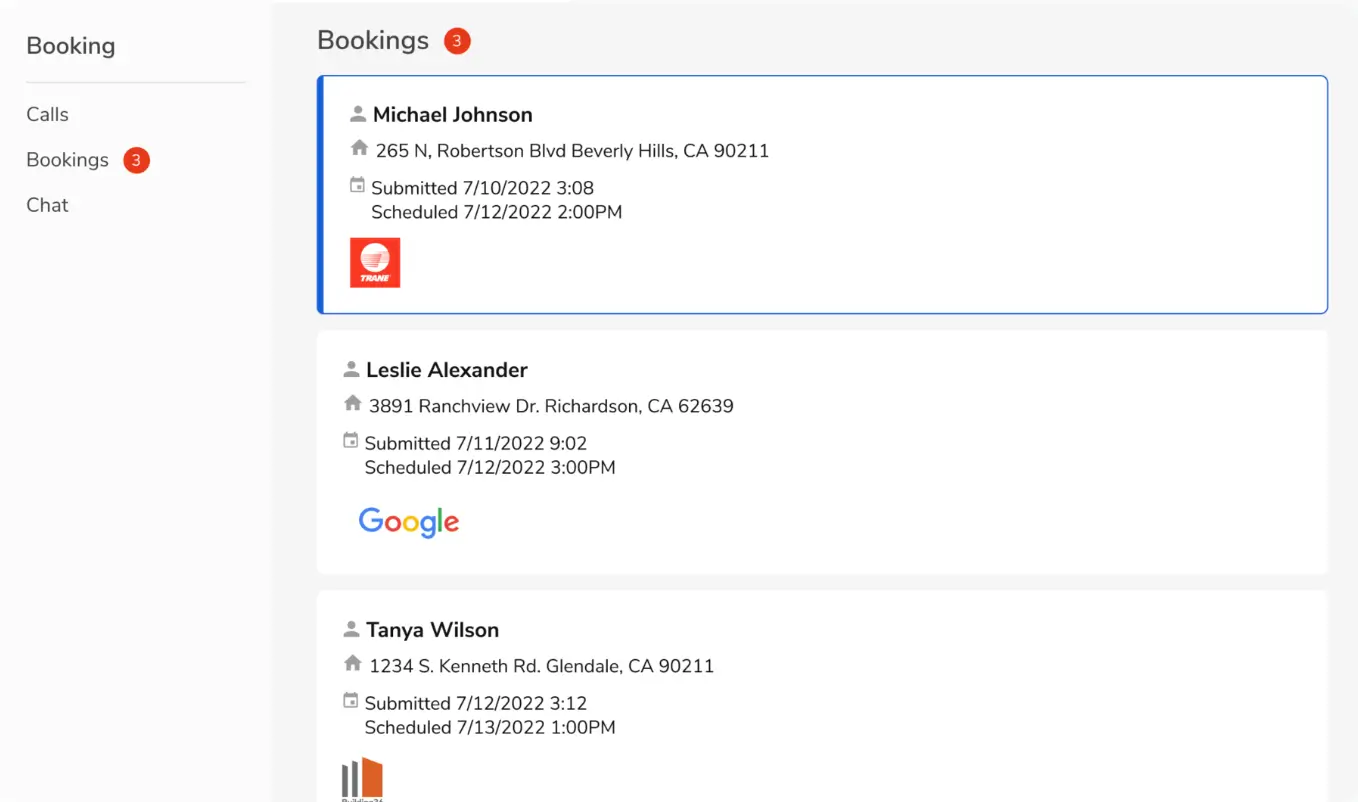
ServiceTitan is a cloud-based field service management platform built for trades like HVAC, plumbing, electrical, and roofing. It centralizes scheduling, dispatching, invoicing, and customer communications while giving technicians a mobile app to manage jobs and collect payments on the go.
It’s especially popular with mid-sized to large service companies looking to improve operations and scale.
ServiceTitan pros and cons
Pros:
- Comprehensive all-in-one platform for scheduling, dispatch, invoicing, and reporting
- Scales well for larger service businesses with multiple teams and trucks
- Strong technician mobile app and customer communication tools
- Regular product updates and integrations (e.g. QuickBooks, Sage, NetSuite)
Cons:
- Pricing is high compared to lighter-weight alternatives
- Onboarding and setup can be complex and time-consuming (it’s a commitment)
ServiceTitan best features
- Advanced scheduling & dispatch with real-time technician tracking
- Technician mobile app for estimates, invoicing, and payments in the field
- Customer portal & communications with SMS and self-scheduling
- Reporting & analytics dashboards for job costing and performance insights
- Pro add-ons like Scheduling Pro and Pricebook Pro for advanced booking and pricing intelligence
ServiceTitan pricing
ServiceTitan uses a per-technician pricing model with three main packages: Starter, Essentials, and The Works. Pricing is not publicly listed (you’ll need to request a quote) but third-party sources report costs typically start around $125 per technician/month and increase with features and add-ons.
4. Zoho CRM – best for growing teams that want broad features and a free plan

Zoho CRM covers the full client lifecycle: leads, deals, automation, and analytics, and connects with a large ecosystem of apps. It’s one of the few out-of-the-box CRMs offering a free plan for up to three users, making it a low-risk starting point.
For service businesses, Zoho CRM’s strength is its breadth: you can manage sales, customer support, and marketing activities in one place.
Zoho CRM pros and cons
Pros:
- Free plan for up to 3 users
- Wide feature set that includes sales, marketing, and service capabilities
- Advanced automation and guided process management (Blueprint, available on paid plans)
- Strong integrations across Zoho’s suite and popular third-party apps
- Mobile apps with offline access
Cons:
- Advanced AI (Zia) and deeper customization only available on higher tiers
- Setup and configuration can feel complex for non-technical teams
Zoho CRM best features
- Blueprint workflows: Guide teams through step-by-step processes for consistency and compliance
- Zia AI: AI assistant that predicts deal closures, recommends best actions, and analyzes sentiment
- Omnichannel communication: Email, phone, live chat, and social media interactions linked to each contact
- Custom dashboards and analytics: Real-time reporting with tailored dashboards
- Marketplace integrations: 600+ prebuilt connectors to extend functionality
- Mobile CRM app: Access records, update tasks, and log calls on the go
Zoho CRM pricing
- Free plan for up to 3 users
- Standard: from $14/user/month (billed annually)
- Professional: from $23/user/month (billed annually)
- Enterprise: from $40/user/month (billed annually)
- Ultimate: from $52/user/month (billed annually)
5. Insightly – best for combining CRM with project delivery
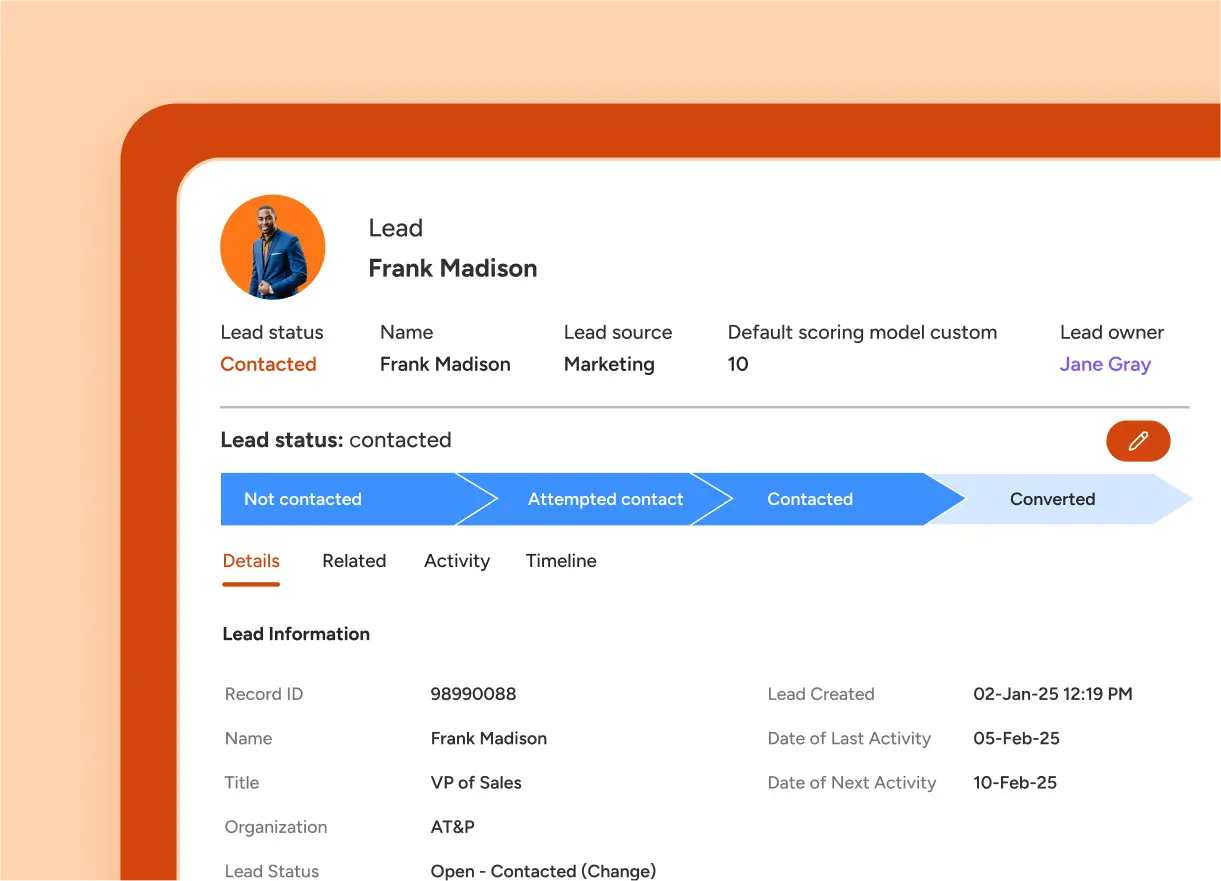
Insightly is a CRM platform that blends customer relationship management with built-in project management. Unlike many CRMs that stop once a deal is closed, Insightly helps service businesses carry clients through delivery, so sales, service, and project data live in the same system.
For small and mid-sized service teams, this means you can manage pipelines and then transition clients into active projects without switching tools.
Insightly pros and cons
Pros:
- Combines pipeline management and project tracking in one place
- Intuitive interface with quick onboarding for small teams
- Strong integration hub (AppConnect) with many prebuilt connectors
Cons:
- Advanced features like lead assignment rules or advanced reporting are only on higher tiers
- No free plan (only a short trial)
Insightly best features
- Pipeline and project tracking: Manage the full customer lifecycle from lead to project delivery.
- Workflow automation: Automate follow-ups, assignments, and notifications to reduce admin work.
- Custom dashboards and reporting: Track sales progress, project status, and team performance.
- AppConnect integrations: Prebuilt connectors for Gmail, Outlook, Slack, QuickBooks, Shopify, and more.
- Mobile access: Native apps for iOS and Android for teams working in the field.
Insightly pricing
- Plus: ~$29/user/month (billed annually)
- Professional: ~$49/user/month (billed annually)
- Enterprise: ~$99/user/month (billed annually)
- Free trial available, but no permanent free plan.
6. Salesflare — best for small B2B teams wanting CRM automation with minimal effort

Salesflare is a CRM that automatically captures contact info, messages, and activity from your inbox, calendar, and web interactions. It’s built to minimize data entry and help you focus on relationships, and not admin.
For service businesses with lean teams, this means cleaner contact records, more consistent follow-ups, and better visibility into what clients are doing, even when you don’t have time to manually update everything.
Pros and cons
Pros:
- Automated contact enrichment and activity logging (email, meetings, website visits)
- Built-in reminders, follow-up nudges, and AI-powered lead scoring
- Integrates with Gmail, Outlook, LinkedIn, and calendars
- User-friendly interface that’s quick to adopt
- Email tracking and sequences included in core plans
Cons:
- Not built for complex multi-team workflows (limited project management)
- Less modular/customizable than other CRMs
- Enterprise plans require higher minimum seat counts
Salesflare best features
- Automatic data capture & enrichment: Pulls in email signatures, logs calls and meetings without manual input.
- Email & web tracking: Alerts when emails are opened or links clicked, and shows what pages prospects visit.
- Sequence automation & reminders: Send multi-step email flows and get nudges for follow-up.
- Custom dashboards & reports: Visualize pipelines, forecasts, and activity metrics.
- Deep integrations: Works inside email clients and with productivity tools.
- Mobile app support: Access and update CRM on the go.
Pricing
- Growth: $29/user/month (billed annually) or $39 (monthly) — includes core features, automated input, 5 lead credits, email tracking
- Pro: $49/user/month (billed annually) or $64 (monthly) — adds workflows, permissions, custom dashboards, 100 lead credits
- Enterprise: $99/user/month (billed annually) or $124 (monthly) — adds onboarding, data migration, account manager, more lead credits
7. Apptivo – best for service businesses needing modular tools plus strong quoting & invoicing
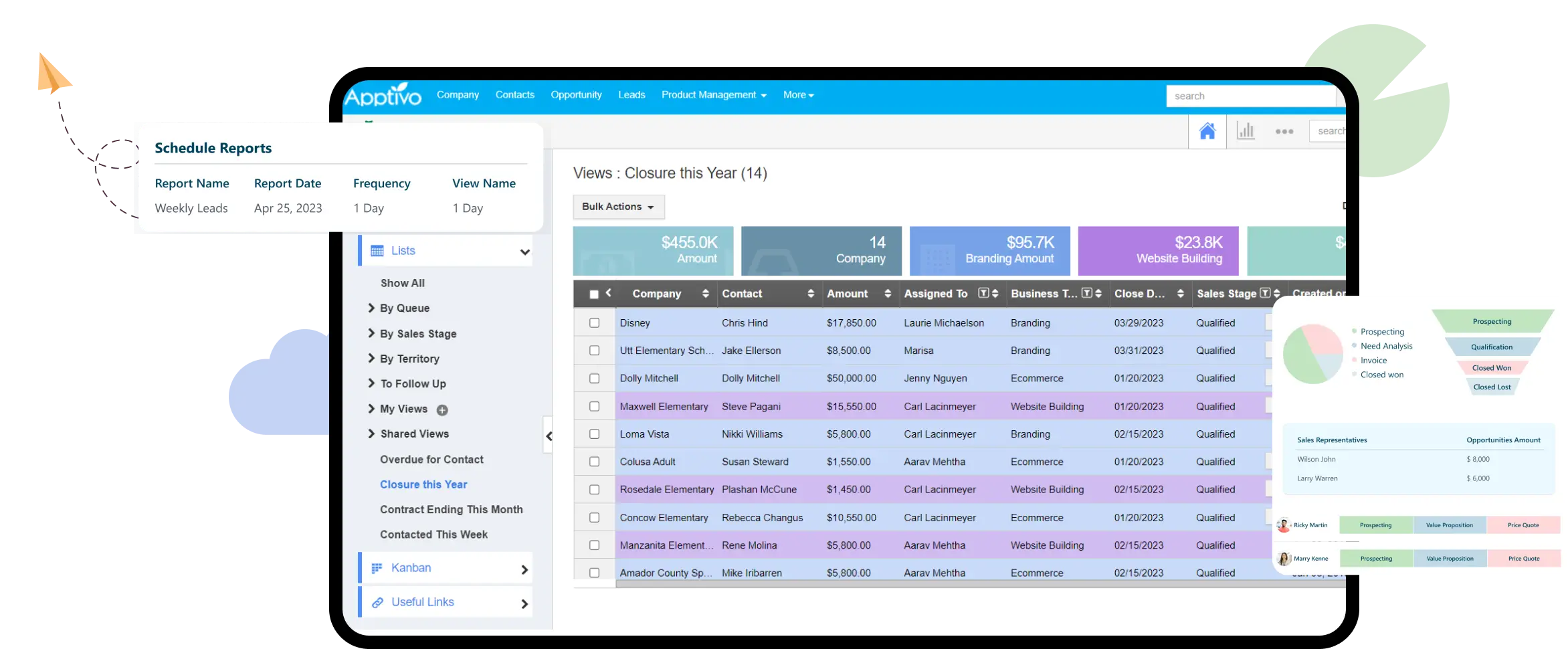
Apptivo is a modular platform where you turn on between 18–50+ “apps” like CRM, projects, help desk, quoting, and invoicing. You can begin with core client management and scale into billing, approvals, or client portals.
For service teams, that means you don’t have to overpay for unused features: you only activate what you need.
Apptivo pros and cons
Pros
- Modular structure (enable only the apps you need)
- Robust quoting and invoicing with automation
- Workflow approvals and conditional logic
- Strong customization and data modeling (linked records, rollups)
- Mobile support and API access
Cons
- Setup and configuration can be time-intensive
- Interface is not always as polished as other CRMs
- Some advanced app integrations or automations require higher tiers
- Certain mobile features lag behind the web
Apptivo best features
- Quoting & invoicing: Build estimates with pricing rules, collect e-signatures, and set up automatic reminders
- Workflow & approvals: Set conditional logic for tasks, routing, approvals, and status transitions
- Modular apps: Activate modules like CRM, Projects, Helpdesk, Billing as needed
- Dashboards & reporting: Create visual reports, schedule distribution, and monitor key metrics
- Integrations & open API: Works with Google Workspace, QuickBooks, Mailchimp, and more
- Mobile apps: Native iOS/Android apps let field teams update records on the go
Apptivo pricing
As of now, Apptivo offers:
- Lite: $20/user/month (or $15 when billed annually)
- Premium: $30/user/month (or $25 annually)
- Ultimate: $50/user/month (or $40 annually)
- Enterprise: custom pricing (for large organizations or additional features)
8. monday CRM – best for teams that want a visual, flexible CRM tied into project workflows
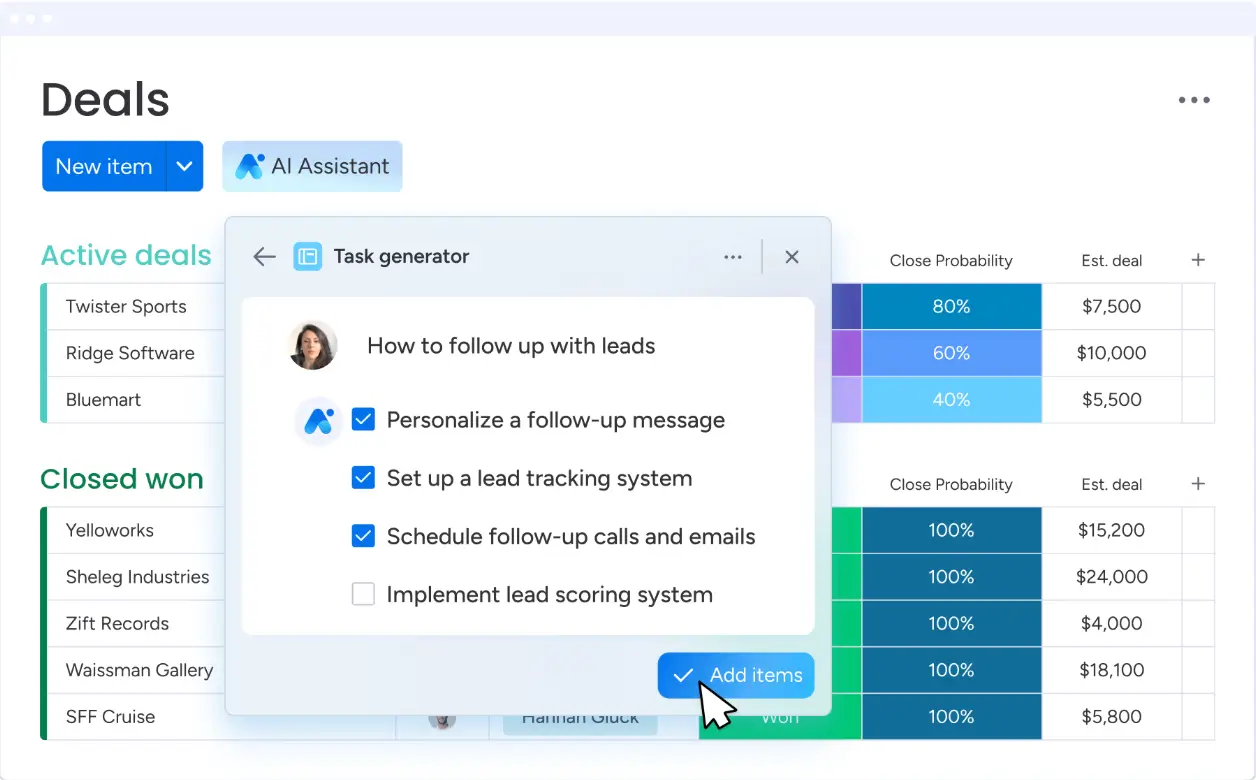
monday CRM is part of the monday.com Work OS, offering a visually driven way to manage leads, deals, and service requests. You use boards, columns, automations, and dashboards—so your CRM and project management live side by side. For service businesses, that’s helpful when your sales, operations, and service teams need shared visibility in one hub.
Because it’s built on a broader work platform, monday CRM makes it easy to expand into client projects, task tracking, and internal workflows without adopting separate tools.
monday CRM pros and cons
Pros
- Highly visual board-based interface that’s easy to customize
- Strong automations for task status changes, reminders, and routing
- Deep integrations with common tools (Gmail, Outlook, Slack, more)
- Part of monday’s broader platform—so CRM, project, and operations tools can live together
- Templates and no-code building for pipelines and workflows
Cons
- Advanced CRM features (like sales forecasting, quotes, or deep analytics) require higher-tier plans
- Costs can scale quickly as you add users or more features
- Some users find the interface overwhelming for small teams
- No native free plan for CRM (free tier only for work management, not CRM)
monday CRM best features
- Customizable pipelines & boards: Create multiple deal stages, status views, or service queues using boards and columns
- Powerful automations: Automate status changes, task assignments, reminders, and notifications
- Integrations & email sync: Two-way email linking, integrations with many external tools to centralize client data
- Dashboards & visual reporting: Pull data from multiple boards into unified dashboards
- Templates library: Prebuilt CRM templates for pipelines, deal tracking, service workflows
- Mobile app: Access and update your CRM on the go via iOS/Android
{{cta-2}}
9. Odoo – best for service businesses that want an all-in-one, modular system
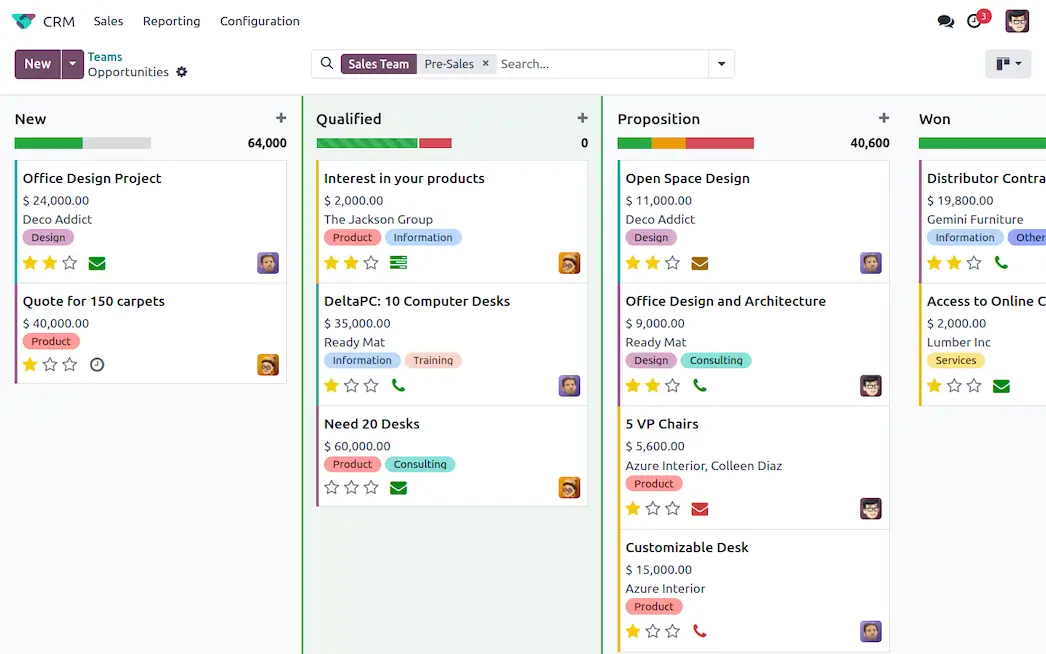
Odoo is an entire business suite with apps for sales, projects, accounting, invoicing, inventory, and more. Its CRM module covers leads, pipelines, activity tracking, and quoting. For service businesses, this means you can manage client relationships, project delivery, invoicing, and even timesheets in one system.
The platform comes in two editions: Community (open-source and free, but with fewer features and no official support) and Enterprise (paid, with mobile apps, advanced modules, and official support).
Odoo pros and cons
Pros
- Free open-source Community edition
- CRM plus 40+ other business apps in one suite
- Strong quoting, invoicing, and client portal features
- Highly customizable with open-source modules and Odoo Studio
- Scales well from small businesses to larger organizations
Cons
- Steeper learning curve than plug-and-play CRMs
- Requires technical knowledge or partner support for customization
- Best features (mobile app, advanced modules, support) only available in paid plans
- Per-user pricing means costs increase if you add more team members
Odoo best features
- Pipeline management: Drag-and-drop boards to manage leads and opportunities
- Quoting & e-signatures: Send proposals, collect signatures, and convert to invoices in one flow
- Client portal: Share quotes, invoices, and project updates securely with clients
- Integration with Odoo apps: Expand into accounting, timesheets, HR, helpdesk, and more
- Reporting & forecasting: Advanced dashboards and analytics for pipeline health and sales forecasting
- Mobile access: Full-featured iOS and Android apps available in the Enterprise edition
Odoo pricing
- One App Free: $0 forever, unlimited users, but only for a single app (e.g. CRM, Invoicing, or any one Odoo app).
- Standard: $7.25/user/month billed annually (or $9.10 if billed monthly). Includes all apps on Odoo Online.
- Custom: $10.90/user/month billed annually (or $13.60 if billed monthly). Includes all apps plus Odoo Studio, Multi-Company, External API, on-premise deployment, and Odoo.sh hosting options.
10. Capsule – best for small service businesses wanting a simple, lightweight CRM
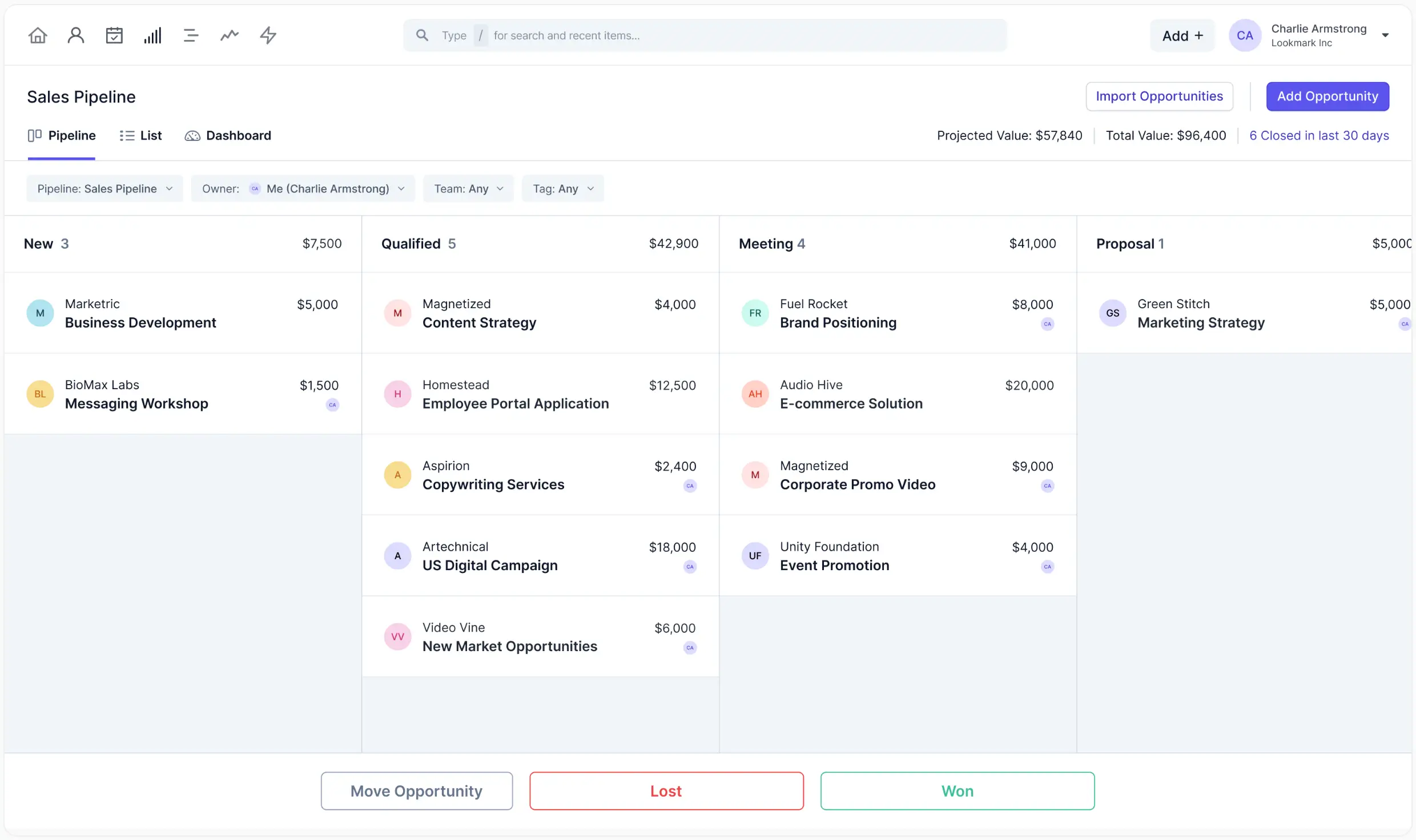
Capsule is a straightforward CRM designed for small teams that need client tracking, pipelines, and basic automation without the complexity of enterprise systems. It focuses on simplicity and usability: everything from contact management to pipeline views is easy to navigate.
Capsule is appealing if you want a CRM that keeps contacts, communications, and sales opportunities in one place, but don’t need customization.
Capsule pros and cons
Pros
- Clean, intuitive interface that’s easy for non-technical users
- Strong integrations with accounting and email marketing tools
- Offers a free plan for very small teams (up to 2 users, 250 contacts)
- Affordable compared to many competitors
- Mobile app support for iOS and Android
Cons
- Limited customization compared to more advanced CRMs
- Reporting and automation are basic in lower tiers
- Not ideal for larger organizations with complex workflows
Capsule best features
- Contact management: Centralized client records with communication history
- Sales pipelines: Visualize opportunities and track progress with customizable stages
- Workflow automation: Automate tasks, reminders, and follow-ups
- Integrations: Works with Google Workspace, Xero, QuickBooks, Mailchimp, and Zapier
- Email tools: Email templates, tracking, and integration with Gmail/Outlook
- Mobile app: Access contacts and pipelines on the go
Capsule pricing
- Free plan: £0, up to 2 users, 250 contacts, 1 sales pipeline, 5 custom fields
- Starter: £14/user/month (billed annually) or £17/user/month (billed monthly)
- Growth: £27/user/month (billed annually) or £32/user/month (billed monthly)
- Advanced: £42/user/month (billed annually) or £52/user/month (billed monthly)
Capsule no longer lists an “Ultimate” tier: the plans now stop at Advanced.
11. Accelo – best for professional services that need CRM with project and billing in one
.webp)
Accelo combines client relationship management with project delivery, billing, and retainers. It’s built specifically for professional services such as consulting firms, IT services, agencies, where client relationships extend into long-term projects and ongoing contracts.
The appeal of Accelo is having sales, projects, support, and billing all connected. You can manage leads and opportunities, convert them into projects, and then track time, expenses, and invoices in one system.
Accelo pros and cons
Pros
- Purpose-built for professional services firms
- Combines CRM, project management, ticketing, and billing
- Strong time tracking and retainer management features
- Automates workflows across sales, service, and finance
- Integrates with QuickBooks, Xero, G Suite, Microsoft 365, and more
Cons
- More complex and feature-heavy than lightweight CRMs
- Higher price point compared to SMB-focused CRMs
- Can feel overwhelming for teams that only need simple CRM functions
Accelo best features
- Sales & CRM: Manage leads, opportunities, and client records in one place
- Service desk & ticketing: Handle support requests with SLA tracking
- Automation workflows: Automate tasks, reminders, and escalations across departments
- Reporting & dashboards: Monitor profitability, utilization, and client health in real time
- Integrations: Works with QuickBooks, Xero, G Suite, Microsoft 365, Slack, and more
Accelo pricing
- Plus: $30/user/month (billed annually), core CRM, project, ticketing, and billing
- Premium: $49/user/month (billed annually), advanced automations, custom dashboards, and more
- Enterprise: custom pricing for larger firms
12. Copper – best for Google Workspace users wanting a CRM that feels built-in

Copper is a CRM designed to work natively with Google Workspace. Instead of bolting on integrations, it lives inside Gmail, Calendar, and Drive, so you can manage contacts, pipelines, and tasks without leaving your inbox.
It’s ideal for teams that already run on Google apps and want a CRM that feels natural to adopt. For service businesses, this means every client email, file, and meeting is automatically logged, reducing admin work and keeping the CRM up to date.
Copper pros and cons
Pros
- Deep, seamless integration with Gmail, Calendar, and Drive
- Automatic data capture from emails and meetings
- Clean, user-friendly interface designed for non-technical teams
- Strong pipeline management and reporting for SMBs
- Mobile apps for iOS and Android
Cons
- Lacks advanced modules like built-in project management or billing
- Limited flexibility outside Google Workspace ecosystem
- Higher cost compared to some lightweight CRMs
Copper best features
- Google Workspace integration: Manage leads, contacts, and pipelines directly from Gmail and Calendar
- Automatic data capture: Log emails, meetings, and files without manual entry
- Visual pipelines: Drag-and-drop deal stages to manage opportunities
- Workflow automation: Automate reminders, task assignments, and follow-ups
- Reporting dashboards: Track sales performance, activity, and pipeline health
- Mobile access: Full-featured iOS and Android apps for on-the-go updates
[.blog-callout]
You can use Softr to build a CRM on top of your Google Sheets data: perfect if you want a simple, no-code setup connected to your spreadsheets.
[.blog-callout]
Copper pricing
- Starter: $9/user/month (annual), basic CRM with Google Workspace, tasks, and 1,000 contacts
- Basic: $23/user/month (annual), pipelines, automation, project management, 2,500 contacts
- Professional: $59/user/month (annual), workflow automation, bulk email, reporting, 15,000 contacts
- Business: $99/user/month (annual), unlimited contacts, custom reports, multi-currency, premium support
Find a CRM that fits your service business needs
The best CRM for your service business is the one that brings clients, deals, and communication into one place without adding friction or complexity. Start by weighing what matters most: ease of setup, integrations with the tools you already use, and whether you need client-facing portals or ticketing systems, or just internal coordination.
For some teams, a lightweight or an out-of-the-box CRM will do the job. But if you want a flexible platform that connects your existing data and lets you build CRMs, portals, dashboards, and workflows without code, Softr stands out. You can connect it to tools you already use, then build the exact CRM you need with drag-and-drop blocks. And because Softr also supports portals, dashboards, forms, integrations, and workflows, it lets you manage all your processes in one place.
Try Softr for free and see how easy it is to shape a CRM around your service business.
Frequently asked questions
Which CRM is best for customer service?
What is the best CRM for a small business?
What are the 4 types of CRM?
What is the best CRM for a small contractor business?