Transcript
Every time we hear about Vibe-Coding, it seems like building software with AI is the easiest job to do. But reality hits hard when the end product comes out full of errors and unstructured. To avoid this ongoing headache, Softr really showed up as a trusted solution for building software with AI.
We've been seeing a lot of buzz around their new Vibe-Coding blocks and advanced AI agents, so we wanted to get our hands dirty and show you how the experience has evolved. Today, we're diving into Softr to see if it still holds the crown for the easiest AI no-code app builder. If you've ever wanted to turn a simple prompt into a professional app in minutes, let's see how to do this.
Now, when we talk about getting started, the magic really happens at the very first screen. We begin with a blank canvas and a single prompt box. Instead of dragging and dropping a hundred different elements, we simply type in what we want.
[.blog-callout]
Note from Softr: While you can always manually build an app from scratch or use our App templates, another great option is to simply open the AI co-builder. Just prompt for what you want, and it builds complete apps, pages, or database schemas instantly, while still letting you tweak things manually later.
[.blog-callout]
For instance, we might tell the AI to create a modern AI-powered CRM software website with a clean SaaS style design featuring dashboards, automation tools, customer analytics, lead management, integrations, and a professional blue tech UI focused on business growth and productivity. Once we hit enter, the AI doesn't just guess. It actually starts a conversation with us to narrow down exactly what we're trying to achieve.
Moving forward from that initial prompt, the system takes us through a series of clarifying questions. This is where we define the soul of the app. It will ask us who this software is primarily for.
Is it for internal teammates, external clients, or maybe a mix of both? Based on our answer, the AI suggests core features that fit that specific audience. For our CRM software, it might suggest contact lists, accounts, leads, and analytics.
We also get to decide on the authentication method right here. We can go with a simple email and password setup or use more modern options like magic links or Google sign-in to keep things seamless for the end users. Once the logic is set, we move into the visual stage, and this is where the recent updates really shine.
We're prompted to pick a navigation layout for both desktop and mobile views. This is crucial because as we know, a sidebar might look great on a monitor, but a bottom tab bar is much better for someone on a phone. We have the flexibility to choose how our users move through the app before we even see a single pixel of the final design.
After the layout is locked in, we move on to picking a theme. We can choose from a variety of curated color palettes and typography sets that match our brand's vibe. It's not just about looking pretty, it's about making sure the app feels professional and cohesive from the jump.
Finally, we hit the create button and this is the part we always find the most impressive. You don't just wait for a loading bar, you can actually see the creation live. The blocks start snapping into place, the database tables are generated in the background, and the UI begins to populate with sample data right before our eyes.
Within just a few minutes, the software is ready to go. It's a complete transformation from a simple text idea into a functional, multi-page application that's already responsive and secure. We found that this guided sequence removes all the blank page syndrome that usually kills no-code projects before they even start.
After the initial generation, we need to talk about where all this information actually lives. Softr has made its native Softr Databases even more robust, but the real power still lies in its deep integrations. We can connect our app to Airtable, Google Sheets, or even Notion in just a couple of clicks.
[.blog-callout]
Note from Softr: While Softr integrates with 17+ external data sources, Softr Databases is the powerful, native way to manage data directly within Softr for maximum performance. This setup ensures faster load times whether you're building a complete CRM or specialized client portals.
[.blog-callout]
What we love most is that any change we make in our spreadsheet reflects in the app instantly. If we update a project deadline in Airtable, our clients see it in the portal the second they refresh. This two-way sync is the backbone of why so many teams choose Softr.
It allows us to keep using the data tools we already love while providing a polished, branded interface for the people who need to interact with that data. Beyond just showing data, we can now set up Softr Workflows to automate any task. All you need is to define the logic and set the action.
It's an if-this-then-that approach where a certain task is done if it meets a specific condition. While creating a workflow, you can connect it with Softr apps and databases, built-in webhooks, and integrate it with apps like Airtable, Google Sheets, Notion, and more. Then you can add nodes to build the workflow.
You can integrate AI tools, communications apps, and databases, and even implement different logic to make your workflow up and running. After completing the buildup, you could run and test your workflow to see if it's working well. While the AI does the heavy lifting to get us started, we often find ourselves wanting to tweak things to perfection.
This is where the Vibe-Coding block comes into play. If a specific section isn't quite right, we can just talk to that specific block.
[.blog-callout]
Note from Softr: If a native block doesn't quite fit your advanced needs, you can use the Vibe-Coding block to simply prompt for the exact custom component you want. It will generate it and connect to the database seamlessly, offering true limitless customization.
[.blog-callout]
We might tell it to make the header more compact and add a search bar, and the AI adjusts that specific piece of the UI without messing up the rest of the page. It's like having a junior developer sitting right next to us, taking notes and making changes in real time. Furthermore, the collaborative tone of the platform really helps when working in a team.
The collaborative features have been stepped up, which allows multiple people to jump into the builder at the same time. We can leave comments on specific blocks or assign tasks to teammates to finish the copy or check the branding. It makes the entire development cycle feel less like a technical chore and more like a creative brainstorming session.
Even if someone on the team has never built an app before, the interface is so intuitive that they can contribute meaningfully within 10 minutes of logging in. One thing we always keep an eye on is how these apps perform as they grow. In the past, no-code tools could get a bit sluggish once you hit thousands of records, but the latest version of Softr has clearly optimized its backend.
We've tested apps with large datasets and the loading times stay snappy, especially when using native Softr Databases. The transition between mobile and desktop views is also smoother than ever. Since the app is built as a progressive web app or PWA, our users can even install it on their home screens without needing to go through the hassle of an app store.
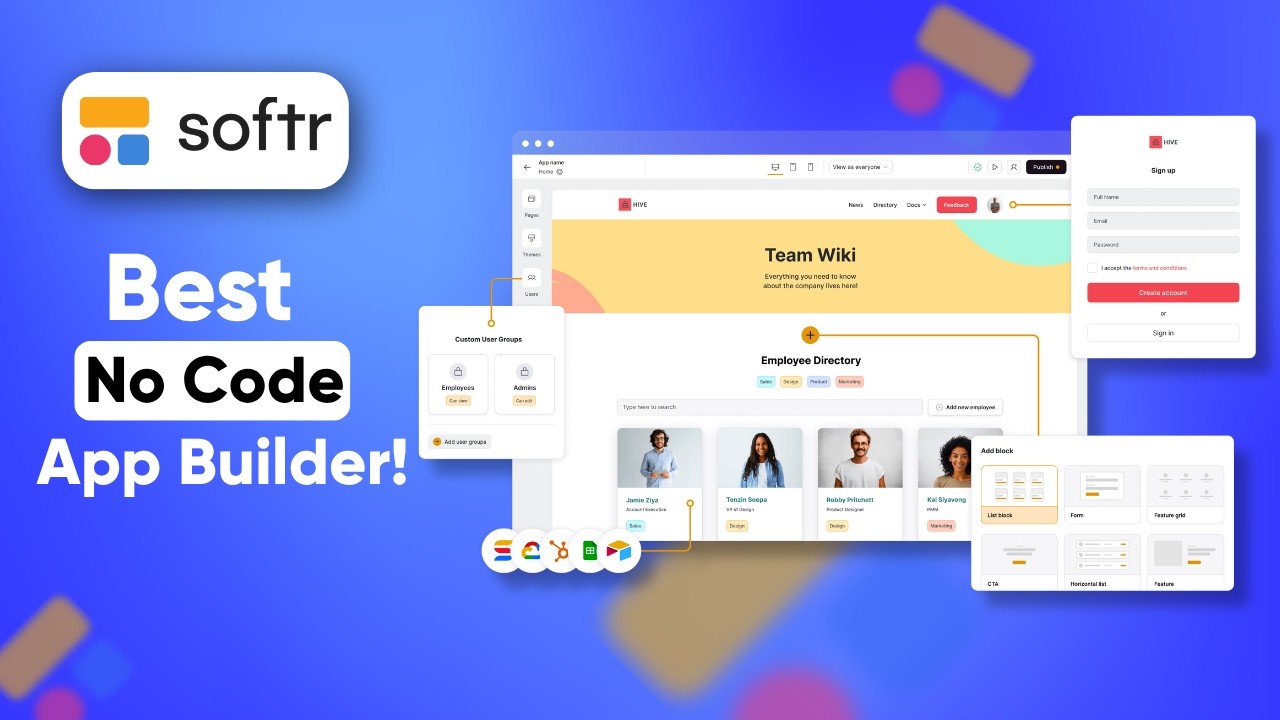
We also have to mention the security updates. With SOC2 compliance and more granular user permissions, we feel a lot more comfortable building tools that handle sensitive client information. We can set up user groups to ensure that a client only sees their own projects while an account manager sees everything.
These permissions are now easier to manage through a visual access control dashboard that gives us a bird's eye view of who can see what. It's these small professional touches that make the difference when we're moving from a simple prototype to a production-ready business tool. So far, Softr has successfully bridged the gap between simple website builders and complex development platforms.
It's the fastest way to turn your ideas into functional tools without the headache of coding. If you're ready to stop managing your business through messy spreadsheets and start using a custom app, you should definitely give it a try. Head over to Softr.io today and start building your first app for free.