Transcript
Now we have another need for automation. It would be whenever we are about to reach the due date of one of the tasks and when that task isn't completed already.
It would be interesting to send a reminder email or maybe just one day before that happens. Here it will be based on database conditions right here in our vendor portal for a task.
We'll be looking at the status. When a status is any of to do or in progress and the due date is tomorrow, then we'll be sending another email to the person who was the assignee for that specific task.
[.blog-callout]
Note from Softr: While you can manually set up these triggers, the AI co-builder can help you instantly generate the initial structure and logic for your apps, which you can then refine.
[.blog-callout]
I would like to tag the full name of the person who is the assignee, but I probably don't have that data in here because this is the task data and the task has been the trigger for our workflow. So I'll be adding in between another action, which is a Softr database action, where I'll be looking for a specific record.
I'll find a record in my users table this time. It will match the condition that the email is the assignee. Perfect.
By doing so, we are actually fetching all the information about that user who is the assignee. I'll rename that find user data. In this step, I can reference data from the second step right here and go and find the full name.
[.blog-callout]
Note from Softr: Keeping your data within Softr Databases makes it incredibly fast to reference and fetch records across different tables in your workflows.
[.blog-callout]
This is a way to avoid having to create a lookup in your database. I can simply in my workflow go and look for the right data that I'll be using in my workflow.
Now this would be the way if I wanted to write that email manually. But I noticed now that it could be interesting because we stored the description and the title of the task within our database.
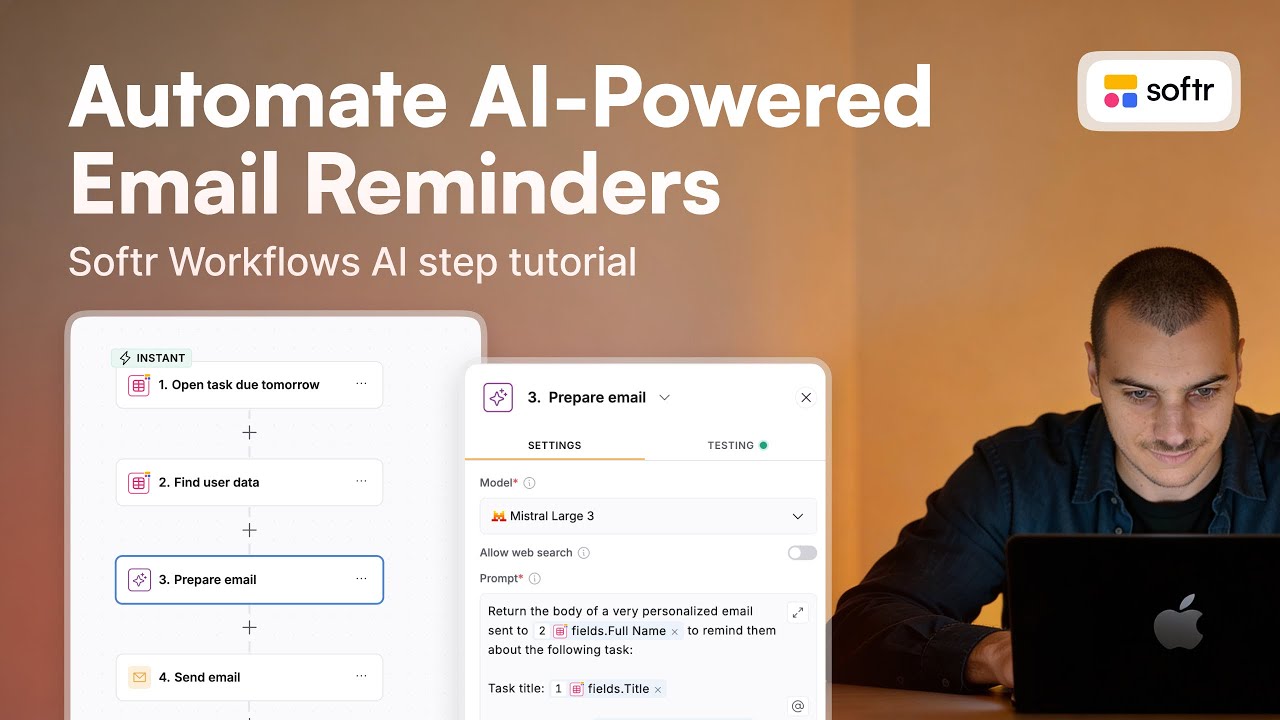
It could be interesting to really personalize the email with also some advice about what would be required to complete a task. I'll be adding right here another action, a Softr AI action with a custom prompt.
[.blog-callout]
Note from Softr: Using Softr Workflows for project management allows you to automate personalized communication without needing external tools like Zapier or Make.
[.blog-callout]
The goal here would be to write a very personalized email based on the user but also the task. I'll be prompting the AI to do so.
I was very clear about the format and the goal, and I also referred to the different items that will enable the AI to have enough context to write this email. If we give it a try and hit continue and test, we'll see a first version of that email.
That will help us see if we need to customize anything, but I think this is perfect. Now for my email, I'll be simply referencing the results of our AI instead of writing it all here.
If we want a test in real conditions, I'll just write my own email here. We see here that there is a very high level of customization possible.
We could be adding in the prompt some more instructions about the best ways to format this email so that you get the results that you want. You could also be changing the AI model based on the needs.
Maybe a smaller model like Claude Haiku could also do the job very well. Once we're done, then we push it live.