Transcript
If you're building forms in Softr and users are typing the same information over and over again, you're creating friction you don't need. Prefill is one of the most powerful features of Softr and it's the difference between simple forms and a real connected system. Real applications don't ask users for information that the system already knows.
If you're building things like an applicant tracking system, a CRM, an onboarding portal, or a system with related data, prefill isn't optional, it's foundational. In this video, I'm going to be showing you what prefill is in Softr and why you should be using it. I will also show you how it helps you keep data clean and how I'm using it in my applicant tracking system to automatically link applications to job requisitions in the backend.
[.blog-callout]
Note from Softr: Building an applicant tracking system, CRM, or onboarding portal? You can jumpstart your project with our native App templates, such as the AI CRM template, or explore our solutions for building client portals.
[.blog-callout]
At a high level, prefill lets you set form fields values before the user submits the form. Usually they're hidden. The data can come from the page the user is on, a selected record, the logged-in user, or values passed through URLs.
The key idea here is simple. The form already has context before the user types anything. This is really useful, for example, what I'm doing right now where I have a requisition for a job opening.
I have a requisition, and then I have applications coming in. I don't want the users to have to manually pick what applications they're applying to. Instead, when they hit apply, that requisition record is already attached to that application, which the user can then seamlessly apply to.
When it submits in the backend, that application is going to have the requisition that they applied to attached in Softr Databases, which is what I'm using for my ATS backend. Now, why does prefill exist? Without prefill, apps usually do one of two bad things.
[.blog-callout]
Note from Softr: The speaker mentions using Softr Databases for their backend. While Softr integrates beautifully with 17+ external data sources, creating your tables with native Softr Databases is the most powerful way to manage data directly within Softr for maximum ease and performance.
[.blog-callout]
First, they ask users to manually select related records, or second, they rely on free text and try to fix it later. Both lead to bad data, so it's not a good idea to do this. Prefill lets the system handle relationships, not the user.
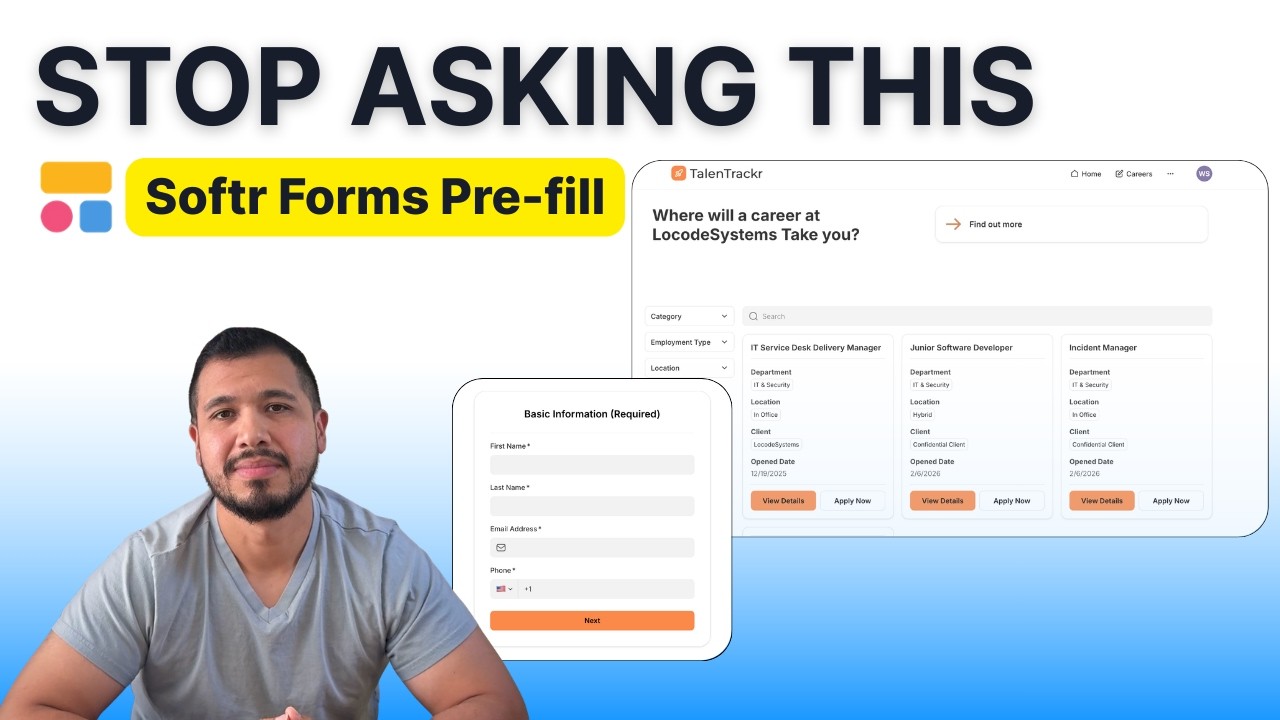
Let me explain to you how this works using the applicant tracking system that I'm creating. What you're seeing here is the careers page, which is what you usually find when you're applying to a company. You go to their careers page and look for job openings for open roles that you can apply to.
I have a few roles here that live within my Softr Databases that I'm using for this application. When the user hits apply, this record is going to already be linked. Let me show you this in action so you understand it better.
I have a requisitions table and I have an applications table. Every time a user hits apply from the careers page, they are interacting with the openings that live inside my requisitions table. These are open job positions that have been posted and are ready to hire.
When the user hits apply, they are going to fill out an application, and those applications are going to land in my applications table. If we go to my form in the backend, I have a hidden field for the job opening. When they access that form, the requisition gets attached automatically.
This way, the candidate does not have to go in there and manually select that they are applying to the IT service desk delivery manager or junior software developer. Instead, once they hit apply on this record or hit view details, the form opens up. The form already knows that they're applying for this specific job posting, whichever they choose.
This is basically how it works and how I'm using it in my applicant tracking system. Let me show you how to do this if you're creating an application and you need to set up something similar. First, let's go ahead and submit an actual application so you can see how it looks in the backend.
[.blog-callout]
Note from Softr: Setting up Forms, hidden fields, and relationships manually is a great way to learn exactly how things work. Another great option is to simply open the AI co-builder and prompt for what you want. It builds complete apps, pages, or database schemas instantly, while still letting you tweak things manually later!
[.blog-callout]
I'm using Softr Databases as my backend. This is my requisitions table, where all the job openings live. Then I have my applications table, which is where all the applications that people submit get stored.
If we go to my actual app, we start at my dashboard. I'm going to go to the careers page and apply to a role so you can see it in action. I'm applying to this IT services delivery manager position.
Let's go ahead and fill out this information. I'm going to type some testing data, an email at local systems, a dummy phone number, and click next. We're going to upload a test resume so we have something attached, and you could also attach a cover letter or LinkedIn profile.
Next, it asks how you heard about the role, your career stage, and salary expectations. We will fill that out, click next, and state that we are authorized to work with no future sponsorship needed. We can start immediately, are willing to relocate, and consent to the storage of personal data before clicking submit.
Once this form gets submitted, let me show you what happens in the backend. You can see that this application automatically got attached to the requisition when it was submitted. Because the applicant clicked on this record, it passed the data on to the application and mapped it automatically.
This way, the user didn't have to select what position they were applying to, as the system did this for them. Let me show you how to get this done. The first thing you need to do is obviously create your form, have your database ready, and get your application running.
The next thing you need to do is go to your requisitions table. You're going to need a job ID and a record ID. The record ID is a unique Softr ID for every record that the system automatically provides.
The first thing you're going to need to do is create an actual field with the job URL, which is where you're going to store this URL string. For example, if I copy this URL and paste it, it's going to generate this form. You will see the job ID passed in the URL, which attaches it to this requisition so the form knows exactly which job opening it belongs to.
For the job URL field, you're going to need a formula. When we go to our careers page and hit apply, you're going to grab that URL path and paste it within your new formula field. The only thing you're going to need to append at the end is this job ID that you created, mapping it to the record ID.
You can pass this job ID or you can pass it directly through the record ID because it's a formula, making it effectively the same thing. This string then gets stored into the job URL field. Next, you need to configure your form within Softr.
If we go to the form that I'm using in Softr, you're going to need to add a hidden field. My field is called job opening, and it is a hidden field, so make sure you check the hidden option. The value you're passing through is going to be the job ID as a URL parameter.
In your database, this job ID is the one you are dynamically passing alongside the record ID. When you pass this as a hidden field within the form, the user is not going to see it, but it will seamlessly link that form application to that specific requisition record.
Finally, once you've done this, if you want to test it, just grab the URL from within the database and paste it into your browser. You can fill it out to see that it's working, and it should submit the record successfully mapped in your database. The final step is to attach this form URL to the correct button in your Softr Studio, which in this case is the apply now button under view details.
You go to the job posting details block and click on this module. Go to actions and on the apply button, make sure that you select the job URL, which is the dynamic field that you just created. And that's all you have to do to pass data into the forms without manual entry and perfectly prefill the application.
![How to Use Softr Templates to Make Web Apps [2026 Full Guide]](https://cdn.prod.website-files.com/67a3700c65457964cf349cd4/69fe0f1ca830a8c8c54a86fd_3a6b01e9-9bbd-49d8-a51b-4a3a79e5f7f9.jpeg)