Transcript
A lot of agencies will send reports. The better ones, hopefully that's you, they give clients a place to log in and see everything all the time. I'm going to show you today how to build that.
I'm Phil Palin. I run a branding agency. One of the most common things clients ask for is, can you send me an update? And it's a fair question.
But if you are answering this question manually every single time, you are wasting hours every week. So today I'm partnering with Softr, a tool that I absolutely love. We are going to show you a better way.
I'm going to build a single reporting view that your clients can log into where all their project data, metrics, status updates, they all live in one place. And this is, by the way, a no-code build.
You do not need a developer. You do not need a complicated tech stack. You just need Softr and your existing data.
[.blog-callout]
Note from Softr: If you're looking to build a client portal quickly, check out our AI co-builder or browse our App templates to see how you can get started in minutes.
[.blog-callout]
I'm going to show you. Before I do, here's what we're replacing because right now reporting for most agencies is a mess, a hot mess, and people don't realize how much time it's costing them.
Here's what client reporting typically looks like. So you have a spreadsheet for one client, maybe a shared Google Doc for another, a Notion page that no one has updated in three weeks.
You've got metrics in one tool, a project status in another, billing somewhere else entirely. Every time a client asks for an update, someone on your team has to dig through all of this, manually compile it and send a PDF or an email that's already out of date the moment it lands in their inbox.
The bigger problem is that clients don't just want information, they want confidence. They want to log in, they want to see the numbers, they want to know that things are moving along.
Sending a static report once a month doesn't really accomplish that. A live reporting view does. So here's the reporting portal that I built using Softr. One place, live data.
Every client only sees what's theirs. This is awesome. Let's start at the beginning first. The client or the admin, in my case, logs in securely exactly as I've configured it.
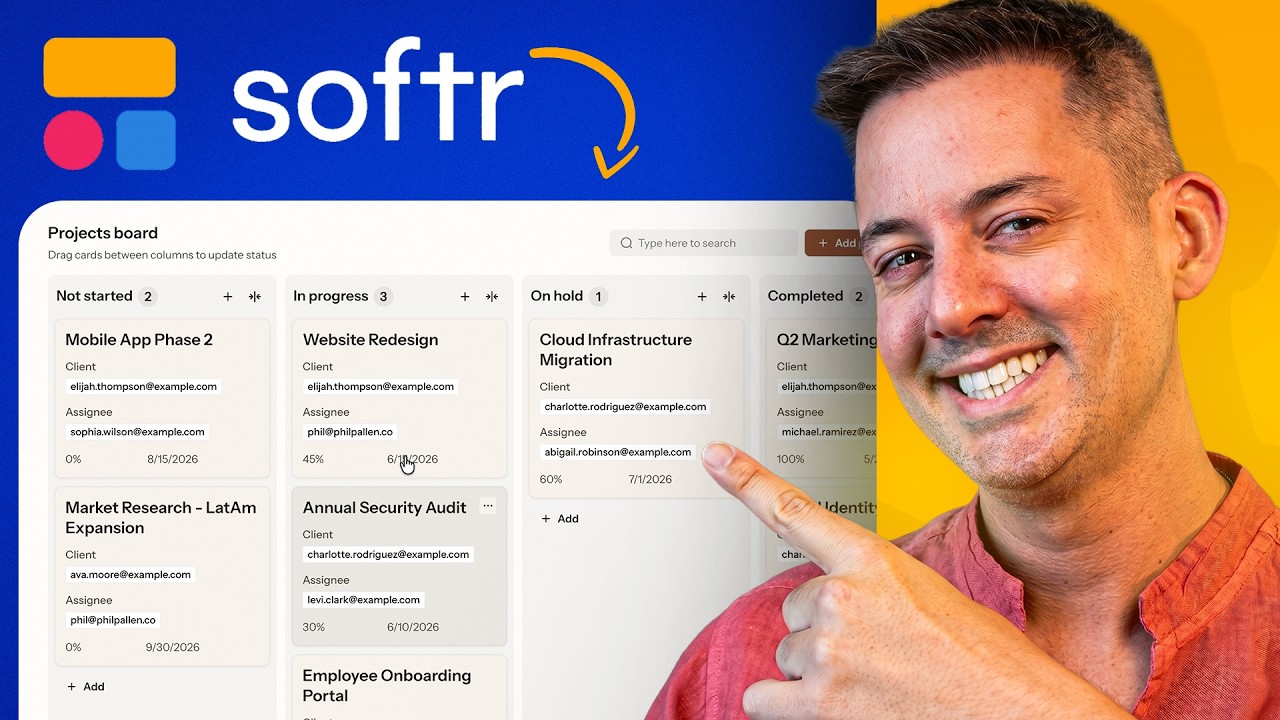
When I'm logged in versus an admin, I see everything, how it's set up, unpaid invoices, projects separated by tab. I've even got a projects board with more of a kanban view.
I can see every client in one place and I can track which projects are on track, which are behind, and where I need to take action, all from a single view. Now, what about the client?
Well, we can test that. We can see that view. They land on their own dashboard, pre-filtered to show their own data. There's no setup required on their end.
There is no chance of them accidentally seeing another client's numbers. At the top here, they get a quick overview, project status, key metrics, any recent updates.
And then below that, they can drill into specific reports and invoices. You get the idea. Everything here pulls from a live data source.
[.blog-callout]
Note from Softr: Creating a secure client portal ensures that your customers only see the data relevant to them, building trust and transparency without extra manual work.
[.blog-callout]
So the moment you update a record, your client sees it. This is different from sending a report. A report is a snapshot. This is more like a window.
Clients can check at any time on their own schedule without having to wait. Let me show you how I actually built this step by step.
I'm going to start with Softr's AI Co-Builder, which is where I'd recommend anyone begin. You describe what you need and it generates the database, the pages, and the logic all at once.
Starting on home, we're going to get started with this AI Co-Builder. I'm not filling out a form. I'm not choosing from a list of templates.
You see, I'm just typing what I need one sentence at a time. Start big picture. Then I go one layer deeper. I describe what each project should include.
Then invoices. Then I ask for a status summary at the top of the dashboard. I love that nothing requires a technical decision on my end.
That's the point. You don't need to know how databases work. You just need to know what your portal should do.
Describe it, how you'd explain it to a new hire and Softr handles the rest. Before it builds anything, Softr asks me some clarifying questions.
How should clients access the portal? And do you need invoice line items, important details that I have a preference on? But no sweat if you didn't clarify this in your prompt.
Softr will ask what it needs to know, questions that anyone can answer, login details, then some stylistic choices, which helps me control how it's going to look, navigation, color scheme even.
These answers shape the entire system before a single page is generated. Now watch what happens next. The database builds in real time on the right.
You can see the tables taking shape already, clients, projects, invoice, eventually metrics. And then on the left, Softr narrates every decision it makes.
I'll speed it up for the purpose of the video, but it never gets old to see my project being built in real time. Before long, it will be ready for you to try.
Mid-build, let's say I realize that I want to add something that I didn't think of up front. I want clients to be able to view files and documents shared with them, organized by projects.
So I just type that in. Softr will then add a new section to the structure. It's going to add a new page, new fields, all connected to the existing data.
So you don't have to rebuild from scratch. You don't have to get on a call with the developer, just a follow-up sentence as you build.
That's what makes this AI Co-Builder so useful. It's not a one-shot generator. You can keep on describing what you need until the structure matches exactly what you want.
Once the AI Co-Builder is done, you're not locked into what it generated. Think of this as a starting point. This is where you move into the visual editor and you make it yours.
Look at what we built. This interface is looking incredible. We're going to come back to this in a second, especially after reprompting it a moment ago.
Now flip over to the data tab. You can see the database it created, users, projects, invoices, all structured, already populated with sample records.
[.blog-callout]
Note from Softr: While the AI can generate a schema for you, you can also use Softr Databases to manage your native data or connect to one of our 17+ external sources.
[.blog-callout]
I keep it sample data for the demo, but I could quickly connect Softr to my database in another tool or build one from scratch with Softr Databases.
Check this out. It even assigned roles automatically. So I am the admin and the clients are tagged client. That role logic is what drives the entire permission system.
Now back over on the interface, let me show you a few things that I might adjust from here. I want to, maybe these are admin level numbers.
Clients maybe shouldn't see these. So I could click the block, go to visibility settings and then set it to admin only. Then that is gone from client view.
If there's a block that I don't need at all, I just select it and delete it. The layout adjusts automatically.
The AI Co-Builder gets you most of the way there. The visual editor gives you full control over those final details without writing a single line of code.
Okay, one more thing that I want to show you briefly because it's really impressive. Softr has a Vibe-Coding block that lets you build custom functionality right inside your portal.
And for a reporting use case, it opens up some really useful possibilities. This right here is the Vibe-Coding block inside Softr.
[.blog-callout]
Note from Softr: The Vibe-Coding block allows you to bypass design limitations by prompting for the exact custom component you need, which Softr then generates and connects to your data.
[.blog-callout]
Instead of choosing from this list of pre-built components, which are fantastic, in this one, I can describe what I want and Softr builds the interface for me.
So there are literally no limitations. I'm going to add a project summary view to the dashboard and I'm going to type it with one sentence.
Show a summary card for each project with the project name, status, and due date. Look at what it generates quickly. A clean card layout.
One card per project with the project name as the title, color-coded status indicator, due date with calendar icon. This is exactly what I want and even displays in a responsive grid.
This took one sentence. There you go. That's the build.
A client reporting portal that gives your clients live access to their data and gives you back the hours that you've been spending on manual updates.
The core idea here is simple. Instead of reporting to your clients, you give them a place to see everything themselves.
Projects, metrics, invoices, feedback. One login, always up to date. Softr makes this possible without any code, any developer, or without migrating your existing data.
I have linked to it below. Give this a try. I absolutely love this tool.
Let me know in the comments, what data do your clients ask most about? Thanks so much for watching. I'll see you in the next video.