Capture key project details up front with a form that simplifies planning and eliminates back-and-forth.
Data sources supported





.svg)


Resources


Overview
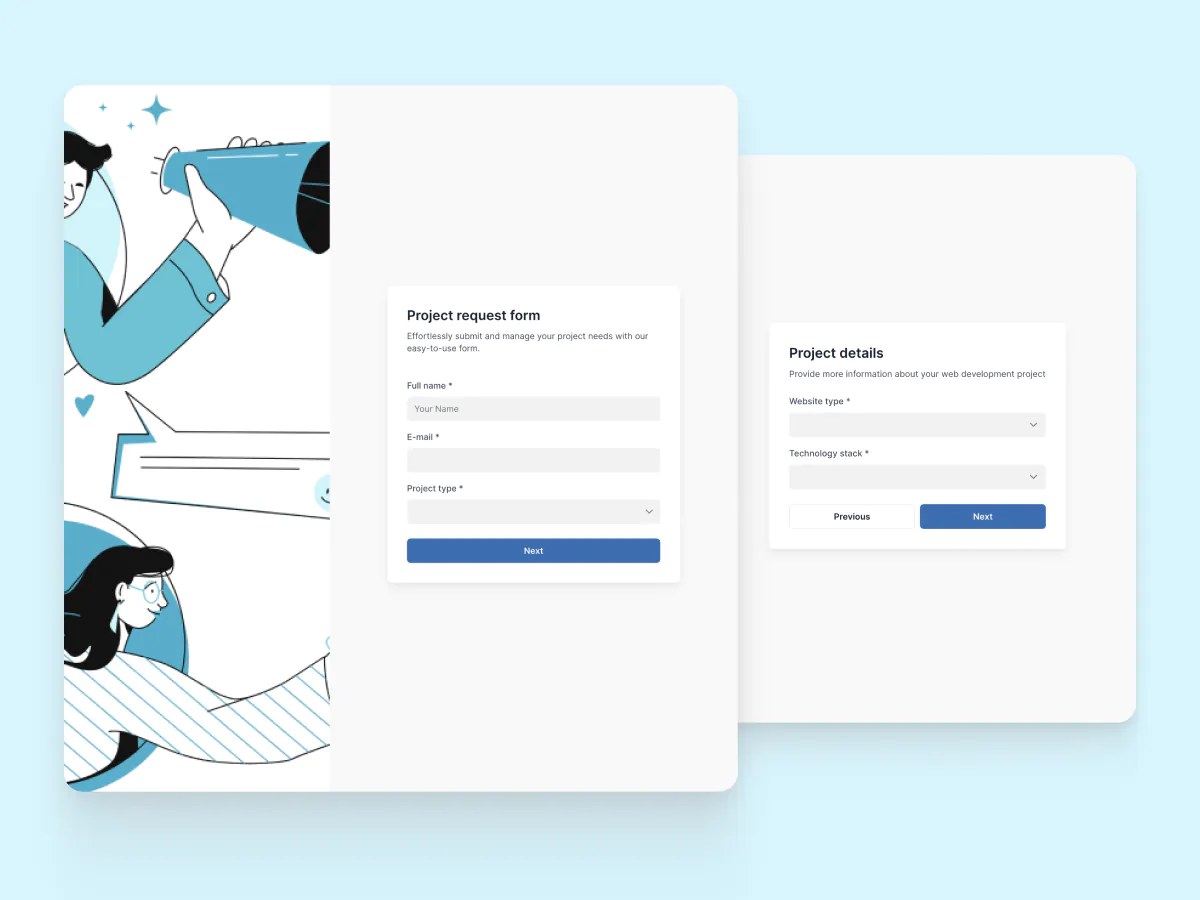
This free project request form template helps you gather essential project information before work begins, so your team can plan, scope, and execute with clarity.
It's perfect for internal teams or client-facing workflows. With built-in conditional logic, it ensures you only collect what's relevant, and all responses are sent to your connected data source in real time.
The template includes a sample database to help you get started, but it also works with Google Sheets, HubSpot, monday.com, ClickUp, and other Softr-supported data sources.
Why use this project request form template
- Centralized project intake: Collect project descriptions, goals, timelines, budgets, and more, all in one place.
- Connected data source: Sync responses directly to your database to keep all your project data structured and accessible.
- Add documentation: Let users upload supporting materials like project plans, images, or references during submission.
Template features:
- Customizable fields
- Conditional logic
- Multi-step layout
- 2-way data sync
- Responsive design
- Thank you page
- Structured project categorization
- Priority and deadline tracking
Who is this project request form template for?
This template is designed for teams that need a consistent, efficient way to intake project requests. Here's how it fits different use cases:
- Internal teams: Collect project briefs from other departments and prioritize requests based on scope, timeline, and impact.
- Agencies: Standardize how clients submit project ideas, with key details like budget, brand assets, and deadlines included upfront.
- Freelancers: Get everything you need before starting a project, from goals to references, without chasing clients for info.
- IT & ops teams: Use the form to gather requests for internal tools, workflows, or infrastructure upgrades, complete with approvals.
- Marketing departments: Collect campaign requests from across the org and track everything from strategy to asset needs in one place.

“What we love most about Softr is the instantaneous, customizable power a no-code platform allows.”

- 1
- 2
- 3
- 4
Frequently asked questions
What is a project request form?
What data sources can I use this form with?
Why use conditional forms instead of static forms?
Is this project request form customizable?
How do I customize this project request form template?
Can I automate follow-ups after a project request comes in?