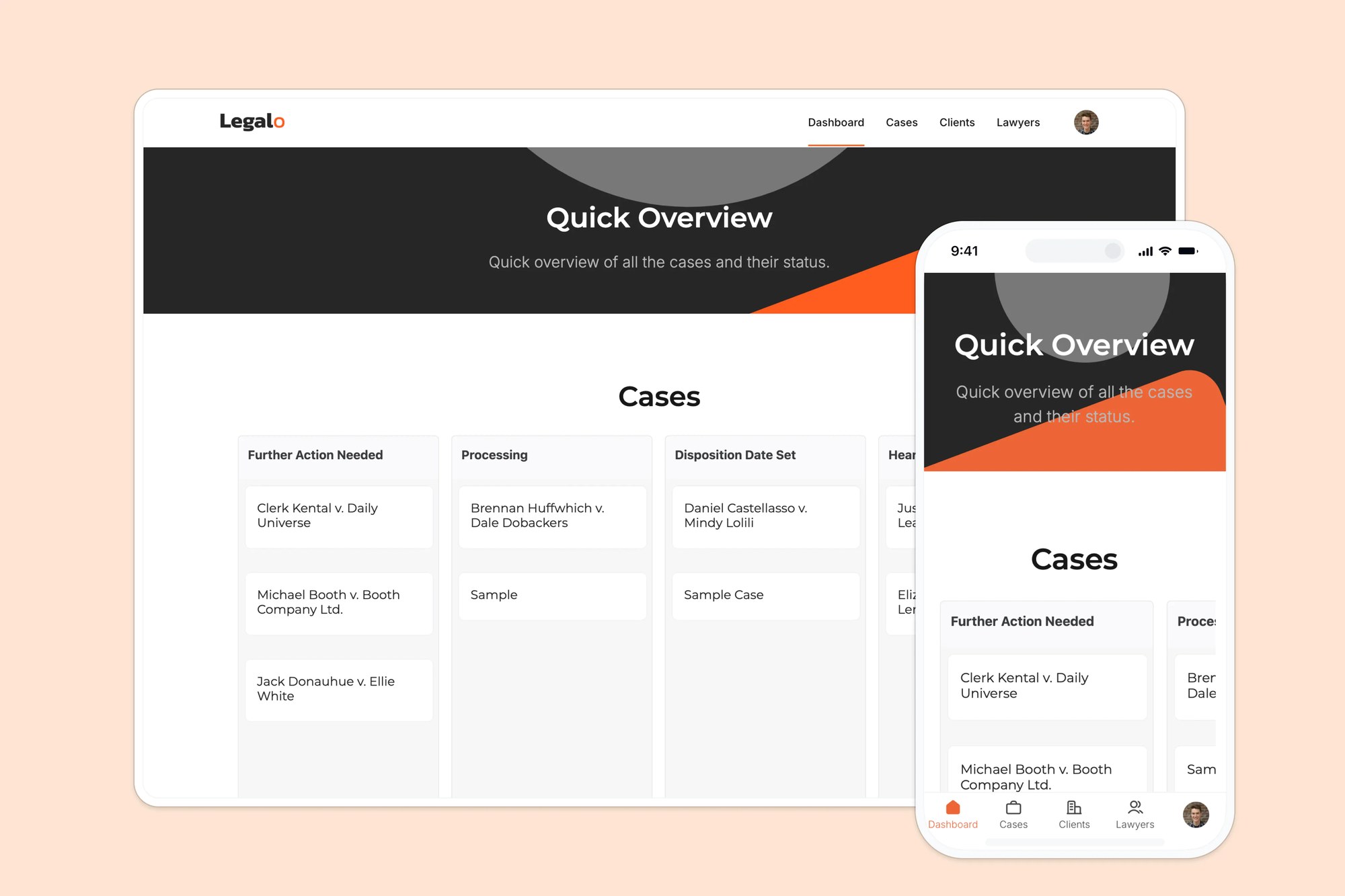
An internal tool template for centralizing legal case data, resources, clients, and billing, powered by Google Sheets.

Overview
This free template helps you build a legal case management portal using your existing data, so you can eliminate back-and-forth emails, lost documents, and scattered spreadsheets. It includes a sample database to show how to structure your data for managing clients, cases, documents, and billing.
Why use this Google Sheets legal case management template
It comes with a built-in Softr Database, so you can get started right away with structured, relational data designed for app workflows rather than manual spreadsheet management. If you already track case data in Google Sheets, Softr connects to it natively, so you can keep your existing data and power the same app without migrating anything.
- Centralize legal operations in one place: Manage case files, client info, and communication in a secure, user-friendly portal.
- Give clients controlled access: Clients can log in to view their case status, billing, and uploaded files, without needing to contact your team.
- Customizable for your legal workflow: Whether you’re a solo practitioner or a mid-sized law firm, this template adapts to your needs.
Template features:
- Role-based access
Give clients a secure login to view their case updates, documents, and invoices, while lawyers and staff keep full access to manage cases behind the scenes.
- Case file management
Organize all case-related documents, notes, and status updates in one centralized view.
- Kanban-style case tracker
Move cases through stages like Processing, Hearing Date Set, and Closed on a visual Kanban board, so your team can see what needs attention at a glance.
- Search & filtering
Easily search for cases, clients, or documents by name, ID, or status.
- Staff and client directories
Keep a directory of lawyers by specialty and billing rate, plus a separate directory of clients, co-counsel, experts, and opposing counsel, so everyone's contact details and role are one click away.
- Works on any device
Allow users to access the platform from any device with a fully responsive design. You can even turn your app into a downloadable mobile app with Softr's PWA feature.
- Automated case alerts
Use Softr Workflows to notify the assigned lawyer via Slack or email as soon as a new case is created, or when its status changes to Further Action Needed, so urgent cases never slip through the cracks.
- Built-in billing tracking
Log hours worked per case and staff member, and let Softr calculate totals per case and per lawyer automatically based on billing rate, so invoices are always accurate.
Who is this Google Sheets legal case portal template for?
This template is ideal for any legal professional or team looking to streamline operations and deliver a better client experience.
- Law firms & solo attorneys: Manage caseloads and share documents securely with clients.
- Paralegal teams: Keep internal operations organized and ensure nothing slips through the cracks.
- In-house legal teams: Track internal requests, legal resources, and team assignments.
- Legal aid organizations: Provide clients with transparent case access and updates in one central location.

“What we love most about Softr is the instantaneous, customizable power a no-code platform allows.”
- 1
- 2
- 3
- 4
Frequently asked questions
- What is a legal case management system?
A legal case management system centralizes everything your firm needs to track: clients, case documents, court deadlines, and billing, all in one place instead of scattered across email, spreadsheets, and shared drives.
This template gives you a working system you can launch in a day. It comes pre-built with a case database, a client portal for secure file sharing, and billing tracked against hours worked and staff rates, so you're customizing an existing structure instead of designing one from scratch.
- Do I need to use Google Sheets to run this template?
No. The template comes with a built-in Softr Database, so you can get started without any external data source. If you prefer Google Sheets or already track case data in a spreadsheet, Softr connects to it natively, no migration needed.
That said, a spreadsheet has no real structure for linking clients to cases to billing records. A relational database keeps those connections intact, so updating one case doesn't mean hunting across multiple tabs, fixing a broken formula, or losing track of which row belongs to which client.
- Can clients upload or access case files?
Yes. Clients can log into a secure portal and upload or download any file tied to their own case: contracts, evidence, court filings, invoices, whatever your firm needs to share, in common formats like PDF, Word, or images.
Each client only sees documents linked to their own case, never anyone else's, since access is scoped by their login. You can also set up notifications so the assigned lawyer knows the moment a client uploads something new, instead of checking manually.
- Can I use this with the free Softr plan?
Yes. The free plan is a great way to build and test this template with real data before committing to anything. It includes a working database, a client portal, and the core case management features, enough to see if the setup fits how your firm actually works.
As your firm grows, paid plans raise the limits on app users, database records, and workflow automations, and unlock features like custom user groups and more integrations. You can upgrade whenever you outgrow the free tier, without rebuilding the app or losing any existing data.
- Is this template customizable for different legal specialties?
Yes. Duplicate the template into your own Softr workspace, then prompt the AI Co-Builder to adapt the case structure to your specialty: for example, "add a Settlement Amount field to Cases for personal injury work" or "add Custody Schedule and Mediation Date fields for family law cases." The AI updates the database and case detail page for you.
The base structure, cases linked to clients, lawyers, and billing, stays the same across specialties. You can also use the visual editor for hands-on control over labels and layout, or ask the AI to rename existing fields instead of adding new ones.
- Can I customize this template to fit my firm's workflow?

Yes. Duplicate the template into your own workspace, then prompt Softr's AI Co-Builder to add a case type, adjust the client portal, or restructure the database. For example, you could type "add a field for court jurisdiction and show it on the case detail page," and the AI wires it up across the database and interface. You can also browse and apply a new theme for a quick visual refresh, or switch to the visual editor for hands-on, pixel-level control. AI speeds up the build, but it's never the only way to make changes.