


AI Enabled & Fully Custom Coded Tax Management Portal
A client and staff portal for QUEW, an Australian tax and accounting practice. It gives clients one place to hand over the documents and information their accountant needs, and gives the firm one workspace to gather it all and get tax returns and BAS lodged, across individuals, companies, trusts and SMSFs.
From the partner
QUEW is an Australian tax and accounting practice looking after individuals, companies, trusts, self-managed super funds and partnerships. We built a portal that runs the whole practice: tax agent authorisation, the entity structures behind each client, document capture with AI, a client home built around live actions, and firm-wide task and time management all sit in one system.
Each piece follows the real logic of how an accounting firm works, built custom rather than assembled from generic list views, so clients hand over exactly what their accountant needs and the team can get returns and business activity statements lodged with far less chasing. It is built to carry the practice's book of around 288 clients.
Entities, not just logins
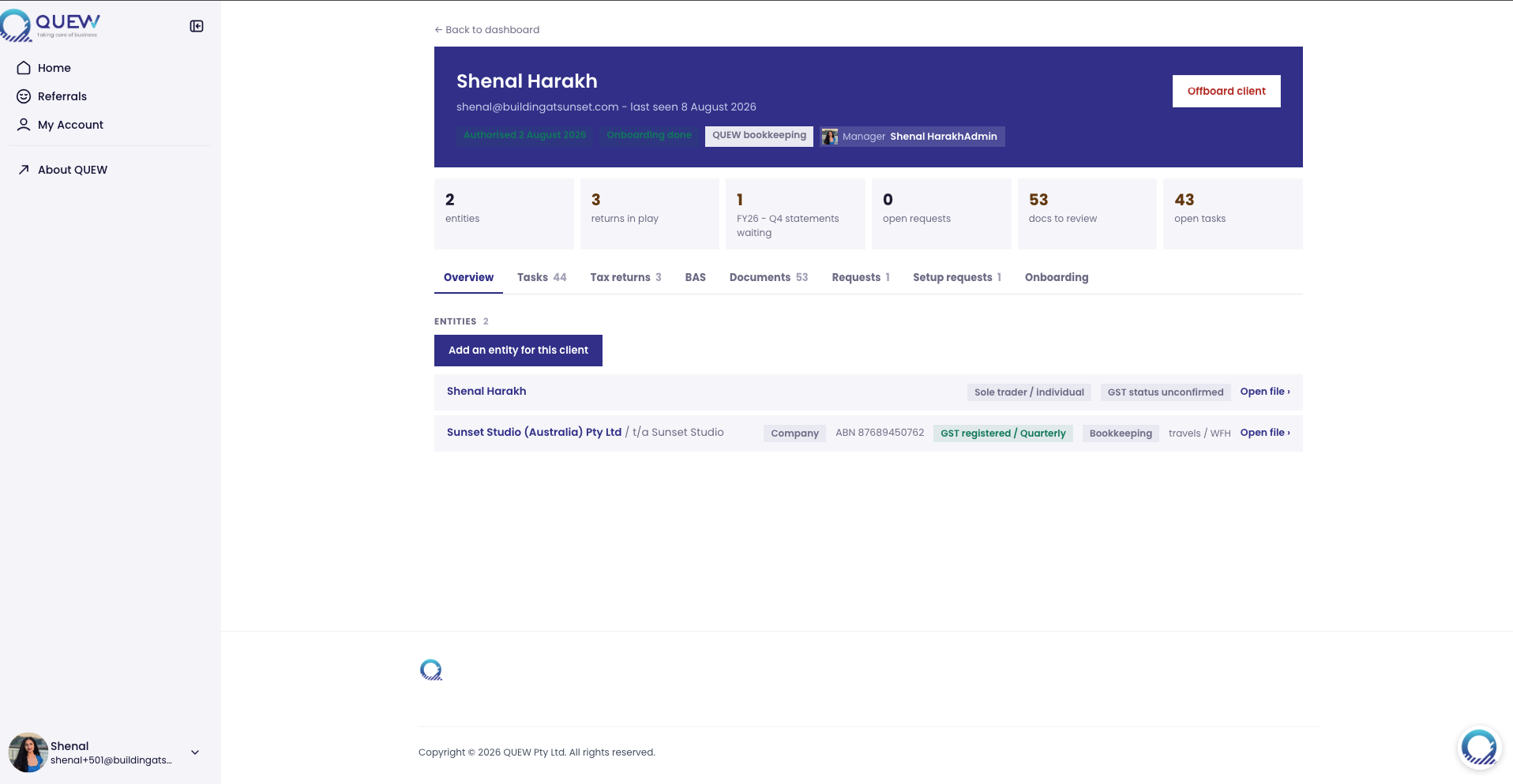
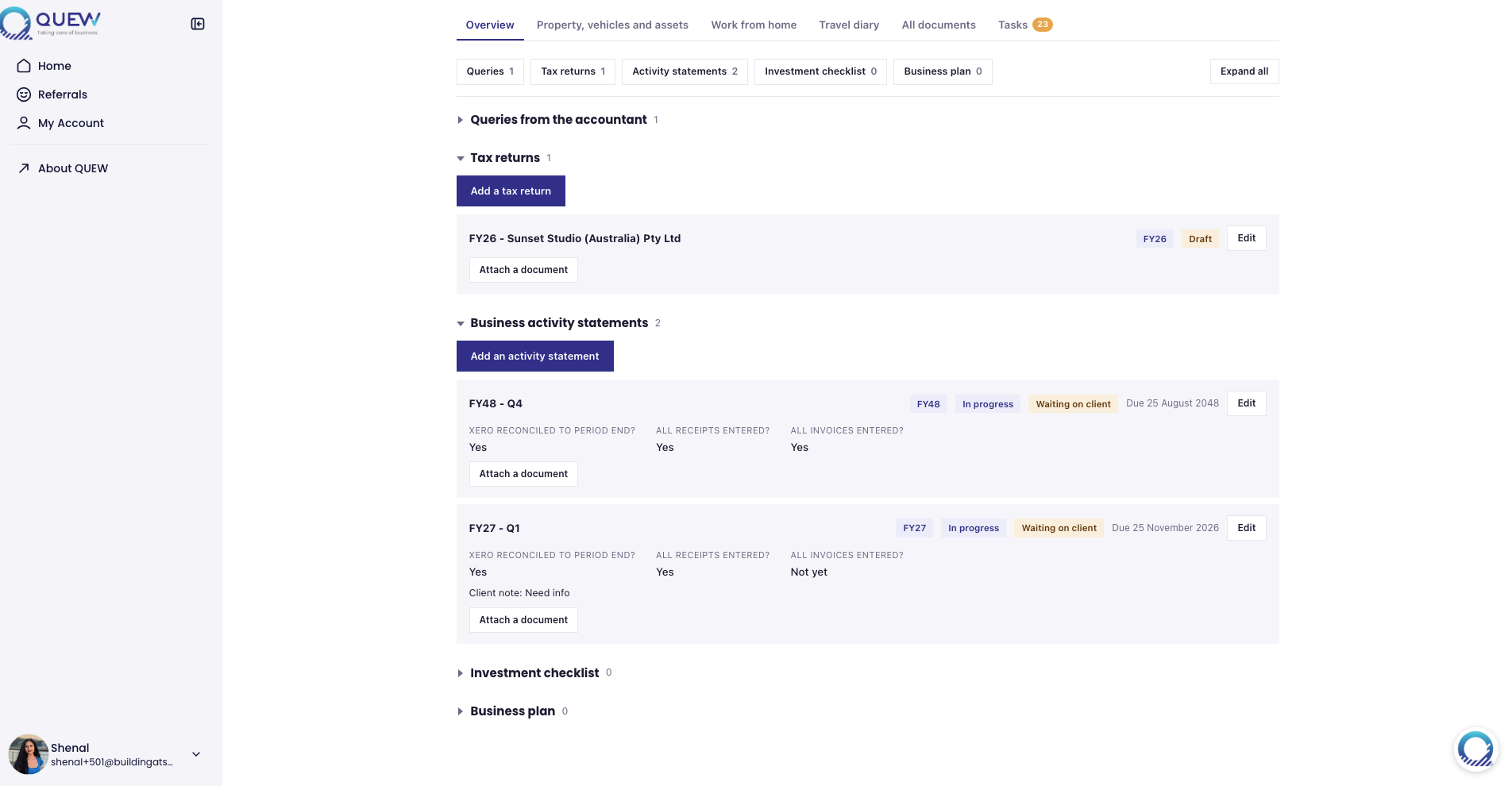
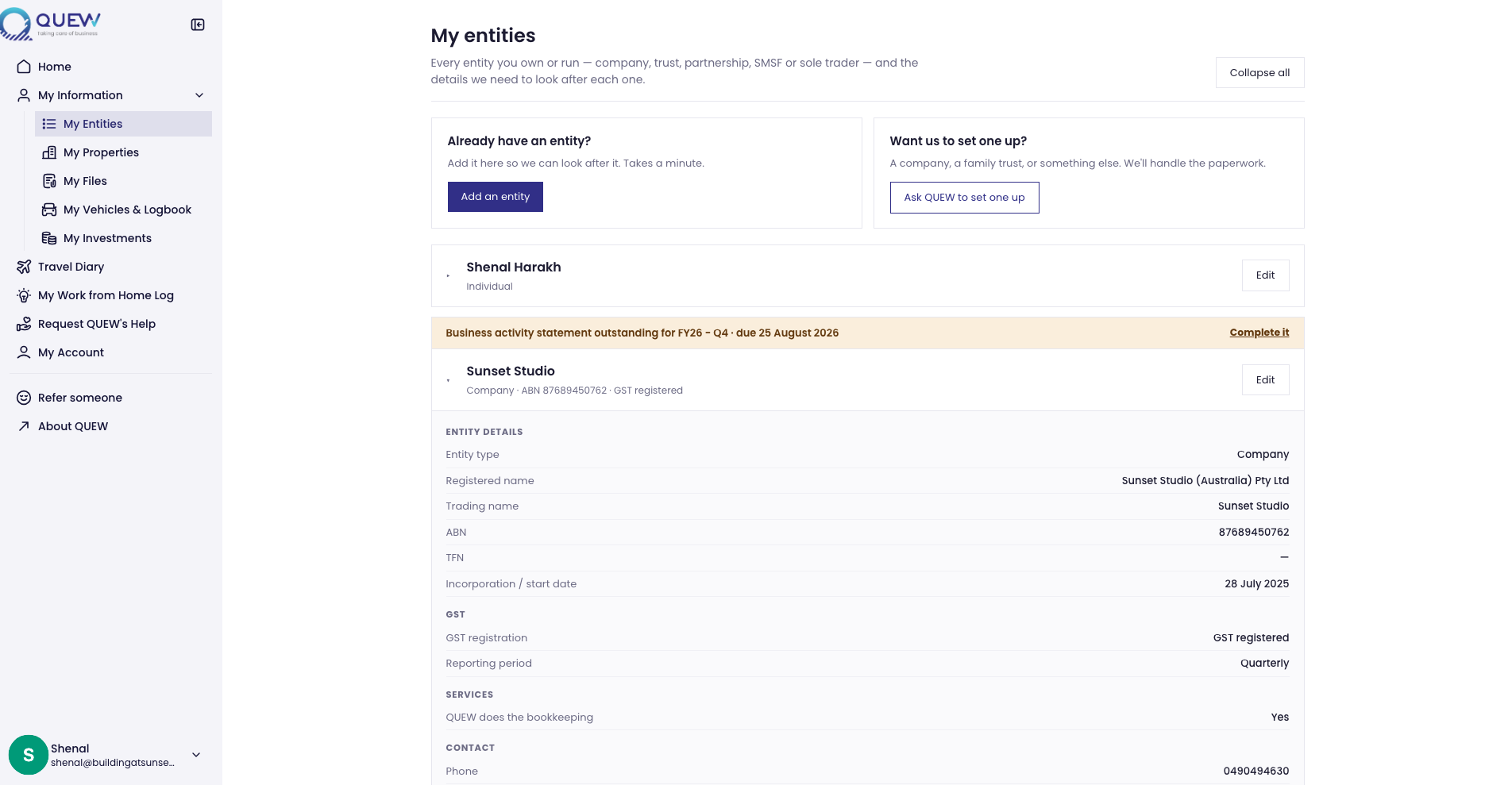
The platform separates the person who logs in from the entities they are responsible for. One login/human can own various tax entities; an individual, a company, a family trust and an SMSF, with related entities linked into family and business groups.
Work, documents and deadlines attach to the taxable entity rather than the person, so staff always see the real structure instead of a flat client list.
Access gated by tax agent authorisation
Clients onboard from the admin dashboard, complete an onboarding form and sign a tax agent authorisation. Until that is signed the account stays in a needs-onboarding state, and staff can flag existing clients as already authorised. The firm confirms who it is authorised to act for before any lodgement work starts.
A client home built around actions
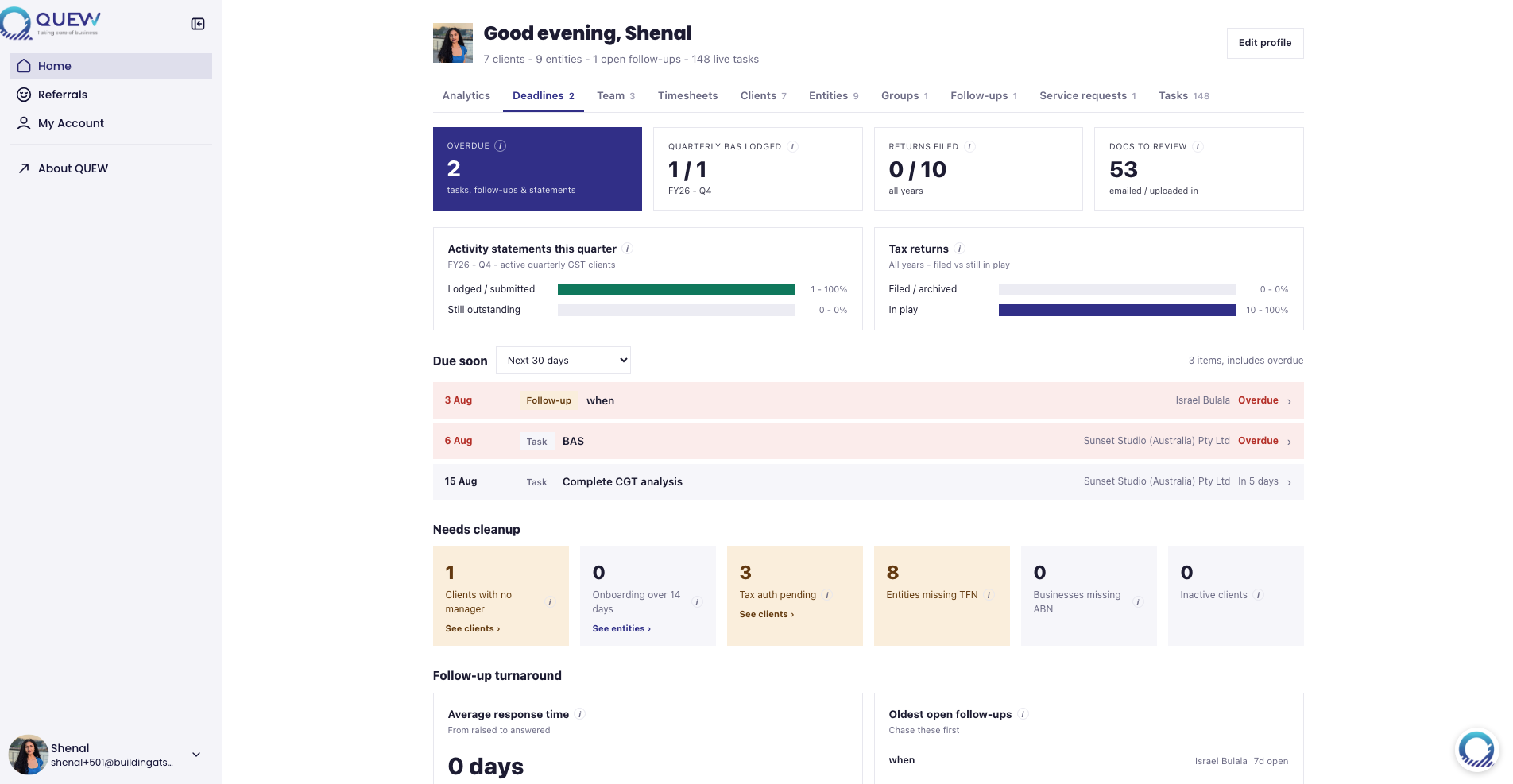
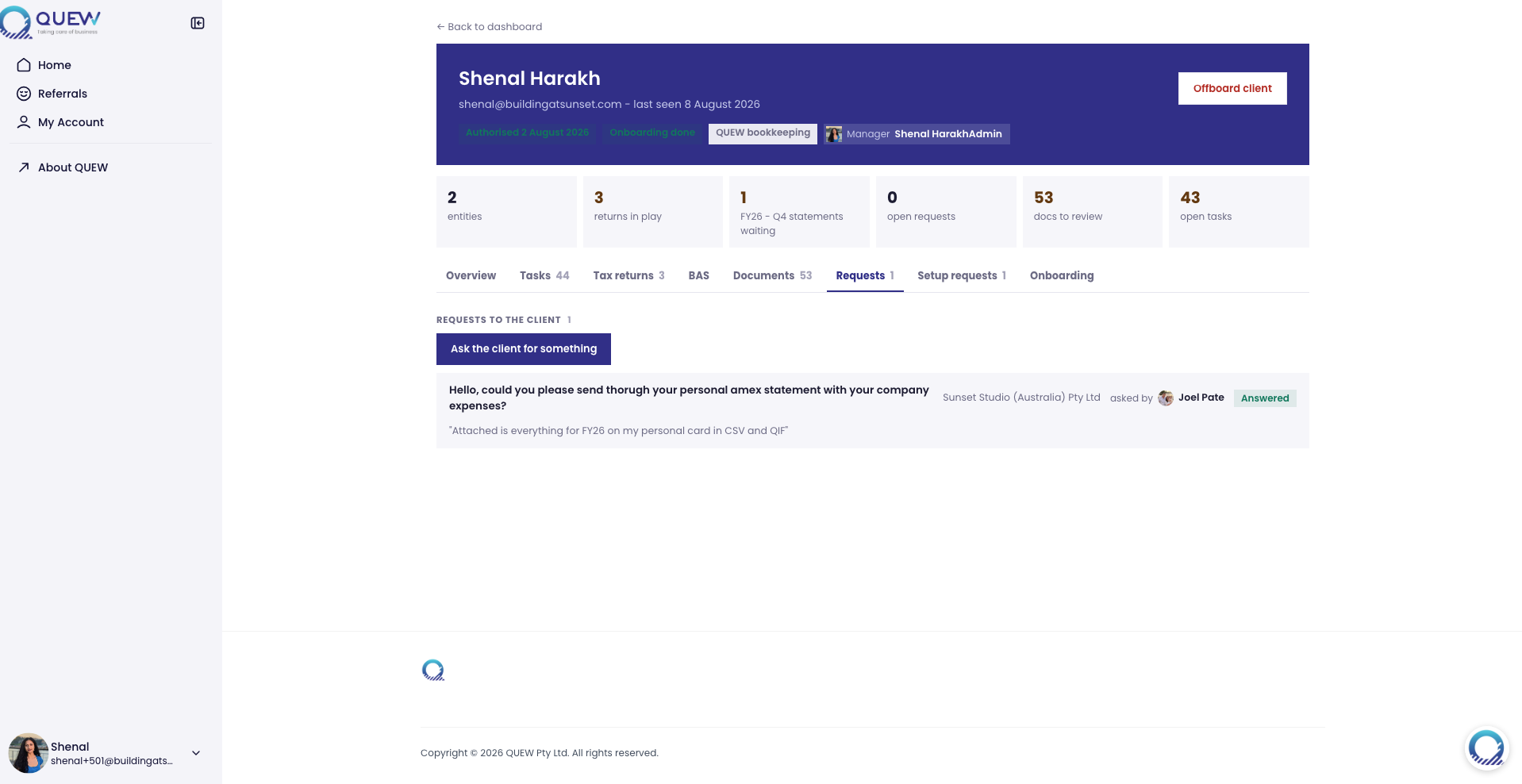
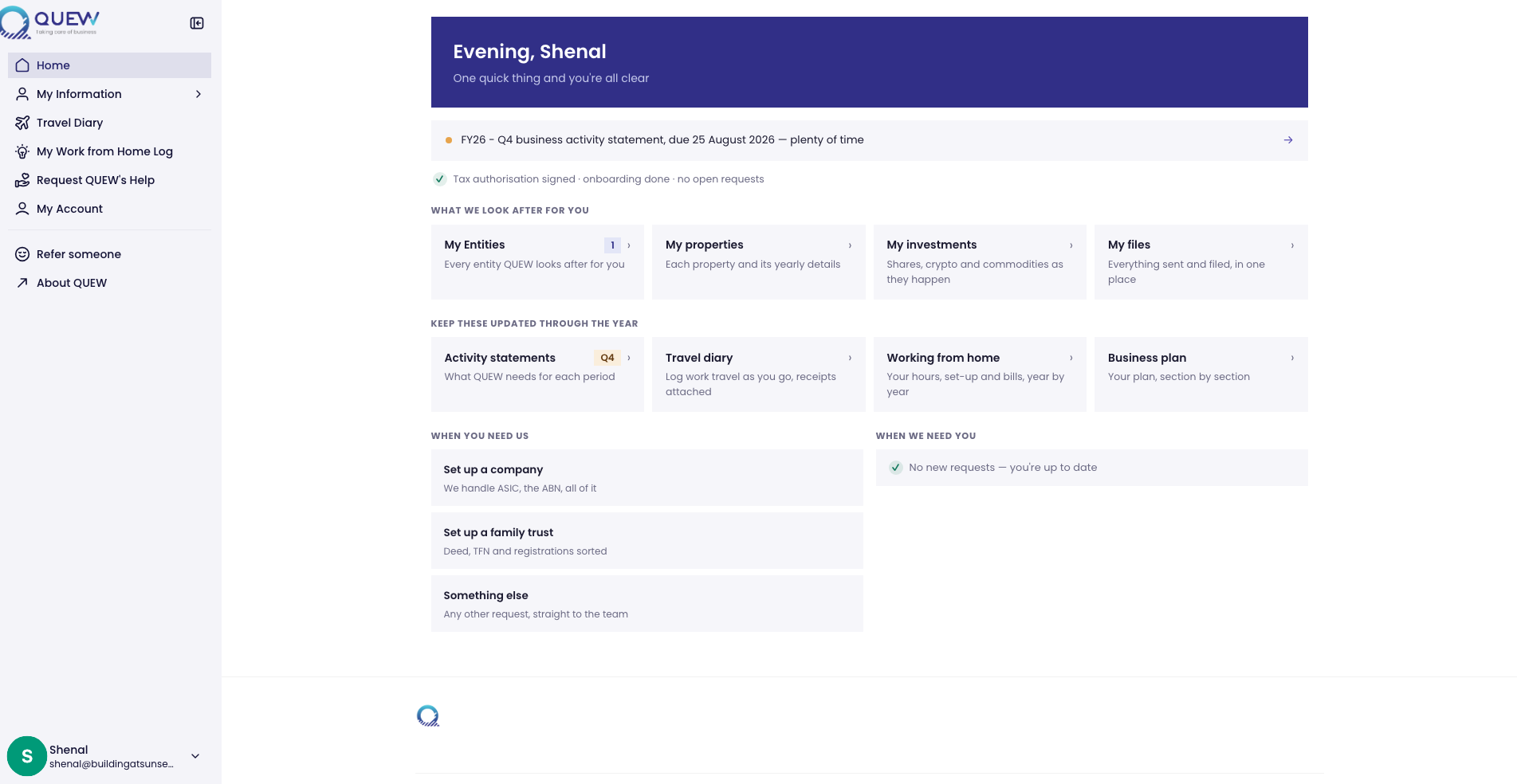
The client home shows only what needs doing now. Business activity statements prompts appear for entities with a current activity statement, annual prompts appear at tax time, and open information requests from the accountant sit up top. Once a client answers a request or the work is lodged, the prompt clears and disappears, so the home page stays a short list of live actions, not a history.
AI-assisted document capture
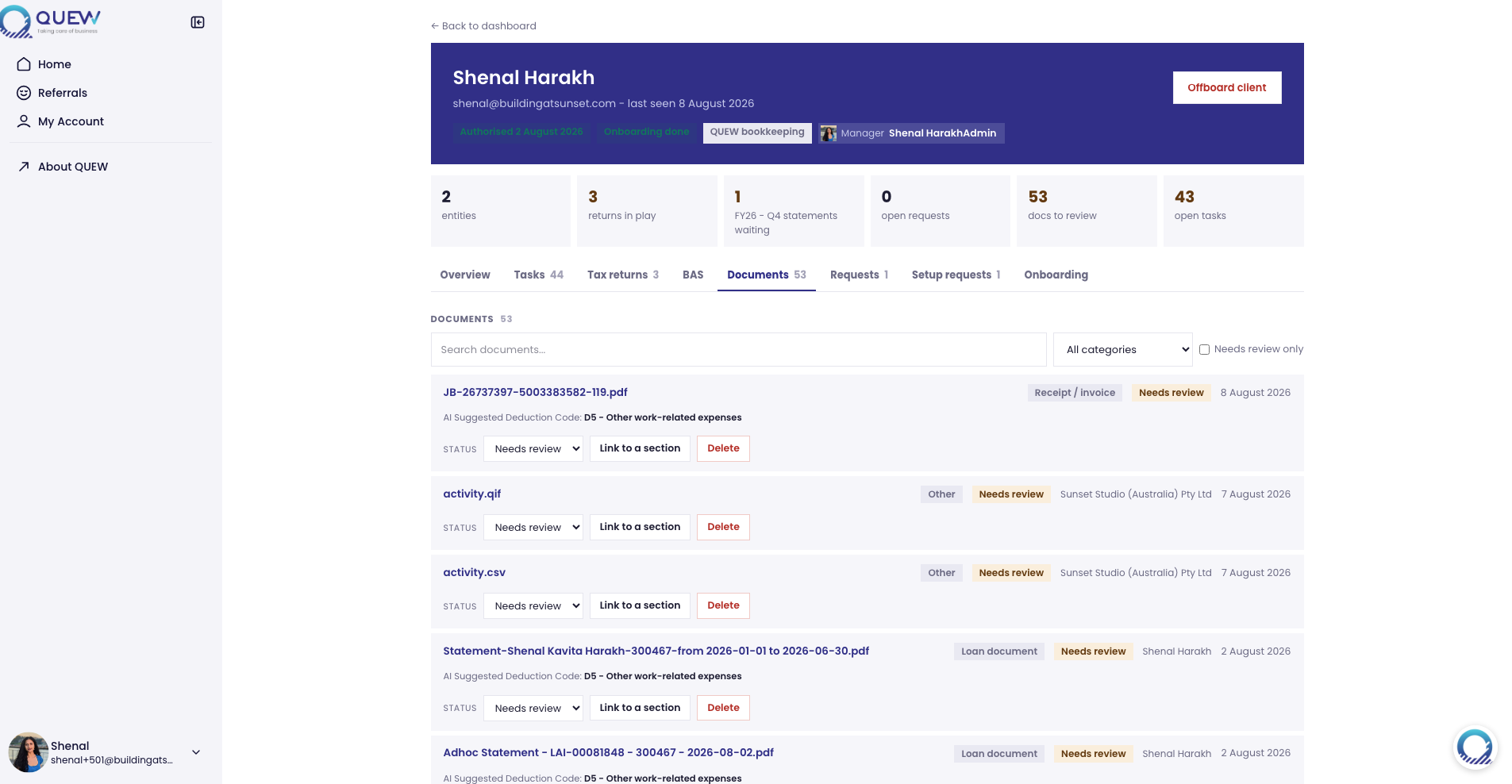
Clients upload files or email them to a practice inbox, and each document is filed against the right entity on arrival. For staff, AI reads each document and suggests the vendor, amount, date, a category and a deduction code, which the accountant confirms rather than keys in by hand. Source documents keep flowing in without data entry becoming a bottleneck.
Tasks and timesheets
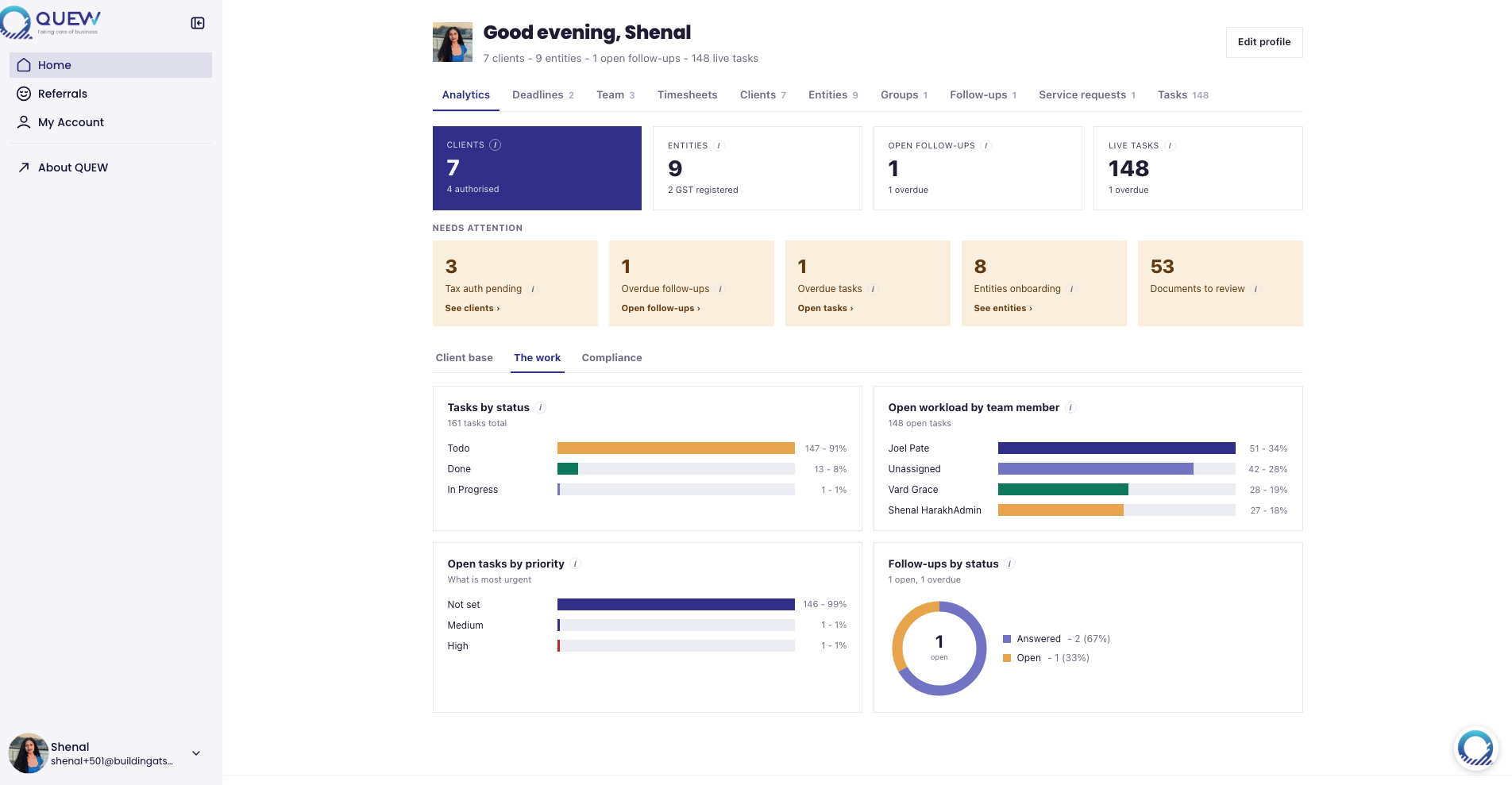
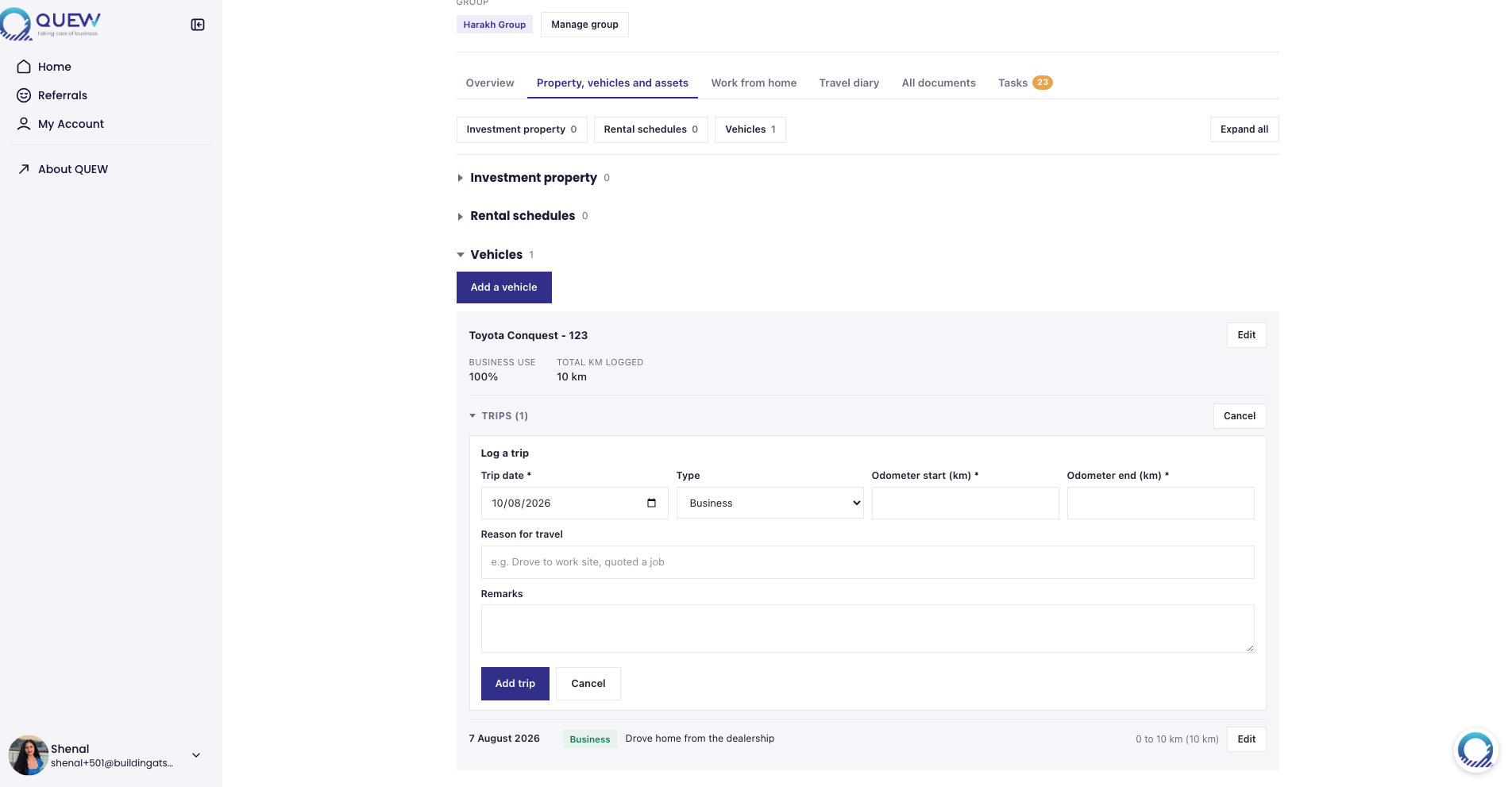
Staff work a firm-wide dashboard that groups checklist tasks into cards per run: tax returns by year, BAS by quarter, onboarding reviews. Tasks are assigned, filtered by status and assignee, and clocked against for time, and the firm can report time by team member, task type and client.
Compliance visibility for admins
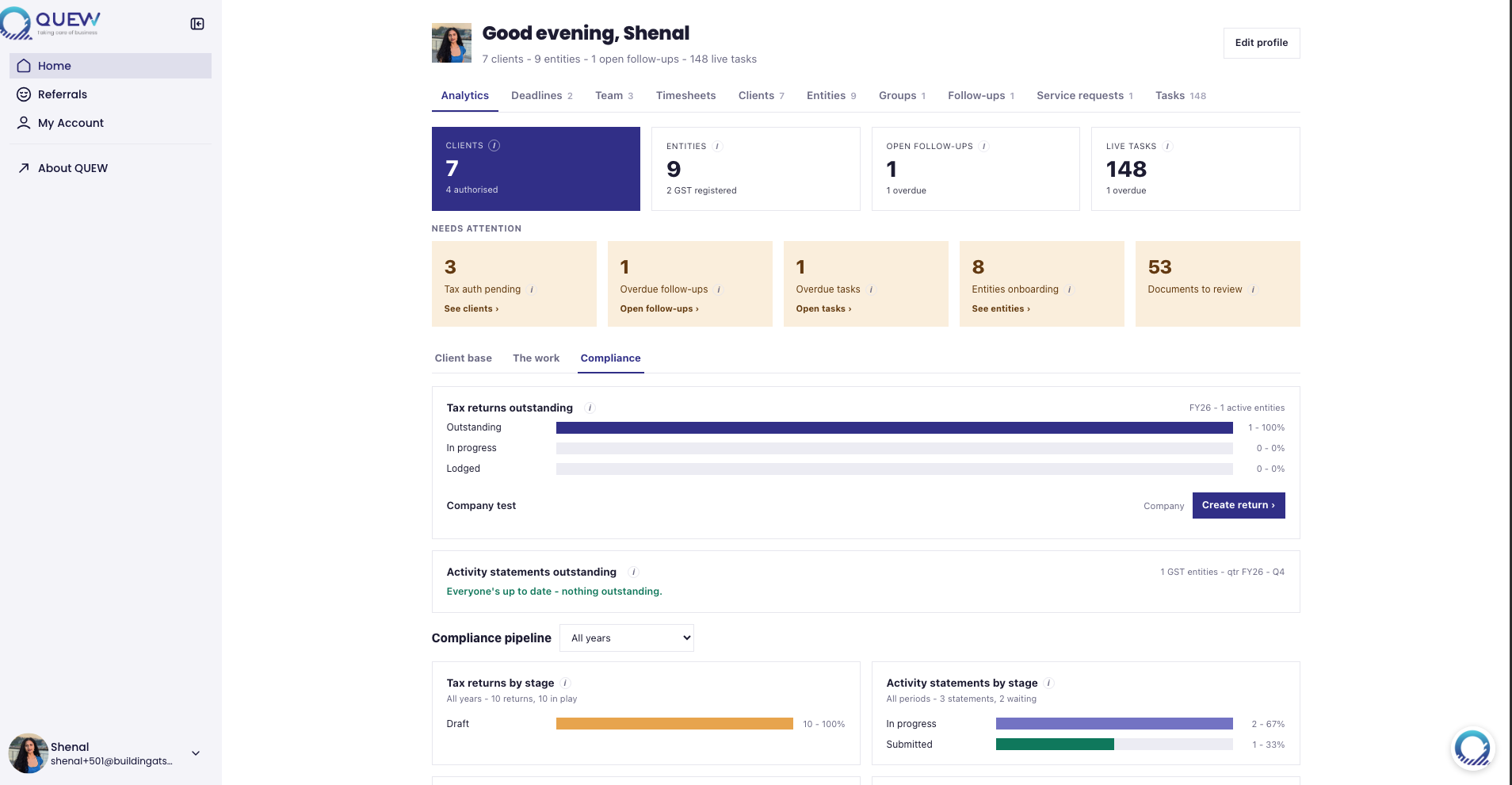
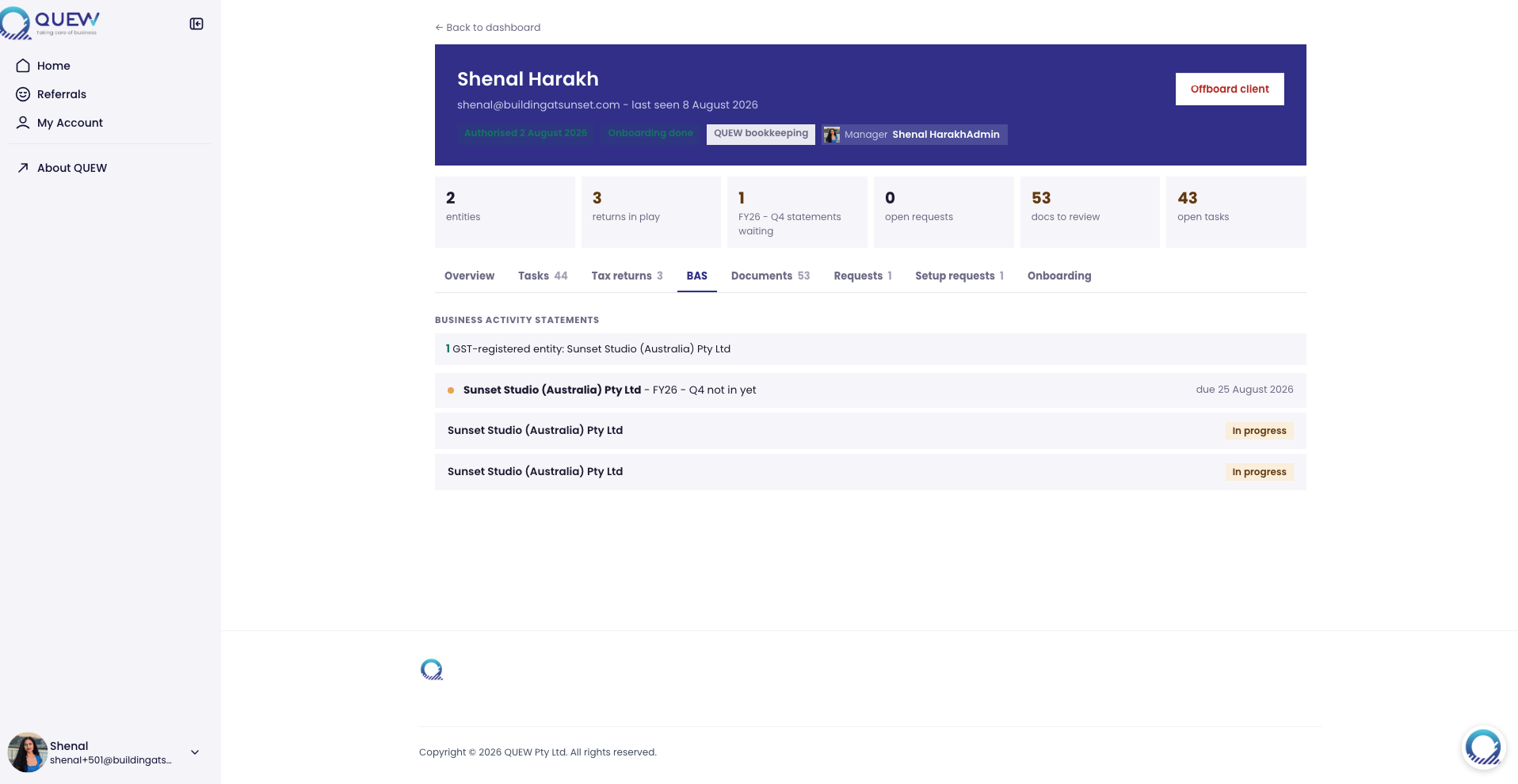
Because outstanding work is grouped by period and entity, admins see lodgement deadlines and open obligations in one place rather than across spreadsheets. Admins manage every client, onboard new ones, invite and manage other admins, and export to CSV.
Built on Softr with Softr Databases, Softr Workflows for the automations, custom code blocks for the entity file and dashboard, and Gmail for the practice's outbound email.
Demo


Gallery images
Data sources

Partner details

Sunset Studio


Led by an ex-PwC auditor. Our custom solutions are process informed, platform enabled. Multi-tool ecosystems, standalone products, and automations that hold under real operations. Working across the United States and Australia. Clients include the United Football League and a top-five US university.
Find the right partner for your project
Tell us a bit about your project and the Softr Partners team will match you with up to 3 of the best-fit partners in our network.