Workato vs Zapier: Which automation tool is right for you? [2026]

It seems like almost every tool out there can offer automation via integrations and AI. But foundational differences in deployment, their tech ecosystem, and usability can be the difference between a broken operation and drastically improving your day-to-day by removing repetitive tasks.
So if you’re shopping around, you’ve likely encountered two prominent players in the automation space: Workato and Zapier. On paper, they’re pretty similar. Both let you connect apps and trigger automations. These platforms, however, have different approaches to who should build automations, automation complexity, and what they’ll cost you.
We’ve analyzed Workato vs. Zapier to compare their strengths and weaknesses so you can see which aligns best with your needs.
[.blog-callout]
✨TL;DR:
Workato prioritizes power and enterprise control: Built for IT teams to build complex, business-critical integrations across major enterprise systems. Deep functionality, robust governance, and premium support make it ideal for large organizations, but it requires technical expertise and a heftier price tag.
Zapier prioritizes accessibility and speed: Its no-code tools let anyone (business owners, marketing folks, sales managers, HR coordinators, etc.) deploy their own automations, AI agents, and chatbots in minutes. A massive app ecosystem and low-cost options make it ideal for teams looking to avoid IT bottlenecks and want to make their day-to-day a little easier.
[.blog-callout]
Workato vs Zapier at a glance
What is Workato?
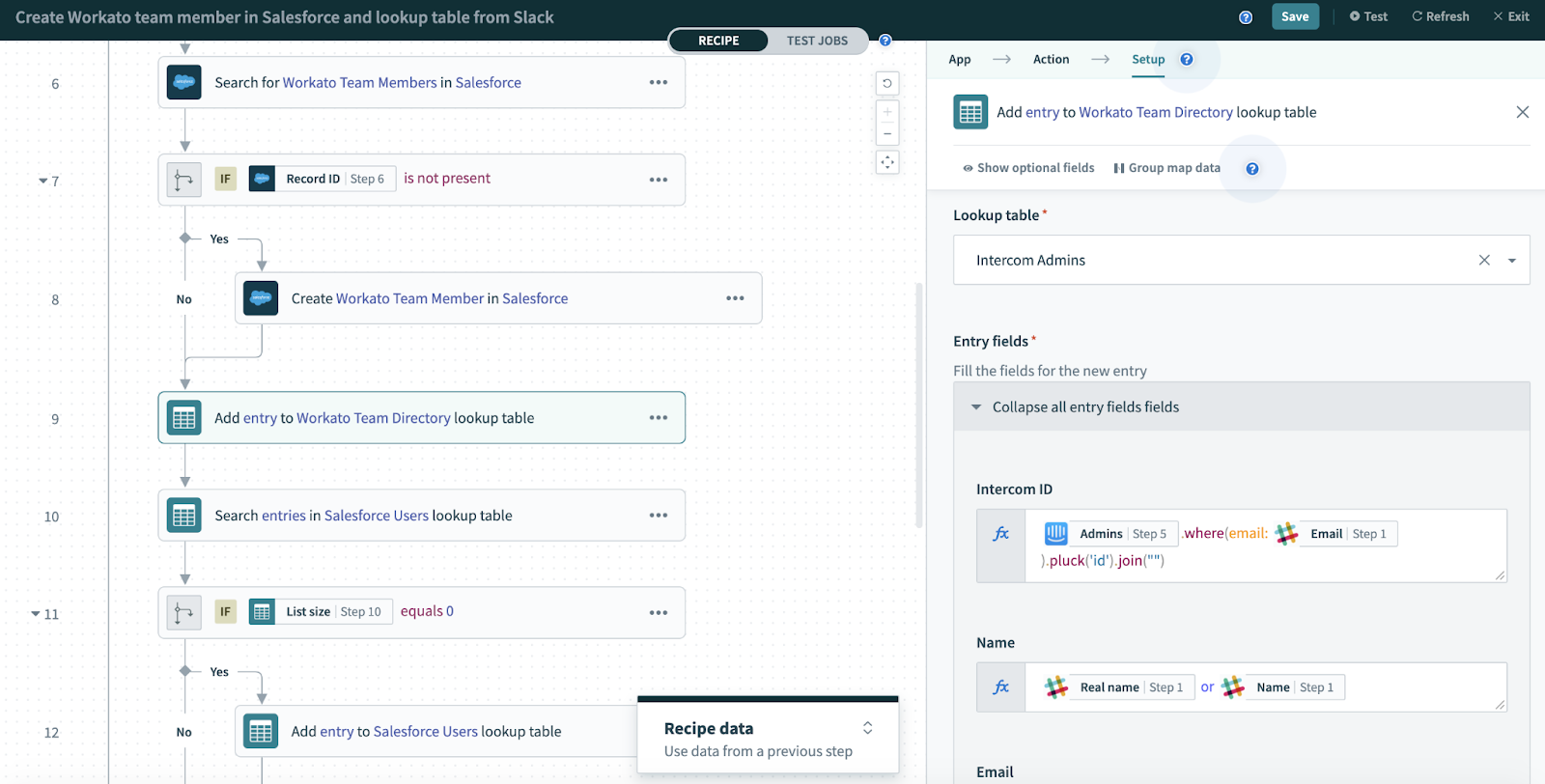
Anyone serious about deploying enterprise-level automation has probably come across Workato. It’s a well-known low-code platform-as-a-service (iPaaS) tool for IT teams to build automations in more complex environments.
Workato prioritizes “power and control” for its automation. So if you needed to connect major enterprise apps (think Salesforce, SAP, NetSuite, etc.) or on-premises databases and support all major data standards (Like CSV, JSON, XML, YAML), this is a tool you’d turn to.
It also doesn’t shy away from those complex workflows with multi-step processes, conditions, and apps. Like if you were syncing an ERP across dozens of regional CRMs, applying validation logic, and bringing results back to a central on-prem database.
Much of Workato’s value lies in its built-in workbots. These governance tools provide IT teams with full process control and full audit trails. So it's better suited when automations are critical to the operation, such as tracking sensitive customer data between core financial systems, rather than ones that just make life easier.
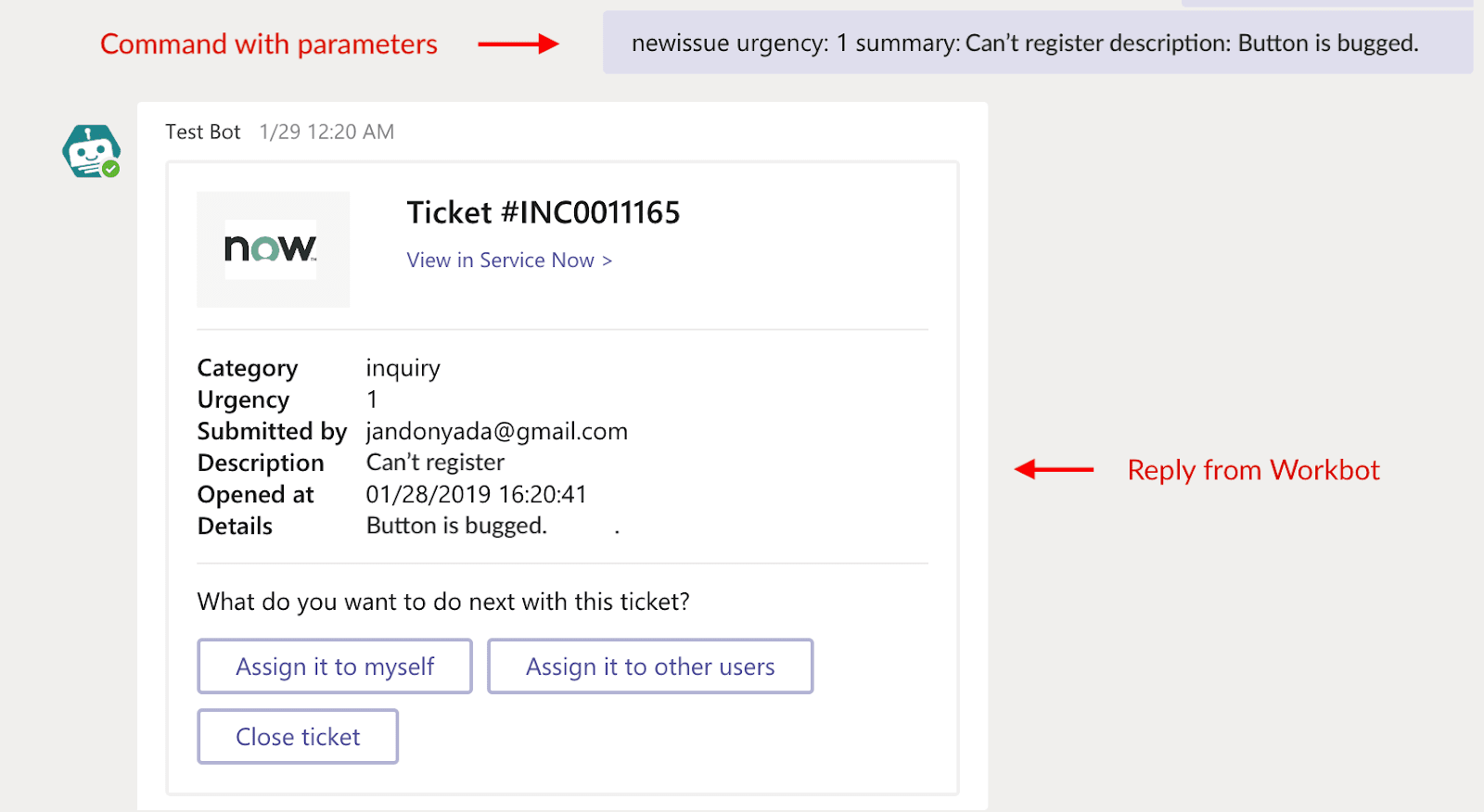
And for anyone serious about AI adoption, Workato offers various next-gen tools for automation, including AIRO Copilot, AI “Genies” agents, and the Agent Studio for low-code development.
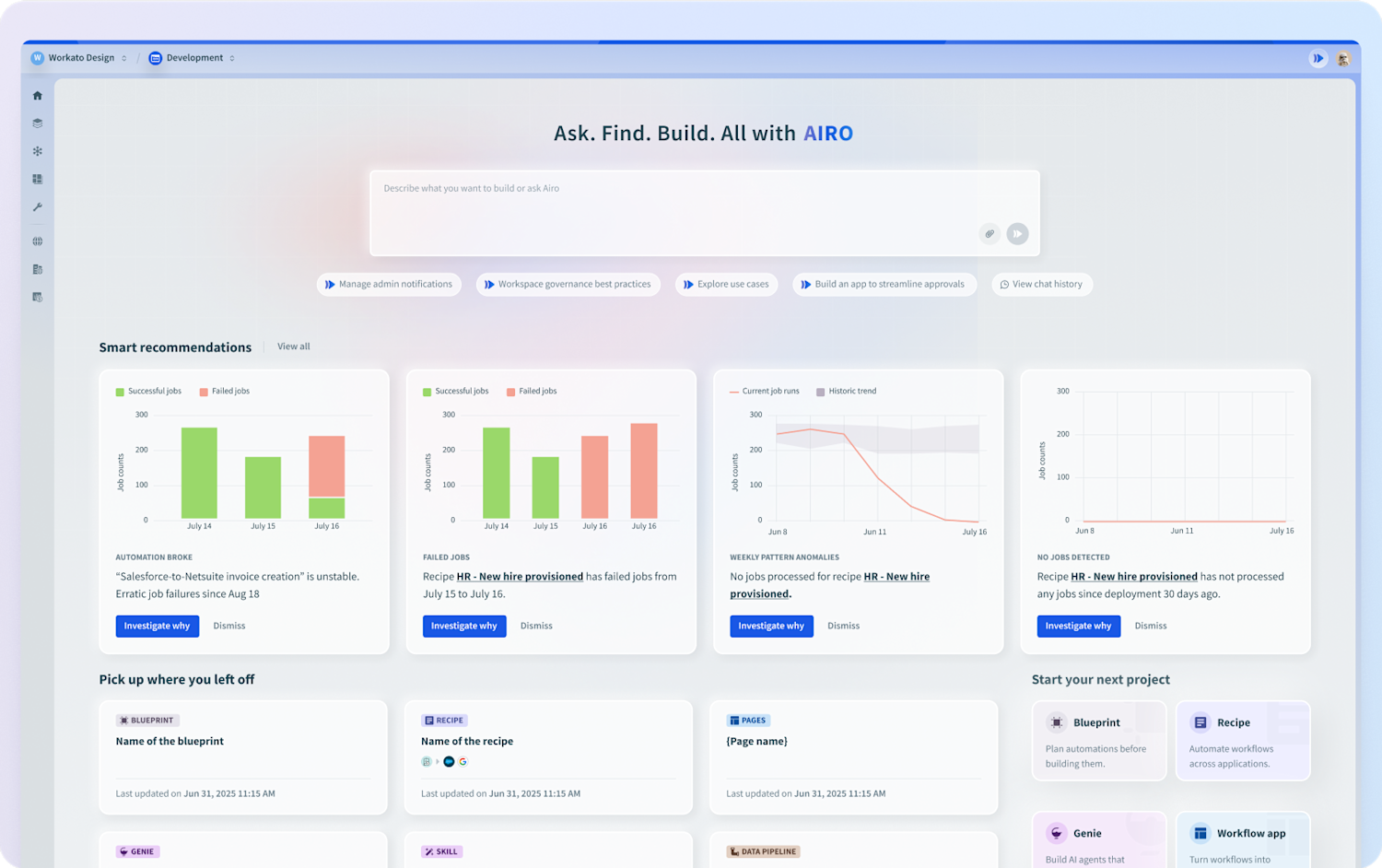
Workato is certainly powerful, and there’s no shortage of resources available. While built for technical users, there are always success managers and developers ready to support users.
Workato’s key features
- Enterprise integrations: Connect with major systems like Salesforce, SAP, and NetSuite, plus on-premises support and all major data standards (CSV, JSON, XML, YAML).
- Business-critical reliability: Missed event execution, which catches every trigger upon restart, plus batch processing that slashes task counts for high-volume data sync.
- Enterprise AI agents (“Genies”): Pre-built agents that let you automate things like IT support, CRM updates, campaign optimization, customer support, and much more.
- Workbots & governance: Chat interfaces that let you seamlessly approve workflows, control processes, enforce governance rules, and maintain compliance and audit trails.
- Immediate specialist support for customer success: In-browser live chat with instant assistance, plus access to architects and engineers for complex issues.
Workato cons
- Not fit for the non-technical business user: The platform is built for IT teams and developers. Non-technical users will likely struggle without support.
- Premium, nontransparent pricing: Entry-level usage typically exceeds a few thousand $ per month, and mid-tier deployments can easily run into six figures annually.
- Long implementation times: Complex automations can take weeks or months of development. There’s also the risk of IT backlogged requests, since IT (not business users) likely has to manage the automations.
Workato pricing
Workato’s pricing centers on platform + usage and separates pricing by whether you’re integrating it into the business or a specific product.
Regardless, entry-level users are likely hitting $2,000-per-month minimum. Most subscriptions, however, will range from $15,000 to $50,000 per year, depending on the number of automations running. Throw in additional support and features, and you’ll likely clear six-figure annual costs.
All plans require talking to sales, so there’s no self-serve sign-up with clear pricing.
What is Zapier?
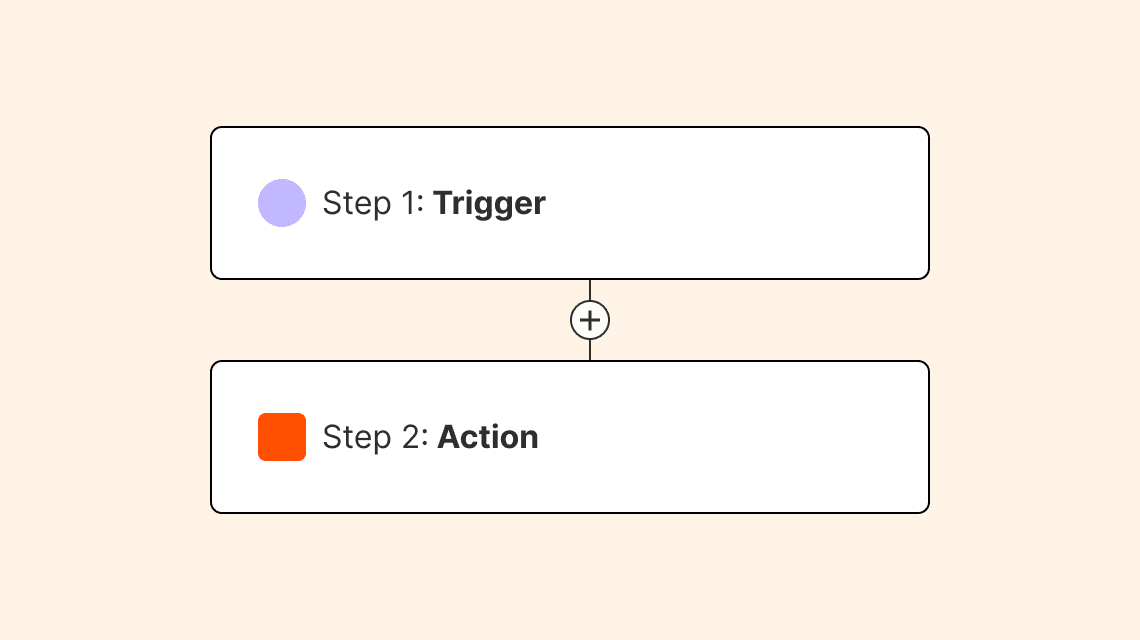
Zapier is a super popular automation platform for small and mid-sized businesses. Like its counterpart, Workato, teams can connect their favorite apps, build workflows, and automate where they wish.
The main difference is accessibility. With no-code tools and AI assistance, anyone, with or without a technical background, can deploy their own automations, AI agents, and chatbots relatively fast.
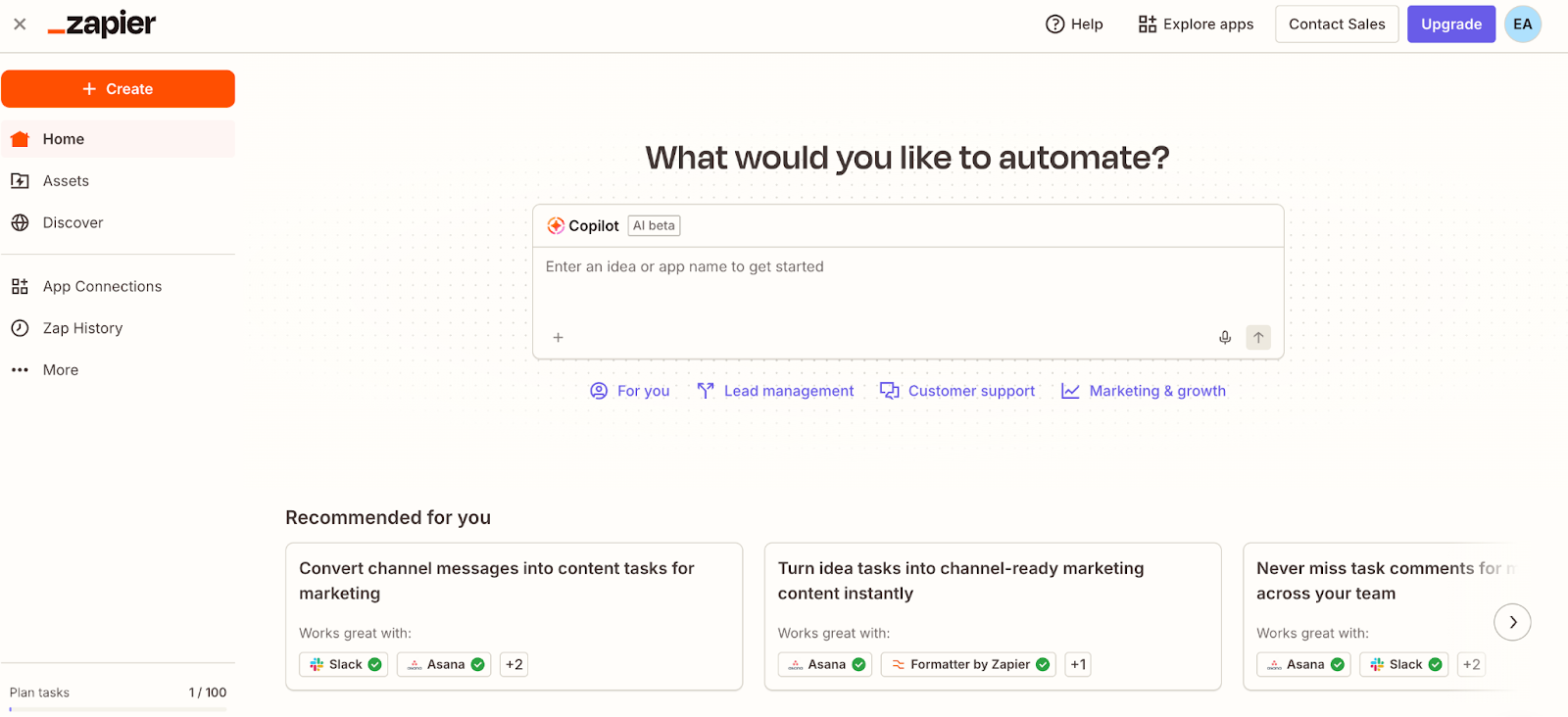
Zapier’s approach is all about being an app broker. Folks can connect their tools, set rules, triggers, and conditions, and Zapier handles the rest. And for those who may need a little guidance along the way, they can turn to its Copilot AI feature. This lets users prompt ideas and coordinate with a bot.
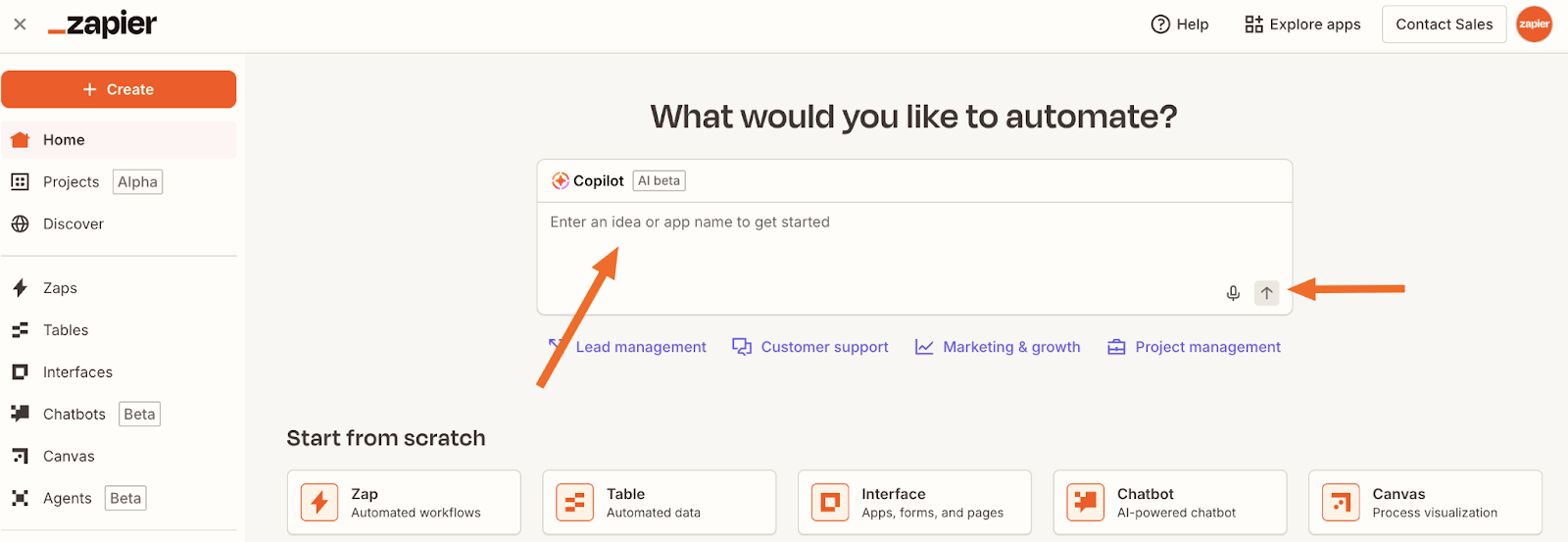
For example, a business owner might tell it, “When a new contact fills out my online web form, add them to my email list and notify me in Slack.” Then, after asking some clarifying questions, Copilot designs the workflow for you to publish.
Aside from its vastly simpler interface and experience, Zapier also stands out for its extensive ecosystem of integrations. Over 8,000+ apps can plug in and be part of your automations with just a few clicks.
Zapier’s key features
- Massive app ecosystem: Connect with 8,000+ apps, for which Zapier automatically updates connections when APIs change.
- AI automation suite: Zapier Copilot builds automations, agents, and chatbots from text prompts. Design custom AI agents for tasks such as meeting prep and lead management, and embed trained chatbots into websites or internal systems for customer and IT support.
- Intuitive no-code workflow designer: Build multi-step automations with conditional paths, filters, and logic using a visual builder (no coding or technical expertise required).
- Rapid automation deployment: Users can create automations within just a few minutes and immediately test and deploy them.
- Enterprise visibility: Track organization-wide AI and automation activity through the admin center, with complete governance and compliance.
- Native support tools: Beyond the Zap workflows, users can access Zapier Tables (built-in database), Zapier Forms (custom form builder), and other native tools that let you build complete solutions without leaving the platform.
Zapier cons
- Limited on-premises support: Zapier is cloud-first and can’t handle on-premises database integrations as smoothly.
- Lack of integration depth creates errors: While Zapier connects to many apps, its integrations use simple APIs. So some third-party apps may miss triggers or introduce delays in tasks.
- You get what you pay for: While relatively inexpensive (and free in some cases most advanced controls, governance, and security features require the Enterprise plan.
Zapier pricing
Zapier offers transparent, self-serve pricing on its AI orchestration plans:
- Free: 100 tasks per month; includes two-step Zaps, and AI Copilot
- Professional ($19.99 per month): Adds multi-step Zaps, email and chat support, and unlimited app integrations.
- Team ($69 per month): Up to 25 users, shared app connections, Zaps, and folders, and premier user support from the Zapier team.
- Enterprise: Custom pricing for unlimited users, advanced automation controls, governance features, and personalized support via a Technical Account Manager.
All plans are billed annually at the prices shown, with monthly billing available at higher rates. Zapier also has Agents and Chatbots add-ons you can purchase separately.
Workato vs Zapier: pricing
Workato and Zapier couldn’t be any more different in their pricing model and philosophies.
Key differences:
- Free plans: Zapier offers a free plan you can sign up for instantly, while Workato requires a sales engagement just to demo the software
- Pricing transparency: Zapier has pricing splattered right on their website (free plans, then $19.99 per month). The buying journey with Workato starts with a sales rep.
- Entry-level cost: Zapier is free, then $19.99 per month. Workato will likely be around $2,000 per month as a starting point.
- Scaling approach: For both Zapier and Workato, you essentially pay for what you use. You scale in increments as you need more tasks.
The verdict: Zapier offers transparent, accessible pricing and a free plan, making it the more budget-friendly choice for organizations starting their automation journey. Workato’s premium pricing reflects its enterprise focus and the advanced services and features it offers. So it's only suitable if you have a larger automation budget on day one.
Workato vs Zapier: on Reddit
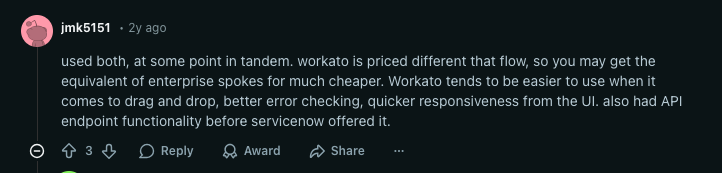
Reddit users agree that Workato is built for the enterprise ecosystem. While it does get expensive, people aren’t really complaining about the cost since it's premium-priced for larger companies anyway. One particular user specifically acknowledged its error-checking tools and UI responsiveness for automations.
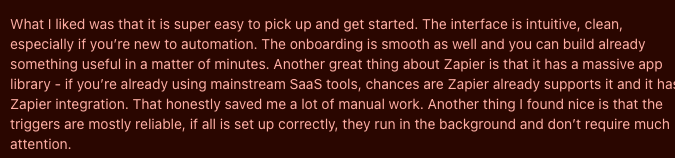
As for Zapier, the consensus is that it's easy to use and offers a large app library. But despite its freemium options and low-cost entry-level subscription, some users feel it can add up quickly if you’re building many automations.
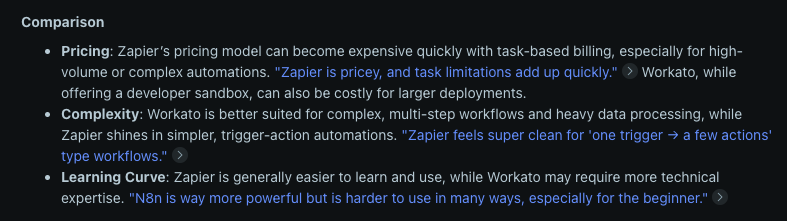
On a direct comparison forum of the two platforms, the disparities are exactly where we’d put them: Pricing, complexity, and learning curve (as seen in the post below).
Workato vs Zapier: a summary
Workato and Zapier users share the same objectives: integrating AI into their operations, building automations, and connecting their favorite apps. Both options also start to add up in cost as you stack automation tasks. So choosing between them comes down to what your organization values most.
- Workato for extensive enterprise automation control. Workato lets developers create complex automations, particularly when they’re critical to the business (like departmental CRM-ERP syncs or managing intricate approval workflows for compliance tracking). It offers deep integrative functionality, robust governance, and expert support when you need some extra hands. It's great for larger companies with IT-led automation strategies, but it does come with premium pricing and a learning curve.
- Zapier for easy-to-create, speedy automations. Zapier’s intuitive interface, massive app ecosystem, AI Copilot, and drag-and-drop capabilities allow anyone to feel like an automation expert overnight. It’s excellent for empowering the whole team to automate and get simple, time-saving workflows out the door quickly (think getting notifications from Slack for a new Calendly event or creating a new deal in the CRM when someone submits a web form).
None of this is to say that a regular business user couldn’t learn how to navigate Workato or that Zapier doesn’t get expensive for certain teams. But these are each platform’s core attributes on the surface. Be sure to give Zapier’s free plan and check out Workato’s product demo before making a decision. You can also check out alternatives (like Softr) to see if they meet your specific needs.
Meet Sofr—the best workflow automation tool
Softr isn’t just a workflow automation tool. It’s a full-stack, no-code platform where your apps, data, and automations are all built to work together from day one.
With Softr, you’re not stitching workflows on top of disconnected tools. You’re building:
- A database to manage your data
- An app interface your team or customers actually use
- And workflows that automate how everything runs
Zapier and Workato are both primarily automation platforms; there’s a lot of crossover between each app’s features and use cases. And while both platforms offer integrations and workflows, neither provides the same value of native integration control as Softr itself, or its Workflows.
Softr Workflows is a tool that lets users build multi-step automations natively inside their apps. No third-party connectors needed. Every workflow is built with a visual builder and connects directly to your Softr apps, databases, and external tools through one interface.
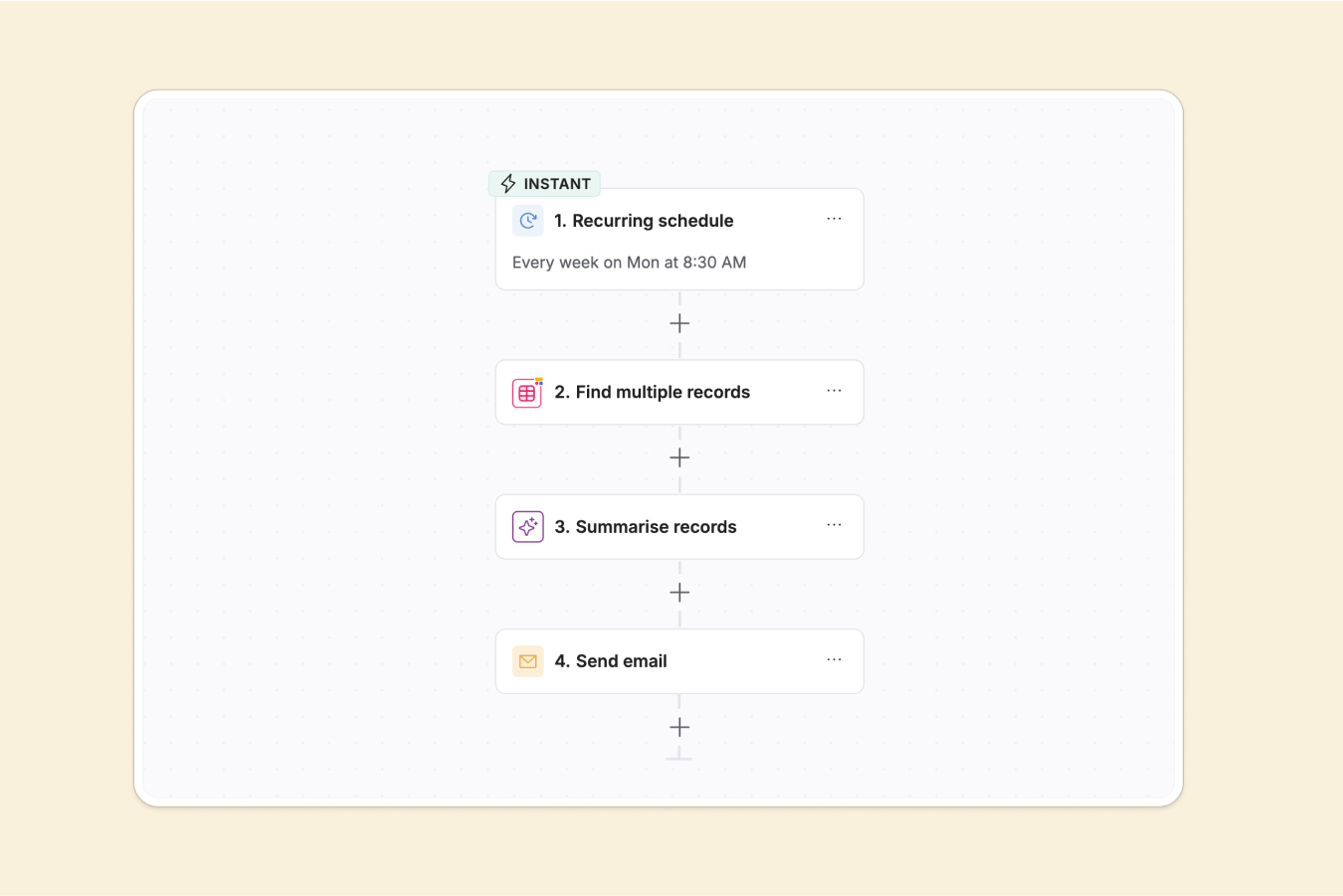
Zapier’s free plan limits you to just 100 tasks, while Workato’s entry-level plans get expensive from the get-go. The Softr free plan includes 500 workflow actions, plus AI credits. And unlike the other two products, you don’t need to worry about per-task costs adding up or juggling multiple tools.
Softr Workflows supports branching logic, loops, data filters, scheduled automations, and custom code blocks (for the advanced stuff). The intuitive visual builder lets you create (simple and complex) automations as your business needs them, without the complexity of Workato’s enterprise-focused setup or the “Zap” limits of Zapier.
Just set up your workflow, then trigger it directly from user actions in your app (like button clicks) or from changes in your database (like new records). You can also connect workflows to thousands of external tools via REST API, webhooks, and built-in integrations like Slack, Gmail, and Airtable. Go a step further by embedding AI agents that can reason, summarize data, and manage tasks on their own.
Best for: Teams wanting to build and run powerful automations where their app lives instead of juggling third-party tools, dealing with complex development pipelines, or hitting task execution limits.
Why teams choose Softr over Workato and Zapier
- True native automation, without the middleman: Build and run automations directly inside your Softr app. No need to connect with an external platform as you do with Zaps or Workato’s complex recipes. Your triggers, actions, and data all live in one workspace.
- AI agents built in, not bolted on: Deploy AI agents that can reason, summarize, tag data, and take action as part of your workflows natively inside Softr. While Workato and Zapier require assembling separate AI steps or third-party connections, Softr gives you built-in access to models like Anthropic and OpenAI to enrich data or automate logic-based tasks instantly.
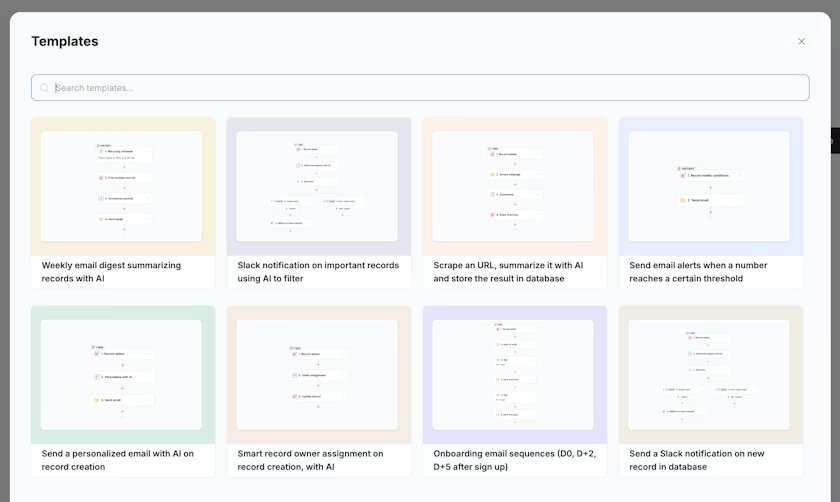
Workato, Zapier, or Softr
Workato or Zapier? The answer ultimately comes down to what you value most: enterprise-grade complexity and scalability (for Workato) or breadth of integrations and ease of use (for Zapier).
But neither platform can match the value of Softr Workflows, which gives users native multi-step automations, built-in AI agents, and a visual workflow builder, all connected directly to your Softr apps and databases. It’s the best alternative to Workato and Zapier for teams that want to build and run automations where their app lives.
And if you want to expand into other areas, such as interface design, database management, customer portal development, forms, and other tools, Softr has you covered. One place to control your whole tech stack, making automation part of a larger ecosystem.
Try Softr for free and start building workflows today.