


6 best user-friendly database software in 2026


If your team is still storing important data across .csv files and messy spreadsheets, it’s likely time to upgrade to a database. But if your team includes non-technical members, you probably want something that doesn’t require a full-time developer to set up and maintain. A user-friendly database tool gives you a clean interface for managing relational data, allows your team to collaborate safely, and still connects to other tools through an API.
In this guide, we’ll break down the best user-friendly database tools in 2026.
Best user-friendly database software at a glance
| Tool | Best for | Standout features | Pricing |
|---|---|---|---|
| Softr Databases | Managing structured data and building full-stack apps | • Linked records, formulas, rollups, and lookups • Custom views and filters • Two-way real-time sync with the app builder • Role-based permissions | Free plan, paid from $19/month |
| Baserow | Open-source, self-hosted control over your data | • Self-hosting with no row limits • API-first architecture • Real-time collaboration • GDPR and audit features | Free self-hosted, cloud from $10/user/mo |
| Stackby | Marketing and agency teams tracking campaigns | • Spreadsheet-style grid • Column-level API connectors • Grid, Kanban, calendar, and gallery views • Slack and webhook integration | Free for 5 editors, paid from $10/user/mo |
| Coda | Doc-style databases and internal tracking | • Interactive tables inside docs • Buttons and automations • Deep formula language • Template gallery | Free plan, paid from $10/user/mo |
| Supabase | Developer-friendly PostgreSQL with a full backend | • Real-time Postgres • REST and GraphQL APIs • Built-in auth and storage • Edge Functions | Free tier, paid from $25/mo |
| Xano | No-code backends with API-first design | • Visual API builder • Auto-generated REST and GraphQL endpoints • Built-in auth and file storage • Unlimited records | Free plan, paid from $29/mo |
What is database software?
Database software helps you store, organize, and manage information in a structured way.
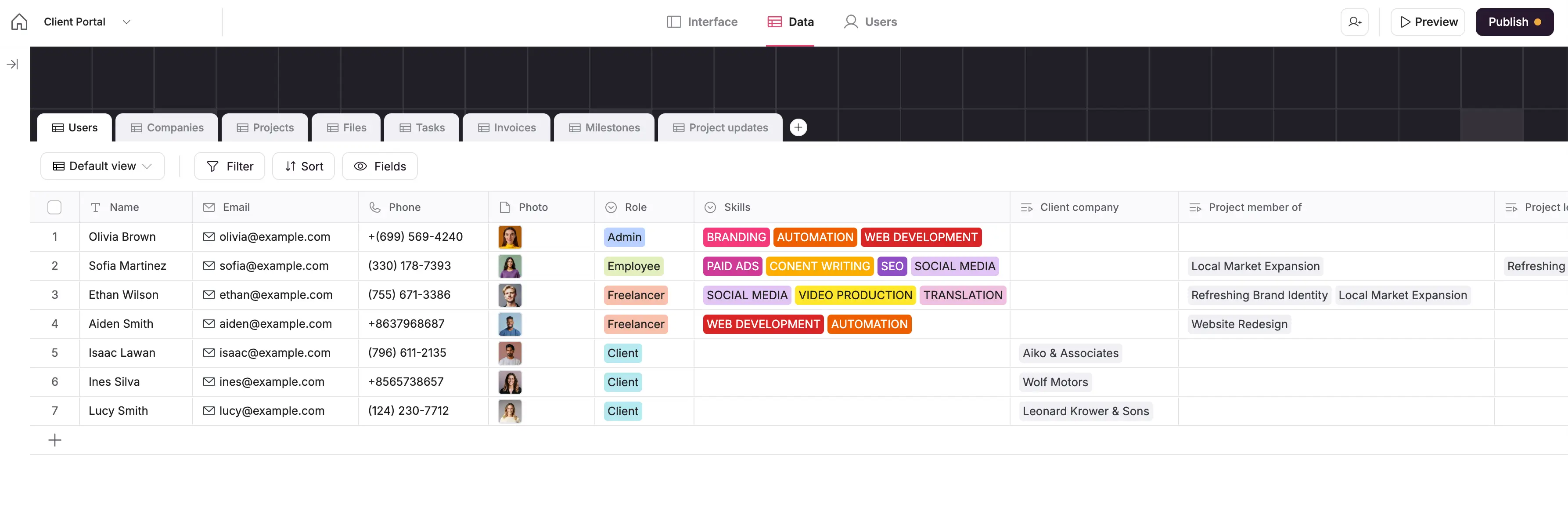
If you’ve used spreadsheets to track things like clients, inventory, projects, or tasks, you’ve already worked with data. But as that data grows, it becomes harder to manage in spreadsheets.
Instead of being limited to rows and tabs, database software lets you:
- Create records (like one row per client or task)
- Link related data (like connecting a client to a project or an inventory item to a warehouse)
- Control who can view or edit what
- Search, filter, and update your data more easily
Modern databases come in many forms, but whether a database is truly user-friendly depends on your team’s technical experience, the complexity of your data, and how you plan to use it. For example, a developer might find tools like PostgreSQL or MySQL intuitive, while non-technical teams often prefer no-code relational databases that offer a familiar spreadsheet-like experience.
What to look for in user-friendly database software
Not every team needs the same kind of database, but if ease of use is high on your list, here are a few factors worth keeping in mind while you explore your options.
- Setup and usability: Some tools offer a smoother start than others. If you’re looking to get up and running quickly, check whether the platform requires coding knowledge and if it supports importing data from existing spreadsheets and tools, such as a CSV import.
- Interface and navigation: A clean, intuitive interface can make all the difference. Think about what field types you need, and how easy it is to add filters and custom views so you can visualize what matters.
- Automation and AI capabilities: Some platforms offer built-in automation or AI to handle repetitive tasks, summarize data, or surface key insights. If your workflows involve a lot of manual upkeep, these features might come in handy.
- Security and access control: If your database includes sensitive or private data, security matters. Look into how the tool handles user permissions, encryption, and data protection.
- Flexibility and scale: You may only need a smaller database right now, but that might change. Consider whether the tool can grow with your team, whether that means more records, more users, or adding front-end apps on top of your data.
- Support and community: Clear guides and helpful support are important, especially when you’re using a tool for the first time. A strong online community can also make it easier to find answers and solve problems quickly.
1. Softr Databases — best for building relational databases and full-stack apps
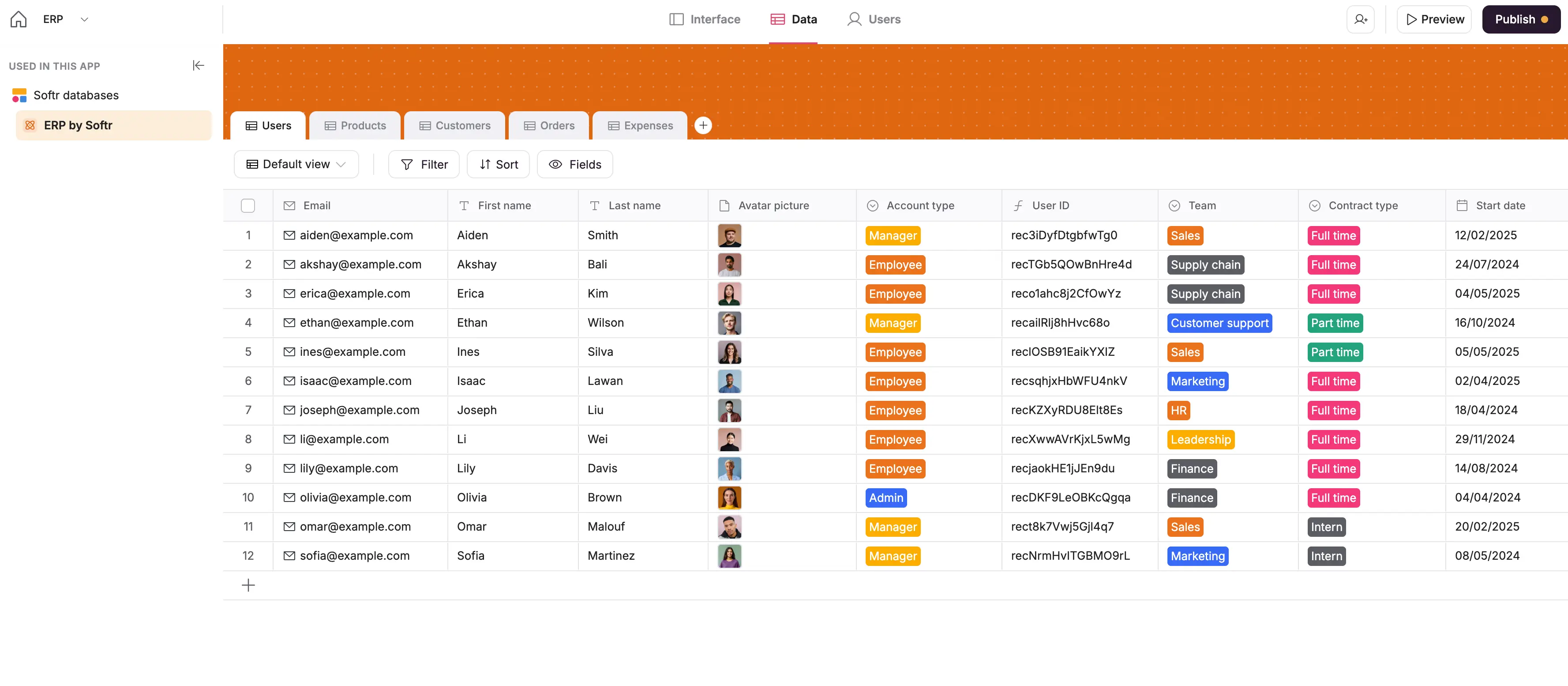
Softr offers a user-friendly, no-code relational database designed for teams that need more structure than spreadsheets, without the complexity of traditional tools. It offers a clean, spreadsheet-style interface with the power of relational fields, filtered views, and formula controls built in.
You can use Softr Databases as a standalone data management tool, or as the backend for full-stack business apps like client portals, CRMs, internal tools, dashboards, and more, all generated with the AI Co-Builder in minutes, without a developer.
Getting started is easy: Build from scratch, use a pre-built database template, or import your data from a CSV or existing Airtable base to get up and running fast.
My verdict: The strongest pick if you want the database and the app built on it in one place. A non-technical team can get from raw data to a working data management system without help.
Softr Databases pros and cons
Pros:
- Relational database with flexible field types built for business logic: formulas, lookups, rollups, attachments, and more
- Manage data and build apps in one place, with no API limits, sync delays, or performance issues
- Fast, real-time performance even with large datasets (and no 3rd-party API limits)
- GDPR and SOC 2 Type II compliance, with data hosted in Europe
- No per-seat pricing
Cons:
- Not designed for deep developer-level backend scripting or server-side logic
- Native Softr Workflows are newer than the automation ecosystems built around older platforms
Softr Databases best features
- AI Co-Builder: Describe the app you need and get a fully functional app back (database, logic, and UI) without writing a single line of code.
- AI Co-Builder & Softr MCP: Describe the app you need to generate it with AI, or connect your own AI assistant via the Softr MCP to create tables, manage fields, and update records directly.
- Field types built for business data: From short text and currency to linked records, rollups, and lookups, this database tool is designed for managing structured data at scale.
- Custom views: Create custom views using built-in filters, sorting, and field visibility tailored to different teams and workflows.
- Ability to create full-stack business apps: Turn your data into secure client portals, project management systems, inventory trackers, and more, all in one place.
- Airtable import: Move an Airtable base into Softr Databases in a few clicks, linked records included.
- Native Zapier and Make integrations: Set custom triggers and actions with Softr Databases + Zapier or Make, and keep all your tools in sync.
- Public API: Push data from any tool with a REST API into Softr Databases. Migrate from legacy systems, sync live CRM data, and centralize scattered information.
- Library of pre-built templates: Get started quickly with ready-made database templates for CRMs, inventory, and client portals
Softr Databases pricing
Softr offers flexible pricing, including a generous free plan. Softr Databases are available on all Softr plans with some record limits.
- Free for up to 5 users per month and 1000 records per database (5000 records per workspace)
- Paid plans start at $19/month for Team: 5 + Client: 5 app users and 50K records per workspace (when billed annually)
- Pro: Starts at $99/month for Team: 10 + Client: 50 app users and 500K records per workspace (when billed annually)
- Business: Starting at $329/month for Team: 30 + Client: 100 app users and 1M records per workspace (when billed annually)
- Enterprise: Custom pricing, contact for more info
2. Baserow — for open-source, self-hosted data control
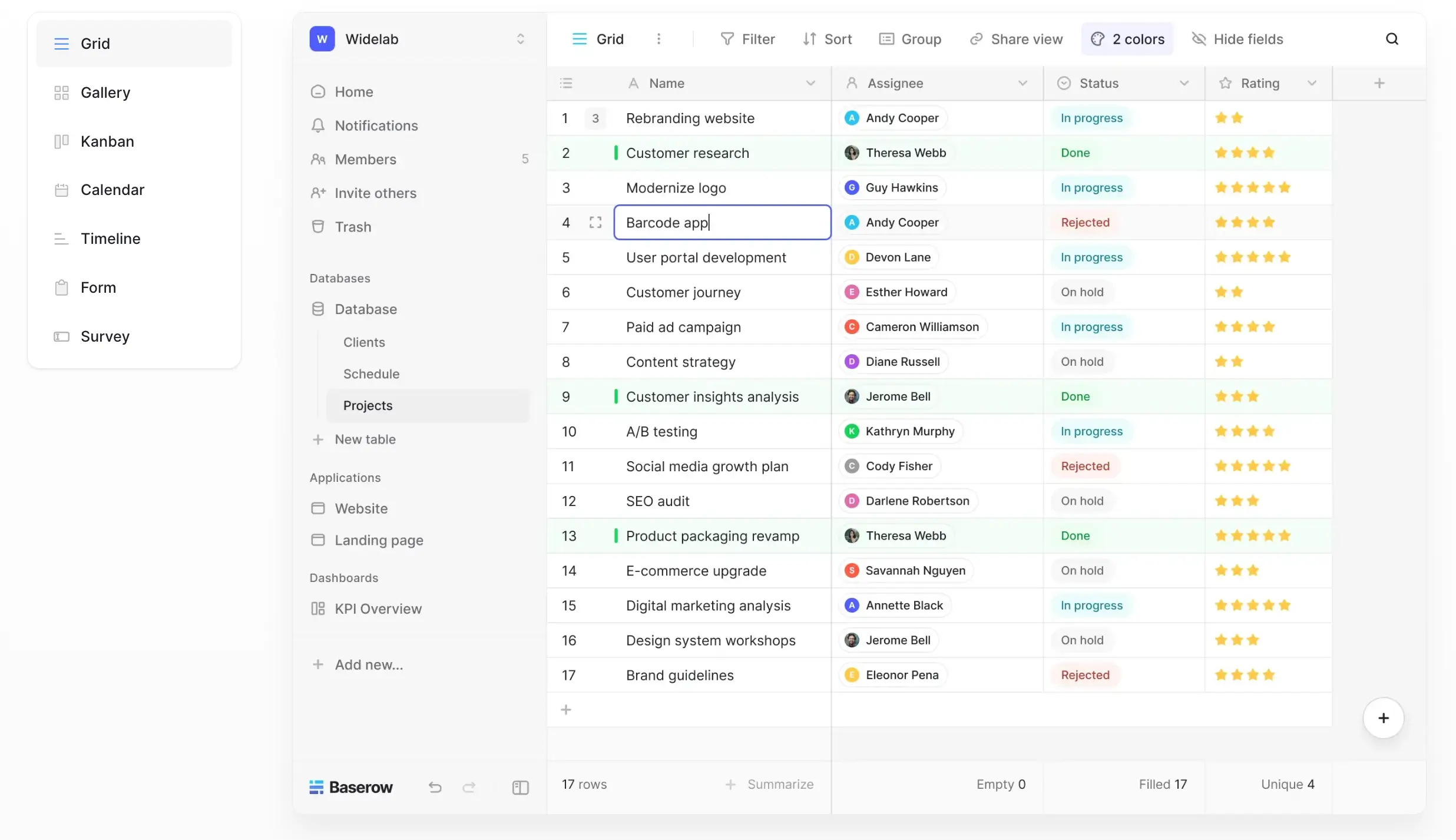
Baserow is a no-code database you can host yourself, which suits GDPR-sensitive data or teams that want data control without vendor lock-in.
It has a simple, spreadsheet-style interface that makes it easy to use, even for people without technical skills. You can create tables, connect data between them, and build custom views without writing code. This helps teams organize and manage their information quickly.
You can run Baserow on your own server for full control, or use the Baserow Cloud version if you prefer a setup that’s already managed for you.
My verdict: Choose Baserow when self-hosting is non-negotiable. The trade-off is a thinner integration ecosystem than the other hosted tools on this list.
Baserow pros and cons
Pros:
- Open-source and self-hostable for full data control
- No user limits on the free plan
- Real-time collaboration with a relational database structure
Cons:
- Limited third-party integrations compared to other platforms
- The interface is functional but less polished than Airtable or Notion
Baserow features
- Self-hosting option: Deploy on your own infrastructure (Docker, Helm, AWS) for full governance and data sovereignty
- API-first architecture: Every table exposes a REST API, so automations and integrations can read and write directly
- Application builder & plugin support: Build simple apps, dashboards, or custom workflows with plugins or low-code customization
- Relational data and real-time editing: Connect records across tables and collaborate live
- Multiple views: Includes grid, form, gallery, Kanban, calendar, and timeline views, most of them depending on your plan
- Security and compliance-ready: Supports GDPR, audit logs, encryption; enterprise plan adds SSO and role-based permissions
Baserow pricing
Cloud-hosted (billed yearly):
- Free plan: Includes unlimited users, 3,000 rows, 2 GB storage, and basic views (grid, form, gallery)
- Premium plan: $10 per user/month. Up to 50,000 rows, 20 GB storage, and extra views like Kanban, calendar, and survey
- Advanced plan: $18 per user/month. Up to 250,000 rows, 100 GB storage, plus role-based permissions, audit logs, and read-only users
Self-hosted:
- Free version: Host it yourself with no limits on users, rows, or storage
- Paid self-hosted plans: Start at $10 per user/month to unlock advanced features
- Enterprise: Custom pricing for features like SSO, admin panel, audit logs, and priority support
3. Stackby — for marketing teams tracking campaigns
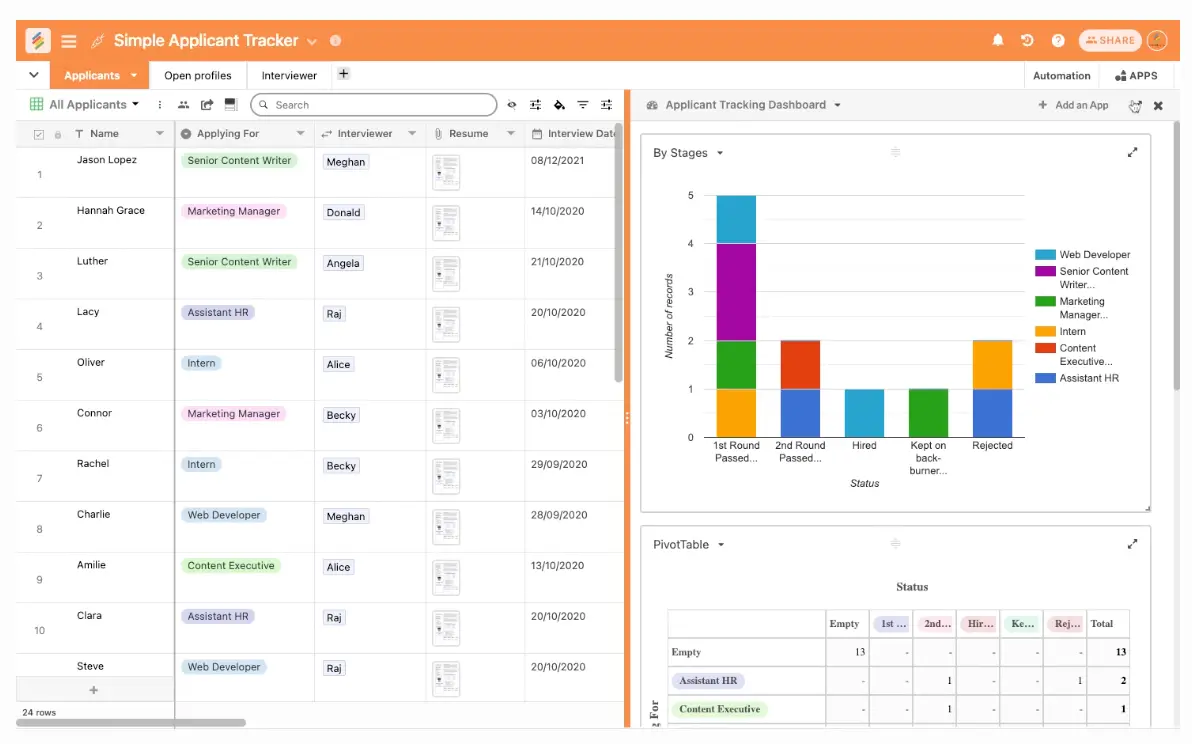
Stackby is a spreadsheet-style database tool built for marketers, agencies, and operations teams that want structure without complexity. It feels like a spreadsheet but adds field types, column-level automations, and integrations with tools like YouTube, Google Analytics, and MailChimp.
You can create “stacks” (databases) for campaigns, clients, leads, or any structured data, then automate updates from connected APIs, which suits fast-moving marketing and reporting workflows.
My verdict: Good for marketing teams that work primarily with campaign data. Look elsewhere if you need real permissions or expect the dataset to grow.
Stackby pros and cons
Pros:
- Familiar spreadsheet UI with structured field types
- Column-level API connectors for live data updates
- Affordable pricing, especially for small teams
Cons:
- Limited permissions and roles compared to more advanced platforms
- UX feels a bit clunky on large datasets or complex stacks
Stackby features
- Spreadsheet-style interface: Build relational databases in a grid format, with no SQL or formulas required
- Column-level automations: Pull in data automatically from tools like YouTube, Google Analytics, and Clearbit
- Multiple views: Switch between grid, Kanban, calendar, and gallery views
- Pre-built templates: Launch faster with stacks for CRM, social media planning, project tracking, and more
- Slack & webhook integration: Push updates to Slack or connect with other tools via webhooks
Stackby pricing
- Free: $0/month, 1,500 rows/stack, 2 GB attachments, 5 editors
- Economy: $10/user/month, 7,000 rows/stack, 6 GB storage, 1,000 automations
- Business: $18/user/month, 50,000 rows/stack, 20 GB storage, 25,000 automations
- Pro: $30/user/month, 100,000 rows/stack, 50 GB storage, 100,000 automations
- Enterprise: Contact sales, 250,000 rows/stack, 1 TB storage, 250,000 automations
4. Coda — for doc-style databases and internal tracking
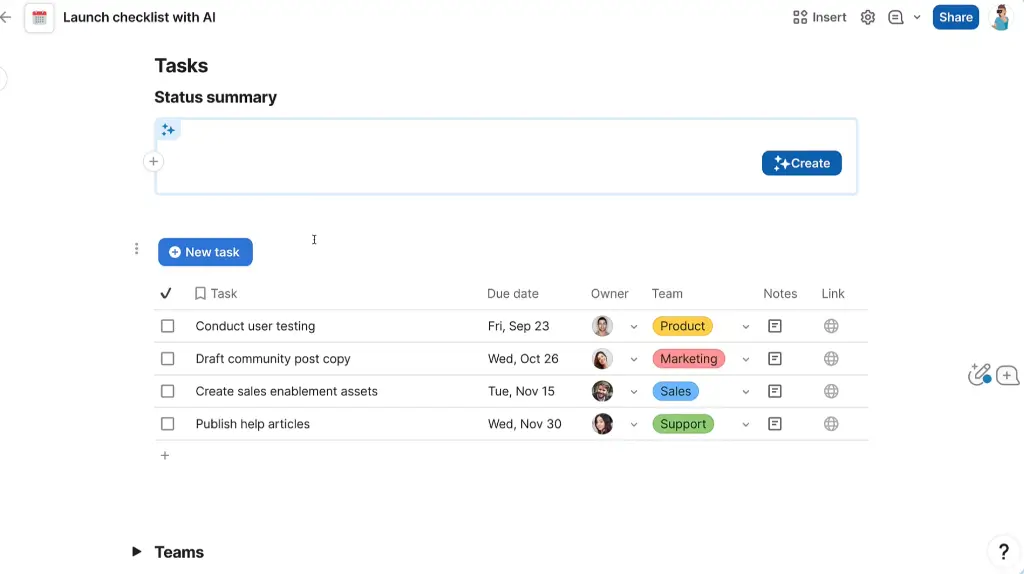
Coda is an all-in-one doc and database tool that blends the flexibility of documents with the structure of a relational database. It's ideal for small teams that want to turn everyday documents into working apps, with buttons, automations, and data connections in one interface.
Each “doc” in Coda acts as its own workspace, where you can add interactive tables, create filters, connect data across pages, and set up logic with formulas.
My verdict: Best when your data belongs inside page-style documents. Sharing stays doc-level, so it suits internal work better than client-facing work.
Coda pros and cons
Pros:
- Combines documents, tables, and logic in one interface
- A formula language deep enough to build interactive workflows
- Packs structure into a familiar, doc-style format
Cons:
- Tables aren’t separate entities, so reusing data across docs can get messy
- Learning curve for formulas and advanced automations
Coda features
- Live, interactive tables: Turn any doc section into a filterable, sortable table for tracking content, projects, or clients
- Buttons & automations: Create buttons that trigger emails, Slack messages, or status updates
- Connected pages: Link data across sections of the same doc using relational formulas
- Template gallery: Use or customize pre-built templates for CRMs, task managers, meeting notes, and more
- Mobile-friendly docs: Docs stay readable and editable on phones, which helps teams working away from a desk
Coda pricing
- Free: $0/month, up to 100 rows and 100 automations/month
- Pro: $10/user/month, 5,000 rows, unlimited docs, version history
- Team: $30/user/month, 10,000 rows/doc, 60-day version history, admin tools
- Enterprise: Custom pricing, advanced governance, SSO, and support
💡 Connect your Coda tables to Softr for real-time, two-way sync, so you can build branded portals, dashboards, or internal tools with granular user permissions, no code required.
5. Supabase — for a developer-friendly Postgres backend
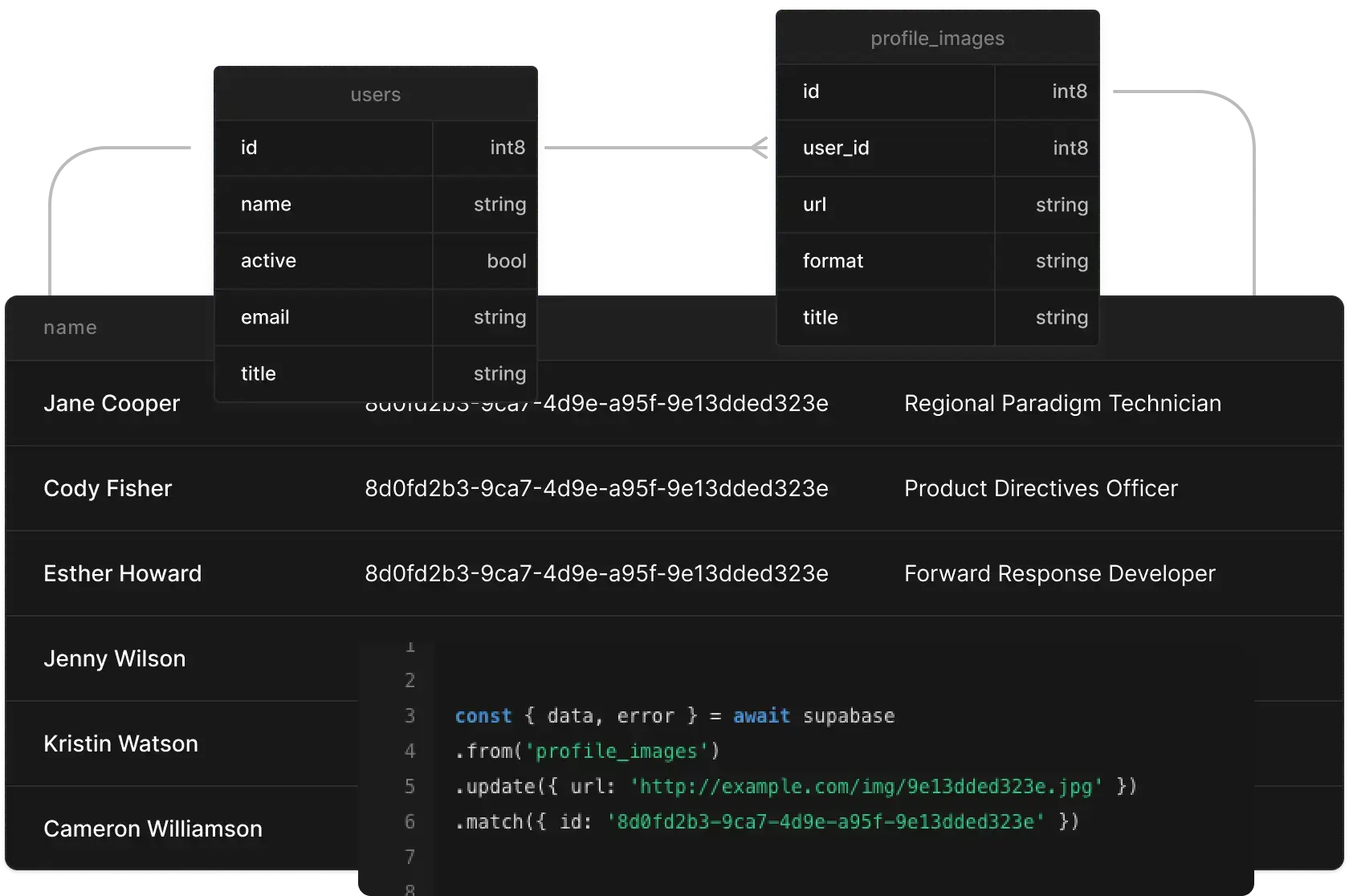
Supabase is an open-source Firebase alternative with real-time Postgres, authentication, storage, and APIs. Great for technical teams who want a full backend with minimal setup.
Since Supabase is open-source, teams can choose to use its hosted version or install it on their own servers. This makes it a strong choice for teams that need flexibility, room to grow, or control over privacy and data rules.
My verdict: Supabase can work as a backend, but only if someone on the team writes code.
Supabase pros and cons
Pros:
- Full PostgreSQL database per project, with SQL support and real-time updates
- Auto-generated REST and GraphQL APIs, serverless Edge Functions, auth, and storage all included
- Open-source with self-hosting option and a growing ecosystem
Cons:
- Requires developer or technical skills to get full use of the features
- Cost scales with usage, so adding storage, bandwidth, or active users increases monthly fees
Supabase features
- PostgreSQL out-of-the-box: A complete relational database with schema, joins, SQL queries, and extensions
- Real-time subscriptions: Listen to database changes instantly via WebSocket connections
- Built-in auth & storage: Secure user sign-up/sign-in workflows and file management with access rules
- Edge Functions: Write serverless backend logic using JavaScript or TypeScript, deployed near users
- Auto APIs: Every database table gets its own REST and GraphQL endpoint automatically
- Self-hosting support: Optional self-managed deployment for full data control and no vendor lock-in
Supabase pricing
- Free plan ($0/month): Includes 2 projects, 500 MB database, 1 GB storage, and up to 50,000 users. Best for testing or small prototypes.
- Pro plan ($25/month per project): 8 GB database, 100 GB storage, 250 GB bandwidth, up to 100,000 users, daily backups, and email support. Extra usage is billed as you go.
- Team plan ($599/month): Adds SSO, SOC 2 compliance, extended API/log retention, edge-function scaling, and priority support.
- Enterprise: Custom pricing with SLAs, VPC support, audit logs, and advanced infrastructure options.
💡 With Supabase as your backend, Softr lets you create secure apps on top of your database (dashboards, portals, or CRMs) using real-time data and role-based access, no coding needed.
6. Xano — for no-code backends with API-first design
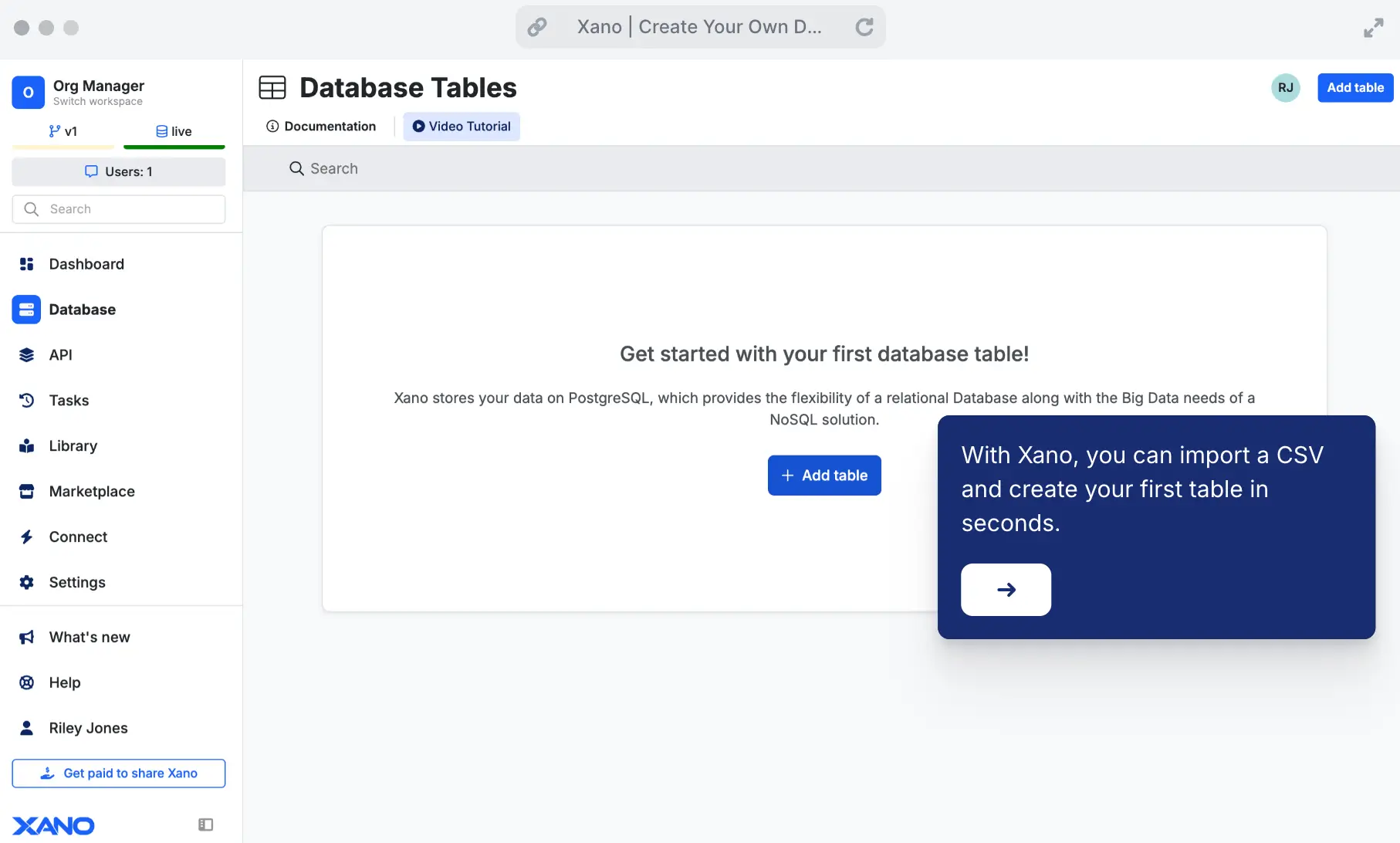
Xano is a backend builder with a visual database interface, built-in auth, and auto-generated APIs. It is designed for app builders and teams that need a full backend without writing SQL.
You do not need to write SQL or know how servers work. Xano creates REST and GraphQL APIs for you automatically. You can also add custom functions using simple tools or write logic using JavaScript if needed.
Xano is a good choice for teams building apps, internal tools, or client portals. It gives you control over how your data works while making the backend setup fast and simple.
My verdict: A strong middle ground for backend control without SQL. You still need to pick something else to build the frontend in.
Xano pros and cons
Pros:
- Visual database interface with unlimited Postgres records and no rate limits on paid plans
- Built-in API builder, Edge Functions, authentication, and file storage
- Strong support for logic workflows, branching, and team collaboration
- Auto-generated documentation and REST/GraphQL endpoints out of every data model
- Open to API integrations like Business Intelligence tools and third-party services
Cons:
- Requires some technical understanding, so it is less friendly for non-technical users
- Costs can grow quickly as storage, team seats, and usage increase
- No native frontend UI, so you pair it with a separate frontend builder
Xano features
- True no-code API builder: Build GET/POST REST APIs and business logic visually with no code
- Edge Functions: Write serverless tasks in JavaScript or TypeScript and deploy close to your users’ location
- Built-in auth & storage: Manage users, roles, and file storage from the same interface
- Version control and team workspaces: Branch, merge, and reuse components between workspaces
- Unlimited records: Scale freely with no capped row limits
- API connectors: Easily integrate external services like Power BI or Tableau
Xano pricing
- Free plan: $0/month: Includes 1 workspace, up to 100,000 records, and limited access to API and function testing
- Starter plan: $29/month: Good for small apps. Includes unlimited API calls, background tasks, branching, and 7-day backups
- Pro plan: $224/month (billed annually) or $249/month (monthly): Includes dedicated infrastructure, 5 workspaces, 10 team members, and advanced security features
- Enterprise plan: Custom pricing: For large teams needing custom hosting, single sign-on (SSO), audit logs, and 24/7 support
💡 If you're using Xano to manage your backend and APIs, you can connect it to Softr to build secure client portals, internal tools, or custom frontends, without writing frontend code.
Types of database software
Here are the main categories of user-friendly database software:
No-code relational databases
Best for: Ops teams, marketers, small businesses, anyone replacing spreadsheets
These tools prioritize ease of use with flexible field types (including linked records), filters, and familiar spreadsheet-like views.
Examples: Softr Databases, Airtable, Baserow, TeamDesk, Coda, Stackby
Low-code database (GUI over SQL)
Best for: Tech-savvy users or teams with some developer support
These tools require more setup or SQL knowledge, but still offer user-friendly layers for non-devs.
Examples: Xano, PostgreSQL/MySQL + GUI (for example pgAdmin, MySQL Workbench, phpMyAdmin)
Developer-focused database
These offer full control, performance, and customization, but require developer knowledge and support.
Examples: PostgreSQL / MySQL (no GUI), Supabase, MongoDB, Cloud Firestore
Find the user-friendly database software that fits your needs
Before you choose a database, ask yourself:
- Who will be managing the data, technical users or business teams?
- Do you need something visual and no-code, or flexible with SQL?
- Will this data power a portal, a backend, or just stay internal?
- How important are real-time updates, permissions, or scale?
The best database is the one your team will actually use. If you're replacing spreadsheets and nobody on the team writes SQL, try Softr Databases.
Start from a free Softr template, or describe what you need to the AI Co-Builder and get the database back in minutes.
Frequently asked questions
What is the most user-friendly database for operations teams?
Which tools combine data, interfaces, workflows, and automations?
Which databases can non-technical teams manage without developers?
When should I choose a SQL database instead of a no-code one?
Are there any free user-friendly database software options?


