[.blog-callout]
✨ TL;DR:
- Airtable is a powerful solution for internal apps and databases: You get a native dashboard and app builder, AI features on every plan (including the free plan), and two-way sync with tools like Salesforce and Jira. But Airtable's per-user pricing adds up fast, and sharing anything with external collaborators costs extra.
- Stackby is better for cost-conscious teams with external collaborators: It covers nearly everything Airtable does at a more affordable price point and offers a more flexible guest access policy. The tradeoff is a less polished product that's still missing features like Interface Designer and two-way sync.
- Softr is the best choice if you need to build on top of your data: Neither Airtable or Stackby is a great fit if external users need to interact with your data. Softr gives you a relational database plus the ability to build apps, client portals, and internal tools on top of it. And since guests can use your apps for free and each plan comes with generous user limits, you can collaborate without racking up a huge bill.
[.blog-callout]
Airtable is one of those tools that people fall in love with and then start second-guessing. It often works like this: after outgrowing spreadsheets, you build something useful in Airtable—only to discover that sharing it with clients or scaling your team costs more than you thought.
Stackby is one solution to this scenario. It's an Airtable-style database at a lower price, with better guest access and a native API connector column. Stackby and Airtable both offer relational databases, multiple views, automations, forms, and AI features. They also share limitations: neither is a natural fit for sharing apps and portals with external collaborators unless you hack together a solution or pay extra. (Or connect your data to Softr.)
If Airtable doesn't quite fit your budget, Stackby might be the answer, but it's not the right fit for everyone. To help you decide, we tested both platforms and gathered a wide range of user feedback. Here's what we found.
Stackby vs Airtable at a glance
| Airtable | Stackby | |
|---|---|---|
| Best for | Teams that need a polished, deeply integrated database with Interface Designer and AI on every plan | Budget-conscious teams that want Airtable-style databases with better guest access and native API connectors |
| Ease of use | Polished user interface; some learning curve for linked fields and Interface Designer | Functional but less polished; no interface builder |
| Key strengths | Interface Designer, Omni AI app builder, AI field agents on all plans, two-way sync on Business | Native API connector columns, unlimited free guests, updatable forms, steep volume discounts as you add more users |
| AI features | Omni and AI field agents available on all plans, including the free plan (500 credits/month); the Team plan offers 15,000 AI credits/month | AI features aren't available on the free or Economy plans; using AI field agents requires setting up your own API key |
| Integrations | ~30 native integrations (includes two-way sync) + 160 third-party extensions | ~50 integrations (but no two-way sync yet); native API connector columns for real-time third-party data |
| Pricing | Free plan available; Team plan at $20/user/month; Business plan starts at $45/user/month | Free plan available; paid plans include Economy ($8/user/month), Business ($17/user/month), and Pro ($25/user/month); steep volume discounts of 50%-75% apply as you add more users |
{{cta-1}}
What is Airtable?
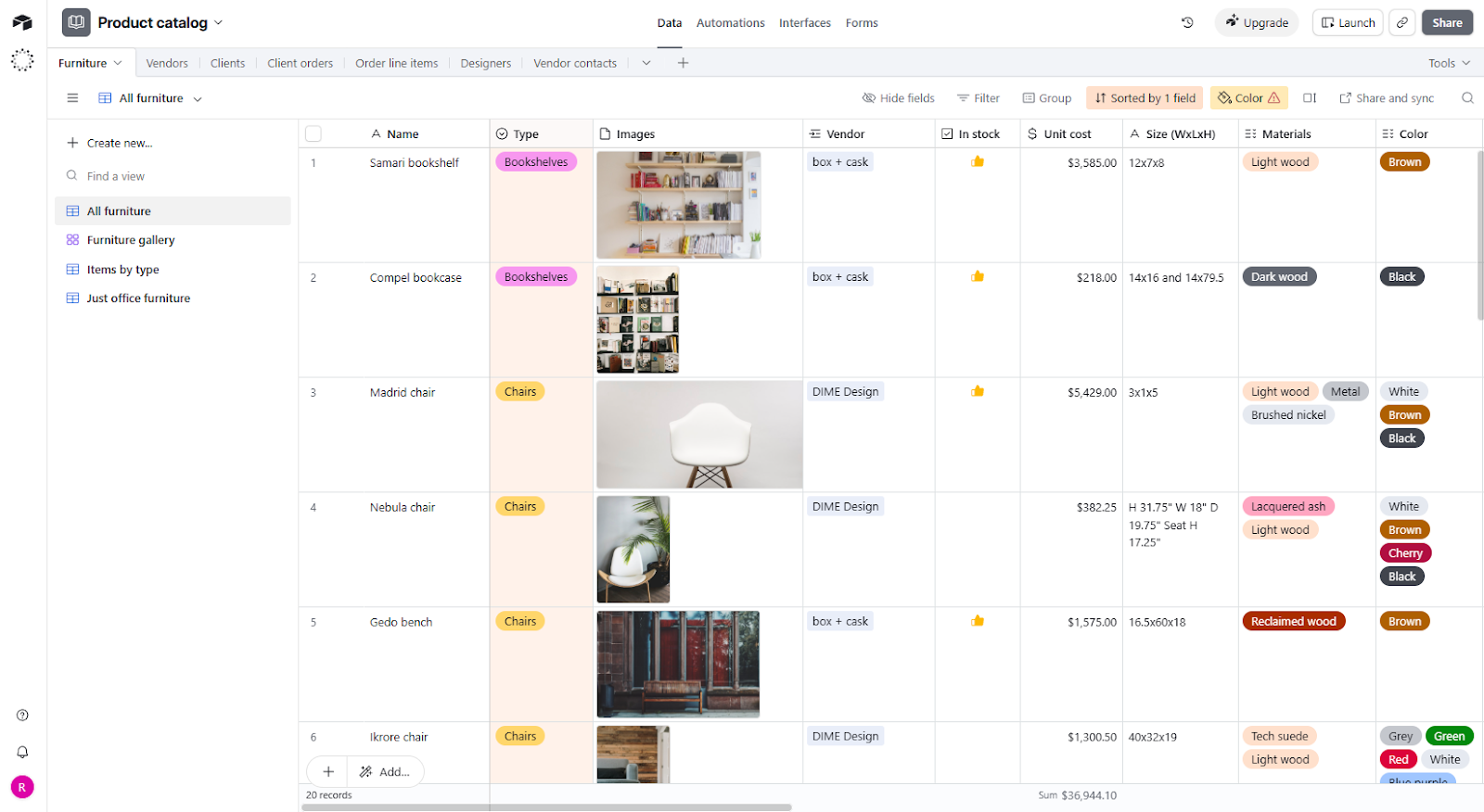
When Airtable launched in 2015, it was a category disruptor: it popularized the concept that relational databases could be as easy to use as spreadsheets. Non-technical teams were able to use it without panicked calls to the IT department. For a decade, the answer to "how do we stop managing everything in spreadsheets?" has usually been Airtable.
These days, Airtable has plenty of competition, but it's still considered to be among the most polished and advanced no-code platforms out there. Airtable's database features are comprehensive: you can organize hundreds of thousands of rows, sync records across databases, and build views to see your data in different formats. You also get native automations, an Interface Designer for building internal dashboards, and a growing set of AI features.
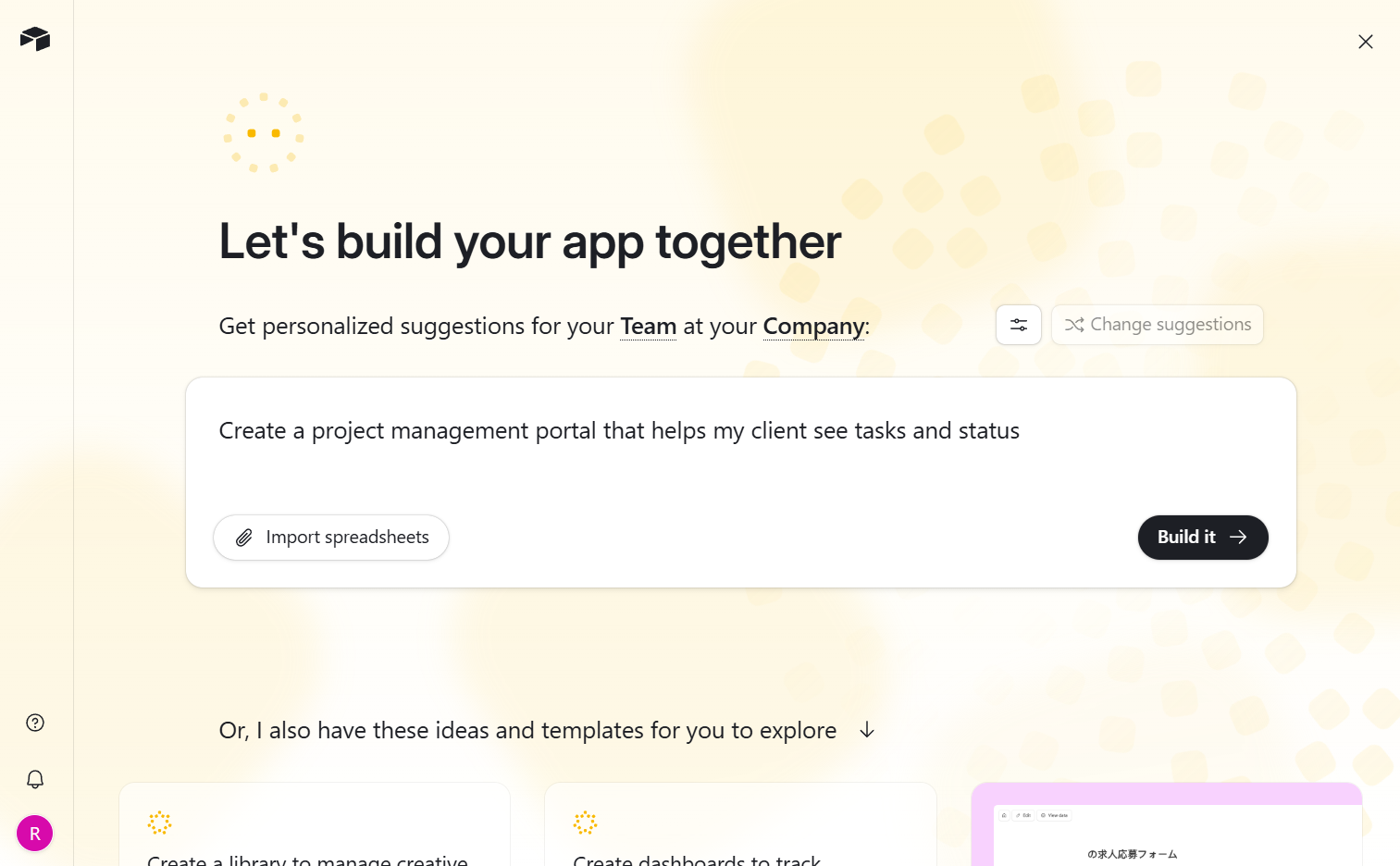
Airtable's integration ecosystem is another advantage: it connects natively with ~30 of the most-used enterprise platforms, including Salesforce, Jira, Slack, GitHub, and Stripe. Many integrations offer two-way syncing, so it's easy to do things like pulling GitHub commits into Airtable or sending Airtable records to GitHub. Airtable also connects with another 160+ apps through third-party extensions, making it one of the most plug-and-play options available.
Airtable's key features
- Relational tables and linked records: Link records across tables, then use lookup fields and rollups to pull related data into any view.
- Multiple views: Switch between Grid, Kanban, Calendar, Gallery, Timeline, and Gantt depending on what your team needs to see. For project management, you can also view date dependencies and resource allocation.
- Interface Designer: Build internal dashboards and custom apps on top of your data without writing code. (Stackby currently has no equivalent feature, though it's developing one.)
- Omni and AI field agents: Describe an app and Omni builds it, including user logins and access controls. AI field agents work at the record level to summarize, categorize, or auto-populate fields.
- Automations: Trigger workflows based on record changes, form submissions, or scheduled times, then automate actions across Airtable and connected tools. Airtable's free plan includes 100 runs per month; the Team plan gets 25,000.
Airtable cons
- Per-user pricing gets pricey fast: A team of 10 on the Team plan runs $200/month; upgrade to Business and it's $450/month. Many teams continue to use Airtable as their system of record as they grow, while layering on more cost-effective tools (like Softr) to reduce the number of seats needed.
- External access costs extra: Airtable doesn't make it easy to work with external collaborators unless you add the $120/month Portals add-on, which gives you 15 guests. Even if you just want a client to share a couple of comments on a project plan, you're out of luck unless you pay.
Airtable pricing
Airtable's free plan is a solid start for testing and includes an impressive set of AI features. The Team plan gives you full platform access, while the Business plan offers more credits and higher limits. All prices shown are billed annually.
- Free: 1,000 records/base, 5 editors, 100 automation runs, 500 AI credits
- Team ($20/user/month): 50,000 records per base, 25,000 automation runs, 15,000 AI credits
- Business ($45/user/month): 125,000 records per base, 100,000 automation runs, unlimited workspaces, two-way sync, advanced admin controls
- Enterprise Scale: Custom pricing, 500,000 records per base, SSO, SAML, 500,000 automation runs
Portals, which lets external collaborators access your Airtable Interfaces, starts at $120/month for 15 guests. You can also use Softr, which makes it easy to build portals on top of your Airtable data and allows unlimited viewers.
What is Stackby?
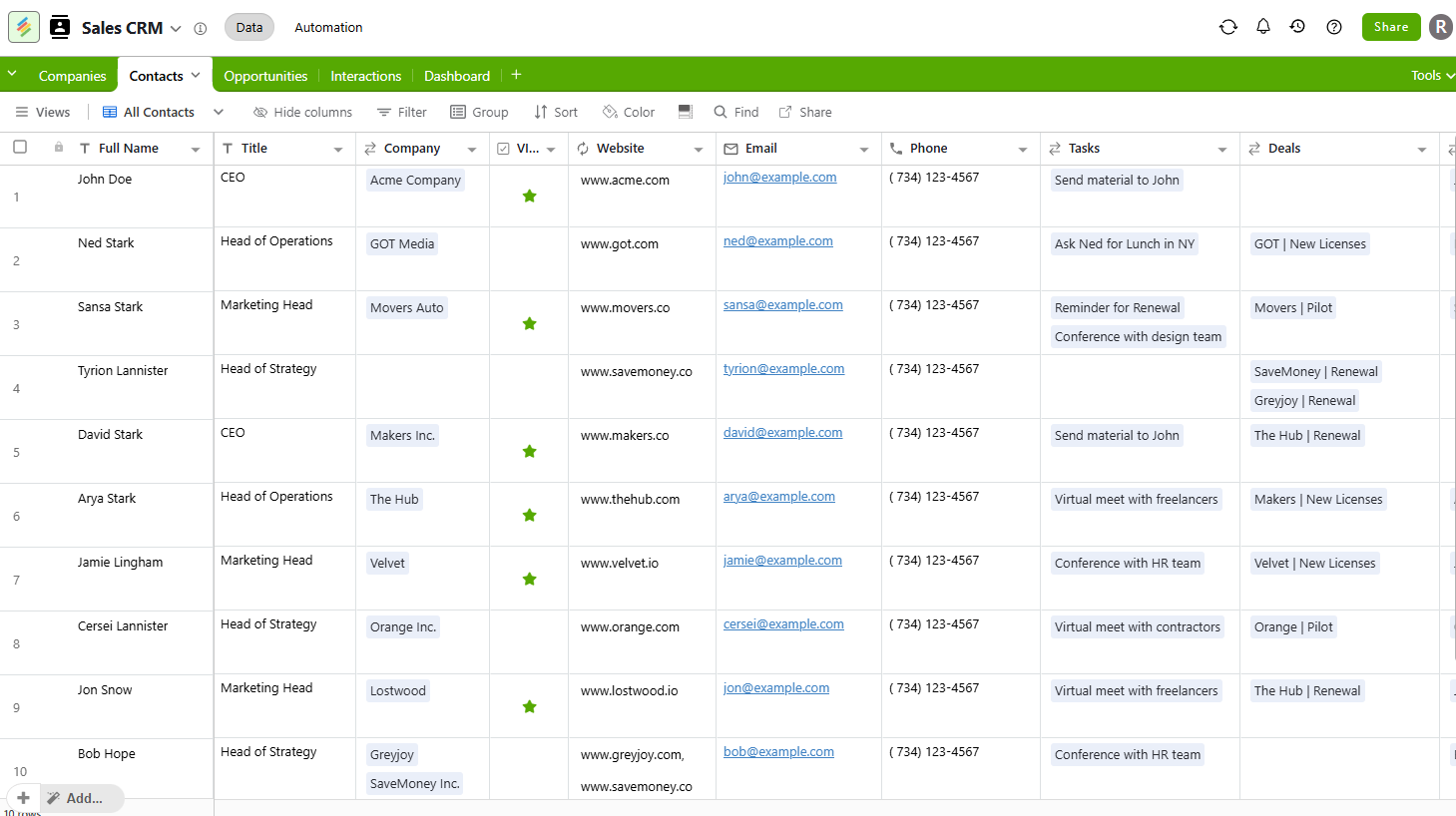
Stackby launched in 2020 with Airtable-style functionality at an accessible price. It's been a successful formula: Stackby is now used by 100,000 companies and has successfully emulated nearly all of Airtable's features. In addition to relational tables, multiple views, automations, and forms, Stackby now offers Airtable-style AI field agents and an AI co-builder.
What makes Stackby particularly attractive is its external collaborator policy, which is much more flexible than Airtable's. You get unlimited read-only guests, shareable public-facing links to your databases, and—in a big plus for anyone working with clients or agencies—the ability to add commenters to a database without paying for them. (Just don't give them access to your entire workspace, or you'll need to pay for an additional seat.)
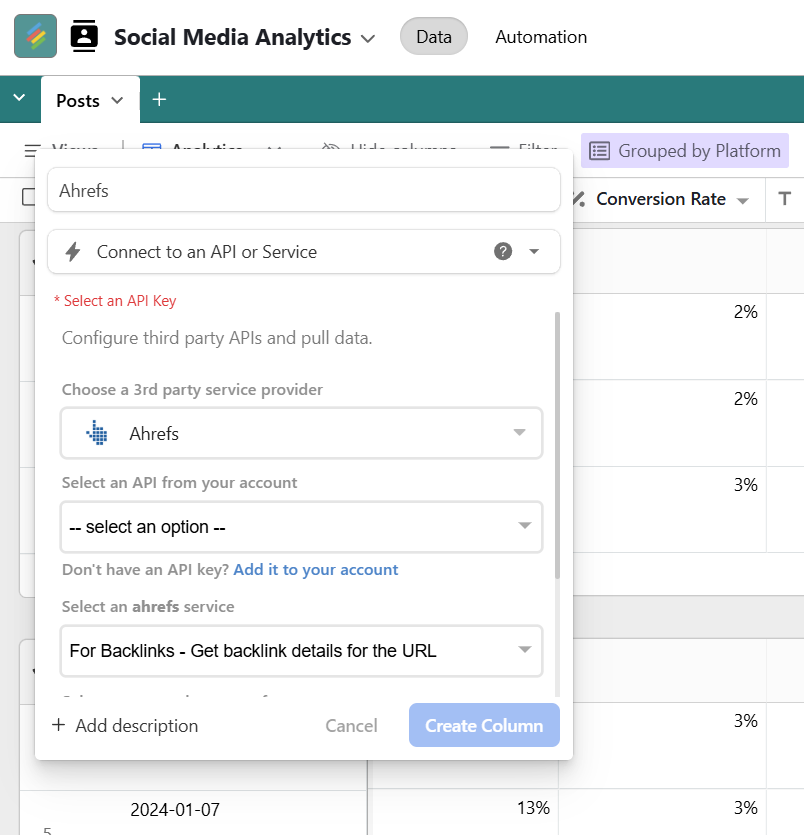
Live API data is another advantage. Stackby offers a native API column that can pull in data from sources like YouTube, Google Analytics, and Ahrefs. If you're creating consolidated marketing reports, for example, there's a huge variety of data you can add automatically to ensure your database stays updated.
While Stackby releases new features on a fairly regular cadence, it's a far smaller company than Airtable with fewer development resources. As a result, it often seems to be left playing catch-up. There's no equivalent (yet) to Airtable's Interface Designer, for example, so Stackby users are left without a compelling way to create interactive dashboards and internal apps.
Stackby's key features
- Native API connector columns: Configure any column to pull live data directly from third-party APIs like YouTube Analytics, Google Analytics, Ahrefs, Clearbit, Twilio, and more.
- Flexible external access: Unlimited read-only guests on all plans, shareable public links to any database, and the ability to add commenters at the stack level without paying for seats.
- Updatable forms: Respondents can return to edit their own submissions after submitting, rather than just submitting once. Useful for client intake, project status updates, or any workflow where you need people to revise their input over time.
- CRM-style record features: On Business and above, Stackby includes activity logs on each record and two-way email sync with Gmail and Outlook.
Stackby cons
- No Interface Designer. Stackby has no equivalent to Airtable's Interface Designer, which lets you build internal dashboards and custom apps on top of your data. (According to Stackby, this feature is currently in development.)
- No two-way sync. Airtable Business includes two-way sync with external tools. Stackby lists it as "coming soon" for the Pro and Enterprise plans.
- AI features are more limited. Stackby's free and Economy plans include no AI features at all. Stackby Business unlocks AI field agents, an AI co-builder, document analysis, and more—but you can't yet use AI to build apps. And using AI field agents requires connecting your own API key, which adds enough friction that some users probably won't bother to set it up.
Stackby pricing
Stackby's annual pricing starts at the rates below. It gets progressively cheaper per user as your team grows.
- Free: Up to 5 editors and 50 read-only guests, 20 stacks, 1,500 rows/stack, no AI features or automation
- Economy ($8/user/month): 25 stacks, 7,000 rows/stack, 1,000 automation runs, no AI features and no admin permissions
- Business ($17/user/month): 50 stacks, 50,000 rows/stack, 25,000 automation runs, AI features, 10 synced tables per stack, admin permissions
- Pro ($25/user/month): 100 stacks, 100,000 rows/stack, 100,000 automation runs, AI features, 15 synced tables per stack, enterprise admin panel, audit logs
- Enterprise: Custom pricing, unlimited stacks, 250,000 automation runs, AI features, 20 synced tables per stack, enterprise admin panel, audit logs, SAML SSO
You also have the option to sign up for an annual team plan at a fixed-rate renewal price, and Stackby guarantees you'll be able to renew at the same price forever.
Airtable vs Stackby: pricing
Both Airtable and Stackby offer free plans, and Stackby also offers a feature-limited Economy plan for $8/user/month (billed annually). However, most advanced features (especially AI) are off-limits on Stackby's Economy plan.
For most teams, the real comparison is between Airtable Team and Stackby Business, both of which offer a full platform experience. Airtable Team costs $20/user/month (billed annually) while Stackby Business starts at $17/user/month (billed annually).
As you add more team members, that pricing gap gets wider due to Stackby's volume discounts:
| Team size | Airtable Team | Stackby Business |
|---|---|---|
| 1 user | $20/month | $17/month |
| 3 users | $60/month | $25/month |
| 10 users | $200/month | $67/month |
| 25 users | $500/month | $117/month |
| 50 users | $1,000/month | $242/month |
Adding to Stackby's pricing advantage is the fact that it offers unlimited read-only guest access and stack-level commenting, which means you can probably get by with fewer seats than you'd need with Airtable.
Key differences:
- Per-user pricing: Stackby's per-user pricing starts out a bit cheaper, at $17/user/month for Stackby Business versus $20/user/month for Airtable Team. But Stackby offers steep discounts as you add more users, making it 50-75% cheaper than Airtable at scale.
- Guest and read-only users: Stackby is more generous with external access on all plans. Read-only guests are free and unlimited on all plans, and guests don't need a Stackby account if you share via a public link. If you want clients or external collaborators to be able to comment on rows within a single database (rather than your entire workspace), you can invite them for free too. Airtable is more restrictive: any external access beyond a basic view-only share link requires the Portals add-on, starting at $120/month for 15 guest seats.
- Workspaces: Airtable offers unlimited workspaces on the Business plan. With Stackby, you need to sign up for the Enterprise plan to get unlimited workspaces.
- Limited lower-tier plans: While Stackby's Economy plan is just $8/user/month, it's limited. You get 1,000 automation runs per month (vs. 25,000 on Airtable Team and Stackby Business), no AI, no synced tables, no table or column-level permissions, and no customization options.
- Free plan: Airtable's free plan is far better if you want to use AI. You get 500 AI credits per month, Omni, and AI field agents, while Stackby's free plan offers no AI at all.
The verdict: Stackby is more affordable than Airtable, especially if you have a big team, and it's easier to share your databases externally without having to add paid seats to your plan. Airtable tends to offer more features at every price point: even its free plan includes AI capabilities, and its higher tier plans offer features Stackby is missing like synced tables, Interfaces, and unlimited workspaces.
✨ Both Airtable and Stackby charge per user. Softr works differently: you pay for capabilities instead of users. Softr's Basic plan, at $19/month, comes with Team: 5 + Client: 5 app users, and its $99/month Pro plan includes Team: 10 + Client: 50 app users.
Airtable vs Stackby: on Reddit
Pricing is a big issue for Airtable users. It's fairly expensive on a per-seat basis, and Airtable is aggressive about treating all collaborators—even those with comment-only permissions for a single database—as full-fledged seats.

Users often don't realize upfront how restrictive Airtable is about external sharing, which leads to disappointing scenarios like this one: a user builds something they're excited about, only to realize the economics of sharing it are unaffordable.
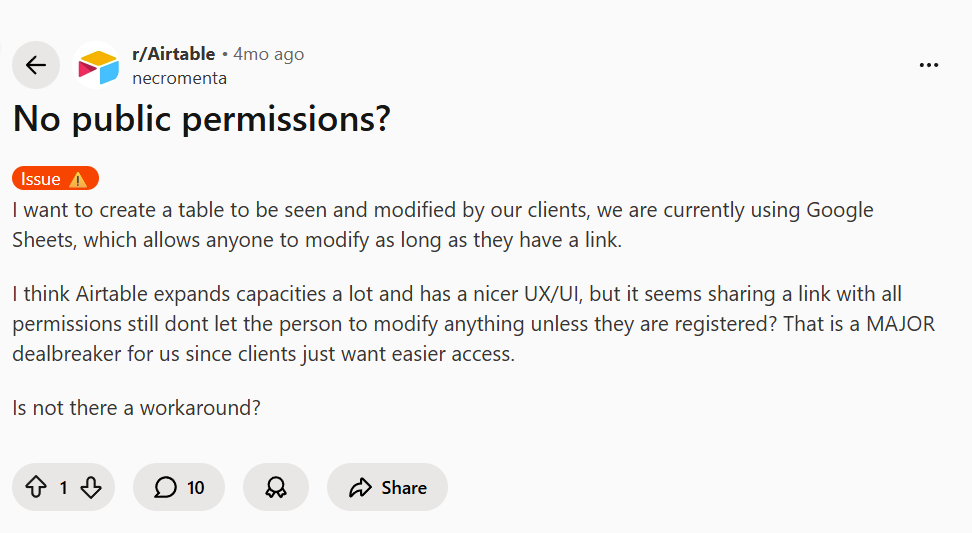
If you filter out pricing complaints and external access issues, the user feedback gets far more positive. Airtable's product is highly regarded for a huge variety of use cases.
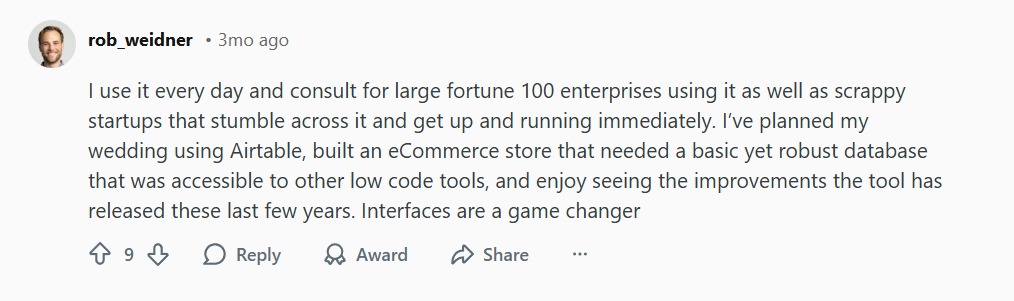
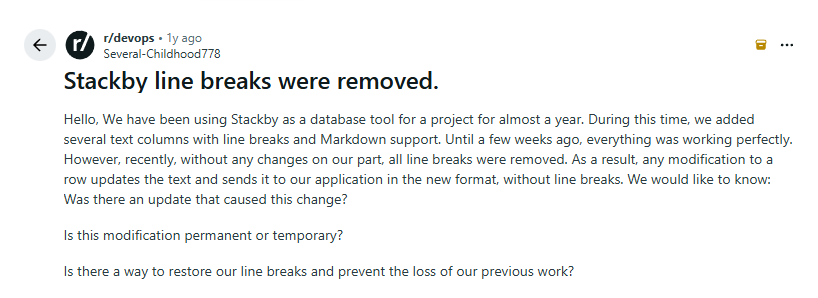
Stackby is sort of the opposite: users say the pricing is great, but the product is missing features. It's regularly mentioned as a cheaper alternative to Airtable.

Apart from pricing, Stackby users most often bring up reliability issues like the one below.
Airtable vs Stackby: a summary
Airtable and Stackby cover the same core use case, so for most teams the choice comes down to two factors: price versus features.
- Airtable is better if you need apps, portals, and AI. Interface Designer is one feature that Stackby currently has no equivalent for, and it's a big one: stakeholders and collaborators can interact with a polished front-end view rather than navigating your database. Airtable is also a more reliable choice for AI and automation features, and it offers deep native integrations—including two-way sync—with popular business apps. The downside is a pricing structure that gets expensive fast, particularly if you want to collaborate with people outside your organization.
- Stackby is better if you're cost-conscious and work with external collaborators. The per-user savings are significant at any team size, and the volume discounts get dramatic past 10 users. Stackby's flexible guest access policy includes unlimited read-only users and free database-level commenters, which makes it easier to loop in clients or external collaborators without paying for more users. The tradeoff is a less polished product with no Interface Designer, no two-way sync, and AI features that are still catching up to Airtable's.
If you're on the free plan or you're just signing up for one paid seat for yourself—and you don't work with external collaborators—Airtable offers a surprisingly good deal. You get more features than Stackby, and the price difference for one-seat plans is marginal. Airtable is also a better option for most bigger businesses and enterprises due to its reliability and faster pace of innovation.
If you're a small business requiring 5+ seats and you work with external collaborators, Stackby can offer serious cost savings. Startups, nonprofits, and marketing agencies often fit this profile, and they're also some of the most likely to benefit from Stackby's API connector columns for auto-updating databases.
Both tools offer free plans, so it's worth testing both before committing.
Softr — the best Airtable and Stackby alternative for teams that need to build apps and collaborate
Airtable and Stackby both let you build a solid relational database. They're also similarly limited if you need people outside your team to interact with your data.
Giving a client, contractor, or partner access to your Airtable base means you have to either pay more or hack together a workaround. Stackby has the same problem. Neither tool was designed to let external users interact with your data in a structured, secure, branded way. And while Airtable now offers Portals to address this limitation, at $120/month for 15 guests—plus another $8/month for each additional guest—collaboration gets expensive fast.
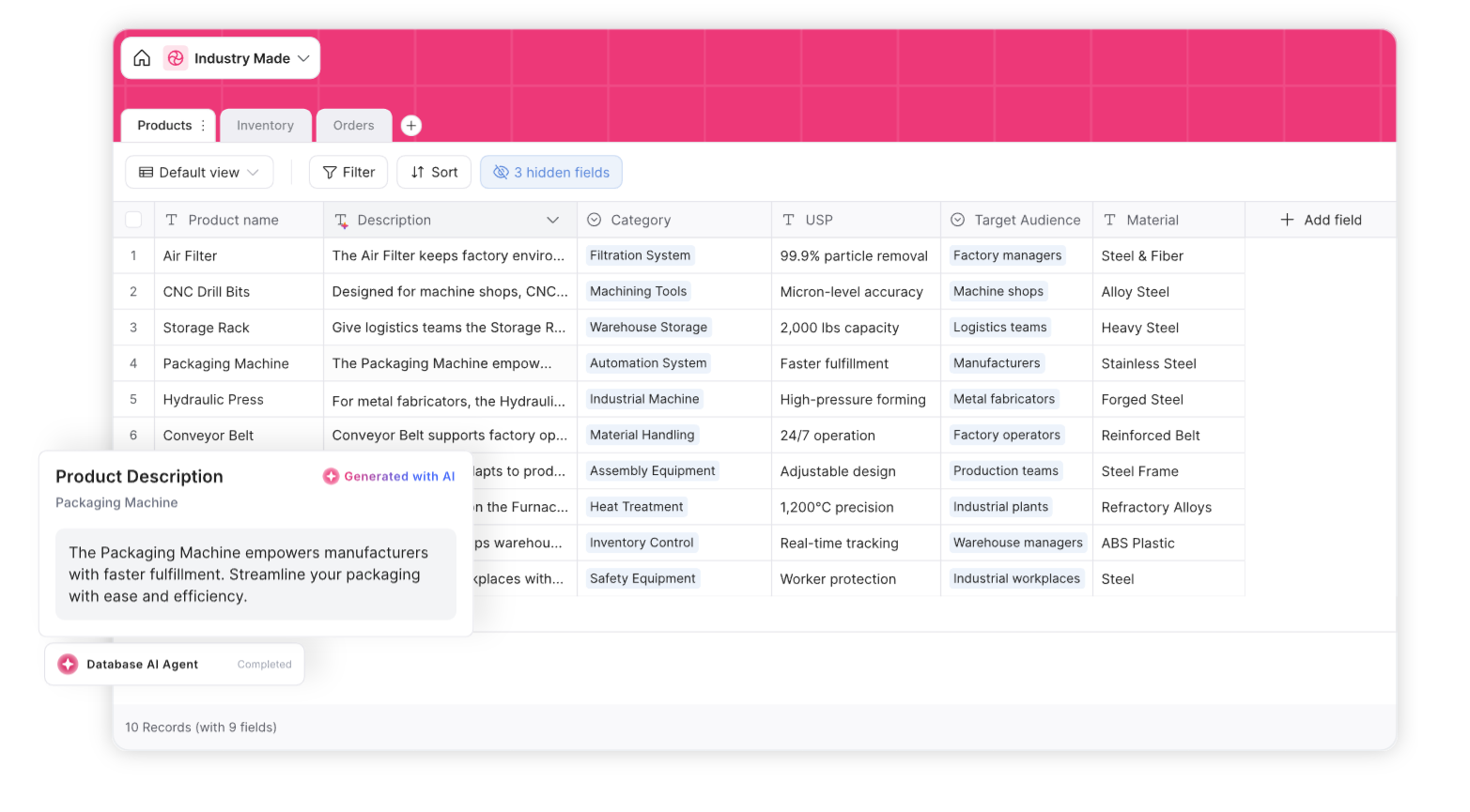
Softr combines a relational database with a no-code app layer. You build your database in Softr, then build a client portal, internal tool, or custom dashboard on top of it. And because Softr allows unlimited non-logged-in visitors, offers granular controls for guests, and includes 20-500 app users (depending on your plan), you don't need to hack together a solution for external users or pay for expensive add-ons.
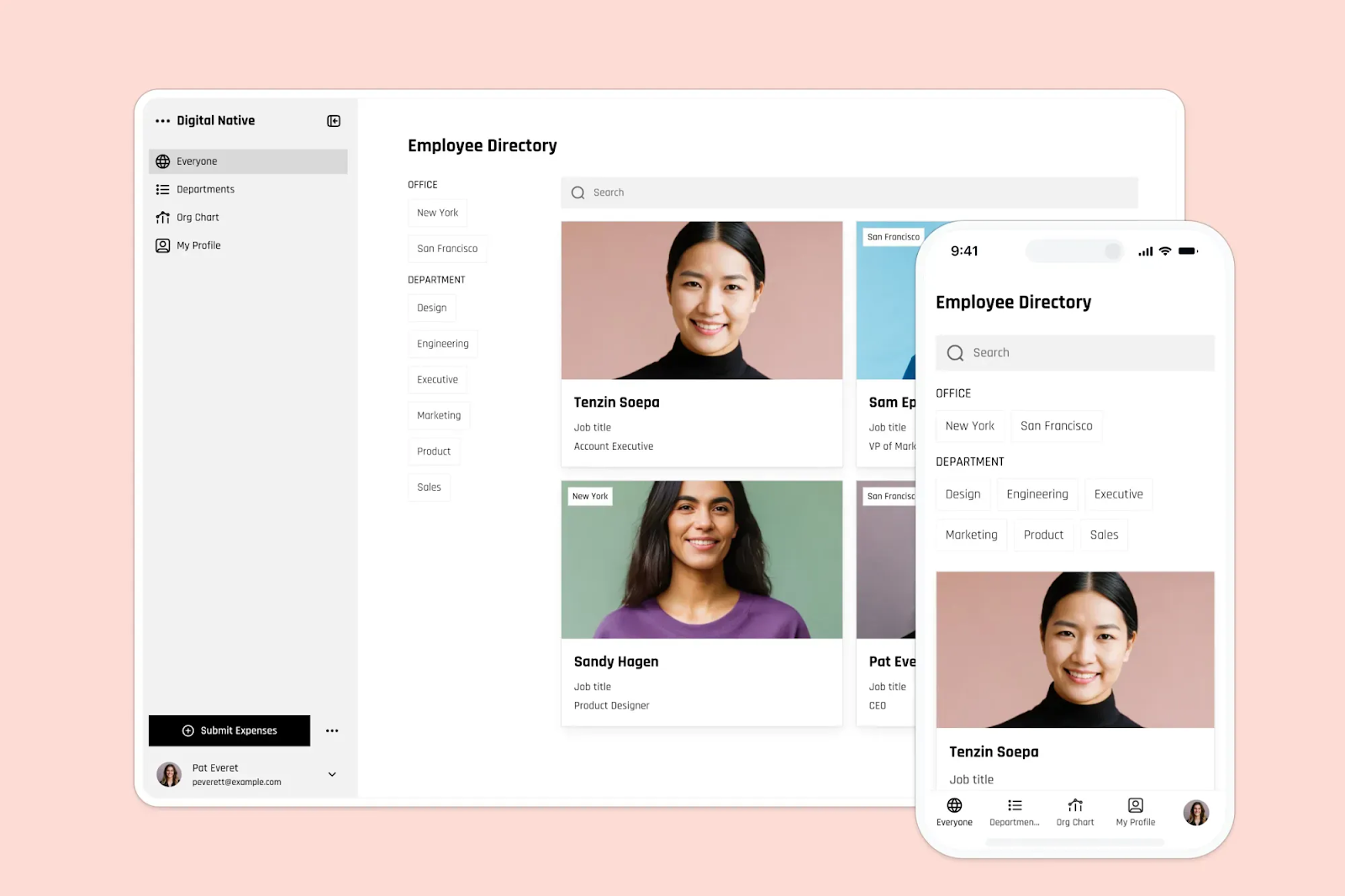
Best for: Teams of all sizes that need to build apps on top of their data and collaborate with external users. Softr is a fantastic option for:
- Building apps on top of data you already own: Softr connects via two-way sync with 20+ sources including Airtable, Google Sheets, and HubSpot, so you can keep your existing database and build a portal or internal tool on top of it without migrating anything.
- Giving external users a structured way to interact with your data: Instead of sharing a view-only link or paying for a Portals add-on, you can give clients, contractors, or vendors a branded login where they can view records, submit updates, fill out forms, and move through workflows.
- Creating different experiences for different user roles: Your clients might see only their own projects and a form to submit requests, for example, while your account managers get a full dashboard with edit access.
- Automating workflows across your tech stack: You can easily set up multi-step automations that trigger when a Softr record is created, a form is submitted, or a field changes.
Why teams choose Softr over Airtable and Stackby
- Create external-facing apps, not just internal dashboards: Airtable's Interface Designer and Stackby's database tools are both built for internal use. Softr lets you build apps that external users can log into, interact with, and submit data through, without needing a paid seat.
- No per-user pricing: Both Airtable and Stackby charge per seat, which makes it expensive to give your whole team access as you grow. Softr charges for features rather than headcount: a $99/month Pro plan covers Team: 10 + Client: 50 app users, and an unlimited number of non-logged-in users can interact with your apps.
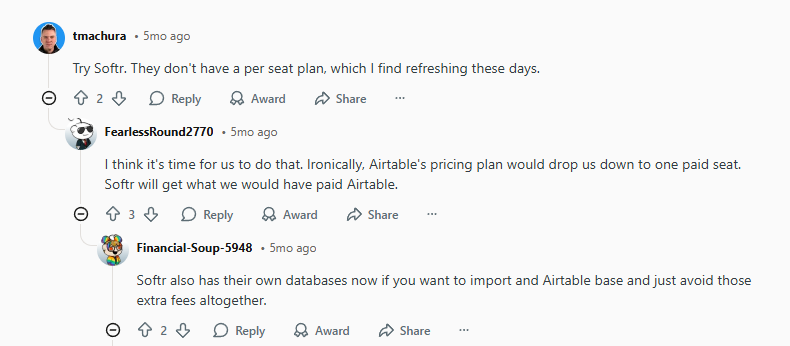
- Build on top of Airtable without migrating: If you're already in Airtable, Softr connects to it with real-time two-way sync. Many businesses use Airtable as their database and Softr for portals, internal tools, and dashboards. You can also use Softr Databases to keep everything in one platform.
- Workflow automation that connects your whole stack: Airtable's automations are capped at 50 per base, and Stackby's automations don't work outside its ecosystem without third-party integration platforms. Softr's workflows are unlimited; they trigger directly from your app and connect to tools like Gmail, Slack, calendars, Airtable, and Notion.
- Database AI Agents with model flexibility: Softr's AI agents handle enrichment, tagging, field cleanup, and summaries automatically at the record level. Unlike Airtable, which chooses the AI model for you unless you're on the enterprise plan, all of Softr's plans let you pick the model that's most appropriate for the task you need done.
Airtable, Stackby, or Softr
Airtable and Stackby are both solid choices for teams that need a relational database. If you're looking for an enterprise-grade platform with Interface Designer, deep integrations, and AI on every plan, Airtable is a solid option despite the price. For Airtable-style functionality at a more affordable price point—with better guest access and native API connectors—Stackby is worth a serious look, though it's missing some features (like interfaces) and the platform isn't quite as polished.
Neither tool is ideal for external-facing apps. Softr is the better choice if you want to build client portals or internal tools on top of your data, give external users a structured login experience, automate workflows that connect your database to the rest of your stack, or run AI agents with your choice of model.
👉 Try Softr for free to start building databases and apps today.
Frequently asked questions
Is Stackby better than Airtable?
What is Airtable used for?
Can I build a client portal with Airtable or Stackby?