


[.blog-callout]
💡 TL;DR
- Replit is developer-first: Great for learning, coding, and quick prototypes, but lacks relational databases, permissions, and automation built for real operations.
- Base44 is AI-first: It lets non-technical users describe an app in chat and see it generated instantly, but it stays closer to MVP territory with limited customization and scalability.
- Softr bridges the gap: Combines Base44’s simplicity with Replit’s flexibility, offering secure, data-driven, full-stack apps that can actually run a business.
- Costs differ sharply: Replit’s usage-based pricing can spike under heavy AI or hosting use; Base44 caps costs but locks you into credits. Softr’s flat plans stay predictable, no matter how much you build.
- For business operators: If you need CRMs, client portals, or internal tools that handle real users and data safely, Softr gives you what Replit and Base44 leave out: production-ready apps built with AI that don't lead to technical overhead.
[.blog-callout]
AI-powered app builders are redefining how teams create software, and the Replit vs Base44 comparison captures that divide clearly. Replit gives developers an AI-assisted coding workspace for rapid prototyping, while Base44 lets non-technical founders describe an app idea in plain English and see it build an MVP in real time.
But when small or mid-sized teams need more than a prototype, such as secure data control, workflows, and real user management, and scalability, neither fully delivers. That’s where Softr steps in. It bridges both worlds, offering a full-stack, no-code platform where SMBs can build production-ready business apps with built-in databases, automation, predictable pricing, and AI features for the builders and the end users.
Let’s see how the two tools compare.
Replit vs Bolt at a glance
| Feature | Replit | Base44 |
|---|---|---|
| What it is | AI-powered cloud coding platform for building and deploying apps. | AI-driven no-code builder that turns text prompts into lightweight working MVPs. |
| Ease of use | Requires coding knowledge. | No coding needed; built for beginners. |
| Who it’s for | Developers and tech-savvy teams. | Non-technical founders and small business teams. |
| How it builds apps | Write and edit real code with AI assistance. | Describe your app in chat: AI generates UI, database, and logic. |
| Hosting & deployment | One-click live hosting with SSL, instant app deployment, and custom domains. | Built-in hosting and domain support; auto-deploy from Builder Chat. |
| Code export | Always accessible — full front-end and back-end code available. | Restricted: free/Starter tiers can’t export; Builder+ tiers export front-end only. |
| Collaboration | Real-time multi-user coding and pair programming. | “Discussion Mode” for team input during app creation. |
| Hosting & deployment | One-click live hosting with SSL and custom domains. | Built-in hosting and instant app publishing. |
| Database & user setup | Built-in database and authentication (customizable with code). | Built-in database, storage, and user dashboard (no coding needed). |
| Scalability | Suitable for production-grade systems with proper setup. | Best for prototypes, MVPs, or lightweight tools; scaling is limited. |
| Customization | Full flexibility via code. | Limited: more control only with paid tiers or code export. |
| Pricing starts at | Free; paid plans from $20/mo. | Free; paid plans from $16/mo. |
What is Replit?

Replit and Base44 are both AI-enabled platforms that turn plain-English prompts into prototypes or lightweight apps, but they approach it differently. Base44, on the other hand, combines a no-code AI app builder with drag-and-drop UI tools with conversational AI.
Replit stand-out features
1. AI-powered IDE
Replit offers a full browser-based coding environment with AI assistance. You can write, debug, and deploy apps directly from your browser, and no local setup or installations are required. Its built-in Replit Agent helps detect errors, suggest improvements, and even auto-complete complex functions, making development faster and smoother for individuals or teams.
2. Instant hosting & deployments
Every project in Replit can go live with a single click. Instead of setting up servers or managing build pipelines, you can instantly deploy apps and share live URLs to test them. Replit handles the hosting, SSL certificates, and scalability behind the scenes. It’s great for quick demos and prototypes.
3. Built-in database & authentication
Replit provides integrated database and authentication tools that let you add login flows and store user data without configuring external services, making it easy to build dashboards or simple SaaS apps quickly. However, for more advanced permission systems or production‑grade data handling, you’ll need additional configuration or third‑party services
4. Real-time collaboration:
Multiple users can edit, review, and run code together in real time. It’s compatible for pair programming, teaching, and remote teamwork, ensuring everyone can see updates instantly and work together in the same project environment. However, the feature is gated by new collaborator limits on lower tiers and comes with potential performance and pricing trade‑offs
What Replit is best for
Replit is best when you need to get something running quickly without wrestling with local environments.
- Hackathons & workshops: The zero‑install setup and real‑time collaboration let teams build and iterate quickly under time pressure. You can import designs from Figma and use the Replit Agent to scaffold prototypes and refine them on the fly. It’s perfect for weekend sprints where speed matters.
- Client demos & rapid prototyping: Need to pitch an idea or test a feature? Replit lets you deploy a working prototype with a custom domain in minutes. Its integrated database and hosting mean you can share a live URL without configuring servers.
- Lightweight tools & utilities: Operations, marketing, and product teams use Replit to spin up small CRMs, calculators, form processors, and lead‑scoring bots. The platform offers templates and business‑app examples, such as CPQ calculators, vendor portals and feature‑request trackers, that run without heavy infrastructure.
- Creative coding & AI experiments: Replit supports over fifty languages and has built‑in AI (Agent and Assistant) for generating and refining code. This makes it a playground for games and generative art projects. Color‑coded cursors and instant syncing keep experiments collaborative.
Where Replit struggles is moving beyond these use cases. Scaling into complex multi‑user systems with structured data, fine‑grained permissions, or heavy compute often requires more robust frameworks and dedicated DevOps. Recent pricing changes also restrict free and Core users to one and three collaborators, respectively, and some longtime users feel that reduced collaboration limits and unpredictable costs have undermined Replit’s original Google Docs feel.
A user on Reddit shared their candid review:
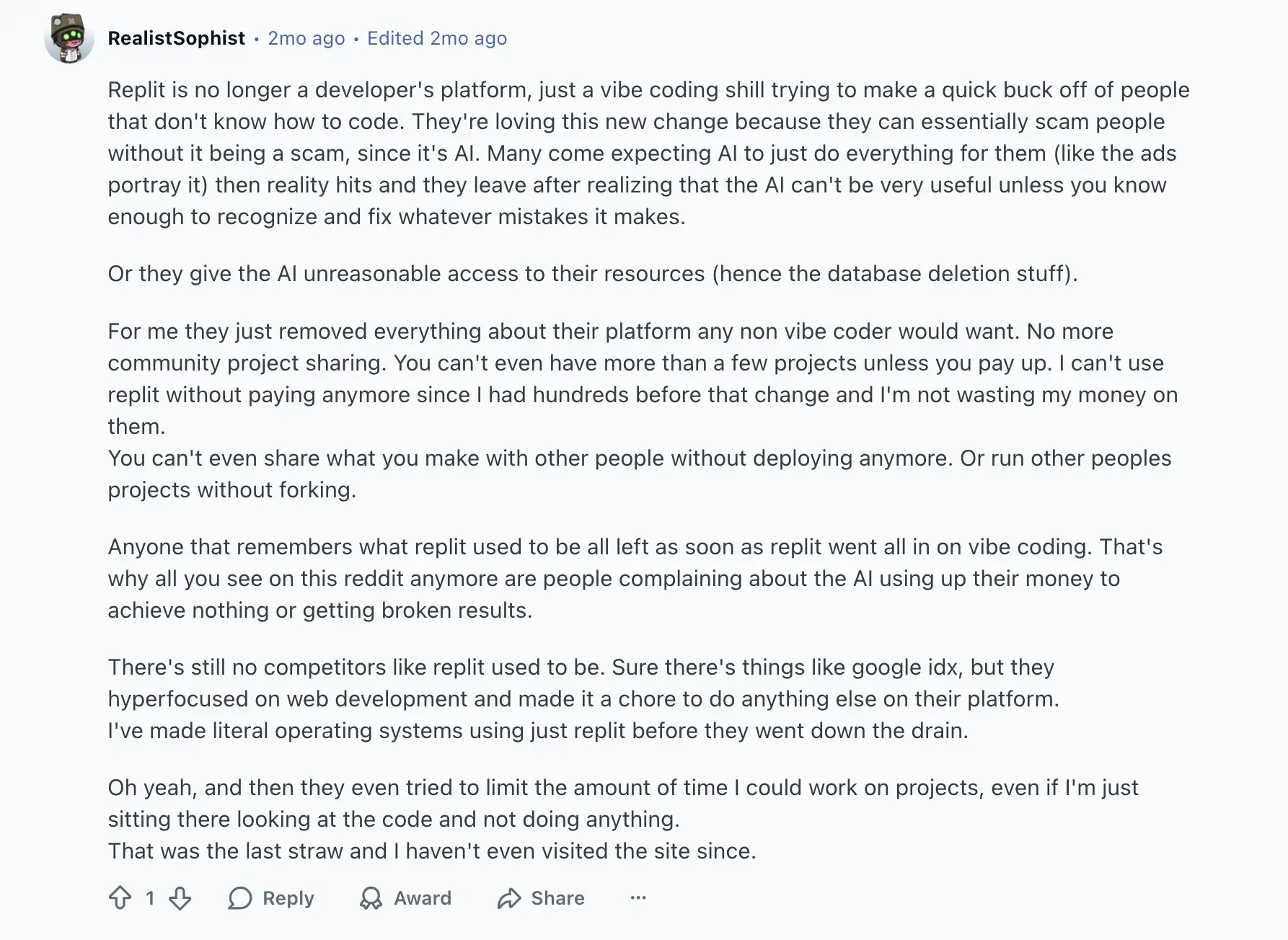
Base44’s no‑code environment can ease some of these pain points for non‑developers, but larger, production‑grade applications will still need more specialized infrastructure.
Replit limitations
- Steep learning curve for non-technical users.
- Limited resources on free and lower-tier plans, which can slow down larger or more complex projects.
- Usage-based billing means costs can rise quickly with frequent AI or hosting usage.
- Performance issues may appear when scaling apps beyond development or classroom use.
- Lacks a built-in visual interface or database builder, so setup still requires coding or external tools.
- Real-time collaboration is solid but not suited for large development teams working on production-scale projects.
Replit pricing
- Starter (Free): Ideal for hobby projects. Includes daily Agent credits, a daily-capped Free Mode, a built-in database, and 1 published app that goes down after 30 days.
- Core ($20/month or $18/month billed annually): $20 in monthly credits for Agent and hosting, a Free Mode allowance for everyday Agent work, Full build, Plan Mode, unlimited published apps, up to 5 collaborators, and pay-as-you-go pricing for additional usage.
- Pro ($100/month or $90/month billed annually): Everything in Core, plus $100 in monthly credits (higher tiers go up to $2,050/month), up to 15 collaborators and 50 viewers, 10 parallel agents, two-month credit rollover, and priority support.
- Enterprise (Custom pricing): Designed for large organizations. Includes everything in Pro along with SSO/SAML, SCIM integration, advanced privacy and security controls, unlimited seats, and dedicated support.
How much does Replit actually cost?
While Replit Core includes $20 per month in credits, how far that gets you depends heavily on how you use it. Credits are consumed by Agent work in Power or Max Mode and by running hosted apps. Many users also report that the $20 rarely lasts a full month.
👉🏻 Developers on Reddit report they often burn through credits within one to two weeks, especially when debugging, scaffolding projects, or keeping apps live 24/7. Replit uses effort-based pricing, so complex requests and repeated fixes can quickly drain the allowance, pushing users into pay-as-you-go billing.
Common user experiences include:
- Running small web apps around the clock draws on the same $20 in credits used for building.
- Large scaffolding or refactoring requests cost more than small fixes, so a few heavy builds can use up the full monthly credit.
- Developers building multiple apps with Agent at once say they hit the cap within days.
- Some note that while Replit’s hosting and IDE are powerful, the “AI makes mistakes you end up paying for.”
That’s why many recent users describe Replit as excellent for experimentation, but costly for daily work. Once you exceed the credits, charges add up unpredictably: a common frustration echoed in Reddit threads about the new pricing model.
For teams or consistent development, Replit’s model feels closer to a metered cloud IDE than a fixed subscription. In contrast, tools like Base44 or Softr use flat pricing, so costs stay predictable even under heavy use.
{{cta-1}}
What is Base44
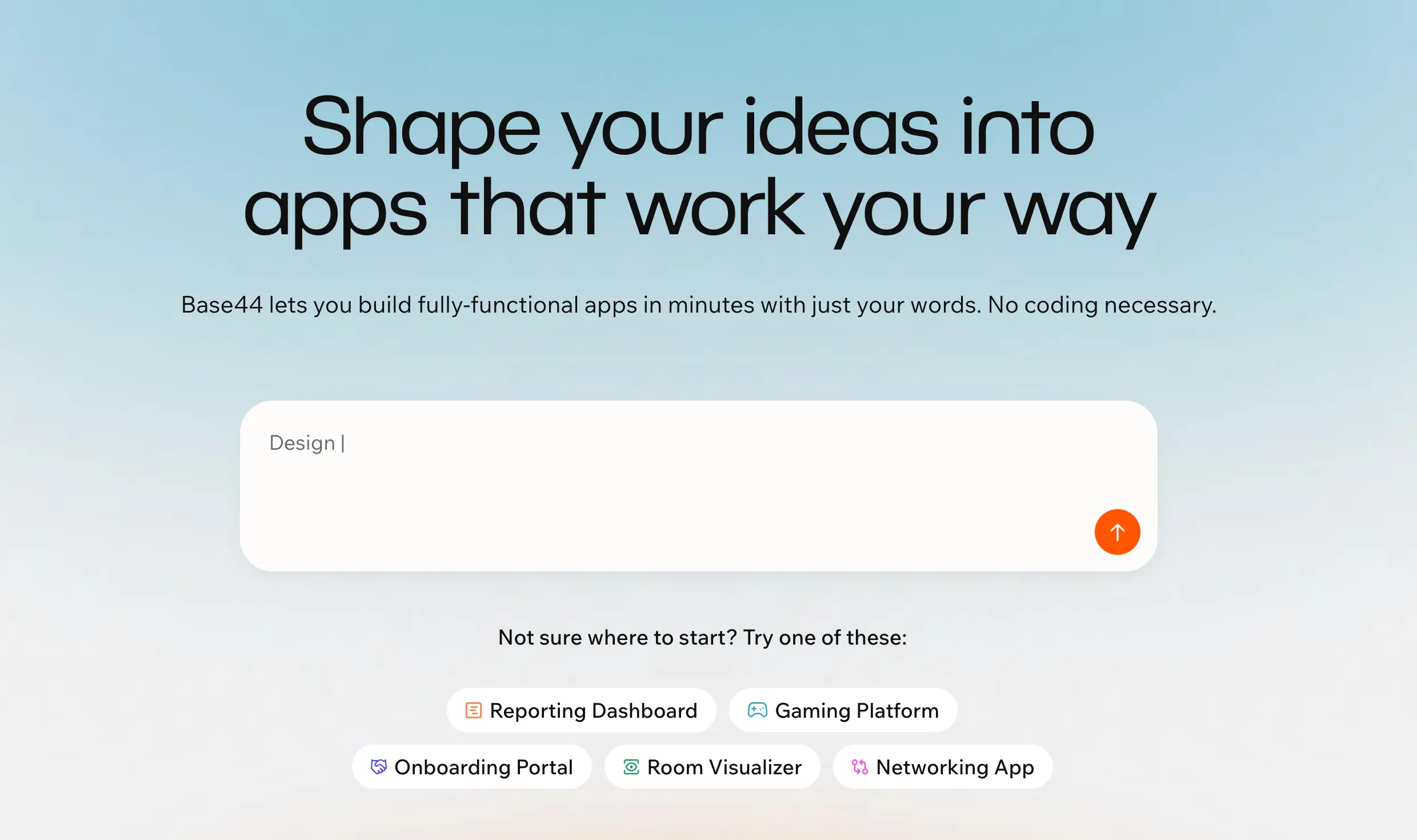
Base44 is an AI-powered no-code platform that turns plain-language prompts into lightweight apps. Describe what your product should do, and it instantly builds the UI, database, authentication, and logic. You can tweak the result through its builder chat: rename elements, adjust layouts, add logic, and redeploy on the spot.
Paid tiers unlock code export, custom domains, and built-in hosting for sharing live apps. It’s a fast, guided option for non-technical founders and product managers building MVPs. However, users report that designs feel basic, mobile responsiveness is weak, and advanced customization requires code edits. For full control, Replit’s code-first setup may suit you better.
Base44 stand-out features
1. Builder Chat
Base44’s conversational builder lets you describe your app in plain English, then automatically generates the interface, database, and logic. You can refine the result through follow-up prompts—rename elements, adjust layouts, or add workflows—and instantly redeploy changes.
It’s ideal for early prototypes or MVPs, letting non-technical founders get a working app live without juggling multiple tools.
2. Discussion Mode
Beyond solo building, Base44 introduces Discussion Mode for collaborative app creation. Teams can brainstorm logic or user flows together in a chat-like workspace, while Base44’s AI provides structured suggestions or quick fixes.
This feature bridges design and development feedback loops, helping teams iterate faster on ideas before investing in complex builds.
3. Optional add-ons
Base44 integrates optional AI modules, like chatbots, automation scripts, and analytics, that you can plug directly into your app. They make it possible to enrich prototypes with predictive logic or conversational layers without external APIs.
However, advanced custom behavior may still require paid credits or code export for fine-tuning.
4. Core Infrastructure
Every Base44 app runs on managed hosting with a built-in database, storage, and authentication system. The unified dashboard lets you manage user data, monitor activity, and send transactional emails—all without additional setup.
For startups, this all-in-one stack reduces the need to wire multiple back-end tools.
Base44 limitations
- Works best for simple apps: not ideal for complex workflows or advanced business logic.
- Limited customization beyond generated layouts and templates.
- Fewer native integrations, which can make scaling or connecting to external systems harder.
- Export options depend on your plan; full code access is available only on premium tiers.
- Usage limits (credits, user caps) can add hidden costs if you iterate or deploy frequently.
What Base44 is best for
The platform is particularly useful for testing product ideas, building dashboards, admin portals, or onboarding flows. It handles common tasks like user roles, email flows, and integration credits for file uploads or messaging services. However, heavy use of AI generation and integrations consumes credits quickly.
Unlike Replit, which requires some coding comfort, Base44 aims to be a one‑stop shop for people who need a working app quickly.
- Non‑technical founders & entrepreneurs: If you describe the app you want, it’ll generate the UI, backend, and user management automatically. This makes it ideal for pitching concepts to investors or validating demand.
- Product managers & operations teams: Need a simple tool for onboarding, reporting, or admin dashboards? Base44 can create customer portals, sign‑up flows, and dashboards with built‑in roles and email flows. You can tweak layouts or logic via the Builder Chat and deploy instantly.
- Hackathons & rapid prototypes: The platform’s text‑to‑app generation and instant hosting make it useful for hackathons or short sprints. You can build a working prototype, share a live link, and even set up a custom domain in minutes. It’s slower than coding manually, but it removes the need for servers or scaffolding.
Where Base44 struggles is in customization and design polish. Reviewers note that its visual control is limited, designs can feel basic and generation can be slow. Mobile responsiveness isn’t ideal, and more advanced features require editing code: something only available on higher tiers.
Base44 is great for non‑coders who need a quick, functional app, but teams seeking fine‑grained control or polished design may prefer platforms like Replit or Lovable, or moving to a custom codebase after prototyping.
Base44 pricing
- Free ($0/month): 25 message and 100 integration credits per month. Includes authentication, database, and analytics features. Best for testing ideas and exploring the platform.
- Starter ($20/month or $16 billed annually): 100 message and 2,000 integration credits. Supports unlimited apps with in-app code editing. No code export included.
- Builder ($50/month or $40 billed annually): 250 message and 10,000 integration credits. Adds GitHub integration and front-end code export (React, styling, project files). Back-end export not available.
- Pro ($100/month or $80 billed annually): 500 message and 20,000 integration credits. Includes early beta access, multi-user collaboration, and priority troubleshooting. Back-end export still unavailable.
- Elite ($200/month or $160 billed annually): 1,200 message and 50,000 integration credits. Adds premium support and expanded collaboration for larger teams. Back-end export not supported.
- Enterprise (custom): Includes everything in Elite with custom usage limits, compliance options, SLAs, and dedicated account management.
How much does Base44 actually cost?
Base44’s subscription prices might look straightforward, but the real cost hinges on how often you talk to its AI and how many external services your app uses. Each plan comes with monthly message credits (for AI prompts) and integration credits (for emailing users, sending Slack notifications, calling external APIs, etc.). When you run out, you either upgrade to a more expensive tier or wait until the next billing cycle.
Examples:
- Credits run out fast (+ don’t roll over): Even the Starter plan’s 100 messages and 2,000 integration credits can vanish after a few days of tweaking or testing a complex app. Frequent UI edits or new feature prompts quickly hit the limit. Plus, unused credits expire each month, and if you run out early, you’ll need to upgrade or wait for renewal.
- Hosting adds up: The Builder plan increases limits to 250 messages and 10,000 integrations, but active apps that process forms, send emails, or use APIs often exceed those numbers. You’ll likely move to Pro ($100/month) or buy extra credits.
- Code export is restricted: Free and Starter plans don’t allow any export. Builder users can download only front-end code, while the back end stays on Base44’s servers. Full ownership requires rebuilding or migrating.
- Advanced perks cost extra: Custom domains, GitHub integration, and priority support start at the Builder or Pro tiers, which means paying at least $50 to $100 per month for serious use.
For operators, Base44 excels as a fast way to validate an idea and get a demo running. But if you plan to run multi‑user systems, need full control over your code, or dislike vendor lock‑in, be prepared for higher costs and workarounds.
Replit vs Base44: Pricing comparison
While both platforms start with free tiers, their cost structures work very differently. Replit uses a usage-based model that charges for AI generations and hosting time, while Base44 uses tiered, credit-based plans that cap your AI prompts and integrations.
The result: Replit feels like a pay-as-you-go cloud IDE, whereas Base44 behaves more like a subscription app builder with predictable limits.
Key differences:
| Aspect | Replit | Base44 |
|---|---|---|
| Pricing logic | Includes $20/month in credits with the Core plan ($18/month billed annually), plus a Free Mode allowance. AI generations and hosting quickly drain that balance—many users report hitting limits within days. | Uses fixed credit pools per tier (e.g., 100 message & 2,000 integration credits on Starter, 250 & 10,000 on Builder). Credits reset monthly, keeping costs predictable if usage stays within limits. |
| Scaling cost | Pro plan ($90/month billed annually) covers up to 15 collaborators with pooled credits, but credit use grows with every builder, so heavy team use gets expensive. | Pro plan ($80/month) supports multiple collaborators under one subscription, avoiding per-seat pricing and suiting small cross-functional teams. |
| Predictability | Usage-based: flexible but prone to surprise bills under heavy AI or hosting usage. | Credit-based: spending is capped once credits run out; unused credits don’t roll over, so you trade flexibility for predictability. |
For small teams that want predictable pricing and production-ready apps without worrying about credits or code exports, Softr offers a middle ground: flat, transparent plans and no hidden usage fees, so you can scale workflows and apps with confidence.
Base44 vs Replit on Reddit
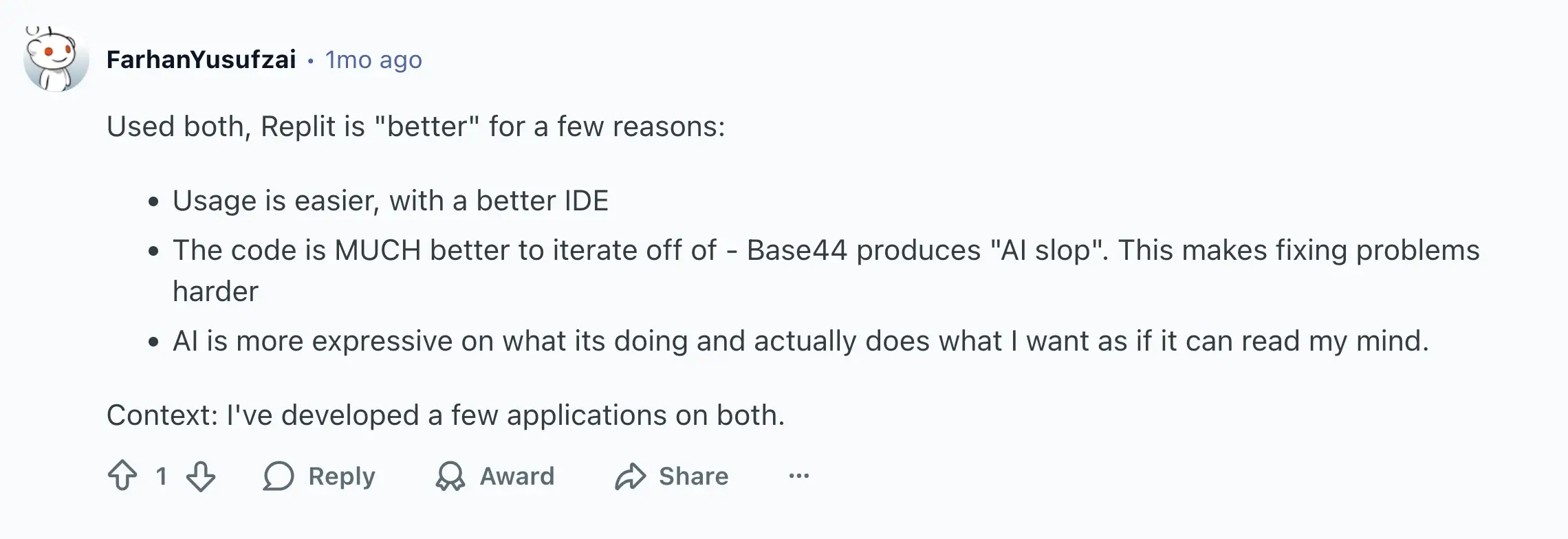
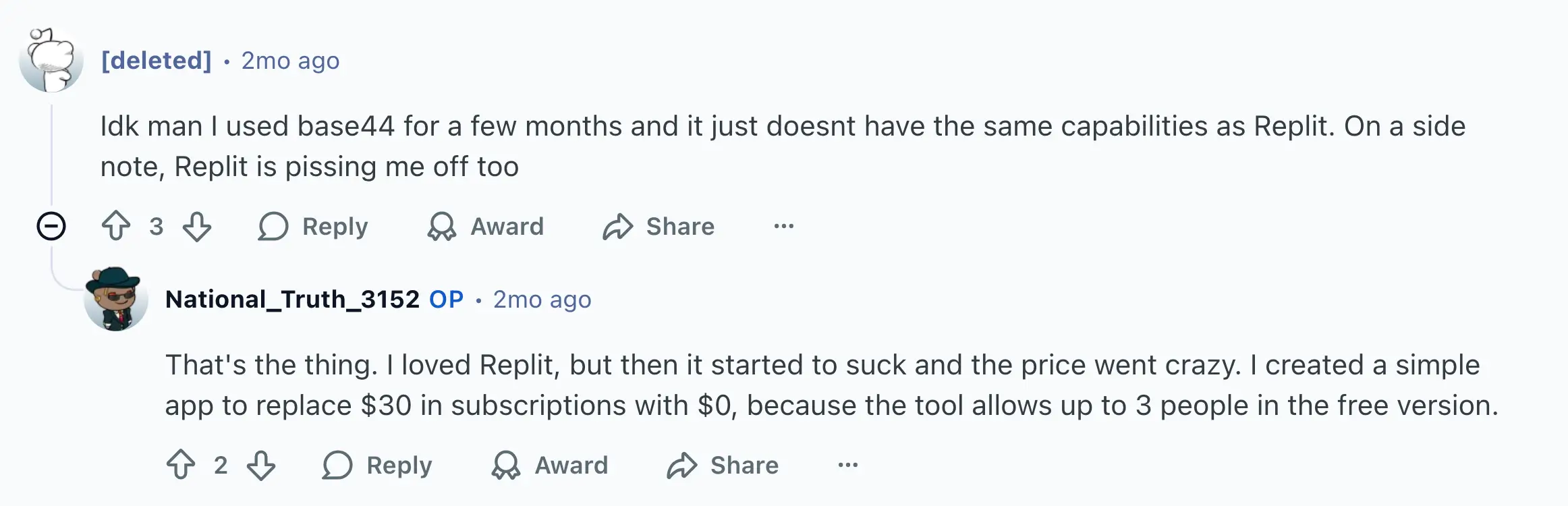
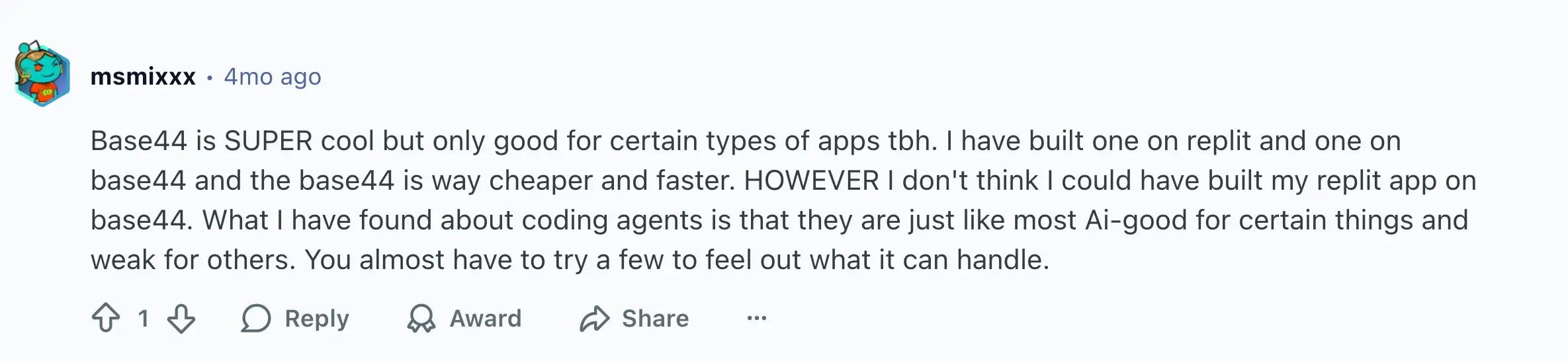
In discussions about Replit and Base44, the conversation usually comes down to project type and complexity. There are also some heated discussions regarding the changes Replit recently underwent. Several users put it simply:
Replit vs Base44 summary
Replit offers power and flexibility, but with variable pricing and a learning curve that favors developers.
Base44 trades depth for simplicity, giving non-technical teams a faster, flatter way to build functional MVPs and lightweight tools.
- Choose Replit if you want full control, advanced coding capabilities, and scalability beyond prototypes.
- Choose Base44 if you value speed, predictability, and getting a working MVP live without writing a line of code.
Softr — the best Replit vs Base44 alternative for building full-stack business software with AI

Softr is a full-stack no-code platform that lets you build production-ready business apps without writing any code or managing complex infrastructure. Unlike Replit or Base44, which focus on either lightweight prototyping or developer-first coding, Softr offers a relational database, front-end builder, and automation engine in one platform.
With the AI Co-Builder, you describe the tool you need and get a fully-functional app spun up in minutes — with the database and business logic already connected, secure, and ready for real users. Prefer to work from your own AI assistant? Connect Claude, Cursor, or ChatGPT through the Softr MCP to create pages, update databases, and publish your business app directly from your chat.
You can start with Softr Databases or connect existing data sources like Airtable, Google Sheets, Notion, or SQL, and build business apps like intranets, client portals, CRMs, or dashboards on top. Every app you create will include secure end-user authentication, user-roles, and granular permissions, simple automations, and branded designs. This means your team moves beyond demos into live, fully functional products. Now, let’s take a deeper look at Softr’s standout features:
1. Reliable, production-ready app building
Most AI or no-code app builders stop at prototypes: Softr takes it straight to production.
With built-in databases, secure authentication, granular permissions, and automated workflows, every app you build in Softr is not just a demo but a deployable, reliable product. Unlike Replit, which still requires manual coding for full-scale production apps, and Base44, which stays closer to MVP territory, Softr lets you use AI to generate secure, multi-user apps that are ready for daily business use, without rewriting or migrating code.
2. Built-in databases and native integrations
Replit includes a simple built-in database and auth, but developers often outgrow it fast — especially when they need relational data, external syncs, or more complex logic. You can connect third-party databases like Supabase or Firebase, but that adds configuration and maintenance.
Base44 keeps everything inside its own closed system, which helps non-technical users move fast but limits flexibility and control. Your data, hosting, and backend all live within its infrastructure, and there’s no native two-way sync or relational model support.
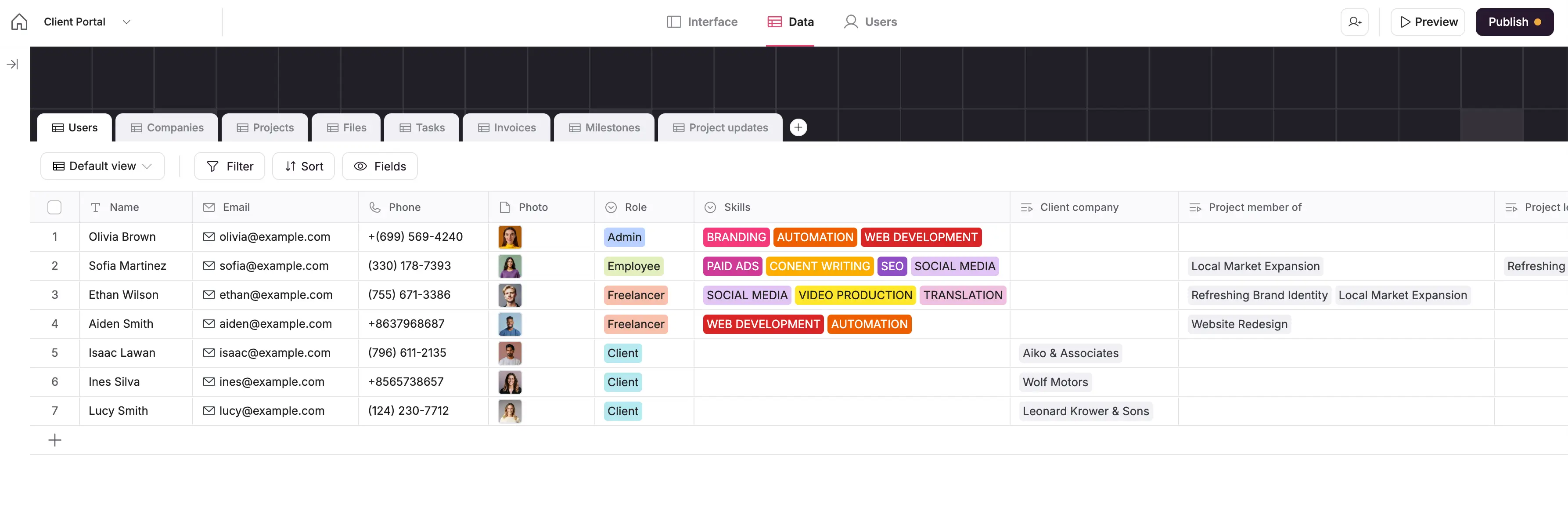
Softr Databases bridges the gap by giving you a spreadsheet-style interface with the power of relational data. You can link records, add formulas, rollups, and attachments, or connect to 21+ native data sources from your existing data on Airtable to HubSpot and Notion with two-way, real-time sync. That means your data stays connected, up-to-date, and ready to power your apps without manual upkeep.
3. Native Softr Workflows with AI co-builder

With Softr Workflows, you can automate tasks, connect tools, and deploy AI Agents directly inside your app. Trigger workflows when your data changes or when users take action, like submitting forms or updating records. With the AI co-builder, you can describe what you want and let it generate a workflow for you to review and edit as you prefer.
Add AI steps to summarize emails, send notifications, update databases, or call APIs without relying on Zapier, n8n, Make, or any other external tool.
Replit demands coding or third-party automation setup, and Base44 limits automation to in-app scripts.
4. Enterprise-grade security & governance
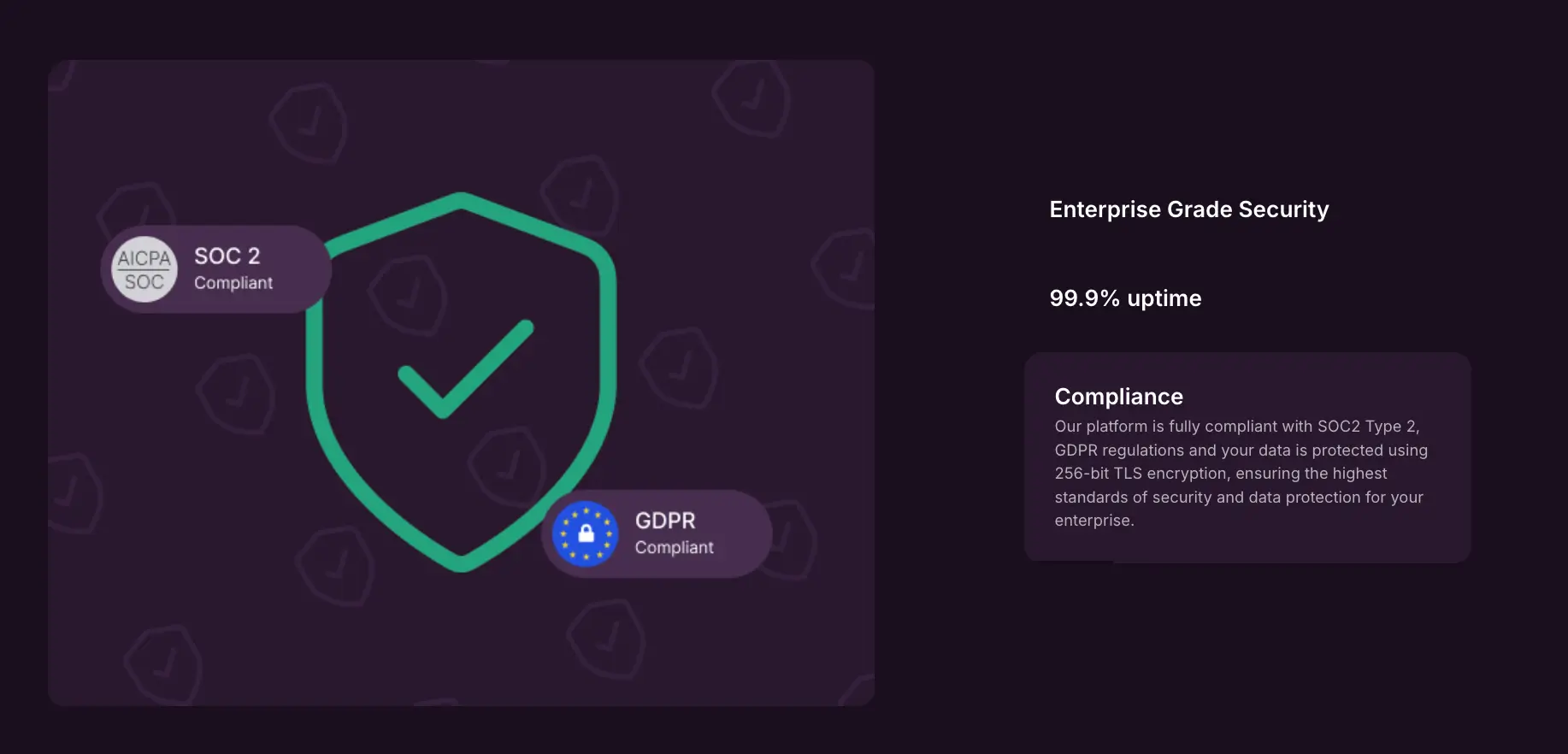
Softr provides secure hosting, SSL, SOC 2 compliance, and SSO/SAML(in Enterprise), making it safe for sensitive business apps.
Create private or multi-user portals with granular access control. Assign roles, restrict data views, and manage visibility based on user groups, clients, or departments.
Neither Replit nor Base44 offers enterprise-level access controls or data restrictions out of the box.
5. Custom branding & templates to launch faster

If you don’t prefer building an app from scratch, choose from a library of 90+ pre-built, customizable templates for CRMs, client portals, project trackers, or dashboards, with sample databases, too. Then, adjust every layout to match your workflow.
Unlike Replit, which starts with an empty workspace, or Base44, which relies on AI-generated layouts, Softr provides pre-built templates that are visually polished and instantly usable.
6. User management and onboarding pages
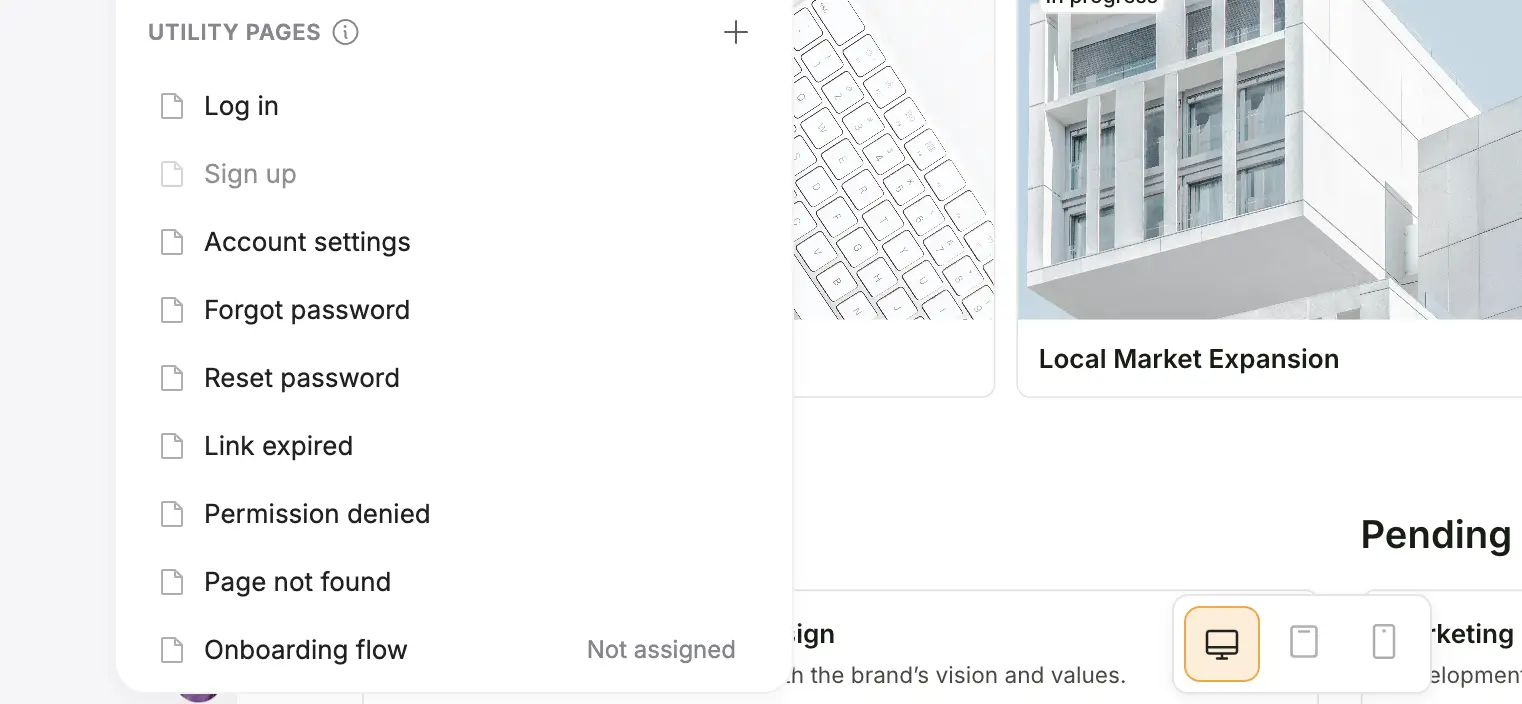
Softr comes with built-in pages for log in, account settings, and password recovery, so you don’t have to create them from scratch. You can personalize these pages with your brand, add custom fields, and guide new end users through onboarding steps that make sense for your business.
Design custom onboarding flows to collect key details (like profiles or service records), send welcome prompts, and track progress. Whether it’s welcoming new clients, employees, or partners, everyone gets a smooth, secure start inside your app.
Replit users must code authentication manually, and Base44’s user flows are limited to preset forms.
7. Database AI Agents & Ask AI

Softr’s AI Agents can live directly inside your database to generate insights, analyze records, or summarize information automatically. Use them to clean data, categorize inputs, or even generate text for reports, and do more without adding manual workload. With ask AI, allow app users to query live app data in plain English to get the answers they need (e.g., what was the total revenue from new customers in Q3?)

Replit’s AI focuses on writing code, while Base44’s AI builds app layouts. Softr’s AI actually works inside your data, helping you query, summarize, and act on information directly.
8. Responsive apps and mobile access
Everything you build in Softr automatically works on any device, like desktop, tablet, or mobile, without extra setup. Your apps adapt to different screen sizes, so users always get a smooth experience whether they’re in the office or on the go. You can publish them as installable Progressive Web Apps (PWAs), allowing team members or clients to access your app directly from their home screen on iOS or Android.
Base44 still struggles with mobile responsiveness, and Replit apps often need manual CSS adjustments.
9. Predictable pricing
Unlike Replit and Base44, Softr doesn’t rely on credits or usage-based billing. The flexible pricing plans are flat and transparent, so you always know what you’ll pay each month.
- Free ($0/month): Unlimited apps, with access to Softr Workflows, Softr Databases, Softr MCP, 5 app users, and 5,000 Softr Database records. Good for testing or simple internal projects.
- Basic ($19/month): Unlimited apps with 42+ integrations, Team: 5 + Client: 5 app users, and 50,000 records. Adds custom domain.
- Pro ($99/month): Unlimited apps with 45+ integrations and custom code, Team: 10 + Client: 50 app users, and 500,000 records. Includes removing Softr branding, custom code, external APIs, e-signature, and custom user groups.
- Business ($329/month): Unlimited apps with 52+ integrations, Team: 30 + Client: 100 app users, custom user groups (up to 10), and 1,000,000 records. Adds two-factor authentication, domain-restricted signup, and push notifications.
- Enterprise (custom pricing, contact sales): Everything in Business plus SSO, SCIM, custom limits, and advanced security & governance.
The key difference is predictability. With Softr, you won’t run out of credits mid-month or face surprise overages. Whether you’re building a simple client portal or a full suite of internal tools, your costs scale in a straight line with your plan, and not with every API call or AI prompt.
What Softr is best for
Softr is the best alternative for companies that need secure, business-ready apps that support day-to-day operations: the areas where Replit and Base44 fall short.
You can use Softr to:
- Build custom client portals and internal tools that centralize client data, requests, and documents in one secure place. No need for manual hosting like Replit or limited layouts like Base44.
- Automate internal operations with Workflows and AI Agents that handle approvals, notifications, and reporting automatically in one platform, instead of wiring scripts in Replit or burning credits in Base44.
- Launch full-featured CRMs and dashboards on top of your existing data, keeping everything live and synced in real time: something neither Replit’s IDE nor Base44’s static databases handle natively.
- Empower non-technical teams to create and manage apps without writing a single line of code.
- Knowledge bases & directories: Organize company knowledge or resources into searchable, easy-to-use apps.
In short, Softr blends Base44’s ease of use with Replit’s technical depth, giving teams a predictable, secure, and scalable way to build real business apps with AI.
Replit, Base44, or Softr
In the Replit vs Base44 argument, both tools serve their audiences well: Replit empowers developers with control, and Base44 speeds up non-technical prototyping. But neither extends seamlessly into the basic day-to-day needs of small teams running client operations or internal processes.
Softr fills that gap: simple enough for beginners, yet robust enough for production. Build public-facing portals, CRMs, project trackers, and internal tools your team can rely on (all without code or developer overhead).
Try Softr for free and see how easily you can build secure, scalable apps at predictable costs.
Frequently asked questions
Which is better, Replit or Base44?
Is there anything better than Replit?
What are the disadvantages of using Replit?
What coding language does Base44 use?