Monday.com is undeniably one of the most popular project management tools, praised for its wide range of basic project management functions to get things done.
However, despite its strengths, monday.com might not be the perfect fit for every team. Issues like confusing pricing structures, limited customization for niche workflows, or security concerns leave some users searching for alternatives. This guide explores the best monday.com alternatives in 2026 based on their unique advantages for project management.
How I evaluate the best monday.com alternatives
While monday.com is a popular option, it may not be the ideal fit for everyone. To find the right alternatives, consider these key factors when selecting the best monday.com alternative.
- Cost: Choose software that fits within your budget, looking at the available pricing tiers and payment options like per-user, monthly, or annual subscriptions.
- Features: Prioritize your must-have tools—such as Kanban boards, Gantt charts, or automations—to find the right balance of task management, collaboration, and security.
- Ease of use: Select a tool with an intuitive interface and a minimal learning curve to maximize your team's productivity.
- Integrations: Look for a tool that connects seamlessly with the apps your team already uses, like email, communication platforms, or cloud storage, to streamline workflows.
- Scalability: Select a tool that can adapt and scale alongside your needs so that limited customization options don't restrict your team as projects evolve.
- Customer support: Find a company that offers reliable and readily available support options, including tutorials, FAQs, live chat, or phone support.
7 best monday.com alternatives in 2026
1. Softr
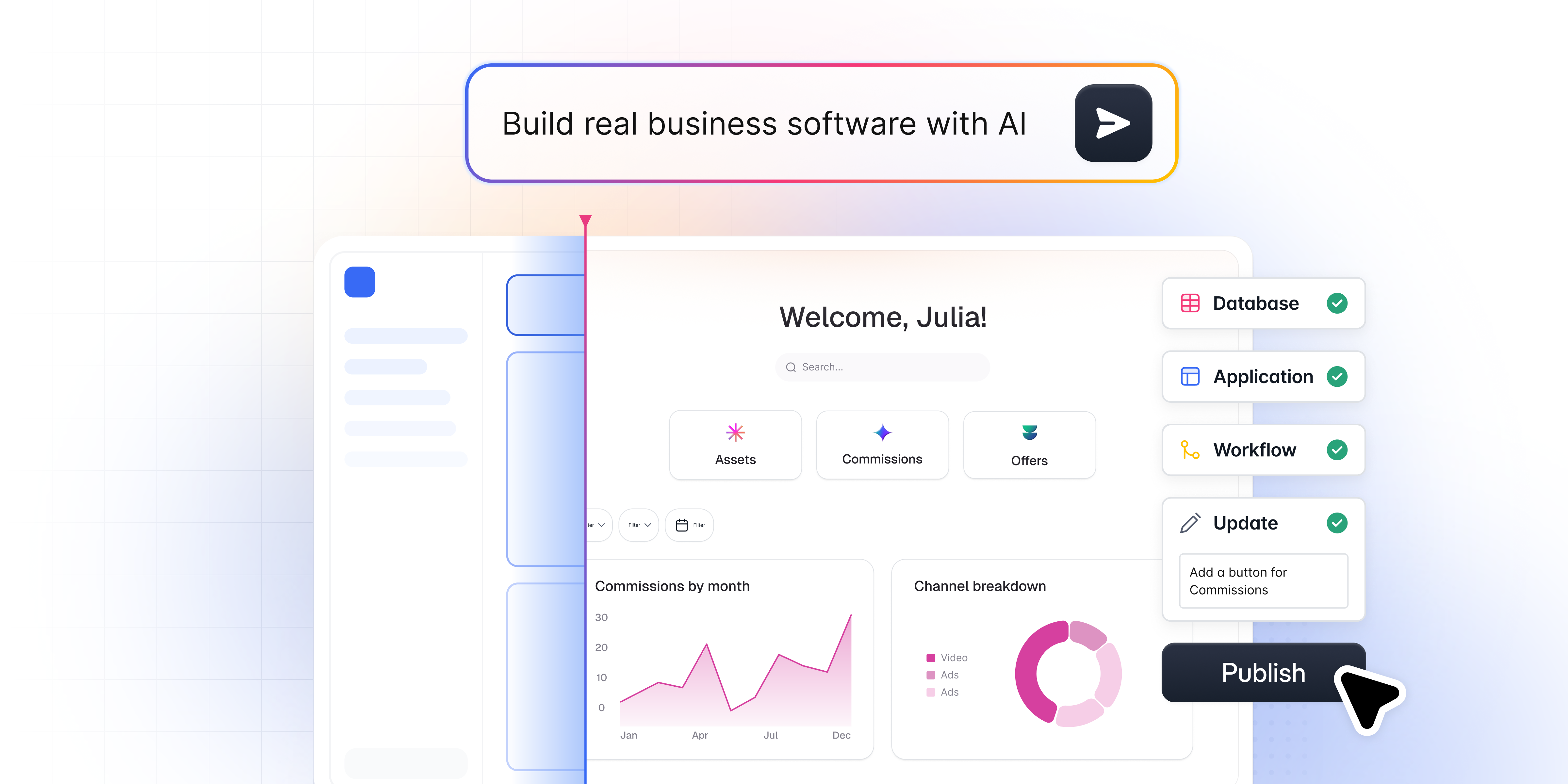
Softr is the first AI-native platform for building business software without code. Instead of forcing your projects into someone else's rigid template, you describe the project management tool you need, and Softr's AI Co-Builder instantly creates the database, pages, and permissions, already connected, secure, and ready for real users.
That makes Softr a fundamentally different kind of monday.com alternative. It is not just another pre-built project tracker. It is a way for business operators and team leads to build the exact tool their team needs, whether that is a project tracker, a client portal, a CRM, or an internal operations hub, without waiting on developers.
Every Softr app is production-ready and secure from day one, with authentication, user management, permissions, and hosting already built in.
Key features
- AI no-code platform: Use the AI Co-Builder to generate full apps via text prompts, drag-and-drop pre-built blocks, or prompt custom "Vibe Coding" components.
- Native database & integrations: Built on fast, scalable native databases with connections to 17+ external sources (Airtable, Google Sheets, monday.com).
- Native automation: Trigger custom workflows directly via UI interactions (buttons, forms) using the Workflow AI Co-Builder or tools like Zapier/Make.
- Granular permissions: Built-in user authentication and role-based access to keep sensitive data hidden or visible based on who is logged in.
- Responsive design: Applications automatically adapt to any device, from desktops to smartphones.
Pros
- True customization freedom: Avoid rigid, pre-defined structures and design workflows unique to your process.
- Democratized development: Empowers non-technical team members to safely modify and iterate on tools on the fly.
- Unified data integration: Consolidates SQL, external sheets, and databases into a single, real-time source of truth.
- Cost-effective security: Combines multiple tools (CRM, PM, portals) into one platform with affordable, enterprise-grade security (SOC 2 Type II).
- Fast onboarding: An intuitive interface and AI generation provide a rapid learning curve, minimizing setup downtime.
Use cases
Softr's versatility makes it an ideal alternative to monday.com across industries and departments. Its flexibility allows users to build custom applications for various needs, including:
- Client portals: Create secure, tailored portals where clients can access information, submit requests, and interact with your business.A Softr user showed how he created a client portal using monday.com and Softr.
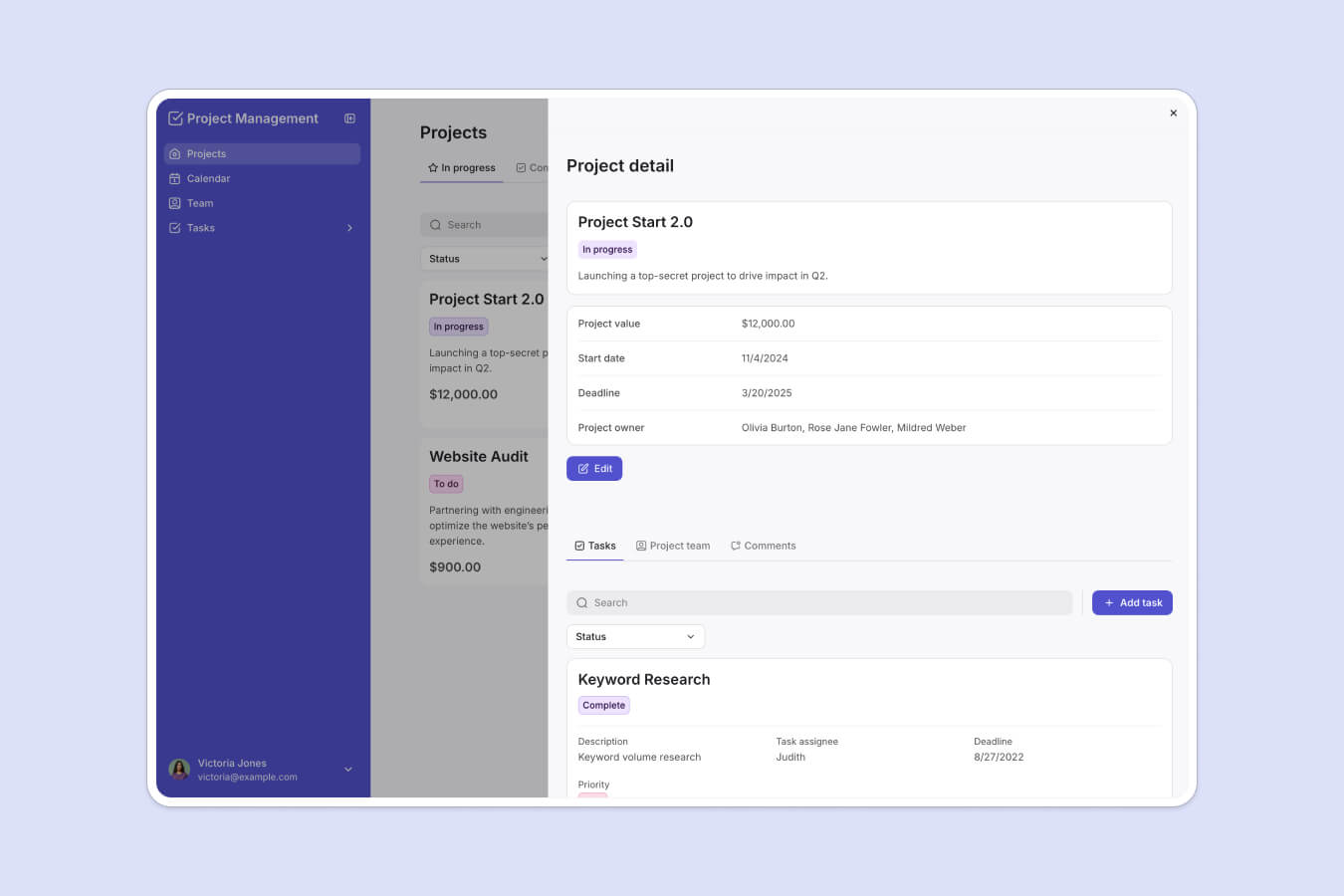
- Project management: Develop custom project management tools that integrate with existing data sources, matching your workflows, project types, and team structures.
- Automated workflows: Automate project tasks, notifications, and approvals to reduce manual effort and increase operational efficiency.
- CRM systems: Design custom CRM systems that fit your business processes and seamlessly integrate with other tools you use.
- Internal tools and team collaboration: Build internal collaboration tools that improve communication, task management, and project tracking within your team.
Pricing:
- Free: $0
- Basic: $49
- Professional: $139
- Business: $269
- Enterprise: Custom
Best for:
Softr is best for businesses looking for a highly customizable, no-code project management tool with seamless integration and flexibility.
2. Asana

Asana is a cloud-based project management tool designed to help teams organize, track, and manage their work effectively. It offers a compelling alternative to monday.com, thanks to its ease of use, strong task management features, and collaborative functionalities.
Asana is ideal for teams handling a large volume of tasks that frequently change, making it a versatile solution for managing projects both on the web and through its mobile app.
Key features:
- Asana enables teams to automate repetitive tasks and workflows. Its rule builder allows users to automate actions based on specific triggers, such as sending a Slack update when a task is completed.
- Asana excels in task creation, assignment, and tracking. Users can break down complex projects into subtasks, set dependencies, and prioritize tasks.
- Asana facilitates team communication through comments, mentions, and task assignments within each project.
- Asana provides various project management methodologies. Teams can use Kanban boards, Gantt charts, and calendar views to manage projects according to their preferred style.
- Asana offers a dedicated "My Tasks" section that provides a clear overview of individual task assignments.
Pros:
- Extensive integrations with over 200 third-party tools.
- Generous free plan for up to 10 team members.
Cons:
- High costs for larger teams and advanced features.
- Basic plan offers limited reporting and analytics.
- Lacks phone-based customer support.
Pricing:
- Personal: $0
- Starter: $10.99
- Advanced: $24.99
- Enterprise & Enterprise+: Custom quote
Best for:
Asana is great for organizations managing projects that mainly focus on workflows.
3. Basecamp

Basecamp is a popular web-based project management tool that prioritizes communication and straightforward task management.
With its unique features like hill charts, mission control, and built-in communication tools, Basecamp stands out as an intuitive and affordable alternative to monday.com.
Key features:
- Automate regular updates by setting up check-ins at daily, weekly, or monthly intervals.
- Provides an overview of project progress with status needles indicating the health and advancement of each project.
- Track tasks visually using hill charts to identify roadblocks, dependencies, and overall progress.
- Invite clients directly to collaborate on projects, eliminating the need for external email chains and fostering transparency.
- Basecamp centralizes communication within projects. Features like message boards, and to-do lists with comments, keep everyone informed and discussions focused.
Pros:
- Easy to learn and use.
- Unlimited users on the paid plan.
- Client access for collaboration.
Cons:
- Fewer integrations with other tools.
- No tagging or labeling for tasks.
- No time tracking, Gantt charts, advanced reporting.
Pricing:
- Basecamp Free: $0 (limited to 1 project and 1GB storage)
- Basecamp Plus: $15/user/month (includes 500GB storage)
- Basecamp Pro Unlimited: $299/month flat rate billed annually, or $349/month billed monthly (includes 5TB storage and unlimited users)
Best for:
Basecamp is an excellent choice for teams that value clear communication and a cost-effective solution for larger groups.
4. ClickUp

While relatively new compared to monday.com, ClickUp has quickly gained traction as a powerful alternative due to its comprehensive task management capabilities.
Designed to cater to diverse project management needs, it offers a wide range of features such as multiple task views, time tracking, and real-time collaboration tools.
Key features:
- Offers 11 different task views, including Gantt charts, mind maps, and Kanban boards.
- Over 20 widgets for creating highly customizable dashboards.
- Built-in chat, image annotation, and real-time updates keep teams in sync.
- Supports over 1,000 integrations with popular tools.
- Users can track time spent on tasks and projects.
- Set triggers, actions, and custom logic to keep your team moving forward.
Pros:
- Offers 100+ automation templates.
- Motivate your team with goal setting and progress tracking.
Cons:
- Customization and features can be overwhelming for new users.
- Users can experience lag with complex tasks and integration.
- Limited storage and integrations in free plans.
Pricing:
- Free Forever: $0 (limited to 100MB storage)
- Unlimited: $7
- Business: $12
- Enterprise: Custom quote
Best for:
Teams that prioritize time tracking, gamification, and automation.
5. Jira

Jira is specifically designed for managing agile software development projects, making it a powerful alternative to more generalized project management tools like monday.com.
With features such as burndown charts, sprint reports, and velocity graphs, Jira provides a specialized environment that supports the needs of development teams.
Key features:
- Jira supports both Scrum and Kanban methodologies.
- A fast issue tracker allows teams to capture, assign, and track bugs.
- Jira seamlessly integrates with tools like GitHub, GitLab, Sentry, and Jenkins, enabling efficient backlog management and project updates.
- Jira offers a comprehensive suite of built-in reports, including sprint reports, control charts, and resolution time reports.
- As part of the Atlassian product suite, Jira integrates effortlessly with other tools like BitBucket and Confluence, making it a natural fit for teams already using these products.
Pros:
- Over 1,000 integrations.
- Invite up to 50 people to team.
- Simple membership control.
Cons:
- Non-technical users may find Jira's interface challenging to master.
- Dashboard setting is difficult.
- Best suited for agile teams, making it less ideal for other project management styles.
Pricing:
- Free: $0 (up to 10 users, 2GB storage)
- Standard: $7.91
- Premium: $14.54
- Enterprise: Custom quote
Best for:
Software development teams using agile methodologies like Scrum or Kanban.
6. Trello

Trello is a simple project management tool that uses a Kanban-style board for task management. It's known for its visual approach, allowing users to drag and drop tasks (cards) between different stages of a project.
For those managing smaller projects or just starting, Trello provides a solid foundation without the need for a financial investment.
Key features:
- Trello allows users to create custom boards with lists and cards tailored to their specific workflows.
- Even on the free plan, Trello offers unlimited Power Ups (integrations) to enhance functionality, such as calendar views, voting, and automation.
- Access a wide range of templates for different industries, including marketing, sales, and design, to get started quickly.
- Users can add comments, attachments, due dates, mentions, and checklists to cards, keeping all project-related information in one place.
- Automate repetitive tasks using Trello's built-in automation tool, Butler, which can set up rule-based triggers.
Pros:
- Perfect for beginners
- Accessible across various devices
- Visual UI makes it easy to manage tasks at a glance
Cons:
- Limited to Kanban
- Difficult to manage complex and large-scale projects
Pricing:
- Free: $0 (up to 10 boards per workspace)
- Standard: $5
- Premium: $10
- Enterprise: $17.50
Best for:
Teams that want to start managing projects immediately without a steep learning curve.
7. Teamwork
Teamwork offers a strong alternative to monday.com, particularly for teams looking for a collaboration-focused platform.
It offers a wide range of features, including detailed reporting, client management, task management, Gantt charts, time tracking, and a collaborative document editor.
Key features:
- Teamwork integrates chat, comments, built-in video conferencing, and task creation within the platform.
- Provide secure access for clients to view project progress and relevant documents.
- Streamline billing by generating and sending invoices directly through teamwork.
- Over 350 apps, including Slack, HubSpot, and Google Drive.
Pros:
- Detailed reporting and analytics.
- Add unlimited client users completely free of charge.
Cons:
- Limited customization options in terms of branding.
- Expensive option for large teams.
Pricing:
- Free: $0 (up to 5 users)
- Deliver: $10.99 (3-user minimum)
- Grow: $19.99 (5-user minimum)
- Scale: Custom quote
- Enterprise: Custom quote
Best for:
It's well-suited for remote teams.
Why consider monday.com alternatives?
1. Customization for niche workflows
In industries like healthcare, finance, or creative fields, organizations often have highly specific processes and workflows that don't fit the standard templates provided by many project management tools.
While monday.com is a powerful platform, it might not offer the level of customization needed for these specialized tasks. This is where alternatives like Softr and Jira excel.
They offer greater flexibility to configure workflows, fields, and integrations, allowing you to adapt the tool to your unique business processes.
2. Advanced reporting and analytics
Advanced reporting and analytics are key to effective project management. While monday.com offers basic reporting, businesses needing deeper insights may find it lacking.
Alternatives like ClickUp, Jira, and Teamwork provide more advanced, customizable reports that track KPIs, visualize progress, and predict bottlenecks.
3. Seamless legacy system integration
Many enterprises rely on older, established software, known as legacy systems, which are important to their operations. When introducing a new project management tool, it must integrate smoothly with these systems to prevent workflow disruptions.
Monday.com may not provide the deep integration required for this, which can lead to compatibility issues or inefficiencies.
However, tools like Softr and Teamwork focus on seamless integration with legacy systems allowing your existing workflows to continue without interruptions.
4. Scalability for growing teams
As businesses expand, their project management needs become more complex.
A scalable project management tool can handle more projects, and manage data of growing teams without sacrificing performance.
While monday.com might function for smaller teams, alternative tools like Softr offer features like enhanced user management, advanced security protocols, and robust data handling, designed to support the growth of your organization.
5. Cost considerations
The pricing structure of monday.com is more complex due to its seat-based model. monday.com charges based on the number of users (or seats), with the price scaling as the team size grows. This can lead to confusion because, in addition to choosing a plan (basic, standard, pro, etc.), customers must calculate their total cost based on the number of team members.
For example, the price for 3 users is different than for 5 or 10 users, so companies have to adjust their budget according to team size, which can vary over time. This can make it harder to predict the final cost, especially for growing teams.
In contrast, Softr offers a more concrete and predictable pricing model, with specific tiers based on features rather than the number of users (except for Professional and Business plans, where additional users can be added at a fixed cost). This makes it easier to understand and plan for costs upfront without having to factor in varying seat counts.
6. License management limitations
One major challenge with monday.com is its rigid licensing structure. Renewals are required in multiples of 5 users, and new licenses can only be purchased in a minimum of 10, also in increments of 5.
This restrictive approach makes managing licenses difficult, especially for teams with fluctuating sizes.
Choose the right monday.com alternative for your business
Take your time to think about which tools fit your needs and workflow. If you want a tool built around exactly how your team works, rather than a rigid template, Softr is the standout option. Describe the project management app you need, and the AI Co-Builder generates a production-ready tool with the database, pages, and permissions already in place. You can then refine it visually whenever your process changes. Sign up for free and start building today.