The 5 best invoice automation software in 2026


First-time business owners often consider invoice management an afterthought until they experience how much work it actually takes.
Experienced accounting and finance professionals know that manually managing invoices entails a number of tasks and processes that can not only be mind-numbing (let’s be honest) but also prone to errors with significant potential financial consequences, and a cause for compliance and security concerns.
In its 2022 State of AP Report, Pinnacle Financial Partners showcases AP automation (accounts payable) as the top back-office digitization priority for organizations, with invoice approval workflows as the most popular automated AP task. However, while automation is a hot topic in the industry, the report also shows that only 16.2% of teams have implemented a fully automated AP process.
In this article, we explain why invoice automation makes sense for organizations of all sizes and industries looking to scale and optimize their financial operations and how to get started by showcasing the top 5 best invoice automation software solutions for 2026.
What is invoice processing automation?
Invoice processing automation refers to using software to streamline the invoice management lifecycle, minimizing manual interaction so Accounts Payable (AP) teams can regain their time and work on more productive tasks, reducing the potential for human errors in the process.
Automation can be implemented at every step in the invoice management journey, including:
- Invoice creation: Creating invoices based on data collected with the client and/or imported from another software.
- Data extraction: Collecting invoice details (supplier name, invoice number, amount, etc) from an existing invoice to input into an accounting software.
- Reconciliation: Double-checking invoice details against internal records to ensure everything is correct.
- Stakeholder approval: Validating the invoice details and authorizing the transaction.
- Payment: Triggering payment/registering the receipt of payment.
These steps can be automated to some extent, benefiting organizations by reducing manual input. This, in turn, reduces mistakes, minimizes manual labor, and accelerates the overall process, which can be especially critical for companies working with lean logistics that require timely processing of payments going in and out.
Top 5 invoice automation software in 2026
We researched and gathered the top five Invoice automation software and will cover the pros and cons of each one, along with their key features, pricing, and which companies they are best suited for.
1. Softr: The best overall AI platform for invoice automation
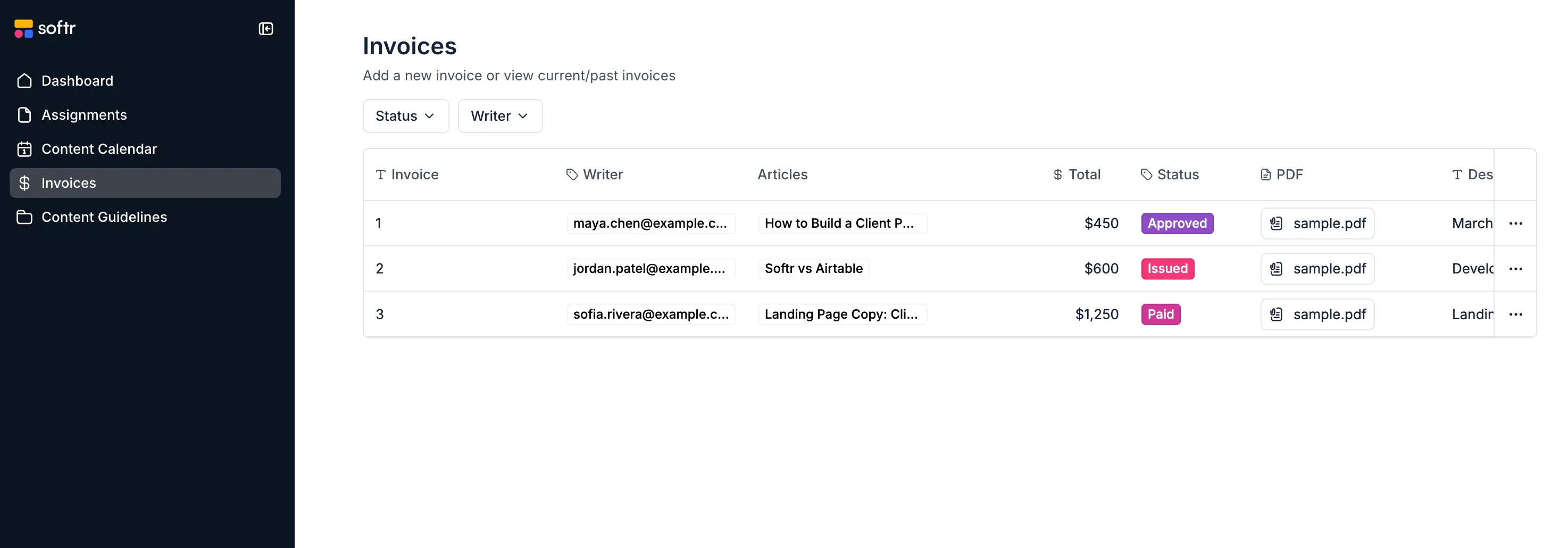
[8v2ze9_gaOTM3Nzg2MjM2LjE3MjA3MTY1OTE._ga_14XMPSBKPSMTczMzQxMTU4OC4yMzYuMS._ga_14XMPSBKPS*MTczMzQxMTU4OC4yMzYuMS4xNzMzNDIwNjM1LjYwLjAuMA..">Softr]() is the first AI-native platform for building custom business applications without code. Instead of forcing teams to adjust to generic, out-of-the-box software, Softr empowers operators to build custom client portals, vendor management systems, and internal invoice tracking apps that match their exact workflows.
At the center of Softr's capabilities is Softr Databases, a high-performance native database that acts as a secure, fast, and unified source of truth for your business records. In addition to its native database, Softr integrates with 21+ external data sources like Airtable, Google Sheets, monday.com, and HubSpot.
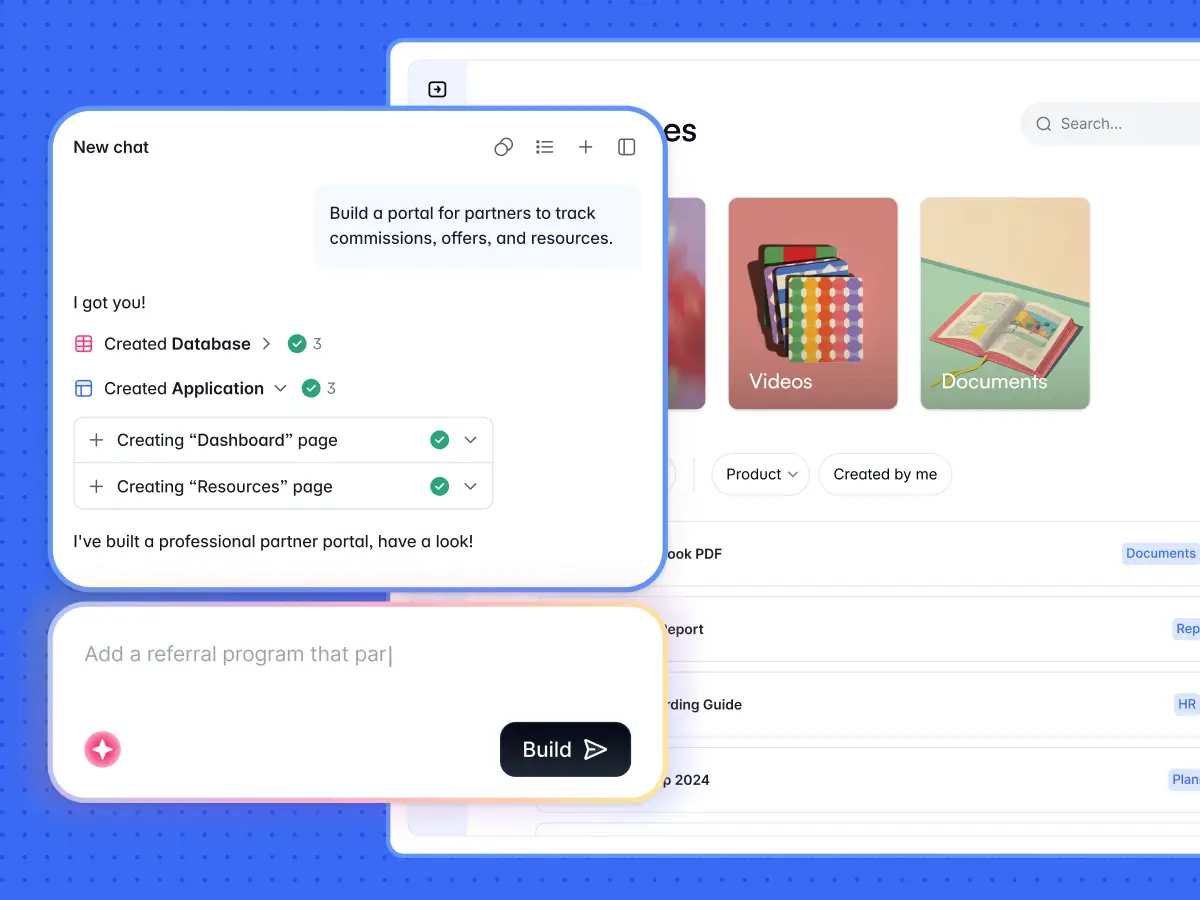
With the AI Co-Builder, teams can describe their desired invoice automation portal in natural language to instantly generate a database schema, user groups, permissions, and initial web pages. Builders can then visually customize the application using native layouts or leverage the AI-powered Vibe Coding block to generate bespoke React components (such as custom invoice generators with interactive line items) that integrate directly into their secure portal infrastructure.
As Joe L., a small-business builder, notes in a G2 review: "I find Softr to be the easiest system to connect a database to. As someone less technical, I find it helpful that working with a database in Softr is similar to an Excel spreadsheet. The initial setup was very easy for me since I used the AI assistant, which I thought was very in tune with what I was looking for."
Key features:
- AI Co-Builder to generate databases, pages, and automation sequences from plain text.
- Built-in Softr Databases for high-performance data storage, alongside 17+ external spreadsheet and database integrations.
- Native Softr Workflows to automate actions, approvals, and data updates inside the app.
- Vibe Coding block for adding custom React/JS components without breaking the stable no-code foundation.
- Granular visibility rules and global Data Restrictions to keep customer and vendor invoicing data strictly isolated.
Pros:
- Highly customizable interface and workflows.
- High-performance native database with Softr Databases.
- Cost-effective pricing with support for unlimited external portal users.
- Active user community and expert customer support.
- Secure-by-default role permissions and version control history.
Cons:
- You cannot control every single pixel of the design because it relies on battle-tested blocks.
- Requires some initial setup to map custom business workflows.
- Complex calculation engines or custom animations may require writing custom code using the Vibe Coding block.
Pricing: Free plan available; paid plans start at $19 /month.
Best suited for: Professional services, accounting firms, startups, and enterprises looking for a secure, highly customizable portal or ERP to manage internal workflows and client billing without seat-based pricing traps.
Softr provides companies of all sizes with hyper-customizable invoice management software that can meet the needs of every organization, from solopreneurs and startups to global enterprises. The expert customer support is backed by a vibrant user community, with whom we communicate closely to improve our platform consistently based on feedback and experience.
2. Tipalti: A premier solution for global enterprises

Tipalti is a global payment automation platform that simplifies invoicing and payments. It offers valuable capabilities for companies working globally, such as multi-currency support or international compliance features.
Key features:
- Automated invoice capture, approval workflows, tax compliance, and global payments.
Pros:
- Robust features for global invoicing
- Multi-currency support
- Tax compliance capabilities.
Cons:
- The steep learning curve for small businesses
- Expensive for smaller teams.
Pricing: Starts at $129/mo.
Best suited for: Enterprises and businesses with global invoicing needs.
3. Stampli: A collaborative solution focused on accounts payable

Stampli is a collaborative AP automation platform designed to streamline invoice processing. The solution aims to become your go-to AP tool, syncing with the rest of your stack and offering comprehensive features for AP teams.
Key features:
- AI-powered invoice capture
- Real-time collaboration and approval workflows
- Integration with ERP systems.
Pros:
- Easy collaboration with finance teams
- AI-driven efficiency
- User interface.
Cons:
- More suited for larger organizations
- Can be expensive for small businesses.
Pricing: Available on request.
Best suited for: Medium-to-large organizations focusing on collaboration and invoice approval processes.
4. AvidXchange: AP automation for mid-size businesses

AvidXchange is an invoice and payment automation software focused on simplifying AP workflows.
Key features:
- Paperless invoicing
- Automated approval workflows
- Payment processing
Pros:
- Highly customizable
- Strong integration with accounting systems
- Reduces paper invoicing
Cons:
- Expensive
- Some features can be complex for smaller teams
Pricing: Quote-based plans
Best suited for: Mid-sized businesses and enterprises looking for robust AP automation.
5. QuickBooks Online: A full accounting suite for small businesses

Quickbooks Online is a popular accounting platform with built-in invoice automation features. Packed with features, it’s a good fit for small businesses or entrepreneurs interested in a one-stop shop for all their accounting needs.
Key features:
- Invoice creation
- Automatic reminders
- Recurring billing
- Integration with payments
Pros:
- Seamless integration with accounting solutions
- Easy to use
- Ideal for small businesses
Cons:
- Limited scalability for larger organizations
- Fewer advanced features for approval workflows
Pricing: Free trial, then starts at $9.50/mo.
Best suited for: Freelancers and small businesses seeking easy invoicing and accounting solutions.
What are the drawbacks of manual data entry?
While the main and most obvious drawback of manual entry for invoice management is how boring it is for your team (if you know, you know), there are also very factual, pragmatic business consequences to refusing to explore automation in 2026:
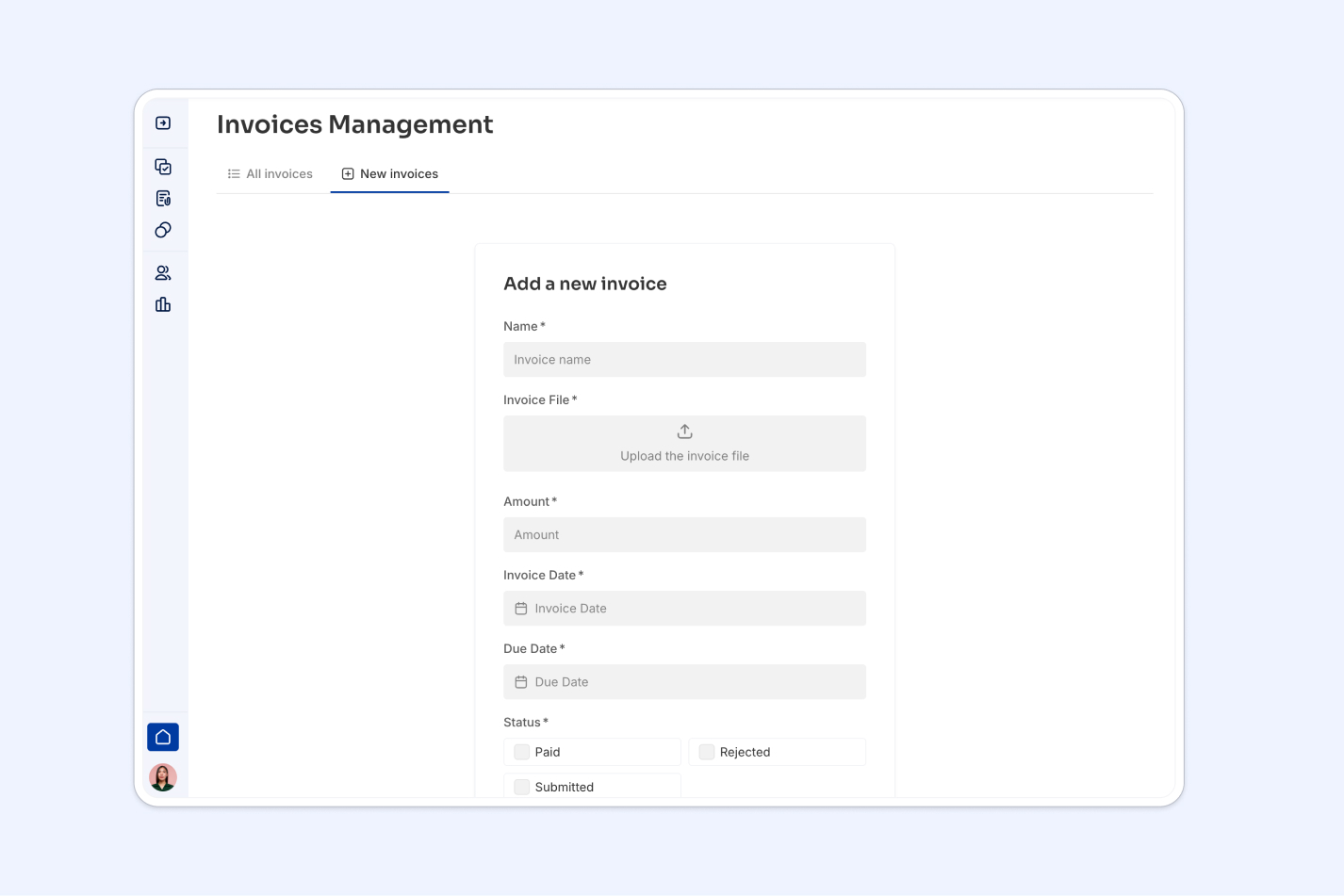
- Inaccuracy and errors: From missed fields to typos, mistakes are bound to happen when relying on manual data entry. These errors cost money, causing delays, extra efforts, and potential reconciliation.
- Inefficiency: Your team is better suited to conducting tasks where their humanity is valued rather than performing manual entry processes that a machine can do faster and more accurately.
- Lack of scalability: A person can process only so many invoices in a day and is likely to make more mistakes the more manual data entry they process.
- Compliance risk: A lack of automated processes will naturally make businesses more liable to fraud and increase the risk of non-compliance, as relying on human intervention throughout the entire workflow will increase the risk of non-compliance.
To summarize, manual data entry -particularly in the context of invoice management- has real consequences in terms of competitiveness for organizations. Not only will organizations refusing to digitize their practices will lag behind, but they will suffer from inefficiency throughout their operations.
This is where automation can help.
Why automate your invoicing process?
In light of the drawbacks to manual entry cited above, invoice processing automation is a no-brainer. Some of the benefits include:
- Reducing costs: Manually processing invoices takes time and costs money. In a Webexpenses report, 48% of businesses surveyed claimed to handle up to 500 monthly invoices. Translated to billable hours or employee time, it adds up.
- Accelerating turnaround: As fast as an Accounts Payable professional can be, repetitive, menial tasks such as invoice processing will always be done faster by a machine.
- Minimizing errors: Human involvement in repetitive tasks will naturally lead to the occasional typo or mistake, which an automated system can prevent. This has real consequences for businesses, as 61% of late payments have been attributed to incorrect invoices.
- Ensuring compliance: Automated processes can facilitate audits and minimize fraud risks by streamlining most workflows, leaving humans to supervise and ensure compliance.
- Facilitating scalability: Last but not least, automation allows companies to scale their operations with virtually no impact on their invoice management processes.
Automation is a modern means of helping businesses spend their resources on what matters most.
While legacy companies are stuck performing menial tasks, modern organizations use technology to focus on their growth and concentrate their efforts and energy on the most impactful business areas, rather than copying and pasting data into their accounting software.
Why choose invoice automation over manual processing?
From a financial perspective, the main cost of manual invoice processing is human.
The entire process is a full-time job, from inputting data to ensuring accuracy, verifying information, or resolving errors. Depending on the company's size, a team of full-time employees is often required to work on all the steps involved.
Additionally, additional costs that might not be apparent initially will negatively impact an organization's practices or reputation, including payment delays, human errors, and compliance risks.
On the other hand, automating invoice processing allows your accounting team to reduce the time spent on repetitive tasks and focus instead on more important, high-value issues that require their human touch. In terms of costs, automating even parts of the workflow, such as data extraction and streamlining approval, can save hours or even days of work every month, with direct cost savings as a result, on top of drastically improving processing times.
To sum up, embracing invoice processing automation should be seen as more than a cost-saving tactic but a long-term strategic investment. While the upfront cost investment and implementation requirements of automation might seem daunting at first, the benefits regarding labor, accuracy, and efficiency will be significant. This will undoubtedly position any organization in a better place in their accounting operations.
How to build a custom invoice automation app with Softr
The invoice management process involves a lot of different tasks, many of which can be automated. Some of the steps your accounts payable team could consider automating include:
- Invoice generation
- Expense and time tracking
- Automated payment reminders
- Approval workflows
- Sales tax and discount application
- Invoice tracking and reporting
- Payment follow-up
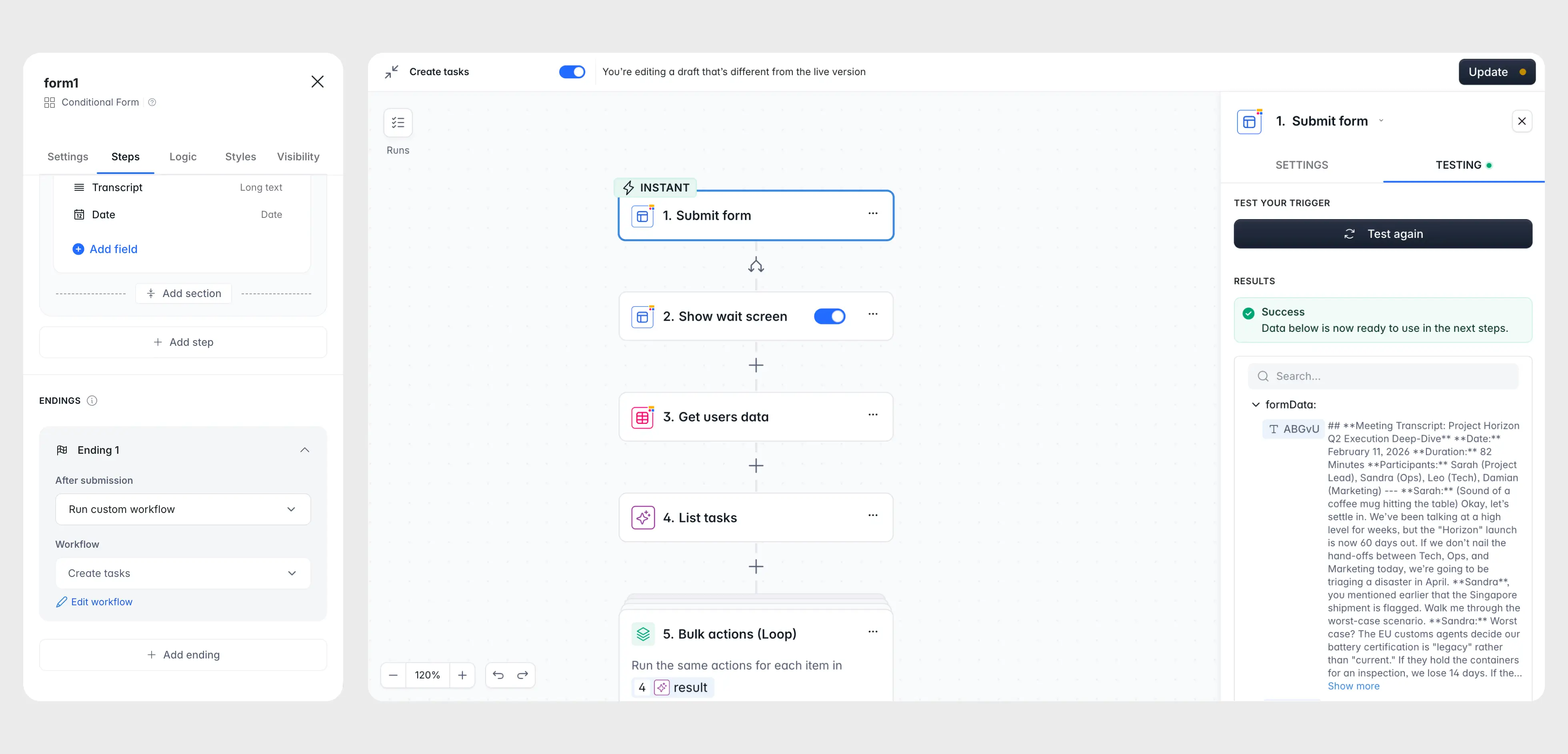
Instead of stitching together complex third-party APIs and integrations, you can build a custom, secure invoice automation portal natively in Softr. Below, we break down the blueprint of how to structure your database, configure user permissions, set up automated workflows, and even implement advanced AI and custom invoice generators.
1. Structure your data in Softr Databases
A successful invoice automation system starts with a solid relational database structure. Using Softr Databases ensures high performance, zero API request limits, and immediate action response times.
When setting up your invoice tracking application, you will need two main tables:
- Users Table: This table acts as your synced directory of employees, clients, or vendors. Email serves as the unique primary key, and an account type field defines roles like
ClientorVendor. - Invoices Table: A separate table containing numerical values for currency, amount, tax, and status.
Data design best practice: Separate documents and invoices because invoices require numerical properties like currency and amount. This allows you to run calculations and sum up costs, which a standard contract does not need.
To connect these tables, add a Linked Record field in the Invoices table pointing to the Users table. This links each invoice to a specific customer or vendor profile. Use a Created At timestamp field to track submission dates automatically, ensuring a reliable audit trail.

2. Configure secure client or vendor portals
To prevent data leaks and maintain strict privacy, you must ensure that clients or vendors can only see and manage their own invoices. Softr solves this at the system level through dynamic User Groups and global Data Restrictions:
- Approval Gates: Sync your User system to only import users with an
Activestatus. - Access Control: Create user groups based on database roles (e.g.,
Clientvs.Vendor). - Data Restrictions: Set up a global rule stating that a vendor can only view records in the
Invoicestable where the linked vendor email matches the logged-in user's email. This firewall applies app-wide, protecting multi-tenant data even if a visual block lacks filters.
3. Set up automated invoice generation workflows
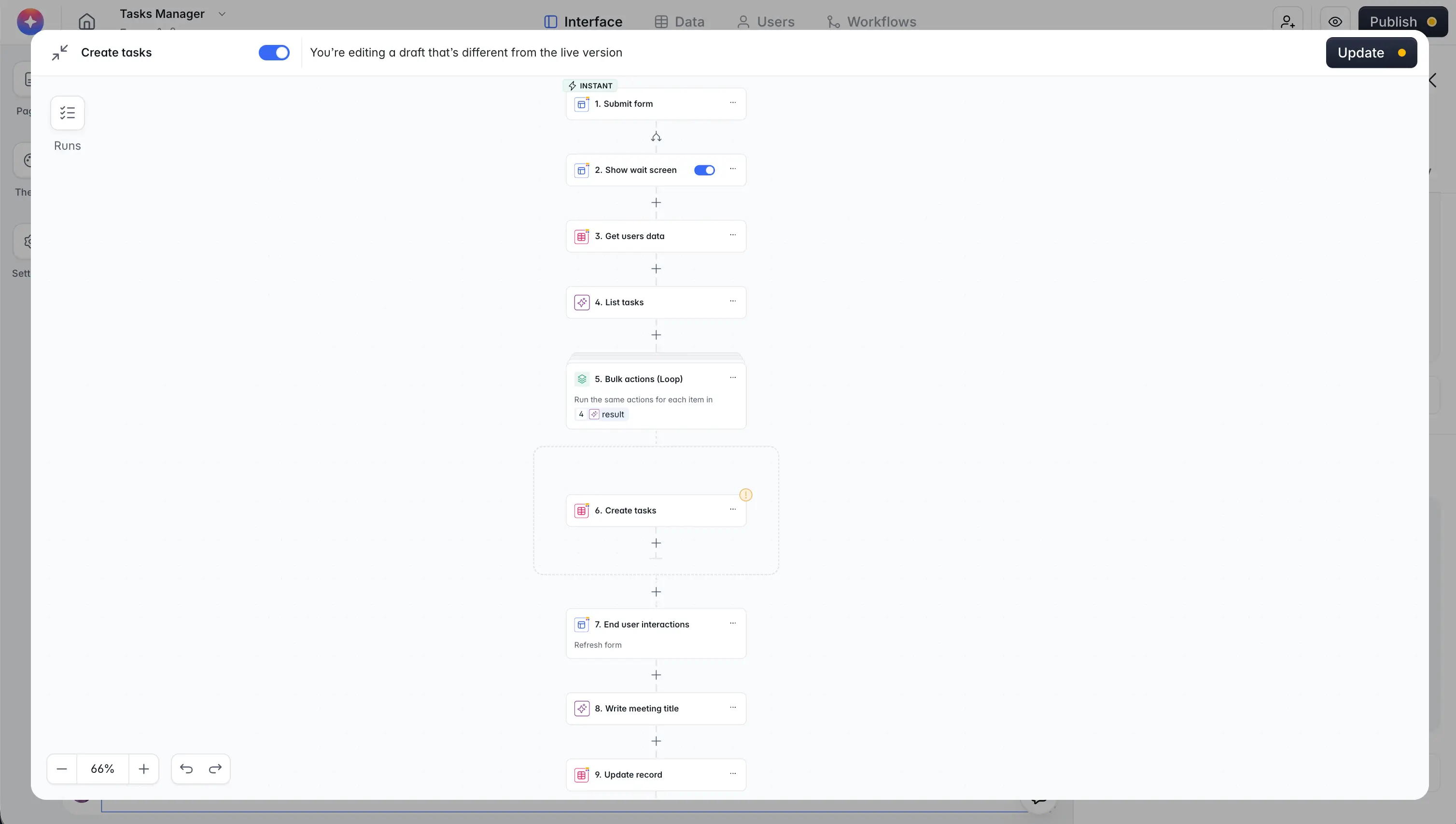
Once your database and portal access are configured, you can build no-code automations inside the Workflow Studio.
When a client submits an invoice form or an employee approves a billing request, a Softr Workflow can trigger an integration block to compile invoice details. For document generation, you can natively integrate with Docs Automator.
With Docs Automator, Softr transmits data fields like invoice totals, line items, and addresses into a Google Docs or PDF template, saves the compiled PDF back into the database attachment field, and notifies the client.
4. Build custom PDF generators with vibe coding
For advanced invoicing requirements (such as dynamic line-item builders, custom taxes, or highly specialized PDF layout engines), you can implement a Vibe Coding block.
The Vibe Coding block is an AI-powered code generator that creates secure React components directly inside your portal. It allows you to build a custom UI that communicates with your Softr Database to compile and generate PDF invoices on-the-fly.
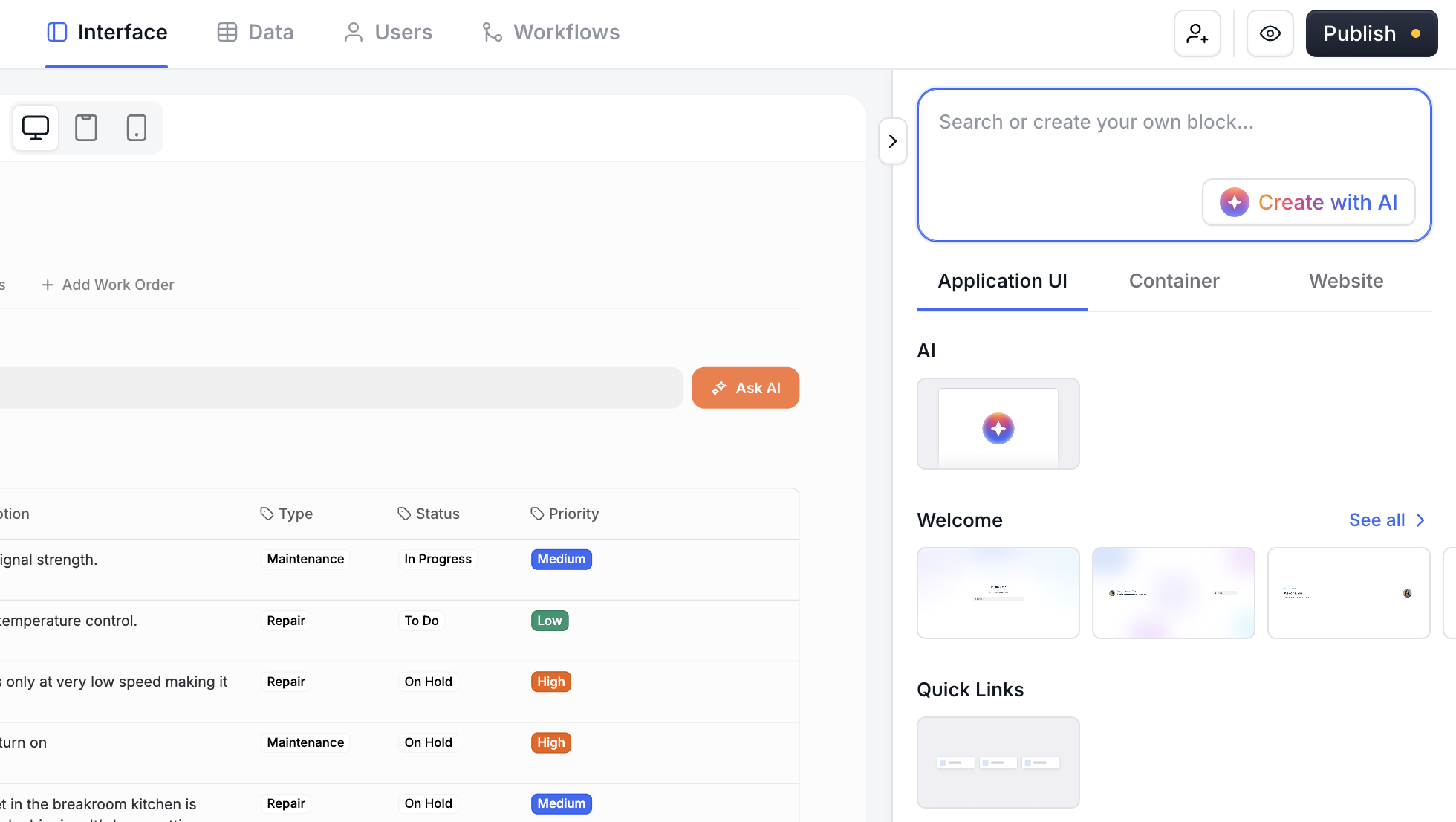
Because it's fully integrated into the Softr Studio, your vibe-coded blocks inherit global branding, utilize no-code visual settings for simple edits, and strictly obey your defined User Group security permissions.
Take the next step in invoice automation
Invoice processing automation should be a clear priority for growing businesses. Choosing the right invoice automation software will be a crucial decision in your accounting operations, and we hope this guide helped you evaluate the options available to your team.
With its native high-performance databases, secure user portal permissions, built-in workflow engine, and vibe-coding flexibility, Softr is the ideal solution for modern organizations. Start building your custom billing portal today.