The best warehouse inventory management software in 2026

Scaling up brings its own dark side in warehouse operations: more products, faster routines, and more ways of making mistakes. The day comes when the floor calls to say that, out of the 100 units your client ordered, you have exactly zero. Spreadsheets won’t cut it. Out of 35 options on my test list, here are the 6 best WMS systems for 2026.
Best warehouse inventory management software at a glance
| Tool | Best for | Target users |
|---|---|---|
| Softr | Building and customizing your own WMS | Small teams leaving spreadsheets; need a lightweight, custom-fit system. |
| Glide | Improving warehouse floor experience | Floor teams on mobile; need faster scanning workflows + fewer mis-picks. |
| Sortly | For a simple, friendly WMS solution | Non-technical SMBs; need easy tracking without heavy WMS complexity. |
| Cin7 Core WMS | Scaling into a real ops system | Growing multi-channel ops; need tighter process control to cut errors. |
| ShipHero | Ecommerce and 3rd-party logistics | High-volume DTC + 3PLs; need batch picking accuracy + client visibility. |
| Blue Yonder | For an enterprise-grade WMS | Enterprise, multi-site automation; need real-time orchestration + optimization. |
What should you look for in warehouse management software?
Start by matching the WMS capabilities to your actual workflows, as the right one for you has to match your warehouse’s complexity. Evaluate each option based on how it handles:
- Inventory tracking: Add and update inventory items. Keep a real-time overview of stock quantities to avoid overstocking or backorders.
- Order management: Track order progress, from placement to delivery, and ensure that inventory levels are adjusted in real-time.
- Supplier management: Record and manage details about suppliers, including contact information, product lists, order history, and invoices.
- Product catalog management: Manage detailed information about each product, including descriptions, images, categories, prices, and product feedback.
- Reporting and dashboards: Create a 360-degree view of current stock levels, inventory value, and items that are low in stock or overstocked.
- Knowledge and resources: Create a centralized repository of inventory resources, and best practices that employees can self-serve when they need it.
My picks for this list focus on implementation speed and usability, support for core WMS processes, and integrations with other platforms. Beyond that, I selected the best options across the 4 broad categories in warehouse management software: no-code platforms, SMB tools, 3rd-party logistics (3PL), and enterprise-grade.
The best warehouse inventory management software in 2026
Softr: best for building and customizing your own WMS
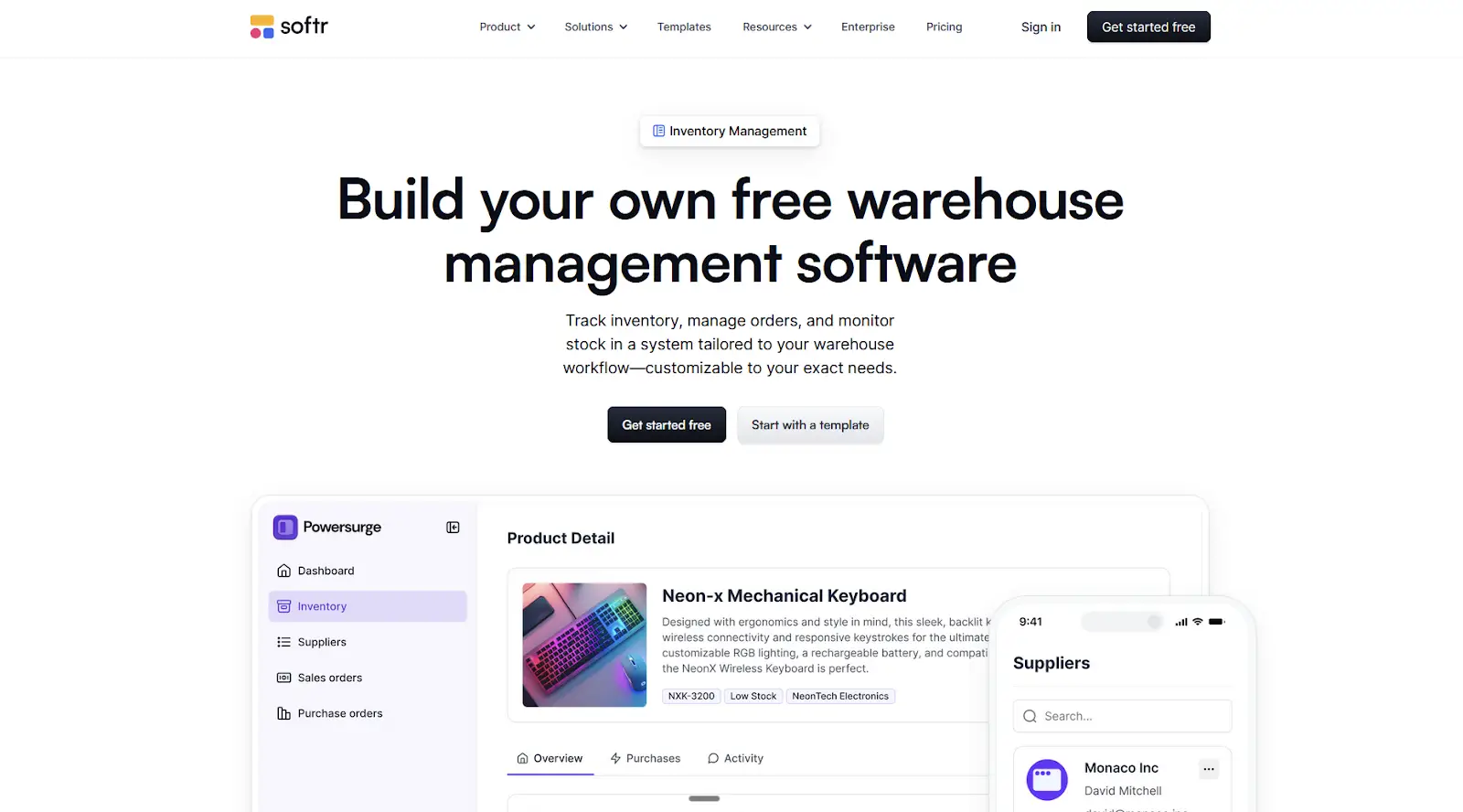
Specialized WMS software usually forces you to adapt to its pre-determined workflows. If your team can’t match it, you’re stuck with expensive software that creates friction instead of solving it. Softr is different: it’s a no-code, AI platform for building business software and systems—think apps, databases, workflow automation, and forms.
Describe the WMS you need, and the AI Co-Builder creates the database, app, and business logic, secure by default and ready for real users. From there, you can tailor every feature—inventory tracking, warehouse dashboards, role-based access, order processing, approvals, and reporting—to match your data and operations.
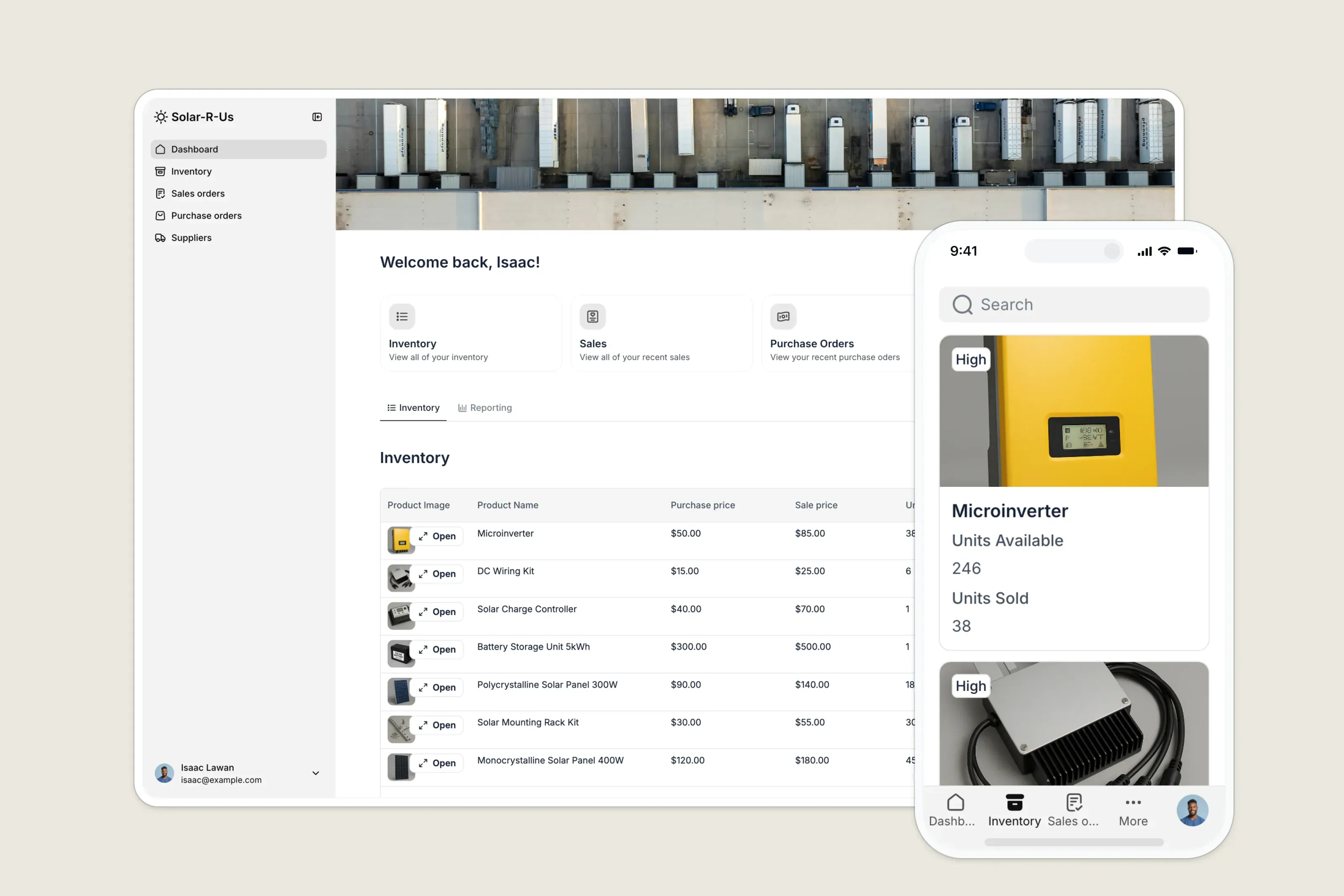
You’re not stuck with a rigid system. You can adjust pages, navigation, and permissions as your processes evolve. Want to offer client portals to your top customers? You can build them in Softr, connect them to your data sources, and make sure that each client only sees their data. This keeps your platform secure and streamlines the process of ordering from you.
Softr is best for warehouses, ecommerce ops, wholesalers, or manufacturing teams who want an inventory system they can tweak as they evolve and learn. It’s not suited for companies needing deep, enterprise-grade execution features out of the box, although it can be extended via API to integrate with external systems for more advanced features.
Softr pros and cons
Pros:
- Fast way to ship a custom WMS using AI + templates + drag-and-drop building blocks (great for internal tools and prototyping before committing).
- Purpose-built starting point for inventory workflows (inventory + suppliers + orders + dashboards) with a ready template you can adapt.
- Connects to common warehouse data backends (Softr Databases, Airtable, Google Sheets, Notion, monday.com, HubSpot, plus advanced sources on higher tiers) so you can keep your system agile.
Cons:
- Not a full-featured WMS: you won’t get advanced warehouse ops depth (e.g., complex picking strategies, slotting, labor mgmt, etc.) out of the box; you will have to build and integrate these features yourself.
Softr best features
- Centralize your data: Connect your inventory, sales, and supplier data within Softr Databases or external sources like Airtable or Google Sheets.
- Create a modern, secure app on top of that data where you and your employees can track and manage inventory.
- Branding. Deliver a professional inventory system that reflects the look and feel of your brand.
- Works on any device. Turn your inventory management system into a downloadable app in one click with Softr’s PWA feature — no extra design work needed.
- Automations. Connect your app with 30+ other tools, including accounting and ecommerce software. Use tools like Make and Zapier to automate key workflows.
- User groups. Create custom user groups and separate logins to provide different views and access levels.
- Ask AI: Staff can ask AI about inventory, shipments, or stock trends and get instant answers—right inside your warehouse management app.
- Advanced permissions. Customize who sees what, and which actions they can take, even at the most granular level.
- Security. Protect sensitive information from security threats. Softr is fully compliant with SOC2 and GDPR regulations.
Pricing
Softr has predictable pricing tiers and a generous free plan so you can try before signing up.
Pricing
- Free: Unlimited apps, with access to Softr Workflows and Softr Databases, 5 app users, 5 AI credits, and 5,000 database records
- Basic: $19/month for unlimited apps with 42+ integrations, Team: 5 + Client: 5 app users, 10 AI credits, and 50K records
- Pro: $99/month for unlimited apps with 45+ integrations and custom code, Team: 10 + Client: 50 app users, 50 AI credits, and 500K records
- Business: $329/month for unlimited apps with 52+ integrations, Team: 30 + Client: 100 app users, 100 AI credits, and 1M records
- Enterprise (custom pricing, contact sales)
Glide: best for improving warehouse floor experience

Sitting at a computer in an office managing inventory is one thing. Rushing around bays during a pick run is a different game: if the software is hard to use on the floor, your team can have trouble finding items, updating values, and even training new staff. Glide’s interface and mobile app features remove tech friction, so your productivity numbers stay high.
Pull in your SKU list from Google Sheets, your bin locations from Airtable, or your order queue from your ERP. After you complete the integration process, you’ll see that Glide trades interface design freedom for structured screens that display data in a way that works out of the box. You don’t have to have user experience design skills to build something valuable from day one.
All these screens are optimized for mobile devices right from the start, so much so that using a Glide app on a large screen feels like you’re using a giant tablet. Even for pages with a lot of data, the behavior on mobile is intuitive, so you don’t have to come back to the office for quick checks. It also has native barcode/QR scanning, a big win to speed up your workflows, even though it’s only available on the paid Business plan.
Glide is best for teams squinting at tiny text and confusing tables on their mobile devices, or wasting time running back to a desktop to make changes. It’s not suited for locations that need a full WMS with wave planning, advanced slotting, or a robust offline-first operation—be sure to patch up low connectivity areas in your warehouse for best results.
Glide pros and cons
Pros:
- Barcode inventory scanning built-in: Lets associates verify items/locations fast and reduce mis-picks/mis-puts.
- Fast to build + iterate (no-code): Great for “we need a better receiving screen by next week” situations; ops can refine screens as processes change.
- Automation + integrations: Connect floor actions to tools you already use (ERP, spreadsheets, Slack alerts, ticketing, etc.).
Cons:
- Not a full WMS: You’ll still need a system of record for wave planning, advanced slotting, cartonization, etc. Glide is best as a last-mile floor layer.
- Limited offline behavior: Glide can work only partially offline; key actions can be disabled without connectivity, which is risky in dead zones.
- Usage limits can bite: Plans meter external data sync (updates), which can add up quickly in scan-heavy workflows.
Glide best features:
- Database-style relationships (Relations + Lookups). Link records across tables (like “products ↔ locations” or “orders ↔ items”) and pull related fields into views without duplicating data.
- Built-in app logic with Computed Columns. Create calculations and logic (including relations/lookup-based logic) inside Glide, so the app can “derive” values instead of relying on spreadsheet formulas.
- Share by link + install as a PWA. Glide apps live on the web, can be shared with a URL, and can be installed to a device via “Add to Home Screen.”
- AI-powered columns (Glide AI Columns). Use AI columns to run inference on your data automatically (e.g., classify, extract, or enrich data as it comes in).
Pricing
For Individuals:
- Free: $0 — Best for learning or simple personal apps, includes basic features and up to 10 personal users.
- Explorer ($19/month): Starter paid tier with core features like workflows, integrations, and Glide AI.
- Maker ($49/month): More apps, unlimited personal users, updates, custom branding, and standard support.
For Businesses:
- Business ($199/month): Unlimited apps, business email users, automation, integrations, and expanded data limits.
- Enterprise: Custom pricing — Advanced scale limits, SSO, dedicated support, and enterprise integrations.
Sortly: best for a simple, user-friendly WMS solution
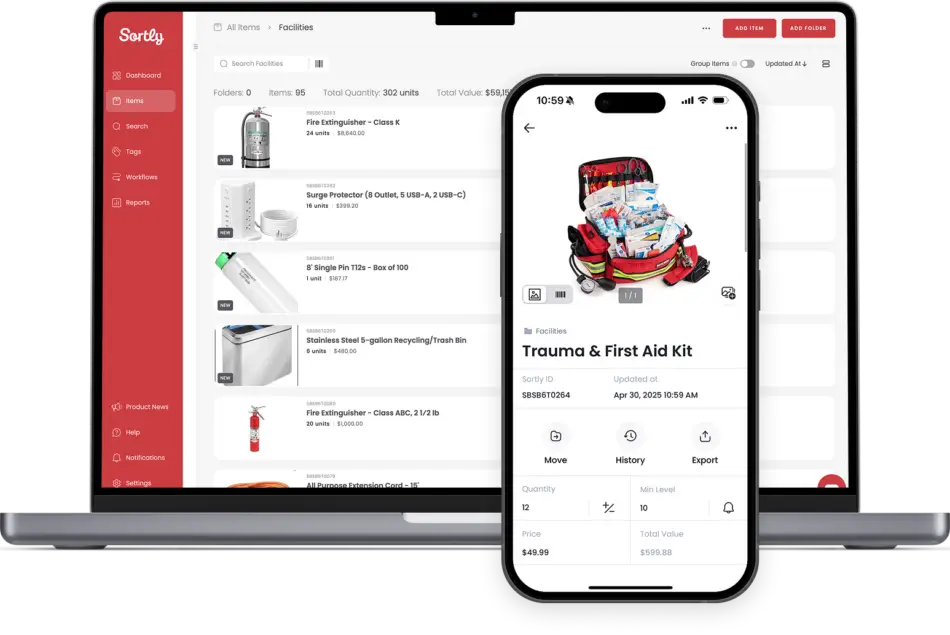
Serious productivity doesn’t have to mean ugly interfaces, overly formal pop-up warnings, or mega-menus with 30 options. Motivate your team to move up from the spreadsheet to Sortly’s well-structured, friendly, and easy to use interfaces—no need to force anyone to take a WMS bootcamp.
The user interface looks good and works well, no matter which device you’re using, with native mobile apps available for iOS and Android. The setup process adapts the platform to your workflow by asking how you organize your inventory: By location? By person? By item categories? Each of these options creates folders where your stock will live, organized by cards with images, making it easy to find what you need with a scroll and a glance.
After you add your entire inventory, invite your team in the settings page, and start running your day. There are three workflows in a dedicated tab that help create/assign pick lists, simplify procurement with purchase orders, and make sure your systems are up to date with stock counts. Worried about metrics? Head over to reports, which have views of your inventory, transactions, item flow, and even user activity.
Sortly excels for businesses that need a fast, low-training way of tracking stock, locations, process visibility via reports, and assistance with the core WMS workflows. It’s not a good match for teams looking to build a custom solution, or for larger companies with complex picking strategies or automation needs.
Sortly pros and cons
Pros:
- Visual inventory tracking (photos + folders) that’s friendly for non-WMS folks.
- Built-in barcode/QR scanning + label generation for quick check-in/out and day-to-day accuracy.
- Light WMS workflow helpers: low-stock alerts, pick lists / POs (plan-dependent), basic reporting.
Cons:
- Not a deep WMS for complex warehouses (advanced slotting, wave/batch logic, automation-heavy workflows).
- Lower tiers are constrained (e.g., Free: 100 items/1 user; limited custom fields), so you can outgrow it.
- API access is Enterprise-only, limiting custom integrations unless you’re on the top tier.
Sortly best features:
- Photo-first, visual inventory. Add multiple high-resolution photos per item (and even per folder) so staff can identify what’s in stock at a glance.
- Low-stock and date-based alerts. Set minimum quantities and get notified (in-app or email) when it’s time to reorder—or when date-based thresholds are hit.
- Offline access with automatic sync. Keep working when there’s no signal and sync changes across devices/users when you’re back online.
- Inventory reports + export to CSV/Excel. Use built-in reports (like Inventory Summary) and export to CSV/XLSX for analysis or sharing.
Pricing
- Free: 100 items, 1 user, basic inventory tracking features.
- Advanced $49/month: 500 items, 2 users, QR code label generation, barcode scanning.
- Ultra $149/month: 2,000 items, 5 users, purchase orders, advanced scanning features.
- Premium $299/month: 5,000 items, 8 users, role-based permissions, QuickBooks integration.
- Enterprise: Custom pricing, 10,000+ items, 12+ users, API access, dedicated support.
Cin7 Core WMS: best for scaling into a real ops system
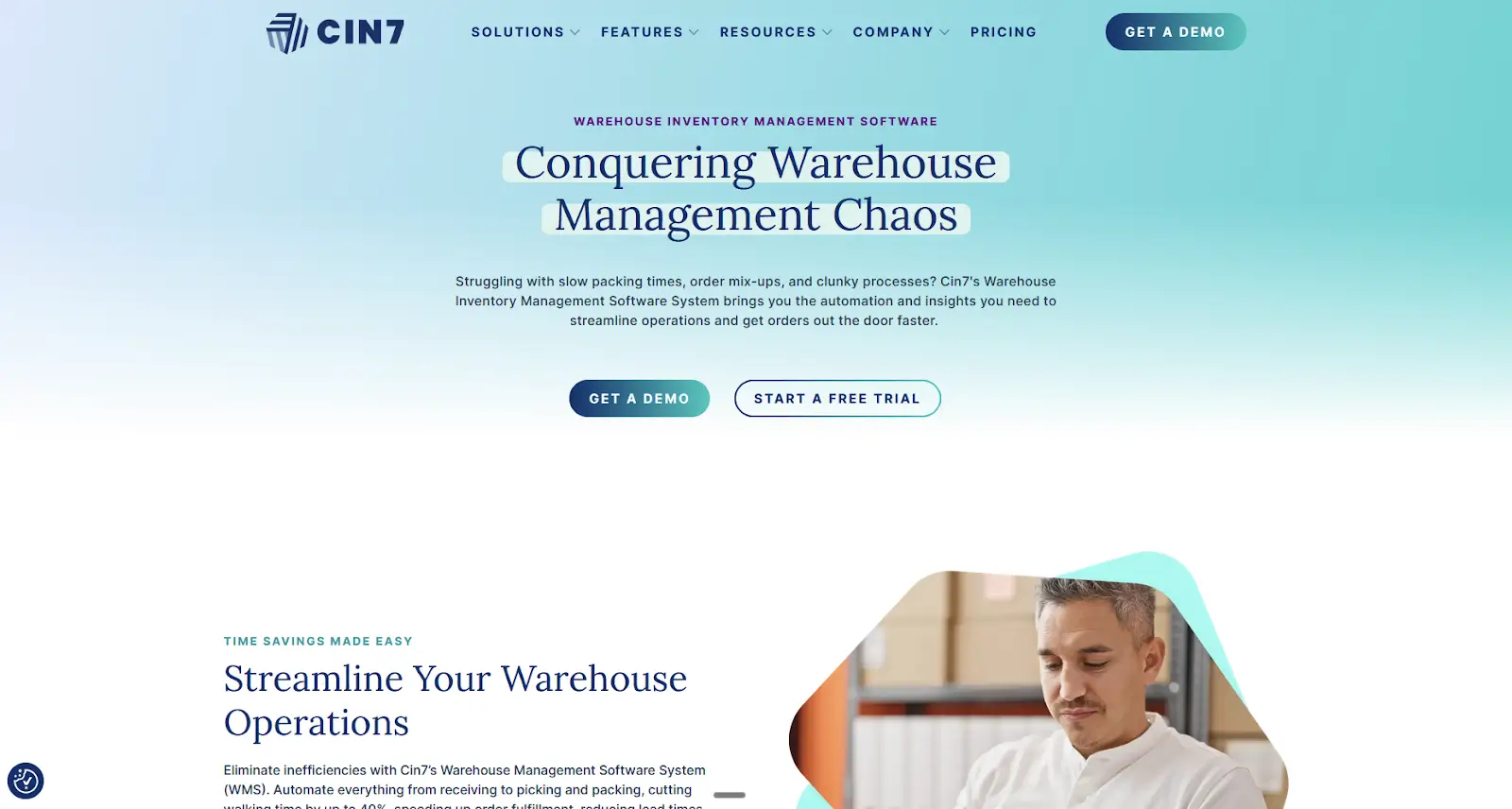
In a small warehouse, mis-picks are easy to fix: go back to the shelf and return with the correct item. In a large location that serves multiple sales channels, with products in constant flow from receiving to shipping, too many mis-picks can mean failing to ship everything by the daily cutoff time. Cin7 Core WMS gives you real-time control over that pipeline, so the small mistakes don’t snowball into angry customer emails.
Every step has a detailed view. The list of purchases shows incoming shipments, tracking whether you’ve paid or received everything. Sales shows every order fulfillment status: you can see if an item was already picked, if it’s being packed, or if it’s already out for delivery. Have more than one warehouse? Cin7’s multi-location inventory management software features keep track of stock in real-time, so you always know where products sit and where they’re moving.
This data visibility is good, but Cin7 is about better operations. When receiving, your team can scan barcodes with the mobile app against a PO, easy for tracking actual received numbers and logging them into the system. Then, you can route high-priority items directly into bins for picking, and lower-priority shipments to a staging area. It’s operational intelligence: you can react to stock levels, incomplete POs, or higher demand by setting rules, not fighting fires.
Cin7 Core WMS is the best for growing teams where small mistakes are starting to cause real damage, adding robust controls as complexity ramps up. It’s not suited for very early-stage businesses on tight budgets—the $349/month starting price tag can be heavy.
Cin7 Core WMS pros and cons
Pros:
- Real warehouse workflow + barcode scanning: mobile WMS supports pick/pack/putaway/restock/lookup with barcode scanning and automatic stock sync.
- Designed to reduce errors + speed fulfillment: guided picking concepts (bin locations, pick guidance) and barcode-driven packing accuracy are a core value prop.
- Scales into “ops system” territory: Core is positioned as an integrated hub (inventory + purchasing + accounting integrations + production/CRM modules) rather than a simple stock counter.
Cons:
- Not budget-friendly for true beginners: entry pricing starts at $349/mo (and it’s not a free-plan product).
- Key limits/gates on lower tiers: Standard includes 2 integrations + 6,000 sale orders/year, and “Standard WMS” is limited (e.g., one warehouse location; advanced WMS is higher-tier).
- Some reviewers cite support/reporting pain: common knocks in review summaries include customer support and reporting limits (varies by team/use case).
Cin7 Core WMS best features:
- Dedicated mobile WMS for warehouse workflows. Use a purpose-built mobile app to run pick, pack, restock, put away, and stock lookup, with automatic syncing back to Cin7 Core.
- Wireless barcode scanning for fast, validated picking (including ScanSKU / mPOP options) to reduce picking errors and speed up fulfillment.
- Serial + batch number handling in warehouse operations. Pick / pack / receive / stocktake / write-off on items that require serial or batch tracking, useful for traceability and recalls.
- Pack into multiple boxes + print shipping labels (with integrations). Pack a single order into multiple packages and print shipping labels when using integrated shipping services.
Cin7 Core WMS pricing
- Standard ($349/month): Entry-level plan for smaller teams with core inventory features and basic order volumes.
- Pro ($599/month): Mid-tier plan with more users, integrations, and expanded order capacity.
- Advanced ($999/month): Higher-capacity plan with the most core features, advanced warehouse capabilities, and larger order volumes.
- Omni: Custom pricing, fully tailored enterprise solution with bespoke integrations and scale.
ShipHero: best for eCommerce and 3rd-party logistics
Direct-to-consumer (DTC) brands deal with hundreds of orders daily across multiple sales channels. High volume means mis-picks, inventory sync issues, and chaos when a product goes viral. ShipHero adds guardrails to the madness: it’s built specifically for scale, no matter if you’re fulfilling for your own brand or a third-party logistics (3PL) operation for multiple external clients.
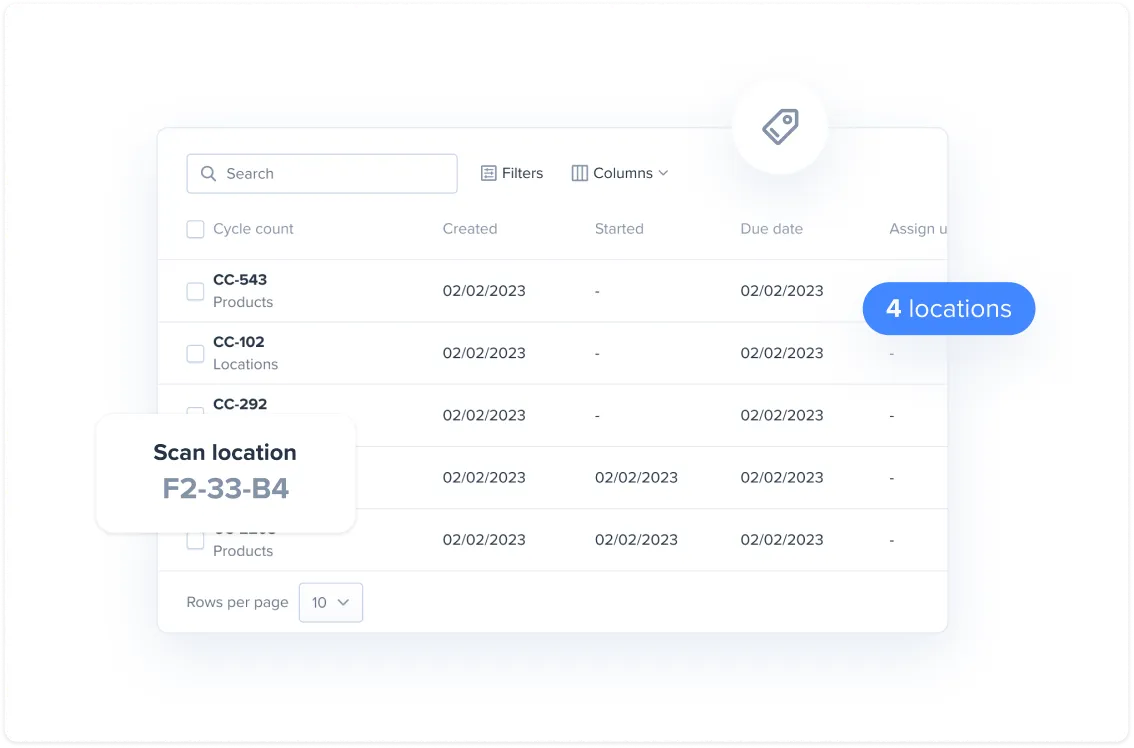
The platform is obsessed with two things: walking time and pick/pack mistakes. For the first, ShipHero focuses on batch picking, so the pickers can take a cart/tote to collect everything needed for dozens of orders in one single wave, instead of zig-zagging through the bins. As for pick/pack mistakes, the Tote QA feature requires scanning the tote’s barcode along with its contents. This extra accuracy check makes sure that nothing got lost on the way, and that even a distracted picking step can be acted on immediately, rather than packing flagging an issue.
When you add the 3PL layer on top of these controls, ShipHero provides client-facing transparency without giving away operational control. The client portals give visibility over stock and flows, centralizing all information—for example, saving you from updating a client on a big returns wave as it’s processed. The billing controls are exceptional, helping you markup higher-value or fast-turnaround work, so you can set your margins strategically.
Overall, ShipHero is a great pick for high-volume eCommerce businesses where fulfillment accuracy is critical, or 3PL outfits that are looking to increase service quality while charging adequately. Smaller businesses with lower volume and simpler operations will struggle with the complexity and the pricing.
ShipHero pros and cons
Pros:
- Built for high-volume eCommerce fulfillment with workflows like mobile picking and barcode-based accuracy.
- Strong 3PL tooling: client portal + 3PL billing designed to help 3PLs show inventory visibility and bill accurately.
- eCommerce integrations are a centerpiece (connect stores/marketplaces, keep product availability in sync across channels).
Cons:
- Not a budget pick: pricing can feel steep vs. lighter starter inventory tools, and it’s not aimed at tiny ops.
- Pricing transparency varies by package (some plans are contact/get pricing), which makes quick comparisons harder.
ShipHero best features:
- AI Picking (route + batch optimization). Uses AI to optimize pick paths and warehouse picking efficiency (“warehouse’s GPS” positioning).
- Dynamic Slotting (bin-level inventory that can change). Product locations can shift over time to support faster picking flows and high-turnover operations (instead of “fixed” locations).
- Pickable vs. non-pickable bins (overstock control). Store inventory in non-pickable/overstock locations while only sending pickers to pickable bins.
- WorkforceHero labor management (live visibility + job assignment). Real-time view of warehouse activity and workload to balance labor and track performance.
Pricing
- Free: Not available.
- Standard WMS $1,850/month: 5 users included.
- 3PL Plan: Custom pricing, 5 users, unlimited customer portals, unlimited SKUs and orders, returns management, and automation rules.
Blue Yonder: best for an enterprise-grade WMS
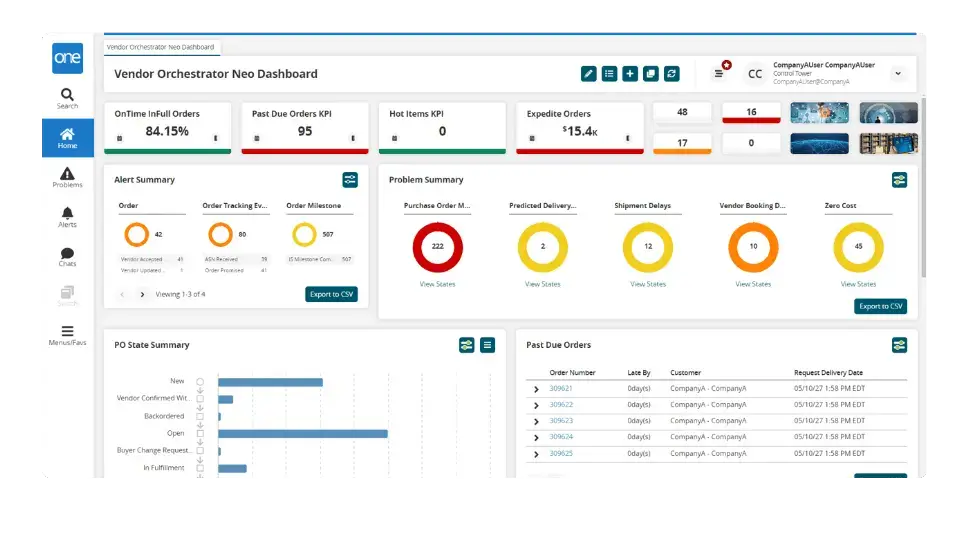
Your current WMS was fine ten years ago when you had just one warehouse and a manageable SKU count. But as you grow with more distribution centers, dozens of new teams, and more robotic automation, the old software becomes a liability. Blue Yonder is built for this: it orchestrates labor, inventory, and machines in real time across complex, multi-site operations.
The platform covers the full scope of enterprise warehouse operations. Yard management matches trailers to dock doors and prevents conflicts between inbound and outbound freight. Advanced slotting rearranges warehouse layout dynamically based on demand, so it reduces walking and congestion. The system also handles forecasting, predicting demand patterns and adjusting stock before problems hit.
Implementing autonomous mobile robots (AMRs) sounds exciting, but can quickly become a nightmare with clunky vendor integrations (missing features) or poor orchestration capabilities (low productivity or accidents). Blue Yonder’s Robotics Hub is vendor-agnostic and engineered for deep integration, so you can pick the best provider for your needs. Once connected, the warehouse execution engine assigns tasks to human and machine resources based on availability and constraints, coordinating both in one system.
Blue Yonder works best for companies running the most complex warehouse processes, where the 0.5% improvements unlock much better service and higher margins. SMBs won't find a match here due to complexity and cost—but it's worth keeping in mind as you scale into enterprise territory.
Blue Yonder pros and cons
Pros:
- Built for complex, automated, high-volume warehouses. multi-site, real-time orchestration across people + automation.
- Strong labor + productivity capabilities performance visibility + productivity management matter most at enterprise scale.
- Deep automation/robotics ecosystem. Robotics Hub supports onboarding multiple robotics/automation vendors.
Cons:
- Heavier implementation / admin overhead than SMB tools (more configuration, training, and change management than lightweight WMS).
- Trade-off: more power than many teams need (can feel overbuilt if you just want basic receiving/picking/shipping fast).
Blue Yonder best features:
- End-to-end optimization (planning → execution → returns). Blue Yonder positions its platform to orchestrate both planning and execution in real time—connecting demand/supply planning with warehouse, transportation, commerce, and returns so decisions are optimized across the whole chain (not just inside the warehouse).
- Cloud-native + “composable” platform architecture (microservices). Blue Yonder emphasizes a composable, microservices-based approach intended to scale and evolve without ripping out the entire system.
- Voice picking support (hands-free execution) in its WMS ecosystem. Blue Yonder’s knowledge base includes voice-task packages/content supporting voice-directed workflows.
- Lot/date controls + tailored replenishment rules to match different product/demand needs.
Pricing
- Free: Not available.
- Paid: Quote-based; annual pricing reportedly starts around $100,000.
What is the best warehouse inventory management system?
The best WMS needs to fit what you need today, with enough room to grow to last you in the coming years. Start by listing your three biggest inventory headaches right now. Then look at which platform solves those specific problems. Most of these tools offer free trials: use them. Get your warehouse team to test the interface. See if it actually saves you time or just adds another system to manage.
Ready to build custom warehouse tools your team will actually use? Use Softr’s free plan to install the inventory management template, connect your data, and set up the mobile apps to start working—no coding required.
Frequently asked questions
Can small businesses build a warehouse system without coding?
How quickly can I set up a warehouse app in Softr?
What features make Softr a good choice for warehouse teams?