10 best help desk software for small businesses in 2026

Basic shared inbox tools are a fine starting point, but small teams outgrow them quickly, and enterprise help desks arrive with rigid workflows, per-agent pricing, and features that don’t match how a small business runs. Here’s the help desk software small businesses can actually use, and which tools suit which support model.
Best help desk software for small businesses at a glance
| Tool | Best for | Key features | Pricing |
|---|---|---|---|
| Softr | Teams building custom, AI-powered help desk portals on top of existing data | • Custom help desk portals & request workflows • Role-based access control • Built-in AI agents and automation • Flat pricing with no per-agent fees | Free plan available; paid plans from $19/month |
| Atera | IT teams and MSPs seeking unified help desk + IT operations | • Help desk + RMM + PSA in one platform • Remote access, monitoring, and patching • AI-assisted automation | Plans from $149/technician/month |
| Freshdesk | Support teams needing multichannel ticketing and SLA management | • Omnichannel ticketing (email, chat, phone, social) • Workflow automation and routing • Freddy AI agents | Free plan available; paid plans from $19/agent/month |
| Zoho Desk | Budget-conscious teams that need automation and omnichannel support | • Strong workflow automation • Zia AI assistant for routing & sentiment • Custom views, roles, and dashboards | Free plan available; paid plans starting from $7/agent/month |
| Tidio | Small teams prioritizing live chat and AI chatbots | • Live chat + ticketing in one inbox • Lyro AI chatbot for FAQs • Multichannel messaging (web, social, WhatsApp) | Free plan available; paid plans from $24.17/month |
| Help Scout | Teams wanting a simple shared inbox and human support experience | • Shared inbox for email & chat • Built-in AI assistant for replies • Beacon widget & knowledge base | Free plan available; paid plans from $25/user/month |
| Zendesk | Growing teams that need scalable omnichannel support | • Enterprise-grade ticketing & automation • AI-powered routing and insights • Extensive integrations | Plans from $19/agent/month |
| Salesforce Service Cloud | Enterprises running complex, CRM-driven support operations | • Deep CRM data integration • Einstein AI & advanced automation • Enterprise analytics and dashboards | Free plan available; paid plans from $25/user/month |
| SuperOps | MSPs needing combined PSA, RMM, and help desk | • Unified ticketing, PSA & RMM • Endpoint monitoring & patching • Automation across IT operations | Plans from $79/technician/month |
| Hiver | Gmail-based teams managing shared inbox support | • Help desk inside Gmail • Shared inboxes & collision detection • AI triage and automation | Free plan available; paid plans from $25/user/month |
What is help desk software?
Help desk software is a system that centralizes support requests so teams can capture, track, assign, and resolve issues in an organized way. It brings customer emails, chats, forms, and internal support tickets into one centralized place. It also helps teams automate repetitive tasks and provides visibility into support performance and customer satisfaction.
What to look for in small business help desk software
- Clean and intuitive UI: An easy-to-navigate interface helps agents work faster and reduces the growing pains that come with complex platforms.
- Self-service and knowledge base functionality: Customer-facing help articles and portals let users find answers independently, which reduces ticket volume.
- AI features and smart automation: AI ticket classification, suggested replies, summarization, and automatic routing speed up responses and make support delivery more consistent.
- Analytics and reporting: Dashboards that track response times, customer satisfaction, and support staff performance help you measure impact and optimize workflows.
- Integration ecosystem: APIs and pre-built connections with CRM, communication, and other business tools ensure your help desk doesn’t become an isolated system.
- Scalability and reliability: Look for tools that handle growing ticket volume and increased automation needs without performance issues, so they stay functional as your team and customer base expand.
1. Softr — best for teams building custom help desk portals with AI

Most help desk tools for small businesses are either too basic to handle real workflows or too complex (and pricey) when it comes to features like automation, permissions, and reporting.
Instead of forcing you into a preset framework, Softr lets you build custom help desk portals, ticketing systems, and knowledge bases on top of native databases or the tools you already use. Just describe the help desk you need, and the AI Co-Builder generates a fully functional app with database, logic, and UI already connected. No generated code to debug, no developer needed to make it production-ready.
You can also use Softr to automate internal and external support workflows from a single platform. Go beyond basic ticketing with granular permissions, advanced conditional logic, and a relational database for organizing and managing requests.
Softr is especially useful when support is part of an end-to-end business system, not just inbox management. Build a help desk that connects directly to customer records, project dashboards, approval workflows, or inventory systems — all without relying on external tools or paying enterprise-level prices.
Softr pros and cons
Pros:
- Centralized ticket management across channels: Route requests from multiple intake sources into one organized system for tracking, assignment, and resolution.
- Fully customizable: Fully flexible help desk workflows let teams design ticket intake, assignment, SLAs, and views around real processes.
- Works with existing data sources: You can connect to tools such as Airtable, Google Sheets, HubSpot, SQL, and more with real-time, two-way sync, reducing migration pain and duplication risks.
- Granular role-based access and permissions: User roles and permissions make it easy to separate customer portals, internal teams, and admins, as well as who can view or edit what.
- Built-in automation and AI features: Built-in AI assistants and native automation help route requests, update records, trigger actions, and surface insights without manual work.
- Security and access control: Softr is enterprise-ready with built-in GDPR and SOC-2 compliance to protect customer data and keep you audit-ready.
Cons:
- Not a traditional help desk tool: No native out-of-the-box help desk engine, so tickets must be modeled in your data layer Less ideal for teams looking for a plug-and-play enterprise help desk with predefined workflows
Softr best features
- AI Co-Builder: Describe the help desk you need it'll generate a fully functional app that's connected, secure, and ready for real users.
- Custom request submissions with advanced forms: Create customizable request forms with required fields and conditional logic so teams collect complete, accurate information from the start.
- Data flexibility: Use Softr Databases as the central data layer for your help desk, or connect Softr to the tools you already use, like Airtable, Google Sheets, monday.com, HubSpot, or SQL databases (anything with Rest API connector).
- Centralized ticket management dashboard: View, assign, update, and resolve requests from a single admin interface with clear ownership and status tracking.
- Advanced search, filters, and reporting: Quickly locate tickets and monitor metrics like open requests, resolution time, and team workload to spot bottlenecks. With Ask AI, query your help desk data in plain English (for example, “Which requests are past SLA?” or “What tickets are still unassigned?”) and get instant answers.
- Ticket assignment, priority & SLA (Service Level Agreement) management: Route requests to the right team or agent, set priorities, define response deadlines, and monitor SLA compliance.
- Internal notes and collaboration: Add private notes, tag teammates, and collaborate on ticket resolution without exposing internal discussions to requesters.
- Customer communication history: Keep a full timeline of messages, status updates, and file attachments tied to each request for continuity and context.
- Native workflow automation: Auto-assign tickets, update statuses, summarize notes, send notifications, and sync data across tools without using third-party automation tools.
Softr pricing
Softr has predictable pricing tiers and a generous free plan.
- Free: Unlimited apps, with access to Softr Workflows and Softr Databases, 5 app users, 5 AI credits, and 5,000 database records
- Basic: $19/month for unlimited apps with 42+ integrations, Team: 5 + Client: 5 app users, 10 AI credits, and 50K records
- Pro: $99/month for unlimited apps with 45+ integrations and custom code, Team: 10 + Client: 50 app users, 50 AI credits, and 500K records
- Business: $329/month for unlimited apps with 52+ integrations, Team: 30 + Client: 100 app users, 100 AI credits, and 1M records
- Enterprise (custom pricing, contact sales)
Real-world use case
[.blog-callout]
✨ Torigen, a pharmaceutical company, replaced paper-based submissions and manual processing with a custom Softr portal built on top of HubSpot. Clinics now submit structured requests through conditional forms, track status in real time, and follow guided workflows. The result: 600+ submissions processed monthly and 3–4 hours saved per employee per day, all managed through a centralized help desk-style dashboard without custom code.
[.blog-callout]
2. Atera — best for unified help desk & IT management
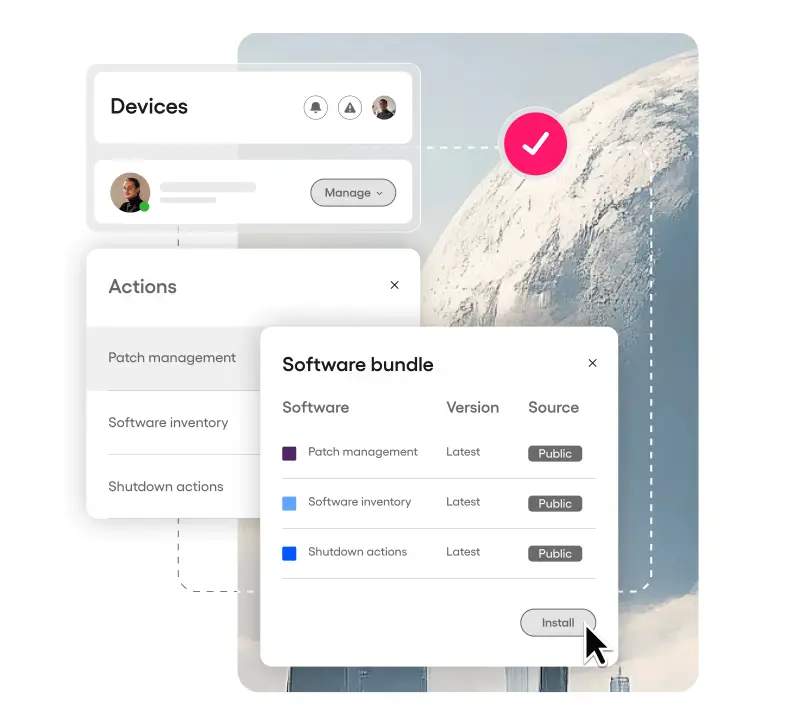
Atera bundles help desk ticketing with remote monitoring, automation, patching, asset tracking, and PSA tools. It’s designed for small IT teams and MSPs that need to manage support and infrastructure in one platform without using multiple apps. Atera’s pay-per-technician pricing lets you support unlimited endpoints while keeping costs predictable and scalable.
Atera pros and cons
Pros:
- Flexible integrations: Integrates help desk ticketing with RMM (Remote Monitoring & Management), automation, and PSA (Professional Services Automation) so you get full IT ops and support in one place.
- Pay-per-technician pricing: This model of pricing keeps costs predictable even as you support more devices.
- Remote access and real-time diagnostics: This lets you troubleshoot and resolve issues from anywhere.
- AI workflows: AI-assisted automations help reduce manual tasks and speed up ticket resolution.
Cons:
- Higher pricing: Pricing is higher compared with standalone help desk tools if you don’t need full IT management.
- Complex interface: Interface and feature depth can feel complex for simple help desk-only use cases.
- Occasional remote access instability: Some remote access tools may occasionally feel unstable depending on environment.
Atera best features
- Integrated help desk & ticketing: Central place for IT support tickets, automated tags, SLA tracking, and customizable workflows.
- Remote monitoring & alerts: See device health, network status, and get alerts for issues before they escalate.
- Remote access & control: Connect to endpoints using tools like Splashtop, AnyDesk, or TeamViewer for troubleshooting.
- AI-powered automation & suggestions: Automate repetitive tasks and get contextual insights to speed up responses.
- Reporting & PSA tools: Built-in billing, time tracking, and performance reporting help MSPs run operations and support together.
Atera pricing
All prices shown billed annually.
- MSP Pro: $149/month per technician
- MSP Expert: $189/month per technician
- MSP Master: $219/month per technician
- Enterprise: Custom pricing
3. FreshDesk — best for streamlined ticketing and multichannel customer support
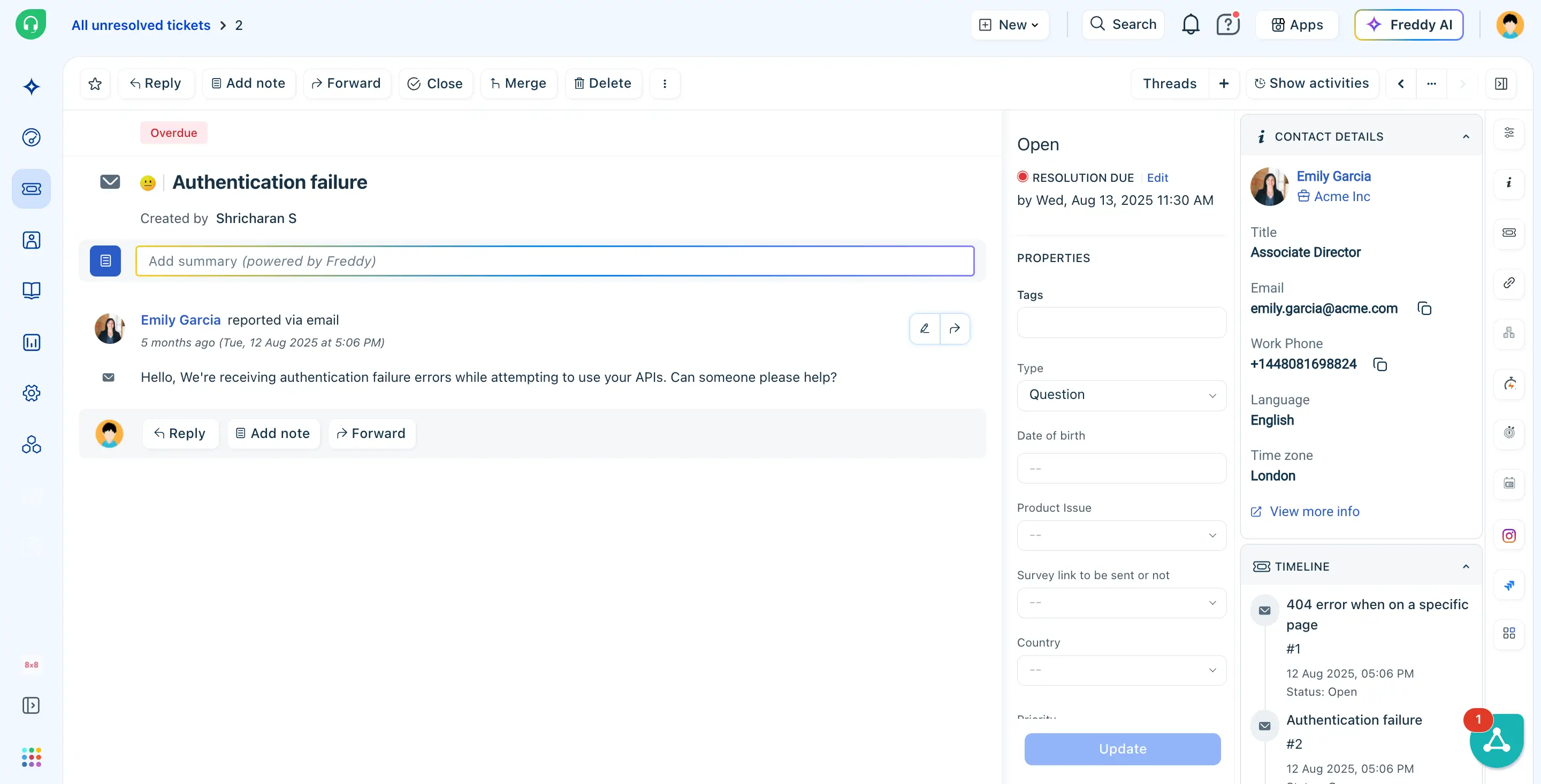
Freshdesk (from Freshworks) centralizes tickets from email, chat, social, phone, and web into a single help desk workspace. It’s designed for support teams to be able to track, prioritize, and resolve issues without juggling separate inboxes across channels. It also offers workflow automation, AI-assisted responses, and SLA (Service Level Agreement) management to help teams deliver faster, more consistent customer service.
Freshdesk pros and cons
Pros:
- Omnichannel ticketing: Brings all support channels into one ticketing system so teams can see and act on every request in one place.
- Automation and routing: Helps teams prioritize and assign tickets without manual effort.
- Free plan available: Lets very small teams start with basic ticketing and self-service.
- AI tools and insights: Speeds up replies and analyzes trends in higher-tier plans.
Cons:
- Higher-tier pricing: Advanced features often require higher-tier plans or add-ons, which raises costs.
- Customization limits: Some users report customization limits on workflows and reports in lower plans.
- Inconsistent mobile experience: Mobile experience and support can feel inconsistent in real-world use.
Freshdesk best features
- Unified omnichannel ticketing: Pulls emails, chats, forms, and other input into one tracked queue.
- Automations and workflow rules: Reduce manual sorting and escalation work.
- Freddy AI assistance: Suggests replies, drafts responses, and offers insights.
- SLA (Service Level Agreement) & business hours management: Helps enforce response and resolution targets.
- Analytics and reporting: Show performance trends and team productivity.
Freshdesk pricing
All prices shown billed annually.
- Free plan: For 1-2 agents for six months
- Growth: $19/agent/month
- Pro: $55/agent/month
- Enterprise: $89/agent/month
4. Zoho Desk — best for affordable omnichannel support with strong automation
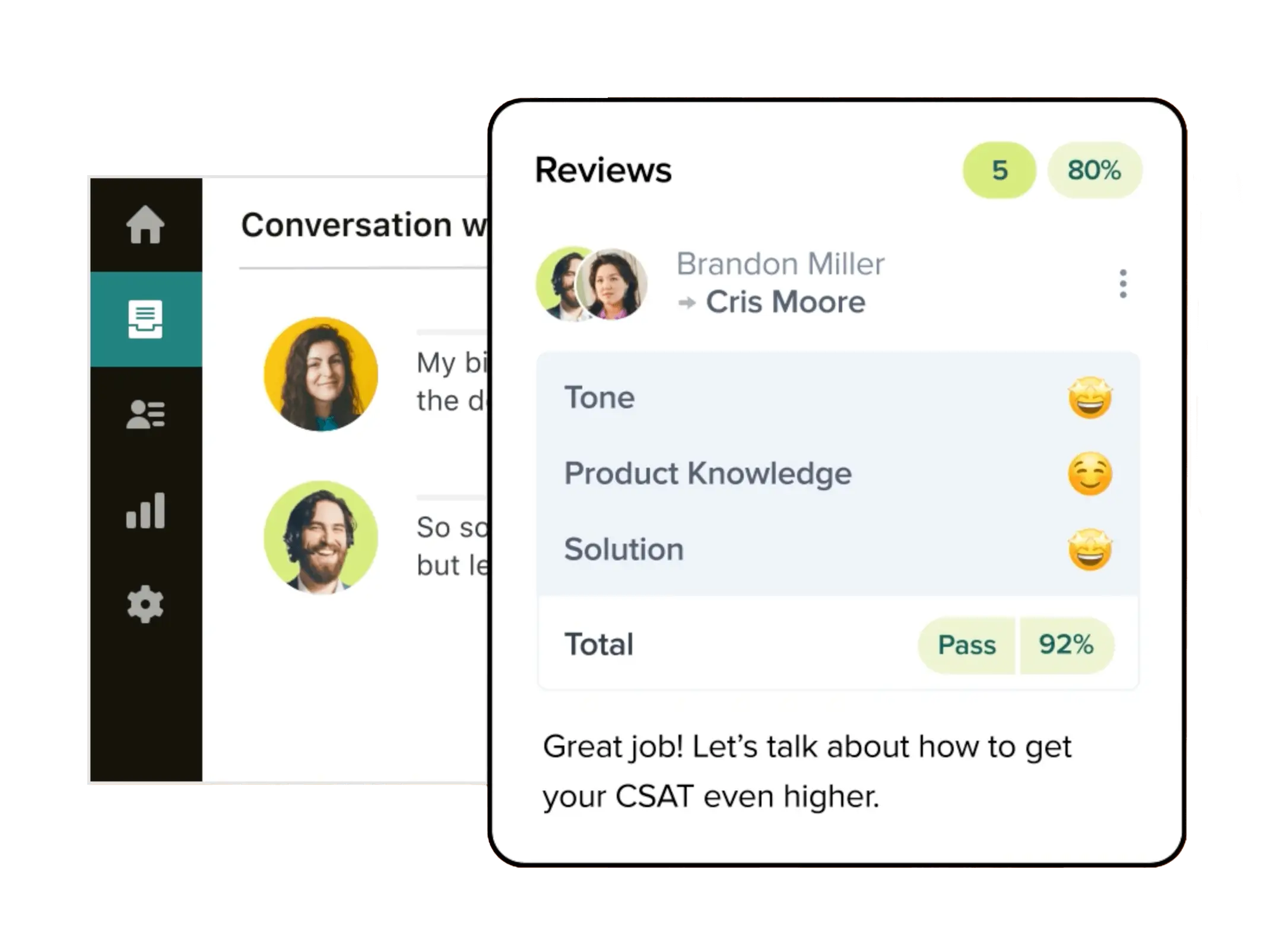
Zoho Desk is a cloud-based help desk that brings email, chat, phone, social, and web requests into one dashboard. It helps teams track, assign, and resolve customer issues more efficiently. It layers in automation, customizable workflows, SLA tracking, and AI-powered insights to help small support teams deliver timely, in-depth service.
Zoho Desk pros and cons
Pros:
- Multichannel support hub: Centralizes support across email, chat, phone, social, and web forms.
- Automation and workflows: Reduce repetitive work and speed up responses.
- Customizable ticket views and roles: Help teams tailor workflows to their needs.
- AI-assisted productivity tools: Boost efficiency with sentiment analysis, smart routing, and reply suggestions.
Cons:
- Steep learning curve: UI complexity can make onboarding harder for new agents.
- Higher-tier costs: Some advanced features require more expensive plans.
- Support and navigation issues: Users report occasional response lags or usability friction.
Zoho Desk best features
- Omnichannel ticketing: Consolidate support from all major channels into one organized queue.
- Workflow automation: Automatically assign, escalate, and notify support staff based on custom logic.
- Self-service portal & knowledge base: Let customers find answers without opening tickets.
- AI-powered assistant (Zia): Helps with sentiment analysis, suggestions, and routing.
- Custom views & roles: Tailor ticket lists and permissions to how your team works.
Zoho Desk pricing
All prices shown billed annually.
- Free: Up to 3 users
- Express: $7/agent/month
- Standard: $14/agent/month
- Professional: $23/agent/month
- Enterprise: $40/agent/month
5. Tidio — best for lightweight help desk with live chat and AI chatbots
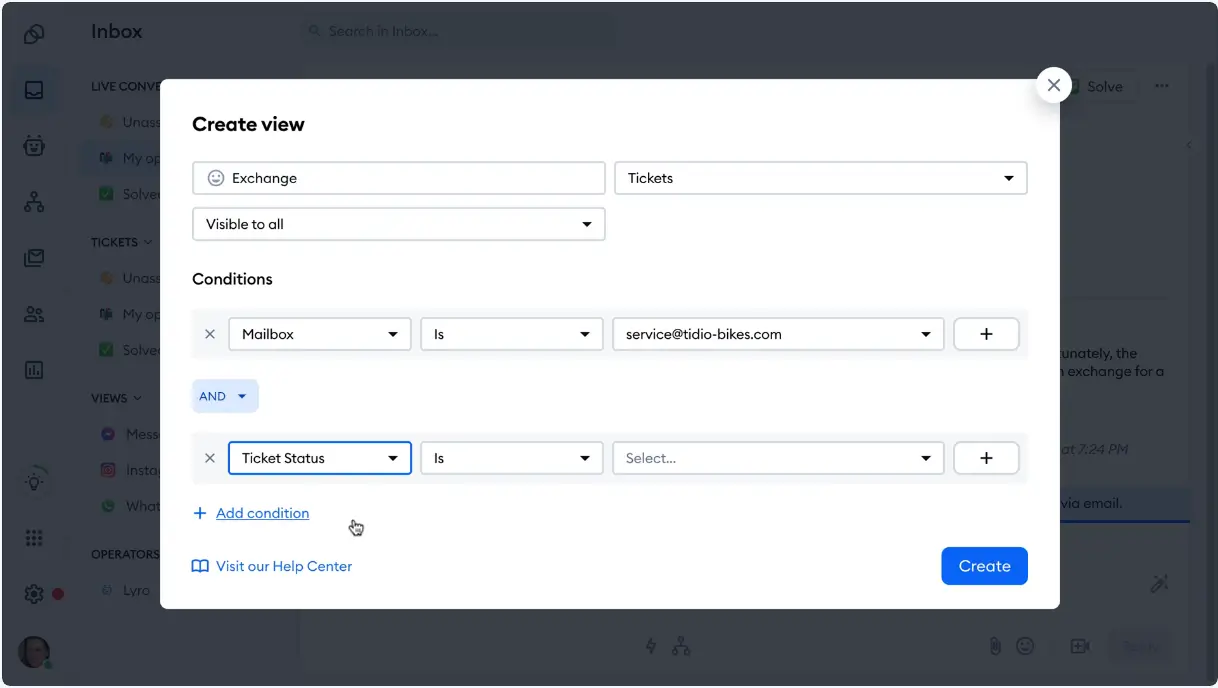
Tidio combines live chat, ticketing, automation, and a conversational AI agent with lightweight help desk capabilities. It enables small teams to respond instantly to customers while streamlining repetitive support tasks. It’s simple to set up and syncs with email, Messenger, Instagram, and WhatsApp, helping you centralize customer conversations without any IT overhead.
Tidio pros and cons
Pros:
- Unified chat and ticketing: Combines live chat, ticketing, and automated chatbots in one platform.
- Built-in AI agent (Lyro): Handles common queries automatically.
- Multichannel messaging: Supports website, Messenger, Instagram, and WhatsApp.
- Free plan to start: Lets teams begin easily and upgrade as they grow.
Cons:
- Conversation limits: Billable chats per month can require plan upgrades quickly.
- Advanced features as add-ons: Automation and chatbot tools are often limited to higher tiers.
- Setup and integration time: Initial configuration can take time for some teams.
Tidio best features
- Live Chat & Ticketing: Handle real-time chats and convert messages into tickets for follow-up.
- Lyro AI Agent: Automated conversational AI helps answer FAQs without human intervention.
- Chatbot Flows: Build rule-based bots that guide visitors and capture leads.
- Multichannel Inbox: View and reply to support messages from email and social platforms in one place.
- Analytics & Visitor Tracking: See customer behavior and performance metrics.
- Integrations: Connect to CRM and ecommerce tools like Shopify, WordPress, and email platforms.
Tidio pricing
All prices shown billed annually.
- Free: Basic chat, ticketing, and up to ~50 conversations
- Starter: $24.17/month
- Growth: $49.17/month
- Plus: $749/month
- Premium: Custom pricing
6. Help Scout — best for shared inbox support and simple ticket workflows
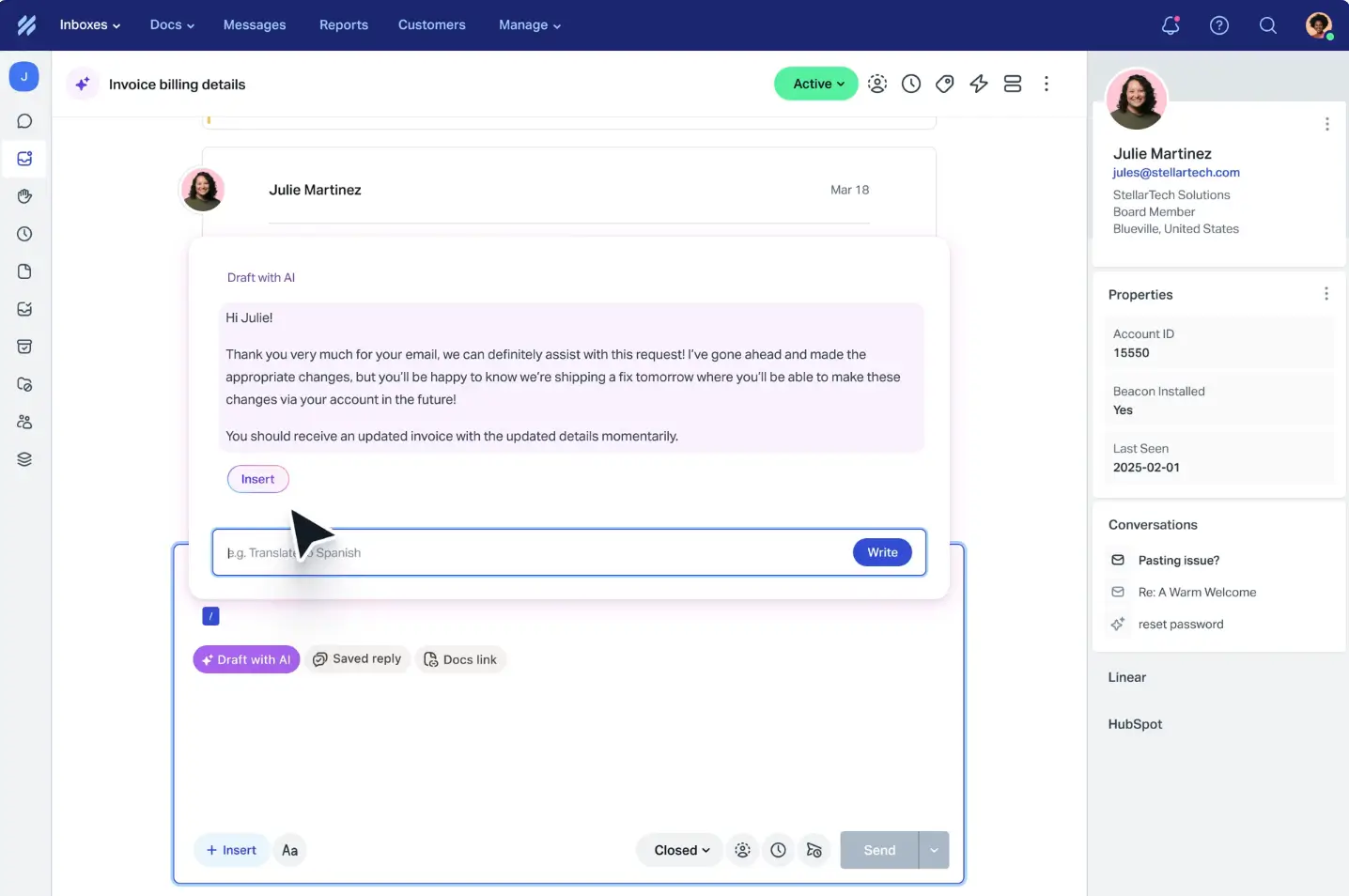
Help Scout gives small support teams a clean shared inbox and lightweight ticketing with email, live chat, knowledge base, customer profiles. It includes AI assistance too so you can respond faster and more efficiently. Its focus on simplicity and personal support helps teams keep conversations organized and customers happy without complex setup.
Help Scout pros and cons
Pros:
- Shared inbox: Keeps all customer conversations in one place and reduces context switching.
- AI assist tools: Help draft replies, summarize threads, and speed up responses.
- Self-service and beacon support: Let customers find answers and get instant help via embedded widgets.
Cons:
- Limited advanced analytics: Reporting can feel basic compared with larger platforms.
- Customization at scale: Deeper workflows and tailoring may be lacking for complex needs.
Help Scout best features
- Unified shared inbox: Manage email, live chat, and messages in one simple workspace.
- AI assist: Use AI to help draft responses and summarize conversations.
- Beacon help widget: Embed support and knowledge base access directly on your site or app.
- Knowledge base: Let customers self-serve with searchable help articles.
- Customer profiles: See customer history and context alongside tickets.
- Basic automation: Automate tagging, routing, and repetitive tasks to save time.
Help Scout pricing
All prices shown billed annually.
- Free: Basic shared inbox, 5 users, 1 Docs site
- Standard: $25/user/month
- Plus: $45/user/month
- Pro: $75/user/month
7. Zendesk — best for scalable omnichannel support & advanced automation
Zendesk is a leading customer service and help desk platform that centralizes email, chat, voice, social, and messaging into a unified ticketing system. It enables teams to track, assign, and resolve requests efficiently at scale. It also adds workflow automation, AI-powered tools, self-service help centers, and deep integrations. All of the above support complex workflows and high-volume support needs.
Zendesk pros and cons
Pros:
- Omnichannel support system: Handles email, live chat, social, phone, and messaging in one place so teams can manage all conversations without switching tools.
- Ticketing and workflow automation: Keep requests organized, automatically assign tasks, and reduce repetitive manual work.
- AI and automation tools: Help with routing, response suggestions, and insights to speed up replies and improve efficiency.
- Integrations and scalability: Support growing teams with extensive integrations and the ability to handle higher support volumes.
Cons:
- Steep learning curve: Depth and complexity can make setup and onboarding slower for new users.
- Rising pricing: Costs can increase quickly as advanced features, seats, and add-ons are added.
Zendesk best features
- Unified omnichannel ticketing: Consolidates requests across email, chat, voice, and social into one queue.
- Advanced automation & workflows: Use triggers, macros, and rules to standardize support processes.
- AI-powered assistance: Zendesk AI and Copilot help with routing, suggestions, and insights.
- Knowledge base & self-service: Let customers find answers without submitting tickets.
- Deep integrations: Connect with CRM, tools, and communication platforms to extend workflows.
Zendesk pricing
All prices shown billed annually.
- Support Team: $19/agent/month
- Suite Team: $55/agent/month
- Support Professional: $115/agent/month
- Support Enterprise: $169/agent/month
- Suite + Copilot Professional: $155 per agent/month
- Suite + Copilot Enterprise: $209 per agent/month
8. Salesforce Service Cloud — best for enterprise-grade help desk and support automation
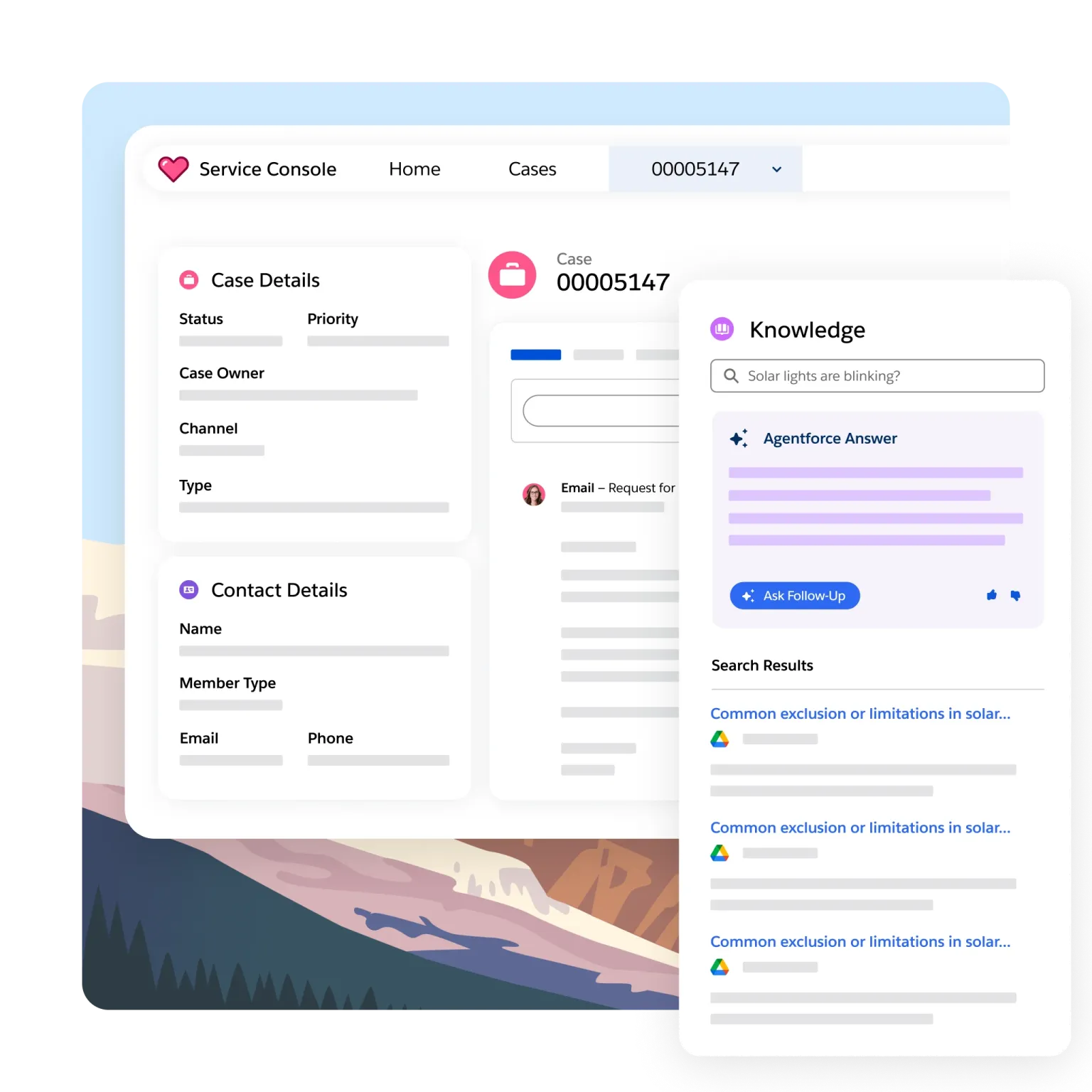
Salesforce Service Cloud gives support teams a centralized platform for managing customer cases across email, phone, chat, and social channels. It all happens from one dashboard, backed by deep CRM data so agents see complete a customer history for every interaction. Salesforce layers in AI, workflow automation, and reporting tools that help large and growing teams handle complex support operations with consistency and insight.
Salesforce Service Cloud pros and cons
Pros:
- Omnichannel support: Consolidates email, chat, phone, and social customer interactions into unified case tracking.
- Deep CRM integration: Builds on Salesforce’s broader platform so support data connects with sales and marketing records.
- AI and automation: Einstein AI (and Agentforce 360) powers routing, suggestions, and predictive assistance.
- Advanced reporting: Dashboards and analytics help leaders track performance and optimize workflows.
Cons:
- Steep learning curve: The depth of features and customization can be complex for new teams.
- Higher cost: Enterprise-level and AI add-ons can make it expensive for smaller teams.
- Setup complexity: Full configuration and integrations often require admin time or external support.
Salesforce Service Cloud best features
- Centralized case management: Track and manage customer issues across channels in one workspace.
- Omnichannel routing: Automatically direct cases to the right team or agent.
- Einstein AI & automation: Use AI to suggest replies, automate workflows, and power bots.
- Custom dashboards & analytics: Monitor metrics like response time and case volume.
- CRM data unification: See complete customer histories, purchase data, and interactions.
Salesforce Service Cloud pricing
All prices shown billed annually.
- Free Suite: Up to 2 users
- Starter Suite: $25/user/month
- Pro Suite: $100/user/month
- Enterprise: $175/user/month
- Unlimited: $350/user/month
- Agentforce 1 Service: $550/user/month
9. SuperOps — best for unified PSA-RMM help desk and IT ops for MSPs
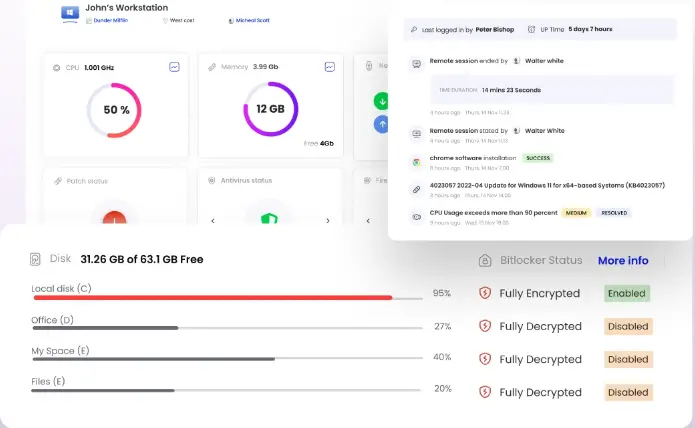
SuperOps.ai is a unified professional services automation (PSA) and remote monitoring and management (RMM) platform. It combines ticketing, asset tracking, automation, and help desk workflows. This enables MSPs and internal IT teams to run support and operations from one system. SuperOps.ai blends PSA case management with proactive endpoint monitoring, patching, automation, and reporting in a single dashboard.
SuperOps pros and cons
Pros:
- Unified IT operations platform: Combines ticketing, PSA, and RMM tools in one system so teams don’t need separate help desk and monitoring software.
- Per-technician pricing: Keeps costs predictable and easier to scale as the team grows.
- Automation across operations: Streamlines workflows across tickets, endpoints, and assets to reduce manual effort.
- Asset and network management: Includes monitoring and patch deployment to help prevent outages and maintenance issues.
Cons:
- Interface complexity: Can feel heavy for teams that only need simple ticketing.
- Higher-tier requirements: Some advanced capabilities require more expensive plans or add-ons.
- MSP-focused workflows: Designed more for IT ops and managed service providers than basic customer support needs.
SuperOps best features
- Integrated help desk & ticketing: Unified case and ticket management tied to IT operations.
- Professional services automation: Workflow automation, scheduling, billing, and reporting in one place.
- Remote monitoring & management: Track endpoint health, apply patches, and enforce policies automatically.
- Asset & client management: Centralized oversight of devices, clients, and contracts.
- Dashboards & analytics: Performance insights across technicians, clients, and service metrics.
SuperOps pricing
All prices shown billed annually.
- Standard (PSA only): $79/technician/month
- Standard (RMM only): $99/technician/month
- Pro (Unified Basic): $129/technician/month
- Super (Unified Advanced): $159/technician/month
10. Hiver – best for Gmail-native help desk and shared inbox support
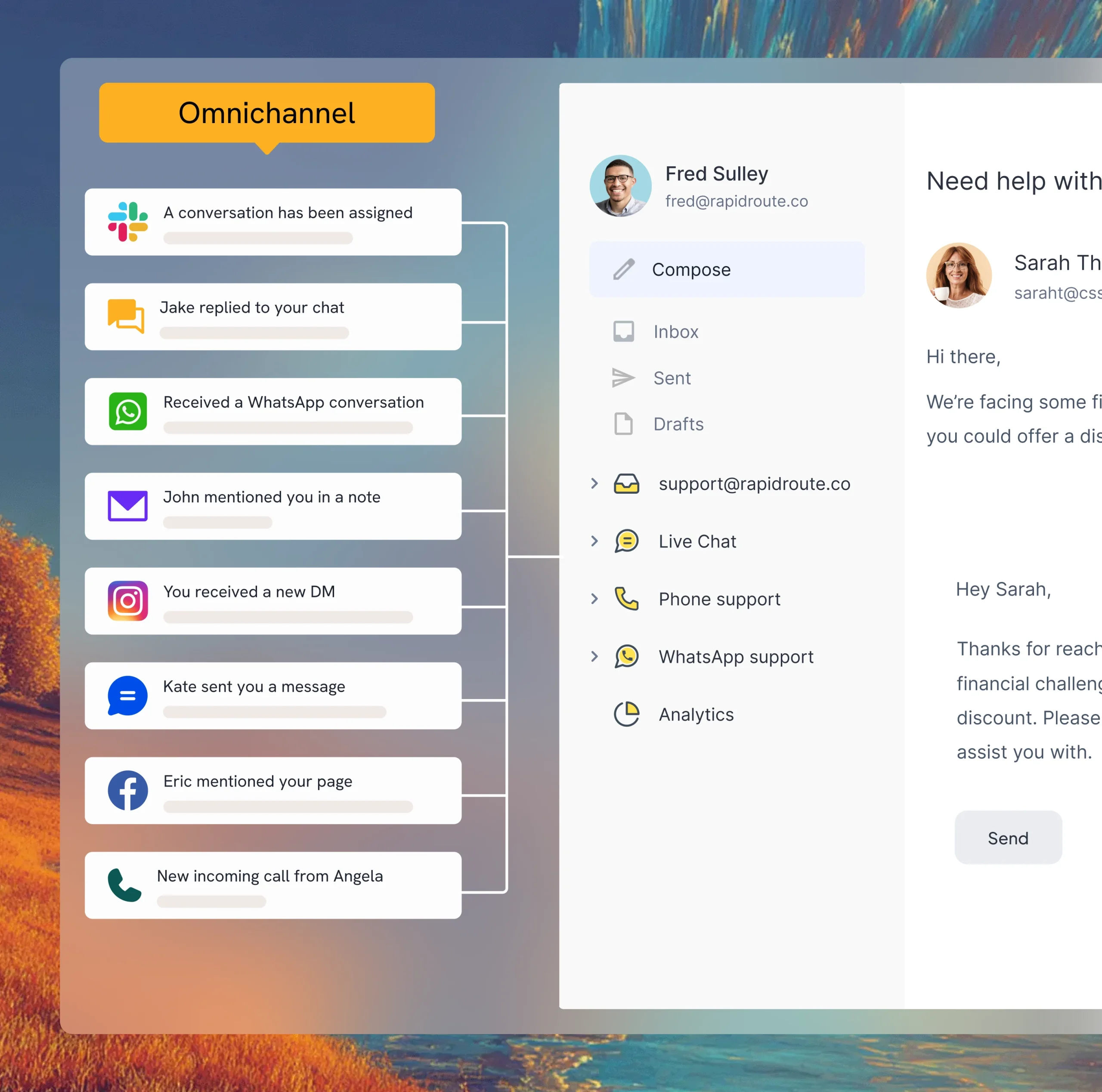
Hiver turns your Gmail or Google Workspace inbox into a collaborative help desk so teams can manage shared support emails, chats, and customer issues. It layers AI triage, automations, reporting, and multichannel support (email, live chat, voice, WhatsApp) on top of familiar email workflows so you can scale support without complexity.
Hiver pros and cons
Pros:
- Native Gmail integration: Works directly inside Gmail so teams can manage support without learning a new interface.
- Shared inbox and delegation: Makes it easy to assign, track, and take ownership of customer conversations.
- AI tools and automation: Help tag, route, and draft replies to speed up everyday support work.
- Multichannel messaging integrations: Connects live chat, voice, and WhatsApp to centralize customer communication.
Cons:
- Gmail dependency: Best suited for teams already using Google Workspace.
- Performance at scale: Some users report slower speeds in high-volume inboxes.
- Limited advanced customization: Reporting and deep workflow options may not match enterprise tools.
Hiver best features
- Omnichannel shared inbox: Manage email, live chat, WhatsApp, and voice support from one place inside Gmail.
- AI-powered assistance: Use AI to triage conversations, suggest replies, and automate routine responses.
- Workflow automation: Automatically tag, prioritize, and route tickets based on rules and agent availability.
- Collision detection & internal notes: Avoid duplicate replies and let agents collaborate with shared drafts and private notes.
- Shared inbox assignment: Clearly assign conversations so teams know who’s responsible for each ticket.
- Reporting & analytics: Monitor key metrics like response times and workloads to improve performance.
Hiver pricing
All prices shown billed annually.
- Free: For basic features and 1 inbox
- Growth: $25/user/month
- Pro: $65/user/month
- Elite: $105/user/month
Find a help desk software that fits your needs
The best help desk tools for small businesses don’t need to check every feature box. You’ll want to look for a platform that keeps requests structured, response times predictable, and workflows aligned with how you already operate. For some teams, that means a simple shared inbox. For others, it means automation, SLA management, permissions, and reporting that scales with you.
If your support work goes beyond answering emails, and if it touches
- operations
- internal requests
- data living across tools
a flexible help desk makes more sense than an off-the-shelf system. That’s where building a custom help desk with room to adapt as you grow becomes a practical long-term choice.
With Softr, you can turn your current tools into a structured help desk, without switching platforms. It lets you build a custom help desk on top of your existing data, with automation, permissions, and AI built in, so your system can adapt as your team and workflows grow.
Turn your existing data into a custom help desk with structured requests, automation, and permissions. Start simple, then expand your workflows as volume and complexity increase.