The 8 best free client portal software in 2026


As a small business, it’s easy for client communication at scale to become disorganized and inefficient. You may not have time to manually organize files, collect client feedback, or share project updates in real time, especially on top of the existing work you already have on your plate.
If you’re managing client operations with limited resources, you’ll want to invest in processes that help you streamline client engagement. A client portal software does exactly that. Instead of managing a disjointed to-do list of client-facing admin tasks, a client portal centralizes resources for internal and external stakeholders to strengthen communication and collaboration.
We don’t want you to waste time testing the waters with platforms that aren’t tailored for your leaner operations. So, we compiled this list of the best free client portal software in 2026.
Key features of free client portal software
A client portal software is a dedicated workspace for you and your clients to share documents and information in a secure environment. Naturally, the complexity of these workspaces depends on the type of work you’re doing for your client, the industry they’re in, and the size of the organizations involved. For instance, larger teams may require more robust knowledge hubs, ticket management features, and multi-channel customer support, which can be pricier and more difficult to set up.
On the other hand, small businesses should look for client portal software that adds to existing workflows and systems instead of complicating them. You’ll want to evaluate your client portal software according to criteria such as:
- Ease of use: The software must be easy to set up with the available resources or provide you with a rich library of pre-built applications and templates. Ultimately, it should take you minutes and not weeks to get a client portal up and running.
- Customization capabilities: Personalizing the portal to match your branding and project needs creates a seamless experience for clients and builds trust.
- Integrations: Find a portal that connects seamlessly to your tools to store client data, documents, and resources so you’re not wasting time fixing broken connections or working in multiple systems.
- Collaboration features: Get a tool that makes client engagement accessible, whether through messaging or features that enable real-time visibility into project updates.
- Automation: Use workflow builders and triggers to automate administrative tasks and alerts.
- Security: Implement a software system that protects client data from unwanted third parties through features like access controls, credential sharing systems, and Single Sign-on (SSO).
- Scalability: Find a client portal that you won’t outgrow quickly as the volume of customer interactions increases so you aren’t constantly worrying about upgrades, broken integrations, or inconvenient user experiences.
From forever free plans to free trials, we reviewed the most popular client portal tools according to software users. We've broken them into sections for fully free and trials.
Free client portal software
1. Softr
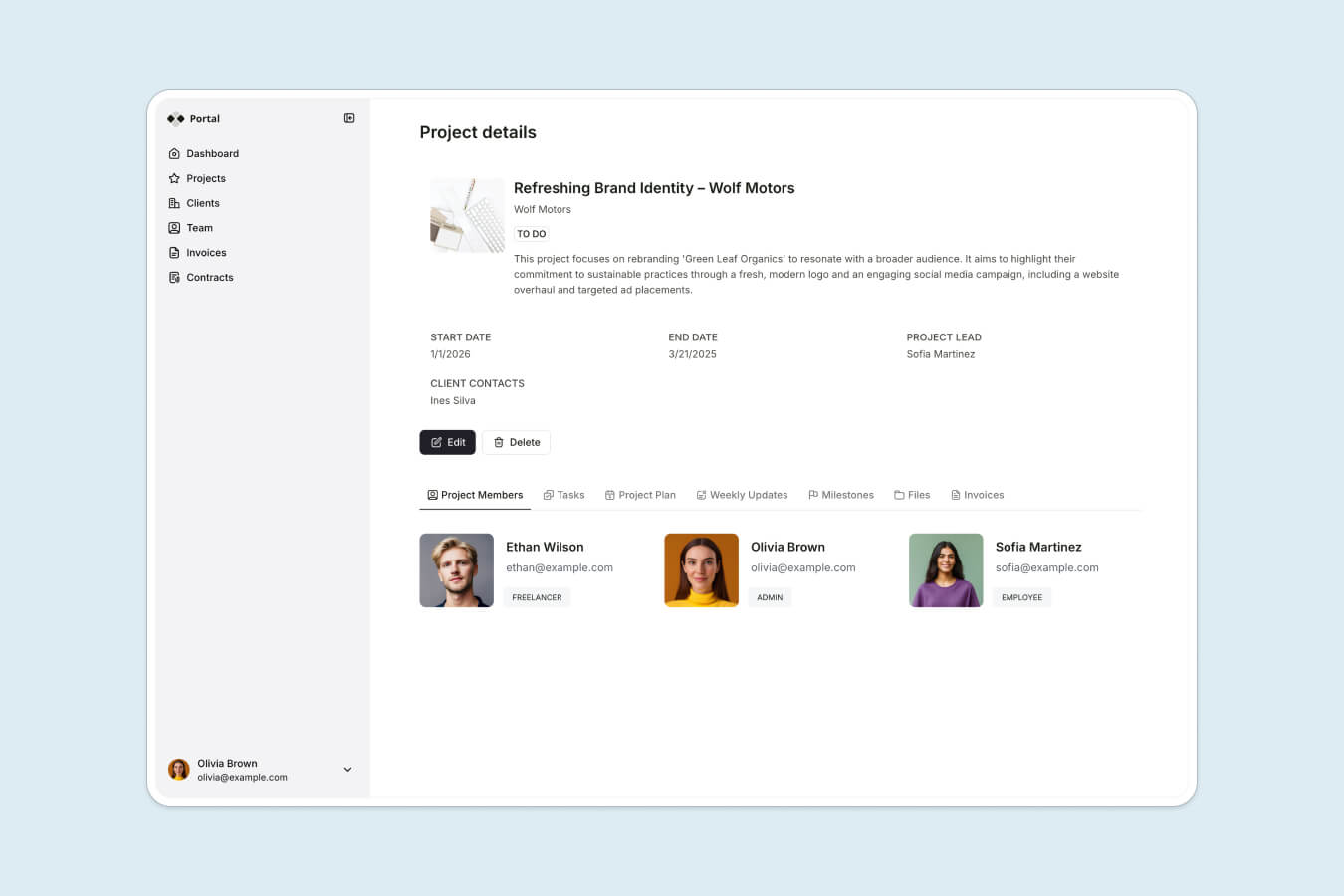
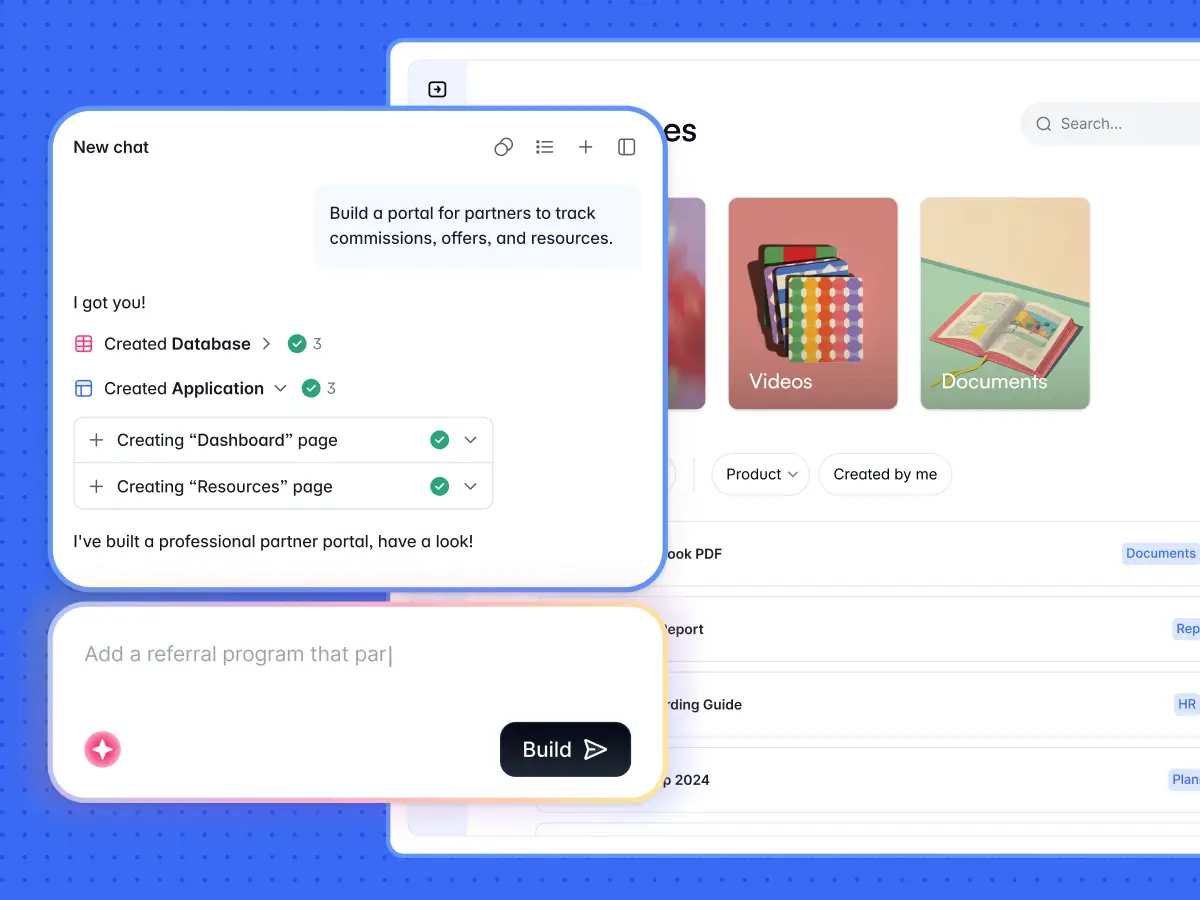
Softr is the first AI-native platform for building business software without code. Describe the client portal you need, and Softr's AI Co-Builder generates the database, the pages, and the permissions for you, already connected, secure, and ready for real clients. It’s AI-first, not AI-only: you can generate with AI, start from a template, or build from scratch, then switch fluidly between AI assistance and hands-on visual editing whenever you want precision.
That hybrid approach matters for client portals. Pure vibe-coding tools can produce a shiny demo, but the magic fades the moment a client tries to log in or something breaks. Softr apps are production-ready from day one because the AI Co-Builder composes battle-tested components (authentication, hosting, and granular permissions) rather than generating fragile code you have to debug.
For data, you can build on Softr Databases, the native relational database designed to be fast and AI-ready, or connect to 17+ external sources like Airtable, HubSpot, and Google Sheets. To automate the work, use Softr Workflows, the native automation engine triggered directly by UI interactions like action buttons, or connect to Zapier, Make, and n8n via native integrations.
Softr bridges unique user interface design with the must-have features of any client portal. Browse over 100 templates to equip your portal with client communication channels, ticket management systems, self-help resource centers, and custom dashboards showing clients your work's value in real time.
"I like that you can create a client portal and customize it to fit your needs. It helps enhance the client experience by giving clients more control." — Jessica F., CEO, G2 review
Pricing
Softr's free plan offers:
- 10 app users
- 5 AI credits
- Unlimited collaborators
- Unlimited applications
- 5,000 database records
- 500 workflow actions
- User groups
- Custom domain
See all of Softr's pricing details here.
Product features
- Integrations with popular business tools
- Billing and payments
- Reporting and analytics
- Document management
- Project management
- Workflow automation
- Security and permissions management
- White-label branding
- Over 90 pre-built application templates
Key integrations
- Airtable
- HubSpot
- Google Sheets
- Stripe
- Google Analytics
- Intercom
- MailChimp
Accounting firm Officeheads is a good example of what this looks like in practice. The team relied heavily on email to answer repetitive client questions, and both Microsoft SharePoint and a hired developer failed to deliver their vision. They built the first version of a client portal in less than two days using Softr, and it now serves 50+ SMB clients with eight workflows, from embedded live financial dashboards to per-client document management. You can read the full Officeheads story here.
2. SuperOkay

SuperOkay is a client portal tool built for creative agencies who want a quick setup and robust file management for sharing and collaborating on designs. Its simplicity makes it suitable for businesses with little-to-no developer resources. You can use the client portal to streamline your client’s most important links and a shared timeline of documents, tasks, and project updates. The platform also has interactive documents that you can use in your design projects to collect information, brainstorm ideas, or create proposals.
SuperOkay integrates with popular design tools and project databases to share documents like Figma prototypes, Miro boards, and creative assets in Google Drive folders. Portals and login pages can be customized to include branding colors, fonts, and logos. Beyond that, customization features are limited. Businesses can use reusable portal blocks and explore templates for creative briefs and proposal templates to get their projects going.
Pricing
SuperOkay's free plan offers:
- 1 client
- 10 documents
- No team members
- 1 client contact
Paid plans start at $9 a month.
Product features
- Integrations with third-party tools
- Branding customizations
- Project and task management
- Interactive documents
Key integrations
- Figma
- Airtable
- Miro
- Google Drive
3. Ahsuite

Ahsuite is a client portal for service businesses, agencies, and small businesses. With a simple and intuitive interface, you can easily navigate core features and client communication within a digital workspace. With Ahsuite, businesses can embed documents in a secure environment, including Figma boards, analytics, and multimedia files. Manage access and permissions to files and documents with a team password manager that simplifies how you share login credentials with the right clients and internal stakeholders.
The platform’s emphasis on its minimal and sleek design is suitable for businesses that want to help clients sift through information quickly to find what they need. This helps businesses reduce administrative tasks related to file storage and organization, but it limits your portal customization options to serve clients with different needs. Instead of third-party integrations, businesses must use embed codes to add content from external tools to Ahsuite pages. Popular embed sources include Airtable, Google Workspace, Microsoft Office, Figma, and Tableau.
Pricing
- Get started with Ahsuite's free plan (up to 10 client portals)
- Paid plans start at $6.50 per month
Key features
- File management and sharing
- Task management
- Client messaging
- Timestamped note-taking
- Password manager
- File, dashboard, and app embeds
- Integrations
4. Dock

Sales and customer-facing teams use Dock to centralize client operations and facilitate a smoother renewal process. Although its plans are suitable for smaller agencies, it’s also tailored to meet the needs of startups and organizations in high growth. This audience lends itself to Dock’s emphasis on reporting and analytics to measure customer engagement, create custom quotes, and sign order forms.
Dock has robust features for client collaboration, including different views and timelines to manage multi-phase projects. You can add detailed information into each task, such as links, embeds, and auto-populated due dates based on the start or end date of a broader project. The portal allows businesses to customize sections and pages with a workspace editor, templates, and branding elements.
Pricing
- Free plan with up to 50 workspaces and basic integrations
- Standard plan starts at $350/month (for startups, 5 internal users)
- Premium plan is $1,000/month (10 internal users)
- Enterprise pricing is available on request
- External collaborators (clients) always have free access; additional internal seats are $50 per user/month
Product features
- File sharing and management
- Reporting and analytics
- Surveys and order forms
- Branding customizations
- Integrations with third-party tools
- Project management
- Client communication
Key integrations
- Hubspot
- Salesforce
- Slack
5. Moxo

Moxo helps businesses scale custom processes with external parties like customers, vendors, and partners. Instead of apps, the building blocks of a Moxo workspace are workflows. A Moxo Flow is a customizable workflow that users can create with a drag-and-drop builder. You can use Moxo actions to add tasks like file requests and document eSignatures or set up notifications to keep workflows running smoothly. Moxo’s workflow-driven templates allow businesses to assign roles and permissions for seamless handoffs with internal and external stakeholders.
You can build your client portal on Moxo with standard templates, build your own private-labeled application, or embed Moxo capabilities into existing mobile or web applications. However, these call for developer resources to maximize Moxo’s SDKs for client personalizations. Launching your own private-labeled app can take a few days to a few weeks.
Pricing
- Free plan includes 2 workflows per month
- The Business plan starts at $99/month
- Higher tier and Enterprise pricing are available after contacting sales.
Product features
- Workflow automation
- File management
- Reporting and analytics
- Branding customizations
- Integrations with third-party tools
- Client messaging and meetings
- Mobile and web SDKs
- Security
Key integrations
- HubSpot
- Salesforce
- DocuSign
- Zoom
Client portal software with free trials or features
6. Assembly

Assembly is a platform for professional services businesses to manage and streamline client-facing operations. You can use it to build a customer relationship management (CRM) database, create branded invoices, manage contracts, and send messages to customers. The foundation of this customizable platform are Assembly Apps that you can add to your workspace. For example, your client portal might include messages, billing, and forms apps. Integrations with third-party software are also embedded in your portal as apps. If an integration is not in the Assembly app store, you can explore integrations with workflow automation tools like Zapier or Make.
Assembly does not have UI editing functionalities, but businesses can customize their client portal or workspace's default homepage to add introductions or instructions. You can build custom web applications, but you’ll need developer know-how to work with Assembly's software development kit (SDK) and APIs.
Pricing
- 14-day free trial
- The Professional plan starts at $149/month and includes 3 internal users; additional users are $39 per user/month
- The Advanced plan is $399/month (5 internal users, unlimited clients)
Key features
- Integrations with popular business tools
- Billing and payments
- Client messaging
- Document and contract management
- Workflow automation
- Security and permissions management
- Developer SDKs and APIs
Key integrations
- AirTable
- Google Workspace
- Calendly
- Trello
7. Clinked

Clinked helps businesses enable clients to manage their files and have access to important documents on the go. It’s a secure cloud system that’s especially impactful for businesses managing sensitive information or high-volume files, like those in banking, legal, and accounting. The platform’s Virtual Data Room is equipped with bank-grade security so businesses can use Clinked to share information with clients while maintaining auditing requirements and tracking all activity. Manage tasks like document requests, approvals, calendar scheduling, and direct communication with clients from within the portal.
When it comes to portal customization, Clinked gives businesses the option for a quick setup or a custom solution. But if you’re looking for a platform that meets specific design requirements, Clinked doesn’t have robust UI editing features. Instead, you’ll have to engage with their team to kick off a tailored design process. This process can take anywhere from two weeks to under a month.
Pricing
- 10-day free trial
- Plans start at $11/user/month (Start Up plan)
Product features
- Zapier integrations
- Task and project management
- Group chat
- File sharing and storage
- Reporting and analytics
- Security features
- Client portal APIs
Key integrations
- Google Workspace
- Salesforce
- OneDrive
- Jotform
8. Flowlu

Flowlu is a comprehensive client portal software used by companies of all sizes, from business consultants and agencies to large institutions and enterprise departments. It’s a strong choice for businesses that want to streamline complex client operations into a single platform. The client portal works seamlessly with other core Flowly features like financial management, knowledge bases, online invoicing, issue tracking, and an online customer relationship management system.
The Flowlu portal best suits teams who want to empower clients with robust project and task management capabilities, knowledge bases, and payment or expense tracking. Within the portal, you can communicate directly with clients via chat threads and mentions to assign action items and follow up on tasks and invoices. You can customize what’s in your portal by toggling permissions for different categories and fields instead of building an experience based on templates.
Pricing
- Flowlu has a free plan without client portal capability
- Flowlu now uses per-seat pricing; the client portal is available on paid plans, with the entry Team plan starting around $9 per user/month (billed annually)
- You can try the Client Portal feature for free for 14 days
Product features
- Project and task management
- Document builder
- Invoice and financial management
- Team chat, mentions, and comments
- Knowledge base
- Integrations with third-party tools
Key integrations
- Stripe
- Calendly
- Zendesk
- Jira
Build stronger customer relationships with client portal software
When managing client relationships at scale, a client portal that can elevate your existing tech stack and communication channels makes all the difference. You’ll see more short-term value and long-term productivity gains by building a portal that meets your client needs instead of forcing your workflows to fit into a new solution that your clients may not be proficient in (or the time to learn about it, too!)
Softr helps small businesses and agencies turn their data into a seamless client-facing application, whether that data lives in Softr Databases or an existing database or spreadsheet. Describe what you need and the AI Co-Builder gives you a production-ready portal in minutes; then you can update and share it in real time without lengthy implementation cycles, high developer investment, or costly licenses.
To start building a custom client portal that checks all your boxes, try Softr free today.