


[.blog-callout]
✨TL;DR:
- Lovable = idea to prototype fast: Type your concept in plain English and get an instant UI you can test or share: perfect for early validation.
- Cursor = code to production faster: Built for developers, it helps refactor, debug, and extend real code directly inside your editor.
- Both fill different gaps: Lovable helps you show what an idea looks like; Cursor helps you ship it.
- Softr = full stack, no code: It bridges both worlds, with an AI app builder that generates an interface, database, and business logic in just minutes — ready to share with real users from day one.
[.blog-callout]
Most small teams don’t need just a prototype or a full codebase: they need something real that actually runs their work.
Tools like Lovable make it easy to turn plain-English prompts into UI you can show to stakeholders, while Cursor helps engineers ship real code faster inside their editor. Both are valuable, but they serve different needs. In this guide, we break down how each tool works, what it costs, and where it shines (and falls short) for smaller teams. You’ll also see where Softr fits when the goal isn’t just a demo, but a secure, production-ready app your team can run, automate, and scale without writing code.
Lovable vs Cursor at a glance
| Lovable | Cursor | |
|---|---|---|
| Main focus | Design-first app prototyping with AI-generated front-ends. | Developer-first AI code editor for writing and refactoring real code. |
| Best for | Founders, designers, or marketers who need to visualize ideas quickly. | Engineering teams managing active codebases or technical products. |
| AI strengths | Layout and interface generation. | Code completion, debugging, and refactoring across multiple files. |
| Data & backend | Built-in database powered by Supabase for data persistence. | No database layer: relies on repos and APIs. |
| Automation & workflows | No dedicated workflow editor | Automates dev tasks (e.g., code refactors), not business processes. |
| Collaboration | Shared visual workspace for small creative teams. | GitHub-based collaboration for dev reviews and merges. |
| Deployment & hosting | Auto-hosts prototypes for quick sharing; limited scaling. | Runs inside the desktop editor; deployment handled externally. |
| Use-case maturity | Great for validating ideas and pitching MVPs. | Suited for production-grade development, not prototyping. |
| Pricing model | Credit-based; scales by AI prompts. | Usage-based; scales by model calls and agent usage. |
What is Lovable?
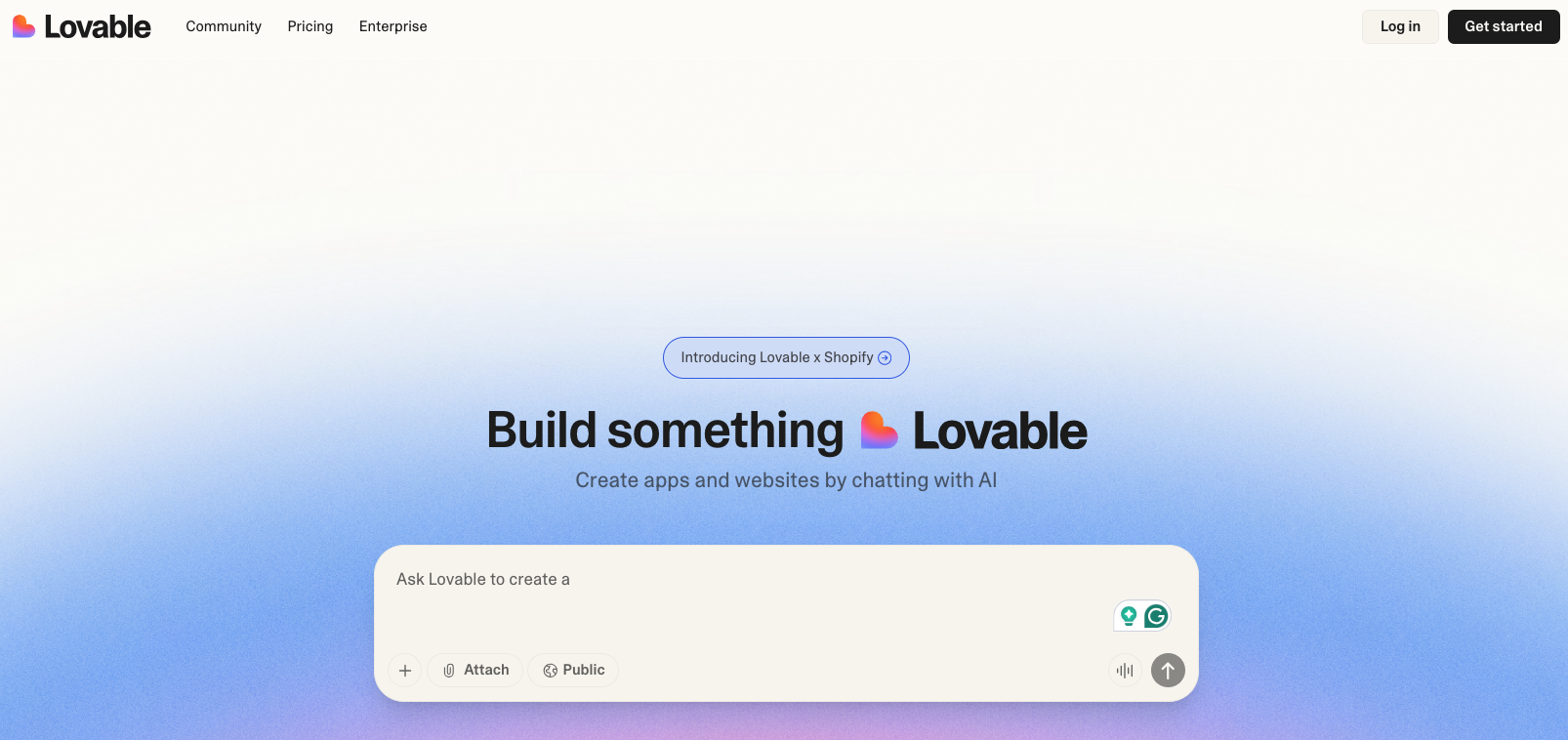
Lovable is an AI-powered tool that helps small teams turn ideas into working product prototypes fast. Instead of starting from a blank page or setting up complex frameworks, you describe what you want to build in plain English, and Lovable automatically sets up the structure, design, and basic functionality for you. It gives you a ready-to-edit version of your app that you can test, tweak, and share. And all of the above happens without you worrying about servers, hosting, or deployment.
Where Cursor helps developers write and improve existing code, Lovable focuses on speed and simplicity. It’s built for founders, designers, and teams who want to validate an idea or show a client something tangible before committing to full development.
Lovable stand-out features
1. Build apps from plain-language prompts
Lovable lets you describe your app in everyday language. You might type something like “a booking tool for photographers” or “a client dashboard with logins,” and it automatically generates the basic structure and design.
2. All-in-one setup
Once your app is ready, Lovable takes care of the rest. It handles hosting, deployment, and live previews so you don’t have to juggle separate tools or cloud services. That means your team can test, share, or even launch a lightweight version of your product.
3. Easy collaboration for small teams
Lovable allow you to invite collaborators to projects or workspaces. Multiple teammates can work together in the same space: designers adjusting visuals, marketers editing copy, and founders managing layout without touching a single line of code. Everyone can stay aligned and see updates in real time.
4. AI-assisted interface design
Lovable’s built-in AI polishes layouts, colors, and spacing to make your app look clean and professional — though if you skip design guidelines, it tends to default to a familiar “Lovable look.” You can still customize by uploading assets or screenshots of your designs to help the AI match your brand.
5. React/TypeScript code you can build on
Every design you create in Lovable exports as structured React and TypeScript code. That means when your team is ready to scale beyond the prototype, developers can pick up the generated codebase and extend it instead of starting from scratch. It’s ideal for teams that want to validate ideas quickly though the generated code isn’t always easy to maintain or optimize afterward, as developers often find it tricky to understand or refactor the structure Lovable produces.
What Lovable is best for
Lovable is best for early-stage teams, startups, and small businesses that want to turn an idea into a functional prototype quickly and without heavy development.
It’s designed for moments when speed and clarity matter more than depth of customization.
You can use Lovable to:
- Validate product ideas fast by sharing a working version with stakeholders or investors.
- Collaborate visually: designers, founders, and marketers can all work in one shared space.
- Create demo-ready front-ends before handing them off to engineers for full integration.
- Generate React/TypeScript code that developers can later extend.
In short, Lovable fits best when your goal is to go from idea to “something real” in hours. Here’s a comparison a user shares on Reddit:

Lovable limitations
Lovable keeps things lightweight and accessible, but that also means some constraints compared to developer-led tools like Cursor:
- Difficult to debug: Adding a new feature might break another feature burning credits as you try to debug and it won’t do what you asked.
- Limited control over infrastructure: Hosting and deployment are built-in, but more advanced scaling, debugging, or performance tuning require exporting code elsewhere.
- Limited pre-built integrations: GitHub and Supabase are well supported, but connecting tools like Stripe, Airtable, or Slack often requires custom setup or manual code export.
- No advanced authentication or API management: You’ll need custom integrations or developer support for production-ready apps.
- Best for prototypes, not production: Great for validation, testing, and demos; less ideal for complex systems that need real-time data or custom APIs.
Lovable pricing
Lovable uses a credit-based system: every time the AI generates, edits, or regenerates a design or section, one credit is used. Small design tweaks may cost one credit (or sometimes less), while more complex changes may cost more than one credit.
| Plan | Monthly Price | Includes |
|---|---|---|
| Free | $0 | 5 daily credits (up to 30 monthly), public projects, unlimited collaborators |
| Pro | $25/month or $21 when billed annually | 100 monthly credits, 5 daily credits (up to 150 monthly), credit rollovers, private projects, custom domains, user roles & permissions |
| Business | $50/month or $42 when billed annually | All Pro features plus SSO, personal projects, opt-out of data training, design templates |
| Enterprise | Custom pricing | Dedicated support, onboarding services, custom connections, group-based access control, custom design systems |
Each paid plan increases monthly AI credits and unlocks more flexibility for collaboration, privacy, and brand control.
How much does Lovable actually cost?
Lovable runs on a credit-based pricing model, meaning each time you use AI to generate or edit something, it counts as one credit.
Here’s what that looks like in practice:
- Free plan: 5 daily credits (around 30–50 per month), great for testing ideas or quick mockups.
- Pro plan ($25/month): 100 monthly credits plus daily top-ups: enough to build, edit, and test several light prototypes.
In real-world use:
- Small design tweaks might cost a single credit, while full-screen or component-level changes can use two or more.
- Users report that 30–40% of usage is spent on bug fixes and tweaks when AI-generated code breaks, which can drain credits faster than expected
For most operators, Lovable’s pricing makes it a low-risk way to experiment with digital tools. It helps visualize concepts before handing them off for full development.
{{cta-1}}
What is Cursor?
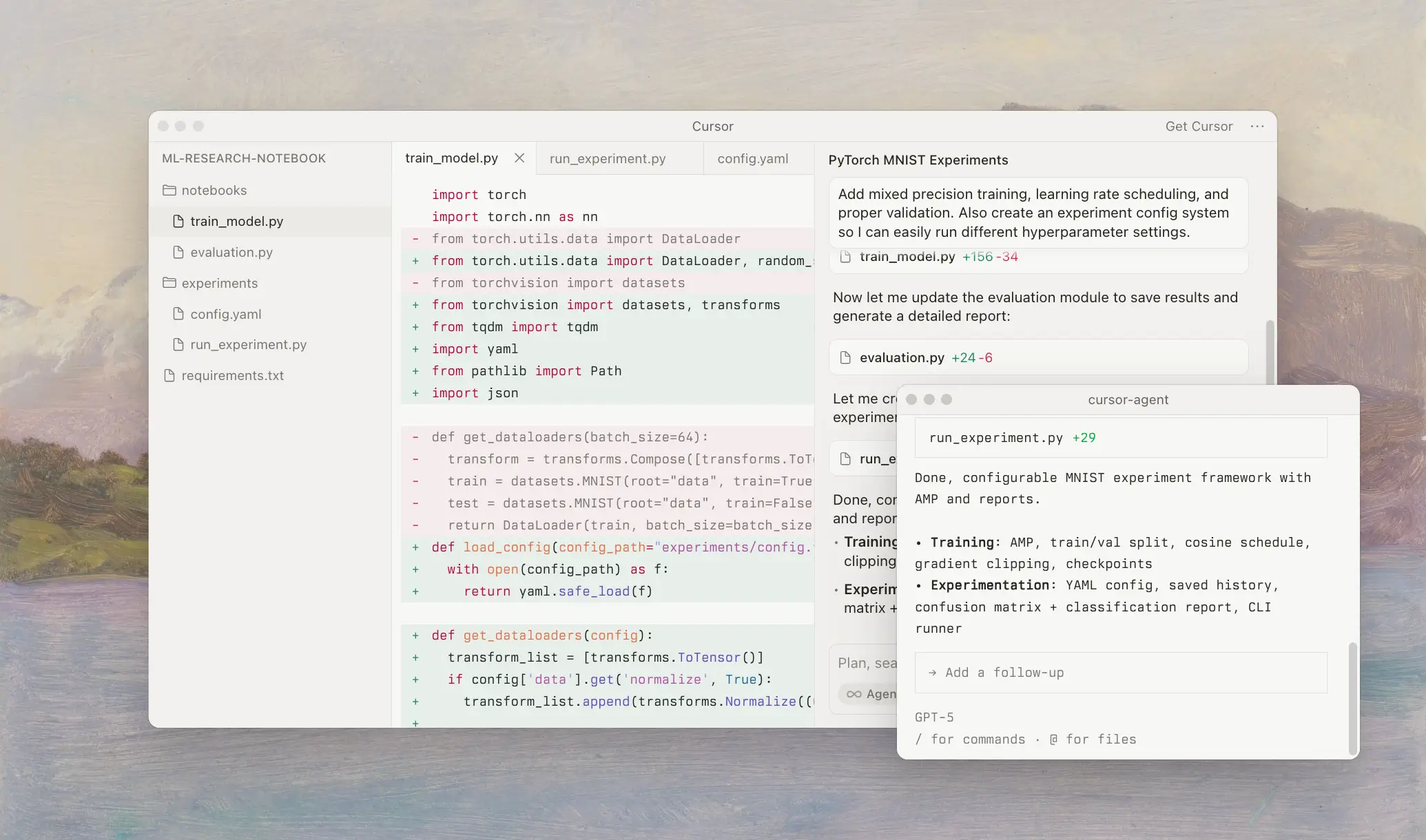
Cursor is an AI-powered code editor built for developers who already work with code but want to move faster. Instead of switching between chatbots and your IDE, you can stay right inside Cursor, ask questions in plain English, and watch it write, refactor, or debug code directly in your project. It understands your files, dependencies, and even context across your repo, so it feels more like a pair programmer than a code assistant.
While Lovable helps non-technical teams create quick prototypes from scratch, Cursor is for engineering-led teams with existing codebases. It doesn’t replace developers. It helps them ship cleaner, more consistent code, fix repetitive errors, and spend less time on boilerplate.
Cursor stand-out features
1. Smart, context-aware code assistance
Cursor doesn’t just autocomplete lines. It understands your entire project. The editor reads your existing files, dependencies, and functions so it can make relevant suggestions, refactor multiple files at once, or fix broken logic without losing context. It’s like having an assistant that already knows your codebase.
2. Ask and edit with natural language
You can talk to Cursor the same way you’d brief a teammate. Highlight a section of code and type something like “Convert this function to TypeScript” or “Refactor this for better performance.” Cursor will suggest the edits right inside your editor: no copy-pasting, no switching tabs.
3. Deep code understanding across your repo
Unlike basic AI editors that work one file at a time, Cursor can see relationships across your project. It uses that awareness to help with larger tasks, like updating imports or applying the same change across modules (especially helpful for growing codebases with complex dependencies).
4. Built-in collaboration and GitHub integration
Cursor connects seamlessly with GitHub, making it easier for teams to review, test, and merge AI-generated changes. Developers can comment on edits, revert suggestions, or approve updates without leaving the editor.
5. Developer-focused workflow and plans
Cursor is built for teams who live in code. Its pricing tiers scale by usage rather than seats, so you pay for how much AI assistance you actually use. Features like context window expansion, background agents, and priority model access are tailored for teams that want AI woven into their daily dev workflow.
What Cursor is best for
Cursor is best for software teams, developers, or technical founders who already have a working codebase and want to move faster without sacrificing code quality.
You can use Cursor to:
- Refactor existing code without losing consistency across multiple files
- Speed up development by turning plain-language prompts into functional snippets
- Collaborate with AI to fix bugs, generate documentation, or rewrite logic faster
- Improve team productivity by automating repetitive edits and cleanup tasks
- Integrate directly into your workflow without the need to jump between tools or copy code from chatbots.
In short, Cursor fits best when your team already codes and wants to optimize how you build, not reinvent what you build. Here’s how real users compare Cursor to Lovable on Reddit:

Cursor limitations
While powerful for developers, Cursor does come with trade-offs compared to simpler tools:
- Developer-first tool: It assumes coding knowledge; less suited for non-technical users or purely visual builds.
- Steep learning curve: Deep features (agents, repo awareness) can require setup and workflow adjustment.
- Pricing and usage limits: Usage tiers and model call caps can create cost or unpredictability; some users have reported confusion around limits.
- Less suited for greenfields no-code builds: If you’re looking to spin up a UI without any code, Lovable may be simpler.
- Still needs human oversight: AI suggestions are helpful but can introduce logic bugs; developers need to review and test.
Cursor pricing
Cursor counts usage based on the number of AI requests and the amount of tokens each action consumes: things like code generation, refactoring, or running agents all draw from your plan’s usage limit.
| Plan | Monthly Price | Scope / Highlights |
|---|---|---|
| Hobby (Free) | $0 | Entry tier; limited agent/usage and tab completions. |
| Pro | $20/month | Unlimited tab completions, extended agent usage, “standard” context windows. |
| Pro+ | $60/month | Everything in Pro plus “3× usage” on all major models (OpenAI, Claude, Gemini). |
| Ultra | $200/month | Large-volume usage (20× on models), priority features, suited for power teams. |
| Business / Enterprise | Custom | Team billing, privacy mode, SAML/OIDC SSO, usage analytics. |
How much does Cursor actually cost?
Cursor’s pricing depends on how much AI your team uses during development. You don’t pay per seat: you pay based on how often you generate, refactor, or edit code using AI.
- For most small teams, Pro offers plenty of room to experiment and see measurable productivity gains. As you scale or rely more on AI agents, Pro+ or Ultra may make sense.
- Costs can rise if you lean heavily on AI for large refactors or frequent requests. Keeping an eye on your usage ensures you stay within budget.
For a development-led team, Cursor is a high-leverage investment, but it assumes you’re regularly writing and maintaining code rather than just building a one-off prototype.
Cursor vs Lovable: Pricing comparison
Both Cursor and Lovable offer free plans, but their paid tiers scale differently depending on whether your team’s focus is code-led development (Cursor) or design-first prototyping (Lovable).
Key differences
- Free plans: Lovable gives 5 daily credits (≈30–50 per month), enough for testing concepts or creating early prototypes. Cursor’s free Hobby plan includes limited agent usage and tab completions: ideal for experimenting with AI-assisted code edits.
- Scaling costs: Lovable’s Pro plan ($25/month) covers roughly 130 AI prompts per month, which can go fast during active design iterations. Cursor’s Pro plan ($20/month) scales by AI usage and model access; costs may rise for heavier refactoring or debugging.
- Team features: Lovable’s Business plan ($50/month) adds SSO, project privacy, and collaboration tools for design teams. Cursor’s Business plan (custom pricing) includes centralized billing, role-based access, usage analytics, and SSO for engineering teams.
- Enterprise focus: Lovable emphasizes branded design systems, onboarding support, and collaborative visual prototyping. Cursor focuses on workflow automation, agent management, and privacy controls for larger technical teams.
💡 In short: Lovable’s pricing fits teams testing ideas or pitching MVPs. Cursor’s usage-based model suits developers building and maintaining full codebases where AI directly speeds up production.
Cursor vs Lovable Reddit discussions
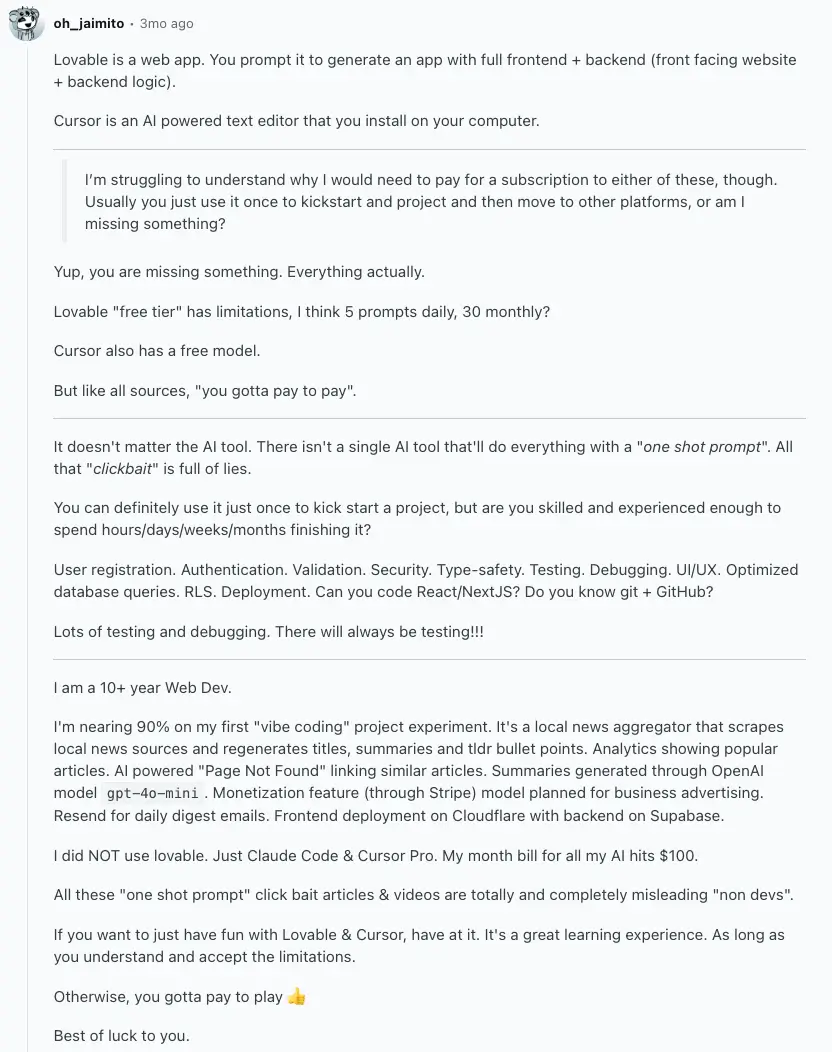
We found some insightful conversations on Reddit around Lovable vs Cursor, and the main theme has been that teams and developers usually pair them together, rather than using one more than the other. Here’s one Redditor’s (who’s also a web developer) detailed review.
And here’s a similar thought from another Redditor:

Lovable vs Cursor summary
Lovable and Cursor both speed up how teams build software, but they solve different problems.
- Lovable is for non-technical teams who want to turn ideas into quick, shareable prototypes. It’s great for testing concepts or showing clients early versions, but it stops at the front-end. You’ll still need developers to turn those mockups into full products.
- Cursor is for developers who already write code. It uses AI inside the code editor to suggest, fix, and refactor code faster. It’s powerful for speeding up real development work, but assumes you already have a technical setup and team.
In short, Lovable helps you show what an idea could look like, while Cursor helps you build what it actually becomes.
And if your goal is to create full, data-driven business apps without coding at all, that’s where Softr fits best.
Softr — best Lovable vs Cursor alternative for building production-ready apps with AI

Softr is a full-stack no-code platform that lets you build production-ready business apps without writing any code or managing complex infrastructure. Unlike Lovable or Cursor, which focus on either design-first prototyping or developer-first coding, Softr combines both worlds. It offers a relational database, front-end, and automation engine in one platform. And you can generate all of this from a prompt with the AI Co-Builder. You can also build and update it from Cursor or Claude through the Softr MCP.
You can start with Softr Databases or connect existing data sources like Airtable, Google Sheets, Notion, or SQL, and build business apps like intranets, client portals, CRMs, or dashboards on top. Every app you create will include secure end-user authentication, user-roles, and granular permissions, simple automations, and branded designs. This means your team moves beyond demos into live, fully functional products. Now, let’s take a deeper look at Softr’s standout features:
1. Reliable, production-ready app building
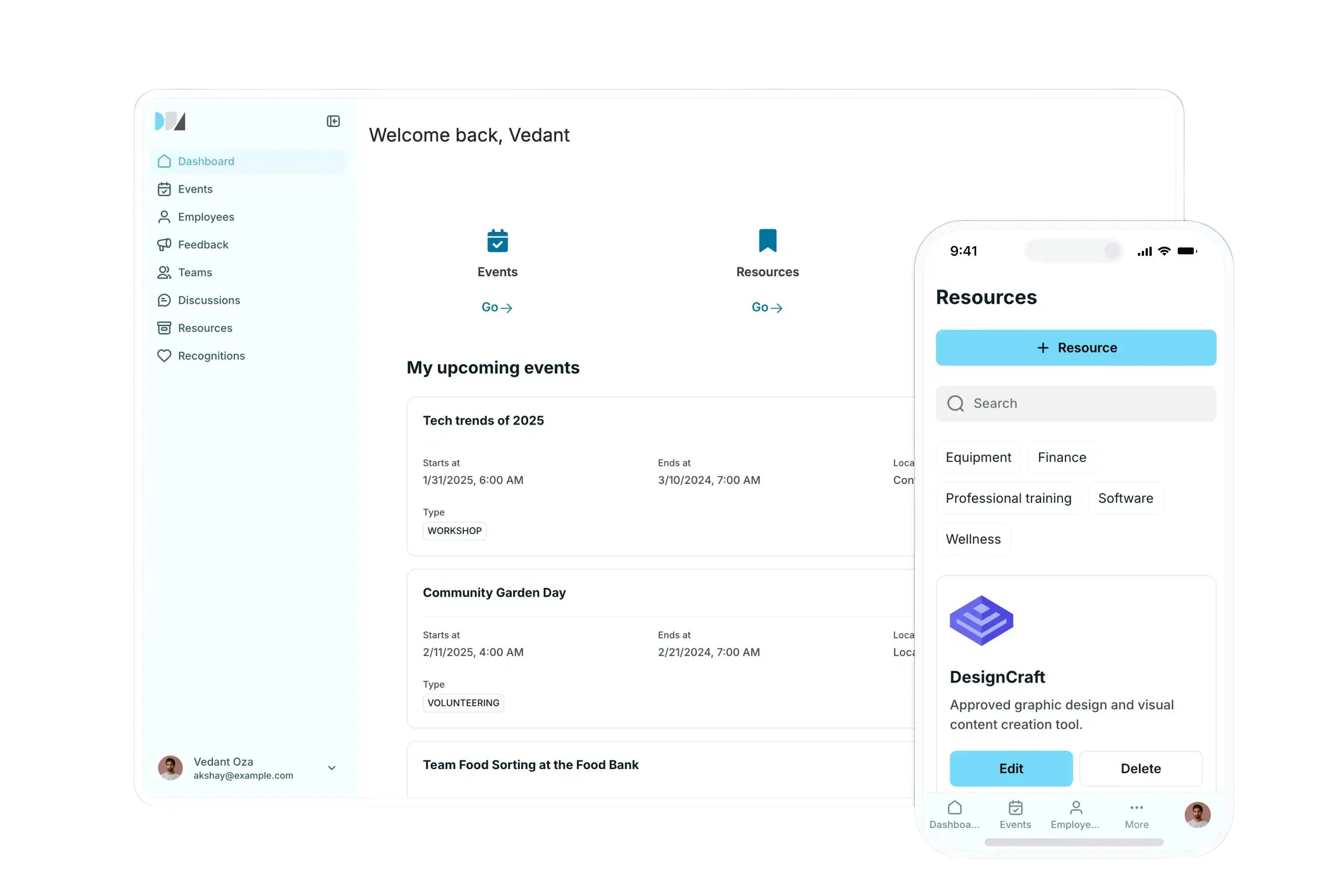
Most AI or no-code app builders stop at prototypes: Softr takes it straight to production.
With built-in databases, secure authentication, granular permissions, and automated workflows, every app you build with Softr AI is not just a demo but a deployable, reliable product. That means you can safely move from prototype to production without rewriting or migrating anything.
Unlike Lovable or Cursor, which focus on design mockups or code generation, Softr’s apps stay live, consistent, and ready for real users: no extra backend setup, or code handoff required.
2. Built-in databases and native integrations
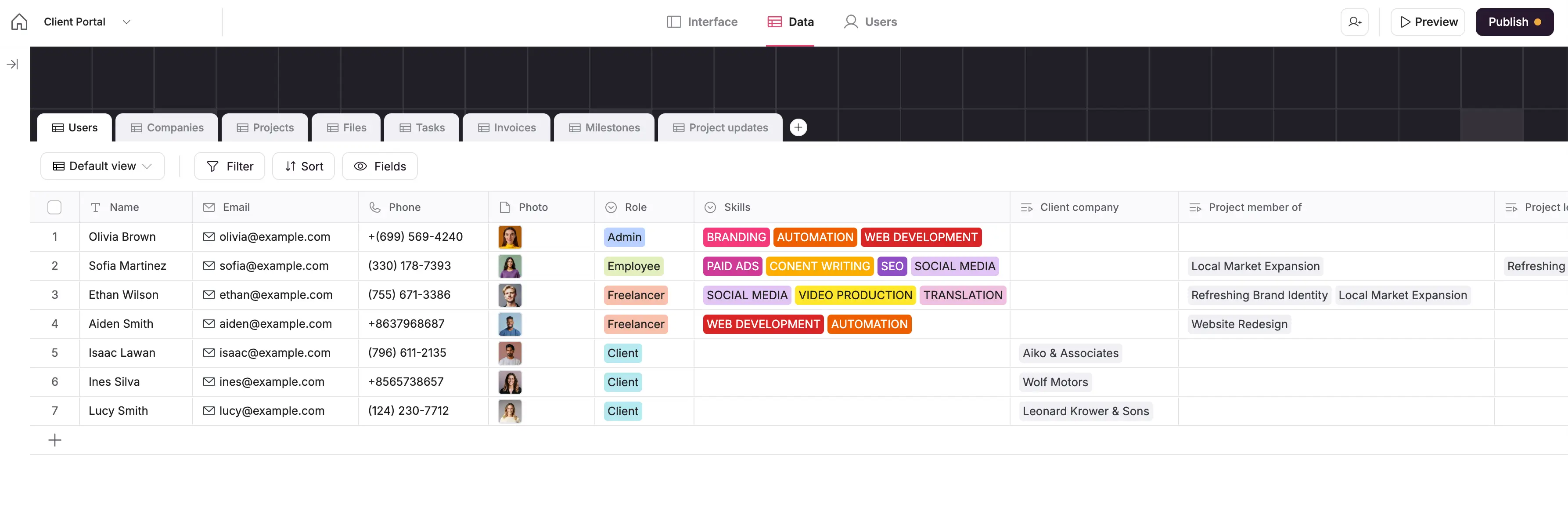
Softr Databases give you a spreadsheet-style interface with the power of relational data. You can link records, add formulas, rollups, and attachments, or connect to 21+ native data sources from Airtable to HubSpot and Notion with two-way, real-time sync. That means your data stays connected, up-to-date, and ready to power your apps without manual upkeep.
Lovable generates front-end code but doesn’t store or link structured data, while Cursor connects to repos, not databases. Softr’s built-in data layer means your apps stay live, consistent, and operational without needing a separate backend.
3. Native Softr Workflows

With Softr Workflows, you can automate tasks, connect tools, and deploy AI Agents directly inside your app. Trigger workflows when your data changes or when users take action, like submitting forms or updating records. With the AI co-builder, you can describe what you want and let it generate a workflow for you to review and edit as you prefer.
Add AI steps to summarize emails, send notifications, update databases, or call APIs without relying on Zapier, n8n, Make, or any other external tool.
Neither Lovable nor Cursor includes built-in workflow automation. Softr’s native automation engine replaces the need for third-party connectors, letting SMBs run entire processes in one platform.
4. Enterprise-grade security & governance
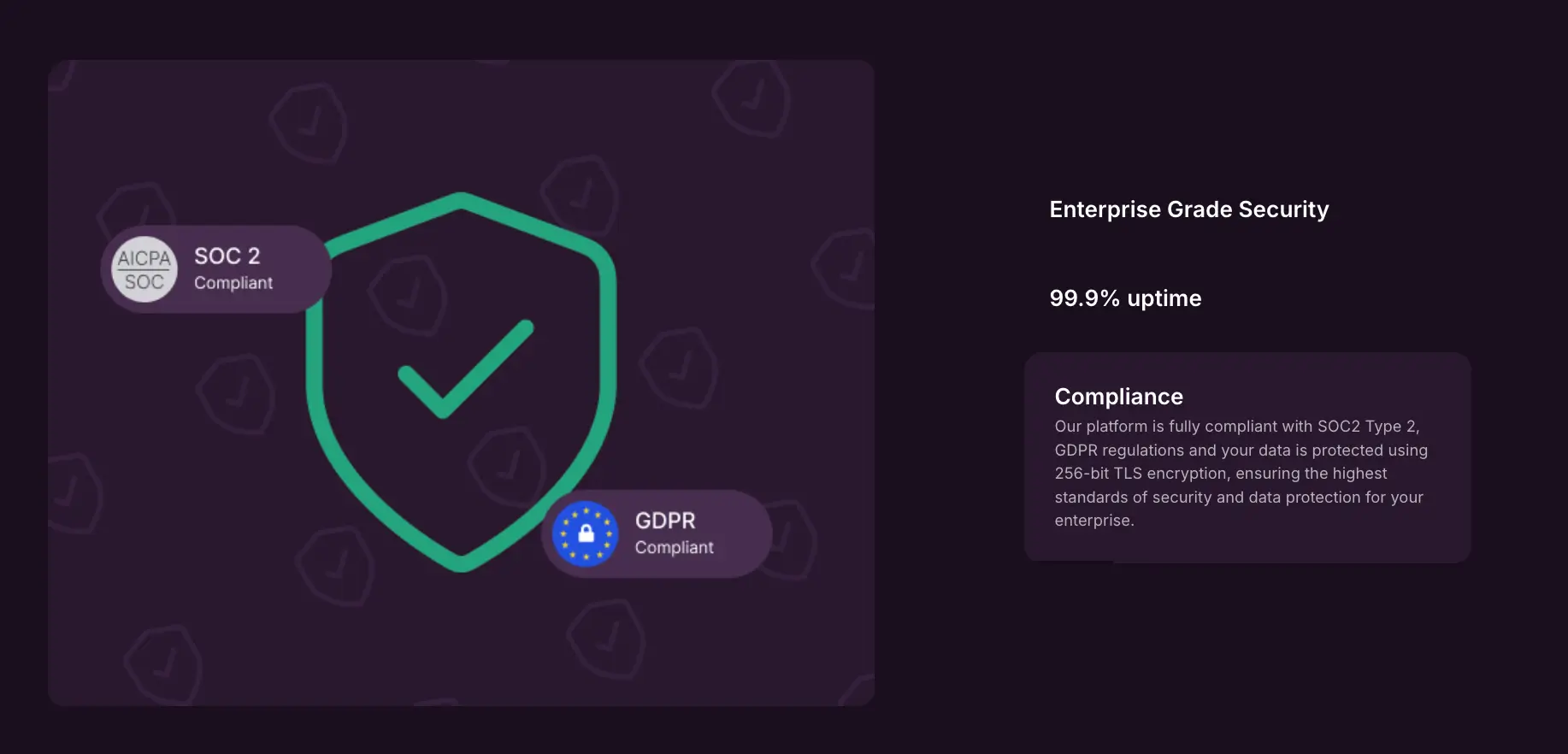
Softr provides secure hosting, SSL, SOC 2 compliance, and SSO/SAML(in Enterprise), making it safe for sensitive business apps.
Create private or multi-user portals with granular access control. Assign roles, restrict data views, and manage visibility based on user groups, clients, or departments.
Lovable supports basic privacy controls but lacks enterprise compliance. Cursor adds SSO in higher-tier plans but focuses on code privacy, not business-data security. Softr’s infrastructure meets enterprise-level standards out of the box.
5. Custom branding & templates to launch faster

If you don’t prefer building an app from scratch, choose from a library of 90+ pre-built, customizable templates for CRMs, client portals, project trackers, or dashboards, with sample databases, too. Then, adjust every layout to match your workflow.
Lovable provides auto-generated designs but limited customization. Cursor focuses on code editors, not visual presentation. Softr gives teams design freedom and structure, producing branded apps that are client-ready in hours.
6. User management and onboarding pages
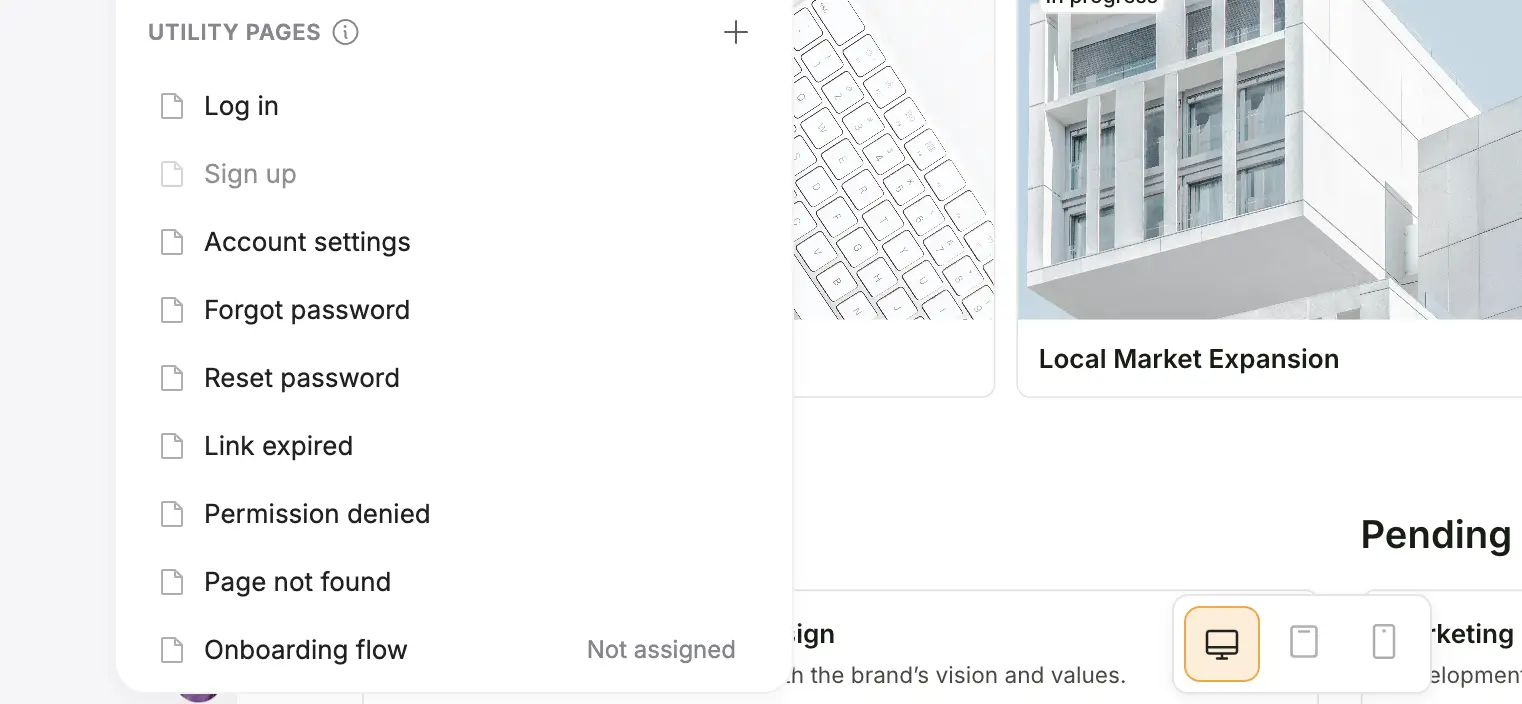
Softr comes with built-in pages for log in, account settings, and password recovery, so you don’t have to create them from scratch. You can personalize these pages with your brand, add custom fields, and guide new end users through onboarding steps that make sense for your business.
Design custom onboarding flows to collect key details (like profiles or service records), send welcome prompts, and track progress. Whether it’s welcoming new clients, employees, or partners, everyone gets a smooth, secure start inside your app.
Lovable doesn’t generate authentication flows, and Cursor assumes developers handle user management in code. Softr simplifies it with ready-to-use, customizable pages that make every app functional from day one.
7. Database AI Agents and Ask AI
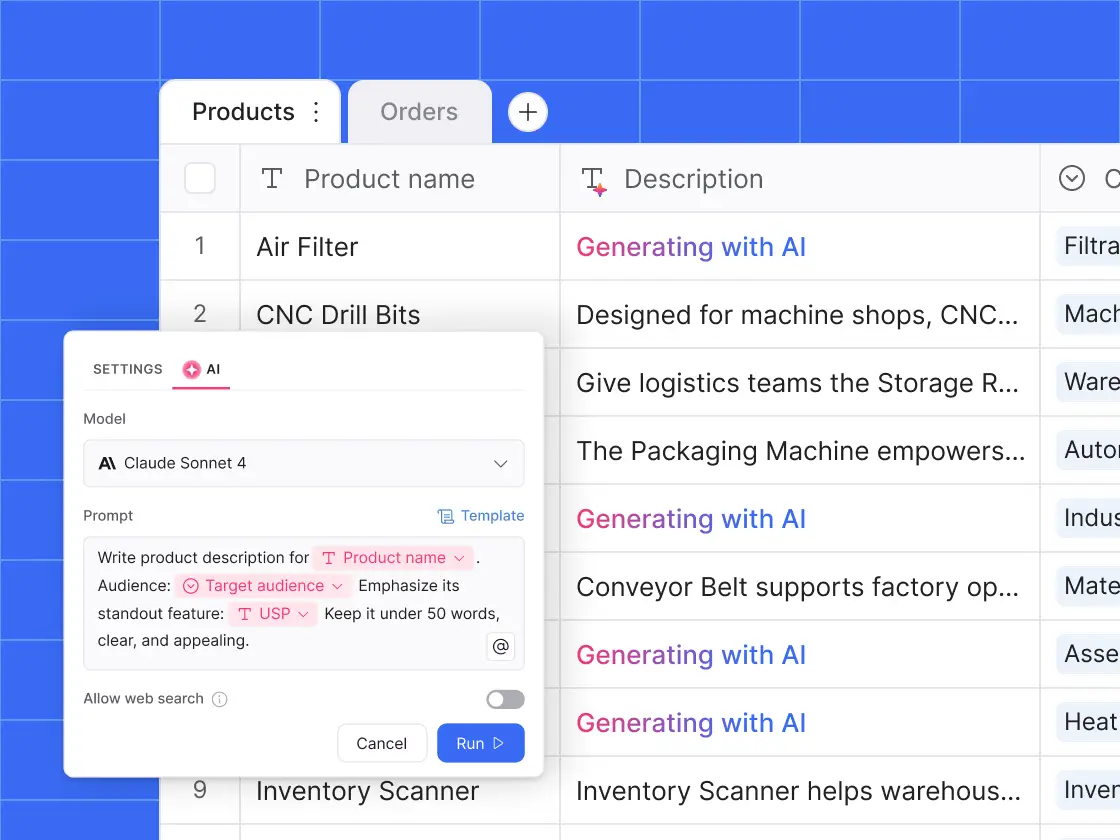
Softr’s AI Agents can live directly inside your database to generate insights, analyze records, or summarize information automatically. Use them to clean data, categorize inputs, or even generate text for reports, and do more without adding manual workload. With ask AI, allow app users to query live app data in plain English to get the answers they need (e.g., what was the total revenue from new customers in Q3?)

Cursor’s AI understands code, not business data, and Lovable’s AI generates UI, not insights. Softr uniquely turns your operational data into real-time answers, bridging analytics and app functionality without extra setup.
8. Responsive apps and mobile access
Everything you build in Softr automatically works on any device, like desktop, tablet, or mobile, without extra setup. Your apps adapt to different screen sizes, so users always get a smooth experience whether they’re in the office or on the go. You can publish them as installable Progressive Web Apps (PWAs), allowing team members or clients to access your app directly from their home screen on iOS or Android.
Lovable previews front-ends but doesn’t offer mobile optimization or PWA publishing. Cursor remains desktop-bound. Softr ensures every build is instantly accessible and branded across devices, ready for real-world use.
9. Predictable pricing
Softr offers a flat, predictable pricing plans so you always know what you’ll pay each month.
- Free ($0/month): Unlimited apps, with access to Softr Workflows, Softr Databases, Softr MCP, 5 app users, and 5,000 Softr Database records. Good for testing or simple internal projects.
- Basic ($19/month): Unlimited apps with 42+ integrations, Team: 5 + Client: 5 app users, and 50,000 records. Adds a custom domain, conditional section visibility on forms, and 2 form-logic branches.
- Pro ($99/month): Unlimited apps with 45+ integrations and custom code, Team: 10 + Client: 50 app users, and 500,000 records. Includes removing Softr branding, calling external APIs, e-signature, and custom user groups (up to 3).
- Business ($329/month): Unlimited apps with 52+ integrations, Team: 30 + Client: 100 app users, custom user groups (up to 10), and 1M records. Adds two-factor authentication, domain-restricted signup, push notifications, and an installable mobile app (PWA).
- Enterprise (custom pricing, contact sales): Everything in Business plus SSO (SAML/OpenID), custom invoicing, dedicated success manager, and team training.
The key difference is predictability. With Softr, you won’t run out of credits mid-month or face surprise overages. Whether you’re building a simple client portal or a full suite of internal tools, your costs scale in a straight line with your plan.
What Softr is best for
Softr is the best alternative for companies that need secure, business-ready apps that support day-to-day operations: the areas where Cursor and Lovable fall short.
You can use Softr to:
- Build custom client portals and internal tools that centralize client data, requests, and documents in one secure place. Lovable can generate front-ends and offers workspace roles, but it doesn’t provide a native relational data layer with built-in governance; its data story typically relies on add-ons like Supabase. Cursor focuses on code editing and repo workflows: not app-level data models or end-user portals.
- Automate internal operations with Workflows and AI Agents that handle approvals, notifications, and reporting automatically in one platform. Lovable and Cursor don’t include a no-code workflow engine for business automations; Cursor’s “Background Agents” target developer tasks inside the editor, not cross-tool business flows.
- Launch full-featured CRMs and dashboards on top of your existing data, keeping everything live and synced in real time. Lovable centers on UI/code generation (with optional Supabase), and Cursor has no concept of app data sources: it integrates with your code repo.
- Empower non-technical teams to create and manage apps without writing a single line of code. Lovable markets accessibility, but complex apps still require setting up databases/integrations; Cursor assumes developer skills and a codebase.
- Knowledge bases & directories: Organize company knowledge or resources into searchable, easy-to-use apps. Neither Cursor nor Lovable provide user roles, structured data relationships, or governance out of the box. Softr supports page/block/data-level permissions and conditional visibility; Lovable has workspace/project roles (viewer/editor/admin) but not granular, record-level app permissions; Cursor handles team/SSO for the editor, not end-user access to business data.
In short, where Lovable helps you visualize an idea and Cursor helps you code it, Softr helps you deliver it securely, at scale, and without writing code.
Lovable, Cursor, or Softr
Lovable and Cursor both help you move faster, but they’re built for different kinds of speed.
Lovable is ideal when you want to turn ideas into something tangible fast. It shines in early validation, showing clients or investors what your product could look like without involving developers. Cursor, on the other hand, is where technical teams live. It accelerates development by helping engineers refactor, debug, and ship real code faster, but it assumes a developer workflow from day one.
If your goal is to move beyond prototypes and code editors, and actually run your business on a tool that connects data, automates processes, and scales securely, then Softr is your perfect choice. It combines design flexibility, AI automation, and robust data management so your team can build once and keep iterating without starting over.
Try Softr for free and build your first CRM, client portal, or internal tool in Softr: no setup, no waiting, just a working app you can share the same day.
Frequently asked questions
Is Cursor AI better than Lovable dev?
What is better than Lovable AI?
Does Lovable use Cursor?


