Transcript
Translated into English:
In less than five minutes, the new Softr AI co-builder created a complete application for me that would have taken me days to build. It is different from Vibe-coding because instead of just receiving code, Softr provides the entire infrastructure ready on their platform.
This includes secure databases, visual interfaces that are easy to modify, automations, forms, and robust user management. Softr is a no-code solution using a visual builder to create complete apps with beautiful interfaces without needing advanced technical knowledge.
Today, I am going to show you this new co-builder. If you follow this channel, you know I often talk about Notion, which is my go-to tool for databases. While Notion AI can create pages and databases, Softr has the advantage of building complete applications with real contextual interfaces and more powerful rights management.
[.blog-callout]
Note from Softr: While templates are great, the AI co-builder allows you to build complete apps, pages, or database schemas instantly just by prompting for what you need.
[.blog-callout]
Notion has clear limitations regarding formatting and data access. With this new Softr co-builder feature, it is incredibly easy to go further and create complete apps without coding. I have been testing many different use cases and I am excited to show you the results.
Our main project today is creating a complete CRM to track business opportunities. We will also include a shared space so prospects and clients can find information regarding commercial proposals. If you are on the free version of Softr, you have AI credits every month to test this experience.
When you log into Softr, you have several options to create a new application. You can start from scratch, use a template, or use the AI to generate your application. Clicking this brings you to the path to create your app in just a few minutes.
First, I need to write a prompt describing the app. I want a CRM for tracking opportunities and a client portal. I need a dashboard for each salesperson to track their own opportunities, including the number of active deals and the total amounts based on their status.
[.blog-callout]
Note from Softr: Building a CRM is a common use case. Softr allows you to create specific dashboards for different user groups so everyone sees exactly the data they need.
[.blog-callout]
I also want a manager dashboard that summarizes all key figures from the databases. Additionally, we need a dashboard for each client to find their specific opportunities, proposals, and files like quotes. I even want a comment section for communication.
After sending the prompt, the AI asks questions to refine the needs. I specify the roles: managers, salespeople, and clients. I choose the status cycles for the opportunities and define that each client should only see their own data and be able to leave comments.
For user authentication, I prefer email so anyone can connect easily. I will invite users manually because we are dealing with sensitive financial data. For the layout, I choose a top navigation bar for desktop and a bottom bar for mobile devices.
Now we can choose a visual theme. There are many options, and I will pick the Opal theme because it fits my branding. Once the process is finished, the AI starts creating the application while I watch.
First, the AI creates the Softr Databases. It even populates them with example users and data, which is great for testing. It sets up databases for opportunities, proposals, and comments to serve as the foundation of the app.
[.blog-callout]
Note from Softr: You can manage your data using Softr Databases, our native solution for maximum performance, or connect to over 17 external data sources like Airtable and Google Sheets.
[.blog-callout]
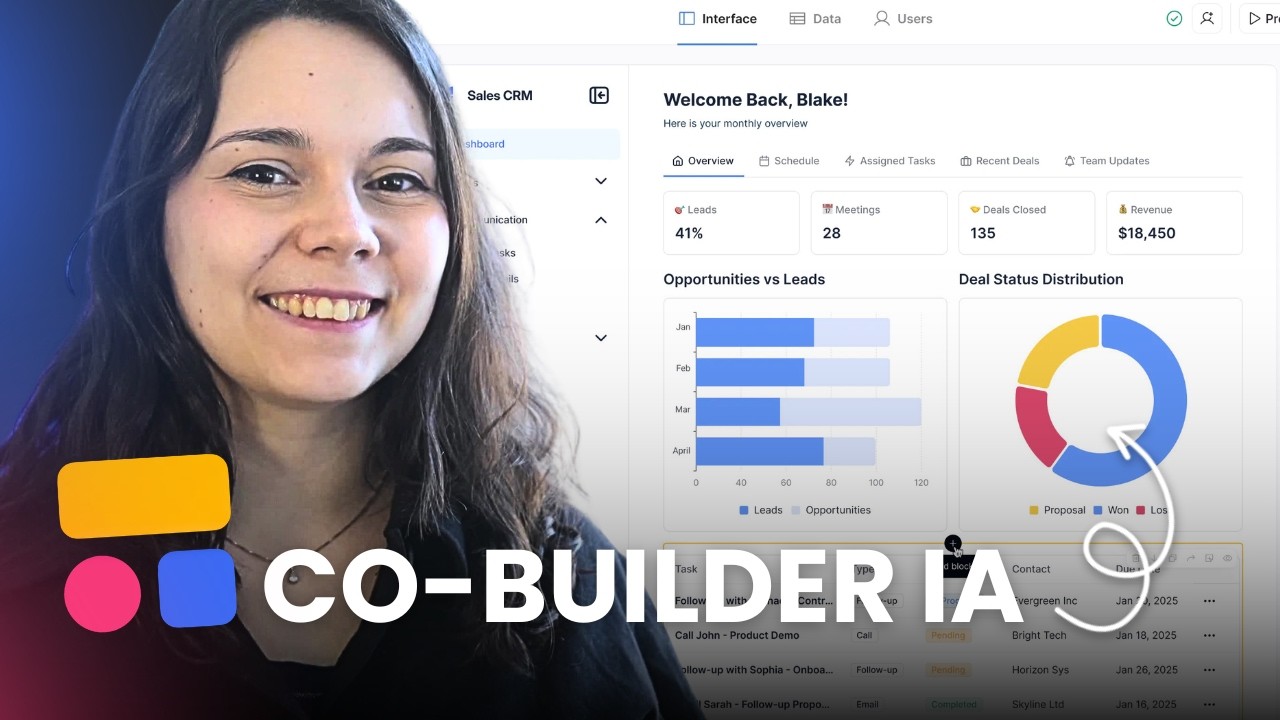
The AI then moves to the interface generation. It creates pages like Home, Opportunities, Proposals, and a Client Portal. It adds charts and cards to visualize the data. Everything happens very quickly.
Let's try it live. I am logged in as a salesperson named Thomas Bernard. I can see my opportunities, click for details, and use filters. However, I noticed I can see everyone's opportunities instead of just mine, so I will ask the co-builder to fix that.
I also want the summary cards on the home page to actually display the summed amounts. I can also make manual changes myself by clicking on elements and accessing the Softr settings. For example, I can manually add a conditional filter to a chart or change the color to green for signed amounts.
Softr also includes a search bar for when there are many opportunities. I can add a new opportunity through a form, entering the amount, probability, and closing date. This adds the data directly to the database.
[.blog-callout]
Note from Softr: Creating Forms is simple, and you can even set them to auto-fill fields like the "Salesperson" based on the logged-in user to save time.
[.blog-callout]
Now looking at the manager view, I see the global dashboard. It shows the number of active opportunities, the weighted pipeline, and the total signed amount. The charts update automatically as the salespeople add new data.
I can also use a specific block called the Vibe-Coding block. This allows me to use AI to generate a custom component for a specific part of the app. I will ask it to create a visual chart specifically for tracking opportunity progress.
[.blog-callout]
Note from Softr: When a native block doesn't fit your exact needs, use the Vibe-Coding block to prompt for a custom component that connects perfectly to your database.
[.blog-callout]
The Vibe-Coding block generates a visual layout that isn't available as a standard block. I can even ask it to refine the logic, like changing how the total amounts are calculated under each status column. It is very flexible.
Finally, the client view shows a simple dashboard with only their specific opportunities. To give access to these users, I use the user management section. I can send email invitations, and users can create their own passwords to access the secure interface.
I also experimented with other prompts. I created an app for organizing professional seminars. It allows participants to see the program, submit dietary preferences, and track their expense reimbursements.
I also built a tracker for a concierge service managing short-term rentals. It tracks housing occupancy, internal notes, and maintenance tasks. It even includes urgent task tracking for the manager.
Lastly, I modeled a training platform similar to where my Notion course is hosted. It includes free and paid modules, a calendar for webinars, and a community section with different discussion channels. All of this was created in less than ten minutes.
[.blog-callout]
Note from Softr: Whether you are building a team intranet or a project management tool, Softr now offers unlimited published apps on all plans, including the Free plan.
[.blog-callout]
I am very impressed with the co-builder functionality. It allows you to build your first interfaces and test your ideas very quickly. You can find more information in the description. Thanks for watching and see you soon.