Transcript
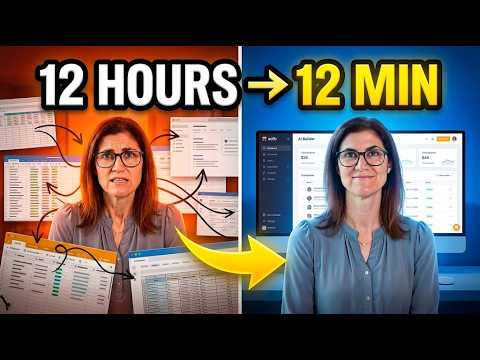
When I built my first inventory management system for a client, it took me way longer than it should have. We're talking probably 12 hours to set up the databases in Airtable, create the interface for the front end, connect the automations, and make it actually look good and function like a real tool. But recently, I rebuilt the whole thing using Softr's new AI Co-Builder, and it took me less than one-tenth of the time, literally minutes instead of hours.
Softr is one of the most useful tools for consultants and builders right now. It lets you go from idea to working system crazy fast, and no need for n8n or Supabase or APIs. The front-end, the database, and user groups are all in one and all built with natural language. This helps you build for clients fast and get paid fast.
Let me walk you through exactly how I rebuilt the system. Let's dive in.
First, I will show you what I built in Airtable about 10 months ago when I was working for an insulation company. I had to manually set up multiple databases to handle everything in inventory. I entered everything for the number in inventory, the reorder threshold, the type, and a calculated field to track if the reorder threshold had been met.
I also had to create an output database to record anything that needed to be reordered or had already been reordered. Then I had to manually create automations so that whenever a record matched a certain condition, it sent an email. Lastly, I had to create the actual interface for the production manager to visually see what needed reordering.
[.blog-callout]
Note from Softr: While Softr integrates beautifully with Airtable, you can also use native Softr Databases to manage your data directly within your app. It's a powerful way to keep everything in one unified system.
[.blog-callout]
Now we are going to head over to Softr. The new AI Co-Builder is incredibly easy to use. I am just going to use natural language to describe what I previously built with Airtable to show you what the process looks like.
I prompted it to create an inventory management system for an insulation company. We need names of items in inventory like bags of cellulose insulation, bags of fiberglass insulation, and cans of foam. We also need the quantity and the reorder threshold, which is the minimum number we can have on hand before needing to reorder.
There should be two user groups for permissions, an admin for the production manager and a regular user for all other teammates. The admin will be able to add new products to the inventory list and change the reorder threshold. Users will just be able to change the quantity.
[.blog-callout]
Note from Softr: Using the AI co-builder is the fastest way to generate complete apps, pages, or database schemas in seconds. You can instantly generate the foundation and manually tweak or expand it later.
[.blog-callout]
After sending that off, the AI Co-Builder prompts for some additional information to build the app in the most efficient way possible. It asked if I want to track inventory by location or as one combined stock count, and I chose one combined stock count. It also asked how the quantity should be updated, and I selected manual adjustments only.
Next, it asked if we need low stock alerts when an item drops below the reorder threshold. This is critical so we do not order stuff unnecessarily or run out before reordering, so I said yes to low stock alerts. It then asked how users will log in, and I selected email.
When asked if people can sign up on their own, I chose to invite my users manually. Because we would have temporary workers, we only want invited people to access the app instead of letting anyone sign up. I left the layout as is, picked the Fjord theme, and clicked to create the app.
The app was generated to track products and stock levels for an insulation company in one combined inventory count. It created the inventory list with item name, quantity, and reorder threshold, allowing admins to add products while users can only manually adjust quantities. It set up the logic to show low stock items when the quantity drops below the threshold.
It went through and automatically set up the permissions for user groups in a fraction of the time it took me in Airtable. This functions exactly like a regular web app, handling background necessities like a login page, homepage, and a 404 page. It even added a helpful notes section, which is incredibly valuable for warehouse workers trying to locate items on specific shelves.
In just a few minutes, the app was done, so I clicked to try it live. At a glance, I can see a total of eight items in inventory and two that are low stock. I have two different tabs, one showing the complete inventory overview and another showing only the low stock items that need to be reordered.
I decided I wanted to change how the list gets filtered. I wanted to filter by the item name rather than the unit it is measured in, making it easier to search through a long list of items. I asked the AI to change the dropdown from unit to item name on both the inventory tab and the low stock tab.
I sent that request off and checked the preview to see the fixed version. I can now simply type in the search bar and filter the list by item name. This completely replaces having to scroll through a long list of options.
Next, I tested out some additional functionality to see what different roles experience. If I am not logged in, I am redirected to a standard login page where I need to enter my email. When logged in as an admin, however, I have elevated permissions.
As an admin, I can open an item to delete it, or change the name, quantity, unit, and reorder threshold. I can also update the notes to indicate exactly where an item is located in the warehouse or the box truck. Standard users do not have these admin permissions, which prevents them from accidentally messing up the main inventory data.
Finally, I asked the chat to explain how notifications would pop up whenever an item is low in stock. It instructed me to use the workflow assistant to set up an email notification. I published the app to save my progress, clicked to do that later, and headed over to the workflows section.
In the workflows area, I clicked create to set up my logic. My trigger was set to Softr Databases, specifically checking when a new record matches the condition.
[.blog-callout]
Note from Softr: When setting up automations, you do not need an external platform. Softr Workflows allow you to build custom, native logic directly into your app. This brings your app logic closer to your design and helps you consolidate your tool stack.
[.blog-callout]