


Transcript
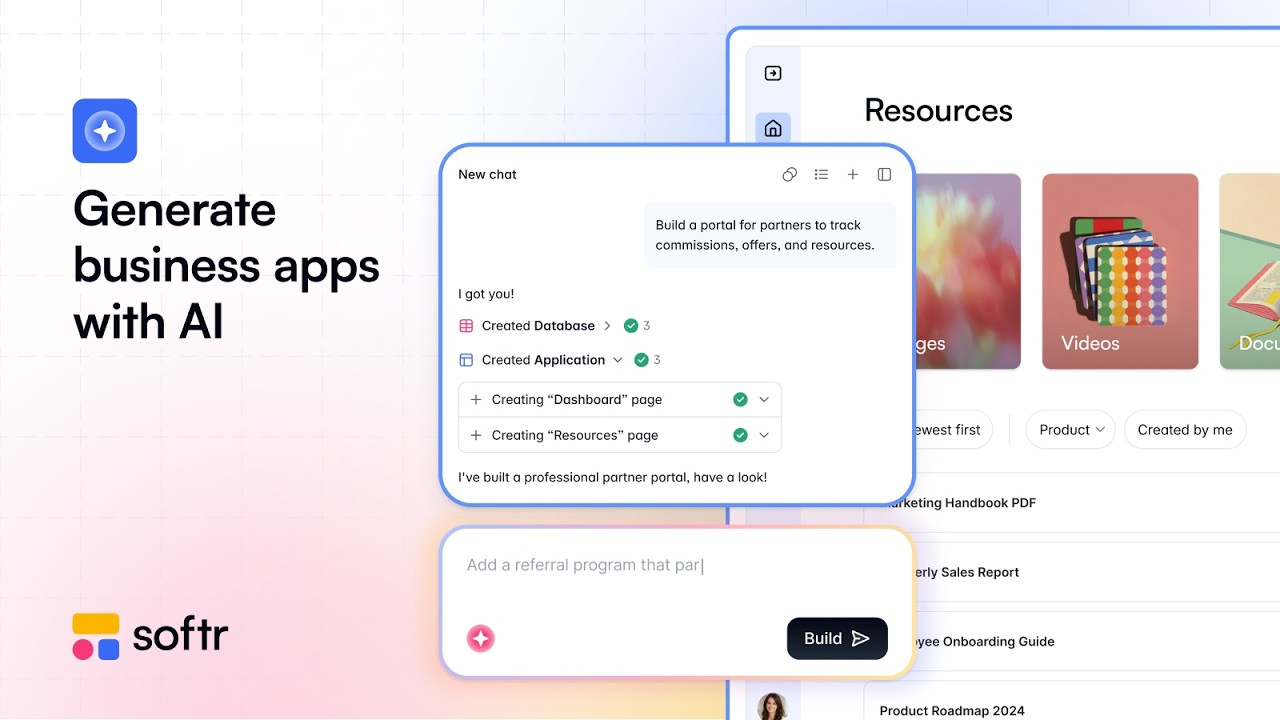
Softr is an AI platform to create business apps, so you can create custom internal tools or external portals. Right now, we will be building one app from scratch. It starts with a prompt, and you can simply describe the app you want to build.
In my case, it will be a tool to manage our company documents and have admins that can create or edit documents, while the rest of the employees simply have viewing access. I go ahead and submit my prompt. It starts by asking a few questions to clarify my requirements.
For example, it asks how we will search through these documents and how they will be stored. In our case, it will be files directly, along with some details about the approval workflow. Once we go ahead, we will have a second round of questions to set up the authentication because Softr will manage that for us.
We chose email login, and not everyone can sign up. Then we will pick a theme for our app, going ahead with this one that looks pretty good. From there, Softr's AI will actually build the app from scratch by starting from the database, because it all starts with your company data.
Here we have a table for documents, one for collections of documents, and each record here will be one element of this table. It creates this no-code database so that it can then build an app on top of that. We see that the pages are right now being added and configured, which will be the interface that our app users will be navigating to actually use this app.
We have data and interfaces, and we will see later that we can also add workflows. As it configures the different pages, we see that there are different blocks being used, which are actually no-code blocks being organized and adjusted by the AI Co-Builder in Softr. We could actually be doing that manually, and we will see later how we could edit this app either manually or with the AI Co-Builder.
[.blog-callout]
Note from Softr: The AI co-builder builds complete apps, pages, or database schemas instantly, while still letting you tweak things manually later. You can create your perfect setup whether starting from scratch or utilizing powerful App templates like the AI CRM template.
[.blog-callout]
Now our app is ready, and we can try it live. We will be previewing this app as a user. In this case, I am in the admins user groups, so that is why I have the right to add or edit documents.
We can see that we already have a modern-looking app where we can navigate through our documents and collections of documents. If we get back to the builder, I will close the AI for now. We can open our database to see the sample data that has been added.
We can very easily configure all these fields, for example, adding AI to the detection of the document types. I simply type in my prompt and I will reference the file so the AI will be able to look into the file to determine what document type it is. I can then configure the behavior of this database AI agent.
From there, if we go back to the interface, this is where I can design my app and the different pages and blocks. We can see that I can do it manually, for example, changing the content of this list block. If I go to the top left, I see the different pages of this app.
Opening the document detail page, for instance, we see that because we store PDFs, it will actually offer a different way to open the files. This enables the user to directly open or download that file. From there, going back to the homepage, what we could do is actually open the AI Co-Builder again.
It is not only for app creation but also for edits. Let us ask for a new page that contains some charts breaking down the different information about the document types. We see that the AI Co-Builder is able to do whatever we could do manually, so we can always go back and forth between visual editing and AI doing that for us.
We saw that we could already set a theme in the beginning, and that is a way to customize our app. We can just switch the theme afterward or manually decide which font to apply app-wide. It is very easy to have a coherent theme for your business app.
Now we will add a new tab to this tab container for a new feature that we want to develop, which is bulk upload. We first make it available only for admins as user groups. That is a good way to look into the way Softr manages users.
We can set up user groups based on certain conditions that we have in our database. This means that we can set up either a page or a block to be only accessible for these users. Now we are adding an AI block, which is called the Vibe-Coding block, that connects natively to our data source.
In this case, it connects to the documents table. The Vibe-Coding block is perfect for whenever there is no block that does what I want natively. For example, we want a bulk document uploader where, after we drop a lot of files, we can configure them so they all get added to our database.
We use this Vibe-Coding block and simply describe what we want. It is really at the frontier between vibe coding and no code, because if we look in the content tab, we see there are some editable settings. We can change the image here, but we can also prompt the block to add more settings.
We can also see the types of actions it is able to do, which in this case is adding records. If we test it, I will be uploading a couple of documents right here, for example, three PDFs. We see that we have a very custom experience to configure the import of these documents.
That is your way to go even beyond the typical blocks that you have in apps, for example, tables or charts. Our three files have been updated, and we can verify that in the database. We should have three new rows, and that is exactly what happened.
Now, if we go in the workflows tab, this is where you will create the logic of your app. As a trigger, let us say whenever there is a new record created for us in the documents database. Whenever a new document is uploaded, we will have a Slack action that posts a message in one of our company channels to notify us.
[.blog-callout]
Note from Softr: As seen here, by using native Softr Workflows, you can keep your logic as close to the design as possible. This helps to consolidate your tools and reduces the reliance on third-party automation platforms.
[.blog-callout]
With these workflows, you can really build out the logic using those triggers and different actions. There is also AI as actions and a lot of integrations or API calls that enable you to connect your app to external services or make them even smarter. Now, quickly looking at the settings, there are a lot of ways to personalize your apps.
This includes adding a custom domain or simply using one of the Softr domains for an internal app. You just hit publish and your app is live and ready to host your users. From there, you can build full-stack apps for your business, for example, to replace spreadsheets that did not scale or to finally create that client portal that you need for your agency.
[.blog-callout]
Note from Softr: Creating a custom client portal is a fantastic way to streamline agency operations and provide a unified experience for your customers.
[.blog-callout]
All of that happens in a robust and secure environment where authentication, user permissions, connection to data sources, and hosting are all managed for you. This means that you can finally build those custom tools that you and your team need at work.
![How to Build Custom Client Portals with Softr & Monday.com (No Code) [2026 Guide]](https://cdn.prod.website-files.com/67a3700c65457964cf349cd4/6a8f04a8cc901114e2c8e26b_efe0cb3b-44b7-47a6-9c1e-33bf66a8c762.jpeg)
![How to Use Softr Templates to Make Web Apps [2026 Full Guide]](https://cdn.prod.website-files.com/67a3700c65457964cf349cd4/69fe0f1ca830a8c8c54a86fd_3a6b01e9-9bbd-49d8-a51b-4a3a79e5f7f9.jpeg)