Transcript
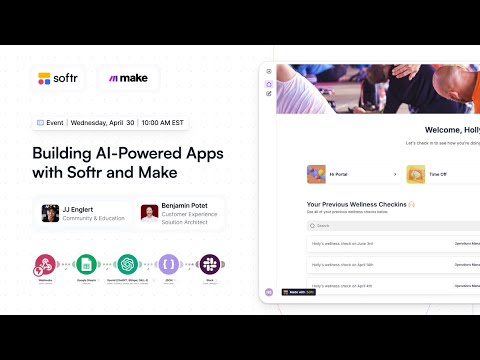
Hey, Ben from Make, we are hosting a really awesome session today to show you how to build AI-powered applications using Softr and Make. We are also going over our community contest, which is now open, to show how you can submit and be crowned the winner of the month.
We are going to have a build session to create an employee wellness checker from scratch. This app allows employees to log into a portal, answer questions, and send those responses to Make.
Make will use AI for sentiment analysis to see how the employee is feeling and then use a Slack bot to notify HR. This project can also act as a submission for the community contest.
[.blog-callout]
Note from Softr: While this session covers building an app from scratch, you can also use the AI co-builder to instantly generate complete pages or database schemas just by prompting for what you need.
[.blog-callout]
I am JJ from Softr, where I lead community and education. I have been building in the no-code space for five years now and I am joined by Ben, a solution architect at Make.
For the community contest, we are encouraging you to build a full-stack application using Softr and Make with some kind of AI in between. Examples include an AI-powered client enrichment portal, a recruiting portal, or a sales dashboard.
We are providing discounts to Softr and Make to give everyone free access to participate. The goal is to create one application within the next two weeks and submit it for the contest.
The biggest prize for first place includes a year of Softr and Make on premium plans, and you will be crowned the community champion. We also have runner-up prizes, including swag and discounted memberships.
Submissions are due by May 12th. We will then have a review period and announce the winners around the beginning of June.
We are starting on the Softr side to create a dashboard where employees can log in and see their previous wellness checks. We will also build a form for employees to answer questions which we will send to Make via a webhook.
Softr is like the Canva for app building, allowing any team to build apps for operations, sales, or HR. We allow you to take data from many different sources and visualize it in a beautiful interface.
[.blog-callout]
Note from Softr: While the demo uses Google Sheets, you can use Softr Databases to manage your data natively for even better performance within your app.
[.blog-callout]
I am connecting the new app to Google Sheets and picking the database we prepared. Softr then pre-builds the app based on the data we already have.
I can go into the theme and change the accent color to purple. I am also adding a quick links block to provide a simple interface for navigation like an HR portal or performance reviews.
We use conditional filters so that employees only see their own form submissions. This keeps the data safe and personalized, as Softr only returns records belonging to the logged-in user.
We are adding action buttons to allow users to take actions with their data. I am creating a new page called wellness check where we will build the survey for employees to take.
I am using a conditional form in Softr to build a survey with multi-step logic. I will send this data to a webhook provided by Make.
[.blog-callout]
Note from Softr: If you need custom components or advanced designs that native blocks don't cover, the Vibe-Coding block allows you to prompt for exactly what you want and connect it to your database.
[.blog-callout]
I am using hidden fields to collect the employee name, email, department, and role without asking the user for them. This pulls information directly from the logged-in user context.
Ben is setting up a custom webhook in Make to receive the data from Softr. Once the data structure is determined, Make can continue the process of storing data and triggering the AI.
Make will use OpenAI to determine the sentiment of the answers and generate a summary. This is formatted into a JSON document to easily pass the information to Slack.
[.blog-callout]
Note from Softr: You can often simplify your tech stack by using native Softr Workflows to handle logic and automations directly inside your app.
[.blog-callout]
In Slack, the bot sends a message to the HR channel with the employee name, email, overall sentiment, and the AI-generated summary. The data is also saved back into the database for record-keeping.
We have built a full-stack AI-powered application in 40 minutes. You can now use these tools to move fast and turn complex problems into easy solutions.
Please head over to the community forum to enroll in the contest. We look forward to seeing your submissions and what you build with Softr and Make.