Zoho CRM vs HubSpot: Which CRM should you choose in 2026?
.webp)
[.blog-callout]
✨ TL;DR:
- Choose HubSpot if you want something that’s easy to use and quick to set up. But be aware, costs can climb quickly as your team grows.
- Choose Zoho CRM if you need more flexibility and better value in the long run. Just be prepared for slower onboarding and a less polished user experience.
- Choose Softr to build a full business system around your customer data. This AI-powered platform lets you create CRMs, portals, dashboards, and more, with custom interfaces, workflows, and permissions to help you scale. The tool you select should match your ambitions, not your current bottlenecks.
[.blog-callout]
Zoho CRM and HubSpot are both well-known and capable CRM platforms. But that’s where the similarities end.
HubSpot is a simple yet polished platform that provides a fast start and a smooth ride. Zoho CRM is more like a flexible framework, better suited to teams that are willing to spend time on creating custom systems.
If you are weighing up these platforms, it’s probably because your current solution is not working. To choose between them, you need to understand which CRM better suits your current and future needs.
In this guide, we’ll compare the two platforms in detail, help you decide between them, and show you when Softr might be a better fit.
Zoho CRM vs HubSpot at a glance
| Feature | Zoho CRM | HubSpot |
|---|---|---|
| Best for | Teams that want flexibility, customization, and lower long-term costs | Teams that want fast adoption, ease of use, and a polished default setup |
| Ease of setup | Slower, more admin-heavy | Faster, more plug-and-play |
| Ease of use | Solid once configured, but busier interface | Cleaner UI and lower learning curve |
| Customization | Strong | Moderate |
| Sales and marketing fit | Better for tailored sales processes | Better for sales and marketing alignment |
| Automation | Deep and flexible | Accessible and easier to launch |
| Integrations | Broad, especially inside Zoho | Smooth, especially inside HubSpot |
| Pricing | More affordable as you grow | More expensive as you scale |
| Scalability | Strong if you can manage the setup | Strong, but can get pricey fast |
| Ideal team type | Ops-minded, cost-aware, process-heavy teams | Growing teams that want speed and simplicity |
What is Zoho CRM?
Zoho CRM is a highly customizable sales CRM, and part of the popular Zoho suite of cloud productivity apps. It’s designed to handle every component of the sales process — leads, deals, workflows, reports, forecasting, and automation.
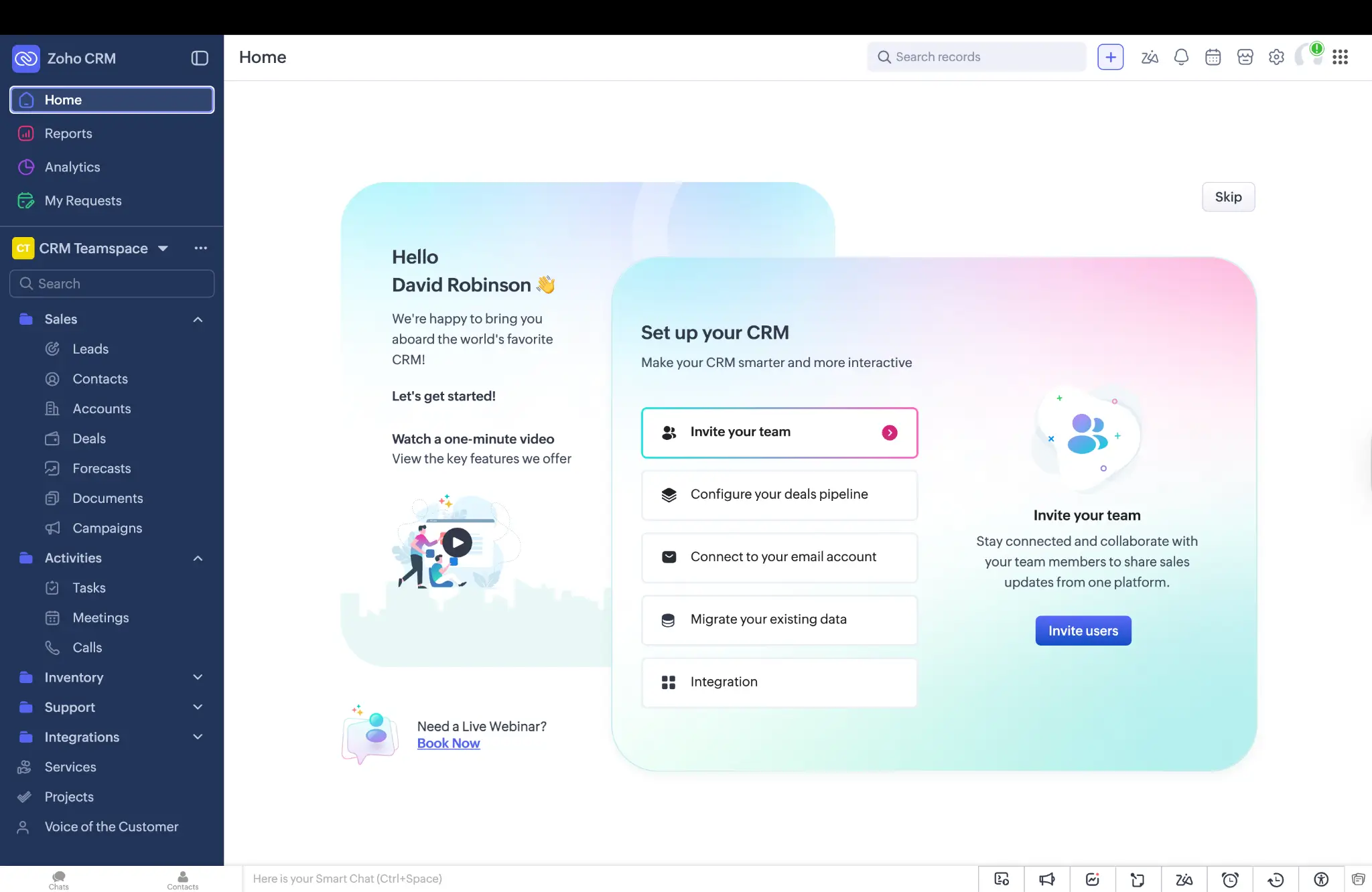
While HubSpot is honed for usability, Zoho CRM is made to be flexible. The platform provides a standard CRM base, but then lets you adapt everything else to fit your needs: modules, fields, layouts, workflows, portals, and process logic.
Zoho CRM pros and cons
Pros
- Broad feature set
- Strong automation
- Good long-term value
Cons
- Cluttered interface
- Steep learning curve
- Not the strongest performance
Who is Zoho CRM best for?
We think Zoho CRM is best suited to sales teams that have outgrown simple solutions and want to shape their workflows.
More specifically, this platform could work well for:
- Teams that care more about control than looks
- Sales teams with non-standard processes
- Businesses that already use other Zoho tools
- Companies that want to scale without spending big
How Zoho CRM works
Zoho CRM provides all the base features for customer management, and then it invites you to design your own workflow. You can build custom pipelines, lead routing, automations, views, reports, and much more.
For individual sales reps, the workflow is fairly straightforward. You’re just moving records through pipelines, updating fields, logging activities, and working from filtered views — all the usual stuff. But admins have a mountain of options and settings to play with.
What is HubSpot?
HubSpot is a platform that combines sales, marketing, service, and customer data in one connected system. For this comparison, the parts to focus on are HubSpot CRM and Sales Hub. These tools help you manage contacts, deals, reporting, and automation.
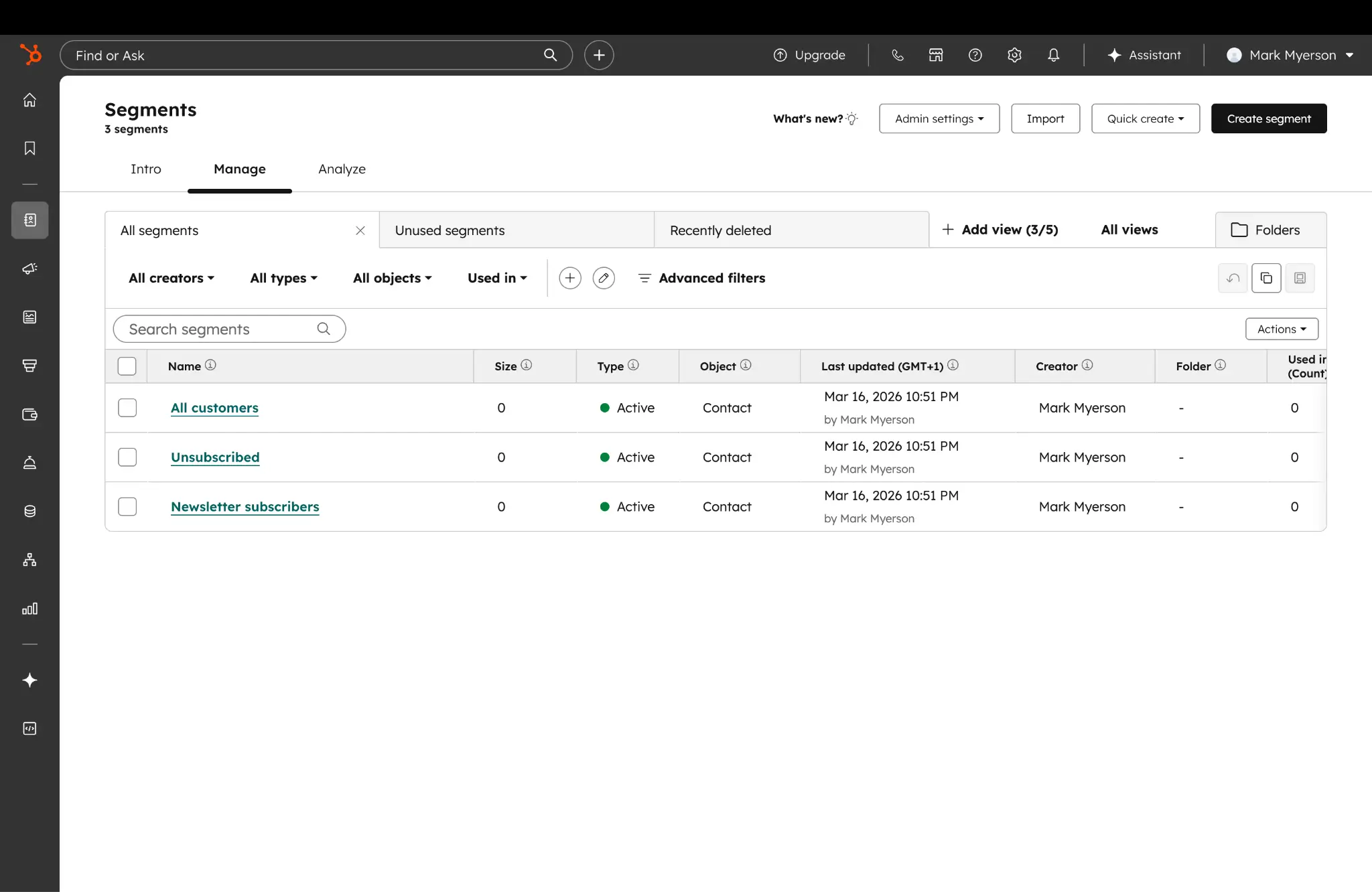
Whereas Zoho asks you to build on a base, HubSpot is designed to be usable on day one. This platform leans heavily on default settings, meaning you can spend less time on initial setup.
HubSpot pros and cons
Pros
- Good usability
- Rapid onboarding
- Strong visibility across sales processes
Cons
- Expensive as you scale
- Advanced features locked to higher tiers
- Not as flexible out of the box
Who is HubSpot best for?
In our experience, HubSpot is best for teams that want a ready-to-go CRM. That tends to include:
- First-time CRM buyers
- Small-but-growing sales teams
- Businesses that want a simple system that encompasses both sales and marketing
- Teams that don’t have much admin or ops support
- Companies willing to pay more for convenience
While companies of all sizes use the Hubspot suite, the platform has shifted focus from SMBs to enterprise over the past few years.
How HubSpot works
The sales tools in HubSpot cover your contacts, companies, deals, activities, and reporting. You can access all of these features in one interface. That might sound like a recipe for headaches, but the design is actually quite clean and easy to navigate.
Most teams can start with the preset objects, views, and automation, and then add on reports, sequences, forms, and workflows as they go.
From a user perspective, HubSpot tends to feel like a guided sales workspace where the next step is usually visible on the screen. This simplicity can be a real advantage.
Zoho CRM vs HubSpot: Features compared
We’ve seen how Zoho CRM and HubSpot differ at a high level. But to understand exactly what separates these two platforms, it’s important to dig into the details.
Here’s a look at how the two apps compare across key CRM features:
Which is easier to use and set up?
We reckon HubSpot is much easier to learn and to navigate. In fact, the whole product is designed to reduce first-week confusion. The design is also modern and attractive, which will encourage your team to explore.
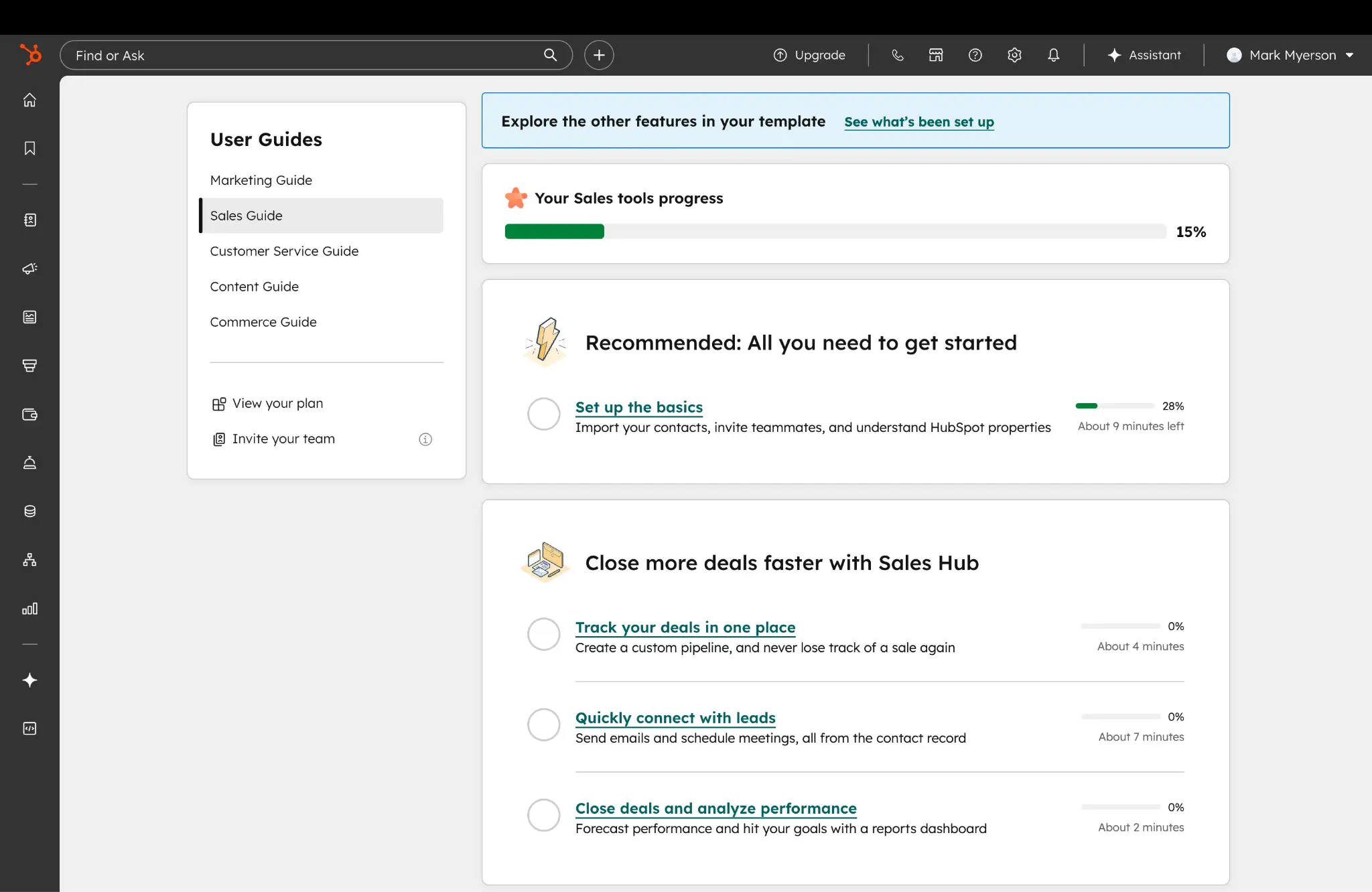
Zoho CRM is not difficult to use, as such. But the sheer wealth of options can feel overwhelming. We counted over 80 sections in the main sidebar menu, and each of these contains multiple options. Zoho also asks users to take the lead — so the first steps feel like harder work.
Verdict: Choose HubSpot if fast adoption matters more than deep control.
Which offers more customization and flexibility?
If your sales process is specific to your business or industry, Zoho CRM gives you more tools for building a system that matches. We think this is actually the platform’s key selling point. You get access to configurable fields, a menu of modules, custom layouts, and much more.
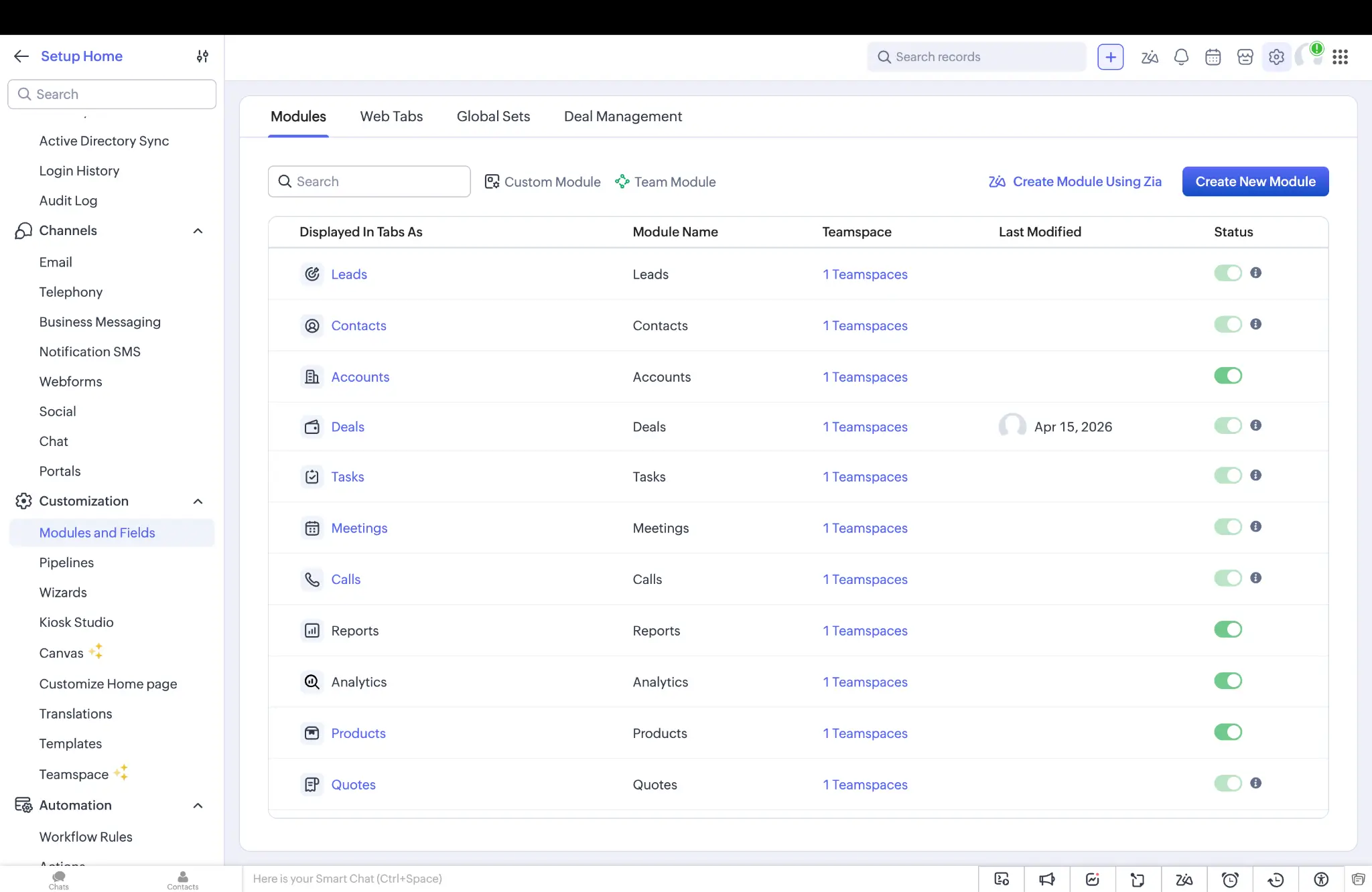
In comparison, HubSpot is geared toward the “average” sales process. While you can still adapt your account, the platform is better suited to small tweaks rather than radical reshaping.
Verdict: Choose Zoho CRM if your process does not fit a standard mold.
Which is better for sales and marketing alignment?
This is a closer call.
HubSpot makes the transition from marketing to sales very smooth. The CRM maintains strong links between lead gen, contact history, pipeline stages, and overall campaigns. Just as importantly, it’s all accessible without flipping between endless screens.
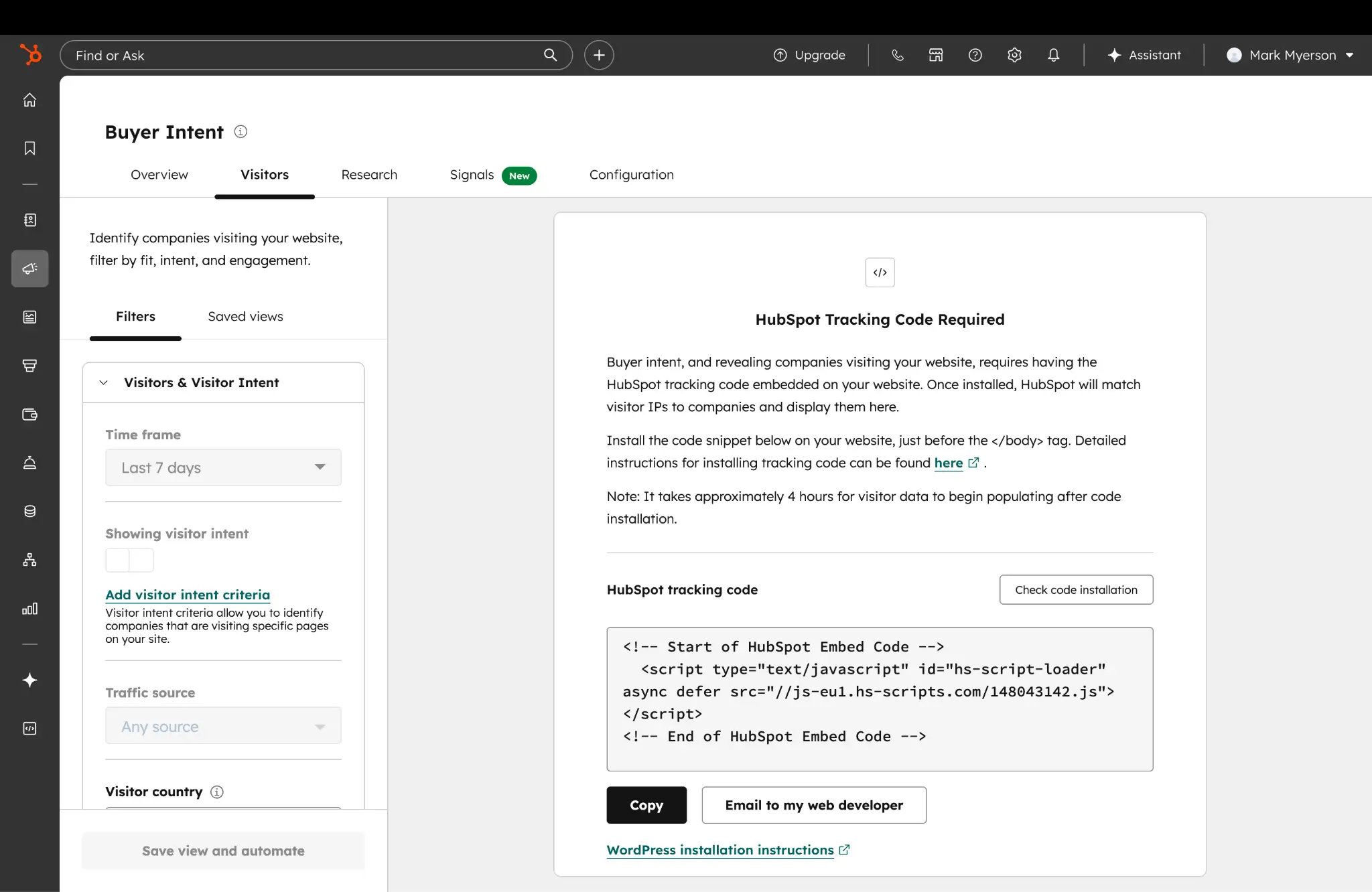
Zoho CRM also has plenty of marketing features, including lead nurturing, campaign management, segmentation, and automation. If you use other apps in the Zoho suite, you can even sync email campaigns, webinars, live chat, and multichannel workflows.
The difference is that Zoho CRM leans more on other tools in the same suite, while HubSpot provides a more unified workflow in one workspace.
Verdict: Tie. HubSpot is more unified; Zoho CRM is feature-rich, but not quite as neatly integrated.
Which has better automation?
HubSpot is better if you want to launch common sales workflows quickly — things like task creation, reminders, basic routing, and simple follow-up sequences. But Zoho CRM excels when your workflows are more customized.
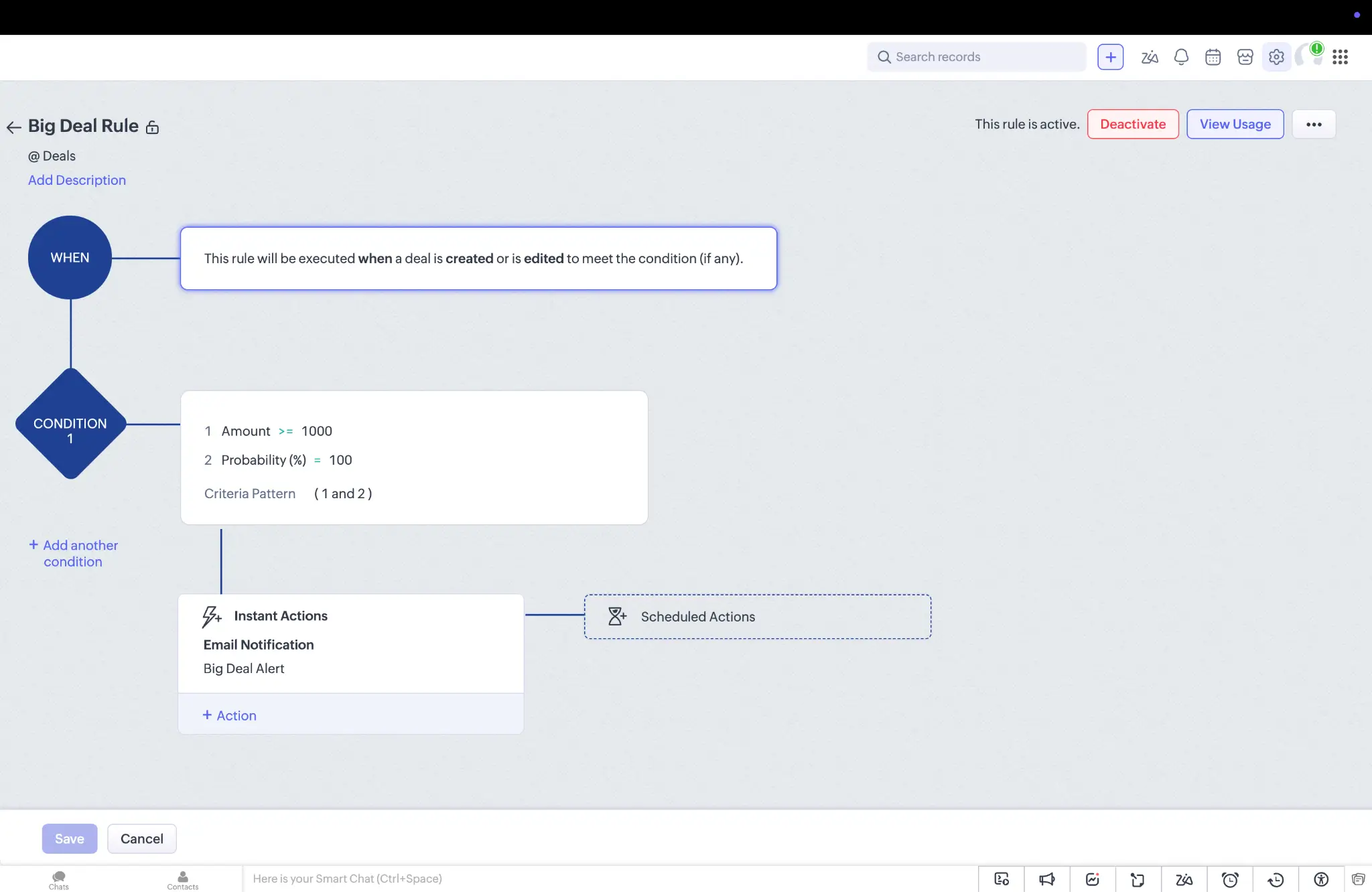
The difference shows up in real world use. We see many teams begin automating with HubSpot. Zoho CRM gives advanced users more room to build.
Verdict: HubSpot is easier for common workflows. Zoho CRM is stronger for more customized automation.
Which is better for integrations?
It really depends on what you want to integrate.
In terms of connecting separate platforms, HubSpot is clearly stronger. The platform has over 2,000 native integrations, along with the connections you can make with tools like Zapier and Make.
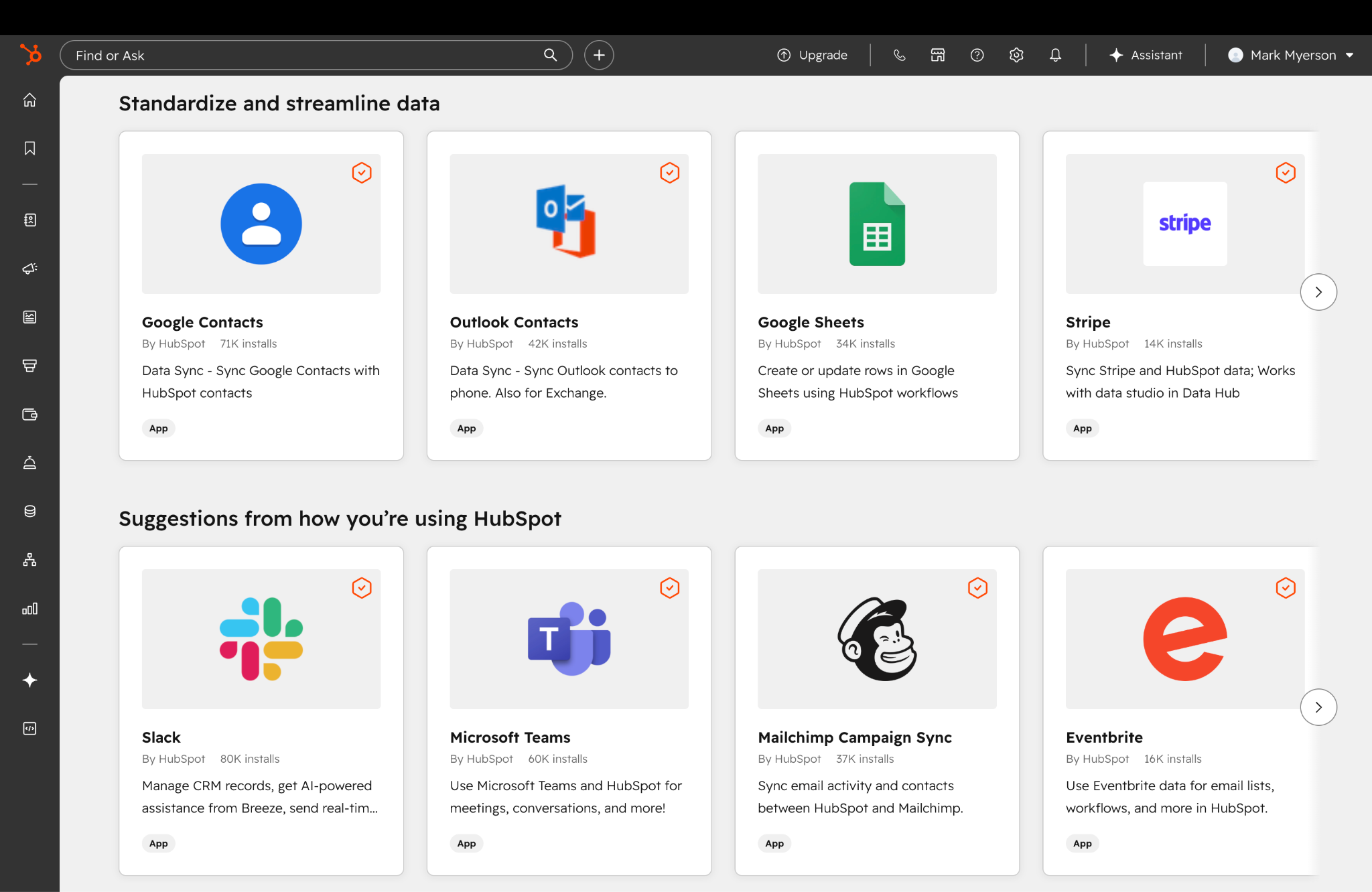
Zoho CRM has fewer third-party integrations. However, it works seamlessly with the other 55+ apps in the Zoho suite.
Verdict: HubSpot wins unless you’re committed to Zoho apps.
Popular use cases for Zoho CRM and HubSpot
To get a better feel for which platform is likely to solve your specific problems, let’s look at some common use cases for each CRM.
Best use cases for Zoho CRM
- Custom sales pipelines — If your team doesn’t follow the traditional path from first contact to closed deal, you can create your own adventure with Zoho CRM. This is particularly useful if your process includes handoffs, approvals, or extra checks before deals move forward.
- Long-term projects to improve operations — Zoho CRM is a bit like a classic car; the more work you put in, the better it runs. If your team wants to move toward more structured systems and automations over time, this platform is a good choice.
- Budget-conscious CRM rollouts — Zoho CRM works well for businesses that need a capable system on a shoestring budget.
Best use cases for HubSpot
- Your first CRM — HubSpot is a strong option for growing sales teams that want to graduate from spreadsheets and scattered notes. The layout is easy to understand, and most people can start using it without much training.
- A CRM for both sales and marketing — When both your sales and marketing teams need to use the same data, HubSpot can make life easier. It keeps activity history, contact details, and deal progress in one place, so there’s less to fall between the cracks.
- Improved pipeline visibility — HubSpot can be useful for managers who want a better idea of how leads progress through the pipeline. The platform offers multiple views, activity history, and standard reports to help you get a quick overview. This is particularly valuable for smaller businesses that may have only one person supervising sales.
Zoho CRM vs HubSpot on Reddit
Reading through reviews and comments, the distinction between these apps becomes even clearer.
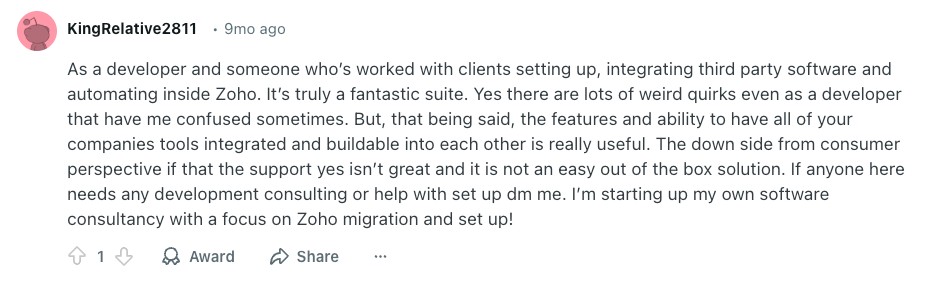
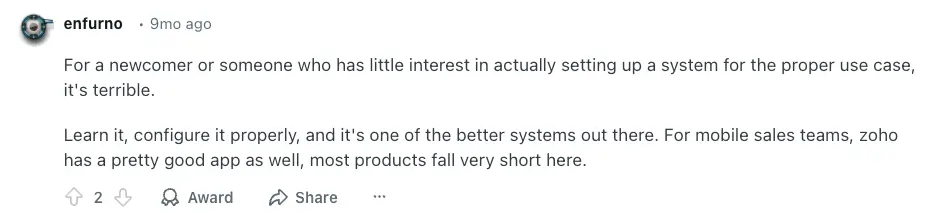
Much of the praise and criticism for Zoho CRM centers around the balance between control and complexity.
Skilled developers and operations admins often love how much they can change about the platform, while less technical users hate the complexity:
Some businesses choose Zoho CRM for the pricing alone. It’s much more affordable than many comparable CRM platforms:

However, some everyday users often complain about the performance of the platform, particularly on mobile devices:

Reviews for HubSpot are almost the polar opposite. Users love how quickly they were able to set up the CRM:


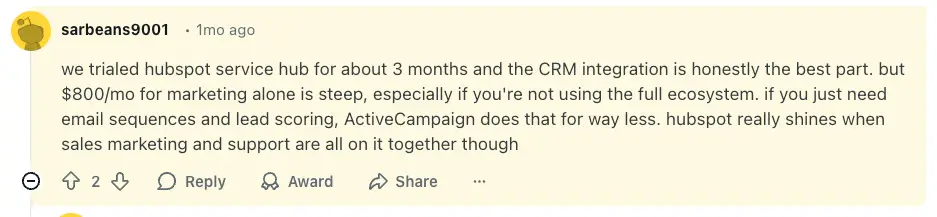
Redditors also like the tie-in between marketing and sales, and note that HubSpot can scale well. But cost is a recurring issue:

How pricing compares between Zoho CRM and HubSpot
The amount each business pays for a CRM depends on multiple factors, like team size and features. But you can get a rough feel for your likely bill by looking at the pricing models:
| Plan level | Zoho CRM | HubSpot Sales Hub |
|---|---|---|
| Free | Up to 3 users, limited features | Up to 2 users, limited features |
| Starter | Starter from $14/user/month billed annually | Starter $9/seat/month billed annually |
| Mid-tier | Professional from $23/user/month billed annually | Professional from $90/seat/month; additional seats $45/month |
| Top-tier | Enterprise from $40/user/month billed annually; Ultimate from $52/user/month billed annually | Enterprise from $150/seat/month; additional seats are $75/month |
When you crunch the numbers, HubSpot looks attractive at first. For small teams, the $9/seat/month Starter plan will suffice.
But once your operation begins to scale, the costs quickly ramp up. Even the mid-tier plans could cost you several hundred dollars per month for a mid-size sales team.
In contrast, Zoho CRM’s pricing grows evenly with users and features. And even on the Enterprise tier, it doesn’t touch the heights of HubSpot’s mid range. This makes Zoho CRM a more attractive proposition for scaling on a budget.
Close to making up your mind? There’s another option to consider.
Meet Softr: the best alternative for building a custom CRM with AI and no-code
Many businesses go shopping for a CRM when they actually need a better system for handling customer data. That’s where Softr can help.
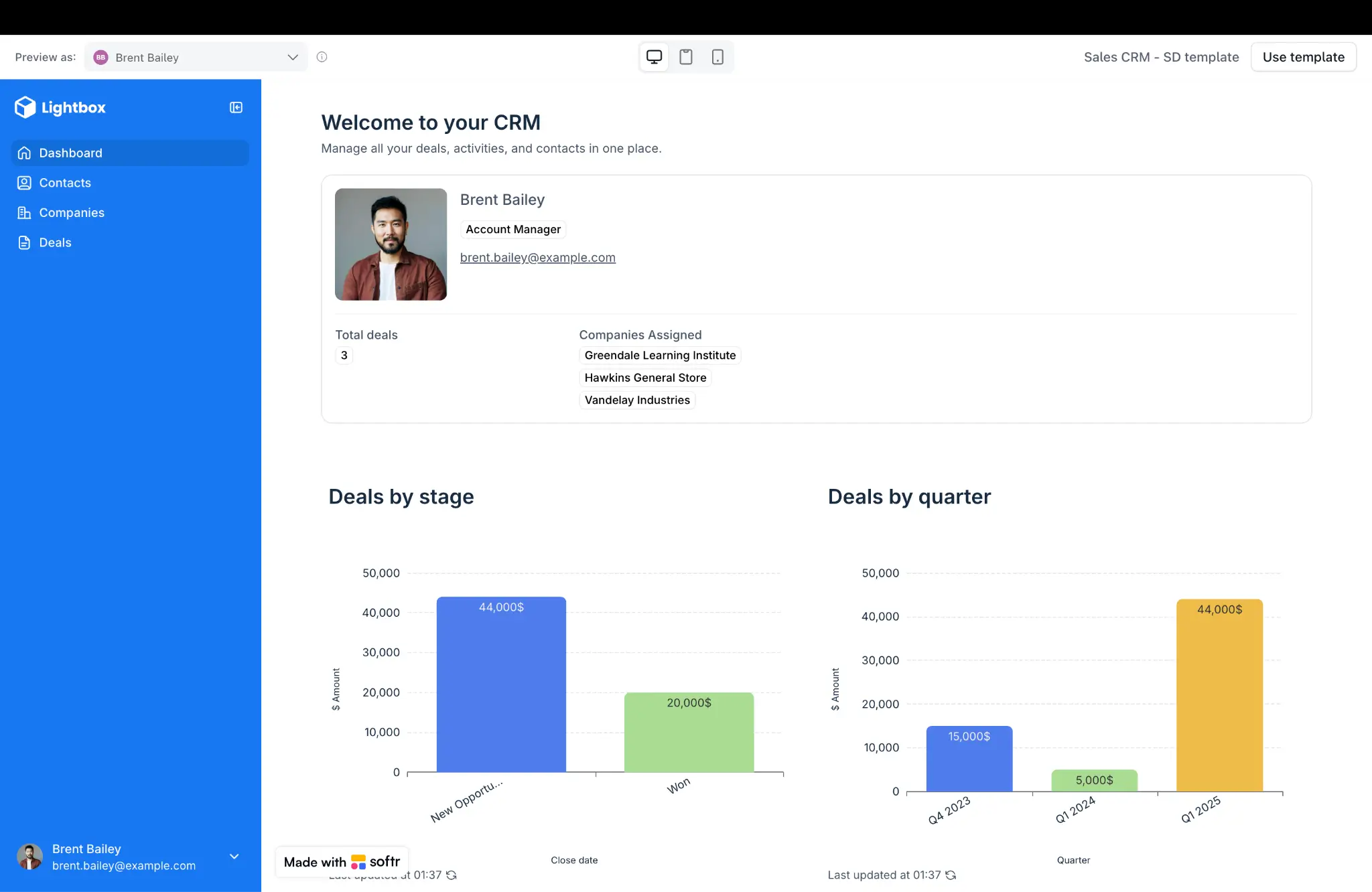
Softr is an AI platform lets you build your own business apps without code — including CRMs, portals, dashboards, and internal tools.
Why choose Softr over Zoho CRM and HubSpot?
If you’re scouting Zoho CRM and HubSpot, you’re probably looking for something more flexible than the average CRM.
Softr gives you that control. Using the AI Co-Builder, you can create a secure, fully functional CRM in minutes using simple text prompts.
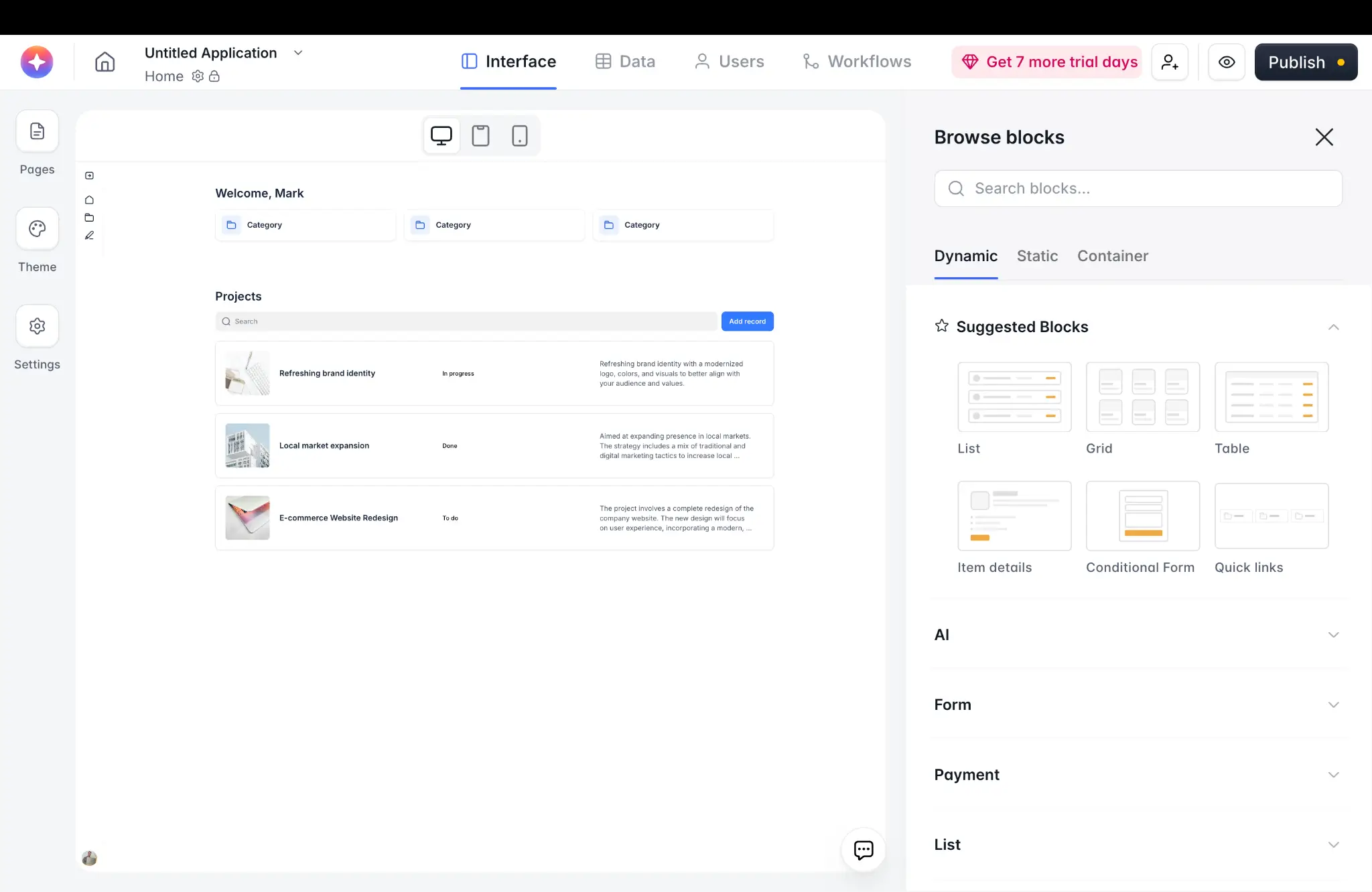
Just describe the kind of CRM you want (including details like industry and the customer data you want to track), and it will generate the interface, database, and app logic all connected for you. (Or use Softr’s ready-made CRM template to get started.)
You can then edit and refine your CRM using the visual editor, or re-prompt the AI to continue iterating. It’s easy to build interfaces and workflows that make sense for your sales team, which is a lot faster than trying to tailor an off-the-shelf CRM for specific needs. Plus, you generally end up paying less per user.
With Softr Workflows, you can automate processes like lead assignment, follow-ups, and status updates to keep your sales pipeline moving forward, while role-based permissions let you control who can access and update customer data at a granular level.
Because Softr is a multi-purpose app builder, you don’t have to stop with your CRM. You can build adjacent tools and workflows using the exact same process. Here’s a selection of real-world apps you can build and run with Softr:
- Sales CRM tailored to your workflow
- Client or partner portals
- Onboarding workspaces
- Internal dashboards for managers
- Intake, request, and approval systems
- Role-based apps that sit on top of existing CRM data
- Tools for partner collaboration, reporting, and customer-facing access
Softr pricing
Softr’s pricing is flat and predictable. Every plan includes a monthly AI credit allowance, so you can try the AI Co-Builder and Vibe Coding block at no cost.
- Free: Unlimited apps, with access to Softr Workflows and Softr Databases, 5 app users, 5 AI credits, and 5,000 database records
- Basic: $19/month for unlimited apps with 42+ integrations, Team: 5 + Client: 5 app users, 10 AI credits, 50K records, 2.5K workflow actions
- Pro: $99/month for unlimited apps with 45+ integrations and custom code, Team: 10 + Client: 50 app users, 50 AI credits, 500K records, and 10K workflow actions
- Business: $329/month for unlimited apps with 52+ integrations, Team: 30 + Client: 100 app users, 100 AI credits, 1M records, and 25K workflow actions
- Enterprise: Custom pricing (contact sales)
Zoho CRM vs HubSpot vs Softr: Which one should you choose?
Here’s how we would sum up the choice between these CRM solutions.
- Choose HubSpot for fast onboarding and a cleaner interface, and you’re not worried about costs as you scale.
- Choose Zoho CRM if you want more control and customization, or you’re more conscious about your budget.
- Choose Softr to build your own sales process, with customized portals, dashboards, forms, workflows, and custom permissions.
All things considered, Softr is the most capable platform here and it offers the best bang for your buck.
Choose the CRM builder that scales as you grow
Picking a CRM is a big decision. Whichever platform you choose is likely to be your solution for some time — unless you want to go through another onboarding process.
With this in mind, be sure to research the options carefully and use the free plans of each app to take a test drive.
Thinking of trying Softr? Sign up free today to see how easy it can be to build your own sales systems.
Frequently asked questions
Is Zoho CRM cheaper than HubSpot?
Is HubSpot easier to use than Zoho CRM?
Which is better for small businesses: Zoho CRM or HubSpot?
Can Softr replace a CRM?
Which tool is better for customization?