
Workato is built for enterprise automation and priced accordingly. Most teams evaluating it don't need the governance layer or the custom quote, but just want working automations in place this month. These five Workato alternatives deliver that with lower costs and shorter setup time.
Best Workato alternatives at a glance
Limitations of Workato
There’s no doubt that Workato is a powerful automation platform. It can connect CRMs, ERPs, project tools, HR systems, and data warehouses across a large, enterprise tech stack, while applying advanced workflow logic and conditions. And as an IT team, you can also enforce robust security and data governance (vital for compliance needs).
The problem: not every team needs this kind of horsepower. Nor do they have the budget required. So you may want to look at Workato alternatives if these limitations matter:
What to look for in a Workato alternative
Workato is powerful. But for most, its limitations become pain points long before you need its large-scale capabilities. When evaluating Workato alternatives for enterprise or small-business needs, you need a platform that matches the feature set while solving these specific problems.
Here’s what to look for in an alternative to Workato:
1. Cost-friendly, open pricing: You cannot get a Workato price without jumping through some hoops. Look for transparent, self-serve pricing that offers freemium tiers or simple rates you can understand quickly.
2. Integration depth that matches your stack: Workato is great for on-premise, custom enterprise-built, and older legacy systems. But most small businesses don’t use these. They need simple integration with popular, external SaaS products. And lots of them.
3. Native automation: Like many others, Workato moves data between separate tools. So it creates dependency chains. The best alternatives let you automate directly within your app or database to reduce external failure points.
4. User-friendliness that matches your capabilities and simpler needs: Workato assumes technical expertise and IT ownership (not ideal for a regular business user). Other platforms offer visual builders and AI assistance for ease of use. Choose the tool that matches how your team actually works and who will be building automations day to day.
The 5 best Workato alternatives
1. Softr Workflows — best no-code Workato alternative for building apps and automations natively
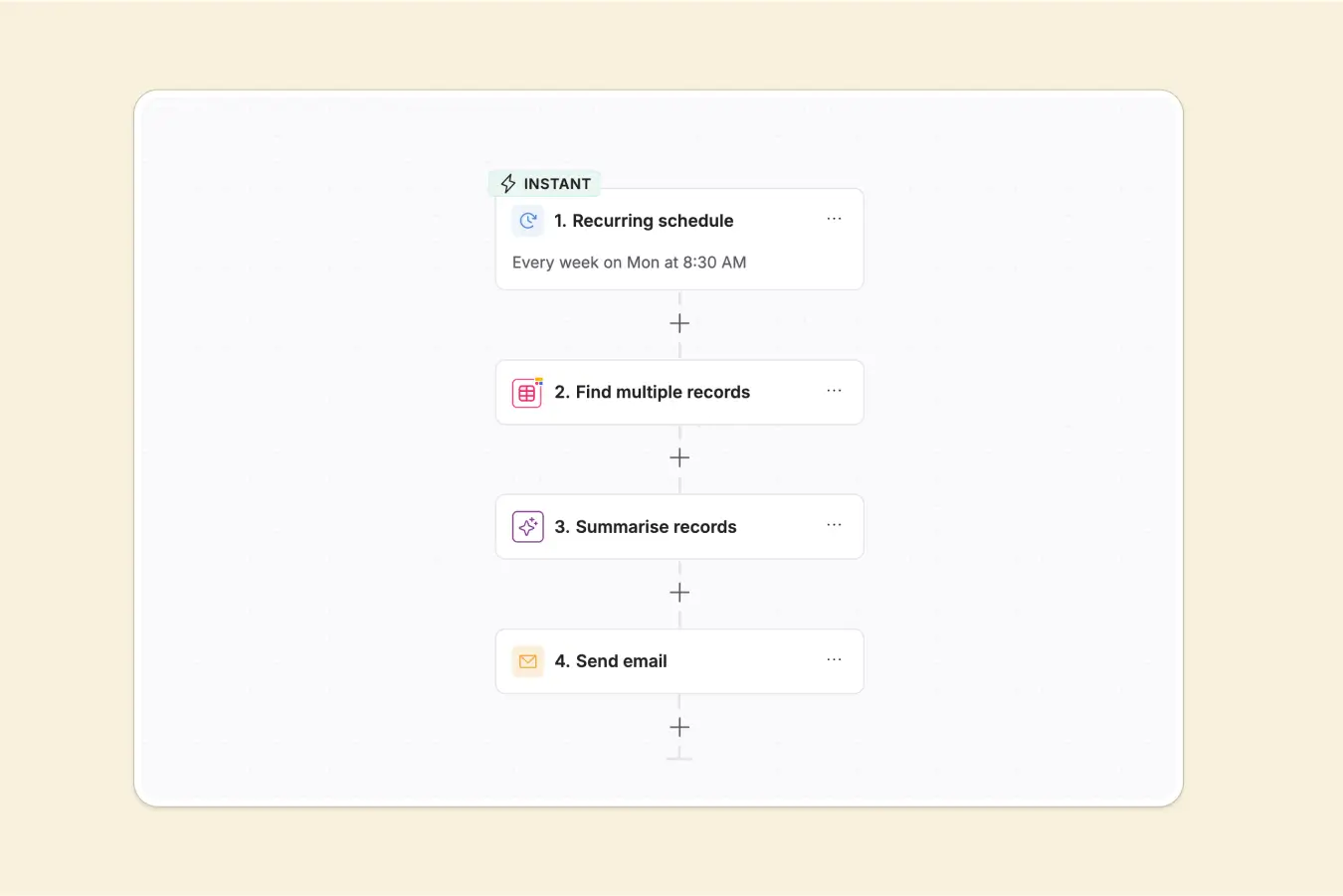
Most automation tools just connect things. Softr lets you build the "thing" itself. Imagine you need a client portal, a CRM, an internal tool, or a custom project management system. Softr Workflows is the only platform on this list that lets you create the actual application and automate what happens inside it (all with AI and no code).
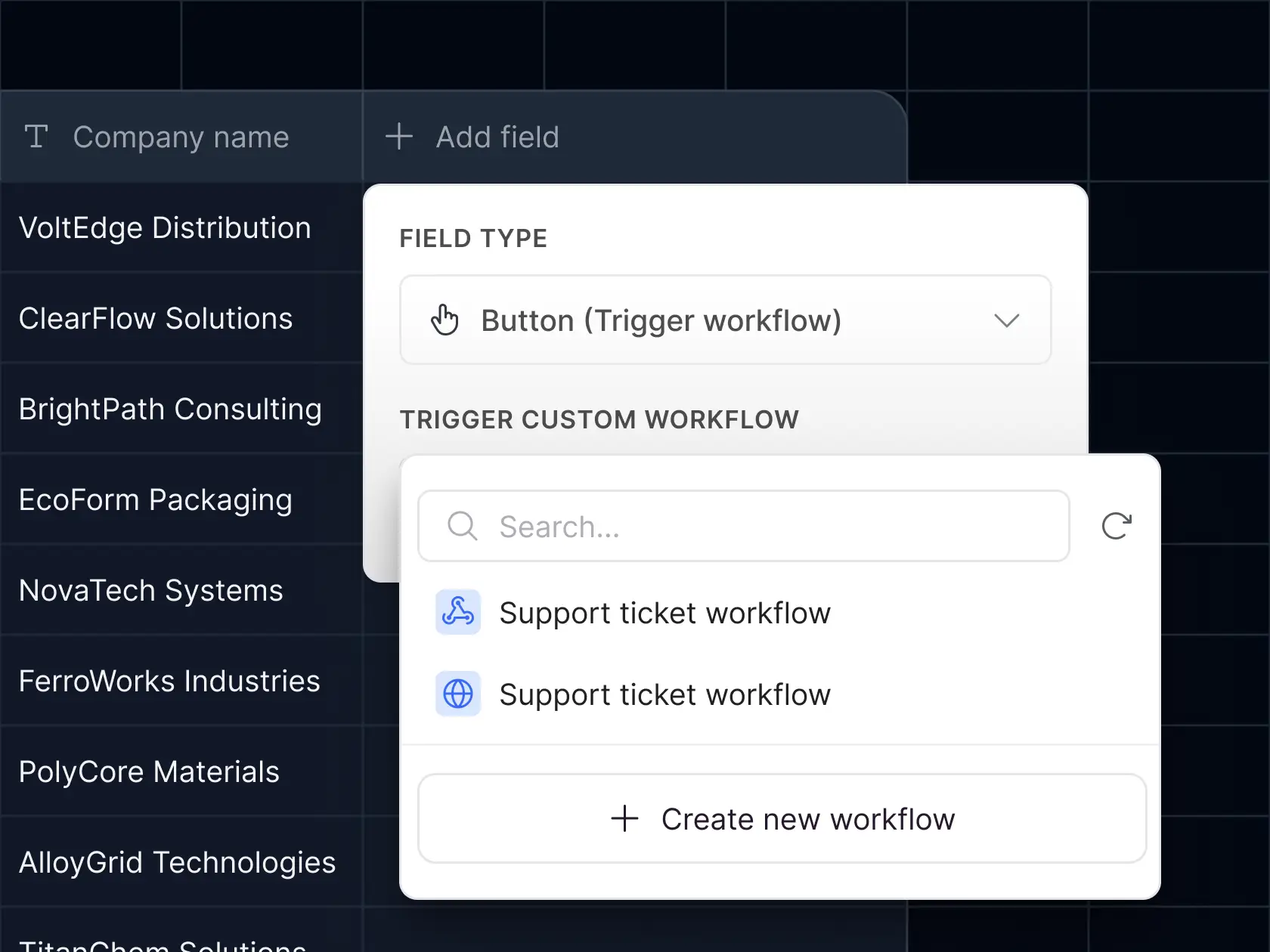
It combines your database, user interface, and workflow engine into a single place. Automations can trigger directly from buttons in your app, show users a loading screen while they run, and redirect to the right page when they’re done. No third-party connectors. No extra logins. Just one platform from start to finish.
And surprisingly, these robust capabilities are affordable and super easy to use.
Pros and cons of using Softr Workflows
Pros
- Let's you build the system itself; you can reduce tool sprawl by combining UI, workflows, and databases into a single no-code platform.
- User-friendly via drag-and-drop builder, pre-built templates, and an AI Co-Builder that creates workflows from plain English but with advanced logic capabilities.
- Runs automations natively inside your app, so you're not juggling third-party connectors or chasing broken chains for fewer dependencies and failures.
- No surprise fees or overages; pricing is transparent and includes templates and an AI Co-Builder that gets you from zero to first workflow in minutes.
Cons
- Relatively new; native integration library is small (though you can use REST APIs and webhooks to fill the gaps)
- Workflow debugging and logging are still in development; some users find it hard to pinpoint workflow failures.
Softr Workflows key features
- App-native triggers: Trigger automations from inside your app (click a button, submit a form, create a record, etc.). Shows users a loading screen while the workflow runs, then redirects them to the right page when it's done.
- Unified environment: Keeps your database, app interface, and workflow logs in one place, so if something breaks, you're not digging through dozens of tools to find the problem.
- AI app builder: Describe what you want in plain English and let AI build the workflow for you.
- AI Agents: Deploy AI agents in your workflows to carry out any number of frankly useful tasks, like extracting text from blurry images or creating content.
- Custom code when you need it: Offers webhooks, REST API calls, JavaScript, and Python, and lets you bring API keys, connect to internal systems, or write custom logic in one place.
Softr Workflows pricing
Softr Workflows is included in all Softr pricing plans—pricing below reflects annual plans:
- Free plan gives you Unlimited apps, with access to Softr Workflows and Softr Databases, 5 app users, 5,000 database records, and 5 AI credits.
- Basic starts at $19/month (billed annually) for unlimited apps with 42+ integrations, Team: 5 + Client: 5 app users, 50,000 database records, and 10 AI credits.
- Pro is $99/month for unlimited apps with 45+ integrations and custom code, Team: 10 + Client: 50 app users, 500,000 database records, and 50 AI credits.
- Business is $329/month for unlimited apps with 52+ integrations, Team: 30 + Client: 100 app users, 1,000,000 database records, and 100 AI credits.
- Enterprise (custom pricing, contact sales) is custom; every plan includes the full workflow builder, AI actions, and all data source integrations.
Why it’s better than Workato
Workato won’t even tell you a price without a sales demo. Softr lists every plan on its website, offers a free option, and clearly defines user limits and workflow actions.
Verdict: Softr Workflows vs. Workato
If you need to build the actual application around your automations, Softr is the best Workato alternative on this list. It stands out for its robust automation control, ease of use, and cost-friendly pricing. Softr can bring all apps, databases, and workflow logic to one place as opposed to something (like Workato) that just connects apps.
2. Make — best for visual workflow automation without the complexity or price tag of enterprise software
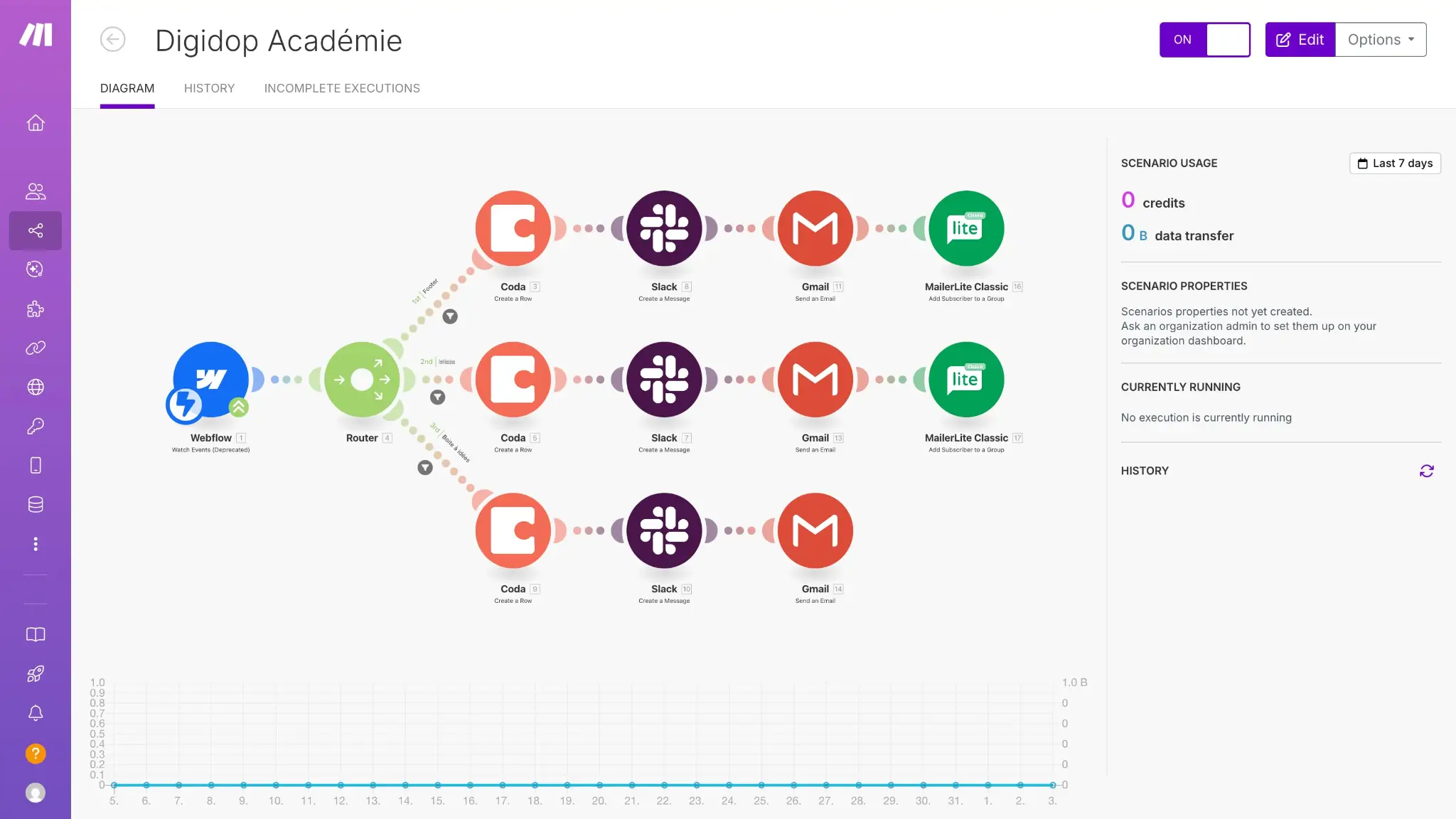
Make (formerly Integromat) puts everything on a visual canvas. Instead of guessing how your data flows, logic & conditions, branches, etc, every step and loop is mapped out in real time.
And for someone who likes free stuff, Make gives you 1,000 operations to start building at no charge. It connects to over 3,000 apps, supports API calls for custom systems, and gives you transparent execution logs so you know the building history and exactly where a workflow failed.
The trade-off: a steeper learning curve. But for the power users who want enterprise-level logic without enterprise-level pricing, Make is a good in-between.
Pros and cons of using Make
Pros
- Visual canvas that makes complex logic understandable via drag, drop, connect, loops, routers, filters, and aggregators on one canvas, where you can see and debug.
- Transparent, generous pricing that includes free, then only $9 per month.
- You can scale on your own terms by starting for free, then getting thousands of operations monthly without a multi-year commitment you don’t need.
Cons
- Steeper learning curve; the visual canvas is powerful, but takes some time to master
- Limited support on lower-tier plans; faster response times require higher subscriptions
- Doesn’t have the robust governance and security tools of a Workato platform
Key features of Make
- Visual workflow builder: See every step of your automation on a drag-and-drop canvas to spot inefficiencies, add routers, and optimize as you build.
- AI agents and tools: Reusable AI agents that adapt in real time by adding LLM nodes, analyzing data, or generating content without leaving the canvas.
- Conditional logic with routers: Lets you automate complex decisions with filters, branches, schedule delays, and aggregators all on a drop-down menu.
- Custom API support: Direct connections with 3,000+ apps plus a custom module for REST APIs, webhooks, etc.
Make pricing
Make offers transparent, self-serve pricing on its website:
- Free: 1,000 operations per month
- Core: $9/month (billed annually) for 10,000 operations
- Pro: $16/month (billed annually) for 40,000 operations
- Teams: $29/month (billed annually) for 100,000 operations
- Enterprise: Custom pricing
Who Make is best for
Workato is built for enterprise budgets (think six-figure contracts and long sales cycles). Make gives you 1,000 free operations, then paid plans starting at just $9 per month. For the price of one month of Workato, you could run Make for years.
So if you’re a small (but somewhat tech-savvy) team that needs powerful automation through a visual canvas without the enterprise price tag, Make is the obvious Workato alternative.
Verdict: Make vs. Workato
Make gives you the flexibility to map, monitor, and alter complex workflows visually, at a fraction of Workato’s cost. While it requires more technical experience than a Sofr.io, Lindy, or Zapier, it’s an excellent value when you’re working primarily with SaaS APIs and need enterprise-level logic.
3. n8n — best open-source automation for developers who want total control
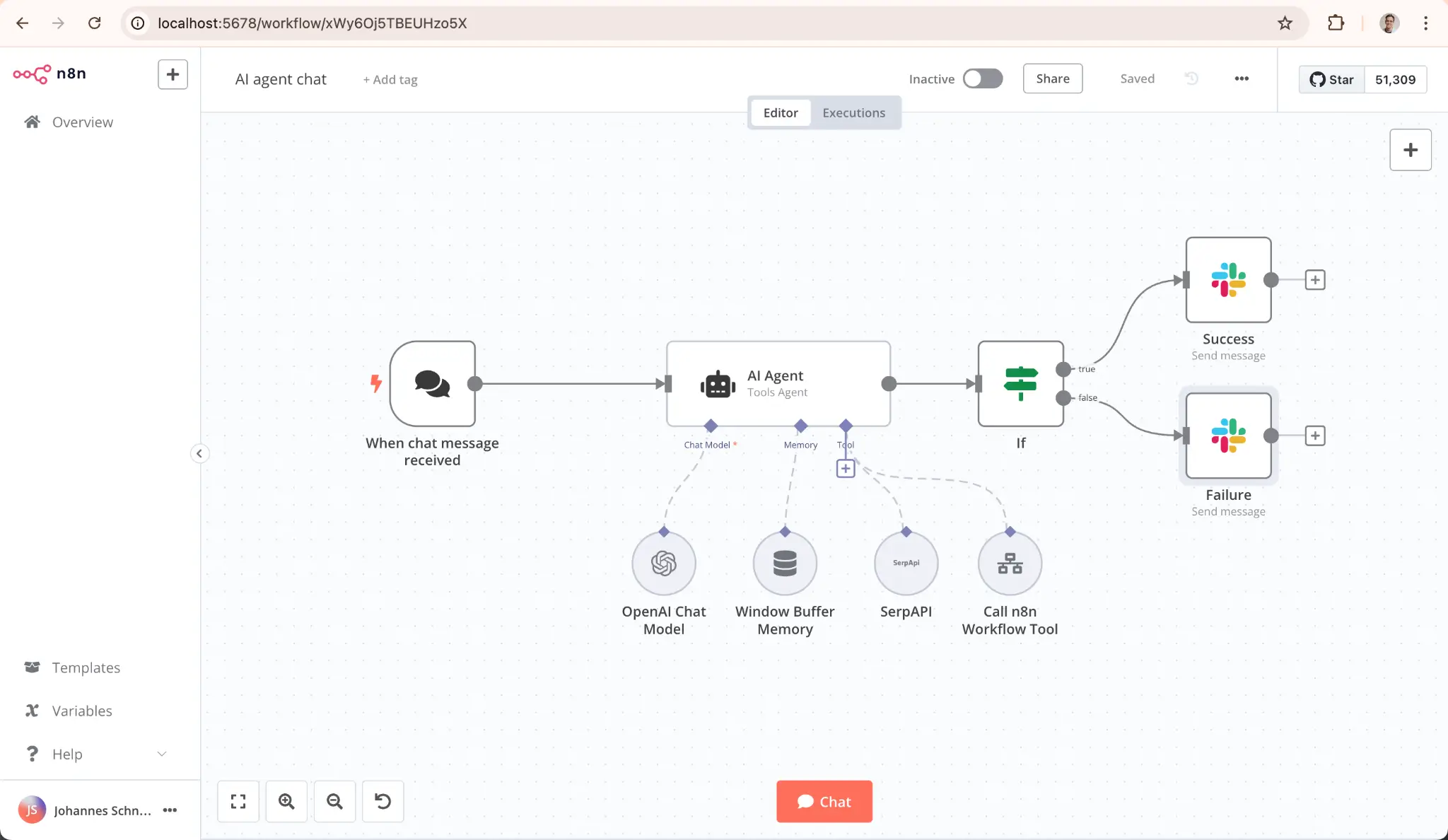
N8n lets you self-host your workflows (whereas most products run on their own cloud servers). Cloud provider outage? No need to stress because n8n is open-source and downloadable to host on your own infrastructure. Data never even touches a third-party cloud.
This gives exceptional control over your automations, rules, and governance.
The workflow builder is node-based, and you can inject JavaScript or Python anywhere. You can connect to internal systems that don’t have public APIs and use Git-based version control, which lets you roll back changes like you would with code. Ultimately, there are no execution limits beyond what your server can handle. The catch: you need DevOps skills to set it up.
Pros and cons of using n8n
Pros
- Self-host for free with no execution limits using your data, your servers, your security policies.
- JavaScript and Python code nodes for custom logic, where you can write a few lines of code, and it's right there in the workflow editor.
- Git integration for version control to roll back changes, switch environments, and track workflow history like you would with application code.
Cons
- Very steep learning curve and meant for true developers.
- Self-hosted option requires managing your own infrastructure; you’re on the hook for all security and performance updates.
- Cloud plans can get expensive for high-volume usage, while the free self-hosted option requires technical overhead.
Key features of n8n
- Self-hosting option: Run n8n on your own infrastructure with no third-party cloud required or vendor lock-in.
- Code nodes for custom logic: Inject JavaScript or Python anywhere in your workflow.
- Git-based version control: Track changes, roll back broken workflows, and switch between environments like you would with application code instead of guessing what changed.
n8n pricing
- Free open-source community edition: Self-hosted, unlimited workflows, unlimited executions
- Starter: $20/month (billed annually) for 2,500 executions, hosted by n8n
- Pro: $50/month (billed annually) for 10,000 executions, hosted by n8n
- Business: $800/month (billed annually) for 40,000 executions, self-hosted with advanced features
- Enterprise: Custom pricing, self-hosted or hosted by n8n
Who n8n is best for
Workato locks you into a cloud-only, enterprise-priced contract that charges you per task. n8n gives you a free, self-hosted open-source edition that runs with no per-seat fees, execution limits, or long-term vendor lock-in.
So it's ideal for technical teams that value data ownership and predictable costs, but still appreciate the automation control of Workato.
Verdict: n8n vs. Workato
If control and customization are your priorities, n8n is an awesome Workato alternative. These platforms are pretty aligned in terms of technical capabilities and who they’re geared for (developers and experienced IT folks). It's the flexibility where n8n gives more freedom to host, extend, and tailor workflows to your exact system via code.
4. Lindy — best for solos who want AI agents that work like a teammate
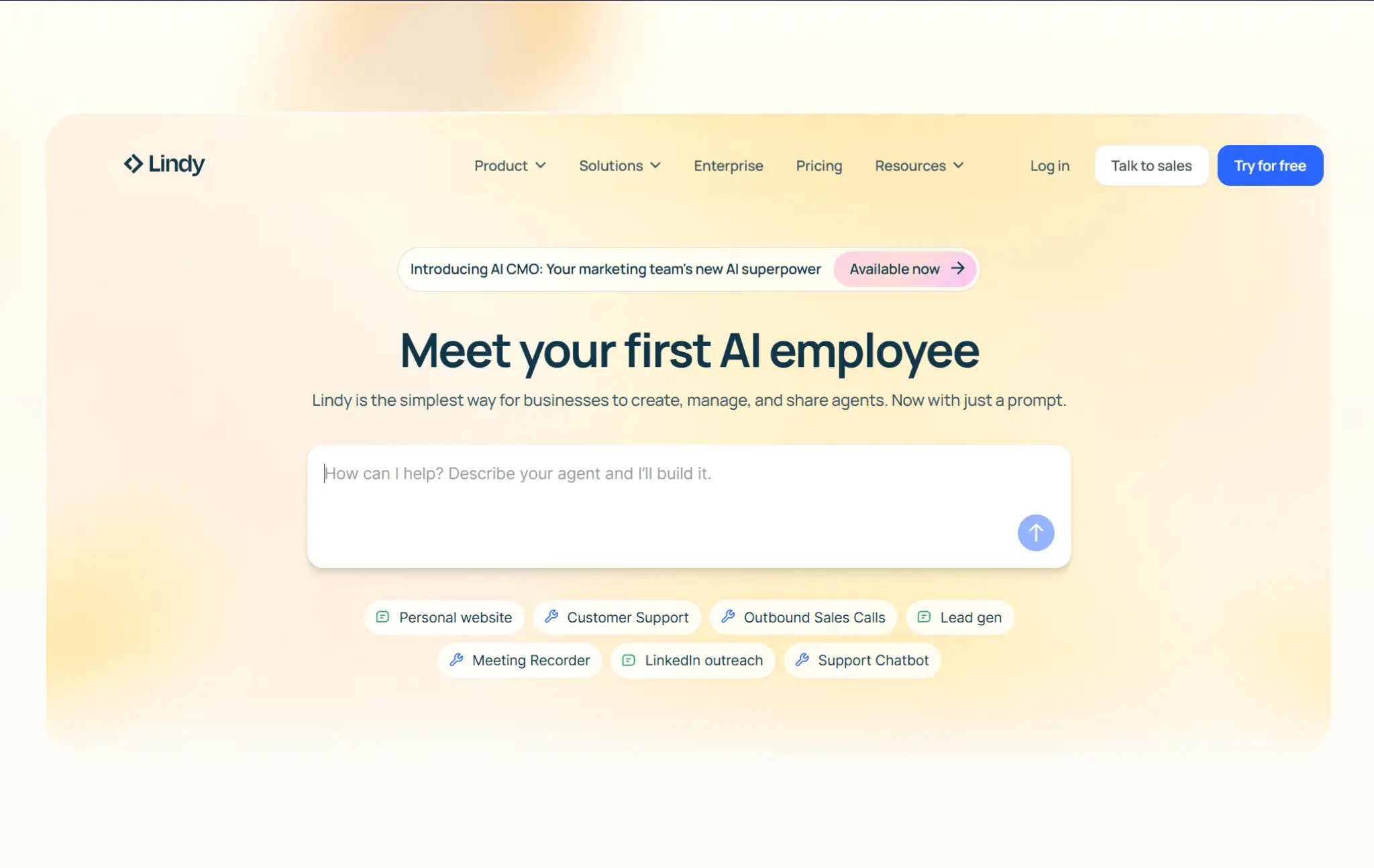
Most automation tools make you build workflows step by step (trigger, condition, action, loop, repeat). With Lindy, you just describe what you want in plain English: “qualify new leads from Typeform” or “turn my Fathom transcript into a sales proposal,” and Lindy’s AI figures out the rest.
Because Lindy understands intent, it’s perfect for routine knowledge work like replying to emails, scheduling meetings, updating your CRM, and triaging support tickets. It connects to thousands of popular apps, so you can run your automations pretty quickly. The AI even handles unstructured data (emails, notes, messages, etc.) that traditional automation tools struggle with.
But because AI powers everything, some workflows need human verification. It’s also not built for mission-critical integrations where every step must be deterministic.
Pros and cons of Lindy
Pros
- Describe what you want in plain English, and the AI figures out the steps.
- Handles unstructured data effortlessly, as Lindy can read messy human communication and act on it.
- Works like a teammate; you can text it what you need, and it handles the rest without complex configuration menus.
Cons
- Demands a lot of access to external tools to run properly.
- Credit-based system can run out quickly if you’re automating high-volume tasks.
- Not suited for complex or advanced automation with many steps, logic points, or branches.
Key features of Lindy
- AI-driven automation; conversational interface: NLPs for LLMs let you describe what you need, and Lindy figures out the steps (it's basically like texting a teammate).
- Pre-built templates: 100+ plug-and-play workflows, customizable by describing changes, and deployable in minutes.
- Vast integration library: Connects with over 7,000 popular business apps.
- Proactive LLM memory: Builds a knowledge bank to learn how you operate, write, prioritize, etc. The AI can anticipate your questions before you ask them.
Lindy pricing
Lindy offers a 7-day free trial and transparent paid plans:
- Plus: $49.99/month. Includes inbox management, meeting scheduling and follow-up, meeting recording and notes, 24/7 iMessage or SMS texting with your AI assistant, and hundreds of integrations.
- Pro: $99.99/month. Includes 3x more usage than Plus.
- Max: $199.99/month. Includes 7x more usage than Pro.
- Enterprise: Custom pricing and advanced governance.
Who Lindy is best for
Lindy gives you an AI assistant that handles your email, calendar, and CRM tasks starting at $49.99/month. You’re not paying for features you don’t need. But rather an AI teammate that actually saves you time. With that, we like Lindy best for solopreneurs, freelancers, and busy executives who need the simple stuff automated.
Verdict: Lindy vs. Workato
Choose Lindy if you want an AI bot that can figure out simple automations for you. It’ll certainly let you spend less time designing automation and more time on pressing matters.
Anything more complex or mission-critical, however, and you’ll either need to use Workato or one of our listed Workato alternatives.
5. Zapier — best for beginners who want fast automation that works
.webp)
Zapier is the old reliable. It’s not the cheapest nor the most powerful. But it connects to over 8,500 apps (more than anyone else) and is so easy to use that anyone on your team can build a Zap in five minutes.
If your needs are straightforward (new form submission → send Slack message, new email → add to Google Sheet), Zapier just works.
It also boasts a ton of AI apps that you can layer into any Zap, along with agents that help kickstart tasks. The main problem is that Zapier AI task usage can become expensive, particularly for high-volume workflows. Zapier is where many businesses start (but not always finish).
Pros and cons of Zapier
Pros
- Largest integration library in the industry with 8,500+ popular apps and SaaS tools.
- Visual interface, AI-support agent, pre-built templates, and easy-to-learn tools that let you make “Zaps” in minutes.
- Transparent, self-serve pricing and a free plan, which also includes many online resources for folks to learn quickly.
Cons
- Task-based pricing gets expensive as you scale; costs can balloon quickly.
- No self-hosting or code-level control; you’re mostly locked into Zapier’s cloud and their pre-built connectors.
Key features of Zapier
- Massive integration library: 8,500+ apps, including both enterprise tools like SAP, Workday, and NetSuite, and small-business-focused tools. If an app exists, Zapier probably connects to it.
- AI Copilot: Helps build Zaps with regular human descriptions and recommends other workflows you can add.
- Multi-step Zaps with conditional logic: Build workflows with paths, filters, delays, and webhooks for most general business automation needs.
- Tables and Forms: Lightweight database and simple front-end builder included. You can build basic apps and web forms without leaving Zapier.
Zapier pricing
Zapier offers transparent, self-serve pricing on its website (shown by being billed annually):
- Free: 100 tasks per month (single-step Zaps only)
- Professional: $19.99/month for multi-step Zaps and premium apps
- Team: $69/month for 25 users and shared Zap workspaces
- Enterprise: Custom pricing for unlimited users, advanced admin controls, and SSO
Who Zapier is best for
Zapier has a free tier. Workato does not. Plus, Zapier’s paid plans start at roughly $20/month. And it is really easy to use.
So Zapier is the best alternative for small businesses and beginners who want transparent pricing and a way to get automations running in minutes.
Verdict: Zapier vs. Workato
Zapier is easier and more affordable for small to mid-sized businesses. Workato is more powerful for complex, enterprise-scale integrations with on-prem systems, audit logs, and governance requirements.
If you don’t need to maintain compliance with financial regulations or adhere to crazy, detailed security policies, Zapier will serve you better at a fraction of Workato’s cost.
Choose the right Workato alternative for your team
Workato remains a fantastic tool for large enterprises with complex integration, security, and governance needs. But in 2026, automation tools should be affordable and not require a DevOps team to operate. So for anyone who wants a Workato alternative, these options can fill use-case and pricing gaps Workato cannot.
And if you're specifically looking for something that simplifies and makes automation more self-contained, Softr Workflows is the best option. It requires no third-party connectors or extra logins.
Try Softr for free and see how easy it is to build apps, connect databases, and automate processes in one place.
Frequently asked questions
Which Workato alternative is easiest for non-technical teams?
What Workato alternative lets me automate workflows inside my app?
Are there free Workato alternatives available?