Manage IT requests, assign tickets, and speed up support across your company.
Data sources supported





.svg)


Resources




Overview
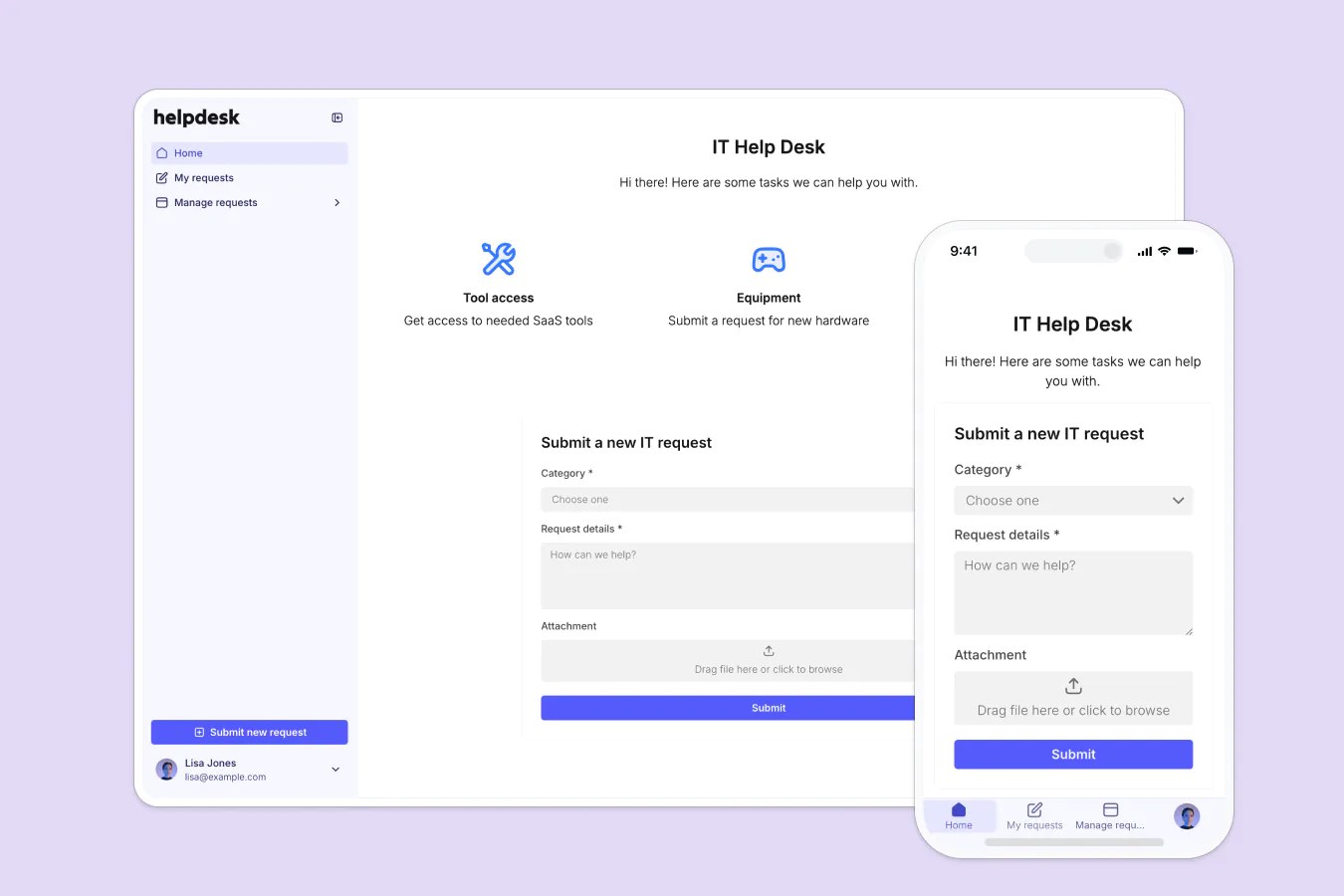
This free template lets you build a custom help desk on top of your existing data, so you can track internal requests without relying on email threads, Slack messages, or scattered spreadsheets.
It includes a sample database so you can see exactly how to structure your data for a help desk system, but it’s flexible enough to use with any Softr-supported data source (including Airtable, Google Sheets, Notion, monday.com, HubSpot, and more).
Why use this help desk template
- Organize requests in one place: Capture and categorize all support requests from across the company in a central system.
- Assign and manage tickets efficiently: Admins can assign requests, update statuses, and ensure nothing falls through the cracks.
- Improve visibility for everyone involved: Team members can track their own requests and get notified when something’s resolved.
Template features:
- Role-based access
- Request submissions
- Request details
- Ticket management dashboard
- Search & filtering
- Works on any device
Who is this help desk template for?
This template is designed for internal IT or operations teams, but it can be customized for any team that handles internal requests or service tickets.
- IT departments: Manage hardware requests, access issues, software bugs, and more.
- HR teams: Track onboarding tasks, employee questions, or policy update requests.
- Finance departments: Handle budget approvals, reimbursements, or payroll queries.
- Ops & Admin: Route general requests from across the company to the right person.
- Customer support training: Use this system to simulate ticket workflows for onboarding new agents.

“What we love most about Softr is the instantaneous, customizable power a no-code platform allows.”

- 1
- 2
- 3
- 4
Frequently asked questions
Can team members track the status of their tickets?
Do I need a Softr account to use the template?
Is the help desk mobile-friendly?
Can I add more fields or change the workflows?
How do I customize this template for my own use case?
Can the help desk notify people automatically?