6 best free Airtable alternatives in 2026


If you've been using Airtable's free plan and have heard about Bending Spoons acquiring the platform, you're probably looking for alternatives, especially considering some of the company's past acquisitions.
After buying Evernote, Bending Spoons cut the free plan to 50 notes and raised prices for paid plans. It took a similar approach with WeTransfer, where the free plan was capped at 10 transfers per month. And more recently, some Vimeo customers reported significant price increases.
Of course, Airtable might not follow the same path. But it makes sense to have a backup plan. To help, I rounded up 6 of the best free Airtable alternatives, so you can see what they let you build before you hit a paywall.
The 6 best free Airtable alternatives at a glance
How I evaluated the free Airtable alternatives on this list
I evaluated each alternative based on how useful its free plan actually is, not just whether one exists. I looked at:
- Free plan limits: How many users or records you can add before you need to upgrade
- Migration from Airtable: How easily your bases, records, and linked relationships move across, and what you'd need to rebuild
- Database flexibility: Whether you can organize relational data, link records, create different views, and manage more complex workflows
- App-building capabilities: Whether you can turn your data into usable internal tools, portals, dashboards, or other interfaces
- Permissions and collaboration: How much control you have over who can view, edit, or interact with your data
- Integrations and automations: Whether the free plan connects with other tools and lets you automate repetitive work
- Room to grow: How quickly you're likely to hit the free plan's limits and what upgrading costs when you do
1. Softr — best for building secure business apps on top of your data
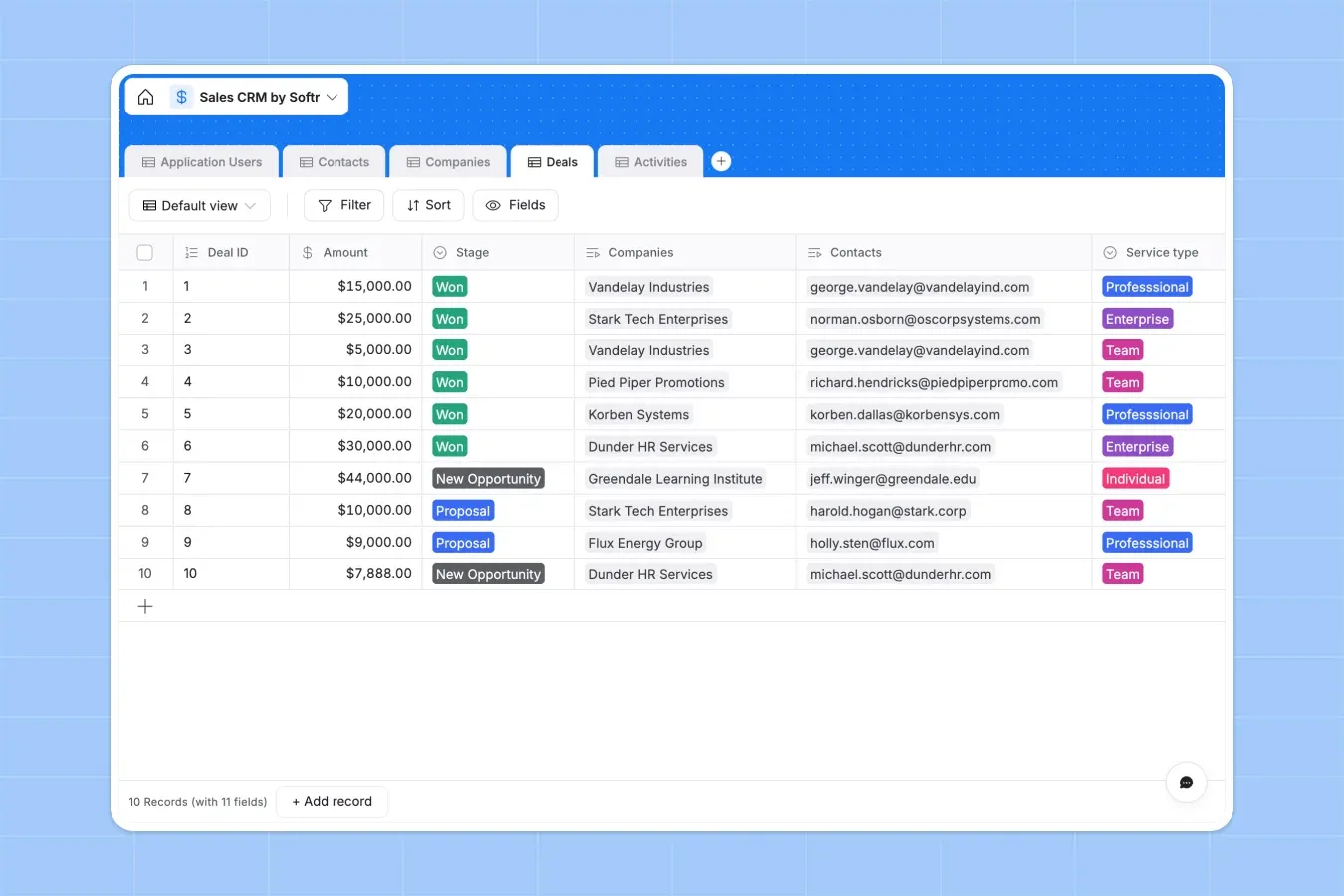
Softr is the best free Airtable alternative for teams that want a relational database, plus ways to build business apps and automate workflows.
On the free plan, you can create unlimited databases in Softr Databases, store up to 5,000 records across them, and link related data across tables, so you don't have to update the same information in several places. Build your database with the AI Co-Builder, or import your data from Airtable.
What Softr does better than Airtable
- Lets you control what each user can see and do. On Airtable's free plan, you can build interfaces, but anyone using one must also have access to the underlying base. Softr's free plan lets external users, like clients, vendors, and partners, see only the data and actions you choose to make available to them.
- Connects multiple data sources to the same app. Softr's free plan connects to Airtable, Google Sheets, Notion, and SmartSuite, and can combine them with Softr Databases in one app. In Airtable, using Sync to pull in outside data requires a paid plan.
- Runs workflows beyond the database automations. Airtable automations are tied to activity inside a base, while Softr Workflows can run on a schedule, as one-off jobs, or in response to actions across your app and connected tools. Airtable's free plan includes 100 automation runs per month, while Softr's free plan includes 500 workflow actions.
- Imports your Airtable base directly. Your tables, records, and the connections between them come across as they are, so you don't have to rebuild anything by hand.
- Work directly from an AI assistant. Softr MCP lets you create and manage databases, workflows, and apps from a tool like Claude or ChatGPT.
What Airtable does better than Softr
- Has more ways to view data inside the database. Grid, calendar, gallery, kanban, and form views are included in Airtable's free plan.
- Has a larger ecosystem. You get more templates, extensions, tutorials, and community answers, which can make it easier to find help.
Who Softr is best for: Teams that want one place to manage structured data, build secure apps on top of it, and automate the workflows around those apps.
Who Softr is not ideal for: Teams that mainly want a spreadsheet-style database workspace and prefer working directly in tables, views, and records rather than building an app on top of the data.
Pricing: Free plan includes unlimited apps, databases, workflows, and forms, with 5 AI credits and 39+ integrations; paid plans start at $19/month (billed annually). Softr counts builders and app users separately, so adding people who only use the app costs less than adding Airtable editors.
Verdict: Choose Softr if you want a free Airtable alternative that gives you a relational database plus the tools to turn that data into a working app, automate processes around it, and control what different users can see.
{{cta-1}}
2. Baserow — for self-hosting an open-source database
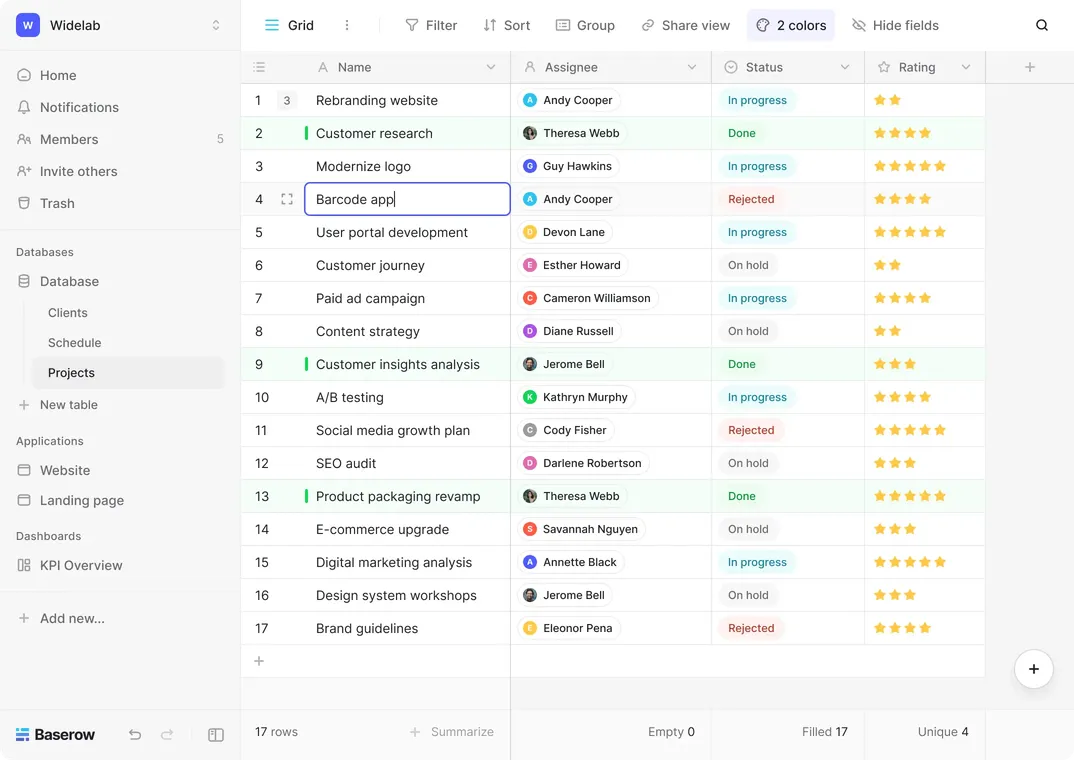
Baserow is the best open-source Airtable alternative for teams that want more control over where their data lives and how the platform runs. You can start on the hosted free plan, then self-host for free if you want to keep your data on your own infrastructure and remove Baserow's row, storage, and API limits.
What Baserow does better than Airtable
- Gives external users more room to use your apps for free. Baserow's free plan includes an application builder with up to 500 external app users, so clients and partners can log in and work with the data you make available without becoming collaborators in your workspace. Airtable requires a paid plan to share an interface with someone who doesn't also have access to the underlying base.
- Gives you more automation capacity before you pay. Baserow's free plan includes 2,000 automation credits per month, while Airtable's includes 100 automation runs. Baserow also lets you build multi-step workflows with triggers, actions, and routing on the free plan.
- Removes usage limits if you self-host. Baserow's self-hosted version is free forever with no limits on rows, storage, or API requests.
What Airtable does better than Baserow
- Gives you more views on the free plan. Airtable's free plan gives you grid, calendar, gallery, kanban, and form views. Baserow's free plan includes grid, form, and gallery only, and moves kanban, calendar, timeline, and survey views to paid plans.
- Includes AI on the free plan. Airtable Free gives each editor 500 AI credits per month and access to Omni. Baserow's AI features are part of its paid plans.
- Is simpler if you mainly want a database workspace. Airtable is a better option for teams that primarily want to organize and work with data through tables and views, without managing any infrastructure.
Who Baserow is best for: Teams that want an open-source database they can eventually self-host, especially in regulated industries where data location and compliance matter.
Who Baserow is not ideal for: Teams that want to keep everything hosted for free as they grow, because once you pass 3,000 rows, you either need to pay or self-host, which means having someone technical to manage it.
Pricing: Free plan with 3,000 rows and 2GB per workspace; paid plans start at $10/user/month (billed annually). Self-hosting is free.
Verdict: Choose Baserow if you want a free Airtable alternative you can self-host, so changes to pricing or the free plan don't force you to move again.
3. Notion — for keeping databases next to your notes and docs
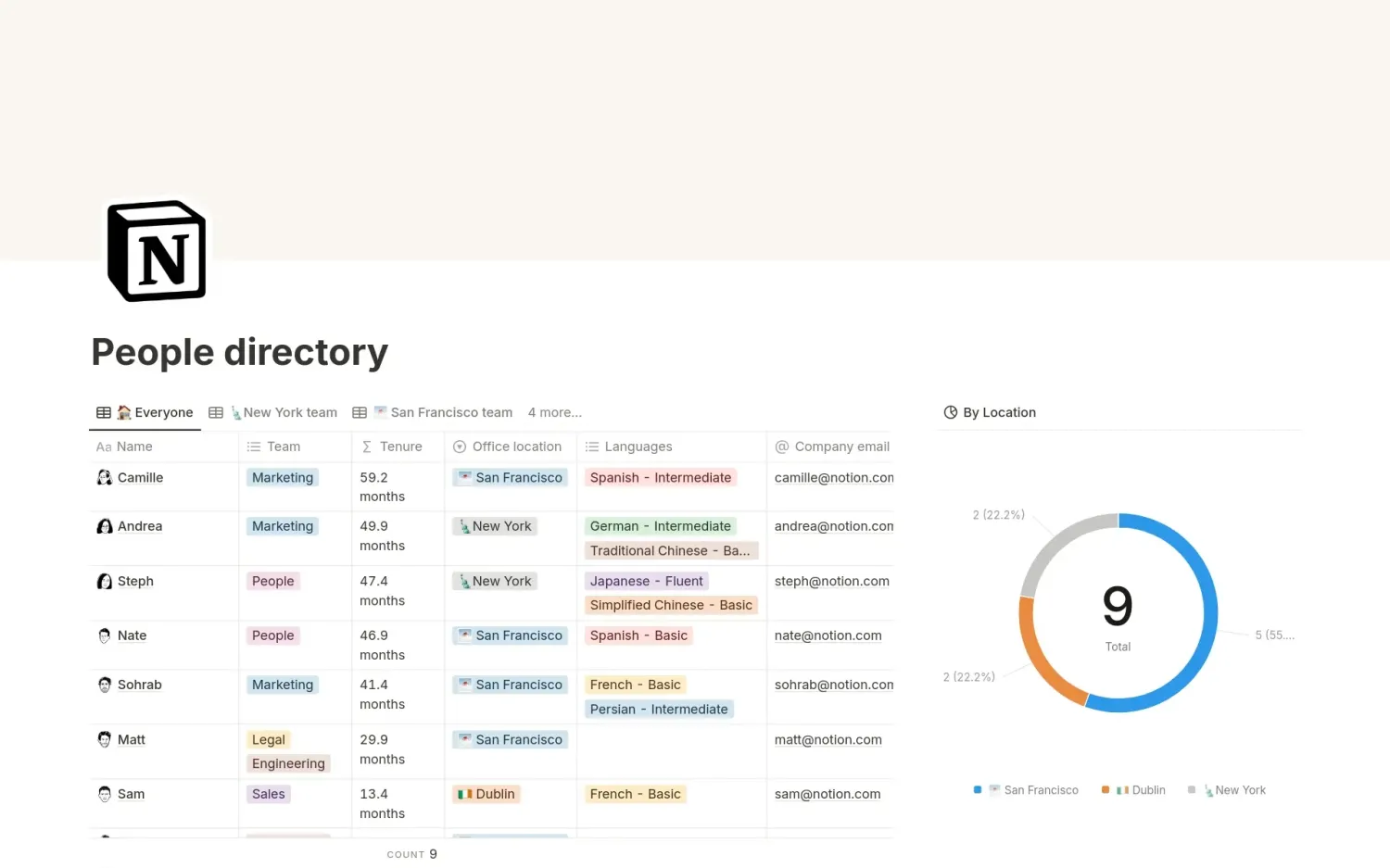
Notion is a free Airtable alternative for individuals who want their database to live alongside the rest of their work instead of in a separate tool.
Each database item is a Notion page, so you can write notes, embed related files, and nest sub-pages inside a record, then access all the context you need in one place.
What Notion does better than Airtable
- Lets a personal database grow without a record cap. Airtable's free plan stops you at 1,000 records per base. A Notion workspace with one member has unlimited pages and blocks, so a personal CRM or content calendar can keep growing without hitting a database record limit.
- Publishes your work as a public site for free. The free plan includes unlimited published pages and one notion.site domain, so you can turn a database into a public directory or knowledge base without paying.
- Gives you more flexibility inside each database item. Airtable records are structured fields, while Notion database items open into full pages where you can mix structured properties with free-form content.
What Airtable does better than Notion
- Handles structured data more like a true database. Airtable is a better fit when your main job is managing large amounts of structured records rather than combining data with documents and notes.
- Keeps the free plan the same once you add people. Notion's free plan is only unlimited for a single member. Add a second person and block limits apply. Airtable's 1,000 records per base stay the same whether you have one editor or five.
- Includes automation and AI on the free plan. Airtable Free gives you 100 automation runs and 500 AI credits per editor. Notion's free plan has button-based automations only, database automations start on paid plans, and Notion AI is a limited trial rather than an allowance.
- Handles files better. Airtable Free includes 1GB of attachments per base. Notion Free caps individual file uploads at 5MB, which rules out most video, design files, and large PDFs unless you upgrade.
Who Notion is best for: Individuals who want to manage projects, tasks, content, or lightweight data alongside their docs, notes, and knowledge base.
Who Notion is not ideal for: Teams that need a database-first tool for lots of structured data, advanced automations, or complex operational workflows.
Pricing: Free plan; paid plans start at $10/member/month (billed annually).
Verdict: Choose Notion if you want a free Airtable alternative that lets you organize structured data without separating it from the notes, documents, tasks, and context around the work.
4. Supabase — for building an app on a full Postgres database
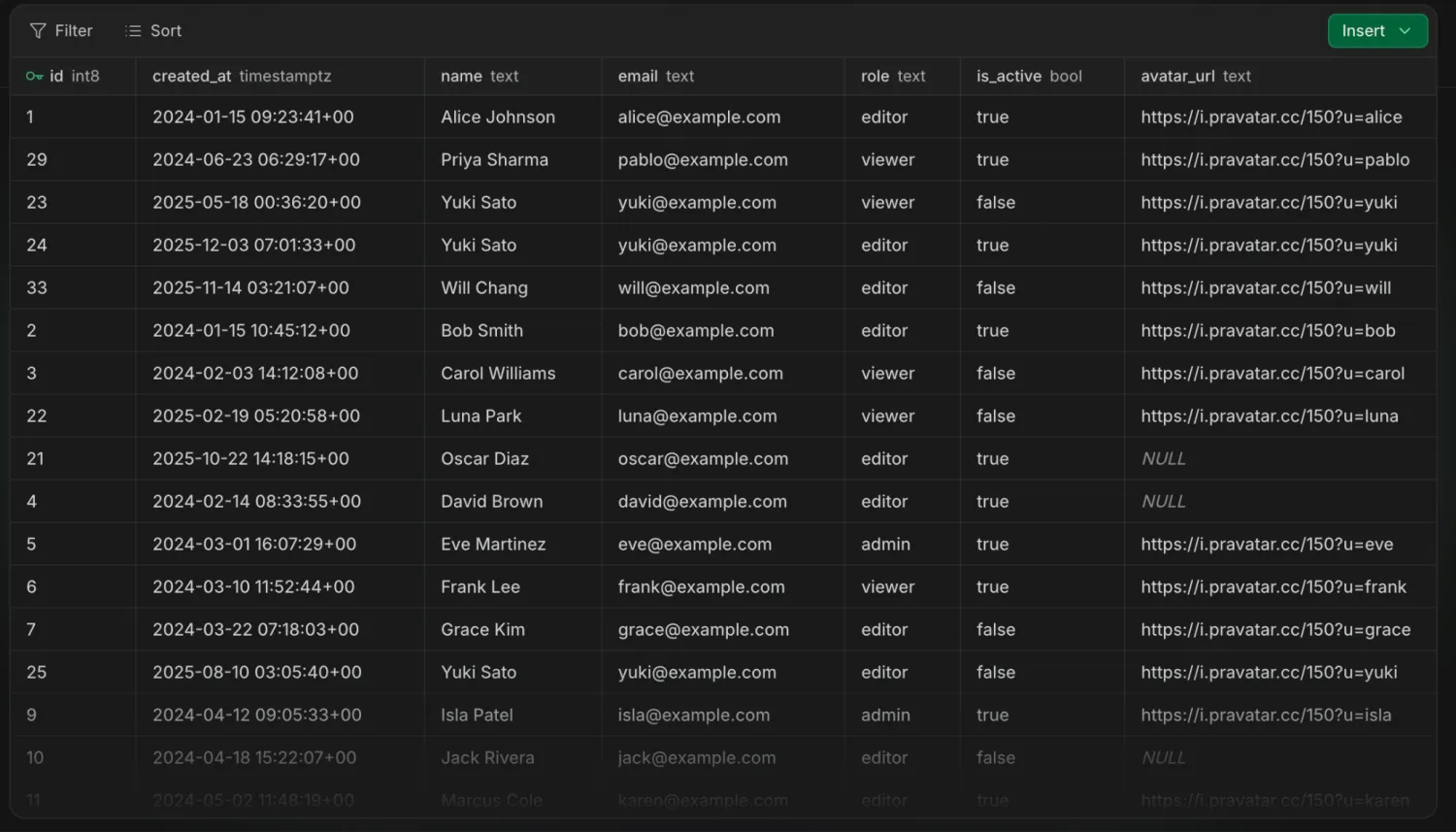
Supabase is an ideal Airtable alternative for developers who have moved past spreadsheet-style databases and want something they can build real apps on. You get a full backend because Supabase combines a Postgres database with authentication, storage, realtime updates, and APIs in one place.
What Supabase does better than Airtable
- Gives you far more room to grow for free. Airtable Free caps each base at 1,000 records and 1,000 API calls per month. Supabase Free gives you a 500MB Postgres database, unlimited API requests, and up to 50,000 monthly active users.
- Lets you control exactly what each user can access. Supabase uses Postgres Row Level Security, so you can set rules such as letting a customer see only their own records. Airtable permissions are broader, so giving each person their own slice of the data is harder.
- Lets you leave whenever you want. Every project is standard Postgres with no proprietary database format, and you can self-host the whole platform for free using Docker or the Supabase CLI.
What Airtable does better than Supabase
- Works without writing code. Airtable is built for non-technical teams who want to organize data in a familiar spreadsheet layout. Supabase gives you a table editor, but building apps on top of it requires coding.
- Gives you more ready-made ways to work with data. Airtable's free plan includes Interface Designer and 100 automation runs. Supabase is mainly the backend and expects you to build the front end yourself.
- Keeps your project running when you step away. Supabase pauses free projects after one week of inactivity, allows only two active projects, and includes no backups on the free plan. Airtable doesn't have an inactivity rule, so your base is still there when you come back.
Who Supabase is best for: Developers and technical teams who need a real database with authentication and APIs to build an app or product on.
Who Supabase is not ideal for: Non-technical teams that want to work with their data directly.
Pricing: Free plan; paid plans start at $25/month. Self-hosting is free.
Verdict: Choose Supabase if you want a free Airtable alternative that gives you a real database to build software on, and you have someone who can write the code around it.
5. NocoDB — for turning an existing SQL database into a no-code workspace
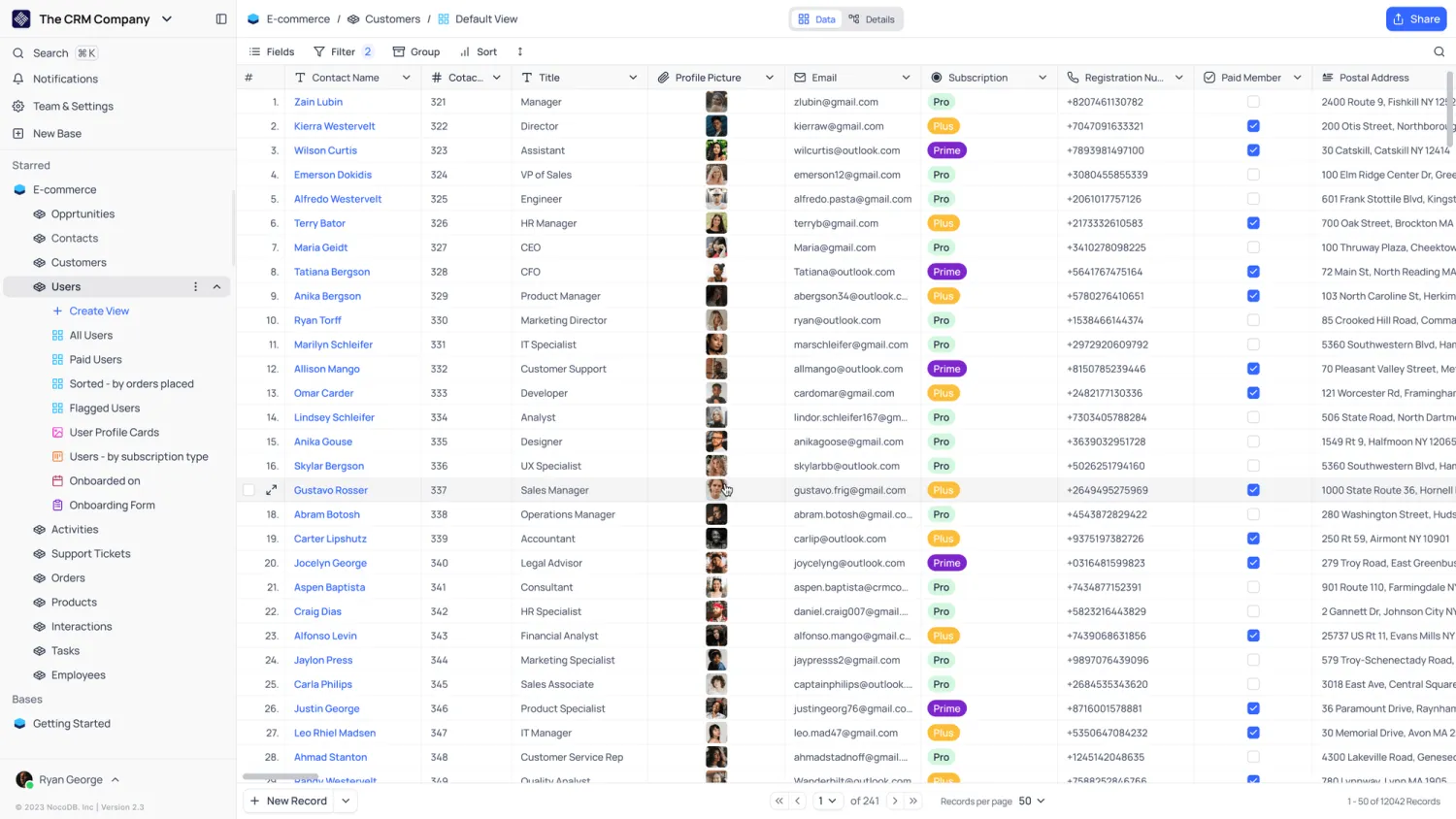
NocoDB is a good fit if your data already lives in a Postgres or MySQL database and you want a spreadsheet-style way to work with it. Instead of importing your data into a new tool, NocoDB connects to your existing database and gives your team multiple ways to view it.
What NocoDB does better than Airtable
- Gives you a way out of hosted-plan limits. NocoDB can be self-hosted on your own infrastructure, so you're not permanently tied to its cloud record limits or pricing if your database grows.
- Lets everyone work from the same data. Non-technical users can update records through NocoDB's visual interface, while developers can work directly with the underlying database and APIs.
What Airtable does better than NocoDB
- Includes stronger app-building tools on the free plan. Airtable Free includes Interface Designer, so you can turn your data into cleaner front-ends. NocoDB's Interfaces feature starts on paid plans.
- Works out of the box. Airtable is hosted and ready to use immediately. Getting the most out of NocoDB usually means connecting your own database or self-hosting, which needs someone technical.
- Keeps more history and control. Airtable Free includes 2 weeks of revision history. NocoDB Free gives you 3 days, no base snapshots, and no table or field permissions.
Who NocoDB is best for: Teams that want an Airtable-like interface on top of their Postgres or MySQL database without making every user work with SQL.
Who NocoDB is not ideal for: Teams whose data sits in tools like Airtable, Google Sheets, or Notion, since NocoDB connects to SQL databases.
Pricing: Free plan with 1,000 records per workspace, 3 editors, and 10 commenters; paid plans start at $12/seat/month (billed annually). Self-hosting the community edition is free.
Verdict: Choose NocoDB if you want to give non-technical teammates an easy way to work with data while letting you keep more control over the database underneath.
6. Stackby — for pulling live data from other tools into your tables
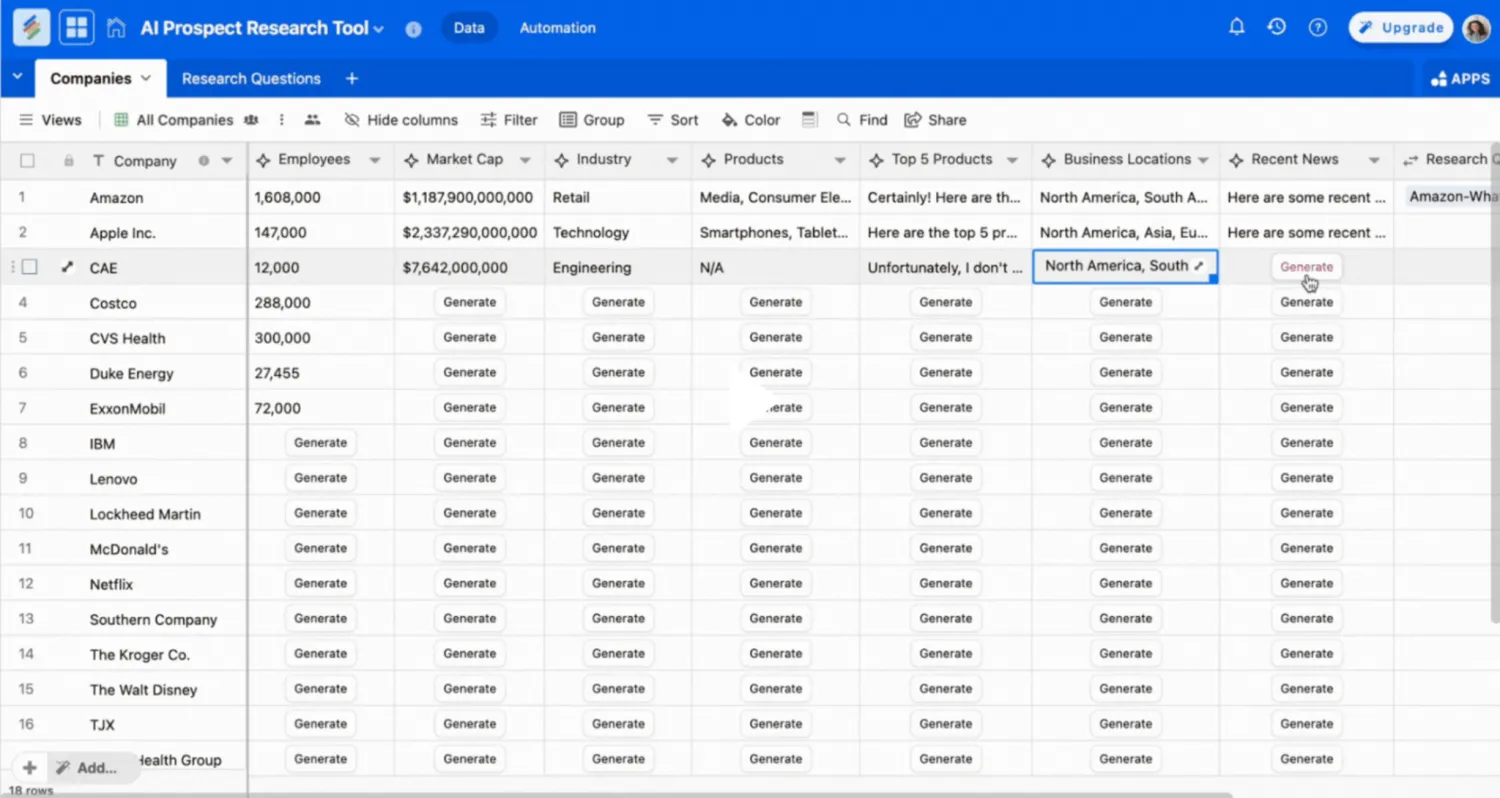
Stackby is the closest thing on this list to Airtable itself, with a familiar grid, linked tables, and 30+ column types. Its API column lets you connect a column to a service like Google Analytics, YouTube, or Ahrefs and pull data straight into your rows instead of copying numbers across by hand.
What Stackby does better than Airtable
- Gives you more rows and attachment space to start. Stackby Free allows 1,500 rows and 2GB of attachments per stack, across up to 20 stacks. Airtable Free gives you 1,000 records and 1GB of attachments per base.
- Pulls data from other services directly into your columns. Stackby Free lets you connect two columns to APIs, so you can bring metrics from tools like Google Analytics, Ahrefs, or Mailchimp into your table instead of copying them across manually. You just have to refresh those columns yourself on the free plan.
- Gives you more tools for managing the work around your data. You can add checklists, reminders, comments, and due dates to individual rows, which is useful when your database also doubles as a project or task tracker.
- Includes an app designer on the free plan. Stackby Free includes one app per stack, Interface Designer, and up to five internal app users, so you can put a simple front end on your data without upgrading.
What Airtable does better than Stackby
- Gives you useful AI features on the free plan. Airtable Free includes 500 AI credits per editor each month. Stackby's AI app builder is free but limited to 5 uses on the free plan, and AI Field Agents are reserved for paid plans.
- Refreshes connected data automatically. On Stackby's free plan, API columns update only when you refresh them by hand. Automatic refreshing starts on its paid plan.
- Handles bigger files. Airtable Free gives you 1GB of attachments per base with no small per-file cap. Stackby Free limits individual uploads to 2MB, which rules out most images, PDFs, and design files.
Who Stackby is best for: Marketing, sales, and operations teams that want a free Airtable alternative that can pull information from the other tools they use.
Who Stackby is not ideal for: Teams that regularly store larger files or want generous AI usage on a free plan.
Pricing: Free plan with 1,500 rows per stack and 5 editors; paid plans start at $4.20/user/month billed annually.
Verdict: Choose Stackby if you want a free Airtable alternative that brings numbers from your other tools into your tables, so your database and reporting live in the same place.
Choose the best free Airtable alternative for your use case
The right choice depends on what you actually use Airtable for and what more you want to do.
- Choose Baserow if you want more control over your database long term. Its hosted free plan gives you more room to start and you can self-host later.
- Choose Notion if your database needs to live alongside your notes, docs, and knowledge base. It works well for lighter use cases like project trackers where each record benefits from having a full page of context behind it.
- Choose NocoDB or Supabase if your data already lives in Postgres or MySQL. They give non-technical teammates an easy way to work with that database without forcing you to move the underlying data into another platform.
- Choose Stackby if you want your database to double as a lightweight reporting tool. Its API-connected columns can pull information from tools like Google Analytics, YouTube, and Ahrefs into your tables, so you spend less time copying metrics across tools.
- Choose Softr if you want a relational database plus a way to build secure apps and automate the work around them. You can build portals, dashboards, CRMs, and internal tools on top of your data for free, and control exactly what each person can see and do. Softr is the best all-around choice for teams looking to migrate away from Airtable.
👉 Try Softr for free and start building your first business app and database today.
Frequently asked questions
What is the best free Airtable alternative?
Is there a free alternative to Airtable?
Which free Airtable alternative is best for developers?
What happens when I hit a free plan limit on Airtable?
Can I move my Airtable data to a free alternative without rebuilding it?