


What's new in Softr
Check out new features, improvements, and community events!
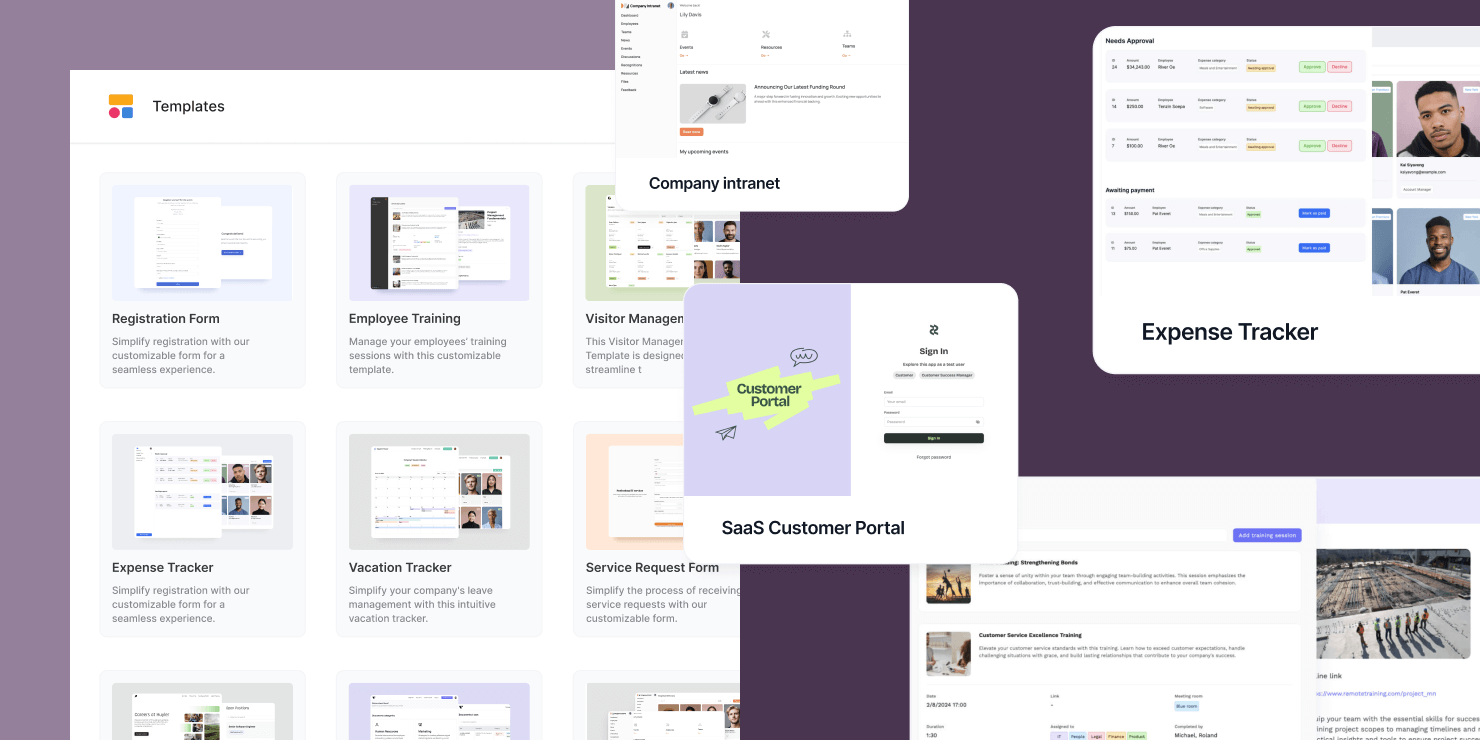
🙌 13 New Templates
We're excited to share that we've expanded our template library with over 10 additions designed to optimize and simplify your daily tasks. Check out our latest offerings:
- SaaS Customer Portal
- Marketing Campaign Management
- Order Management
- Visitor Management System
- Document Management System
- Company Intranet
...and more!
One-click add value
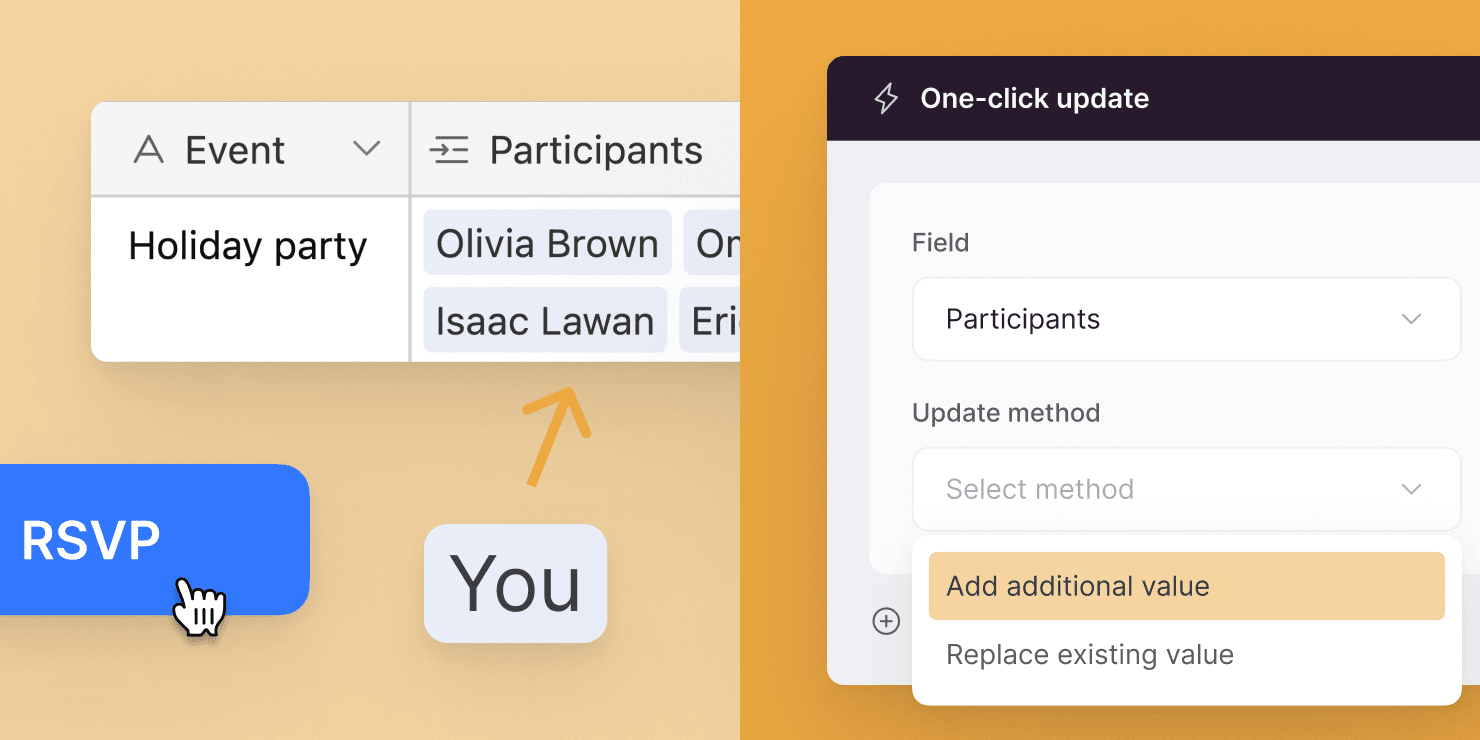
Let your users quickly add an additional value to a multi-select or a linked record field. Perfect for RSVP, saving, add to favorite, etc!
Introducing SmartSuite as a data source (beta)
With this beta release, just as with Airtable and Google Sheets, you can create stunning apps with beautiful design, action-packed logic, and granular access control – all powered by your SmartSuite data. Read more about the launch in this blog post.
BigQuery early access
You'll soon be able to easily connect to your BigQuery data source and create powerful dashboards, reports, and other applications.

User groups simple mode
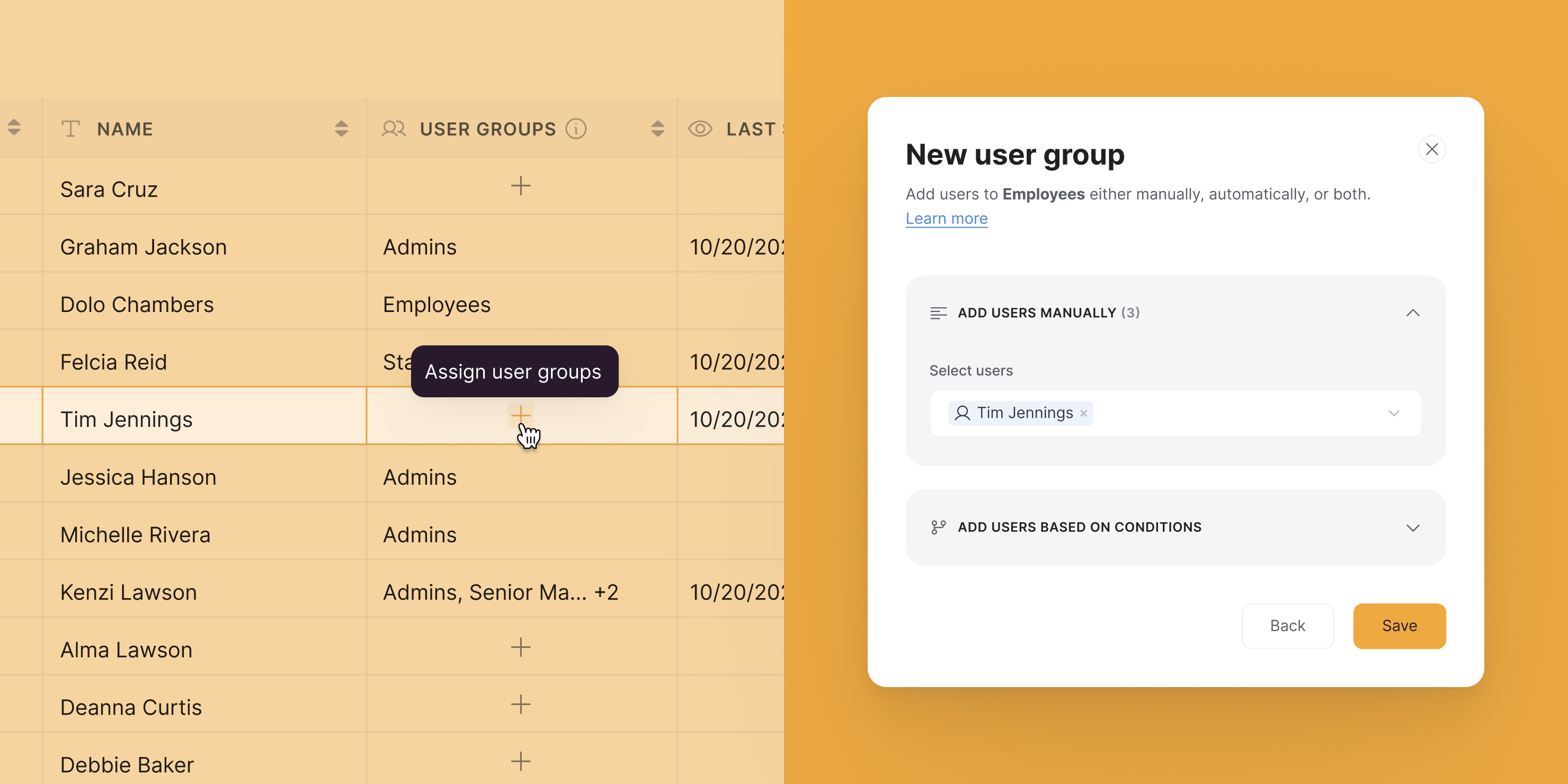
User group management just got easier! You can now add users to a user group without having to specify a condition. Simply click "Assign user groups" from the users table and select the relevant user group(s). Learn more
Top 100 cloud companies to watch 🏆
Last week, Accel released its annual Euroscape report, and we are thrilled to see that Softr has been named as one of the Top 100 cloud companies to watch in the region. Check out the full report here!

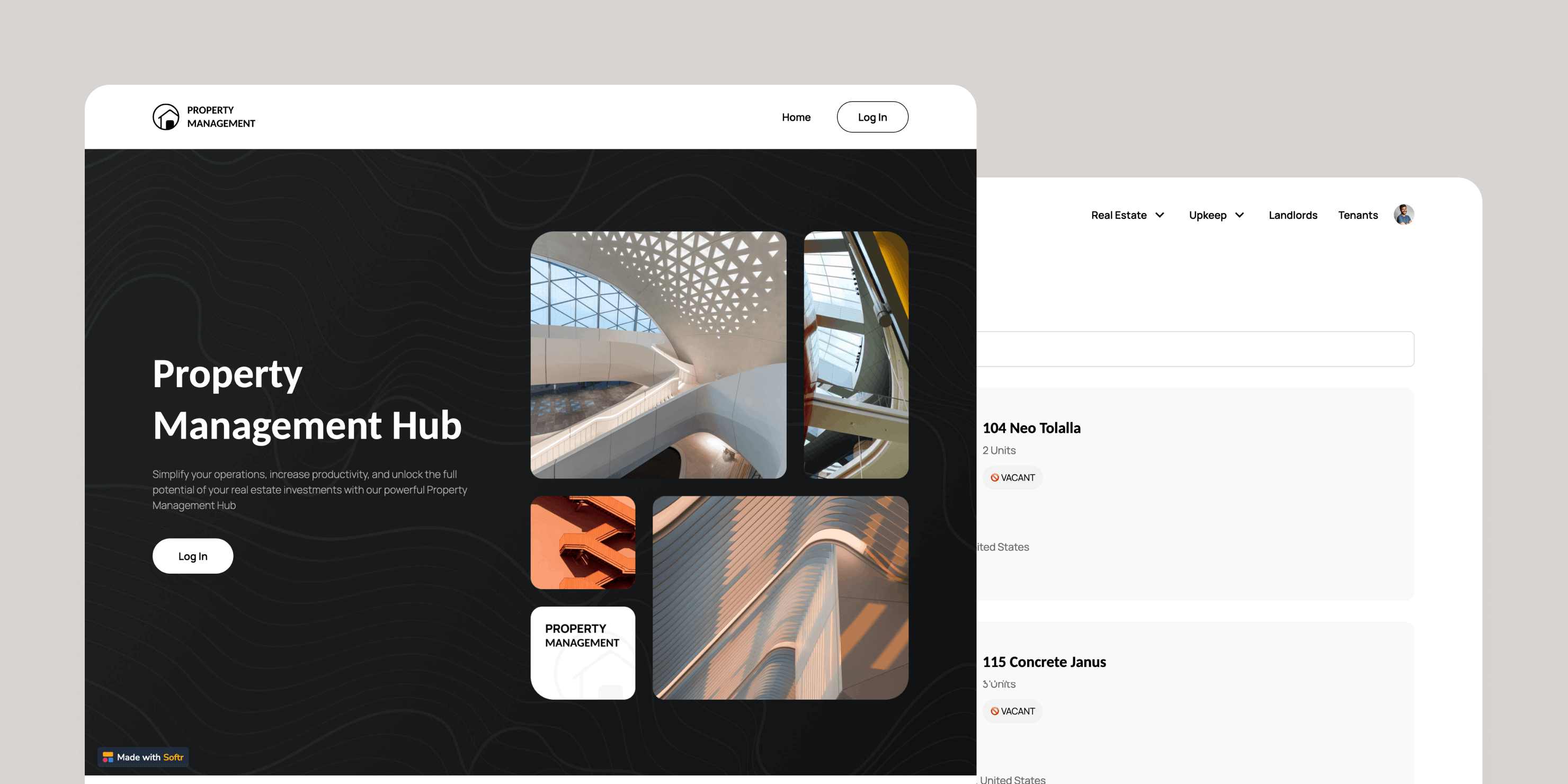
Property management hub
This template is a tool for property managers and landlords to track their properties, units, tenants, payments, and maintenance requests. Manage your properties more effectively and efficiently. Check it out
Revolutionizing App Creation with Softr AI! 🚀
Softr AI took everyone by storm this month! Check out Gareth's initial reaction to this new feature and see how you can supercharge your no code journey with AI! Take your front row seat.

Prompt-to-Product Contest
Join the Softr AI-Powered Contest and get the chance to win incredible prizes! Head over to X (Twitter), generate an app, share it with the world for a chance to win tech gadgets! Join the challenge!

AI App Generator
You can now create a functional app with just a prompt, from Client portals to Internal tools, Team Intranet, CRM, and more. Build your app with AI today!

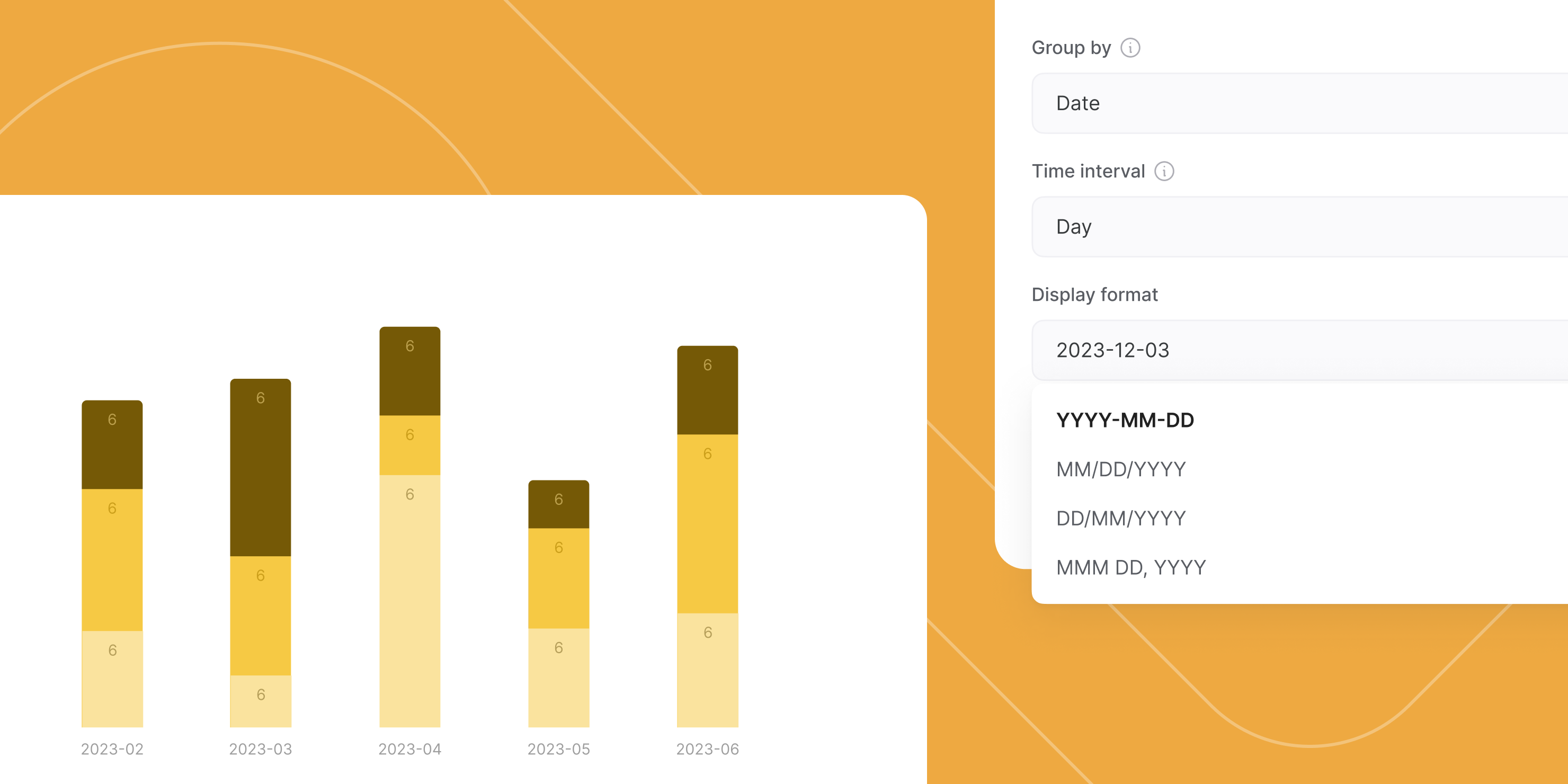
Time intervals on charts
You can now group your records when using date or timestamp fields – by day, month, quarter, or year.
New data insights are waiting for you!
New place to manage user groups
You can now add, edit, or delete user groups directly in Users > User groups.
As for user redirection settings (page after sign-in/out), you can now find them under Pages > Page rules. Oh, and we've also added an option for you to configure what happens when users try to reach an Unauthorized page.
