Transcript
When you work at a company, there are many moments where you need a software or a tool that does something very specific. For the biggest categories of tools, you usually have a proper SaaS subscription to a CRM, Slack, or email provider. However, in many cases, you need a highly specific custom tool, such as the one we will be building today to extract thumbnail images from YouTube videos.
You might need this if you are managing influencers and want to list all the videos that talk about your brand on your website with high-quality images. You could also use it to extract thumbnails from inspiring videos to create a mood board, and later have AI help you generate similar ideas.
I recently needed a very specific tool to extract blog articles from the Webflow CMS and have AI implement our new product updates into those articles. I wanted an interface to compare the differences side-by-side before sending the content back to Webflow. That kind of niche use case requires a custom tool.
If you type YouTube thumbnail downloader or PDF compressor into a search engine, you can certainly find existing tools. The problem is that you constantly end up searching the internet for these random tools, and you cannot easily find your past work. For example, if you compressed a PDF online, that file will eventually disappear, and you won't have it in your records anymore.
It is the exact same situation with downloading YouTube thumbnails. Using random online tools is fine if you only need them once or twice a month. But whenever a process becomes a regular part of how you work, you either lose time using clunky workarounds like disconnected spreadsheets, or you finally decide to build the tool yourself.
Building it myself is the solution I always go for whenever there is a proper need to invest an hour or two into a tool my team will use. Whenever I do this, I like to use Softr to quickly build these business apps. Softr allows you to create databases, user interfaces, and powerful workflows all in one place.
You can easily connect to other data sources like Airtable, Notion, or HubSpot. You can also connect to external workflow tools if you prefer n8n, Make, or Zapier. At the end of the day, you get a fully functional app that you can share with your team or external users.
[.blog-callout]
Note from Softr: While Softr integrates with 17+ external data sources and automation platforms, you can maximize performance by using native Softr Databases and Softr Workflows. Keeping your data and logic as close to the design as possible helps consolidate tools and reduces your reliance on third-party platforms.
[.blog-callout]
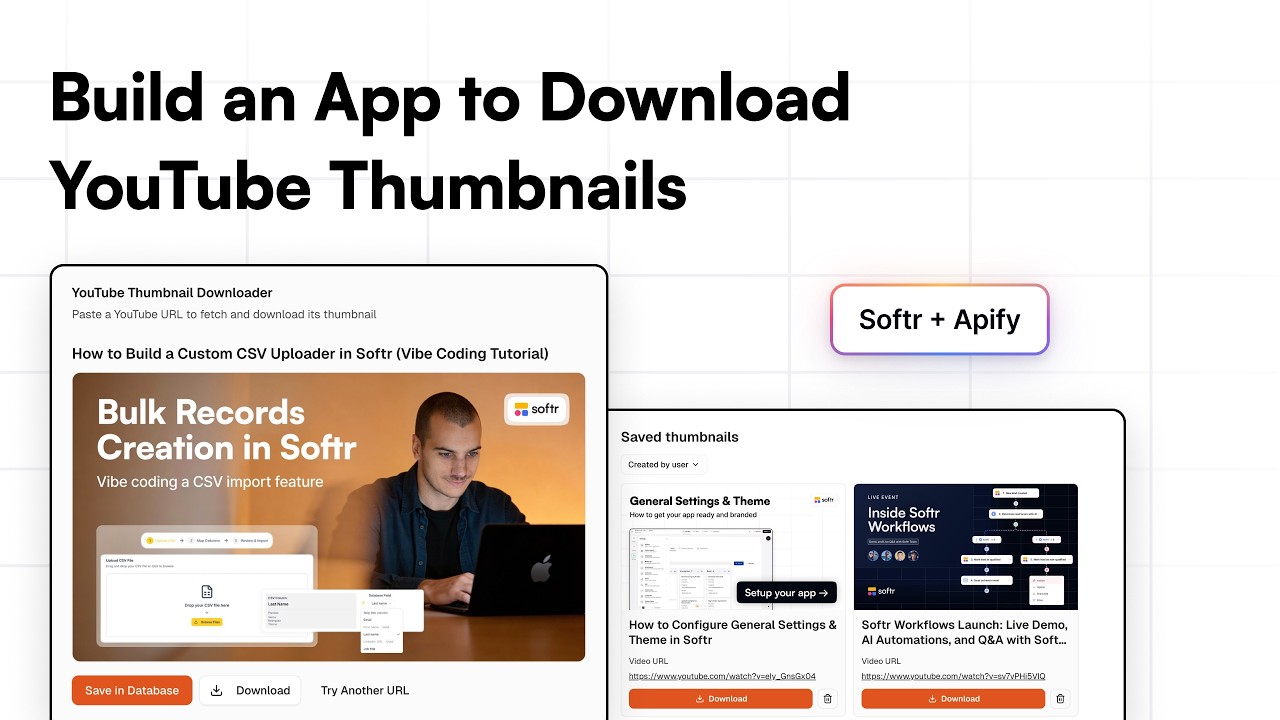
Right now we will be building a simple internal tool to extract a thumbnail image from a YouTube video URL, download it locally, and save it for the entire team. In the Softr studio, I will hit create a new app and start from scratch. I will select Softr Databases as my data source, remove the pre-added blocks, and add our first Vibe-Coding block.
[.blog-callout]
Note from Softr: Starting from scratch and manually setting up your databases is a great way to learn. However, another fantastic option is to simply open the AI co-builder and prompt for what you need! It instantly builds complete apps, pages, and database schemas for you, while still letting you manually tweak things later.
[.blog-callout]
The Vibe-Coding block allows you to generate exactly what you ask for simply by writing a prompt. I will connect it to my data source so that changes apply directly, and then prepare the data schema for this app. First, I need one table for users because I will be collaborating with my team, and I will safely add myself as a user right now.
You can also configure different roles and user groups later when you want to go deeper into permissions. Next, I need a table for my thumbnails. We will have one row per video, and one of the fields will be dedicated to actually storing the thumbnail image.
I will store the video title and the URL. Then I will add a field for the file so we can save the JPEG or PNG format safely. I also want to store the timestamp of when it was created and log the specific user who stored the thumbnail so we can filter the interface later on.
Now that the data structure is ready, we can go into our Vibe-Coding block, ensure it is connected to the right table, and start prompting. This is where I describe exactly what I need built. I will instruct it to build an easy interface to download thumbnails from YouTube based on a URL, essentially outlining the entire user journey.
I will prompt it to allow the user to paste a URL and provide a button to fetch the thumbnail. Clicking this block's button will send that URL to a webhook. I am creating a new workflow in Softr right now, copying the generated webhook URL, and passing it into my prompt so it triggers the workflow seamlessly.
I will also tell my Vibe-Coding block to listen to the webhook response, which will eventually contain the URL of the processed image file. This allows the interface to dynamically display the fetched thumbnail. From there, the interface will feature two buttons: one to save the file and video to the database, and another to download the file directly to my laptop.
We will make sure to include the video title in the webhook response so we have all the required data to display when it logically comes back. I will also ask for a button to reset the interface so we can easily start over with a new URL natively. Finally, if there is an issue, I want it to show an error message, which the block usually handles cleanly anyway.
Now that the Vibe-Coding block is working logically, we can take a moment to seamlessly rename our app. Moving on to an important part of the backend, we are naturally going to use the Apify platform to handle our web scraping. Using one of their scrapers, we can input a YouTube video URL and cleanly receive a batch of data, which includes the exact URL for the actual thumbnail.
Looking at an example video payload, we can formally see that one of the scraped results is the high-quality thumbnail. Because this scraping platform securely has an API, we can look at the different endpoints they offer. By copying the correct endpoint, we can formally go back into Softr Workflows and efficiently add an API call to safely connect the two tools.
Our credentials have already been securely stored. I intelligently will paste the endpoint URL perfectly into the workflow and then nicely paste the body of my request. I currently have a hard-coded URL correctly configured, but we will eventually replace that dynamically with the inputted URL coming straight from the Vibe-Coding block.
I will quickly apply a global theme to my app, though we can always revisit the design later. Now that the first version of our block is ready, I can hit preview in Softr to test the result. If we paste a link right away, we get an error because our workflow isn't fully activated yet. However, when testing the webhook, we successfully see data coming in with the video URL.
I will easily replace the hard-coded URL in the workflow with the dynamic variable pulling from that incoming URL. When I test that, I notice I used the wrong API endpoint, which did not properly wait for a response. I will simply change my endpoint to the correct synchronous one.
By utilizing the synchronous endpoint to get the data set items, the body of the request remains the same. Testing the flow again, I successfully receive the full data payload we previously saw previewed on the Apify platform. All the correct information about the video is returned, which is perfect.
Next, I will add a code step to parse the full payload of the thumbnails since the response contains multiple image URLs. I can just ask AI to help me write a quick snippet of code that naturally extracts the specific URL containing the maximum resolution default pattern I observed during testing.
The AI generated code successfully cleaned up the response and returned that single, high-quality URL. I will quickly rename the different workflow steps to keep everything clearly organized. From there, we can map out our webhook response because we finally have the extracted thumbnail URL and the video title ready.
By properly formatting the response, the Vibe-Coding block will understand exactly what data structure it is receiving back. Once we successfully test the connection, we can fully turn on and activate the workflow. Trying the app interface once more, the request spins for a couple of seconds, and we flawlessly receive our thumbnail.
Not only does the image display, but we were also able to save it successfully in the database. Checking our Softr Databases backend, we see one new row of data. I spot a minor visual issue where the video title appears to be inside a JSON array, so I will update my code step to properly clean that up.
Running the new test, the title is now perfectly formatted. Though the record saves fine, we are missing the created user tag because I forgot to connect my users table safely to the overall data source. I originally asked my Vibe-Coding block to track the user who submitted the request, but I needed to establish that connection first.
This connection issue is now completely resolved. I also noticed that when calculating a save, it completely unloads and resets the interface. To create a smoother experience and avoid obvious duplicate entries, I asked the interface to simply make the save button invalid after the first exact submission.
The Vibe-Coding block settings menu gives you complete visibility into exactly how your generated code is stored and what core actions it executes. I could now add a dynamic list block below to properly display all the thumbnails we have managed to save into our data source. I can add this new block manually, or I can simply invoke the AI Co-Builder to handle the entire configuration for me. While it builds the layout, we can securely preview the second version of our app setup.

![How to Change Headers in Softr Pages [2026 Full Guide]](https://cdn.prod.website-files.com/67a3700c65457964cf349cd4/69fe0f2950c5f0ee415b69eb_12c24595-0532-4413-897b-cae048dd7a44.jpeg)