Transcript
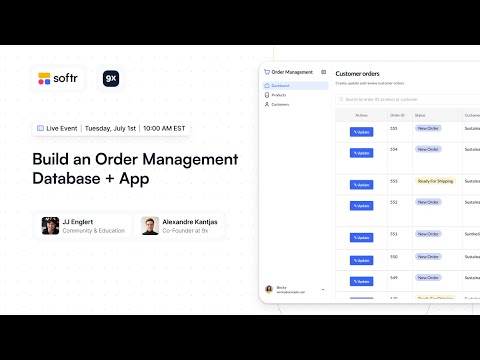
Alex, we're glad to have you here. Throughout the next 45 minutes or so, Alex and I are going into Softr Databases and Softr interfaces.
We are going to go high level on relational databases, field types, and then we will dive into a Softr template for an order management system. We will structure the database, add a returns table, and create a new interface in Softr.
I have a quick poll for everyone: Have you used Softr Databases yet? It is our new product and we are really excited about it. It offers a huge performance increase, greater than 10x, compared to typical external sources like Airtable.
[.blog-callout]
If you want to experience this performance for yourself, Softr Databases is the powerful, native way to manage data directly within Softr for maximum efficiency.
[.blog-callout]
Softr Databases brings foundational improvements like live data refreshes and inline editing. Now that we own the data layer, we can provide much more flexibility for your apps. Alex, how about we get started?
It sounds perfect. For those who haven't played with Softr Databases yet, it is intuitive and self-explanatory, just like everything else in Softr.
I am JJ, and I lead community and education here at Softr. I have been in the no-code space for a long time, building with no-code and AI. I am joined by Alex, the co-founder of 9X.
Alex teaches no-code and AI training. He focuses on AI automation and helping people learn fundamental prompting skills. We are excited to combine these skills in today's build.
For our order management system, we are using a template you can get directly from Softr. You can simply go to the Softr App templates section and grab the order management app.
[.blog-callout]
Starting from a template is great, but did you know the AI co-builder can build complete App templates or custom database schemas instantly from a simple prompt?
[.blog-callout]
This app combines Softr interfaces and Softr Databases for a simple experience. You do not need to set up an external Airtable account. We are acting as restaurant owners managing food inventory.
We need to place orders from wholesalers for items like burgers and lobsters. We will also create a new table for returns in case food spoils or is no longer good.
We want to track those returns so they are reflected in our inventory levels and credited to our account. Before we build, Alex will take us through database concepts like fields, records, and relationships.
Databases 101 is simple. When you use a Softr database, you are using a relational database. You translate real-world things like restaurants, dishes, and orders into tables.
In a relational database, you must define the relationships between those tables. A schema is the overview of all your data tables. It shows how everything is linked.
Inside the schema, you have tables that store different things. For example, an orders table is different from a customer table. You must decide how many tables you need.
Inside tables, you have fields and records. Fields are properties like an email or an order number. In Softr, every field has a type, such as a date or a number.
This keeps your data tidy. Rows are the records. Each row in an orders table is a specific order, and each row in a customers table is a specific customer.
Finally, you define how tables relate to each other. For instance, if customers place orders, we link those tables together. This link defines the relationship.
Back in Softr, we can see the left-hand navigation. I have apps, databases, and a little spoiler for Softr Workflows. We will start with a template and type in order management.
[.blog-callout]
While manual setup is shown here, Softr Workflows allow you to handle complex logic natively, reducing your reliance on third-party automation tools.
[.blog-callout]
I will use this template which brings the interface and Softr Databases together. If I click on a block, I can see the data source is automatically mapped to our Softr database.
In the table block, I can enable inline editing. This allows you to update items directly in the list without opening additional modals. It is a great feature of Softr Databases.
Everything is quicker in the studio and preview mode when using native data. We have three user groups: customers, warehouse managers, and sales reps.
In the users section, we have condition-based user groups. For example, a user belongs to the customer group if their role equals customer. This makes permissions much easier to manage.
If we change a user's role from customer to representative, Softr automatically syncs them to the new user group. We also have relationships linking users to their respective companies.
It is best practice to keep all users in one table and use roles to differentiate them. This avoids having multiple fragmented user tables which can break your app logic.
In Softr Databases, you can create different views. For example, I can create a view specifically for active customers by applying a filter where the role equals customer.
Views are like an inbox for your data. You can create views for unprocessed orders or open returns to see exactly what needs your attention right now.
Regarding the Softr Databases API, it is becoming available this week. You can use endpoints in Zapier or Make to trigger updates. The record limits are significantly higher than Airtable.
Now we will create a returns table. You can add a blank table or import from a CSV. Soon, we will have a one-click Airtable import that handles relationships and formulas automatically.
For the returns table, we need fields like created at and created by. These are database-generated, so the system captures the information for you automatically.
We also need a status field to track the process from initial state to completion. Setting a default value for the status is a great form of automation for new records.
We also need to link the return to a product. When setting up this relationship, you can toggle whether to allow linking to multiple records depending on your specific use case.
We will also link the return to the original order. By using a lookup field, we can pull in the product name and amount directly from the orders table without double data entry.
In databases, a data point should only be stored in one place to avoid redundancy. If you need to see a value from another table, you look it up rather than copying it.
We will set the primary field as the created date. In Softr, the primary field is the main identifier for the record. You want it to be unique and human-readable.
One common question is the difference between a lookup and a rollup. A lookup is for single values from a linked record. A rollup allows you to summarize data, like summing multiple return amounts.
Now we are back in the Softr interface. I will create a new page for returns and add it to the navigation menu. I can then add a dynamic block like a table to display the data.
I will map the table to the returns source. I don't need a conditional filter if I want to show all returns, but I could limit it to only show returns for the logged-in user.
I can customize the columns to show the created date, description, status, and supplier. I can also add a search bar and filters to help users find specific records quickly.
[.blog-callout]
If a native table or list block doesn't perfectly match your vision, you can use the Vibe-Coding block to prompt for a custom component that connects perfectly to your Softr Databases.
[.blog-callout]
Finally, I will add an action button to the top bar. This button allows users to add a new record to the returns table directly from the app. It syncs two-way with the database.
We saw how fast the app loads with Softr Databases. The search and filtering are instantaneous. You can also customize the status colors and the roundness of the buttons in the global styles.
We transformed a template and added a custom feature in about 30 minutes. This is the power of Softr. You can move fast while staying in control of your data and permissions.
[.blog-callout]
Whether you are building a portal or an AI CRM template, Softr gives you the tools to scale without technical debt.
[.blog-callout]
Our team is working on many new features for the summer. This includes better copy-paste functionality for records and more native nodes for automation platforms like N8N.
Thank you everyone for joining. The recording will be available on our YouTube channel. We appreciate the lively chat and look forward to seeing what you build with Softr.