Transcript
Hello, everyone. Thank you for attending our session. We're going to get started in just a couple of minutes.
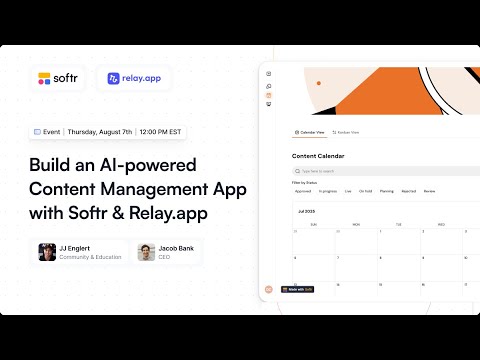
I'm JJ from Softr, and I'm here with Jacob from Relay. We're going to be building some really cool things together today.
We're going to show you how to build an interface in Softr. We'll explain what a webhook is and how to use that in Softr to trigger an automation in Relay.
Then we're going to build some really cool ChatGPT-like generation abilities, and also auto-scheduling for social media posting in Relay. It's all going to tie together today.
Along the way, we're going to be giving you our best wisdom on how to prompt well, how to set up webhooks, and generally how to build in an AI-first way.
I want to start with a poll. How confident are you with your AI skipping? On a scale of 1 to 10, where are you?
Jacob, where would you rate yourself on that poll? I would give myself a seven. I think I'm right there with you, probably a seven or an eight.
It is like a companion these days. I use it for many things, not just for business.
I feel confident that for use cases I've done before, I can write a good prompt that gets me high-quality output. But I know I'm only scratching the surface of what's possible.
I have one more poll for you all. Have you worked with an API before?
An API is an interface that allows two applications to come together. Relay is one of the providers that allows you to have a really easy interface for integration.
They have pre-built these APIs for you so you can just add LinkedIn and Softr Databases, for example, and connect those together.
About 50% of you say you know it for sure, and another 50% have dabbled but are still learning. You may also be familiar with the terms webhook or HTTP request.
Those are all in the same category of how you make multiple apps talk to each other. My name is JJ and I lead community and education here at Softr.
I've been in the no-code space since 2019. I love building things and generally I'm fascinated with all things AI.
Jacob is the founder and CEO of Relay, which is a platform for building AI workflows and agents. His background is in AI research.
He was the product lead for Gmail for many years and has spent the last 15 years working at the intersection of AI, productivity, and collaboration tools.
Our mission for this event is to create a content management app. This app will allow you to create new social media campaigns in Softr.
[.blog-callout]
If you want to skip the manual setup, try the AI co-builder. You can prompt it to build your entire content management structure, including pages and databases, in seconds.
[.blog-callout]
You can create new social posts in Softr, which will then be sent to Relay. It will use your writing style to craft those posts and schedule them on your platforms.
Everything will be visible and manageable back in Softr. We want to show you how to use these tools to efficiently create content at scale that reflects your brand.
To make sure your AI-drafted content is not slop, you need to give the AI three things. First, you need a unique insight or seed of a content idea.
Second, you want to arm the AI with as much context as possible about your tone, writing style, and perspective. Examples of previous posts are best for this.
Third, after the AI has turned your seed and voice into a draft, you have to take it the last mile. You must check the tone and approve it before it is posted.
I'm going to pull up Softr and show you the final result. Then we're going to deconstruct it and build each part of it together.
This app has three different areas: Campaigns, individual content, and reporting. We're going to focus on campaigns for this presentation.
Within the campaigns, you can create a new campaign or go into an existing one. We have a beach theme today for Croatia planning.
Within this campaign detail page, we can see the posts in a kanban view. We can control if they are in progress, on hold, or in the planning stage.
We can also see upcoming posts in a calendar view. When we create a new social post, we provide the context for the AI about what the post should be about.
We select the platforms we want to use, specify the social poster, and the day and time we want it to go live.
Once we hit submit, it bounces over to Relay and triggers a webhook. This unique URL receives the data in Relay.
In Relay, we take that data from the API call and use it to create a LinkedIn post. We send the writing style and campaign details from Softr.
When working with AI, it is all about context. The more context and instructions we can give it, the better results you will get.
We're also going to generate an image for the post using AI. Then we'll take that image and save it as a URL.
Finally, we'll send it back to Softr Databases. We have an API connection from Relay that hits the post API, sending all this data back.
[.blog-callout]
Softr Databases is the native way to store your content. While Softr connects to 17+ sources, using the internal database ensures the fastest performance for your AI workflows.
[.blog-callout]
Now, let's look at the Softr Studio. We have different pages, and each component or block on the page is a block that we've pre-built for you.
You can click into any block and adjust the data source, content, or the related actions. In this case, we're using Softr Databases as our source.
We have an item details block, a container block for a tab-like structure, a calendar block, and a kanban block. If I want a new block, I just go to add block.
There are over 100 different blocks to choose from. Softr works with many data sources, like Google Sheets, HubSpot, or Monday.
We're going to build a new conditional form. This form will allow us to send the response to a specific webhook URL.
[.blog-callout]
You can use Softr Workflows to handle internal logic and data updates natively, reducing the need for multiple external zaps or webhooks.
[.blog-callout]
In Relay, we copy the webhook URL from the trigger called webhook is called. We then paste that right into the Softr form settings.
A webhook is like a physical mailing address. Softr needs the address to know where to send the package of information, and Relay needs to know how to unpack it.
In the Softr form, we add a long text field for post details. This is where we will send the prompt for the kind of post we want created.
We also add a dropdown for social platforms and a selection for the social poster. It's important to use the date and time field for scheduling.
Softr has a feature called a hidden field. This allows us to grab information from the page that is already there, like campaign details or writing style.
This way, the user doesn't have to repeat information. We also include the record ID for the campaign so we can map it back to the actual campaign later.
In Relay, the AI step is like asking ChatGPT to do something automatically within your workflow. We give it a prompt and instructions.
Jacob suggests fetching the five most recent LinkedIn posts to give the AI context of your tone. Relay has a retrieval action for this.
Once you have those posts, you tell the AI to use them for reference. Another important step is adding a human review.
You can set a human in the loop for the AI step. Relay will send an email notification, and you can approve, refine, or edit the draft manually.
Jacob also added an image generation step. This uses the post content generated by the AI to create a realistic photo for the social update.
To get this back into Softr, we use a custom API call. We send the data back to Softr Databases using the create record endpoint.
You'll need your Softr API key, the Database ID, and the Table ID. Relay can automatically detect the data format to make this mapping easier.
[.blog-callout]
If you are building a portal or a CRM, you can utilize our App templates to get the database schema ready for your AI agents immediately.
[.blog-callout]
Jacob added a wait step in Relay. This tells the automation to wait until the specific posting date and time selected in the Softr form.
After the wait step, he added a LinkedIn step to post on a personal profile. This includes the AI-generated text and image.
As a final safety check, he recommends a second human review right before the post goes live, just in case something has changed in the world since you scheduled it.
We tested it live by creating a post about the best beaches in San Francisco. The workflow triggered in Relay and moved through the steps.
We noticed a small mapping error with the date format because of the new form. When working with cross-app connections, testing each step is key.
We've built an interface in Softr, connected it to a webhook, and set up an 8-step AI automation in Relay in just 45 minutes.
Softr and Relay go together like peanut butter and jelly. Softr handles the interface and data, while Relay handles the intelligent AI workflow.
We will share the templates for both Softr and Relay in the recording. Thanks for joining us today!