


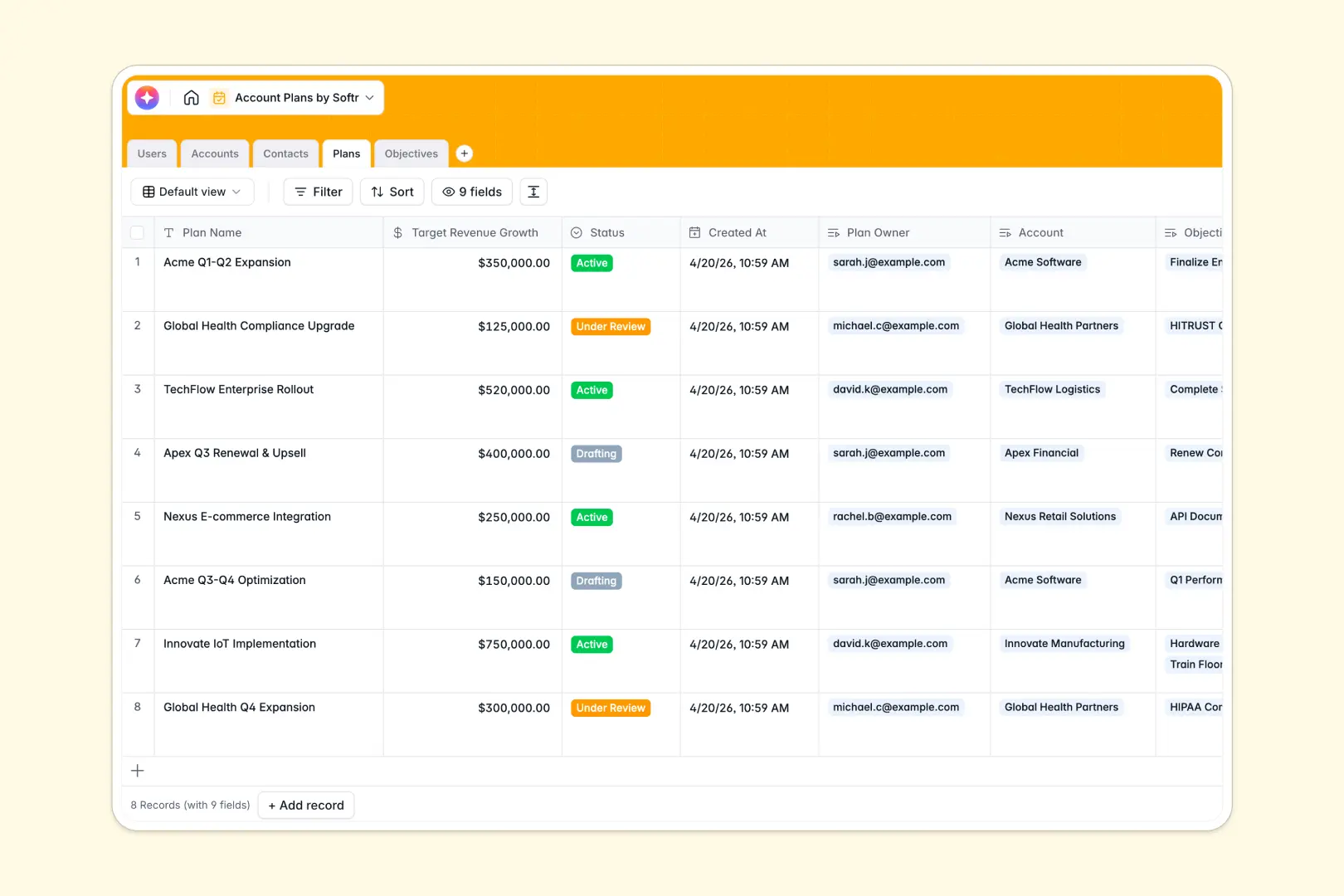
Overview of the Employee Directory
Building a centralized hub for your team is crucial for remote and hybrid environments. This Softr Employee Directory template allows you to instantly spin up a secure, searchable database without writing a single line of code. Connect your Airtable or Google Sheets data securely.
Building vs. Buying
Traditional Development
Building custom internal tools from scratch requires expensive engineering resources and months of dedicated development time.
The Softr Advantage
By leveraging Softr's powerful building blocks, you can deploy a customized app in mere minutes, complete with user authentication and granular access controls.
-
Users
Manage internal team members with roles, contact info and plan ownership
-
Accounts
Track client companies featuring AI research for business model analysis
-
Contacts
Store key stakeholder details with job titles and specific buying roles
-
Plans
Outline growth blueprints using AI to generate professional strategic summaries
-
Objectives
Define actionable goals with AI-driven checklists for execution steps
Who is this for
This template is perfectly designed for growing organizations and communities that need streamlined communication.
- HR Managers: To maintain up-to-date employee records securely and effortlessly.
- IT Administrators: Seeking reliable access control via Softr's user permissions.
- Remote Teams: Needing a unified, accessible workspace to find colleagues quickly.
How to take it further
Once you launch your directory, consider integrating additional Softr workflows. You can easily append an onboarding checklist, PTO requests, or an internal announcements board to transform your simple directory into a full-fledged company intranet.
-
1
-
2
-
3
-
4
Frequently asked questions
-
How long does it take to set up this directory?
-
Can I restrict access to certain employee details?
-
Do I need coding experience to use this template?
-
Is it possible to integrate this with my existing Airtable base?
-
Can I upgrade this template to a full company intranet later?
Start building today. It's free!
Build and launch your first app in under 30 minutes.